

Blender Bonsai edit IFC file

Dear all,
I have a IFC file created from Revit, it contains a mesh model which is a wall.
I open this IFC model and then i edit this wall.
1. add modifier
2. generate
3. decimate
4. set ratio = 0.25
5. apply modifier
6. triangle and face count reduce
7. "Save IFC project as" a new IFC project which is call "after"
8. However, i open this "after" IFC file, the "decimate" editing is disappeared and the wall 's triangle back to the original number.
I want to ask how can i "truly" edit the wall and save another IFC file?
Thank you
Tagged:
Comments
In your Revit IFC is the wall an 'IfcWall'?
It sounds like a bit of a weird operation you're trying to do - I assume attempting to reduce tri-count to help with file size? There might be a better way than this - because removing triangles in Blender doesn't necessarily remove them in the Ifc - Bonsai will re-triangulate when you Save As (I think).
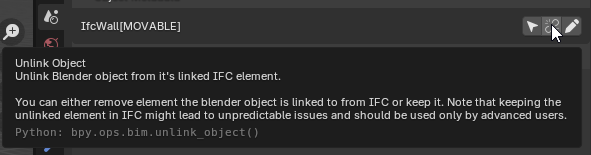
In terms of applying modifiers and editing mesh - the best luck I have had is to unlink the object from its IfcClass - see this discussion:
https://community.osarch.org/discussion/3067/how-to-fully-divide-the-mesh-into-multiple-independent-mesh-objects
@rex after you apply the modifier, try and use the following...
There's a certain level of triangulation that i don't think you'll be able to remove, but if the wall is very faceted, i think this will work.
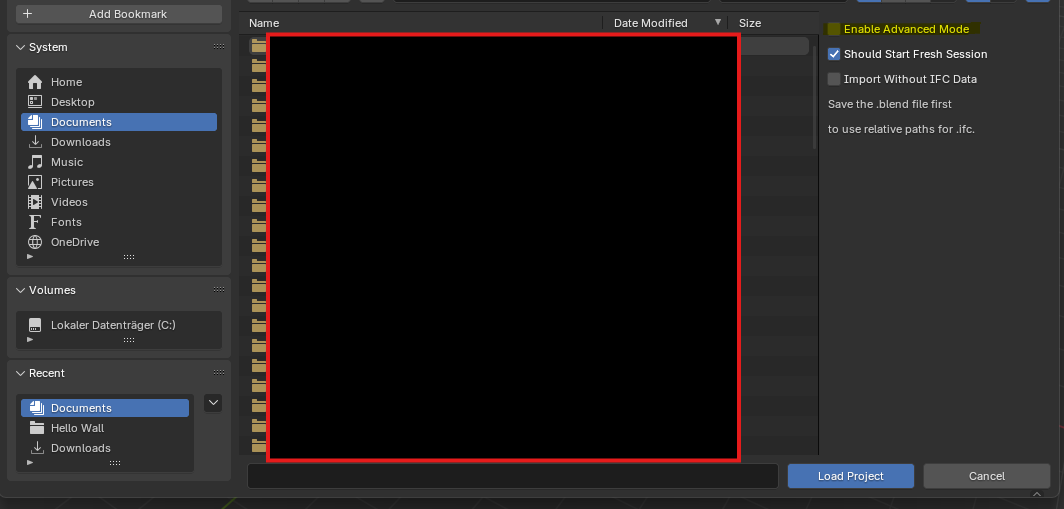
Another option you could try is loading the Ifc in Advanced Mode and ticking 'Clean Meshes'. I think on saving, this reduced triangulation would then save back to the Ifc itself.
Also too, if you're wall is initially a sweptsolid, you need to convert it to a tessellation first.
If it has openings in it, you'll have to unlink it first, and then convert it back to an IfcWall for it to change to a tessellation.
Hi everyone,
I’m looking as well for some guidance on the best workflow for reducing the detail of .ifc models.
Here’s what I’m trying to do:
Any tips, best practices, or tutorials would be really helpful!
Thanks in advance - any advice is much appreciated
Short: If there are too much polygons (triangulated objects from stepfiles with freecad, pumps with highpolymeshes,...) remodeling "low poly" is the fastest method (for me).
By remodeling "low poly" you mean within freecad?
I had something like this in mind: https://support.simplebim.com/04-clean-up-models/
Minimally invasive reducation of certain types best case.
Simplebim seems to be a very interesting App - but the conditions, subscription, .....
For manual geometry reduction or changes, my biggest issue would be that I do all necessary steps to keep that saved in IFC and not just Blender. Or which kind of changes are compatible in general or not ....
@vorax_mentis I didn't knew simplebim. There are also recepts in bonsai to optimise files.
LowPoly modeling is a technic most used in combination with subdivision surface modifier (sub-D modeling), if you are searching for topology optimation or the other keywords + blender there are many Youtube Vids.
In this case you get "tesselated objects" but if you are using bonsaitechnics to create e.g. walls or pipes, beams,... as "extruded solids" maybe you should watch the vids from ryan ( https://community.osarch.org/discussion/3032/blender-bonsai-tutorial-series-launched-looking-for-contributors#latest ) or ifcarchitect on youtube.
It's a big topic with optimation, modeling technics,.... so I just can give you some keywords, mabe the fast and easy way is to use tools to reduce geometry, to understand it, is creating some models the "golden way".
Happy modeling 😀
@vorax_mentis didn´t knew simplebim. There are also "recepts" in bonsaibim to optimise .ifc´s.
No didn´t mean in freecad. LowPoly modeling is a technic to create models/objects for gaming, rendering,... most in combination with subdivision surface modifier (also called Sub-D modeling) you will find youtube vids if you are interested. (you get tesselated objects)
If you want to model within bonsai extruded solids you should watch the vids form ryan (https://community.osarch.org/discussion/3032/blender-bonsai-tutorial-series-launched-looking-for-contributors#latest) or there are also some YT-Vids (ifcArchitect).
Maybe the fast and easy way to reduce geometry is using some tools, but if you are running into troubles, its good to "understand" geometry and some vocabulary also at modeling.
Happy modeling :-)
Thanks for the replies. I am familiar with modeling concepts and terminology. I just asked for the purpose of clarification because remodeling is definitely not my intention (even if it would be the better and sustainable approach it's not the desired outcome). I also know about the receipts and I am aware how to use them, what they basically do and their consequences. Still I am not fully understanding how the functionalities of Blender/Bonsai are applied and what it does to my file. So I am basically looking for a better understanding of the concept.
_Example: I have a sample ifc file which is 30mb - containing one object, represented by one specific type.
... manually saving the representation of the type is done.
( - Unlinking and re-assinging has no effect on the .ifc)
So I get an .ifc which has the reduced represenation(s) - but the file size is bigger ~31mb
How do I get the file size down? I don't know because it's merely try and error with blender crashes in between. So basically what I am looking for is a better understanding what is really going on and which step I am missing.
I am aware that in Blender I am not editing the IFC directly but the loaded copy. But sometimes it takes ages so what is processed? In short, how does pushing back the changes to the .ifc really work - what modifications are saved via the classic dialogue menu and which buttons have to actively be pressed to e.g. change represenations?
The tutorials and documentation I know are not really addressing such a use case. Maybe they do and I have just missed it, Then I would be very grateful if someone could point them out again!
Thanks!
Sry can´t give you explicit advice. There are some tuts on YT "BIMVoice" Channel "revit to ifc4" and others for the recepts at bonsais Q&C-Tab also "advanced mode" when opening the Ifc-file.
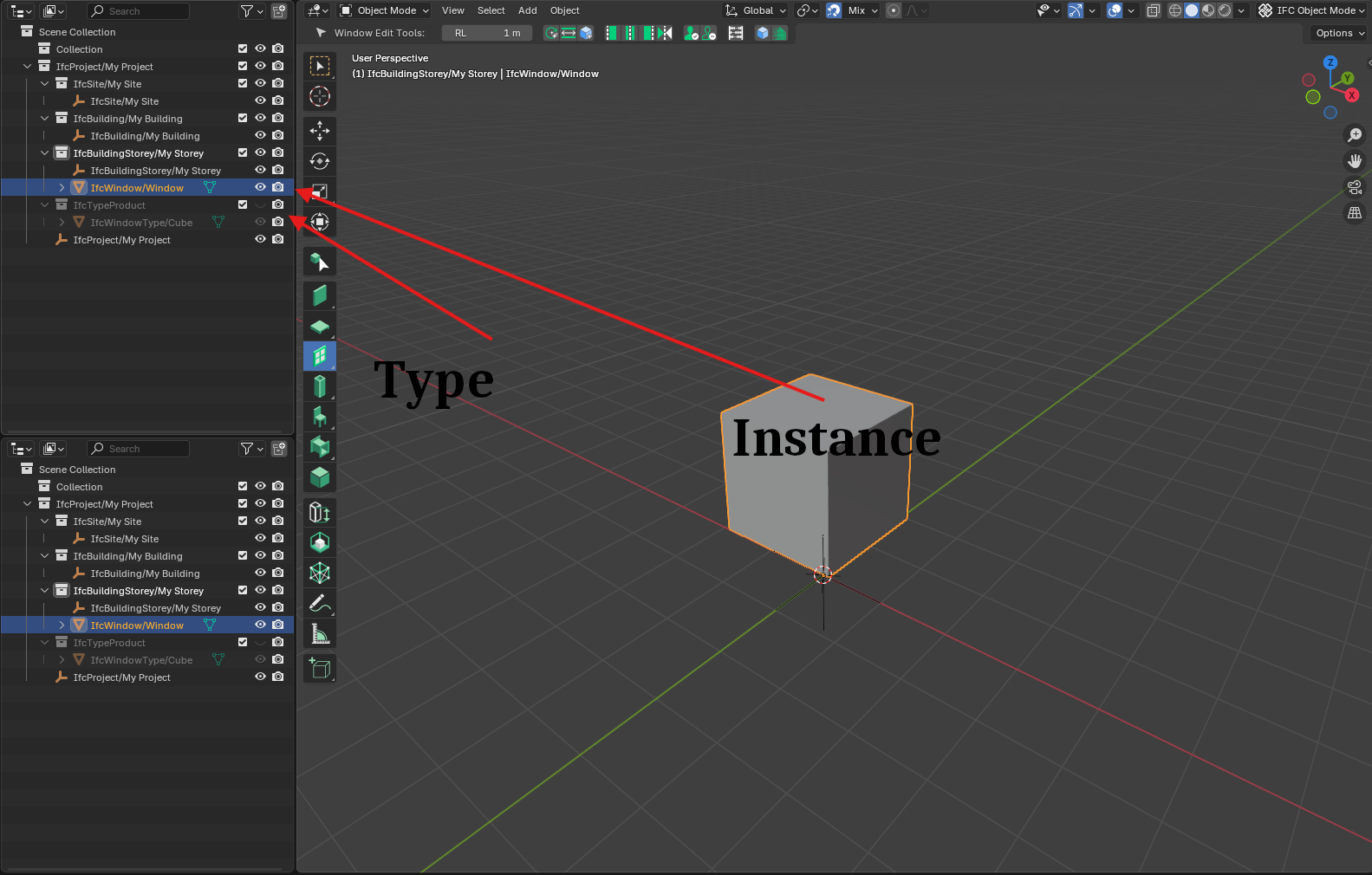
In the outliner you can check the types. Sry, but it´s like a riddle without the files.
Hope you will find the right solution
Will have a look into it. In the meantime I got the hint that 'purge orphaned' did the trick. However the performance in general for this operation is not very good.