

SPB Prodcution Tutorials

After I found out I did not understand how to fill on IFC attribute values correctly (mainly Tag, Name and Description) I recorded this tutorial about this topic.

The information I am presenting is from these discussions, mainly influenced by Dion.
https://forums.buildingsmart.org/t/proper-use-of-name-type-type-name-and-description/2542
https://community.osarch.org/discussion/comment/25434
The naming convention is not set in stone, so feel free to share your thoughts or practical experience.
Tom






Comments
Given that the outliner will show IfcDoorType/Unnamed, I would always find appropriate names for door types. Other users of the file may find unnamed types to be redundant.
never understood why some use long type names since the information is also in attributes and properties
on adding an instance I use the Type name, and add a sequential number when needed
I am curious to know what other users do too ;)
Yes, I think it makes sense to give proper Name attribute to a type if you are using it in a project.
Interesting. I did not know about this setting. It's a bit of a data duplication (having type name in the occurrence name), but I think in practice it can make things more understandable and is maybe easier to create schedules from.
@semhustej
More than duplication I'd call it "consistency" :)
I personally see the type as the main repository for as much information as possilble about the element, leaving only the specific part to the instance
Since there is no official standard for it maybe "best practice" should be the leading factor, hopefully others are coming to expand on the subject.
Dealing with data in a BIM model is a totally different ball game than looking at it from other point of views
I agree. The naming usage is dependent on the country, scope, the use of the model etc.
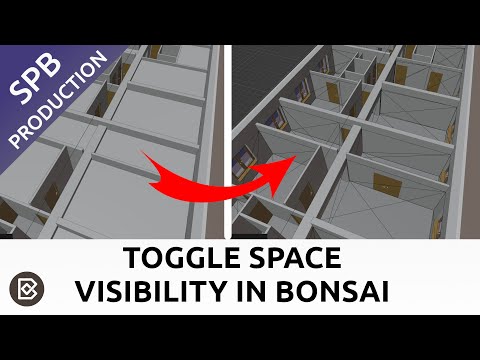
Until recently I did not know about the ability to hide or make space objects transparent in bulk in Bonsai. I recorded this quick tip about the functionality:
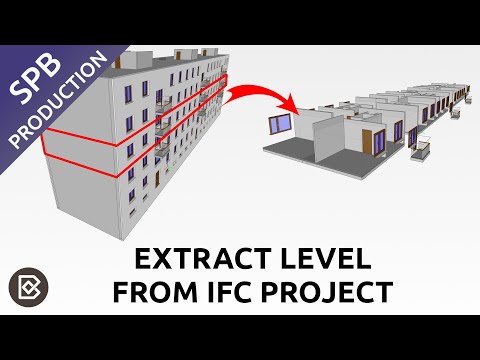
This tutorial shows how to use the 'SplitByBuildingStorey' recipes in Bonsai to separate the IFC project to independent files according to building levels.
@semhustej I know it's possibly not your first language, but they are recipes (instructions for making something), not receipts (the piece of paper when you buy something). It just looks odd when someone confuses these two.
You are right, I fixed the typo.
This is an overview of IFC Model Checker by OpenSource.Construction. It offers simple IFC model check for some basic data, with which you can quickly get idea whether the IFC file is complete trash or it is something you can work with.

The tool is browser based but the checks are running offline.
Cool tool. Two things to watch for. First time you validate something you need to be online. At least one .js download is lazy loaded when you first click the Validate button. So if you are paranoid just validate an empty ifc file while online, disconnect, then validate your super-secret file. Second, at least on my Firefox (Linux), the drop-down arrows do not appear, and clicking in the area they should be doesn't yield anything.
Interesting insight, I guess when I did my test with unplugging ethernet cable I did previously validate a file. The most important thing is that the tool really does not send the model to the cloud.
Good catch, I can reproduce on Windows with Firefox. I reported an issue: https://github.com/opensource-construction/model-checker/issues/47
I tested other tools from Louis, probably using the same UI libraries, and the all behave better on Chromium based browsers.
This video shows how to use buildingSMART Data Dictionary (bSDD) to classify elements in Bonsai.
IFC Compass is a nice little web application which streamlines IFC schema searches.
When searching through IFC schema, I usually have not really ideal experience searching the schema topics using the search on bSI documentation pages. Google search is also hit and miss with a lot of unwanted results. bSDD search is nice, but it does not offer direct link to the schema documentation. That is where IFC Compass comes to help. It offers:
The tool is free, but it is not open source. It was created by Martin Jan Rosa.
You can check it out here: https://ifc-compass.vercel.app/
The video introducing this web app:

Nice response. I'd like to see PEnum_ displayed too.
More searchable topics would be nice. PEnum_ is related to Property value and the tool does not even search individual Properties, only propert sets.
This video explains how to use IfcTester web application to validate IFC files against an IDS (Information Delivery Specification). IfcTester is embedded in Bonsai, but it can be also accessed as a standalone wen application: https://ifctester.org/
This video shows how to create IDS (Information Delivery Specification) by buildingSMART International using IfcTester.

IDSedit is a noodles-based, free, open-source web application for creating and editing IDS (Information Delivery Specification) files. The application offers an interesting approach to creating IDS files, using a node-and-connection interface (like a flowchart) that allows users to visually create, edit, and link modular components. The application was created by Louis Trümpler and can be accessed here: https://www.idsedit.com.
I recorded a short tutorial showing the basics of usage of IDSedit:
If you often find yourself perusing IFC files in their plain text format using a standard text editor, you might be interested in Ardit IFC Reader, a web application by Martin Jan Rosa. This sleek tool provides several advantages for viewing the text format of an IFC file:
You can access Ardit IFC Reader here (it is free to use): https://ifc-reader.vercel.app/
I recorded a short video demonstrating the advantages of this application:

This video explains, how IfcElement objects are related to IfcEelementType in the #IFC schema. IfcRelDefinesByType is the object, which connects instances to the type. I guess most people in this forum know this, but I figured I would post it here anyway :)
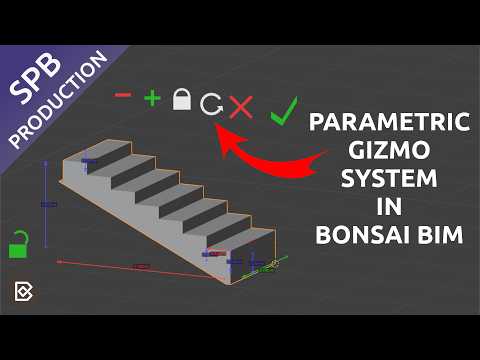
This video is an overview of the UI gizmo system for editing parametric elements, which was introduced in Bonsai 0.8.5:
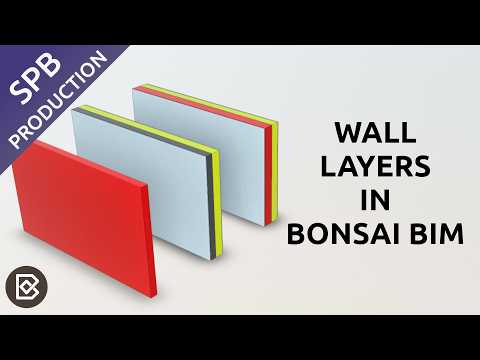
This video explains how to create composite wall types with material layers in Bonsai. It took me a while to figure it out so I recorded this video for people trying the same.
^ Great !
This tutorial is continuation of the last video. It show how to create joints between walls in Bonsai, how to unjoin walls and most importantly how to set up walls so that their layers protrude each other in a desired way.
Great !
But why didn't the butted corner connection update with priorities ?
Because you had a different (same looking) Wall Style for both Walls - without priority set - or because it is a different butted connection because it is a Wall corner (which is not supported) ?
If I do not want the Concrete Wall's core to extend the Brick Wall's outer side _ I would need to setup a "special" Plasetr with Priority 80 ?
A nice example to show my Structural-vs-Finishing-should-be-separated postulate dilemma ....
If Insulation would only appear at outside, (e.g. deleted in the "room" where the video start/stop Icon is),
The Brick part of the Wall would run through. But when you model with Wall Styles you would need to stop at the corner and start a new Wall, which means a new Wall Style. Not really an issue in this case. But if you think of possible different unique finishing types interior and outside in all possible combinations, variety and amount of Wall Styles will explode easily.
(I often had 20-30 Wall Styles (which doesn't make modeling easy or comfortable) although I would only have abut max. 5 sorts of structural Wall types)
But for me it is not so about the complexity of Wall (or Slab) Styles. It is more the need to interrupt running Walls that feels so wrong.
This is because I did not really create a butt joint there. I just extended one of the walls to certain point. There is no joint between these two walls.
I don't know how to best solve this. The one solution is that which you are proposing, but that seems like an unwanted workaround to me.
Yeah, this is an issue that you will hit also in Revit. There are several ways how to solve this (many wall types or separeted layers as independent walls). Both have advantages and disadvantages, I think it depends a lot on what project you are doing.
I am pretty sure I did not cover all the tricks that are available for joining walls in the tutorial. I covered only the basics. I think more experienced Bonsai users will have a lot to add.
Thanks again.
I think I got it.
OK, would never have thought of this :)
Not sure how many days I would have needed to find this, in case that would happen accidentally for me :)
>
Originally I wanted to create the tutorial only showing how to setup joints with layers, so the basic explanation of join tools came as an afterthough and I did not explain it thoroughly.