

How can I create slanted walls in BlenderBIM?

Hello OSArch Community,
I'm working with the BlenderBIM Add-on and would like to create walls that are slanted (i.e., not vertical). Could someone please guide me on how to model a slant wall in BlenderBIM? Which tools or workflows are best for this?/
Thank you!
Tagged:
Comments
@Abhishek
like this?
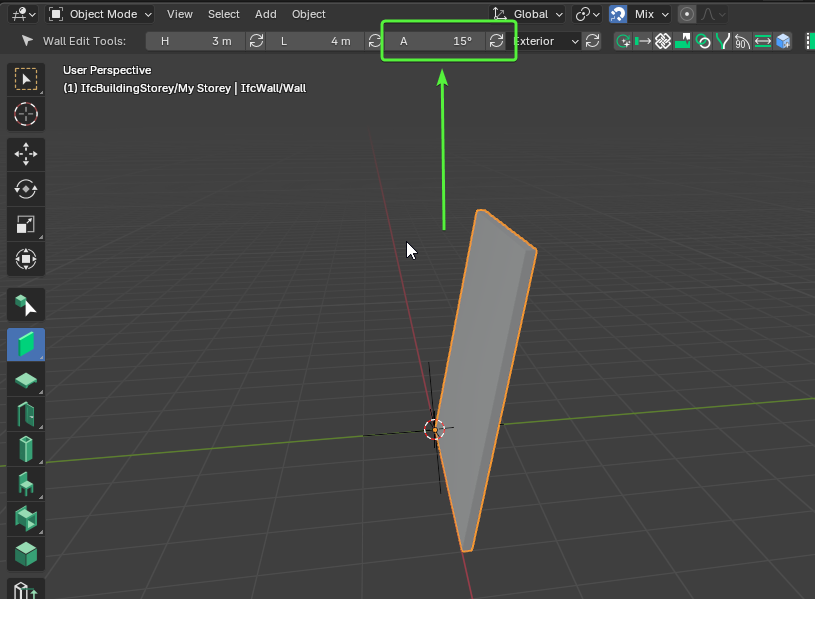
Got it thanks a lot @steverugi and how to do a tapered wall ?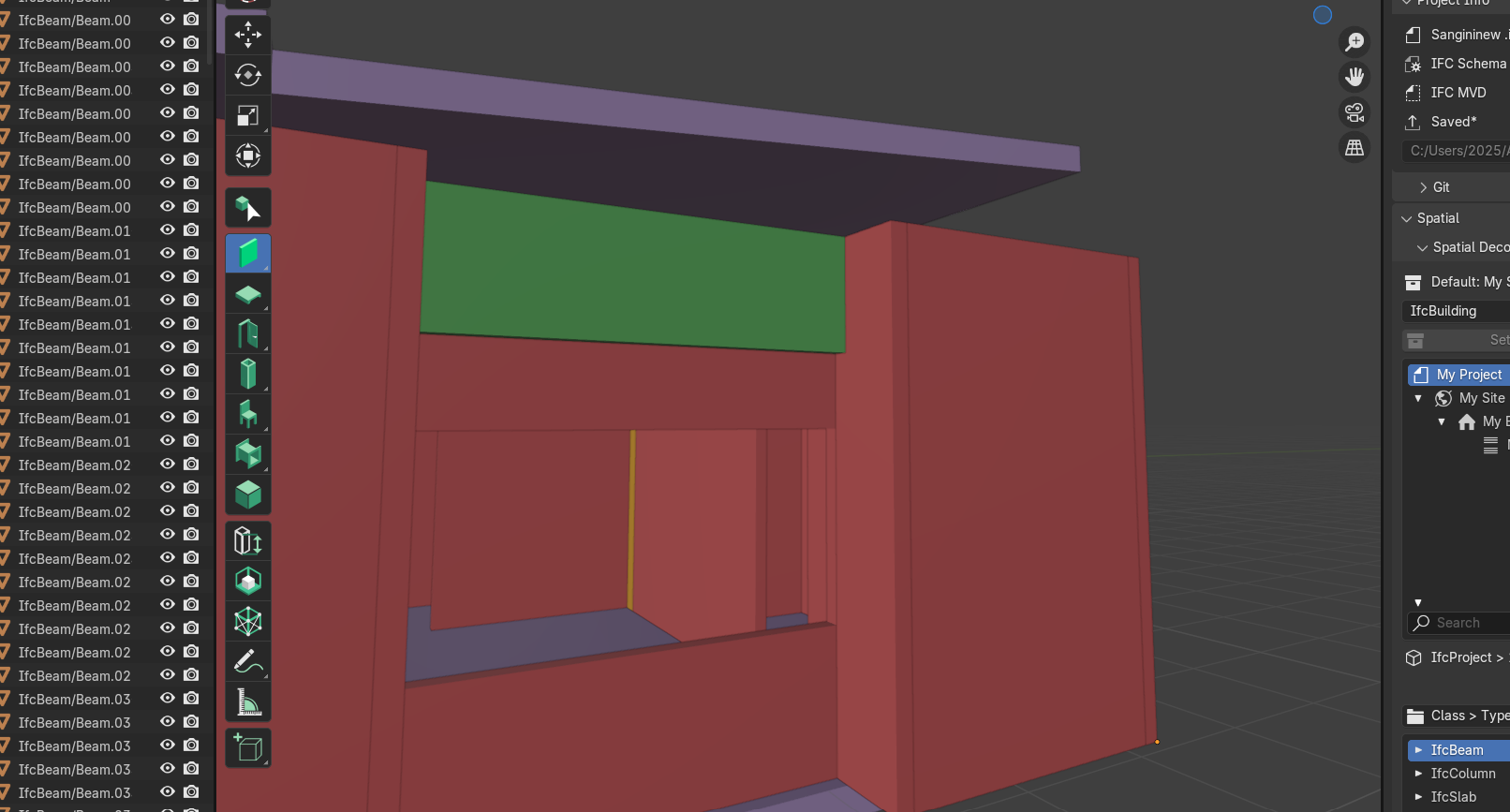
@Abhishek
1. select your wall and hold
Shift2. select your slanted slab
3. click on
Extend to Undersidein the "Tool" panel on the right (use "N" to turn it on)@Abhishek
Sorry the above is not a
taperedwallfor that you I think you need a profile, will show it later if you like
however, for your information, the cutting of the wall above is performed by a boolean difference (press Tab to show it):
@Abhishek
for a tapered wall like a retaining wall :
create a section shape
Add>Mesh>Planecreate a profile
+to add a profile with the chosen shapeuse the profile to define a wall type:
Use
Add>IFC ElementAddIfcElementTypeIfcWallTypeExtruded ProfileNew Profile(or the name you chose when creating it)create a wall with the new type
click on
Launch Type Managericonselect the new type and close the panel
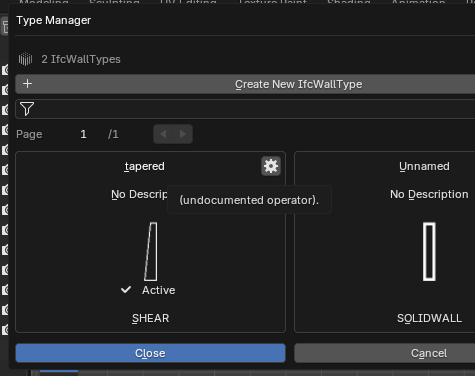
now you can create your new fancy wall (you can delete the original shape used for the profile)
happy modeling
Another option is to just add a half-space modifier and slice planes off of a square wall:
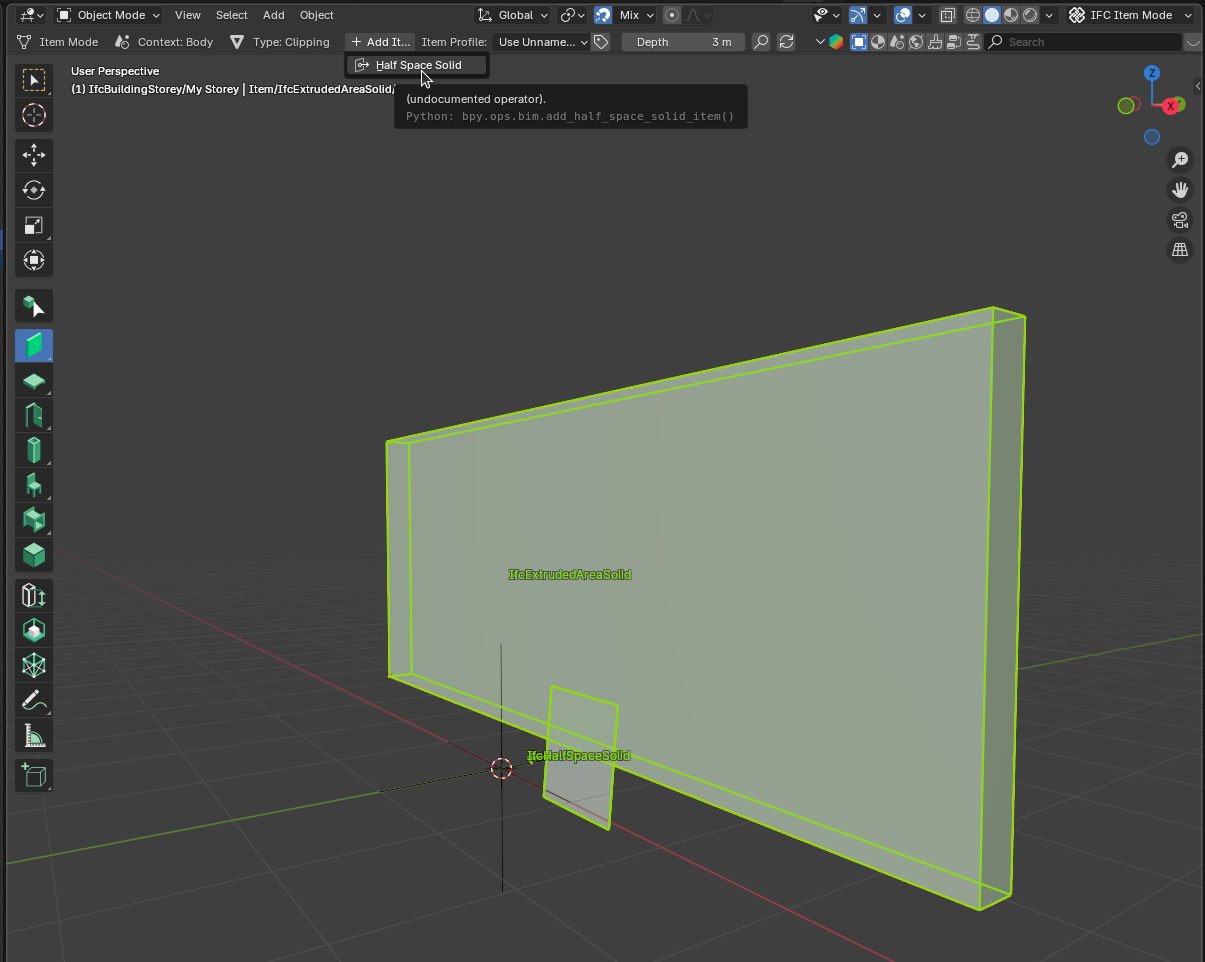
That half space puts a five degree taper on the wall.
Just wanted to say a big thank you to the OSarch community for your help with my questions on creating slanted and tapered walls in BlenderBIM. Your explanations and guidance—especially from @steverugi @sjb007 —were incredibly helpful. I appreciate everyone’s time and willingness to share knowledge!
You're very welcome @Abhishek
we are like a family here, we help each other
if you don't know it already, the 'profile' method to create a tapered wall is better when you need a type you can reuse over
for just a single wall the 'halfspace' method is much easier
happy modeling
Exactly @steverugi
Thank you so much! 😊 It really made me smile when you mentioned “family” — that’s exactly how it feels here. I’m grateful to be part of such a kind and helpful group. I still have quite a few doubts to clear up, so I’ll be posting them one by one soon. Happy modeling to you too! 🙌