

Numbering tool for Blender/Bonsai

For the coming month, I will work for the engineering firm 3BM on Bonsai. The goal is to allow for easily creating pile plans. The first main objective is to create a (re)numbering tool for numbering piles. To make it widely usable, the idea is to make a general numbering tool for abitrary objects. The inspiration is the renumbering tool from Revit, see:
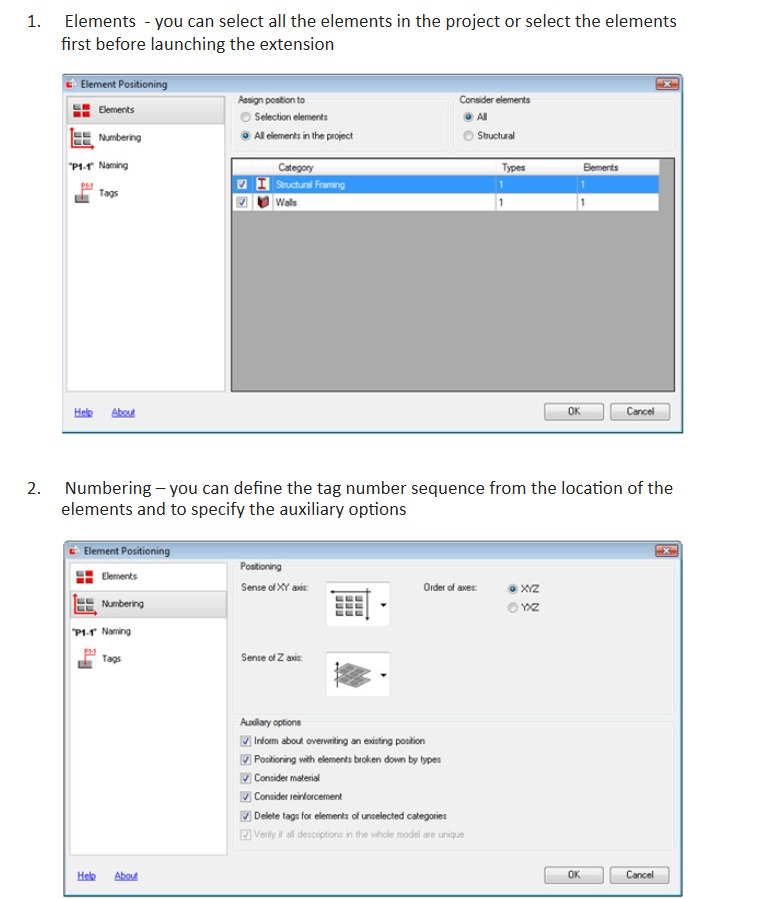
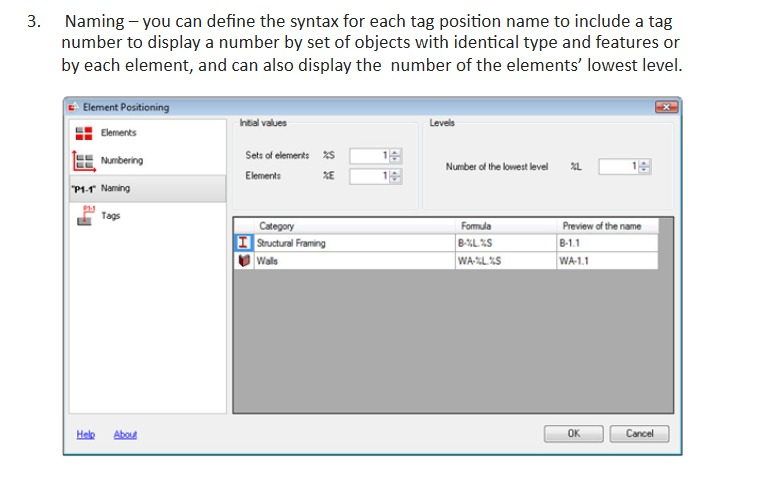
That is, the goal is to create a tool with a user interface that allows for
1. Selecting elements that are to be numbered, either by manual selection, or e.g. selecting all objects of a certain type.
2. Specifying the order in which to number the objects, e.g. from left to right, then top to bottom. Here, a margin parameter could be specified to allow objects within a certain margin from a row to still be included in the same row. Alternatively, the user could specify a custom path.
3. The user specifies a format for the naming of the numbering. This could contain several numberings, both of elements, and within types. The naming could then look like "W2E4" specifying a Wall numbered within the type by 2, while the Element number is 4. The user could specify the desired format by e.g. "W%tE%e" where %t refers to the type number and %e to the element number.
I am completely new to Blender and Bonsai, so any tips are welcome. For now, I will follow the Bonsai documentation for Development.
Any feedback on the suggested tool are also welcome.
Some first few questions are:
- Where could this tool fit into the Blender/Bonsai UI?
- What would be a good place to store the 'number' within the IFC format? A possibility is to store it inside the tag, but I hear it is not recommended to use the 'tag' property for this. Alternatively, it could be stored in a custom property added to all objects. Any tips or alternative ideas are welcome.






Comments
@BjornFidder maybe this post can help you
https://community.osarch.org/discussion/2184/simple-wall-naming-script-in-blender-bbim
It is for a different purpose, but it can give you some hints