

Bonsai - annotations make drawings slow - a comparison

Hi,
I worked with Bonsai quite a lot the past year and did so on different pc's
Normally it worked great, though i noticed a particular problem slowing down a drawing view. So I thought creating this informative post maybe others have the same problem or maybe not, curious to see if it can be solved!
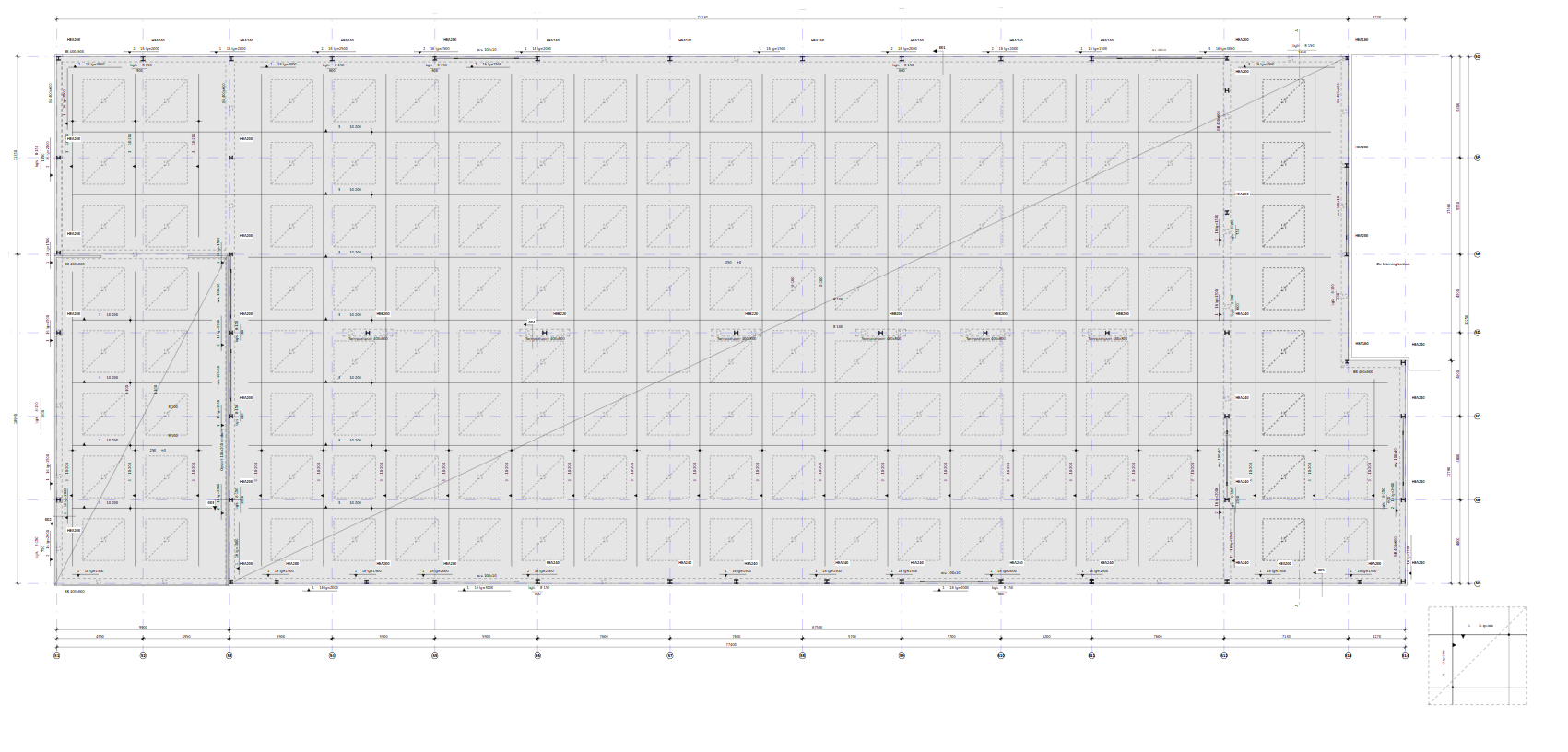
When adding annotations it goes fine for smaller drawings. However at some point i noticed everything getting slower like panning, orbiting, selecting objects etc.
I thought this was my laptop, but after swithing to a pc with a lot of cores (40!), ram (128gb) and a better gpu it was still very similar.
So I thought to make a comparison with a timer, so you can see the difference!
See this link for the videos:
https://archive.org/details/pc_20250731
Couple of (other) issues shown in the videos:
- lines with geometry change if i refresh them (adds the square in the middle). Have to do this every time I load the file again.
- selecting objects takes a longer time then needed
- when in floor plan and then orbit the view, it looks crazy with the lines everywhere etc.
- same floor plan with no annotations has no issues whatsoever
- going back to model view after you've been in a drawing takes also a long time, longer then opening the view with all the annotations itself.
@theoryshaw do you have similar problems/findings?
Below the DirectXDiagnostic text files so you can see the full specs and the original file so you can test it yourself.



Comments
Yes, i think i have similar slow downs, although I haven't used BB on a project this big as yours.
Here's a video opening your file: https://community.osarch.org/uploads/editor/fu/kr8n24rcvx9d.mp4
...
I don't use
bim.activate_modelas it's very slow.Current issue here: https://github.com/IfcOpenShell/IfcOpenShell/issues/5696
@sjb007 put in somewhat of a fix here: https://github.com/IfcOpenShell/IfcOpenShell/pull/6940
As a workaround, I have in the past, used
ALT+clickon a 3d view to emulatebim.activate_model.Unfortunately, that functionality doesn't seem to work anymore.
...
In general, however, the speeds with switching between drawings, and printing drawings are somewhat of a bottleneck.
I think this is a common enough of a problem, to warrant a funding campaign around it.
Thoughts?
Also too, maybe it would be nice to have something like the ability to turn off annotation decorations, like we can turn off the 'cut' decorator.
I think these decorators cause a lot of lag.
I would also suggest, as much as possible to limit your 2d lines, and try to represent that stuff with actual 3d models.
On some of your drawings, have you tried using reflected ceiling plans, before?