

New to Bonsai BIM? try this intro videos (Aug 25)

absolute beginner?
Certainly not to compete with way better modelers like @theoryshaw or IFCArchitect, for those who were interested in dipping their toes in openBIM waters using Bonsai, I recorderd these few videos while I was modeling a simple building as introduction for a workshop dedicated to QS (we don't use fancy details, you know..)
They are a bit rough and unedited, perhaps some procedures are not the best in town but I am using one of the latest (2025 Aug 25) release and could be of help for some, before subscribing to better tutorials (please do it, you won't regret it).
I attach the IFC model for reference
Happy modeling
PS I wanted to embed them here but their size is too big
video 1 - foundations
video 2 - columns and beams
video 3 - walls, windows and door
video 4 - roof and plaster
video 5 - flooring







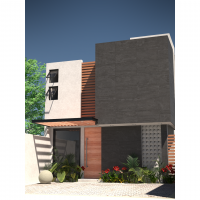
 and 12 others.
Comments
Thanks for sharing.
Great, these Videos also help a lot.
Any and all tutorials are welcome! I'll give them a go, but I bet they're twice as good as you imagine. Thanks for your work!
Good to see you creating all IfcTypes from scratch in a new file from scratch.
But I failed miserably. I think I needed more than one hour to replicate your work in the first video, as the GUI of my daily build already looked slightly different and I wished a few of some really essential settings got some more explanation for someone not familiar with it.
Video 2-5 were a bit easier.
@zoomer
OK could you elaborate more ? which step didn't go through as expected?
Sorry for the delay ...
An example would be in Video 1 at 2:20 - New Type > Footing Type / "Representation" : was too fast for me.
For me, when you see that dialog fort the first time, it looked like all these input fields are for IFC Data input only and "Representation" dropdown was handled also as fast so I did not recognize it as something essential. Or what these options actually mean. If you do not set it right you might get a slightly different UI later, when you want to edit/setup the geometry and unexpected results. So I switched back and forth in the video quite a few times until I got that.
I generally like it when it is not only shown what and where, but also what to achieve and why this way and potential pitfalls if you do it wrong. Especially for an absolute beginner tutorial, or in general for someone like me :)
Also problematic for me was the Bonsai GUI that is a bit low contrasty in hierarchies. For me it was not easy to recognize where a special section starts and ends. Or to find the important input field beside others ...
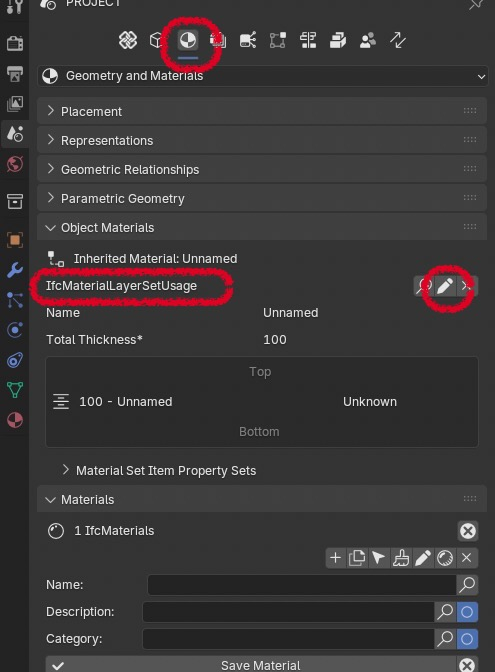
Or why to edit the type in the "Material" (and Geometry ?) Tab ....
Set Material first ? :
Geometry Settings a level deeper ? :
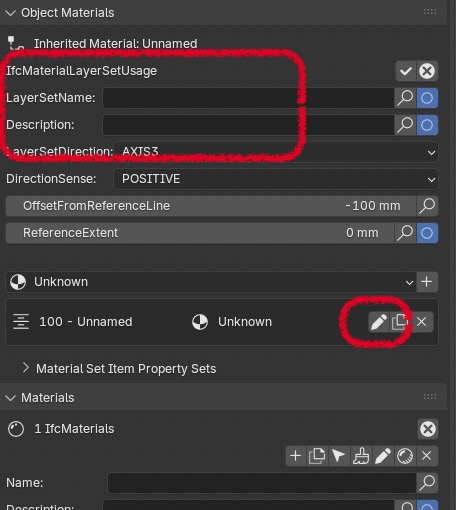
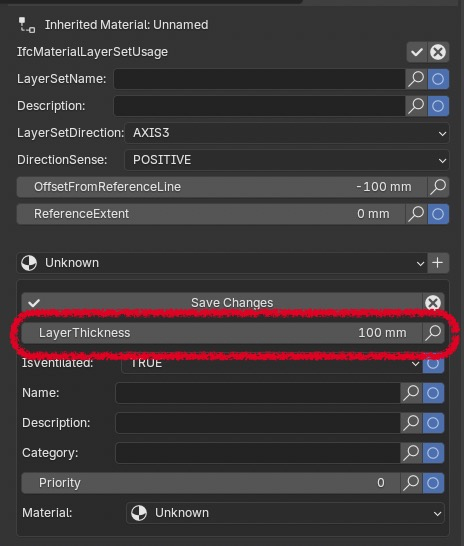
There are so many obvious input fields for text and numbers, but the important one hides behind something that for me looked like a Separation Bar in UI :
@zoomer
some valuable input you posted here, thanks
with time you tend to forget that all details are important and a video needs to slow down on key steps
glad you sort it out by yourself eventually
let me know if you need anything
happy modeling !
But it was great that you already pointed me to custom Types creation, at one point I will ned that and be used to it.
Or things Video 4 around 2:04, when you startet offsetting Rectangles, it took me until the end result to get what was all about ...
But when I watched it the second time to find it, it looks like you explained everything. Maybe I can not watch and listen at the same time :)