

Only show certain representations when they are cut in plan?

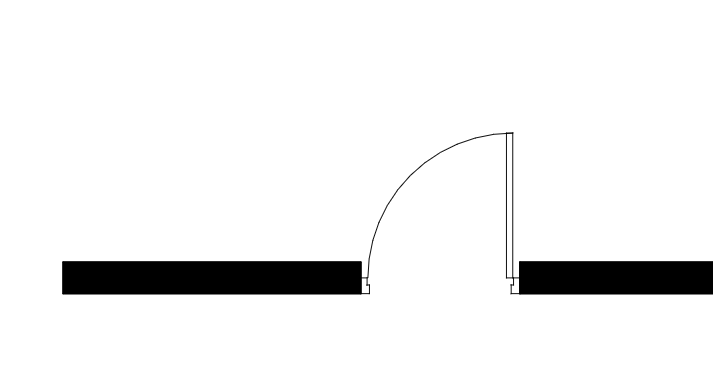
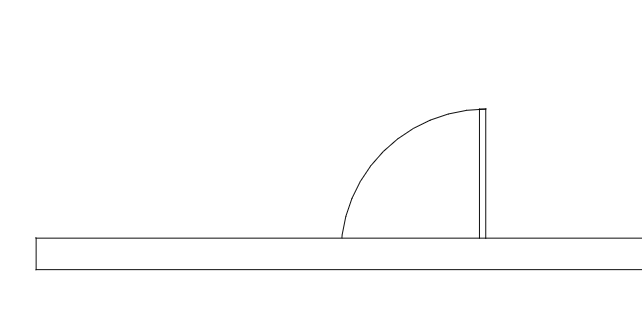
Does it make sense to have representations like Plan/Body/PLAN_VIEW and Model/Body/PLAN_VIEW only show when you're cutting through the object?
Just trying to figure a way to not see the door swing beyond, when the cut is up above the door.
Thoughts?

Comments
That's the rabbit hole Revit is struggling with a lot. Your suggestion works in mamy cases, but there are also many exceptions where it doesn't.
Elements usually below the cut plane
Elements often above cut plane
In Revit this is mostly solved by adding invisible vertical lines to objects, that you manually set to go through the desired cut plane and some other workarounds. In archicad there's a separate scripted symbol in each element.
Should IFC have a convention that codifies what the representation looks like relative to if the object is ‘cut’ by some camera?
https://forums.buildingsmart.org/t/should-ifc-have-a-convention-that-codifies-what-the-representation-looks-like-relative-to-if-the-object-is-cut-by-some-camera/6291
Some AI brainstorming....
https://claude.ai/share/f48f96f7-7dbf-4096-8938-4be495f26ed9