

IfcSpace style

Want to have a visual style attached to geometry of an IfcSpace. Typically a color and 40% transparency.
Have been reading this post(Color in IFC), and this post (IFC Colour Elements with IfcStyledItem in MappedRepresentations)
However still a bit confused about how to approach
- Blender material?
- IfcStyledItem
- IfcSurfaceStyle
- IfcPresentationLayerAssignment
How to achieve this in a structured way in Bonsai?
As always any help much appreciated
Tagged:

Comments
Not sure if this is what you need, but maybe this can help
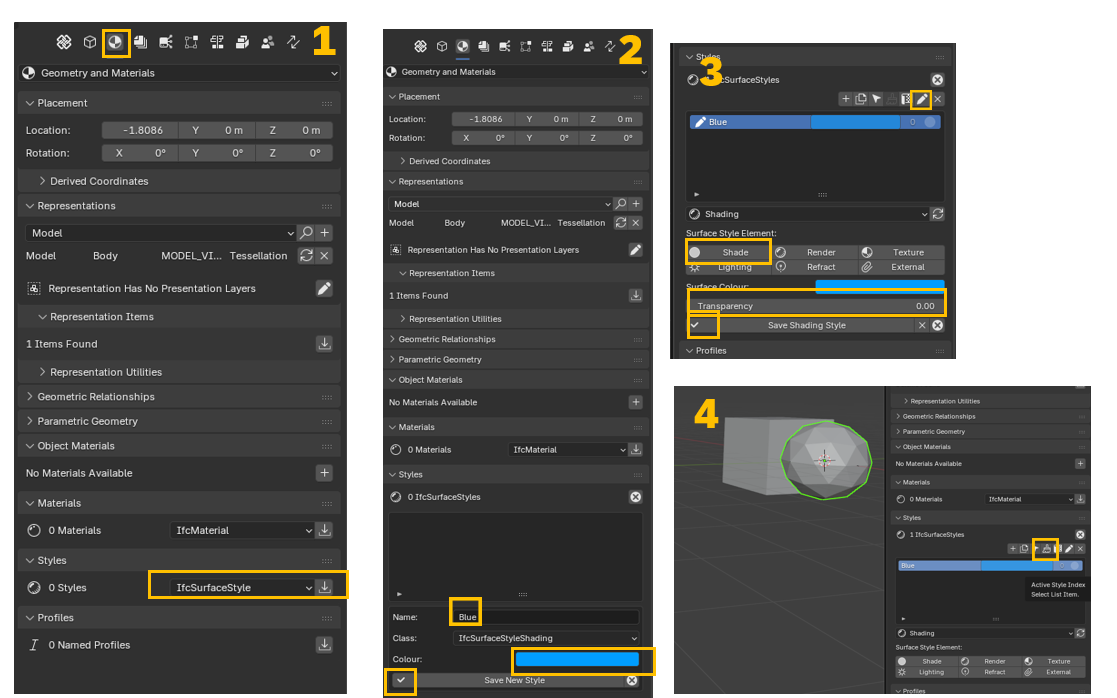
Here’s the test I did
@BimETS thx, looks like what I want, will give it a go
Did a brief test, looks great
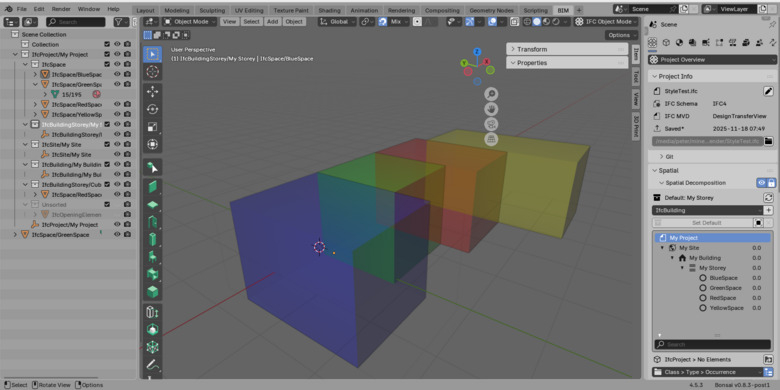
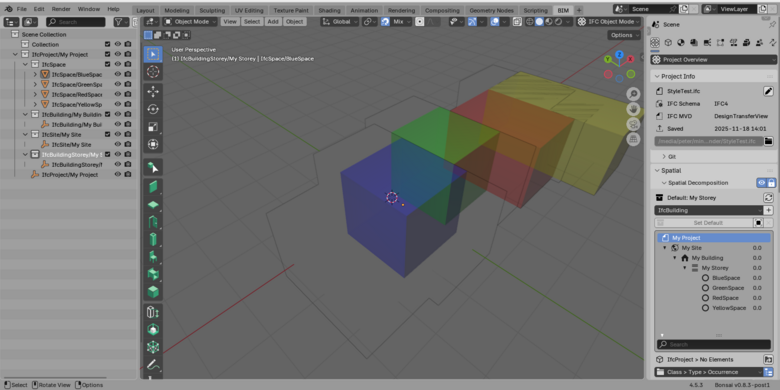
However after reloading (opening saved project from disk), I get these ' limit artifacts' .
Must admit I have stretched and moved original geometry. Any way to rebuild?
Any help or guidelines most appreciated
Don't scale objects in object mode, scale them in edit mode.
I think the latest BB doesn't even allow scaling in object mode.
Also just open/close the ifc, not the blend file.
You can save .ifc/.blend file together but there are often sync problems.
@theoryshaw Have not scaled, but:
What I am really trying to test is finding a 'safe' workflow. Especially editing geometry of existing manually modeled IfcSpace objects.
thx in advance for any advice , much appreciated as always
When you move the origin, via...
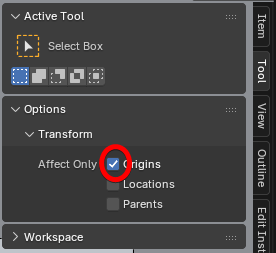
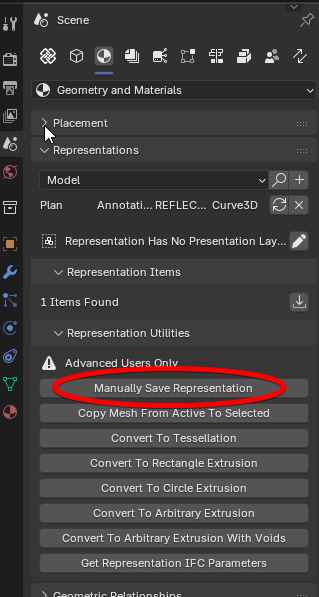
Make sure you 'manually save representation'...
This is still a quirk, i think, in BB.
@theoryshaw Thanks a lot 🙏
@theoryshaw Is there any way to edit an IfcSpace entity? I’ve run some tests and the only method I’ve found is unlinking the entity and then linking it again after the modification. However, every time I do that, the element moves to 0,0,0 and I have to reposition it back to its original location.
Is there a better workflow to avoid this issue? Any tips would be appreciated!
You need to use IFC item mode (not Blender's) and tab it to edit it.
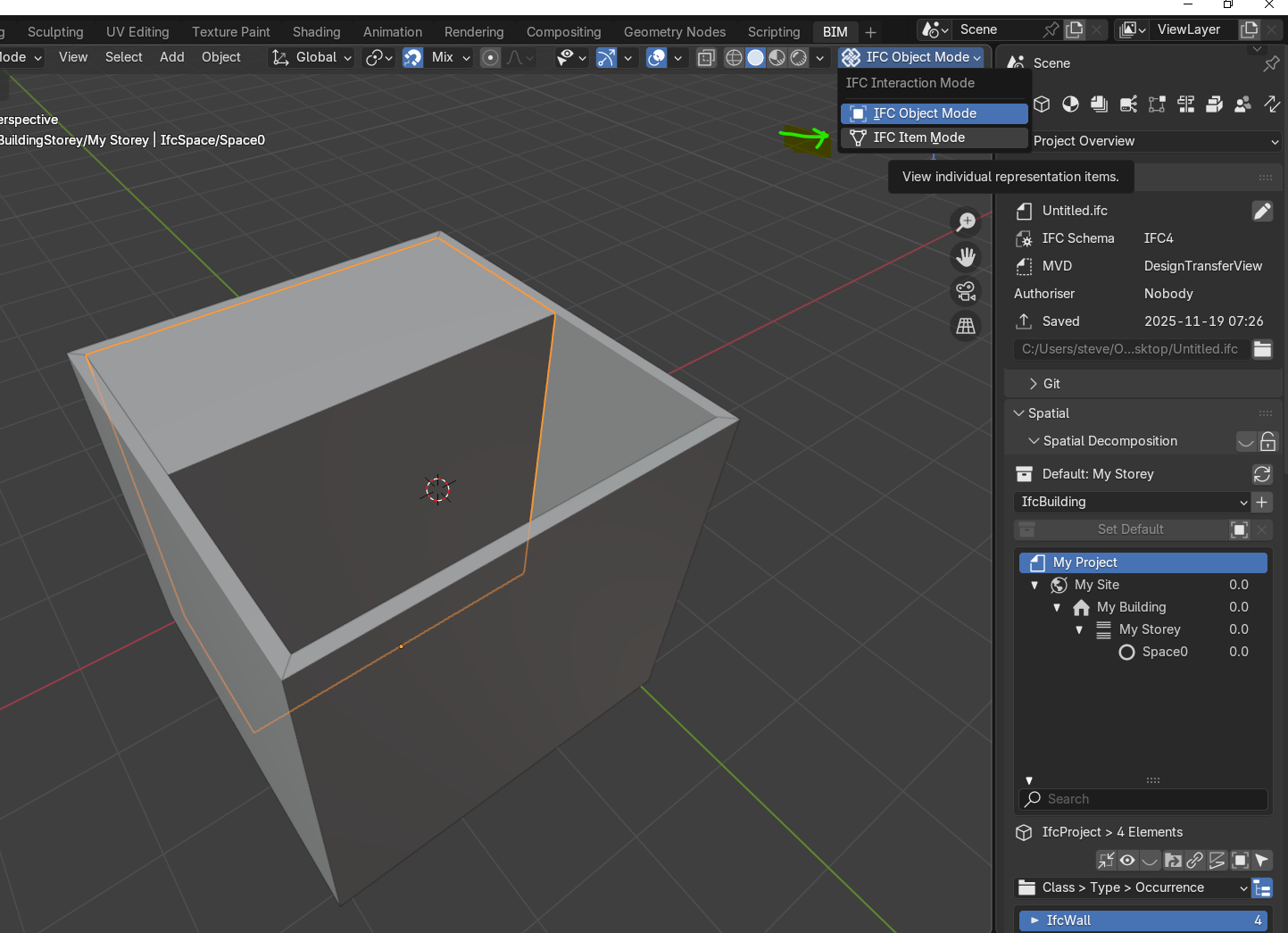
Yes, but for some reason that approach doesn’t seem to work with IfcSpace entities
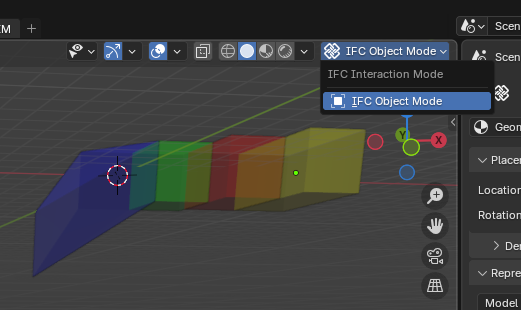
please unlock Spatial Decomposition to have that option (also select the space and
tabit)question:
is it necessary to have IfcSpace not visible in viewport by default?
I personally find it a bit odd, or maybe there is a good reason for that?
I also noticed that when I was wondering where my Spaces are (or why they weren't in the way at that time)
Usually in Blender, I think by default, the "Viewport" filter in Outliner is hidden.
Not 100% sure, but I think I have seen similar behavior when loading Speckle (from IFC ?) projects into Blender. Where some objects were hidden by the "Viewport" Filter instead of the Standard "Eye" Filter.
This has become a great thread, thanks to all.. Shame it is not organized as documentation
Am also curious why IfcSpaces are special, and 'Disabled in Viewport'

verses just 'Hide in Viewport'
As such, IfcSpaces can no longer be turned on/off with the drawing's exclude/include filters.
Also, when you duplicate a space, in turns off right way.
...
@Moult, Any objections to to using
obj.hide_set(True)instead ofobj.hide_viewport = Truein this commit?https://github.com/IfcOpenShell/IfcOpenShell/commit/a11f81f2ceaf776498ef8bd63f0f3f605461c297
My idea is to add it ASAP to: https://wiki.osarch.org/index.php?title=BlenderBIM_Add-on/BonsaiBIM_Features_Guide ... otherwise I’ll forget about it later 😅
👎My problem w wiki is I can not reset my passwd. Hopefully someone w credentials can send me a private message or an e-mail w a new one
@theoryshaw @Moult maybe if there are good reasons for both options, then that is something to add to the Extras :) https://community.osarch.org/discussion/comment/26969
Cheers!
👎My problem w wiki is I can not reset my passwd. Hopefully someone w credentials can send me a private message or an e-mail w a new one
I tried option 1, but that didn't work, or i can't find it.
I can't do option 2, as i don't have server or configuration access.
https://chatgpt.com/share/6900b11a-1098-8013-919f-4461ab19765b
@Moult can you help @CadGiru ?
Since no objections, the following uses hide_set() for IfcSpaces instead of hide_viewport.
https://github.com/IfcOpenShell/IfcOpenShell/commit/96fe9b5398e26f6d53c3e7e0dadd4dfc67acf514
@Moult I see you reverted this commit. Any particular strong reason why?
From my side, it's a little cumbersome to have to manually turn on/off
disable in viewportswhen you have drawings where you want to show IfcSpaces--that is, the on/off doesn't work with activate drawing.I agree.
I discovered a simpler way of enabling Space visibility than fiddling with the
Scene Collection. There is an eye button next toSpatial Decompositionpanel. This turns global visibility of space objects on/off. It seems to me this solves the issues described in this thread.I think not being able to turn on/off IfcSpaces with the drawing's exclude/include filters is still an issue, however.
As i understand it, you have to do this manually with drawings.
Oh, I tested just the 3D space behavior, not the drawings.