

Proposal for a new search interface

Here is a proposal for a simple search interface that can help in a number of places in Bonsai where filtering is required PR7498.
You enable in the addon settings:
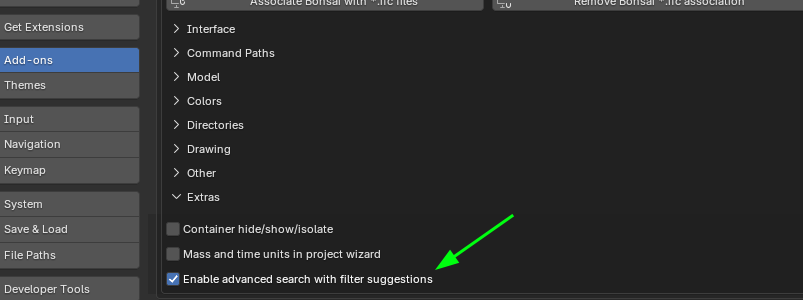
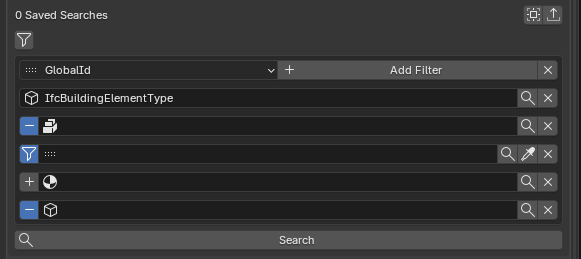
Your search interface is simplified with just "Add Filter" (no filter groups)

By clinking Add filter you add lines:
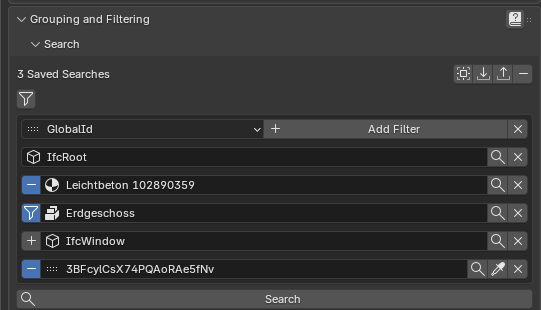
The idea is that a filter is a single chain of lines. The lines are processed from top to bottom and each line you can take three possible actions: ADD, SUBTRACT or FILTER (intersect).
The filter is a machine that starts with nothing and reads the lines in order to build a set of elements.
This is how it works:
1. The filter set is initialized to an empty set
2. The first row is read and it has implicitly an ADD action (you cannot change the action for the first row), so the elements of the first row are added to the filter set
3. The next row is read and depending on the action the following can happen:
- ADD: The elements of that row are added to the filter set
- SUBTRACT: The elements of that row are removed from the filter set
- FILTER: The elements of that row are INTERSECTED with the ones of the filter set
The process continues with the following rows
So in the example above we would have the following:
1. Filter has nothing
2. Filter gets all the element of the class (superclass) IfcRoot (so basically everything)
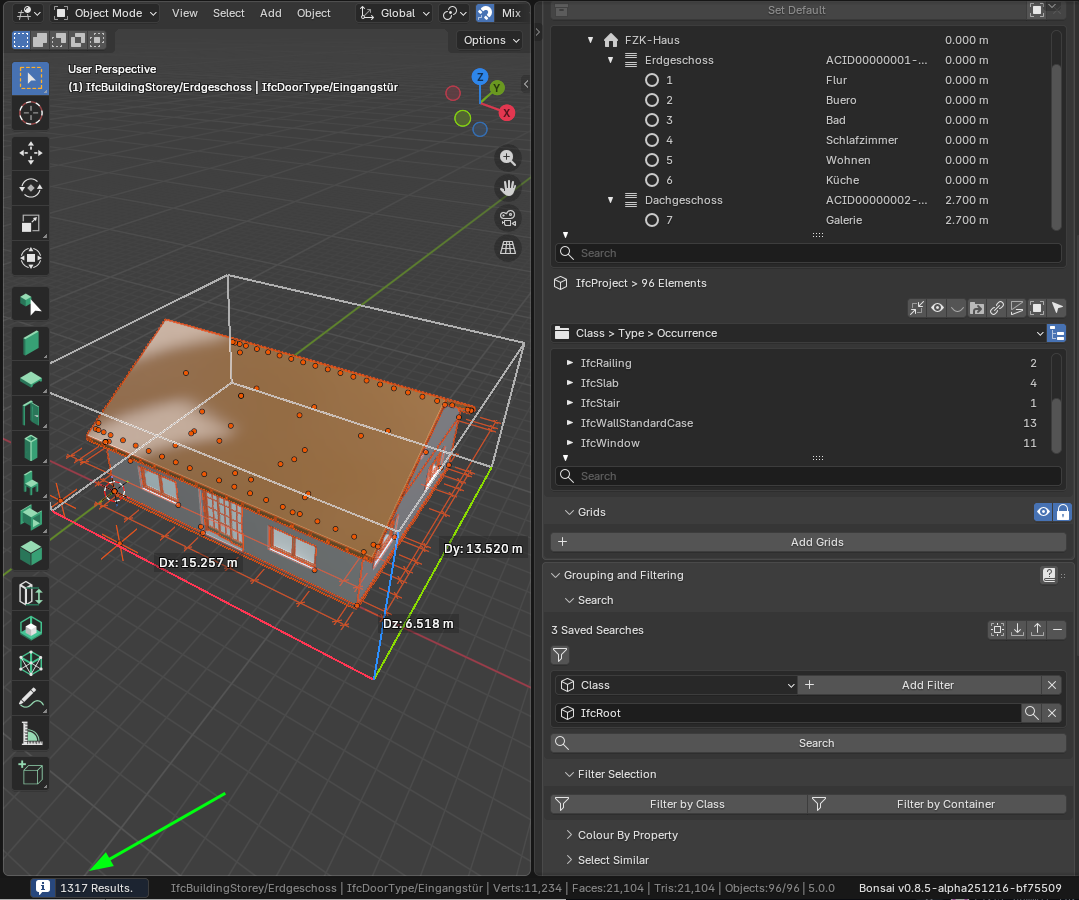
3. It removes all the elements with material Leichtbeton 102890359
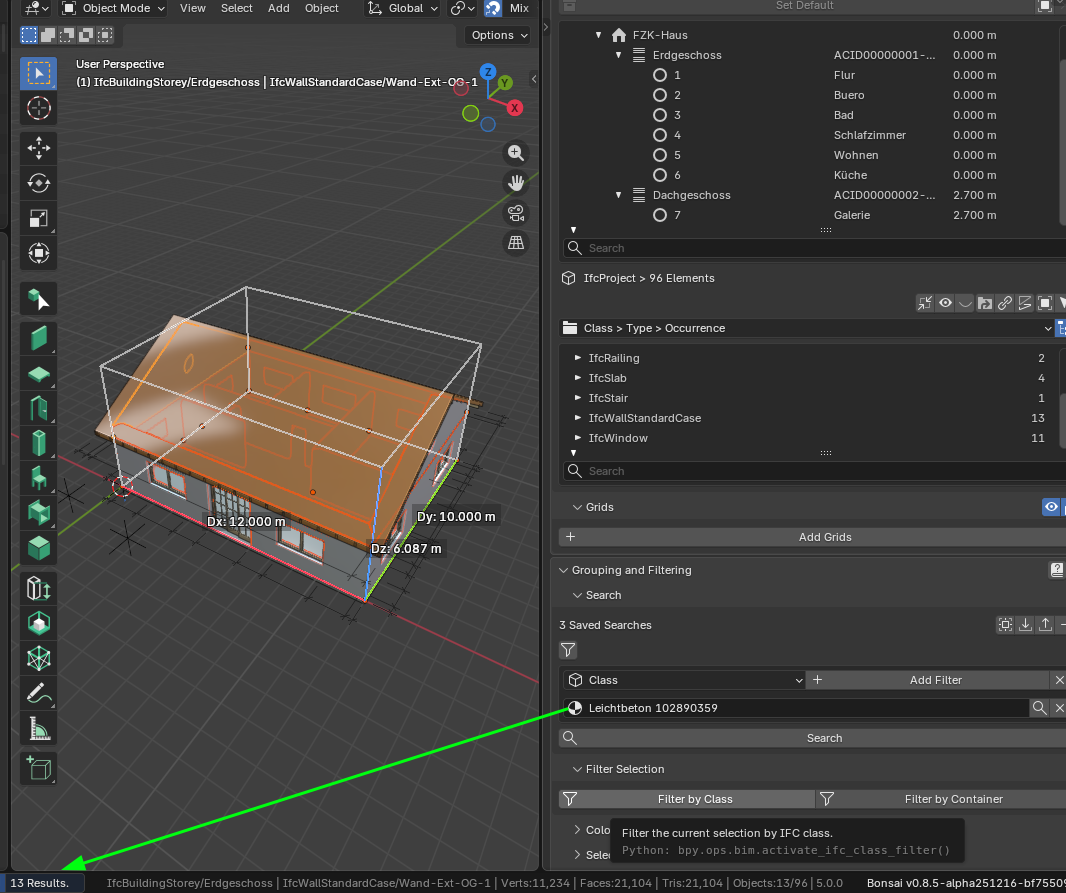
So the filter set becomes:
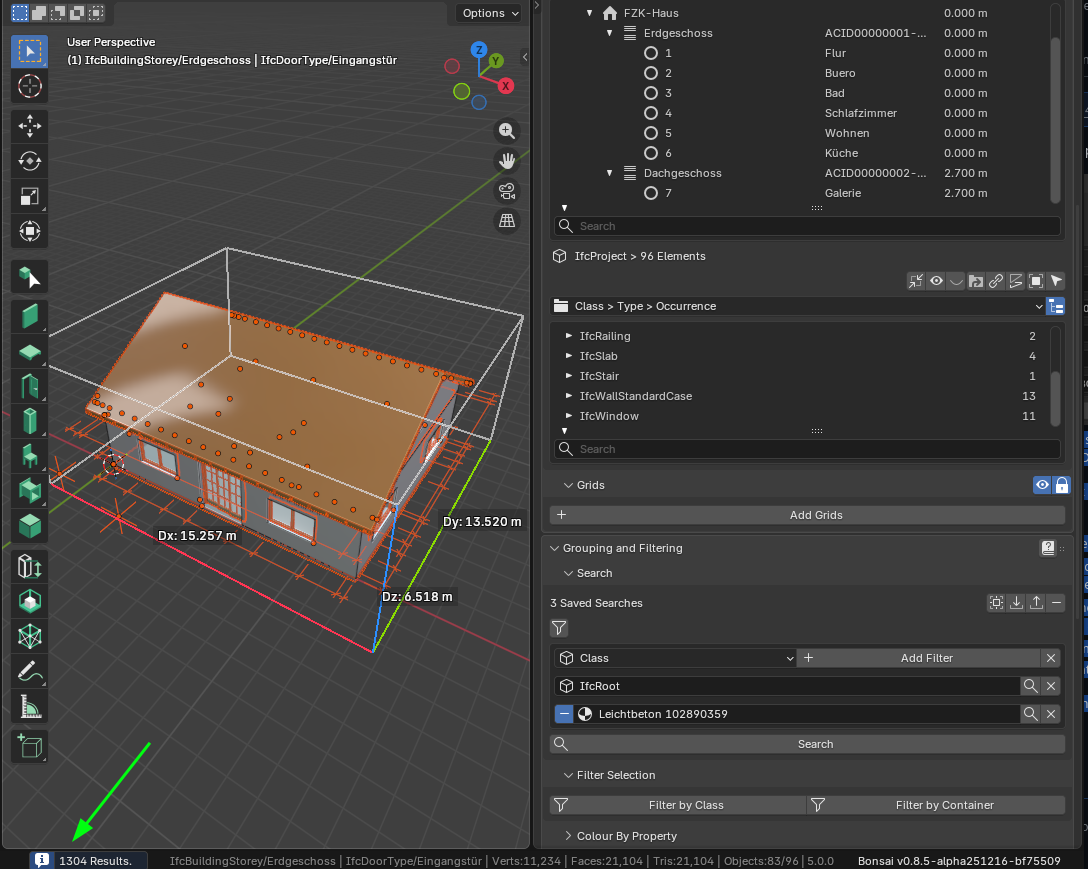
4. It intersects with all elements that have location Erdgeschoss (so we only get the ones before for the ground floor in this case)
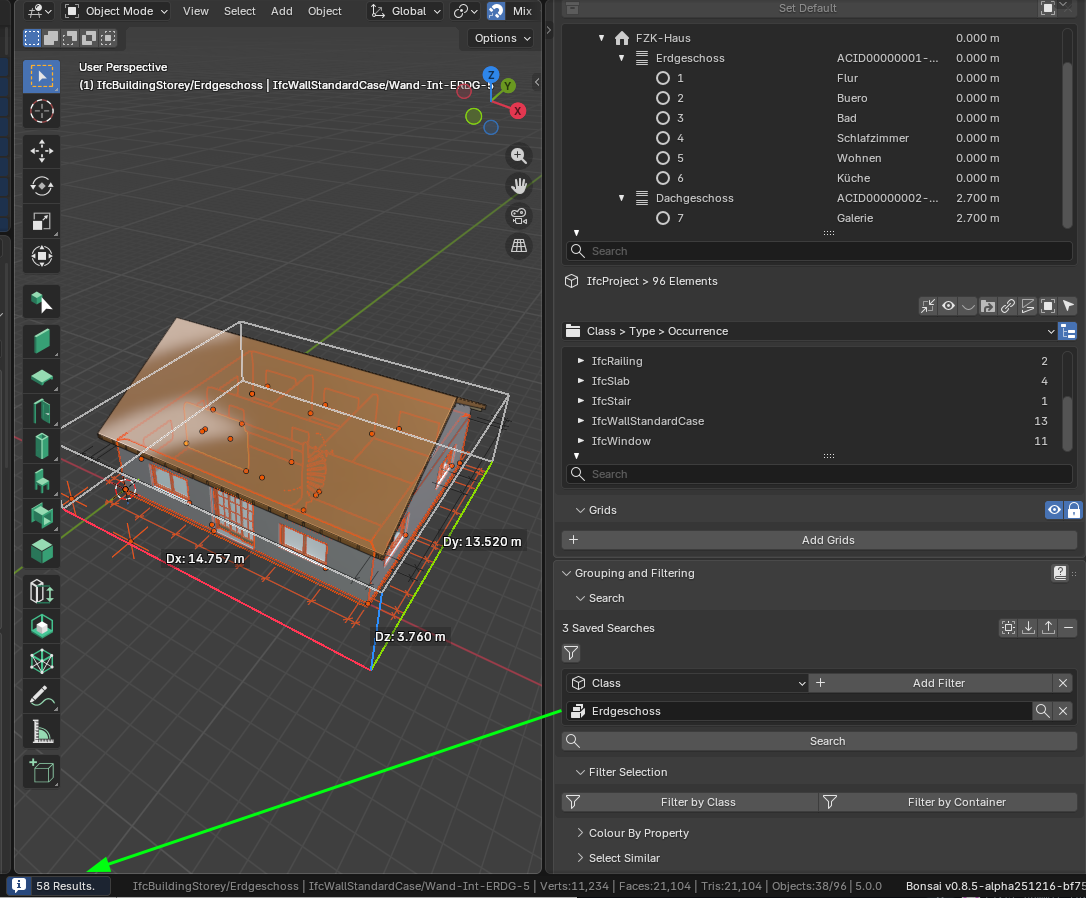
So the filter set becomes:
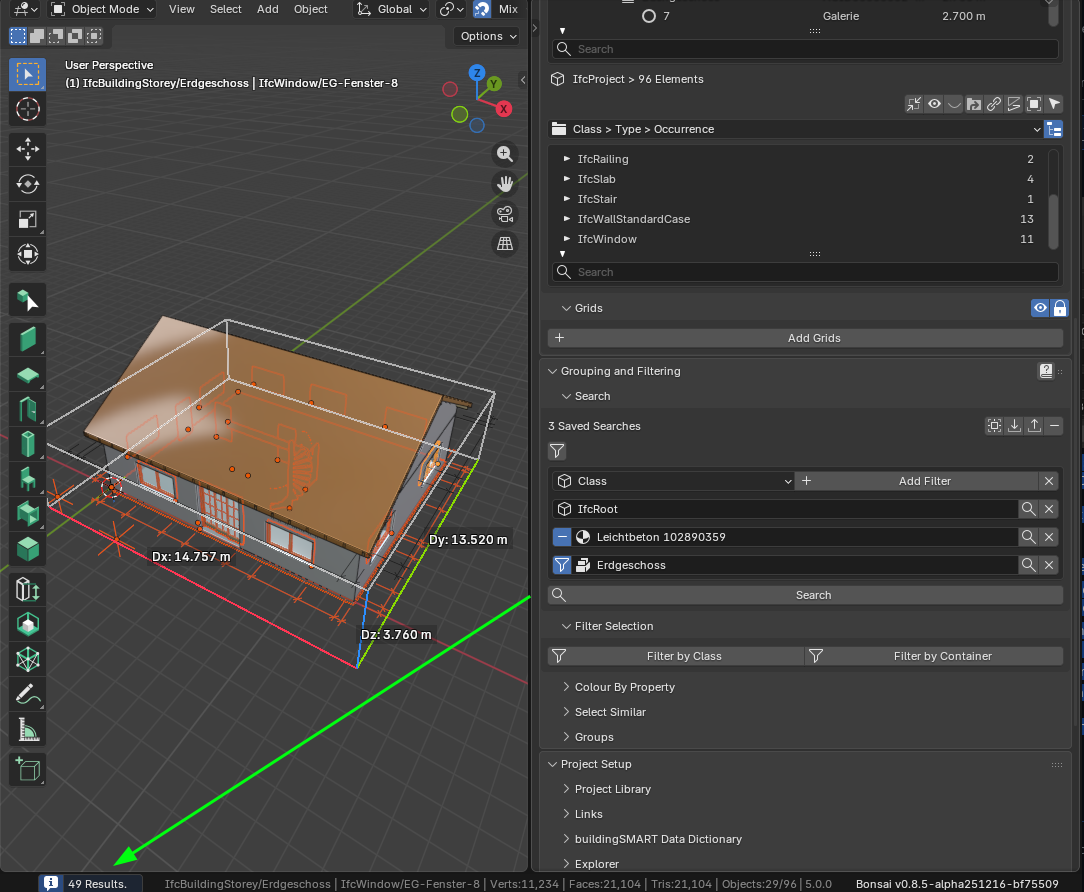
5. It adds all windows
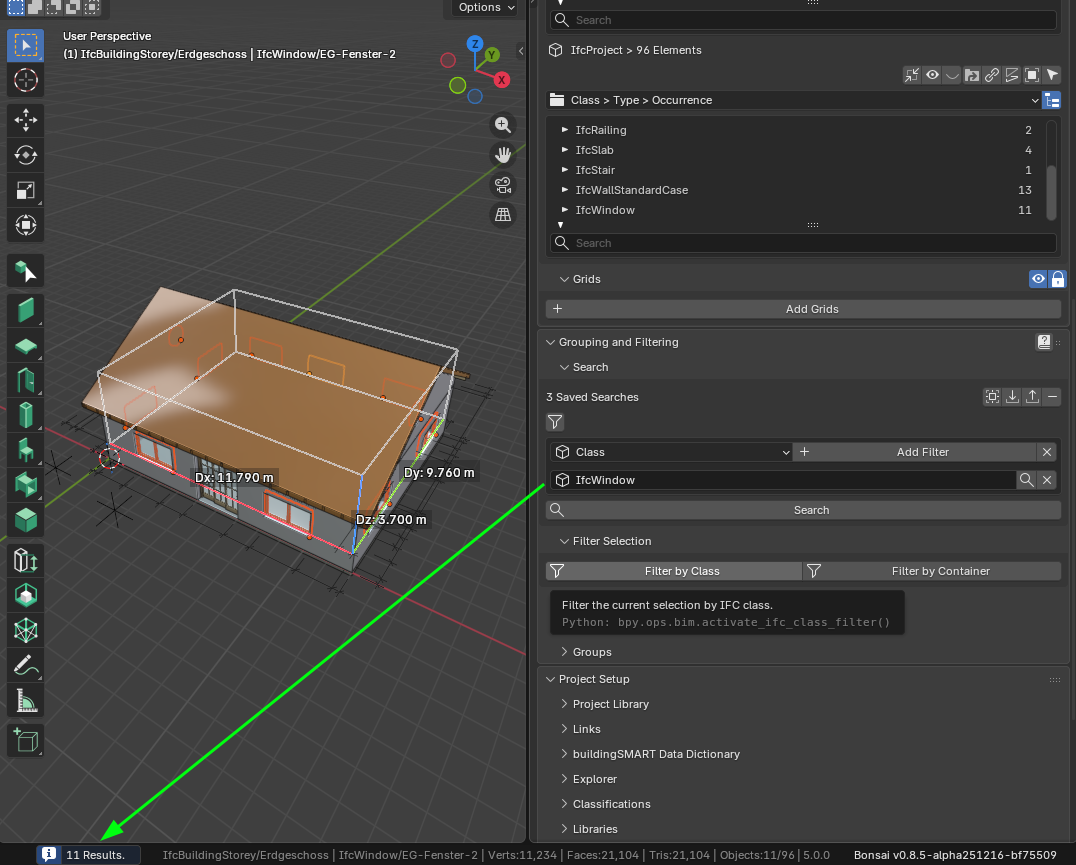
So the filter set becomes (two circular windows extra from the first floor):
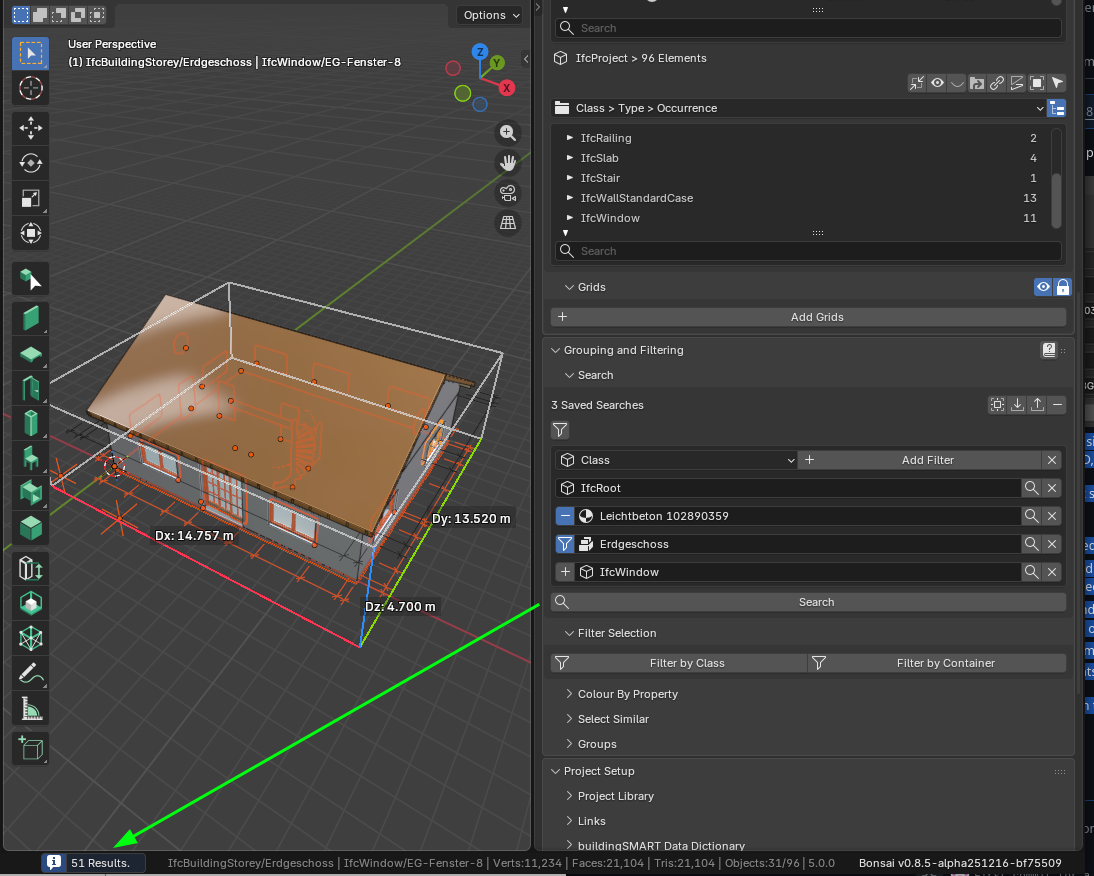
6. It removes the element 3BFcylCsX74PQAoRAe5fNv
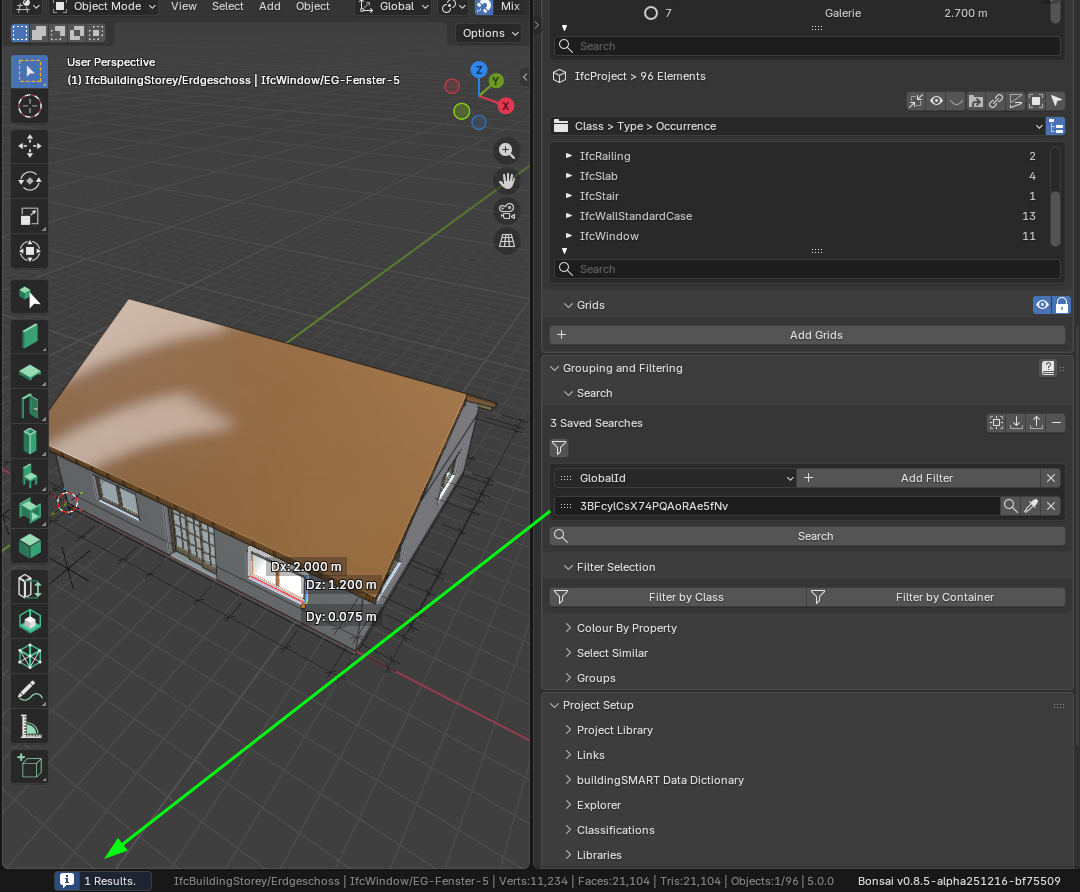
So the filter set becomes:

Cheers!








Comments
This looks very useful (and accessible - even for me)
I really like it.
Reminds me of Microstation's Selection Options Panel.
AFAIR that had a Panel with 4-6 List windows, like for Object Types, Layers, Line Styles, ....
If you choose a Layer it would select all Elements on that Layer and AFAIR (?) also marked all all related objects in the other list windows as (partially) selected. If a word is highlighted (selected), by left click you deselect it and vice versa.
Does that replace anywhere a filter string can be written? Plans, elevations, model views etc etc?
Or does it only exist in the Grouping and Filtering? If so, can the text version of the search be copied so that it can be reused in other locations?
Either way, it looks very simple & intuitive.
@Julian You can use the save button and retrieve that same filter in another place in Bonsai interface.
See below fore example using a filter in Grouping & Filtering and then the same in Drawing Include Filter
Unfortunately the edit_filter_query operator needs to be disabled when using this method since the syntax does not cope directly for the behavior of the actions (only globalid and class do somewhat support it).
In any case, when you save the filter, you save the json configuration (which is saved in an ifcgroup (this is exactly the same as it is done currently. only I have added the "action, ie. filter_mode").
Example:
#79387=IFCGROUP('0EnEaM$rXEav5FYIj9hb9I',#79386,'ex1','{"type": "BBIM_Search", "query": "IfcRoot, material=\\"Leichtbeton 102890359\\", location=\\"Erdgeschoss\\", IfcWindow, !38a9vdh9bF5Qg28GWyHhlr", "filter_structure": [[{"type": "entity", "name": "", "value": "IfcRoot", "pset": "", "comparison": "=", "filter_mode": "ADD"}, {"type": "material", "name": "", "value": "Leichtbeton 102890359", "pset": "", "comparison": "=", "filter_mode": "SUBTRACT"}, {"type": "location", "name": "", "value": "Erdgeschoss", "pset": "", "comparison": "=", "filter_mode": "FILTER"}, {"type": "entity", "name": "", "value": "IfcWindow", "pset": "", "comparison": "=", "filter_mode": "ADD"}, {"type": "instance", "name": "", "value": "38a9vdh9bF5Qg28GWyHhlr", "pset": "", "comparison": "=", "filter_mode": "SUBTRACT"}]]}','SEARCH');In principle I think that if one wants to have this cofig in order to copy paste around, I believe it is just easier that the edit_filter_query operator stores the json string instead of the selector syntax in which you need more evolved logic to recreate the filter.
Cheers!
I forgot to mention that I have also added "suggestions" based on the actual data of the file so it is easier for the user to just select items from the suggestions popup in order to populate the corresponding row:
Cheers!
@Julian I have updated the PR with your feedback. Instead of disabling edit_filter_query operator, I show there a text editor with the json configuration which is very simple to read/write and copy to other files. A little bit like what you do to import/export flows in node-red.
See it in action:
Thanks!
The PR now combines all possibilities discussed here and also here https://community.osarch.org/discussion/comment/27030
It provides:
suggestions for the filter rows (based on availble information from the ifc file)
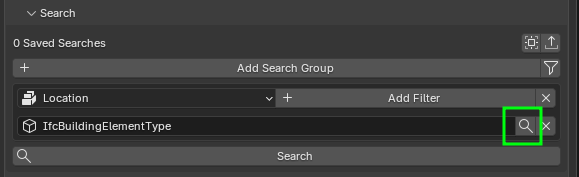
Addon settings:
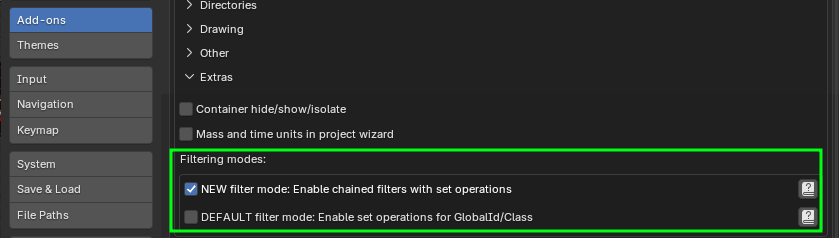
toggle to enable a NEW filter mode as described at the beginning of this discussion:
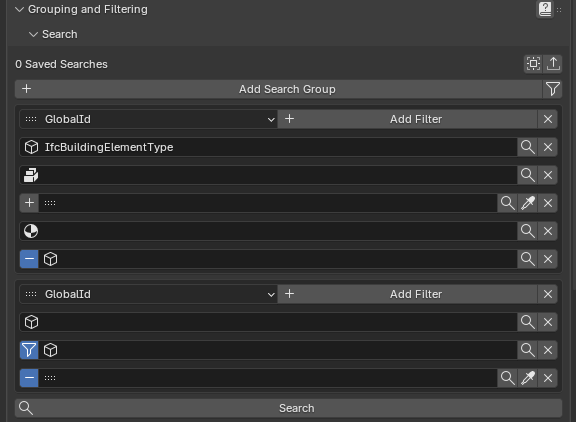
toggle for the DEFAULT filter mode to add explicitly ADD/SUBTRACT/FILTER for Class and GlobalID rows (those are the only ones that apart from FILTER can also be used for adding and subtracting elements). Note that if you enable this one, the entries of the form !value will be migrated when you click search to value and the toggle SUBTRACT active
Cheers!
Sorry I've been so busy that I haven't played with this. It looks great, does it replace the existing selection interface? And is it still using the existing selector syntax 'under the hood'?
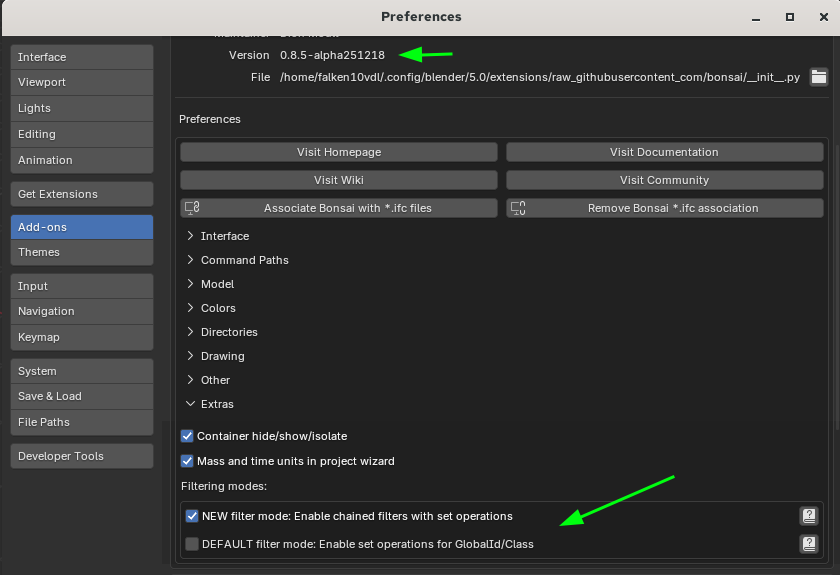
It is now merged and available in the bonsai unstable installation under Extras:
Cheers!
@brunopostle You can choose in the settings Extra area:
1. NEW Filter mode: enable chained filters with set operations
2. DEFAULT filter mode: Enable set operations for GlobalId/Class
In all cases the underlying filtering mechanism is using the current selector syntax. I was thinking in doing a core in Rust similar to how firewall rules work ( I come from the Telco world :) ) with the possibility to MARK or CHAIN (maybe initially just MARK as CHAIN I do not know if really makes sense here since I doubt there is a need for hundreds of rules) and provide the python API to use it. That would allow to handle big amounts of data and also generate suggestions match faster. But it is just a thought should the speed of this filtering be too slow...
Cheers!
Me too!
Telco world's loss - our gain:)
To clarify (and the basic selector syntax still confuses me often): why is it necessary to save a JSON configuration when the existing selector syntax allows add/subtract/filter using !() decorators? Are you able to chain named selector filters? which sounds like it could be a useful feature.
@brunopostle is that valid for items which are not class or globalid? I thought only filter was possible for the others in the current ui.
Maybe I have not correctly read the selector syntax.
Cheers!