

I am a beginner!! I created a file in Bonsai but it doesn't appear correctly in 3D in Revit

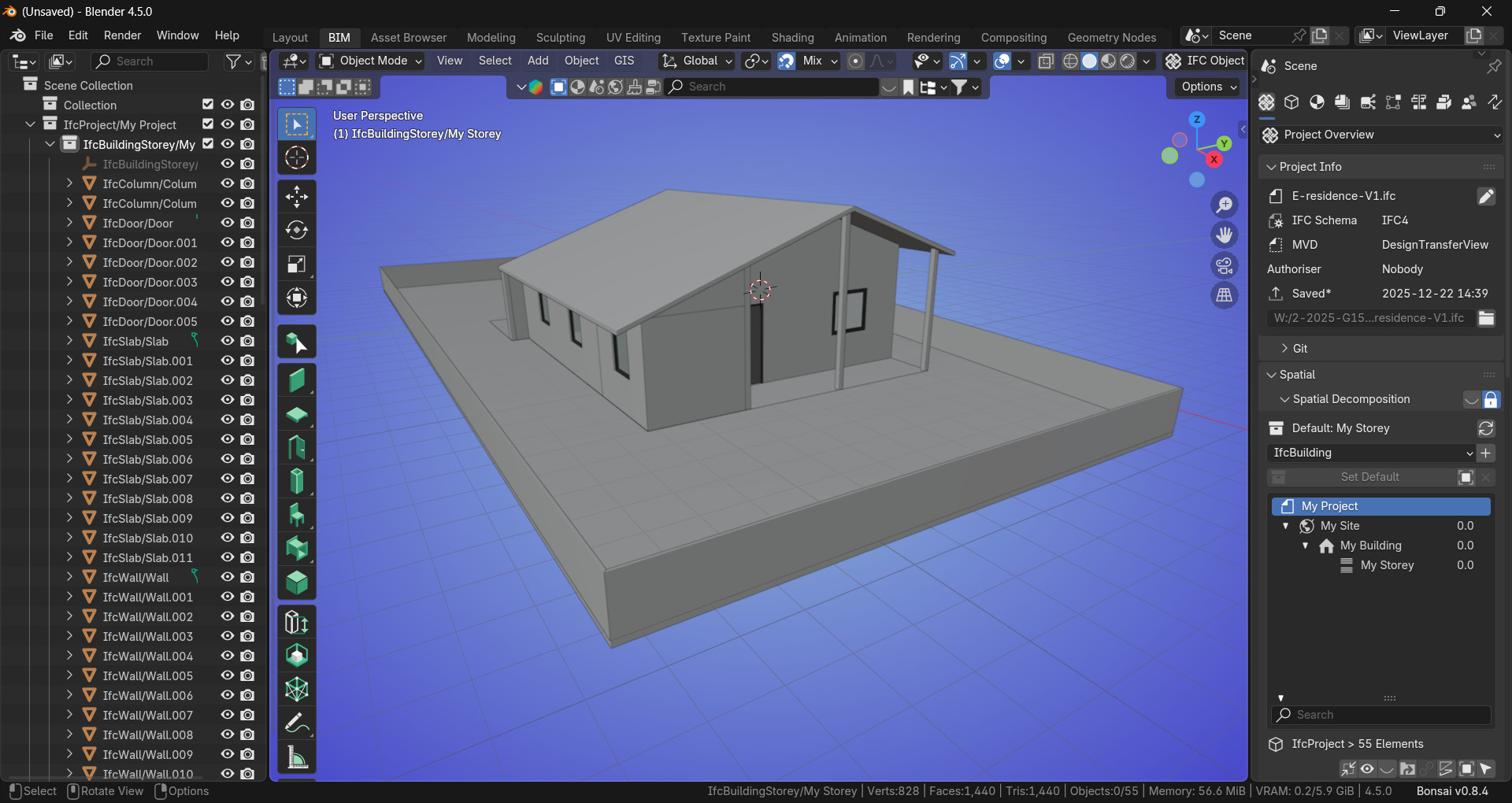
Hello friends, I appreciate the community's interest in my post! I am a beginner in Bonsai, I learned some tools and created a model. The IFC can be viewed in Blender, in the Open IFC Viewer, and in some other online viewers! But in Revit I lose information like wall heights, positions of doors and windows, and some even disappear from the model! Is there any setting or rule that must be strictly followed during the creation of the IFC in Bonsai so that Revit can open it correctly? I have been researching online but so far without success on this topic!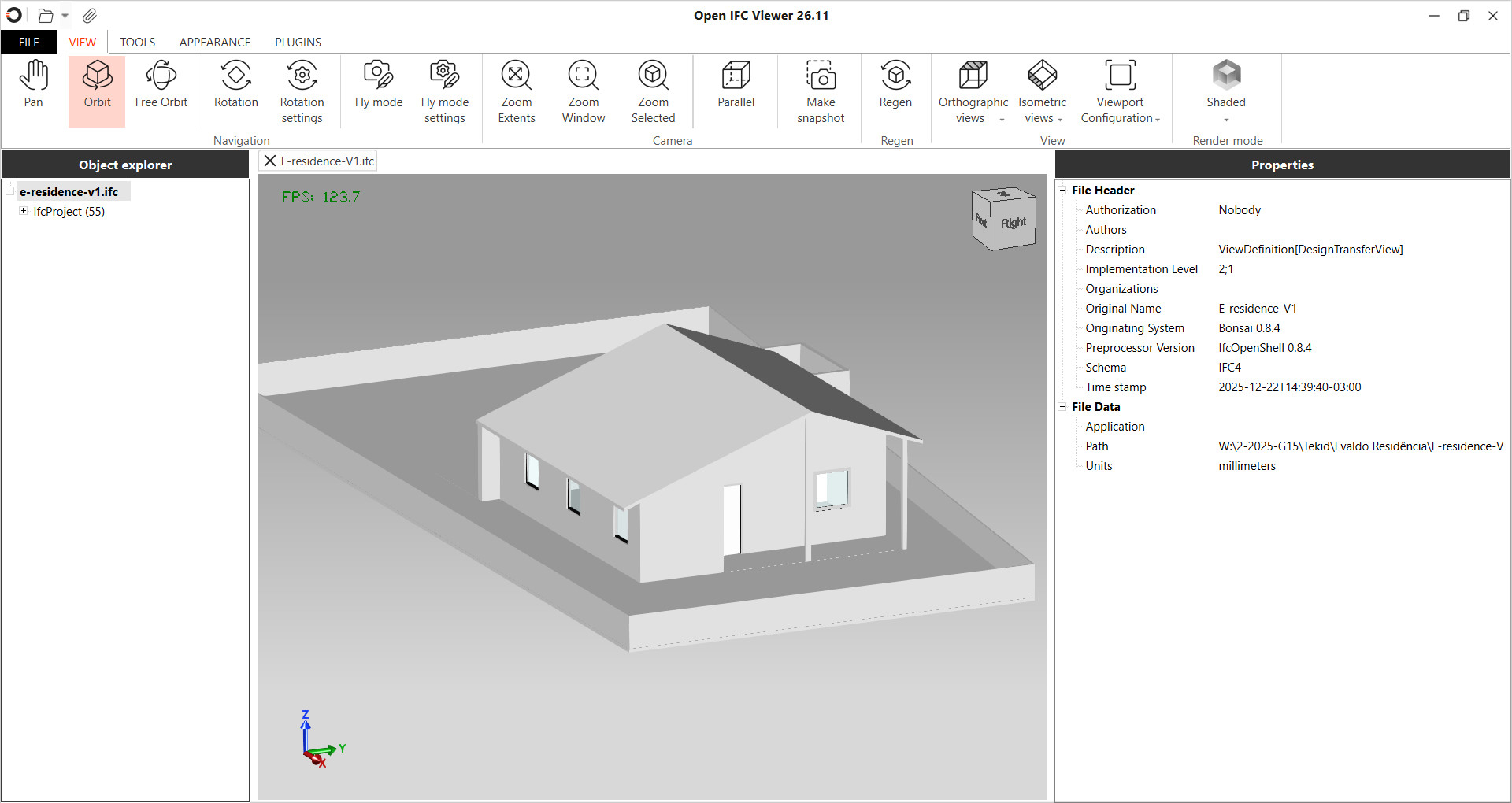
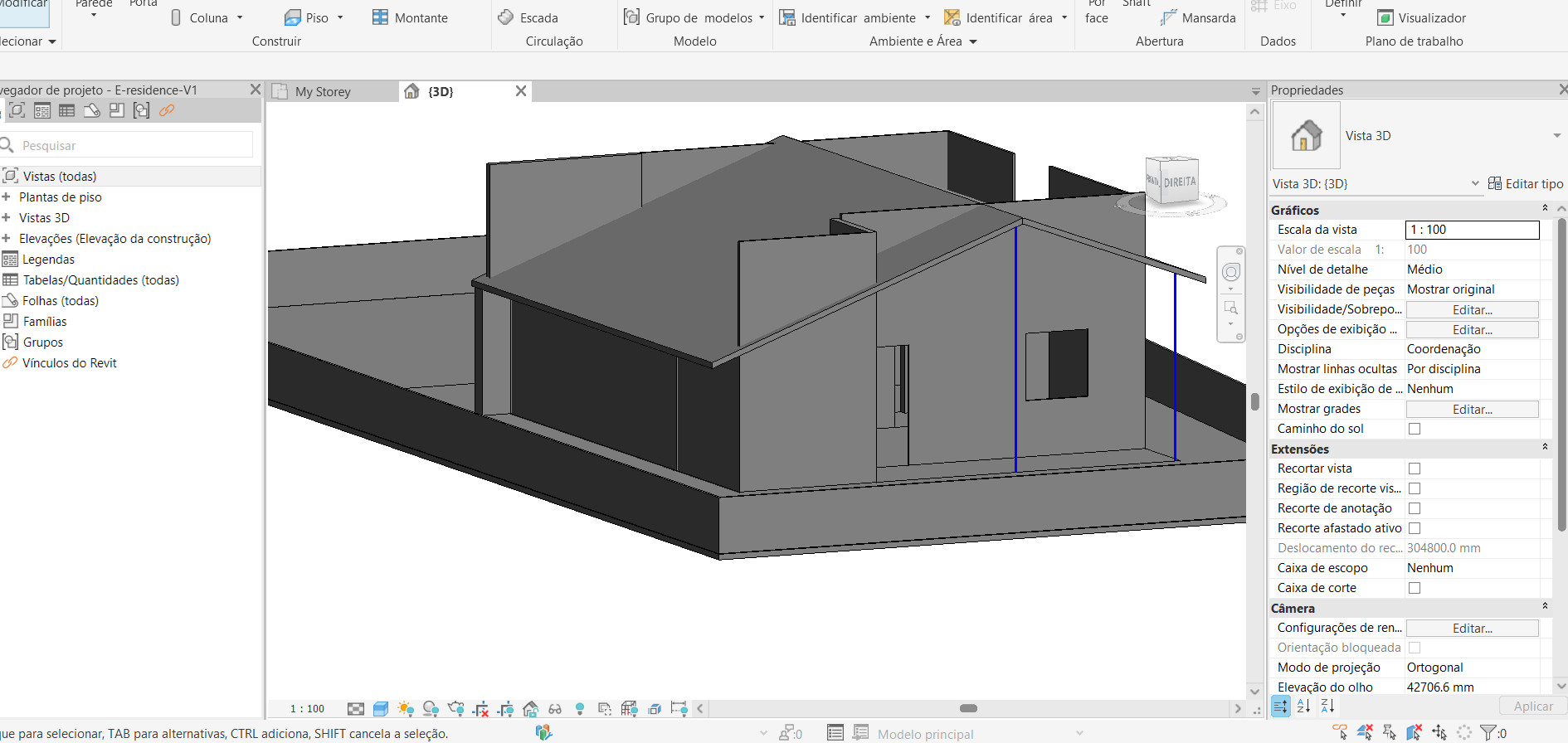
Tagged:
Comments
IFC FILE
Strange, in Bricscad it looks even worse.
All Columns, Doors, Slabs and Windows are there, but I only get 22 of 30 Walls in .... Looks like all Walls that have a Door or Window inserted or connected to Roof were skipped when importing.
This is what the import log says :
IFCBOOLEANRESULT #10411. Full path #(2989, 10411)
Not implemented: onBooleanOperand from type 4
Warning: onBooleanResult, empty second operand
IFCBOOLEANRESULT #9752. Full path #(2848, 10064, 9752)
Warning: onBooleanResult, empty second operand
IFCBOOLEANRESULT #10064. Full path #(2848, 10064)
Warning: onBooleanResult, empty first operand
IFCPOLYGONALFACESET #331. Full path #(5526, 5533, 331)
Failed: api_check_entity()
IFCBOOLEANRESULT #10128. Full path #(3180, 9947, 10265, 10128)
Warning: onBooleanResult, empty second operand
IFCBOOLEANRESULT #10265. Full path #(3180, 9947, 10265)
Warning: onBooleanResult, empty first operand
IFCBOOLEANRESULT #9947. Full path #(3180, 9947)
Warning: onBooleanResult, empty first operand
IFCBOOLEANRESULT #10393. Full path #(2964, 10393)
Warning: onBooleanResult, empty second operand
IFCBOOLEANRESULT #6872. Full path #(6622, 6872)
Warning: onBooleanResult, empty second operand
IFCBOOLEANRESULT #9399. Full path #(2655, 9669, 9399)
Warning: onBooleanResult, empty second operand
IFCBOOLEANRESULT #9669. Full path #(2655, 9669)
Warning: onBooleanResult, empty first operand
IFCBOOLEANRESULT #10491. Full path #(3205, 10491)
Warning: onBooleanResult, empty second operand
IFCBOOLEANRESULT #5034. Full path #(2459, 5018, 5034)
Warning: onBooleanResult, empty second operand
IFCBOOLEANRESULT #5018. Full path #(2459, 5018)
Warning: onBooleanResult, empty first operand
@zoomer Hi, thank you for checking! I imagined that the IFC would be a great interoperability file between software, well at least in theory, but in practice I’m having a lot of doubts. I know it’s constantly being developed, but since I’m an operator and not a developer, the level of difficulty in the learning curve is even greater! When creating, Bonsai didn’t show me any errors! And visually, everything is there; as a layperson, it seems that there isn’t a standard among the software interpreting the information contained in the IFC file. Well, that’s my view! And yes, I agree that it has to do with the interaction with the roof
Hmmh, in case I saved the IFC from Bonsai I download your IFC again.
But for me it doesn't look right in OpernIFCViewer (26.4) also. Which is usually very forgiving.
I know that Bricscad has problems with Bonsai's inserted Windows. But then it looked ok in OpenIFCViewer. However I do not know if Bricscad does not support the IFC standard or Bonsai really exports it wrong.
Did also some tests, in BIM-Vision everything looks nice, in Archicad same Problem. (If halfspace solids used for the wall slope, everything should work as expected...)
It's also possible to convert this walls to tesselated objects, but you will lose the options for solids in other software.
@Mas Hello, thank you for sharing! I also did this test, and I believe the discrepancy lies in the way Revit and Archicad interpret the information in the IFC; this should be standardized, but in my interpretation, it still isn't! I will do some more import and export tests between software.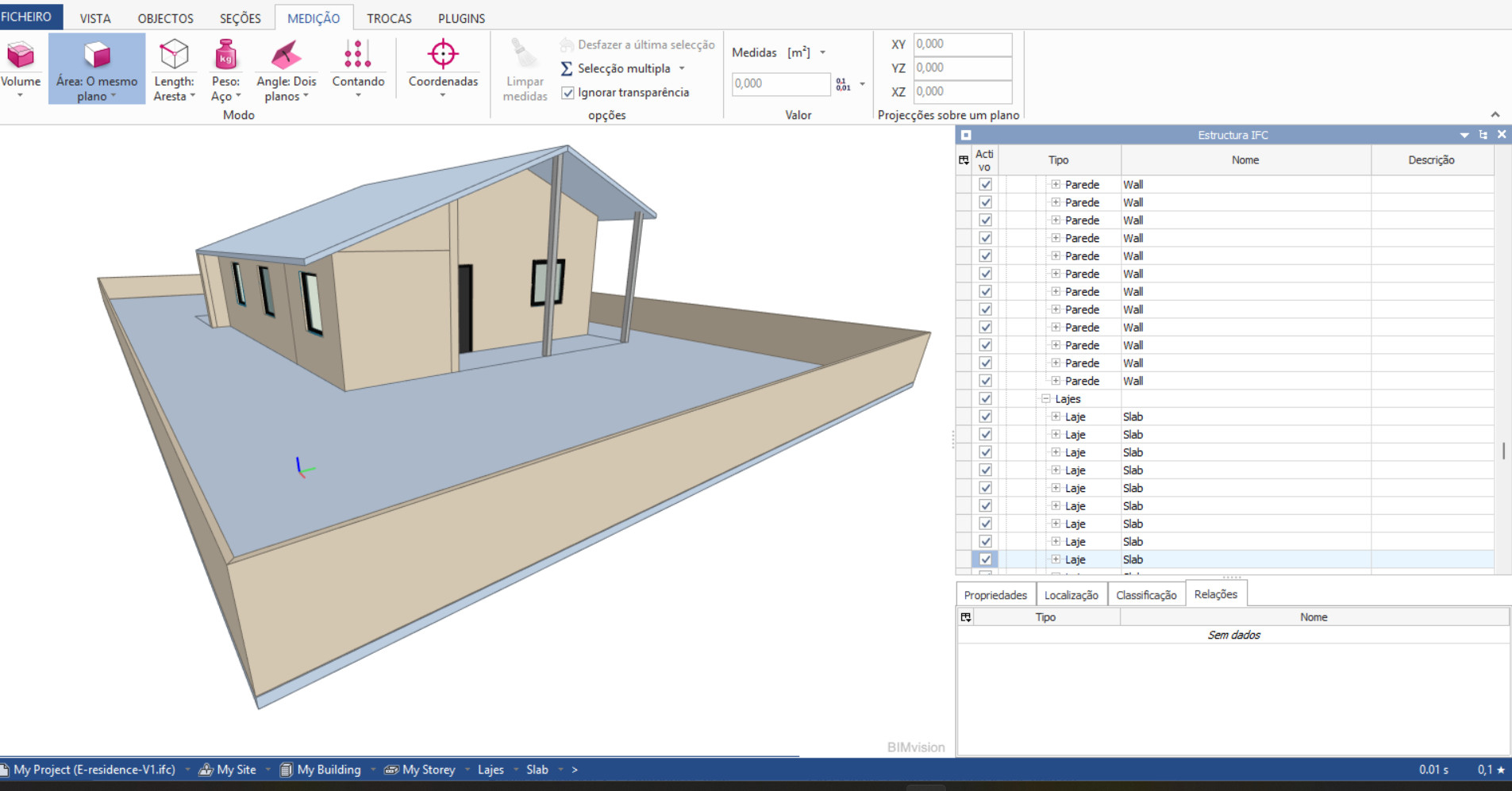
This is how the model looks like in FreeCAD (which uses IfcOpenShell at the backend). I see one wall not open correctly:
@semhustej Hello friend, thanks for the test. I redid the extension of this wall again by applying Shift + E on the roof panels in Bonsai. There must be something in the IFC export or import that is conflicting with these cutting operations! Since viewers don’t always reproduce the same visualization error!
It seems to have fixed the issue with the wall in FreeCAD. Now it opens like this:
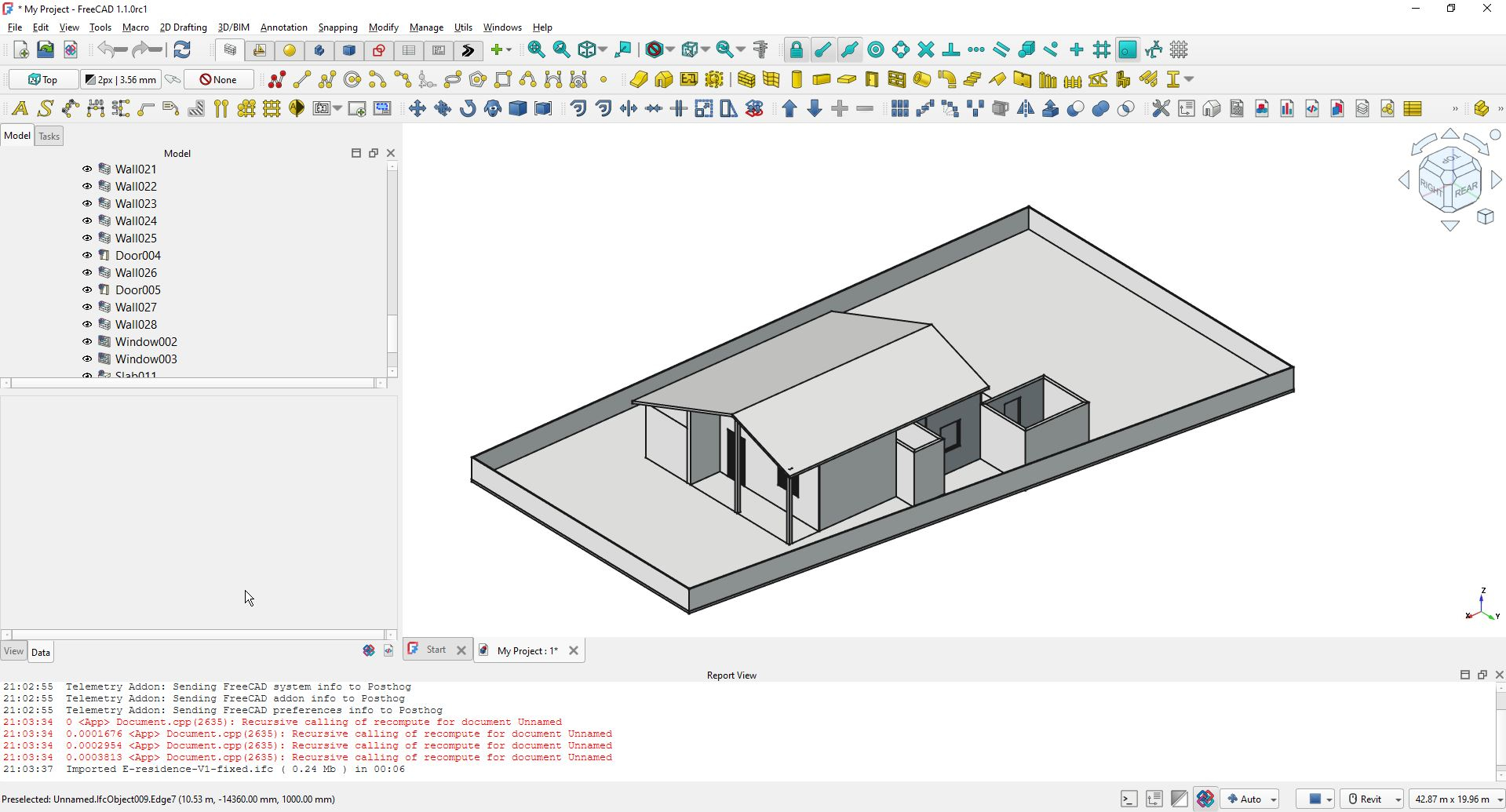
Note FreeCAD is able to work in native IFC mode (meaning native IFC authoring using IfcOpenShell), but the implementation is quite new and still has a lot of bugs.
I think that it is industry wide known fact, that various IFC viewers/applications can interpret complex geometry in various ways, but I would expect that walls cut by a gable roof should not be that difficult to interpret.
This may be worth trying out.
https://speckle.systems/tutorials/how-to-transfer-revit-models-to-blender-via-speckle
@duncan Wow, I found it interesting, thanks for the tip! I will start testing it, yes. The main idea is to learn the BIM workflow of Bonsai, and then be able to view the IFCs in Revit and Archicad! Thank you and Happy New Year.
And if you miss a mandatory component - e.g. the Revit Subscription - just use the new direct RVT Upload Option in Speckle and stream it back to Blender as usual .....