

Bonsai Clipboard

I had some geometry spread over a couple of files. One with a house structure and another with gardens layouts and realized that project library does not allow to import instances. Searching a bit in the ifcPatch I have seen that ExtractElements does a very good job to pull selected elements ("copy"). I had much more difficulties to "paste". I started using Mergeprojects but that was crashing blender so I turned to try to mimic bpy.ops.bim.load_project and bpy.ops.bim.append_library_element from Project Library since ifcopenshell.api.project.append_asset supports IfcProduct.
This is the first version of a module to offer clipboard functionality to bonsai sessions.
First version clipboard module. No psets or systems copied. Paste sequential #7669
See it below in action (Ctrl-C and Ctrl-V to copy and paste. Also a little UI panel allows you to do it by clicking the operators)
It would be great to know the feedback from the core developers on what is the best strategy to attack this.
In next versions I think that bulk processing should be implemented in paste and also would be nice to have some mapping menu so the end user can eventually map things like IfcMaterials... something like concrete1 in source file becomes concrete-reinforced in target file.
Different modes to paste should probably be interesting ("source format", "destination format", "explicit mapping", etc.)
Your feedback is very welcome!
Cheers!









 and 6 others.
Comments
I don't know the best way to implement this, but it seems like basic functionality that should exist.
Great !
(As always)
@falken10vdl
I am submitting this to the local council to erect a statue in your name, is it OK? You totally deserve it mate
ha. Hard to tell what's real anymore!. ;)
...
This is awesome, of course.
okay. ;)
As a first blush, if a copied style or material had the same name as a style/material in the receiving file, could it just take on the style/material in the receiving file?
Obviously future roadmap, could include a toggle for the user to pick if the styles/material 1) overwrites, 2)or gets duplicated (perhaps with
_copysuffix or 3)just take on those with the same name in the receiving file.which you probably meant by this...
...which sounds great! ;)
...
Also, since you're in the copy/paste head space, it would be awesome to be able to copy/paste annotation from one drawing to another, in the same blender session.
...
Probably stating the obvious, but retaining things like
IfcRelFillsElement,IfcRelConnectsPathElements,IfcRelVoidsElement, etc., would be great too....
I attached a couple crash reports, while using.
@theoryshaw
I just updated it. Complete refactor as the pasting side was very unstable. Also added three modes
See it in action:
Note that I disable geolocation in this pasting procedure. So basically the position seen in blender in one session is where it will land in the othere session regardless of the geolocation of either one.
Cheers!
This module is really a great learning exercise on the intricate graphing in IFC :) and the land mine fields of corrupting data or accessing already gone data (boom!). But yes to have a reliable clipboard more needs to be done:
Cheers!
This is awesome!
One more suggestion, and then i will diminish into the background.
Could there be one more additional mode, called 'OVERWRITE'?
OVERWRITE is like DESTINATION but copying in the opposite direction?
Cheers!
But one question. ;)
What do you think the strategy be, should the object retain their GlobalID? or create a new one?
I can see scenarios, where you'd want to retain the GlobalID, but others where you'd want to create new ones.... or maybe even 'overwrite'.
Yes!
When pasting I regenerate all the global IDs of the clipboard objects. That way they are unique within the context of the target file (for example if you paste several times).
What use cases are you thinking in which would make sense keep them or replace target ones?
Cheers!
just because i'm too lazy to write them out.... ;)
https://claude.ai/share/17d3ffc7-b77a-401f-a488-037e09c7fa9a
....But I agree with these reasons. Especially the one on federation, and working with collaborators, where you'd want to copy and paste snippets of work from one collaborator's model to the other. Who knows, maybe this could dovetail into ifcgit somehow?
That is, where the entity from the source file, overwrites the entity in the receiving file (that is, the one being pasted into).
Just wanted to clarify, just in case.
It depends, GUIDs are supposed to be unique, so you shouldn't have the same GUID in two models unless they are both models of the same thing. ie. If the IfcProject in the source and destination has the same GUID, then you should retain the GUID of any objects that you copy between them.
Types are different, it would make sense for a type to always retain a GUID, so if you copy it between any two models it would clobber a type with the same GUID in the destination.
In general I think that GUIDs are basically useless in a Native IFC world, there is no guarantee that they are actually unique (since they are just a string of characters), and Bonsai doesn't really use them for anything.
It could be said louder but not clearer :) I am very new to all this world of IFC and when I heard about GUID I thought it was the key of the elements of the database... sadly not... even some elements do not have GUID... and relations use STEPIDs... I was wondering what they could be used for.
My proposal :) for IFC6... use IPv6 for addressing :) no more GUIDs, STEPIDs use ipv6 in ULA (and address attached to the object). If for some reason some private project wants to merge, move to some public space... NPTv6... everything addressable, simple, byte oriented ;)
Ok, I went over the examples but regardless of that federation, if we have two projects that have some object with the same GUID someone must change the GUID anyhow if they are ging to be under the same final project... Maybe I took an extreme approach and just generated all to make sure I do not have issues afterwards. Another option is that we could just add an option (toggle) that would skip the items that have duplicated globalID and ask the user to fix it if he/she wants to copy/paste those? Maybe that is best. We either generate a new GUID for the pasted or skip copying it based on a user toggle?
Cheers!
One suggestion, would be to allow copy and paste to still to work, if the object is a vanilla blender object as well.
Just making notes, as i use it.
Would be nice if, after paste, it automatically selects the object, so you can move it right away.
the answer to the following question may be above but are we copying and pasting single and/or multiple objects (Blender and/or Bonsai)?
Added to PR!
Thanks!
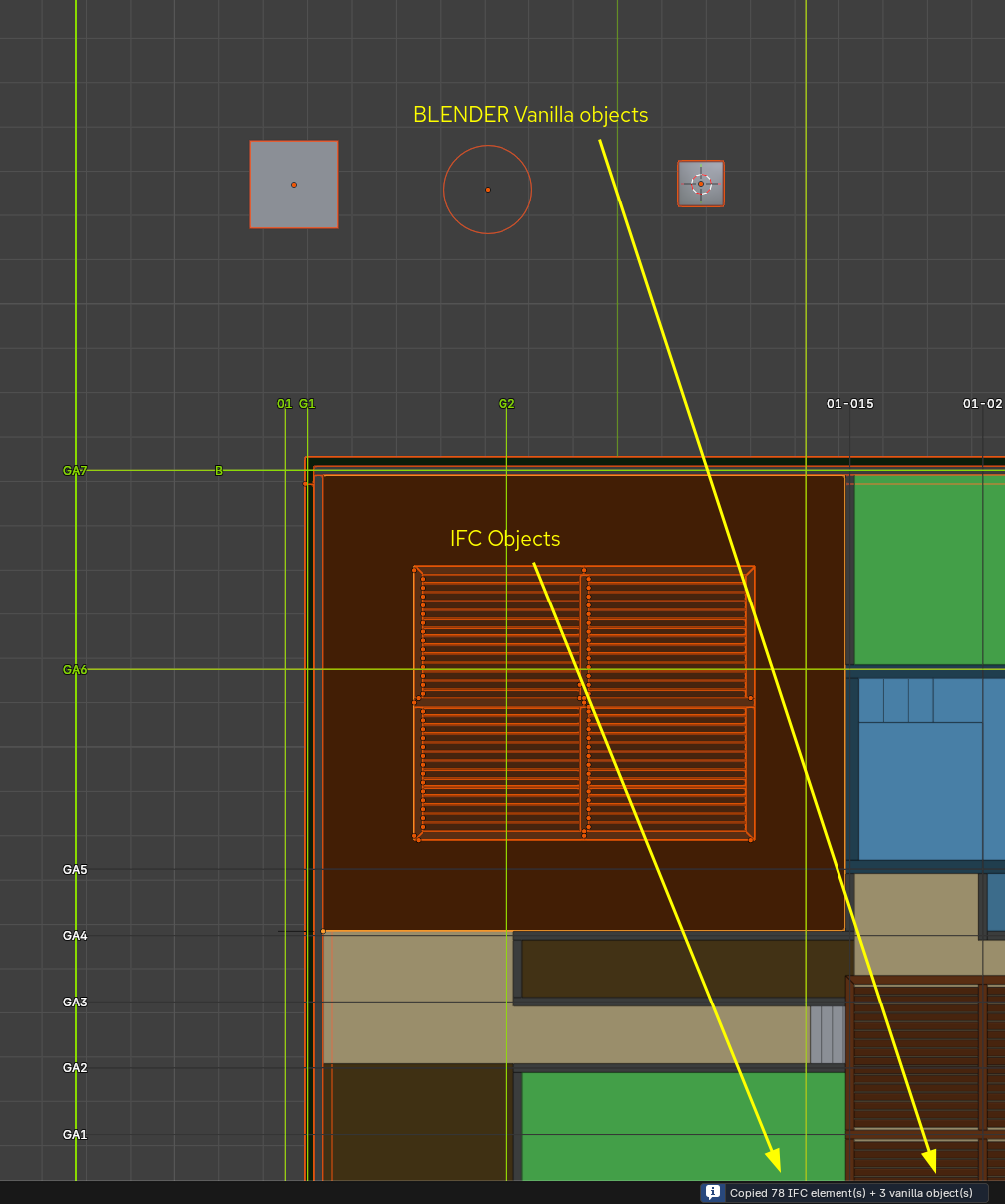
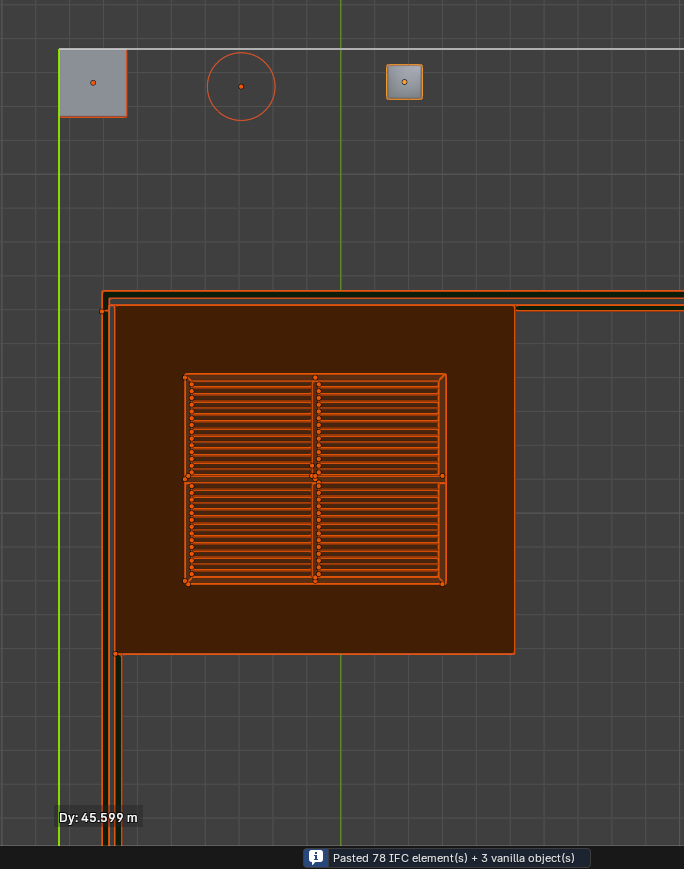
Added to PR! Now selection is split in two sets: Vanilla Blender objects and IFC objects. Vanilla Blender objects are copied using the blender clipboard buffer and IFC objects are copied using the Bonsai clipboard buffer.
Thanks!
It is possible to copy and paste multiple objects. Example:
Cheers!