

After editing parametric window in Bonsai 0.8.4, how to restore glass transparency and frame color?

Hi everyone,
I'm using Bonsai BIM 0.8.4 in Blender.
I created a window using Bonsai and clicked Enable Parametric Geometry' in the Bonsai properties panel After that, I changed its dimensions (width/height) and adjusted the type/style based on the parametric options.
After finishing the edit, I noticed that the visual appearance was reset:
- the glass is no longer transparent and appears as a solid object
- the frame no longer has the assigned color
- in Solid viewport mode everything looks like a single opaque object
My question is:
What is the correct workflow after modifying a parametric window to:
- Make the glass transparent again
- Reapply a specific color to the frame
- Ensure these are visible in the viewport (including Solid mode)
Should this be done using Blender materials, Viewport Display, or IFC styles in Bonsai?
Thanks!
Comments
@Darius_Hisem
yes, you need to have at least two style, for frame and glass pane (with transparency)
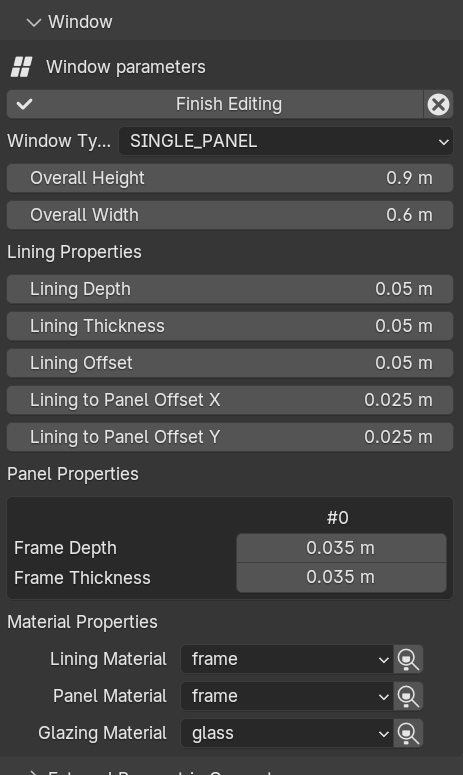
method 1 (parametric window)
a easier way is to use a parametric window editing panel, at the bottom you can conveniently assign the available materials
method 2 (non parametric or custom window)
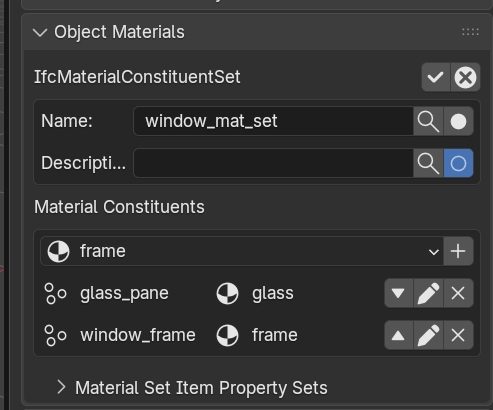
you need to work with a Material Constituent Set
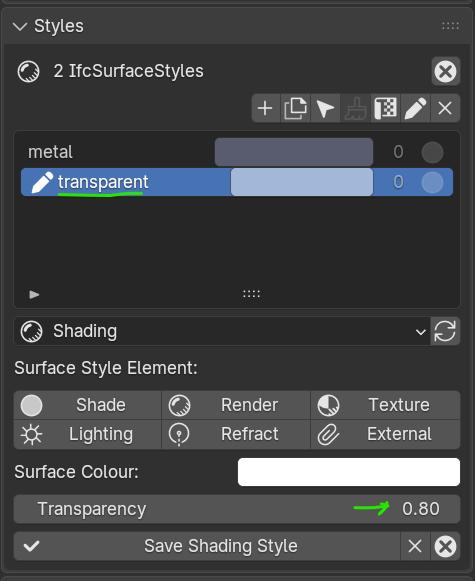
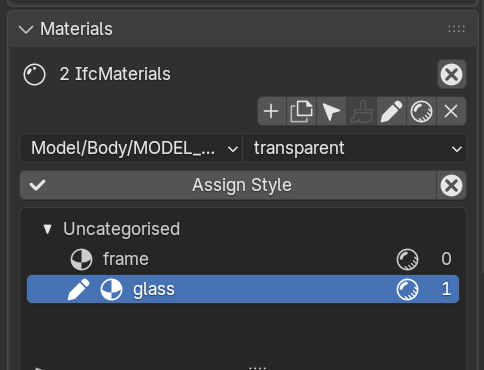
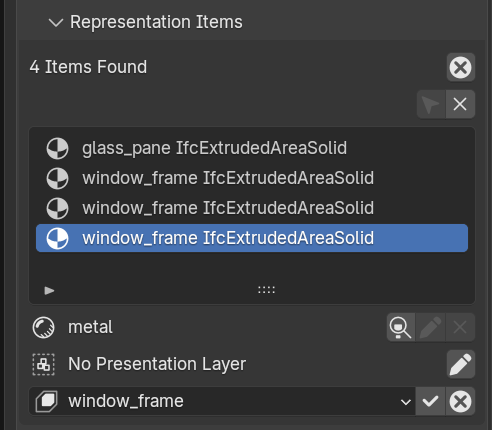
then you apply the styles to relevant material
once done you can use IfcMaterialConstituentSet to have them assigned to the type or element
and last use Representation Items to assign style/material to the part making the window
happy modeling
@steverugi
Hi steverugi,
Thank you very much for your detailed explanation and the screenshots, they helped me a lot. Everything is much clearer now.
I really appreciate you taking the time to explain it step by step, especially for a beginner like me.
Thanks again!