

How to adjust Brep Tesselation Resolution in Bonsai?

Is there a way to control the tesselation resolution or level of detail in Bonsai for Breps?
I'm just fooling around with a file I exported as IFC from Freecad, not a proper IFC model. It has a lot of curved surfaces, and they display well in FreeCAD.
When I import the IFC into Bonsai, they appear to import correctly, the geometry panel states SolidModel and items found as IfcFacetedBrep, however they appear very low resolution and faceted, and curved surfaces tesselate with only a few faces per segment, making it look blocky and low poly.
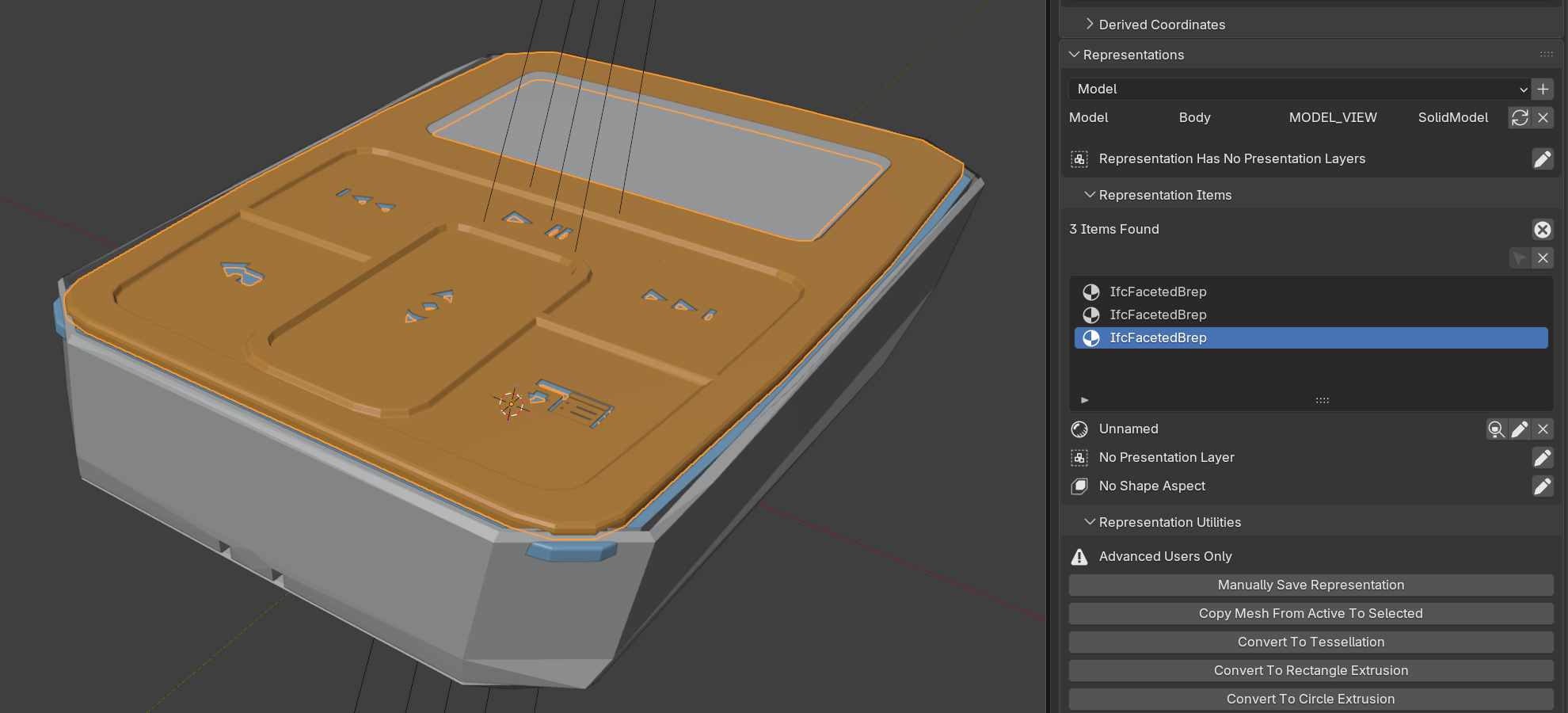
Sadly they also appear discretized in SVG drawings.
Is there currently any way to control the tesselation resolution/accuracy/deviation in Bonsai? I'd expect it to be somewhere in the geometry tab, but couldn't find anything. I presume it is not implemented/supported yet.

Comments
If I'm reading the docs right on IfcFacetedBrep, the tessellation is likely being done by FreeCAD, not Bonsai. In the example file the IfcFacetedBrep is made of an IfcClosedShell, made of IfcFaces, defined by IfcFaceOuterBound, which is an IfcPolyLoop, defined by IfcCartesianPoints.
All of this stuff is defined when you export. Question: Did you reimport your ifc back into FreeCAD? Does it look like the Bonsai result, or like the original FreeCAD model?
All of that is a long way of saying that I think you are looking in the wrong application.
I looked into FreeCAD IFC export preferences and I did not find any Brep fidelity settings. It might be hidden somewhere, but I could not find any obvious solution.
Of course, you are right, that is the first thing I should have checked before posting. Indeed importing said IFC back into FreeCAD also shows the same low poly appearance, which implies the problem is on export.
There is an option to use Collada triangulation options, which again seems to imply mesh based export.
I'm both disappointed and relieved, it is not an issue with Bonsai, but I'd expect solids to be exported as such from FeeeCAD. Is IFC solid geometry not supposed to based of STEP specs? This exports and imports fine as STEP back into FreeCAD.
Did a quick Grok query. (First time I've tried linking an AI query, so hope it works.
Anyway. I found the setting, but the issue is I couldn't make it any smaller than it already was for my test object. Other options (Mesh WB) didn't export to IFC for some reason.
In the end the dumbest answer worked. I made my test object much, much bigger. My test object exported to ~21Kb when it was small. It exported as ~1Mb when it was huge. The tessellation of the imported object is not perfect topology, but it is smooth and detailed:
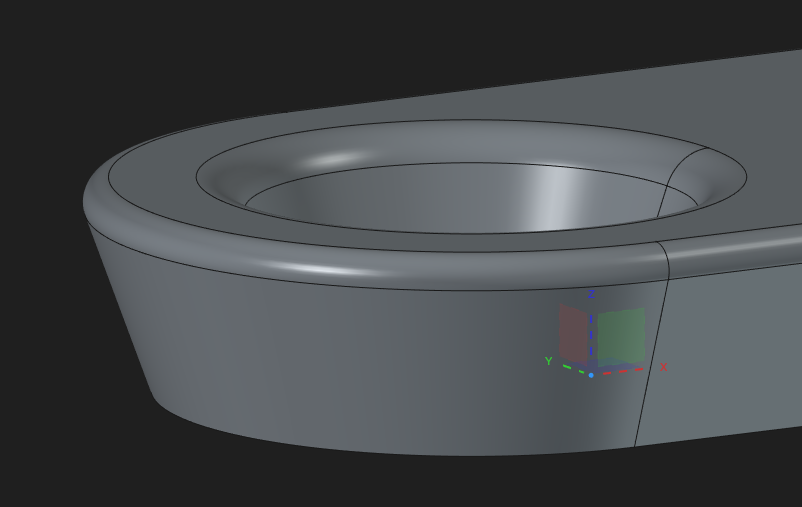
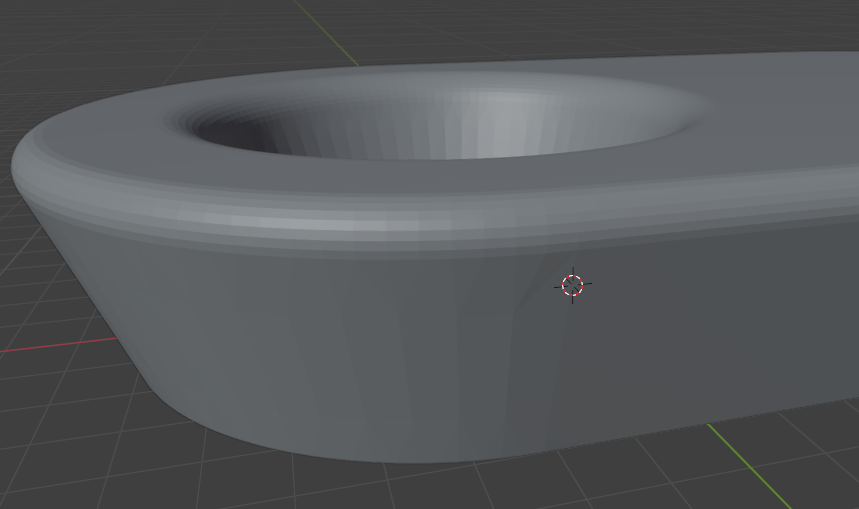
to:
That was also my suspicion, since this is a very small object by architectural standards, only a few centimeters, tesselation at this scale seems crude.
Been testing superficially with objects created from the BIM workbench (walls, beams) they all export as IfcFacetedBrep, so I supposed FreeCAD can't export IFCs with other geometry types.
Thanks for the help, guys.
There was discussion about IfcRationalBSplineSurfaceWithKnots, and export of Ron Champ model to IFC
https://community.osarch.org/discussion/comment/15845/#Comment_15845
Screenshot from 2026-07-02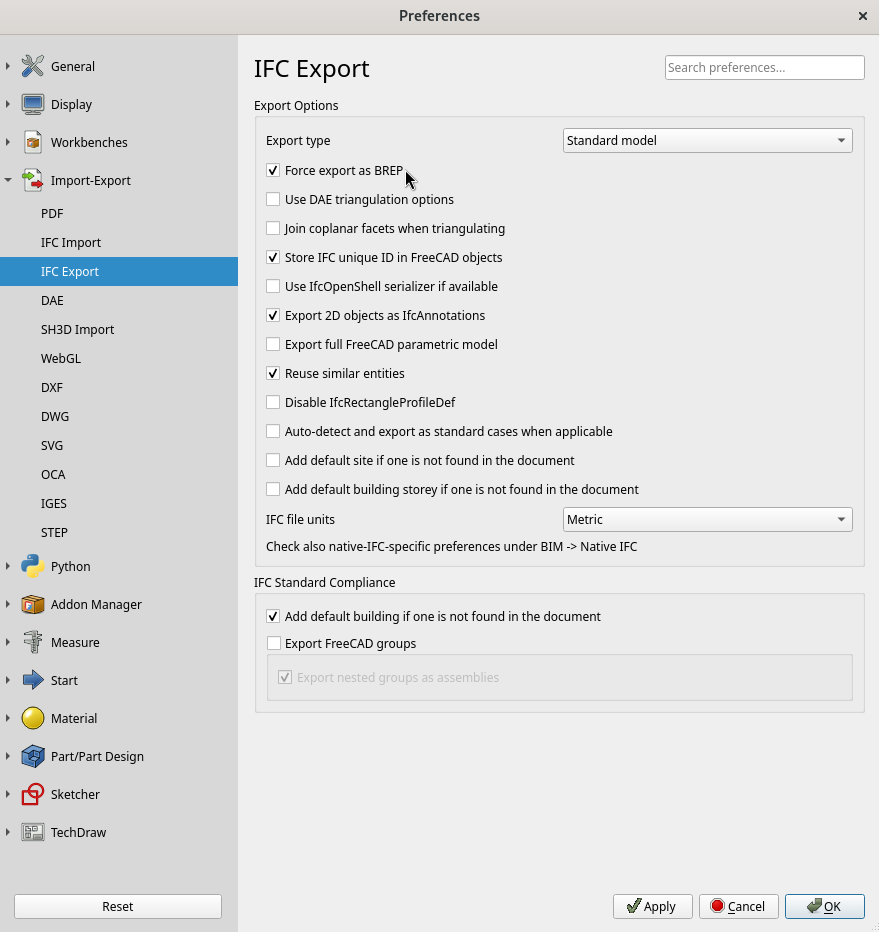
Tried now with IfcOpenShell Serializer option active but couldn't get any different results. Maybe it is not included in my Windows version?
I'll test again later.