@Moult said:
In the present, we already do a lot that is either IFC pioneering (constraints in parametric 4d and 5d), or stretching the IFC definition (drawings, annotations), or completely not native IFC (stair, railings, sverchok, CSS). The fact that some people didn't realize this was the case is awesome, but perhaps scary too.
This is looping back around to the lack of up-to-date, complete documentation and tutorials. It's all well and good that tools are improved and features added, but if people don't know about, or how to effectively use them, it slows uptake. Unfortunately, high churn leads to a disincentive to spend a lot of time on these aspects.
I was thinking about contributing to the Drawing and documents page, but a) I'm not sure I know enough, and b) The http://docs-unstable.bonsaibim.org/reference/properties.html page does not have appropriate links to the property pages, some of which have a lot of useful, but possibly out-of-date information. I can't decide if they are deliberately not linked because of UI churn, or if linking them was just overlooked.
(Apologies for the rather off topic comment.)
They were deliberately not linked. A bunch of docs were written, but quickly made incomplete or out of date, and although this is contentious, for official docs I prefer less docs but maintained and trustworthy vs more docs but patchy.
The lack of docs is unfortunate but just the reality. Five years into the project, the basics are still changing. Part of me feel guilty on how this dragged on so long, but part of me also knows we've done our best. I genuinely believe we are in an alpha-to-beta transition phase, which means that the basics are actually stablising. Things like the polyline and snap, wall layers, shape aspects, item editing, feature elements, all coming together in a cohesive experience that I'm starting to be proud to say "This. This is how IFC modeling works. And it's exactly what you're used to".
But enough excuses. If someone wants to take control over the docs, please let me know. I'll be more than happy to demonstrate which parts I believe are stable, and which aren't. How do you write docs about "Here's how you draw a wall" knowing that the polyline tool literally just changed everything again? Even right now, many of the existing images in the docs aren't up to date, and it takes a very long time to go through and redo them. Maintaining docs takes time, especially with the image heavy experience I'm hoping for. @vanuan did a great job inspiring what pages could be, but I (and maybe it was the wrong move) quickly censored the pages again after I realised most were skeletal (again, my "less is more" bias) or about to change completely.
I also apologize for the comment that is also off topic.
I think that creating visually beautiful and "step-by-step" documentation like the one that is being done is a waste of unnecessary energy. In times of AI...
As a user who doesn't have much time or patience to look for where things are in extensive documentation, I think that an official Bonsai channel on YouTube with short and objective video tutorials (like the ones @theoryshaw and others make to answer users' questions here on the forum) would perhaps be more efficient, easier to maintain and could be monetized to raise funds for development.
E.G:
Title: BLENDER BONSAI BIM - How to ...
Content:
standardized introduction with logos and warning about the version that was used
demonstration of one tool at a time (with audio describing the "step-by-step", without music or other complexities)
standardized ending with a list of useful links
If this is a stupid or unfeasible idea, please ignore me... :)
Coincidently, since daddy is still low on work, I've started to make a series of paid-for video tutorials. I'm starting from learning vanilla blender, and will go obviously into Bonsai. https://hub.openingdesign.com/OpeningDesign/Bonsai_Tutorials
It would be cool to create a system where anyone can add to these tutorials, and in turn receive fair revenue for their contribution.
How do we determine what is fair? I don't know, but i bet we can hack something.
And yes, I think it important to direct a percentage of this revenue toward Bonsai development.
At the end of the day, we all have to eat.
@Moult said:
The lack of docs is unfortunate but just the reality. Five years into the project, the basics are still changing. Part of me feel guilty on how this dragged on so long, but part of me also knows we've done our best.
Don't ever feel bad about it, you guys are doing amazing work. Writing good documentation is a huge time sink, often as much if not more than coding the corresponding features.
We can live without documentation, but we can't without the features. I'd consider it a waste to have developers waste too much time into docs that could be used for actual coding, considering how thin you are stretched. Docs are also something the community can easily help with, at least the less technical end user documentation.
I've actually been meaning to ask if one could get commit permissions, or some sort of review and approval system set up so we could contribute in that regard. I have some experience writing answers in the Blender Stack Exchange sites, that I like to illustrate with lots of images and gifs for the processes, which I think would lend itself to the "image heavy" documentation Dion was aiming for.
I won't pretend to know enough about Bonsai or BIM in general to help at this point, and it will certainly take some time until I could be of any actual use, but I'd certainly like to be involved at some point.
@walpa said:
As a user who doesn't have much time or patience to look for where things are in extensive documentation, I think that an official Bonsai channel on YouTube with short and objective video tutorials (like the ones @theoryshaw and others make to answer users' questions here on the forum) would perhaps be more efficient, easier to maintain and could be monetized to raise funds for development.
I sit at the opposite end of this, I abhor Youtube tutorials. All the unskippable ads, loud verbose intros "Hello and welcome!!!" "please like and subscribe", "a word from our sponsors", being unable to easily skip to the specific part that you need or find that particular step you missed.
They are also very hard to maintain in the long run, especially for rapidly changing software, because when they get outdated, they are hard if not impossible to update. You can't easily go in and alter a part of a video because some part of the workflow changed in recent versions, and that generally means an entirely new video, unlike written docs, which you can go in and change a bunch of paragraphs or an image and the rest still holds together.
And yet, I can certainly see that videos have their advantages.
I don't think there is enough audience yet that they could be meaningfully monetized, but if there ever is, it would certainly be appealing and encouraging creators.
It also has a lot higher visibility, it is a very popular format these days, and may very well act as a marketing technique, while playing its documentation role. I first knew about Bonsai from one of UH Studio Design Academy videos about then BlenderBIM
Contributing the docs with commit permissions / review is exactly the same process as writing code. Simply submit a PR, it will get reviewed, and then merged. If you are a regular contributor where reviewing is not necessary, you get full commit rights.
If you want to have a video call to go over what you had in mind for docs and what I believe is worth documenting (don't want to waste time on something that is going to change soon) let me know :)
We need both official docs and unofficial docs. We need all types of styles: text-guidebook style, video tutorial style, and "reference-lookup" style docs because different styles resonate with different people. My current minimum standards for docs are:
There must be a tutorial style straight-into-it howto explaining how to check out a model in 10 minutes.
There must be a tutorial style howto explaining creating your first (tiny) model with a few objects in 20 minutes. Put together, if you're a fast reader, in half an hour to an hour, you've got the most used functions understood. You should understand types, spatial containers.
There should be a reference/dictionary-style explanation of every interface methodically (similar to upstream Blender docs). Starting with overall interface, then methodically going through every panel.
There should be some guidebook style documents on commonly asked usecases like so. There are more that should exist, like modeling.
There should be beginning-to-end designing a small house including arch, struct, mep, time, cost. (none of this exists yet for obvious reasons)
@Moult said:
If you want to have a video call to go over what you had in mind for docs and what I believe is worth documenting (don't want to waste time on something that is going to change soon) let me know :)
Will do. I don't know enough at the moment to feel comfortable writing documentation, probably wont for a while, but I'll let you know when I do.
I don't think I'd be the adequate person for video tutorials, but I'd certainly like to help with written ones.
One method that might help establish good written documentation is to type down what I learn as I go, mirroring what I would have liked to find in the official documentation. I might make a small sample beforehand and post it here to establish style and structure.
@duarteframos Another solution which you may find easier, and as you have some experience ;) over on BSE, is to leverage StackExchange's Q&A style to add and maintain some form of documentation for specific problems. EG a Q&A for how to draw a wall, how to add a window, how to add an opening, etc. BSE has a lot of shortcomings, but the main advantages : no bullshit, cut to the chase, bullseye specific questions and answers ; a user-based democratic voting to weed out bad content ; questions can be edited, as well as answers, and there is no limit to the number of answers. Contrary to a video tutorial if the specific feature or UI changes every few months, the answers can be edited seamlessly to stay up to date, retaining the whole edition history.
Only 2 problems I see now is that there are not a lot of Bonsai users over there, so content would be driven by only a handful of people, but to be fair it's already the case for pretty much everything out there. There are from time to time people asking about Bonsai - BlenderBIM so google search results tend to push people over there. And Stack Overflow is a private company and as a whole has made some very questionable decisions over the years.
A Stack Exchange step based style documentation was actually what I was aiming at for the documentation, because I find it very easy to follow.
Something along the lines of
How to create a wall/slab/opening/roof
1. Click toolbar button
2. Open relevant settings in top bar
3. Create a new type
4. Press some Key
5. Draw something
5. Click to finish
A stack style Q&A format would be great to, I love the tiny videos @steverugi leaves here and there scattered around the forum, they are very informative, but I fear they may some times be lost to time, and lack the data structure to support them.
A well tagged, searchable Q&A format would be a much more honorable place for them, but as you say, SE is not a company I'd like to support any further, and it'd be a shame to start building our metaphorical castle on their land.
I wonder if there is any open source, self-hostable stack-exchange-like web software we could use for this purpose.
Edit: I found Apache Answer https://answer.apache.org/
@JanF said:
What's the benefit over using the wiki we already have?
There is place for both, I think they cover different scenarios.
The wiki is great for official documentation, but a wiki can only document so much. It is also unable to cover every particular use-case and every single different corner case without becoming overwhelming.
The Q&A is more suitable for practical examples, common pitfalls, different approaches to the same problem, and direct questions from users. It is also less static, more like a community effort which fosters engagement with voting and comments. Downsides being it needs heavy moderation to be of any actual use.
I think that creating visually beautiful and "step-by-step" documentation like the one that is being done is a waste of unnecessary energy. In times of AI...
I somewhat agree and disagree. I agree that AI can help a lot in generating documentation on demand.
However, I'm doubtful AI will reach visual UI agentic capabilities anytime within the next 2-3 years, especially for desktop tools, especially with prices on RAM, video cards, and even fast flash memory going through the roof and cloud costs following suit sooner rather than later. Microsoft is pushing desktop Copilot, but I haven't seen compelling use cases as it's still text-based and mostly cloud-dependent. VLLM model costs are impractical at this point and mostly subsidized by cloud providers.
Our best bet is creating UI reference documentation that text-based LLMs can use to build models that help users navigate the UI. But even Google struggles with LLMs helping to navigate the Android UI due to version fragmentation. So clear sections in reference docs indicating which features were introduced and modified would be instrumental for any hope of AI-assisted BIM modeling.
Regarding the visual aspect, I think this could be automated with tools like Playwright, but those are very niche and would probably need to be purpose-built for Blender UI automation.
My initial tutorial/guideline stubs were more like a development roadmap rather than comprehensive documentation. As I was hitting bugs every step of the way while writing the tutorials, I understood that the https://bonsaibim.org/ screenshots were mostly aspirations rather than complete features.
I was somewhat discouraged that the doc stubs were not publicly visible after the merge, even after the "unstable" branch was published to a dedicated domain. I thought this was due to the timing in the middle of rebranding to Bonsai. I'm glad that a year later they were finally made public by @c-mellueh: https://github.com/IfcOpenShell/IfcOpenShell/issues/6982
I understand Moult's reasoning for hiding incomplete docs—especially in the age of AI slop. However, I think there's value in clearly marked "work in progress" sections that set proper expectations while still providing some guidance on the status of product capabilities.
Regarding video tutorials: those are even less practical to maintain than static screenshots. But they're a useful source of information for the textual version, as they're up-to-date at the time of release. Written docs, even with outdated screenshots, are more maintainable long-term. But maintaining them requires changes in the development process—requiring each UI/UX-facing change to be accompanied by appropriate documentation updates.
I hope someday Bonsai could reach Project 1 level capability that will make it competitive with tools like Planner5D, SketchUp, SweetHome3D, etc: https://docs.bonsaibim.org/tutorials/project1.html But maybe something simpler than Ifc/BIM will always be more practical.
I hope someday Bonsai could reach Project 1 level capability that will make it competitive with tools like Planner5D, SketchUp, SweetHome3D, etc: https://docs.bonsaibim.org/tutorials/project1.html But maybe something simpler than Ifc/BIM will always be more practical.
Maybe it depends on what you need to deliver, I stopped using Sketchup Pro 3 years ago and happily started using Blender/Bonsai, for several professional tasks it's doable, and a lot of fun :)
@steverugi Could you outline then what's streamlined and what's need to be hacked around. My hope was to generate full drawing schedules, from structures and stud walls through electrical, plumbing and hvac to tiling/finishing layout and furniture plans. I've tried dozens of tools and keep coming back to https://www.homestyler.com/
My hope was to generate full drawing schedules, from structures and stud walls through electrical, plumbing and hvac to tiling/finishing layout and furniture plans
I think most of the members on this platform can relate ;)
let me try this approach: Bonsai is one of a kind piece of software, it allows you to sit at the table with big players sporting a unique feature: Native IFC authoring. If you need or value this particular aspect the rest is secondary, especially if you want to know more about IFC/openBIM in general.
There are some tubers with practical videos showing how to produce drawings (IfcArchitect, ModelFlick , RinoAndCaroline, BIMvoice, SPB Production and some others I can't remember atm) but the real and (for now) only organized source is @theoryshaw here offering a ton of videos for an affordable amount, part of which goes to this platform, which is nice and much appreciated.
Sure, hacking around is only fun for a particular set of people, others just need something that works without headaches, I believe this is a tradeoff issue: do you want to pay for a product that offers a (not always) reliable tool or you are ready to dirt you hands into something oftentimes incomplete but flexible enough to suit your needs? and maybe spare a penny or two for the community?
As of Jan 2026 MEP in Bonsai is at its infancy, it's doable but with some limitations, as you might have noticed in current discussions on distribution ports.
Finishing and furniture can be done in Blender, and in Bonsai for IFC compatibility. This is not my scope but others could chip in to offer their experience.
As for me I model projects to extract their quantities, Bonsai is the best at it.
So much fun, if you are part of that particular set of people of course :D
@steverugi said:
There are some tubers with practical videos showing how to produce drawings (IfcArchitect, ModelFlick ,
Thanks @steverugi for mentioning my channel https://www.youtube.com/@Modelflick , trying to do as much as I can to spread the usage of Bonsai and other OpenBIM workflow tutorials which has been used by me practically in our office.
Released a new video now on creating structural elements and creating Drawing include filtering.
Planning to do more! Thanks for the support and feedback.
Next one done regarding easy quantity take off and presenting schedules in sheet. Would love your feedback.
thanks for the video!
if you like there is also a quicker method where you import a .csv file with query selector to populate a table automatically
the spreadsheet import export has also a feature to group and count/sum instances
will send you something later
cheers and happy quantity take-off
if you like there is also a quicker method where you import a .csv file with query selector to populate a table automatically
the spreadsheet import export has also a feature to group and count/sum instances
Thank you, I have seen your ideas/posts regarding csv importing in Costing and Scheduling. Will try creating a tutorial based on that, thanks for your advice and suggestions.
make sure you run quantity take-off on your model (Shift-Q or use UI as indicated in @arunarchitect 's video)
csv table with queries:
output in Costing and Scheduling > Cost
clicking on refresh icon (green circle) it updates the source csv file, very convenient
I also attach a simple IFC file used for it
if needed, you can automate rate assignments to cost items, with a schedule of rate available, using dedicated columns (RateSchedule and RateID)
@sahrul
good point
the logic behind RateSchedule and RateID additional columns (thanks to @Massimo) is a feature that allows to assign rates (price per unit) from a different cost schedule to cost items directly from the import .csv file.
To do that you need to have or import a SCHEDULEOFRATES, I attach a simple one "20260224 Aruna rates", use the checkbox Is Schedule of Rates
Having that schedule available in the model you can now import your .csv with the cost items with the additional columns RateSchedule and RateID filled out with relevant information
Now the BoQ is completed with rates (the plus icon means that that cost item has an external rate assigned to it)
an error occurred while importing CSV
Python: Traceback (most recent call last):
File "C:\Users\ASUS\AppData\Roaming\Blender Foundation\Blender\5.0\extensions.local\lib\python3.11\site-packages\bonsai\bim\ifc.py", line 526, in execute_ifc_operator
result = getattr(operator, "_execute")(context)
^^^^^^^^^^^^^^^^^^^^^^^^^^^^^^^^^^^^^^
File "C:\Users\ASUS\AppData\Roaming\Blender Foundation\Blender\5.0\extensions.local\lib\python3.11\site-packages\bonsai\bim\module\cost\operator.py", line 594, in _execute
cost_schedule = core.import_cost_schedule_csv(tool.Cost, str(resolved_path), self.is_schedule_of_rates)
^^^^^^^^^^^^^^^^^^^^^^^^^^^^^^^^^^^^^^^^^^^^^^^^^^^^^^^^^^^^^^^^^^^^^^^^^^^^^^^^^^^^^^^
File "C:\Users\ASUS\AppData\Roaming\Blender Foundation\Blender\5.0\extensions.local\lib\python3.11\site-packages\bonsai\core\cost.py", line 345, in import_cost_schedule_csv
cost_schedule = cost.import_cost_schedule_csv(resolved_path, is_schedule_of_rates)
^^^^^^^^^^^^^^^^^^^^^^^^^^^^^^^^^^^^^^^^^^^^^^^^^^^^^^^^^^^^^^^^^^
File "C:\Users\ASUS\AppData\Roaming\Blender Foundation\Blender\5.0\extensions.local\lib\python3.11\site-packages\bonsai\tool\cost.py", line 592, in import_cost_schedule_csv
csv2ifc.execute()
File "C:\Users\ASUS\AppData\Roaming\Blender Foundation\Blender\5.0\extensions.local\lib\python3.11\site-packages\ifc5d\csv2ifc.py", line 138, in execute
self.parse_csv()
File "C:\Users\ASUS\AppData\Roaming\Blender Foundation\Blender\5.0\extensions.local\lib\python3.11\site-packages\ifc5d\csv2ifc.py", line 189, in parse_csv
raise Exception(f"Missing mandatory fields in CSV header: {', '.join(missing_fields)}")
Exception: Missing mandatory fields in CSV header: Name, Unit
@sahrul
the headers in your .csv look OK, difficult to test it without the .ifc model
you haven't checked Is Schedule of Rates on import, right? this is an import template for Bill of quantities
It looks like a problem with the .csv file...in the past i experienced also similar problems with csv created with excel..they look ok but actually they aren't.
I suggest you to start with the example files (or a file that you are sure it works) and modify it
@steverugi said: @sahrul
the headers in your .csv look OK, difficult to test it without the .ifc model
you haven't checked Is Schedule of Rates on import, right? this is an import template for Bill of quantities
@steverugi said: @sahrul
the headers in your .csv look OK, difficult to test it without the .ifc model
you haven't checked Is Schedule of Rates on import, right? this is an import template for Bill of quantities
@Massimo said:
It looks like a problem with the .csv file...in the past i experienced also similar problems with csv created with excel..they look ok but actually they aren't.
I suggest you to start with the example files (or a file that you are sure it works) and modify it
I have created a csv using LibreOffice and it worked.



Comments
This is looping back around to the lack of up-to-date, complete documentation and tutorials. It's all well and good that tools are improved and features added, but if people don't know about, or how to effectively use them, it slows uptake. Unfortunately, high churn leads to a disincentive to spend a lot of time on these aspects.
I was thinking about contributing to the Drawing and documents page, but a) I'm not sure I know enough, and b) The http://docs-unstable.bonsaibim.org/reference/properties.html page does not have appropriate links to the property pages, some of which have a lot of useful, but possibly out-of-date information. I can't decide if they are deliberately not linked because of UI churn, or if linking them was just overlooked.
(Apologies for the rather off topic comment.)
They were deliberately not linked. A bunch of docs were written, but quickly made incomplete or out of date, and although this is contentious, for official docs I prefer less docs but maintained and trustworthy vs more docs but patchy.
The lack of docs is unfortunate but just the reality. Five years into the project, the basics are still changing. Part of me feel guilty on how this dragged on so long, but part of me also knows we've done our best. I genuinely believe we are in an alpha-to-beta transition phase, which means that the basics are actually stablising. Things like the polyline and snap, wall layers, shape aspects, item editing, feature elements, all coming together in a cohesive experience that I'm starting to be proud to say "This. This is how IFC modeling works. And it's exactly what you're used to".
But enough excuses. If someone wants to take control over the docs, please let me know. I'll be more than happy to demonstrate which parts I believe are stable, and which aren't. How do you write docs about "Here's how you draw a wall" knowing that the polyline tool literally just changed everything again? Even right now, many of the existing images in the docs aren't up to date, and it takes a very long time to go through and redo them. Maintaining docs takes time, especially with the image heavy experience I'm hoping for. @vanuan did a great job inspiring what pages could be, but I (and maybe it was the wrong move) quickly censored the pages again after I realised most were skeletal (again, my "less is more" bias) or about to change completely.
I also apologize for the comment that is also off topic.
I think that creating visually beautiful and "step-by-step" documentation like the one that is being done is a waste of unnecessary energy. In times of AI...
As a user who doesn't have much time or patience to look for where things are in extensive documentation, I think that an official Bonsai channel on YouTube with short and objective video tutorials (like the ones @theoryshaw and others make to answer users' questions here on the forum) would perhaps be more efficient, easier to maintain and could be monetized to raise funds for development.
E.G:
Title: BLENDER BONSAI BIM - How to ...
Content:
If this is a stupid or unfeasible idea, please ignore me... :)
Coincidently, since daddy is still low on work, I've started to make a series of paid-for video tutorials. I'm starting from learning vanilla blender, and will go obviously into Bonsai.
https://hub.openingdesign.com/OpeningDesign/Bonsai_Tutorials
It would be cool to create a system where anyone can add to these tutorials, and in turn receive fair revenue for their contribution.
How do we determine what is fair? I don't know, but i bet we can hack something.
And yes, I think it important to direct a percentage of this revenue toward Bonsai development.
At the end of the day, we all have to eat.
Don't ever feel bad about it, you guys are doing amazing work. Writing good documentation is a huge time sink, often as much if not more than coding the corresponding features.
We can live without documentation, but we can't without the features. I'd consider it a waste to have developers waste too much time into docs that could be used for actual coding, considering how thin you are stretched. Docs are also something the community can easily help with, at least the less technical end user documentation.
I've actually been meaning to ask if one could get commit permissions, or some sort of review and approval system set up so we could contribute in that regard. I have some experience writing answers in the Blender Stack Exchange sites, that I like to illustrate with lots of images and gifs for the processes, which I think would lend itself to the "image heavy" documentation Dion was aiming for.
I won't pretend to know enough about Bonsai or BIM in general to help at this point, and it will certainly take some time until I could be of any actual use, but I'd certainly like to be involved at some point.
I sit at the opposite end of this, I abhor Youtube tutorials. All the unskippable ads, loud verbose intros "Hello and welcome!!!" "please like and subscribe", "a word from our sponsors", being unable to easily skip to the specific part that you need or find that particular step you missed.
They are also very hard to maintain in the long run, especially for rapidly changing software, because when they get outdated, they are hard if not impossible to update. You can't easily go in and alter a part of a video because some part of the workflow changed in recent versions, and that generally means an entirely new video, unlike written docs, which you can go in and change a bunch of paragraphs or an image and the rest still holds together.
And yet, I can certainly see that videos have their advantages.
I don't think there is enough audience yet that they could be meaningfully monetized, but if there ever is, it would certainly be appealing and encouraging creators.
It also has a lot higher visibility, it is a very popular format these days, and may very well act as a marketing technique, while playing its documentation role. I first knew about Bonsai from one of UH Studio Design Academy videos about then BlenderBIM
Contributing the docs with commit permissions / review is exactly the same process as writing code. Simply submit a PR, it will get reviewed, and then merged. If you are a regular contributor where reviewing is not necessary, you get full commit rights.
If you want to have a video call to go over what you had in mind for docs and what I believe is worth documenting (don't want to waste time on something that is going to change soon) let me know :)
We need both official docs and unofficial docs. We need all types of styles: text-guidebook style, video tutorial style, and "reference-lookup" style docs because different styles resonate with different people. My current minimum standards for docs are:
Will do. I don't know enough at the moment to feel comfortable writing documentation, probably wont for a while, but I'll let you know when I do.
I don't think I'd be the adequate person for video tutorials, but I'd certainly like to help with written ones.
One method that might help establish good written documentation is to type down what I learn as I go, mirroring what I would have liked to find in the official documentation. I might make a small sample beforehand and post it here to establish style and structure.
@duarteframos Another solution which you may find easier, and as you have some experience ;) over on BSE, is to leverage StackExchange's Q&A style to add and maintain some form of documentation for specific problems. EG a Q&A for how to draw a wall, how to add a window, how to add an opening, etc. BSE has a lot of shortcomings, but the main advantages : no bullshit, cut to the chase, bullseye specific questions and answers ; a user-based democratic voting to weed out bad content ; questions can be edited, as well as answers, and there is no limit to the number of answers. Contrary to a video tutorial if the specific feature or UI changes every few months, the answers can be edited seamlessly to stay up to date, retaining the whole edition history.
Only 2 problems I see now is that there are not a lot of Bonsai users over there, so content would be driven by only a handful of people, but to be fair it's already the case for pretty much everything out there. There are from time to time people asking about Bonsai - BlenderBIM so google search results tend to push people over there. And Stack Overflow is a private company and as a whole has made some very questionable decisions over the years.
Cheers
A Stack Exchange step based style documentation was actually what I was aiming at for the documentation, because I find it very easy to follow.
Something along the lines of
A stack style Q&A format would be great to, I love the tiny videos @steverugi leaves here and there scattered around the forum, they are very informative, but I fear they may some times be lost to time, and lack the data structure to support them.
A well tagged, searchable Q&A format would be a much more honorable place for them, but as you say, SE is not a company I'd like to support any further, and it'd be a shame to start building our metaphorical castle on their land.
I wonder if there is any open source, self-hostable stack-exchange-like web software we could use for this purpose.
Edit: I found Apache Answer https://answer.apache.org/
What's the benefit over using the wiki we already have?
https://wiki.osarch.org/index.php?title=BlenderBIM_Add-on/BlenderBIM_Add-on_FAQ
There is place for both, I think they cover different scenarios.
The wiki is great for official documentation, but a wiki can only document so much. It is also unable to cover every particular use-case and every single different corner case without becoming overwhelming.
The Q&A is more suitable for practical examples, common pitfalls, different approaches to the same problem, and direct questions from users. It is also less static, more like a community effort which fosters engagement with voting and comments. Downsides being it needs heavy moderation to be of any actual use.
I somewhat agree and disagree. I agree that AI can help a lot in generating documentation on demand.
However, I'm doubtful AI will reach visual UI agentic capabilities anytime within the next 2-3 years, especially for desktop tools, especially with prices on RAM, video cards, and even fast flash memory going through the roof and cloud costs following suit sooner rather than later. Microsoft is pushing desktop Copilot, but I haven't seen compelling use cases as it's still text-based and mostly cloud-dependent. VLLM model costs are impractical at this point and mostly subsidized by cloud providers.
Our best bet is creating UI reference documentation that text-based LLMs can use to build models that help users navigate the UI. But even Google struggles with LLMs helping to navigate the Android UI due to version fragmentation. So clear sections in reference docs indicating which features were introduced and modified would be instrumental for any hope of AI-assisted BIM modeling.
Regarding the visual aspect, I think this could be automated with tools like Playwright, but those are very niche and would probably need to be purpose-built for Blender UI automation.
My initial tutorial/guideline stubs were more like a development roadmap rather than comprehensive documentation. As I was hitting bugs every step of the way while writing the tutorials, I understood that the https://bonsaibim.org/ screenshots were mostly aspirations rather than complete features.
I was somewhat discouraged that the doc stubs were not publicly visible after the merge, even after the "unstable" branch was published to a dedicated domain. I thought this was due to the timing in the middle of rebranding to Bonsai. I'm glad that a year later they were finally made public by @c-mellueh: https://github.com/IfcOpenShell/IfcOpenShell/issues/6982
I understand Moult's reasoning for hiding incomplete docs—especially in the age of AI slop. However, I think there's value in clearly marked "work in progress" sections that set proper expectations while still providing some guidance on the status of product capabilities.
Regarding video tutorials: those are even less practical to maintain than static screenshots. But they're a useful source of information for the textual version, as they're up-to-date at the time of release. Written docs, even with outdated screenshots, are more maintainable long-term. But maintaining them requires changes in the development process—requiring each UI/UX-facing change to be accompanied by appropriate documentation updates.
I hope someday Bonsai could reach Project 1 level capability that will make it competitive with tools like Planner5D, SketchUp, SweetHome3D, etc: https://docs.bonsaibim.org/tutorials/project1.html But maybe something simpler than Ifc/BIM will always be more practical.
@vanuan
Maybe it depends on what you need to deliver, I stopped using Sketchup Pro 3 years ago and happily started using Blender/Bonsai, for several professional tasks it's doable, and a lot of fun :)
@steverugi Could you outline then what's streamlined and what's need to be hacked around. My hope was to generate full drawing schedules, from structures and stud walls through electrical, plumbing and hvac to tiling/finishing layout and furniture plans. I've tried dozens of tools and keep coming back to https://www.homestyler.com/
@vanuan
I think most of the members on this platform can relate ;)
let me try this approach: Bonsai is one of a kind piece of software, it allows you to sit at the table with big players sporting a unique feature: Native IFC authoring. If you need or value this particular aspect the rest is secondary, especially if you want to know more about IFC/openBIM in general.
There are some tubers with practical videos showing how to produce drawings (IfcArchitect, ModelFlick , RinoAndCaroline, BIMvoice, SPB Production and some others I can't remember atm) but the real and (for now) only organized source is @theoryshaw here offering a ton of videos for an affordable amount, part of which goes to this platform, which is nice and much appreciated.
Sure, hacking around is only fun for a particular set of people, others just need something that works without headaches, I believe this is a tradeoff issue: do you want to pay for a product that offers a (not always) reliable tool or you are ready to dirt you hands into something oftentimes incomplete but flexible enough to suit your needs? and maybe spare a penny or two for the community?
As of Jan 2026 MEP in Bonsai is at its infancy, it's doable but with some limitations, as you might have noticed in current discussions on distribution ports.
Finishing and furniture can be done in Blender, and in Bonsai for IFC compatibility. This is not my scope but others could chip in to offer their experience.
As for me I model projects to extract their quantities, Bonsai is the best at it.
So much fun, if you are part of that particular set of people of course :D
Ciao
Thanks @steverugi for mentioning my channel https://www.youtube.com/@Modelflick , trying to do as much as I can to spread the usage of Bonsai and other OpenBIM workflow tutorials which has been used by me practically in our office.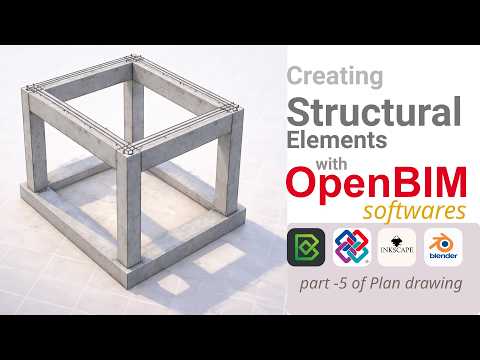
Released a new video now on creating structural elements and creating Drawing include filtering.
Planning to do more! Thanks for the support and feedback.
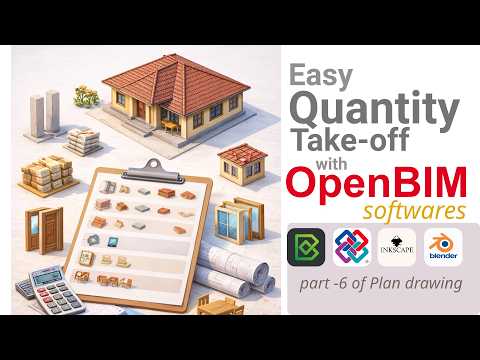
Next one done regarding easy quantity take off and presenting schedules in sheet. Would love your feedback.
@arunarchitect
thanks for the video!
if you like there is also a quicker method where you import a .csv file with query selector to populate a table automatically
the spreadsheet import export has also a feature to group and count/sum instances
will send you something later
cheers and happy quantity take-off
Thank you, I have seen your ideas/posts regarding csv importing in Costing and Scheduling. Will try creating a tutorial based on that, thanks for your advice and suggestions.
count items
for those who wonder how to count instances of a particular type, here an example for furniture:
query in Spreadsheet Import/Export
output
If interested
csv import to extract quantities
important
make sure you run quantity take-off on your model (Shift-Q or use UI as indicated in @arunarchitect 's video)
csv table with queries:
output in Costing and Scheduling > Cost
clicking on refresh icon (green circle) it updates the source csv file, very convenient
I also attach a simple IFC file used for it
if needed, you can automate rate assignments to cost items, with a schedule of rate available, using dedicated columns (RateSchedule and RateID)
cheers
Its awesome, thankyou for the time and effort👍
I am not yet familiar with the mechanics of RateSchedule and RateID. Would you mind providing an explanation?
@sahrul
good point
the logic behind RateSchedule and RateID additional columns (thanks to @Massimo) is a feature that allows to assign rates (price per unit) from a different cost schedule to cost items directly from the import .csv file.
To do that you need to have or import a SCHEDULEOFRATES, I attach a simple one "20260224 Aruna rates", use the checkbox
Is Schedule of RatesHaving that schedule available in the model you can now import your .csv with the cost items with the additional columns
RateScheduleandRateIDfilled out with relevant informationNow the BoQ is completed with rates (the plus icon means that that cost item has an external rate assigned to it)
Happy 5D modeling
an error occurred while importing CSV
Python: Traceback (most recent call last):
File "C:\Users\ASUS\AppData\Roaming\Blender Foundation\Blender\5.0\extensions.local\lib\python3.11\site-packages\bonsai\bim\ifc.py", line 526, in execute_ifc_operator
result = getattr(operator, "_execute")(context)
^^^^^^^^^^^^^^^^^^^^^^^^^^^^^^^^^^^^^^
File "C:\Users\ASUS\AppData\Roaming\Blender Foundation\Blender\5.0\extensions.local\lib\python3.11\site-packages\bonsai\bim\module\cost\operator.py", line 594, in _execute
cost_schedule = core.import_cost_schedule_csv(tool.Cost, str(resolved_path), self.is_schedule_of_rates)
^^^^^^^^^^^^^^^^^^^^^^^^^^^^^^^^^^^^^^^^^^^^^^^^^^^^^^^^^^^^^^^^^^^^^^^^^^^^^^^^^^^^^^^
File "C:\Users\ASUS\AppData\Roaming\Blender Foundation\Blender\5.0\extensions.local\lib\python3.11\site-packages\bonsai\core\cost.py", line 345, in import_cost_schedule_csv
cost_schedule = cost.import_cost_schedule_csv(resolved_path, is_schedule_of_rates)
^^^^^^^^^^^^^^^^^^^^^^^^^^^^^^^^^^^^^^^^^^^^^^^^^^^^^^^^^^^^^^^^^^
File "C:\Users\ASUS\AppData\Roaming\Blender Foundation\Blender\5.0\extensions.local\lib\python3.11\site-packages\bonsai\tool\cost.py", line 592, in import_cost_schedule_csv
csv2ifc.execute()
File "C:\Users\ASUS\AppData\Roaming\Blender Foundation\Blender\5.0\extensions.local\lib\python3.11\site-packages\ifc5d\csv2ifc.py", line 138, in execute
self.parse_csv()
File "C:\Users\ASUS\AppData\Roaming\Blender Foundation\Blender\5.0\extensions.local\lib\python3.11\site-packages\ifc5d\csv2ifc.py", line 189, in parse_csv
raise Exception(f"Missing mandatory fields in CSV header: {', '.join(missing_fields)}")
Exception: Missing mandatory fields in CSV header: Name, Unit
file
@sahrul
the headers in your .csv look OK, difficult to test it without the .ifc model
you haven't checked
Is Schedule of Rateson import, right? this is an import template for Bill of quantitiesIt looks like a problem with the .csv file...in the past i experienced also similar problems with csv created with excel..they look ok but actually they aren't.
I suggest you to start with the example files (or a file that you are sure it works) and modify it
I have created a csv using LibreOffice and it worked.