

Bonsai | 2D Annotation TEXT Literal , change in bulk.

Hi all ,
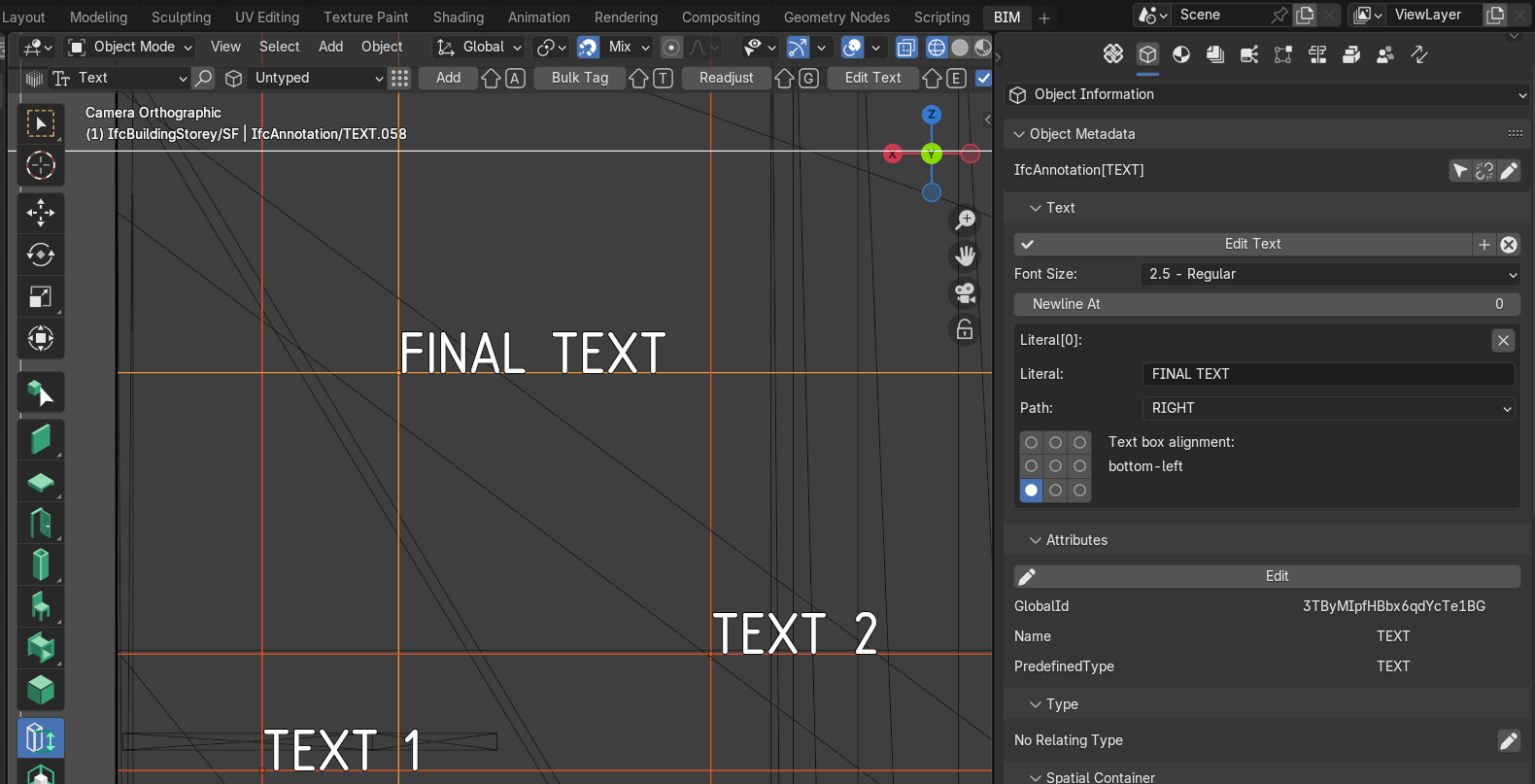
How can we easily change the selected TEXT annotation literal to 'FINAL TEXT' all at once. Is there a way?
Tagged:
Hi all ,
How can we easily change the selected TEXT annotation literal to 'FINAL TEXT' all at once. Is there a way?
Comments
Not yet, unfortuately
https://github.com/IfcOpenShell/IfcOpenShell/issues/5220
I would imagine this would be a relatively easy pull request, if anyone wants to work on their python chops. :)
Just found a temporary solution, using a Python script generated from ChatGPT, and it works fine. Experts, please do point out if there are any potential issues that might harm the IFC file.
:)
oh, I see @falken10vdl self-assigned himself a couple days ago. Cool.
@theoryshaw Yes, I saw this a few days ago and thought it would be a good feature. @arunarchitect cool you already have some working inspiration. Please let me take a look to try to inplement it in a PR.
Thanks!
@arunarchitect cool you already have some working inspiration.
Thank you @falken10vdl :)
Please take a look to this proposed PR: Bulk annotation text edition #7028
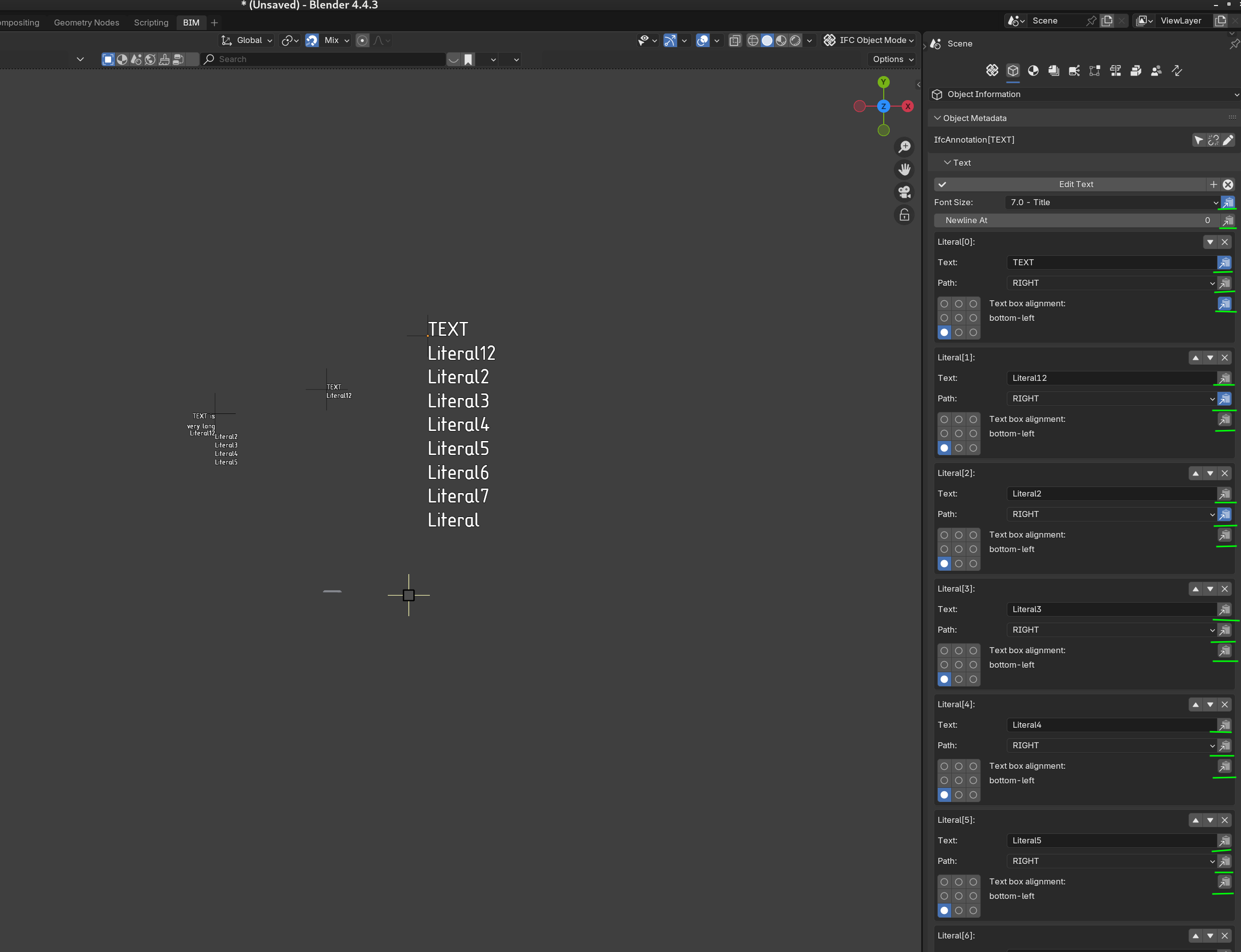
It provides some toggles that allow you to either propagate that property to the selected text annotations or not. If it is clicked then it will be propagated.
Cheers!
Little note. The changes done to the properties are changed inmediately for the last selected text annotation (the one whose data is shown in the "Object Information" TAB). The rest is updated when the "Edit Text" is clicked and you return back to "Enable Editing Text"
See an example below:
Cheers!
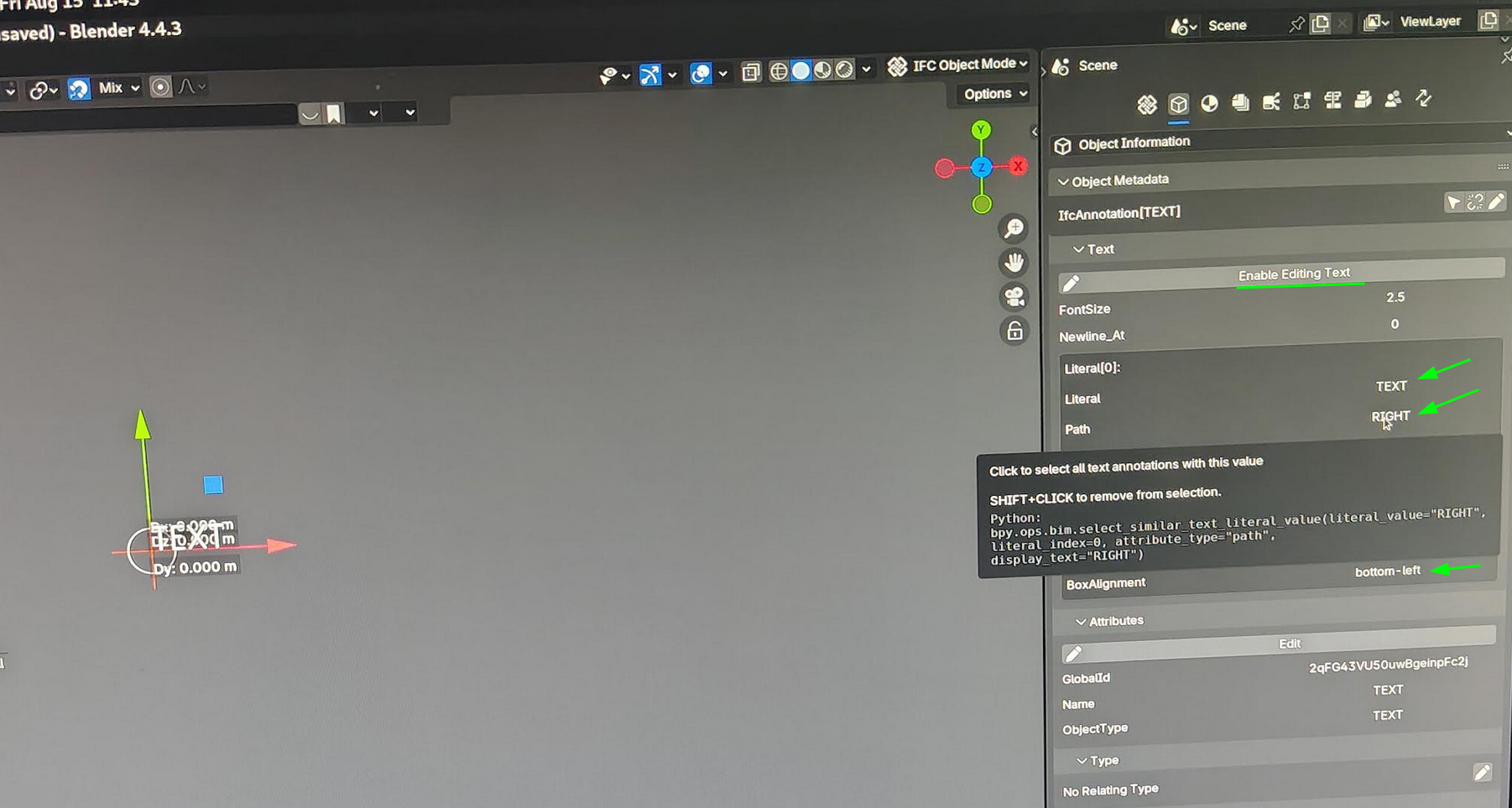
Added possibility to select objects with the same attribute value (or remove with shift+click). Thanks @theoryshaw for the suggestion!

Cheers!
And also in non editing mode just by clicking the value of the attribute as proposed in https://community.osarch.org/discussion/2189/select-the-value-of-an-attribute-or-pset-and-it-will-select-all-the-objects-that-share-that-value
Cheers!
@theoryshaw the suggestion to click on values to get similar objects selected is really a hidden gem! :) I have seen that you reference to it in chapter 059000_20250224_1655 - Type psets and Qto's of the tutorial series. Nice!
Thanks!
Indeed, I have seen that video yesterday too.
And I remember a similar "looks like a text but it opens the Dropdown" in a previous video.
On the other side - this is quite a heavy Graphical User Interface Crime though :)
When i was first submitted a 'select_similar' UI, i did something like this...

I can't find the exact conversation, but @Moult thought it was a little cluttered, which i kinda agreed with.
So that's why I went back to hiding the operator behind the 'value'.
Either way, i use this stuff all the time. :)
Maybe an option is what I have proposed in the PR :) To show the operator with a "select" icon when one is in edit mode and hide it in the value otherwise ;)
Yeah, that seems to make sense. @Moult?