

IFC Object Creation

Hello community!
I recently started modeling an old project of mine to apply what I've been learning and assimilating about FreeCAD.
One topic I'd like to address is the creation of IFC objects. I'm having trouble finding materials to study this topic specifically. Any help or recommendations for study material, even just some excerpt from the documentation, would be greatly appreciated.
I'm making this parametric door in the Part workbench. My goal, with this first object I'm creating, is to explore the processes for developing a good set of architectural objects in the Brazilian standard and create an open repository, adapted to our reality.
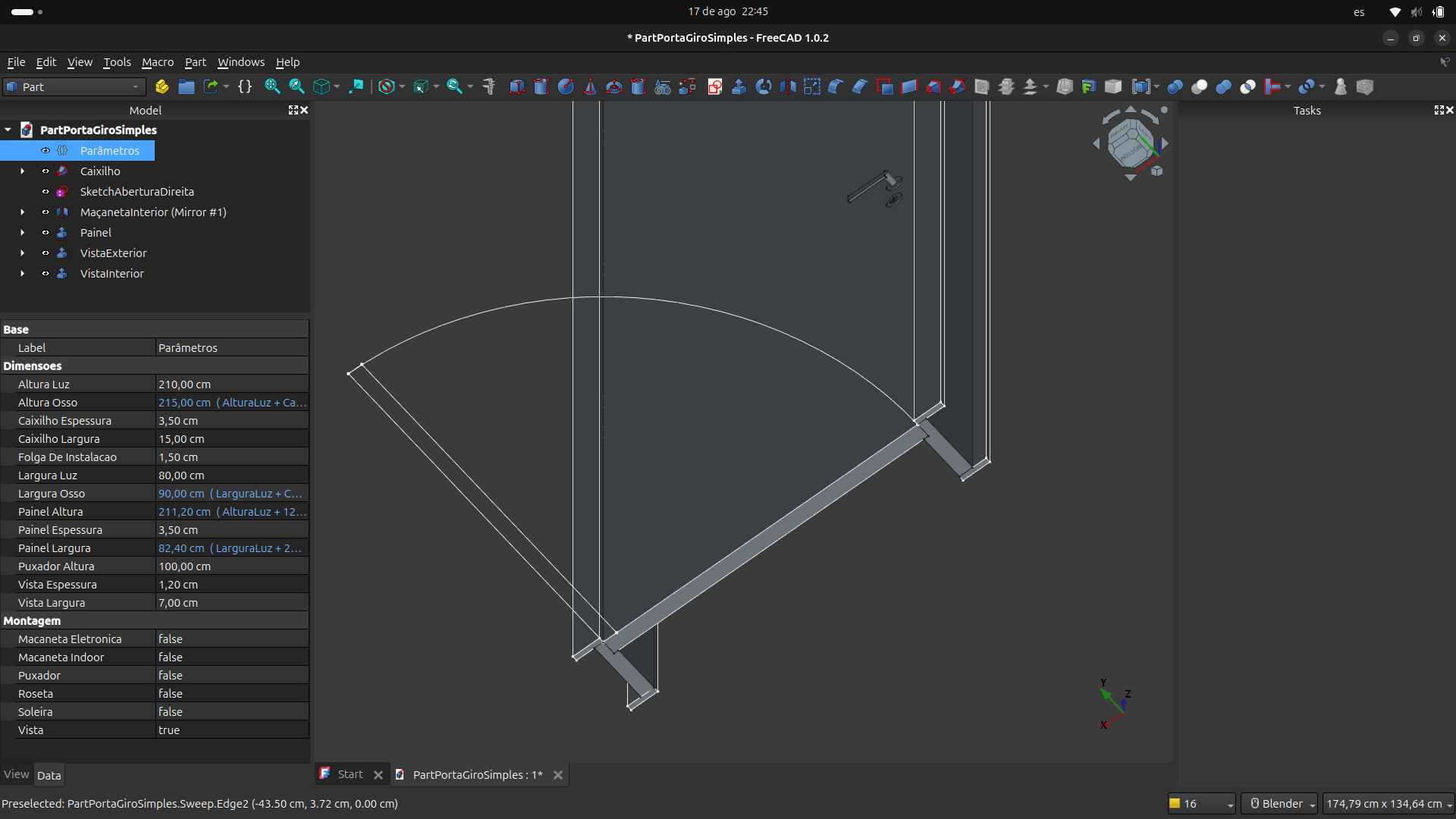
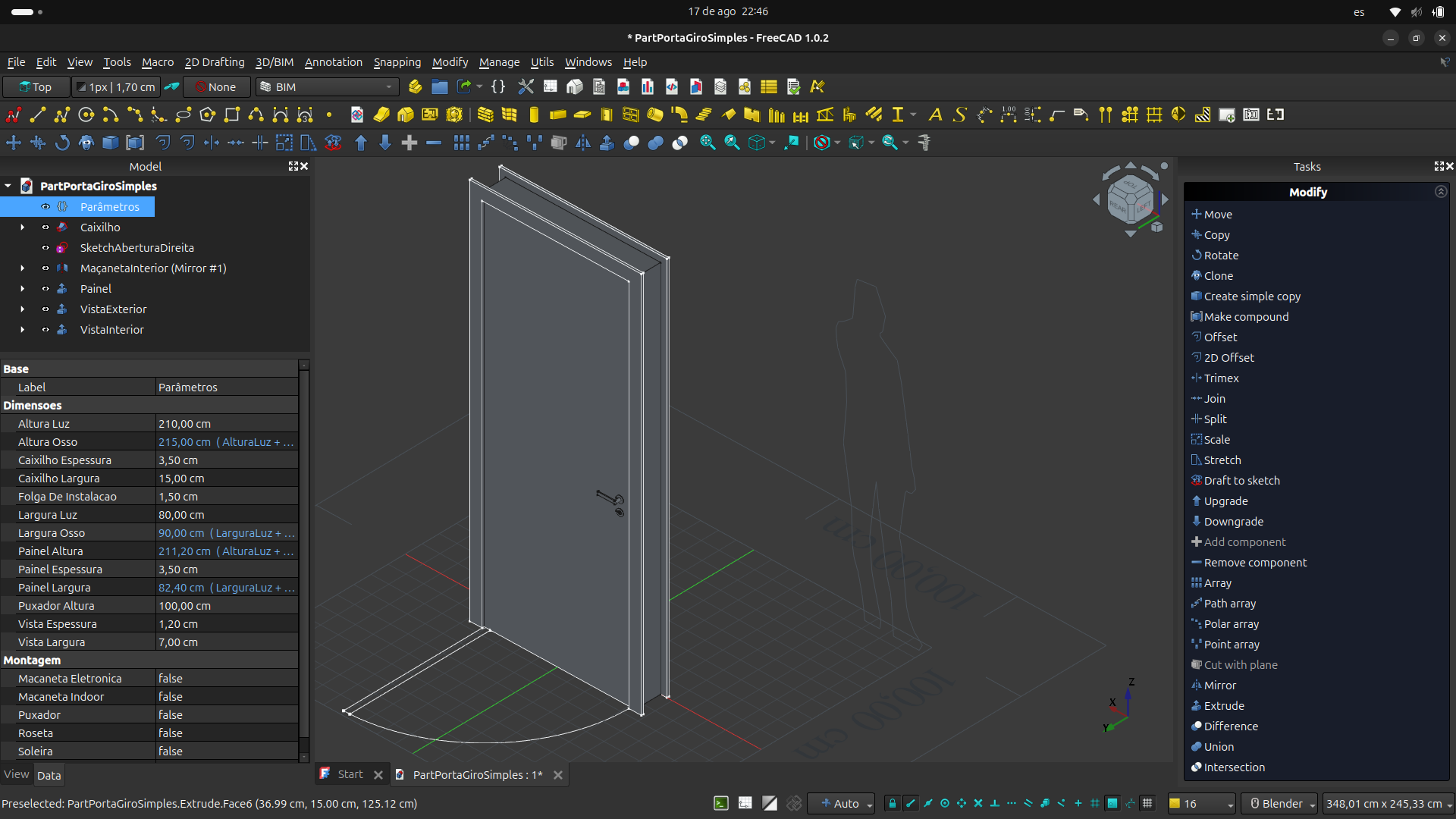
There are several fundamental questions I still don't understand. For example:
1. Would it be possible to add new, customized doors and windows in the BIM workbench's door and window tools, or even use these objects in another way (outside of the tool)?
2. To do this, how can I establish the hosting relationship with walls and perform the opening cut on the wall itself?
3. How do I create the 2D representation?
4.Also, it would be important to be able to control the visibility of certain geometries. Is it possible to control the visibility of a geometry through a PropertyBool variable, for example, assigned to that geometry? I noticed that it's not possible to bind a variable or expression to the 'Visibility' property in the view tab.
These are some of the questions I have.
To define the element's properties, I used {}varSet and everything worked as expected. The ability to insert expressions into Sketch dimensions is an incredible feature that allows us to create many types of relationships. So good!
Am I on the right track, or should I start over? Any tips on how to handle these issues?
Thanks!
Comments
It should be possible. I did not try it, but you might follow the steps described in this forum thread: https://forum.freecad.org/viewtopic.php?p=799819#p799819
It is definitely possible to use the custom built door (such as yours) outside of the default tool.
You might find this thread useful: https://forum.freecad.org/viewtopic.php?t=94953
I would advise you to check the Door models from the BIM Library created by F_Rosa.
I also think a read a thread on FreeCAD forum where one user explained in detail how to create a wall opening for a custom door but I am not able to find it now.
If you are talking about door swing symbol, I am not sure about that. Note that Yorik is working on the Door/Window tool refactoring. Not sure when that will be released though. He described it in this blog post: https://yorik.uncreated.net/?blog/2025/003-freecad-news-29
I just ran into the same issue. I thought it is not possible, but I found out that F_Rosa is somehow able to control the visibility using a VarSet boolean parameter. I posed a question here, hopefully he will reply: https://forum.freecad.org/viewtopic.php?p=842717#p842717
I think with FreeCAD there is no set track. It is a journey into unknown :). Your doors look nice though.
Tom
Tom, I will check the links and look your suggestions.
I think you are right, there really isn't a linear path.
I'm certainly full of beginner's doubts, but I'm often looking for answers on topics I want to explore... and it is fine.
Everything you brought up is super relevant to me. Thanks a lot.
And if I find anything about visibility control, I'll share right away
OK, so I got the answer to the question nr.4
To control visibility of an object by a VarSet parameter, you can add the expression to the 'Visibility' parameter in the Data properties. This one is hidden, so you first have to enable 'Show Hidden' in the properties tab.
Hi Tom, It's that simple :)
I realized that I need to go through the basic tutorials on workbenches first. Of course, it couldn't be any other way. But it's great to already know where I can go. I also looked at F_Rosa's work, its beautiful, an excellent example.
for now, thank you for your help and time.
Yes, FreeCAD is not very intuitive and going through few tutorials can save you a lot of time.