How to save linked point clouds in ifc

Hello, I wanted to raise a hand on how to save linked point clouds into the Ifc file.
I was thinking to handle it as IfcDocument, so:
1. an IfcDocumentInformationwith the name, description, date of survey, etc;
2. an IfcDocumentRefernce with the Location set to the relative path of the point cloud archive (I could eventually have more references if I want to divide the scan in pieces like exterior, interior, floors, etc...);
3. an IfcAnnotation with no representations pointing to the IfcDocumentReferencewith a DocumentRefForObjects to have a dummy object that represent the origin and rotation where the point cloud should be positioned when loaded.
What do you think? I could easily handle that with a panel that display a list of resources and load or hide each point cloud when needed. I think blender supports ply out of the box, but more options could be diplayed if PCV is installed...

Comments
Your approach is on the right track and aligns well with how IFC handles external resources. IFC itself doesn’t natively embed heavy datasets like point clouds (due to size and interoperability concerns), so referencing them through
IfcDocumentReferenceis indeed the most widely accepted practice.A few points to refine your workflow:
IfcDocumentInformation / IfcDocumentReference – Correct usage. These classes are specifically meant to store metadata and reference locations for external resources. Adding survey date, scanner type, and accuracy level in the
IfcDocumentInformationattributes is good practice for traceability.Point Cloud Positioning – Using a placeholder object
(e.g., IfcAnnotation)as a reference for origin, rotation, and scaling is a practical way to keep alignment consistent across platforms. However, some workflows prefer an IfcProxy for this role since it semantically conveys “a generic object without predefined meaning.” Either can work, but proxies may be more future-proof if you want downstream software to recognize it as an object rather than a purely annotation element.Splitting Scans (interior/exterior/floors) – Definitely a good idea. Structuring multiple references allows selective loading and improves usability when handling very large datasets.
Tool Support – You’re correct that BlenderBIM supports PLY out-of-the-box, and with the Point Cloud Visualizer (PCV) add-on, you gain more flexibility (E57, LAS, etc.). Just keep in mind that interoperability across IFC-consuming tools will vary—some AEC software will ignore the IfcDocumentReference link unless explicitly configured to load external resources.
Best Practice Suggestion:
Instead of thinking of IFC as a container for point clouds, think of it as a pointer and metadata manager for those resources. The strength of IFC is maintaining the alignment and context so that point clouds, BIM models, and drawings all remain synchronized.
So yes, your outlined approach is valid—just consider whether
IfcProxymight be a stronger placeholder thanIfcAnnotationdepending on your use case.Can (pure) Blender load Pointcloud File Formats ?
For me a pointcloud was always a file from a laser or lidar scanner, 3D locations of points and likely color value. But when Blender developers refer to pointclouds, they usually mean volumes, like from a simulation like smoke. Or ist that basically the same ?
And I do not find import AddOns beside the chemical XYZ importer for representing Atoms.
EDIT :
Found something :
Thanks @aecinsight for the detailed feedback, nice to hear i'm on the right track :) I'll definitely take a look at
IfcProxyfor PC positioning.I saw you have a website in your profile, did you have the chance to work with Bonsai and point clouds in the past?
@zoomer , check out https://superhivemarket.com/products/pcv
Thanks, that can import all common point cloud formats, great. Bookmarked.
Had a few demo point clouds on my disk but all in wrong formats ...
(Could have converted them for now in Bricscad or likely Cloud Compare too)
I have some problems creating an IfcProxy...
Is it possible with the UI?
I can create it with
file.create_entity()but it's always displayed in theunsortedfolder also if I assign it to a spatial element...@carlopav IfcProxy seems to be deprecated here: https://standards.buildingsmart.org/IFC/RELEASE/IFC4/ADD2_TC1/HTML/schema/ifckernel/lexical/ifcproxy.htm
It doesn't seem to exist at all in the 4x3 spec: https://ifc43-docs.standards.buildingsmart.org/search?query=ifcproxy
thanks @sjb007 , I had that feeling... probably I did check the wrong schema spec..
@aecinsight perhaps we should reconsider falling back to IfcAnnotation?
Here you can find a quick mockup: https://github.com/carlopav/IfcScripts/blob/main/IFC_StoredPointCloudUI.py
It works with ply point clouds. Blender point cloud visualizer should be installed.
@Moult what do you think? Could be something to include in "Drawings and Documents" panel?
Hello! I played a bit with claude and I ended developing this addon: https://github.com/carlopav/bonsai_pointclouds.
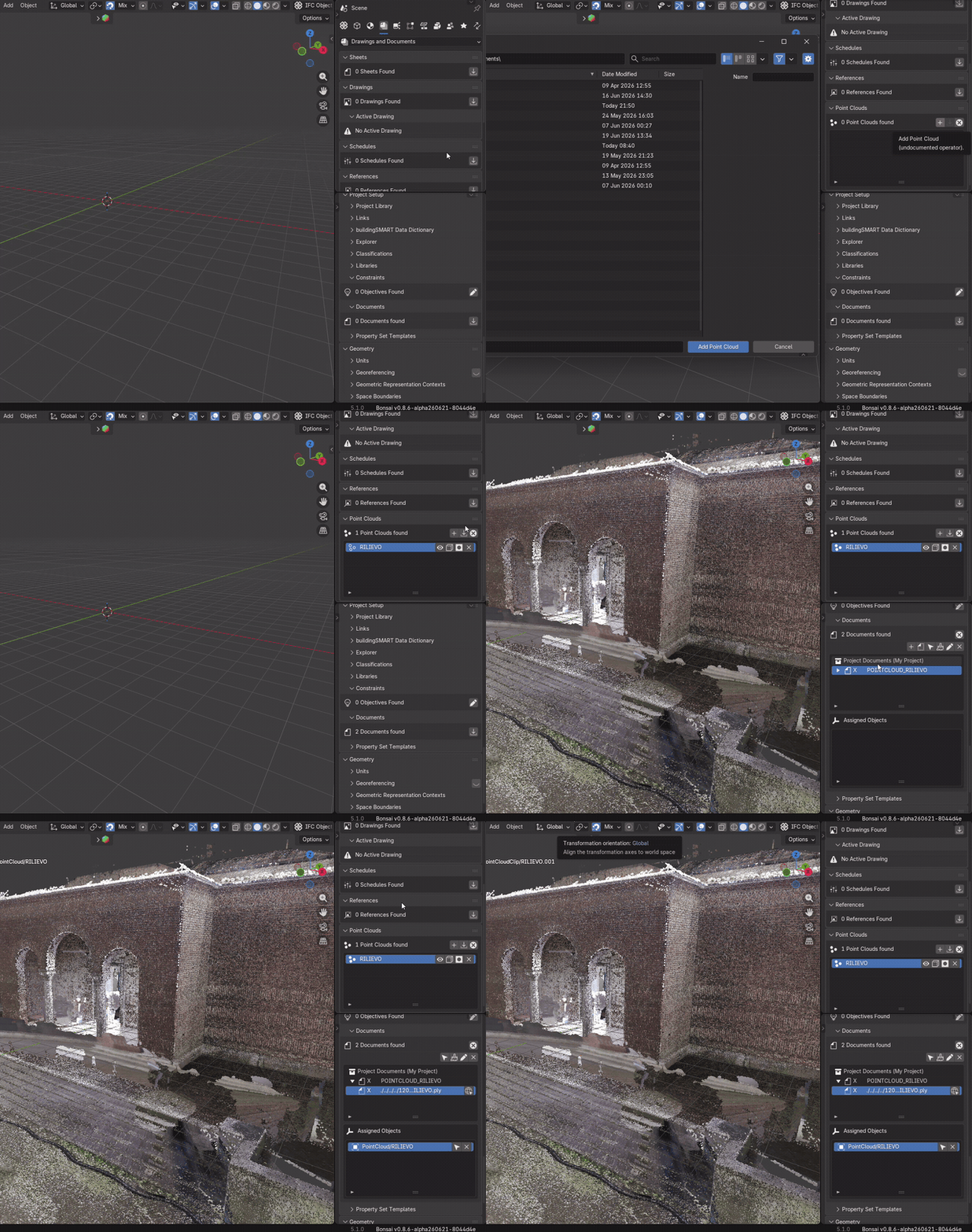
It's basically a new panel for the bonsai addon that provides integration with pcv. It writes and loads pc position in the ifc file as ifcdocument and provides minimal loading and clipping capability. Claude also implemented a minimal viewer to fallback in case point cloud visualizer is not installed.
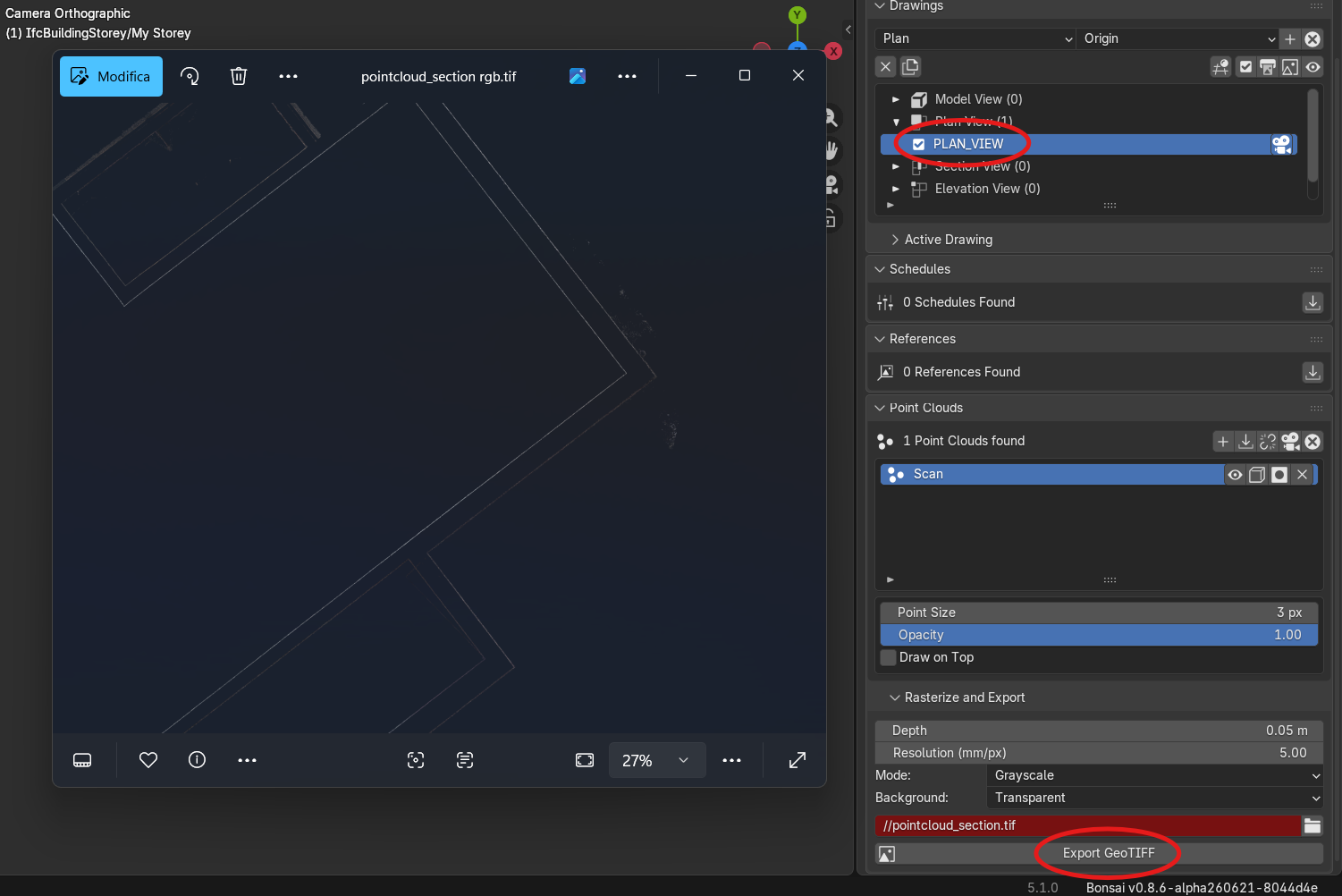
Added also a function to export a section of the pointcloud to GEOTIFF based on the active drawing... perhaps this could also be used as a background for a drawing, for example to demonstrate if the modelling is correct according to the pc..