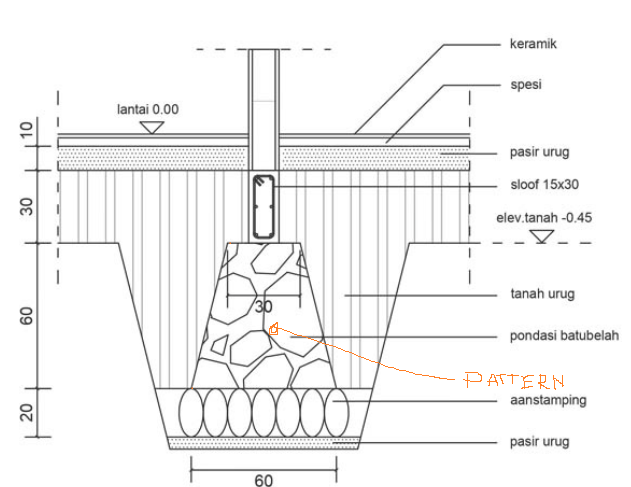
There is the outputoption as .svg and .dxf. If you are open it -maybe as .svg- in inkscape, or in another cad programm as .dxf, you can use predefined or self created patterns. It's also possible to manipulate the .css to config the vectorgraphic output from bonsai. There are more infos from theoryshaw and ifcarchitect. (OSArchForum and YT).
Yes, you can create any pattern your heart desires.
If you can upload, here, an svg pattern you've created in inkscape, or similar, i can show you how you can use that pattern in Bonsai.
Make sure the pattern is repeatable, and tileable.
I just turned on my 1.1.1.1 and it works!
By the way, is there any plan that we can modify the pattern on the fly on web browser? Like changing the color and scale of the pattern as we look at it.
I used to vibe code a web interface that allow to read the pattern.svg, we can choose the pattern to preview, then change the scale and color and finally save the change to the file. I'm thinking is that possible to do that with the actually drawings?
This is not real working for your usecase. I'm just demonstrating using the .cut and .projection prefix with different fills. The second part of the name will depend on the object you are trying to fill. The best way to inspect what Bonsai is outputting, and what classes it has is to open the drawing in Inkscape, then use the XML inspector to examine the individual elements. There you can see the assigned classes:
This is not real working for your usecase. I'm just demonstrating using the .cut and .projection prefix with different fills. The second part of the name will depend on the object you are trying to fill. The best way to inspect what Bonsai is outputting, and what classes it has is to open the drawing in Inkscape, then use the XML inspector to examine the individual elements. There you can see the assigned classes:
i have tries this method and it worked. but only function in (SVGFill Mode), with Shapely, there is no differents between cut section and projection
I tried using material priority. The priority works when it meets an IfcWall, but when an IfcWall meets an IfcColumn, it seems the priority does not work. I would appreciate your guidance on whether there are still steps I have not done.


Comments
There is the outputoption as .svg and .dxf. If you are open it -maybe as .svg- in inkscape, or in another cad programm as .dxf, you can use predefined or self created patterns. It's also possible to manipulate the .css to config the vectorgraphic output from bonsai. There are more infos from theoryshaw and ifcarchitect. (OSArchForum and YT).
Yes, you can create any pattern your heart desires.
If you can upload, here, an svg pattern you've created in inkscape, or similar, i can show you how you can use that pattern in Bonsai.
Make sure the pattern is repeatable, and tileable.
@theoryshaw , thanks
See the following video.
I also added this to the video tutorial series: https://hub.openingdesign.com/OpeningDesign/Bonsai_Tutorials#readme
Sorry but can you check the video again? it stopped in the middle and can't even download to watch!
Thanks for the effort btw!
Hmm, not sure.
Does this work? https://www.dropbox.com/scl/fi/is2csqonpk81uhkfira5b/137000_20250909_1001-Creating-a-new-drawing-pattern.mp4?rlkey=wiqshloqc8dk2sm30qrvt6znu&dl=0
Just for info: The first vid stopped also at my first attempt, but half an hour later it worked properly and ran through.
I just turned on my 1.1.1.1 and it works!
By the way, is there any plan that we can modify the pattern on the fly on web browser? Like changing the color and scale of the pattern as we look at it.
I used to vibe code a web interface that allow to read the pattern.svg, we can choose the pattern to preview, then change the scale and color and finally save the change to the file. I'm thinking is that possible to do that with the actually drawings?
@theoryshaw The Best
How to create a hatch for walls in section cut and projection in BonsaiBIM?
I mean the hatch is different when it's sectioned compared to when it's not sectioned (as a projection/surface)
can you share your default.css and pattern.svg file here?
css and pattern
You need to edit your default.css and add something like:
This is not real working for your usecase. I'm just demonstrating using the .cut and .projection prefix with different fills. The second part of the name will depend on the object you are trying to fill. The best way to inspect what Bonsai is outputting, and what classes it has is to open the drawing in Inkscape, then use the XML inspector to examine the individual elements. There you can see the assigned classes:
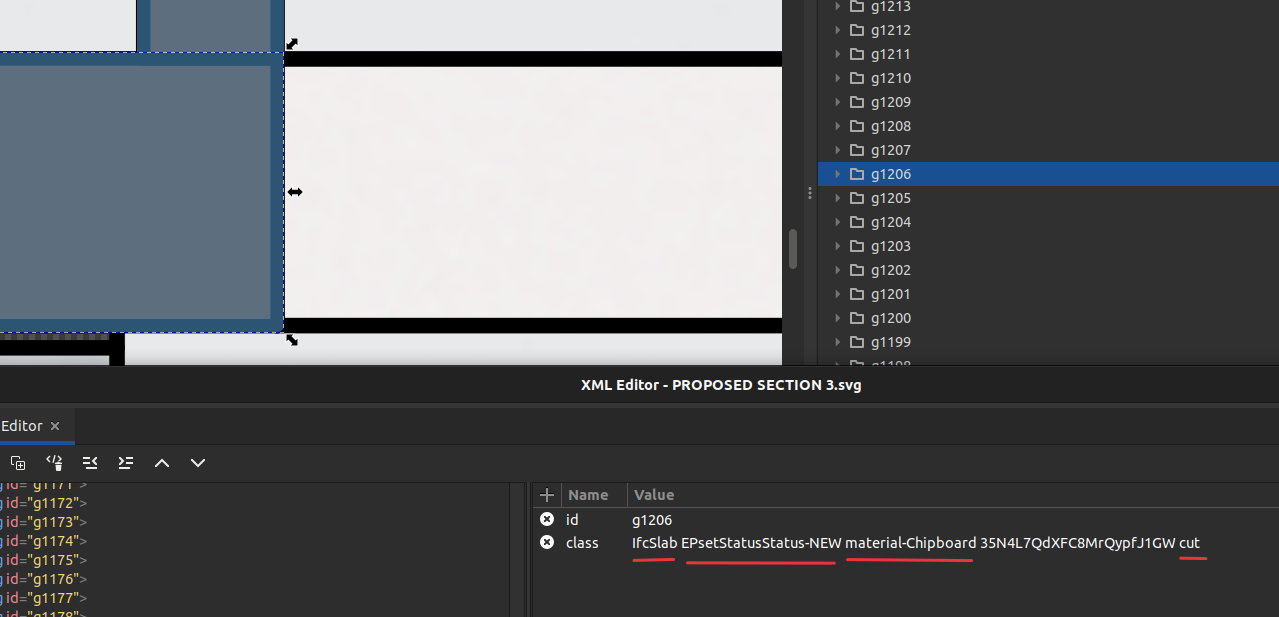
i have tries this method and it worked. but only function in (SVGFill Mode), with Shapely, there is no differents between cut section and projection
this what happen when i select Shapely Fill Mode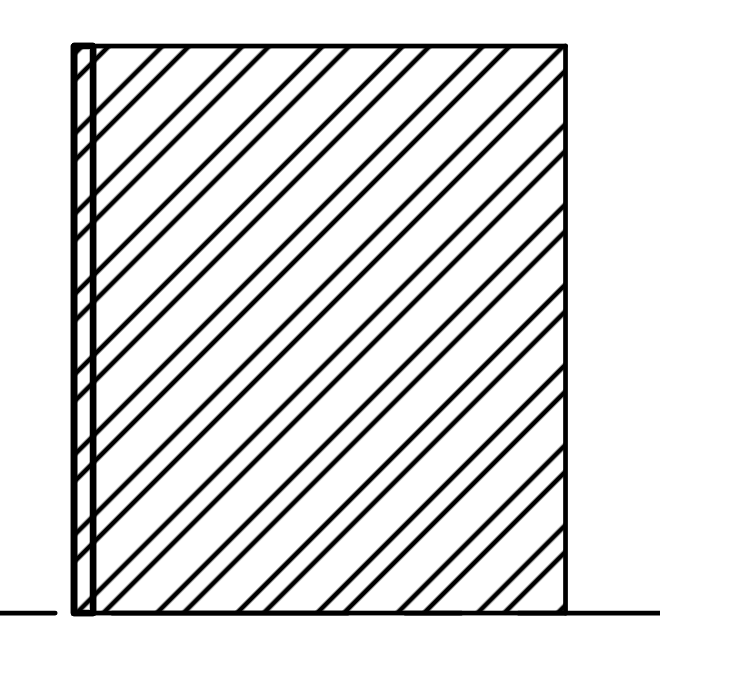
Read through this: https://github.com/IfcOpenShell/IfcOpenShell/issues/5675
Might be related.
I tried using material priority. The priority works when it meets an IfcWall, but when an IfcWall meets an IfcColumn, it seems the priority does not work. I would appreciate your guidance on whether there are still steps I have not done.
Can you share the bundle of files to recreate this?
this
thanks @theoryshaw
"Does the intersection caused by the priority value affect the volume?"
On walls to walls, i think it might, but not with walls/columns or walls/slabs... those are more just an svg convention.
How to edit grid annotation so that it doesn’t cause an error ?