

FreeCAD multimaterial walls rendering.

Does anybody know if there is a way to seperate mutlmaterial wall layers so that they can be rendered individually, to say that if we change the material on one face it doesnt change the material on the whole wall?
The only way i have been able to do so is by creating seperate layers on top of the created walls but the multimaterial doesnt really serve for anything other than for 2d purposes given that in 3d we usually change the colors or materials to render. When in 2d it works great as you can see the layers in plan view , but i still looking if there is any use to multimaterial wall in 3d... i'm kind of comparing the functionality to blender where you can change appearance to each face individually, in FreeCAD its not possible doing that yet?...
Comments
In the example screencapture, there are 3 layers. User can define material and appearance of each layer.
Not sure what else do you want, maybe you can sketch it out? :)
1. Layer 1 - Material 1
2. Layer 2 - Material 2
3. Layer 3 - Material 3
I am trying to render the wall in twinmotion. The wall doesnt separate materials into layers... : ( For ezample in that pic, the grey surfaces are not individual faces so therefore cannot apply materials when i use twinmotion or other external rendering engines. I'm pretty much trying to find out if im not wrong about it not working, cus' maybe ill input a request in git to see if having the ability to separate those materials into actual layers interests the team...
When i convert to OBJ it only converts the wall as a whole element not as separte layers so that i can place materials from the rendering engine. Also i have been unsuccesful at quantifying the layers of the wall legitemately , what i do is that i take the Area of the faces and just call if something else so that i can quantify it. I'll gather some examples to include related to my question in a couple of hours...
Not sure, but I think I have read, that is possible in archicad to split by layers at the ifc-export. (Import/open .ifc-save...-export ifc)
How do you transfer the FreeCAD model to twinmotion? what format? OBJ? (no experience with twinmotion.
In FreeCAD, the 3-layers are 3 separate solids. Could you try re-importing back to FreeCAD the exported model file you created to test it round-trip works.
Thanks.
Could save it out of Bonsai, this way...
Thanks for the time you take to help. So you made this model initially in FreeCAD and then took it to Blender? or was that model started in Blender? its just that im concerned that the multilayer elements arent doing anything for me outside of FreeCAD.
This is a bonsai file from the start.
If you can upload the .ifc file (or part of it) from FreeCAD I can see if the same works.
I'm not a freecad expert, but I think freecad uses the same logic as Bonsai.
It seems the multimaterial wall is exported as a single object to OBJ.
One solution is to use Draft_Downgrade tool to explode MultiMaterial walls into solids (each layer is exported as independent solid) before exporting to OBJ. Note that this is destructive method.
OFF TOPIC: It's interesting that when multimaterial wall is exported to IFC from FreeCAD, the output seems to have those material layers, but they are not exported as 'materials' but as 'profiles'. See the attached IFC example bellow (it contains one multimaterial wall exported from FreeCAD):
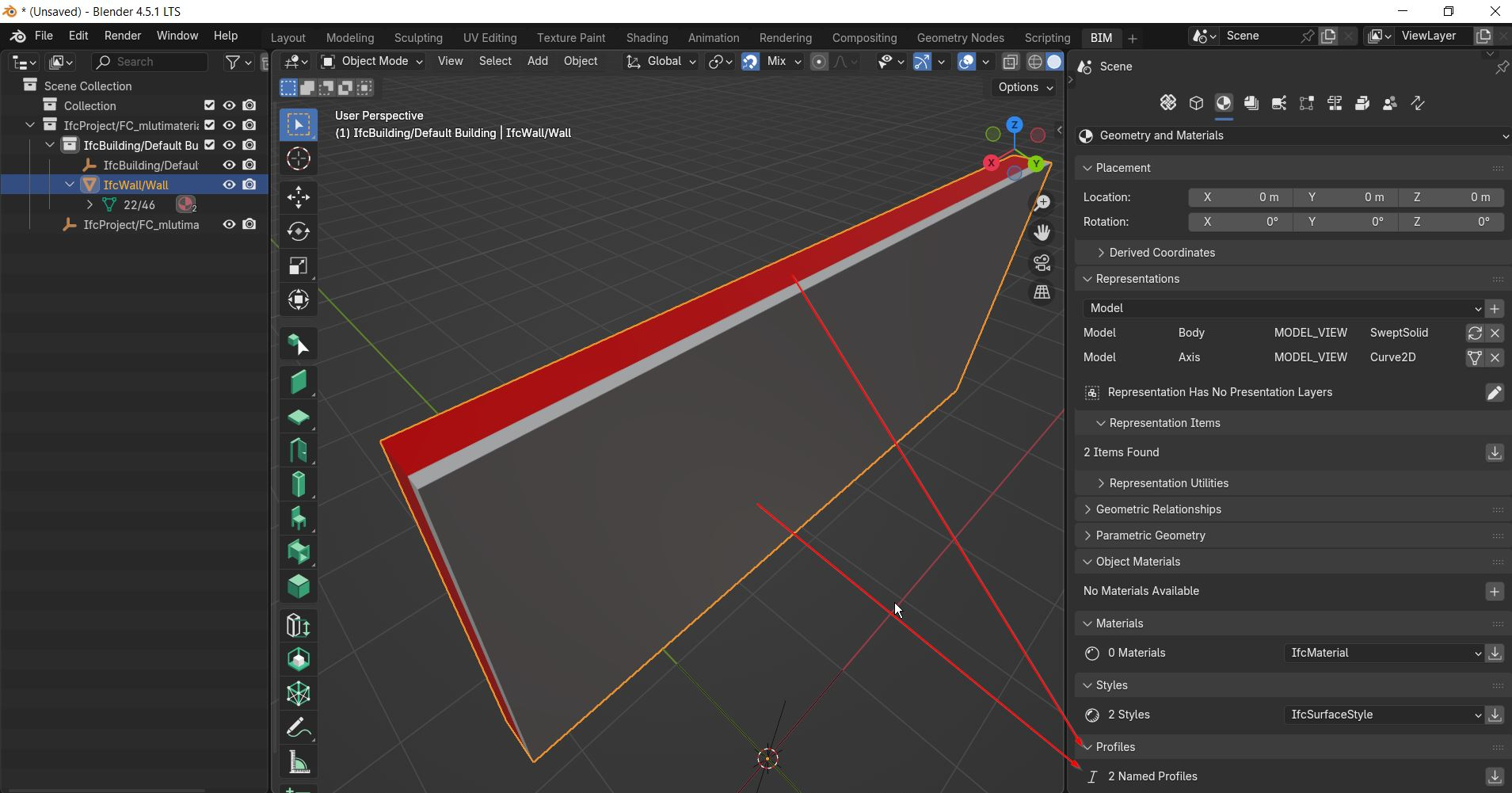
I have only limited knowledge of how materials and material sets should be done, but this does not seem correct to me, or is it?
It seems roundtrip back to FreeCAD is OK
Defined in ifc as 2 'IFCEXTRUDEDAREASOLID'.
@semhustej
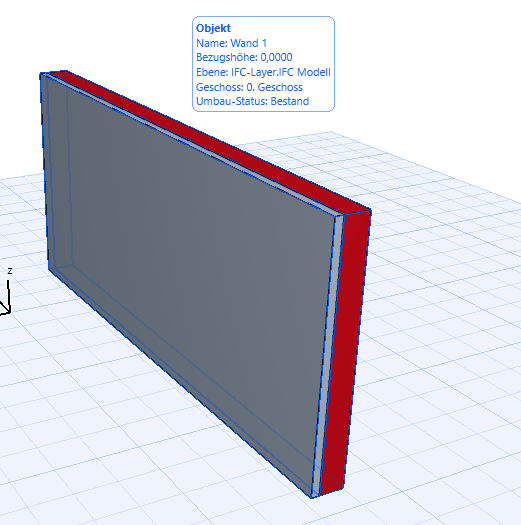
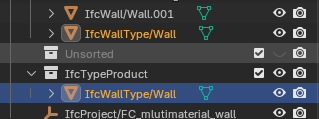
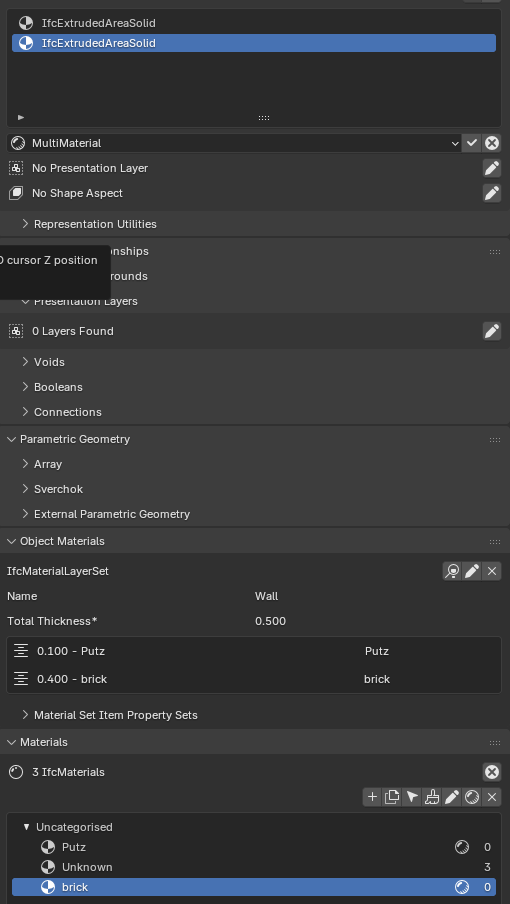
Hi, did some tests. In ArchiCad the style is applied
In bonsai, I created a IfcType out of it. (ObjectinformationTab Unlink Object, "reclassified as type". After that I added Materials and Layers and it worked (see attatched ifc file). (It looks like, IfcStyle is applied, but no materials... You can add them in some ways in bonsai - If your doing it as a IfcType imo its a practical way...) (Also adding voids is working nice...)
Maybe it helps to figure out a solution for your needs... (When I open it in FC everything have the same "style", but I´m noob at FC)
In bonsai, if I
m trying to apply the new generated Type to the existing wall Im creating an error (so it`s tricky to work with. In bonsai walls are created this way, can be edited in IfcEditmode as profiles, but all the specific "wallfunctions" are not available)I think that (Profile) is normal.
If there is no Material/Style definition as it was in freecad, I think that is another problem.
As I learned from @steverugi Videos, when you set up a new/custom IfcType, Like a foundation, you can select different forms for custom definition. Preferred for vertical elements like a Column may be "horizontal Profile", for linear elements like Walls or foundation stripes you may want to define a "vertical Profile".
That is what I think the "Profile" is coming from.
In Vectorworks I have the IFC export option - to export multi-ply objects like stylized Walls as "aggregated Walls".
As far as I understood, by default multi-ply objects exported as separate Solids, while "aggregated" option exported the whole Wall as a single Solid, but maybe with the data and materials offered as a Material Set.
Not sure if Freecad's IFC Exporter has similar exporter options and settings.
@semhustej
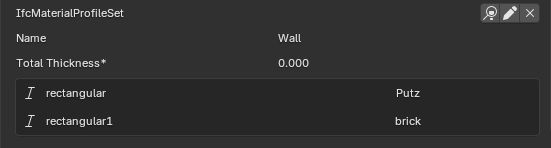
you can add materials by profiles (IfcMaterialProfileset). (It would be practical to rename the profiles, now the 2 have the same name "rectangular")
First you have to create Materials. After that you can apply it.
But its not a editable wall like a "bonsaiwall" created from a IfcType - imo the logic behind the creating is different.
Maybe @Moult would like to comment?
Should bring the discussion / suggestion particularly about IFC import/export back to FreeCAD forum / github, thanks :)
Thanks for the explanation. It makes sense in the case of how FreeCAD multi-material is defined, as it defines the 'material' and 'thickness'. It looks like the 'thickness' is translated to rectangular profile thickness.
To my knowledge there is no such setting in FreeCAD IFC export options.
That is true. But it seems the 'material' properties are lost. Such as the material name.
Not familiar with IFC, could you help file an issue after discussion at FreeCAD githib please
I don't have enough knowledge of how materials should be used in IFC to formulate a github issue.
Here's some good reading, relative to this discussion. Search for "IfcMaterialLayerSet".
As I understand, from this discussion, it sounds as though Freecad doesn't use IfcMaterialLayerSets when defining layered walls. Could be wrong. Ping @yorik. :)
https://standards.buildingsmart.org/documents/Implementation/IFC2x_Model_Implementation_Guide_V2-0b.pdf
Anyone want to submit a multilayer wall from Freecad, that emulates those already there in the repo? https://gitlab.com/osarch/FreeMVD_WorkFlow/-/tree/master/Specifications_Test_Files/Wall_Multilayer/IFC4?ref_type=heads
...and maybe test roundtripping those provided, through Freecad.
Thanks for the pointer :)
Yorik is having a baby break : - https://forum.freecad.org/viewtopic.php?t=99877
The ifc is imported to FreeCAD, like this right?
Thanks for the pointers.
Yes, FreeCAD seems to not use MaterialLayerSets, MaterialLayer or Material when converting to IFC.
It only assigns colors based on material colors from FreeCAD.
Given that the material system is in a state of fundamental overhaul in FreeCAD and BIM materials are still using the old system, I think it reasonable to not expect any changes to the IFC material handling in the near future. I might be wrong though.
I just checked. That was an old test from BB. Which i 'just' realized is not correct. Let me fix it. Will let you know.
Okay, i updated the files from Bonsai, same link.
@semhustej
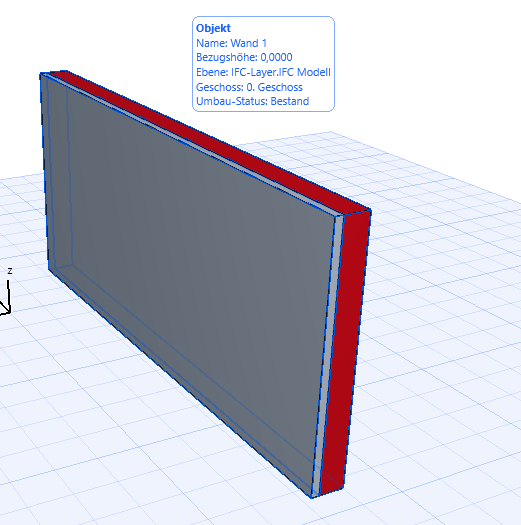
just as ".ifc" information:
If you have an .ifc entity (object, type,...) you can apply an IfcStyle to it (thats shown in viewport, renderview, optical representation) and there is the IfcMaterial (that stores the data/properties like massdensity,... IfcPropertySet). You can create a relation between IfcStyle and Material (e.g. concrete(material) has a grey style called e.g. concrete). Your uploaded exported Wall has IfcStyles, thats shown in bonsai, archicad nice but the material is missing. (as you know)
(screenshot from archicad, --> style is applied)
I did an export of a layerwall to FC and i strugled to apply a style to the (layer-)materials, but they are shown as materials (I have to less FC BIM experience to understand it and find the materialattributes to make it "correct", and I´m not sure if there is a difference between Style and material)
So its possible to have an IfcObject only wit style, only with material, with material that have applied a style, or with material but with a style thats not referenced to the material only to an object or objectpart.
Hope that text is understandable 🤔
As i understand it, these are the (3) options, i think...