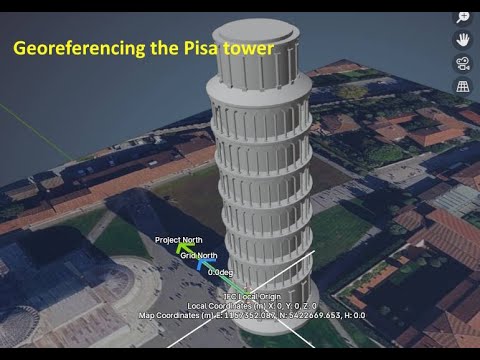
BlenderGIS changes IFC positioning
Hi Guys, i have some issue with BlenderGIS. Maybe i miss something but i can not figure out what is going on.
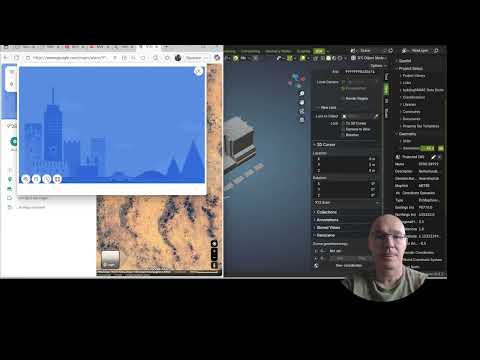
Somehow xy values change in my model after running it and getting a map in Blender. Best way form me to to explain this isssue is this movie i made. Like to hear your thoughts.
location, model origin : 51.902676503,4.453894483
download IFC here : https://minibim.nl/

Comments
Issue here
https://github.com/domlysz/BlenderGIS/issues/1002
Hi @magicalcloud_75,
I think you need to fill the "Scene georeference" data.
n key -> View -> Geoscene and choose the CRS (Coordinate Reference System) and the coordinates (the real coordinates of the blender origin in your model)
The geoscene plays a parts and i think its resetting the origin. But how this works remains some mystery
I believe that
geosceneindicates the global coordinates of the origin in the Blender model. If this isn't set, importing data into BlenderGIS establishes a new origin and "displaces" the existing model.I would BlenderGIS is fort getting geodata, images and OSM vector ALIGNED to your model and not mess with it. Blender just isn't GIS capable. Especially in BIM moving origin makes it really confusing.
What we now trying to figure out the relation between these values :
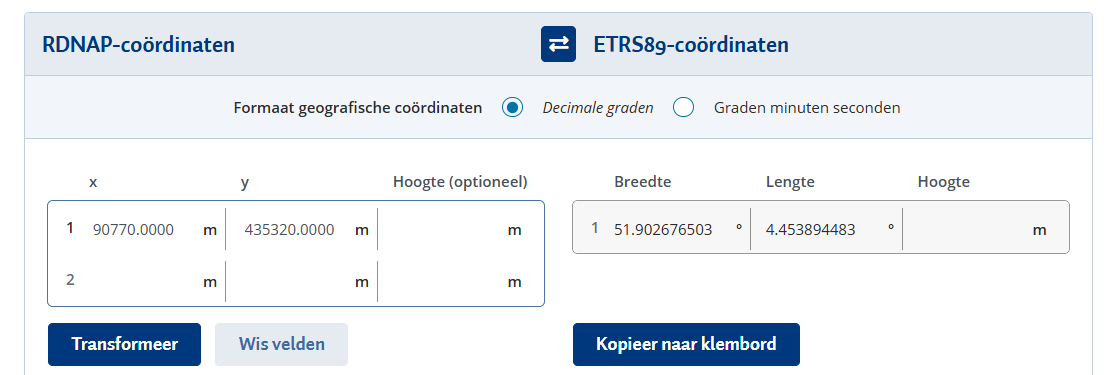
51.902676503,4.453894483 (lon,lat WGS84, model origin, NGSI calculated)
90770.000,435320.000 (xy EPSG29882 model origin Bonsai )
495747.625, 6782566.000,5000000000......... (xyz -???? - BlenderGIS, )
Tried a few thing but it doen't make sense.
As guidance for a workflow, unless you know what values these are **don't **use it in the same Bonsai session. Just copy paste it from a seperate one.
BlenderGIS would be better as tool to align geospatial data in you Bim environment. Blender is nowhere near GIS compatible. In other words, it should not mess up model origin. what we try to figure out is the relastionships now (ETRS89, which comes close to WGS 84), What does BlenderGIS
90770.000, 435320.000 (EPSG:28992)
51.902676503,4.453894483 (ETRS89, WGS 84)
495746.625, 6782566.000 (some calculation BlenderGIS comes up with)
I would be happy to see anyone using this 'the correct way' For now i say don't mixt Bonsai georeference with BlenderGIS. Do your thing in a seperate session and copy paste it.
Thanks retrieving both these earlier messages @theoryshaw !
I wrote down my workflow here:
https://wiki.osarch.org/index.php?title=Bonsai_Add-on_Importing_geospatial_data
Is that similar to what you're doing?
At which point does it mess up your file?
Can it be you are trying to change the blendergis origin after importing something through blendergis? (Because that's when blendergis moves things around as I remember)
Nice article but it only covers imports. Not BlenderGIS ability to import earial photography , What is am trying to figure out. I think i pointed out it redefines the orgine. Better explanation than 'moving' the model objects. BlenderGIS would be much more useful if somehow the original place (geo-located) 'zero' is not being skewed, when working with Bonsai or Bkender modeldata at all. In stead the point 0,0 should be the 'focus point' for searching for geospatial earial photography.
Finally figured out the EPSG code . Still, it would more useful if the orgin reset could be choosen as option.
For Anyone out there using QGIS this is a template
A demo.