

Failed to delete faces from an element.

I received an IFC file that has a slab with the same geometry as the column. I went into edit mode and deleted the slab faces, but when I return to object mode, the faces reappear. What is the correct way to delete these faces?
Comments
Try converting to a tessellation, and the making your changes...
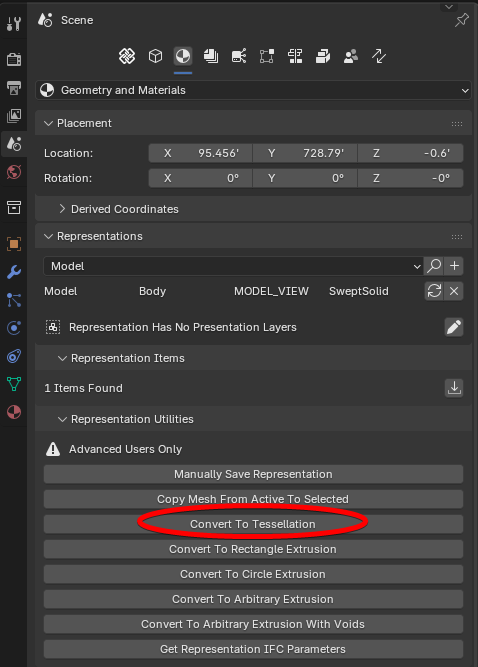
If that doesn't work, try converting to a tessellation, and after you make your changes, click 'Manually Save Representation'.
Thanks, but it didn't work. The mesh continues to appear when I switch back to object mode.
Did you convert to tessellation in object mode?
If so, maybe after converting to tessellation in object mode, then go to Manually save representation, and then make changes.
If doesn't work, maybe share a video of what you're doing.
@irineupinto
a snapshot of your slab and column would help, cheers