

Have I stepped on the .blend vs .ifm landmine?

Hi all,
Yesterday I happened to spot a warning in the Bonsai docs about not relying on the .blend file, load and save the .ifc only to ensure the .ifc remains correct. A quick search turned up lots of discussion about the files getting out of sync.
Unfortunately, early on in developing a model of a house I'm working on I found that each time I started a new blender session and loaded my .ifc all my objects would be, within the organiser in the default (Ground) story collection. It didn't matter if I'd cloned an object & moved it to another storey or created it directly on another storey, everything ended up in the default Storey collection after loading the .ifc in a new blender session. In the 3D view everything was where is should be. Loading a .blend did not have that problem, my heirarchy in the organiser is preserved.
Now, I know I should have dug deeper back then but I didn't :-( I may (I hope) have saved myself from having to start again because even though I open the .blend each session I have been saving both the .ifc and the .blend at every stage as I moved along.
So, what is the correct way to get collections to work (as I believe they should?) in the .ifc file?
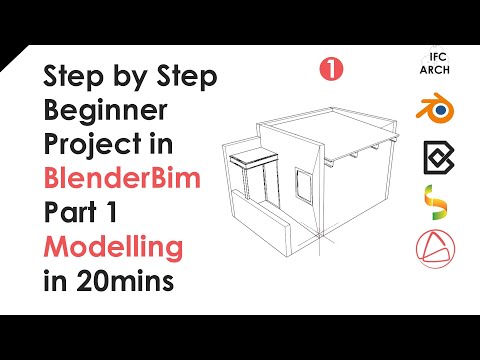
Even a blank project has a totally flat heirarchy in the organiser. This seems to be a recent change, in the BlenderBim version of IFC Architect's lesson1 there is logical heirarchy, My Story is created within My Building which is created within My Site which is created within My Project (@1:42):
But in the Bonsai version of that lesson My Storey, My building and My Site are all created flat within My Project (@1:21):

Any help and guidance greatly appreciated!
Thanks
Julian
Comments
Yes, that sync problem is an issue.
I did not understand it fully but @theoryshaw recently told me that that there still is a (fragile!) sync option - by saving the blend file. Not sure but then it will save the Blend and IFC files if I got that correct (?)
Therefore, until I really understand that, I avoided saving any Blend file from a Bonsai IFC - to not accidentally get a hidden sync between both files.
I think this is likely what you may have provoked by :
So I only save the IFC File by CTRL+S and do not touch CMD+s.
And when I open an IFC project, I always load it in a new Blend File (coming from my StartupBlend File), not by opening the IFC from inside a Blend File saved from an IFC project.
Could you try to only open and save the IFC from Bonsai - and test if this way, your IFC Story assignments will stay.
My guess is rather you have assigned the storey by changing the collection the objects are assigned to, but that is not enough for bonsai. For Bonsai to write the relationship in the ifc you need to change the assignment in project tab by choosing the container and clicking on the assign button. Objects will jump to the different collection automatically.
Regarding the browser structure, there was a discussion that the user should be able to change it to reflect any kind of hierarchy in the ifc, but I am not sure this has been adopted yet.
Thank you both.
You are correct I think @JanF, I found a similar technique to that you suggest. In Project Overview -> Spatial Decomposition I set one of my created stories to be the default for new elements. Then select an element on the wrong storey and in Object Information -> Spatial Container the current container is shown but as soon as I click on the pencil to edit it the spatial container changes to the one I've set as default. Click the tick and all is done. Repeat for all elements that need to be moved (not forgetting the openings) and my building is corrected.
I'm still working on how I get the Site, Building and Stories in the correct heirarchy.
You need to select the object, go to object properties and under aggregates reassign the parent.
I've just been watching Dion's Introduction to OpenBIM, Native IFC, and Open Source AEC video and I'm not sure now why my Site, Building, Stories heirarchy is wrong.
https://www.youtube.com/watch?v=h2Rv9iu7yDkAt 23:49 he shows that IfcRelAggregate is the class that links these entities. In my .ifc I have:
#49=IFCRELAGGREGATES('21giBtrmTErAl8su0XCKWH',$,$,$,#1,(#31));#55=IFCRELAGGREGATES('2vcLw_rI1FFxM1V3l_hz6C',$,$,$,#31,(#37));#61=IFCRELAGGREGATES('16c_GuBbbE$AL8WHm4h$mQ',$,$,$,#37,(#43,#1824,#1846,#1802));Where
#1=IFCPROJECT('3R6WiEl_HFKvX6xxayQkwQ',$,'My Project',$,$,$,$,(#14,#26),#9);#31=IFCSITE('3dIDrxMmTBi9oWIEcMCsmR',$,'My Site',$,$,#54,$,$,$,$,$,$,$,$);#37=IFCBUILDING('2M999pUMP4YfztbdnAMV1F',$,'My Building',$,$,#60,$,$,$,$,$,$);and #43, #1824, #1846 & #1802 are my storeys.
These relationship classes all appear correct yet in the overview my building and stories are directly within 'My Project'
Some time ago, this hierarchy was removed in the outliner.
Was discussed here, where @sjb007 provides a link to another discussion, which i will repeat here..
from @Moult ....
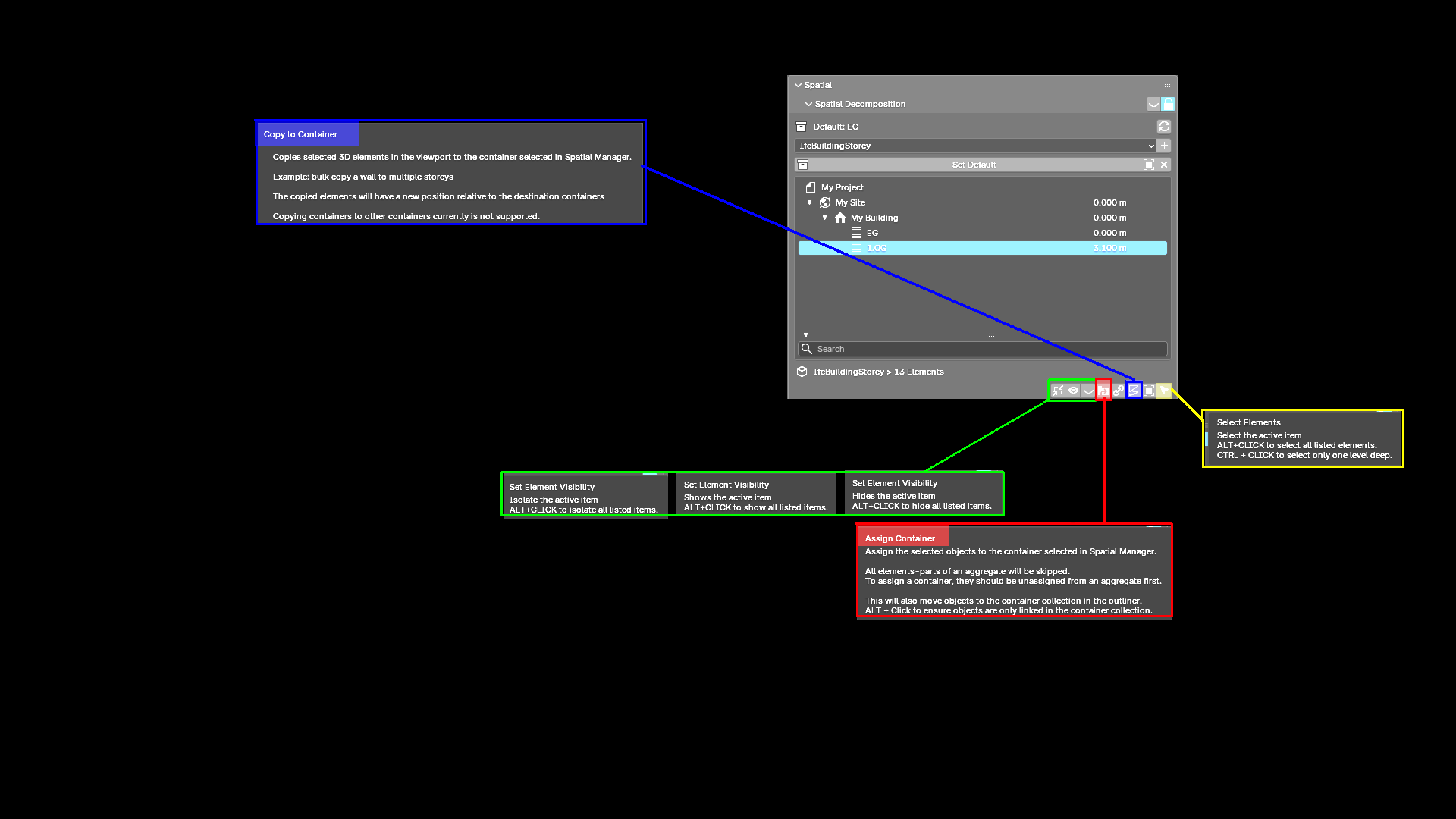
here a pic of some tooltipps for spartial, latest versions of blender and bonsai: (hard to read here, but in the software)
@theoryshaw & @Mas,
You are both absolute stars, thank you so much. You've clarified what has changed, explained why the change was done (which helps me remember so much better than the mere what) and how I move forward working with the changed UI. Brilliant.
Bonus - I now know objects can be assigned to multiple collections (todo: read up on how), this is something I have use cases for.
Thank you again
Julian
Can you elaborate on your use cases please ?
Never really understood that Collection's feature so far. I just misuse them as (nested) Layers only.
And especially how it plays together with Bonsai/IFC. Or was it only meant for
only ?
So Blend + IFC sync is in reach again ? Not ?
As an example of my use case I've been wondering if there's a way to 'tag' items as part of the thermal envelope of my building. This would allow me to hide everything except thermal elements then fly around inside the model looking for gaps. Items like the internal wall insulation would already exist across multiple storey containers and I wouldn't want to lose that relationship in order to build my thermal envelope collection. Now it seems, once I'm ready, the functionality is there.
Another thing I've learned during today's trip down the .ifc schema rabbit hole is the existence and reason for the existence of IfcRelReferencedInSpatialStructure as distinct from IfcRelContainedInSpatialStructure:
https://standards.buildingsmart.org/IFC/RELEASE/IFC4/FINAL/HTML/link/ifcrelreferencedinspatialstructure.htm
Which is precisely what I'll be needing for my IWI.
Happy.
Thanks for your example, now I understand the use case.
It took a while but I think I also understand the meaning of a "IfcRelReferencedInSpatialStructure".
Something that Archicad had but Vectorworks has not. Parts spanning through multiple Stories. Like if a 3-story Column in an atrium that sits on Entrance Level, in VW it would not appear in the other floor plans. If you copy it instead to the other Stories, it would appear tripple in calculation and so on ....
Learned something new today.
please see my video here
what is the current sequence in the new UI?
thanks
OK that's easy
you can see the reference after: