

add materials for photo realistic rendering

Hello I am new to bonsai but I managed to make a ifc file within blender 4.5 lts
I wonder how to add materials so I can get a photo realistic render.
I am an experienced blender user, working with blender for about 17 years.
Comments
Imo, make a .blend file out of it and do viz. Materials render... is different in .ifc. It's buildingdata with geometry and at the moment you can store pbr... external, but the purpose is buildingdata.
O thats why the materials in IFC are not very realistic. I already have a pbr library should I use that one.
Thats how I would do it.
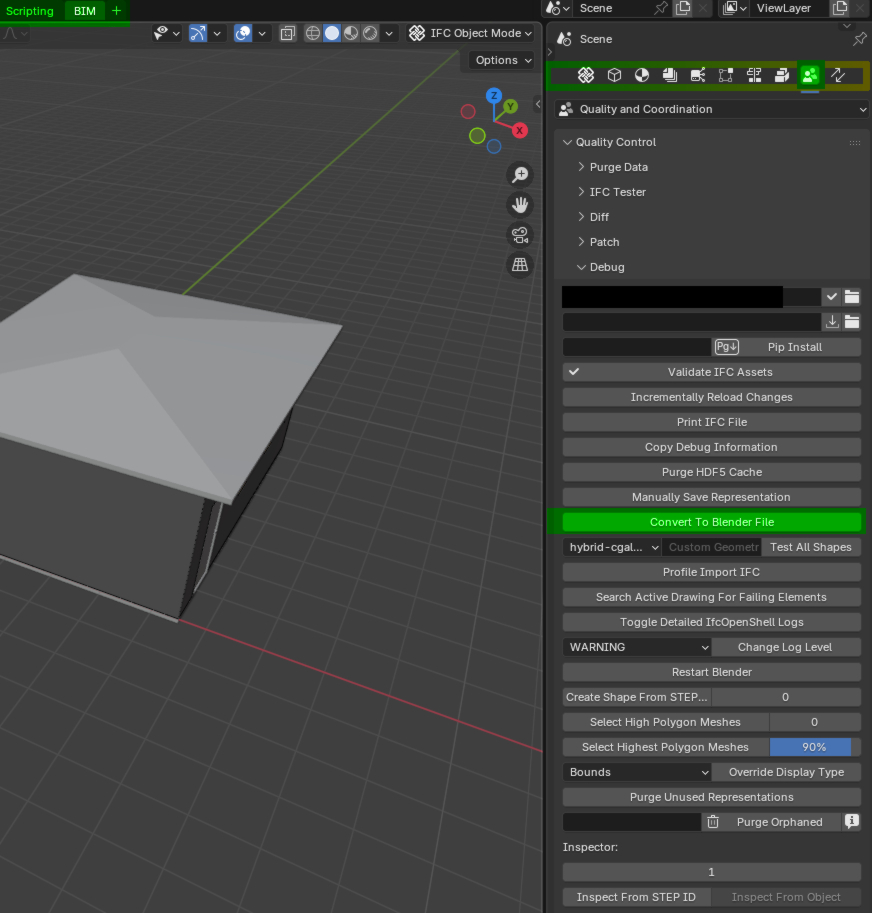
1.Open the .ifc
2.Convert to .blend
3.save the blendfile.
4. Do the "normal" blenderstuff with bpr´s/materials, enviromenttexture, renderengine, compositing, nodes,...
So you have an .ifc for buildingmanagement and one .blend for viz, maybe generated outlines for AI render,...
Thanks did not now that. My ifc file has materials but they do not render. Now i have to replace all materials in the blend file for pbr materials.
Blender hint: "CTRL +L" to link materials
Awesome thanks.
There's a more 'ifc' way to do it. That is, you don't need to convert your .ifc to a blend file.
These videos are from the following bonsai tutorial series:
https://hub.openingdesign.com/OpeningDesign/Bonsai_Tutorials#readme
Thanks wow a lot to learn today thanks.
UV mapping is not supported at the moment by the "ifc-way". (Thats one of the things you should keep in mind)
Yes i noticed
Thanks wow a lot to learn today thanks.
I thought this is great, who needs UVWs ....
I hoped there would be a proper Cube/Box Mapping instead. (Not that sketchy Blender "Box Mapping" thing, that makes me crazy)
But I see the selection offers only UV, generated or Camera ?
That means once supported, Bonsai's texture standard for IFC-only rendering will need UVs ?
Unfortunately its not so easy.
There is no library found with ctrl +L
Ifc files use default workbench not cycles.
this thread, probably has some good nuggets, as well: https://community.osarch.org/discussion/2611/ifc-materials-mysterium/p1
Ok thanks I will read and test tomorrow.
For now I take a break sorry.
Ctrl+L
Well I am still having problems with getting tge materials like pbr glass to render the sample ifc project in cycles.
How to get material for this FBX file ![] or blend file
(https://community.osarch.org/uploads/editor/na/2a333o6rwoy6.png "")
see attachment
Need some help
@Anton
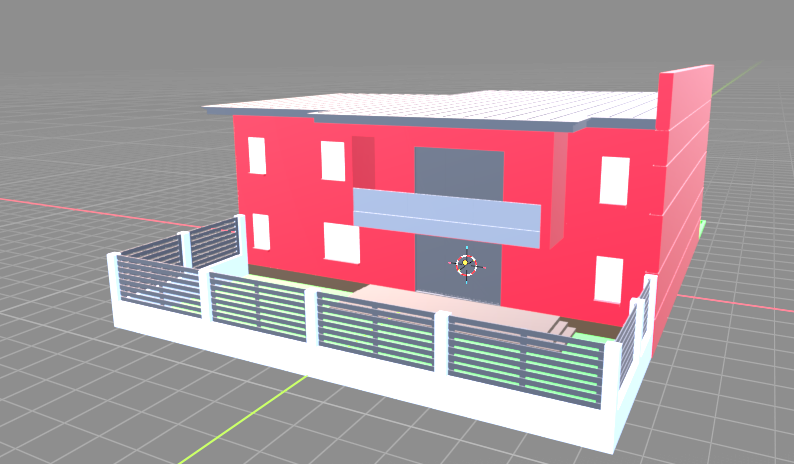
dont know where you´re struggeling, select a part, go to materialTab, delete the (red) material - add a new one... (viewport shading-textured)
Yes then i add new matwrials in edit mode and assign But there where materials made.
Why can I not show them.
Wonder why Ifc sample file has no materials.
Wonder why Ifc sample file has no materials.