

Stairflight parameters - where are they?

A couple of days ago I was making a stairflight and among the parameters were target length and target height. I could play with those or tread length & rise, whichever I adjusted the other sorted itself out. There was also a readout of stair angle, useful for staying below the legal max.
Where was that? I can't for the life of me find it today even looking at the stair flight I know I was working on.
I can find length & rise and numbers thereof in the properties panel but not the other settings above.
Comments
https://letmegpt.com/?q=where do I find stairwayparameters in bonsaibim
:P
or materialsTab parametric objects... or in new bonsaiversions select the stair and a big fat editing symbol will appear
Yeah, I know, I keep asking dumb questions :-(
But I tried that. @theoryshaw blew my mind a few days back with the fidelity and detail of response he got out of whichever AI tool he uses. Since then I've been trying to use AI and did try for this query unsuccessfully. Devlin on DeepWiki OTOH has helped me a great deal in learning the .ifc object model so I can prettifying my numbers with a script.
But on this occasion Devlin & duck AI have been no help. Nor has this decades iteration of LMGTFY above.
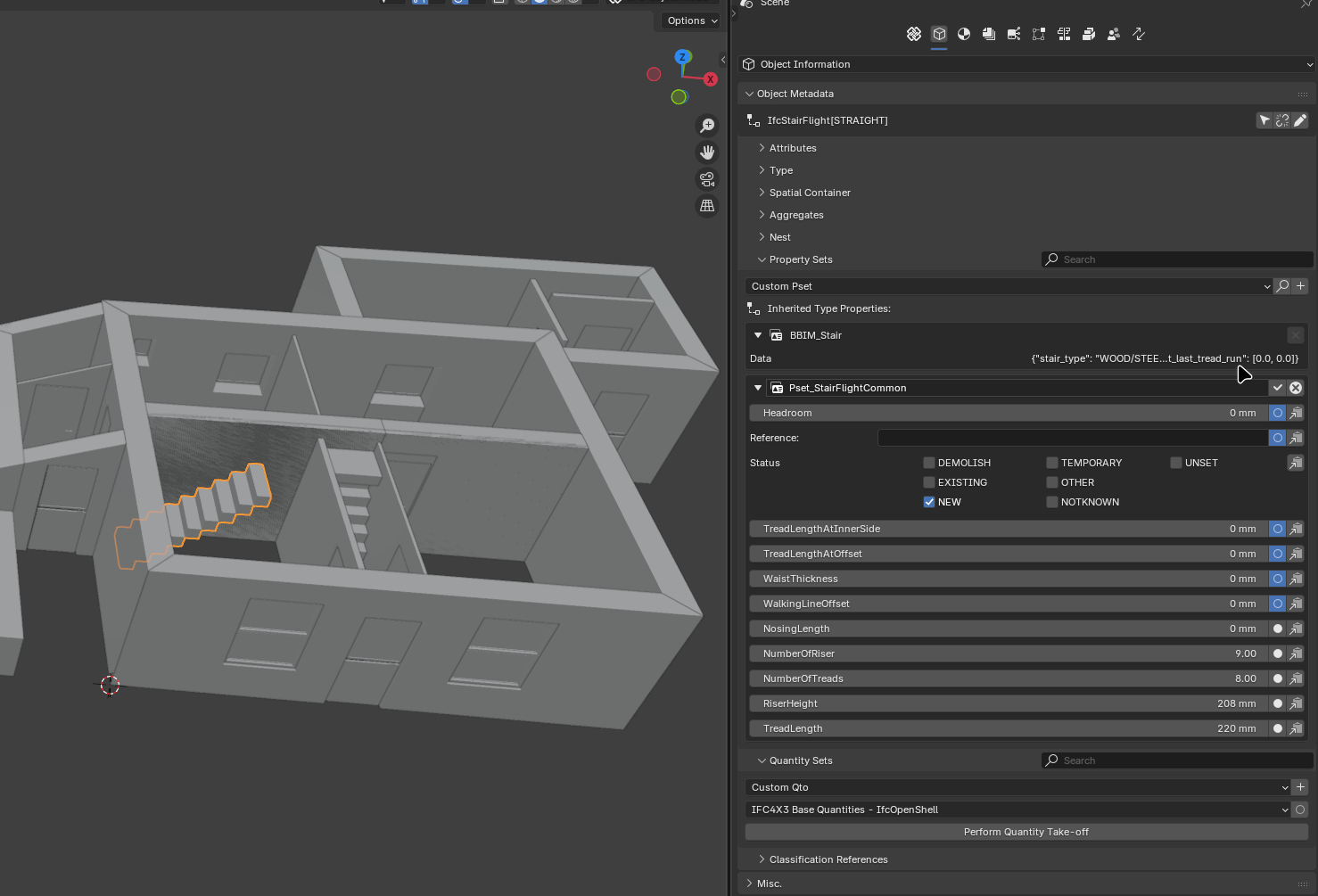
These are the settings I can find:
Target length, target height & angle just ain't there. And I cannot find the other settings panel for stairflight that does have them.
If the other stairflight in the middle of the storey looks wierd it's because it is. It got mucked up when I was playing with the third starirflight that is out of shot here. Do those setting I'm looking for only appear in the type settings? It would explain why I mucked up that stairflight. But I cannot find a settings panel for the type any different to what you see above.
Sorry to keep asking these dumb questions. The UI isn't intuitive for me though I suspect it will be when I have a greater grasp of the .ifc schema.
I did also check in parametric. There's no + to add one in Stair like there is for Array or if I select a door instead:
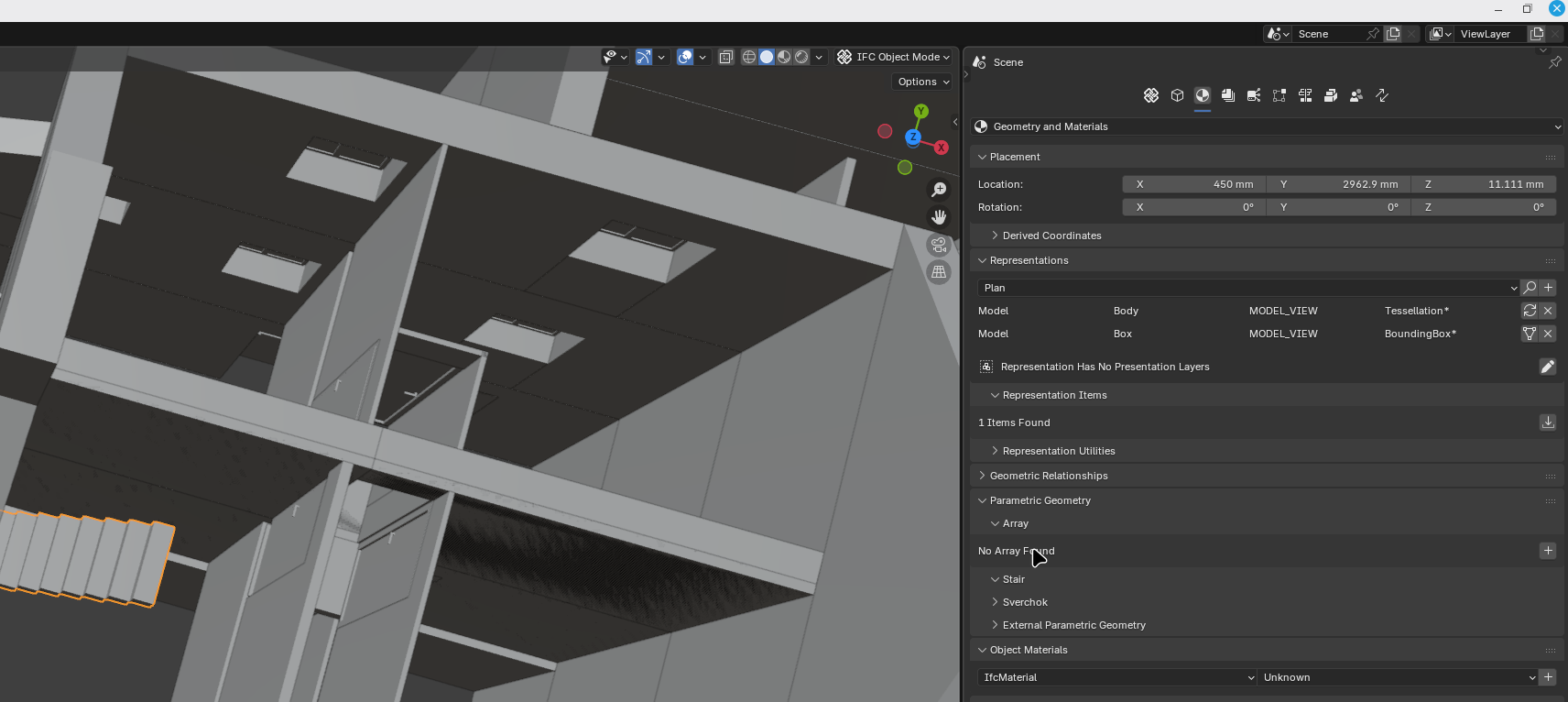
Blender 4.5.3
Bonsai v0.8.4
IFC 4x3
.
Hmmm. I wonder... You were asking about upgrading the schema earlier. Did you create the stair flight in IFC4, then upgrade to IFC4x3, and now the parametric stuff has disappeared? It may be that the schema upgrade has caused incompatible parameters for IFC4x3. I notice that your object has a BBIM_Stair property set. Can you delete that, save your file, reopen it, and then re-add parametrics to the flight? Warning: It will overwrite your current properties, so make a note of the json in the BBIM_Stair property first.
Maybe also run a couple of trivial tests:
1. If you create a brand new stair in your IFC4x3 file, it that one parametrically editable?
2. Create an IFC4 stair. Save it. Open it and upgrade to IFC4x3. Then see if the parameters are editable.
If 2 fails, then you have found a nasty bug and it would be useful to get it raised in Github.
Addendum: I notice that your BBIM_Stair pset is an inherited property. You will probably not be able to delete it directly. Instead you will have to delete it from the parent Type.
Thanks @sjb007, I should have thought of that. I also upgraded Bonsai 0.8.3post1 to 0.8.4 on Monday.
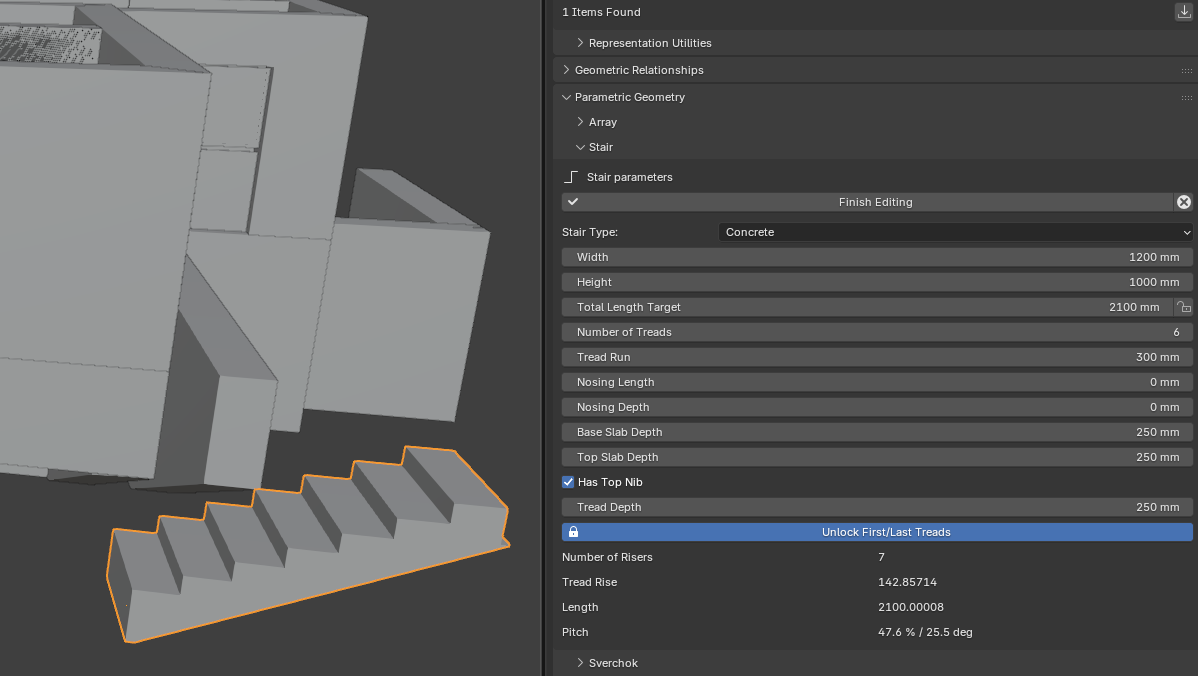
Good news is if I create a new stair flight in a blank project with any combination of version & schema the settings are there in parametric.
More good news, if I delete all 3 stair flights and stair flight types in my project then quick create a new one the settings and pitch readout are available:
Just creating a new stair flight type without first deleting all instances and types does not fix the project. It might if quick create were available but it isn't once a type exists. It might if I knew how to correctly create a stair type from scratch not from a duplicate. With my level of ignorance I had to delete everything so that the quick create button was available.
Bad news is I've not been able to recreate the steps to get to a 'broken' project so I can't say what not to do. My flights differed from the quick-create default in a number of ways, I've not investigated if that's a factor. A more plausible reason might be that I was using both interfaces to edit my stairs, I didn't find the parametric one to begin with and then I continued to use both. Perhaps I broke something in my project.
When I have a bit more time I'll compare the projects, with 'broken' stairs vs fixed with just the one new stairtype. Even if that's successful it'll only tell us what got broken, not what broke it.
Oh and there were no errors in the broken project running it through the BuildingSmart validator.
Thank you again.
(If anyone fancies trying to see what is wrong the copy of the project in my 'linked duplicates' thread displays the same broken behavior)
Creating a totally fresh stair is as easy as...
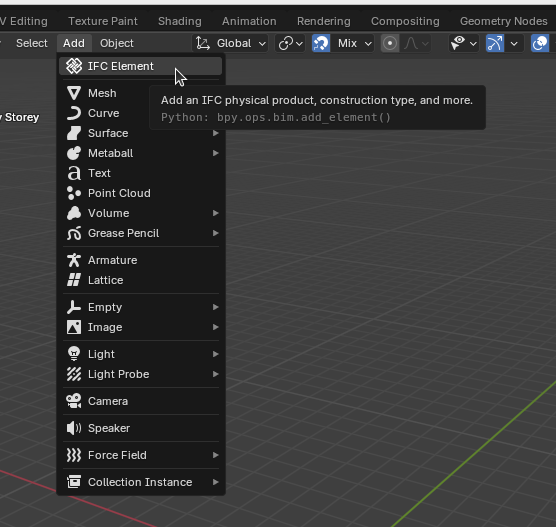
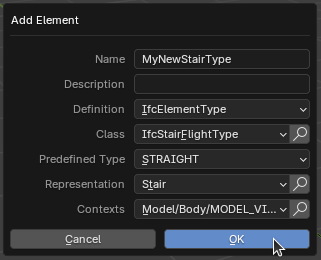
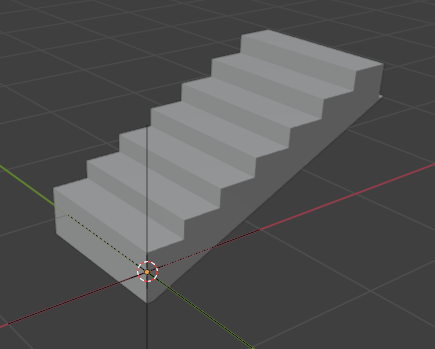
1...
2...
3...
(In 3 I've either shown the newly created stair flight type, or I've added a new stair flight element based on that type.)
Ah right. I looked at using 'Create New IfcStairFlightType' in the waffle grid but didn't know what to pick for representation.
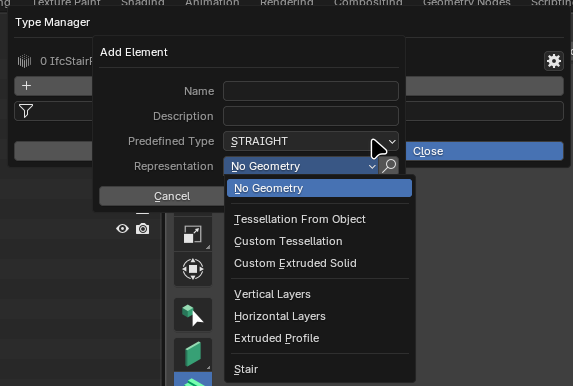
I was just being lazy really, I knew having no types defined would give me back the quick create button which seemed quicker than figuring out which representation to use.
I'm still not understanding these different parameter edit boxes. Where am I editing the type and where am I editing the instance? Or rather, where can I edit the instance not the type? If I create a new type and then add two instances I would expect certain items to be linked:
Width
And I would expect other aspects to be variable per instance:
Number of treads
But whatever I do to one instance is replicated via the type to the other instance. The only way I can make this (that I can find)
Is to have two types defined.
Also, the tooltip on the Stair Tool says I can create various types

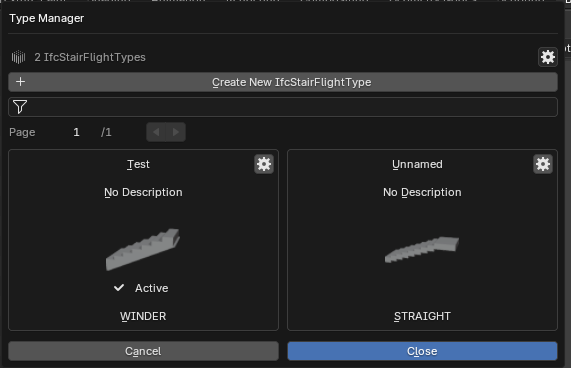
And I can create a WINDER
But the available parameters in the various dialogs are exactly the same with exactly the same restrictions as for a STRAIGHT stair.
What am I missing?
I think what you're asking for is not possible currently, instances share the exact same geometry as their type, what you want is some kind of type override definition if I'm not mistaken ? I don't actually know if and how this is supported by the ifc schema. I agree that this would be a nice feature addition.