

Bulk hide/show?

Hi,
Being able to hide/show entire storeys in the outliner is really handy. One click & done unlike navigating to costings & scheduling, expand status filters & then apply a filter which is limited to the pset options of demolish, new etc. I'm working on a loft conversion and to take advantage of the simplicity the outliner provides I've created two storeys at the same Z offset - attic & roof. Attic contains gable walls, roof suporting dwarf walls, internal walls, fixtures & fittings. Roof just contains the roof covering, easily hidden in the outliner to reveal the attic. I tried creating an aggregate of the roof elements instead but hiding/revealing the aggregate empty did not hide/reveal the roof.
At the moment I have not modelled intermediate floors allowing me to see right down through the building, I need to start doing so. I could create more storeys but is there a better way that gives me one click hide/show in the outliner?
Comments
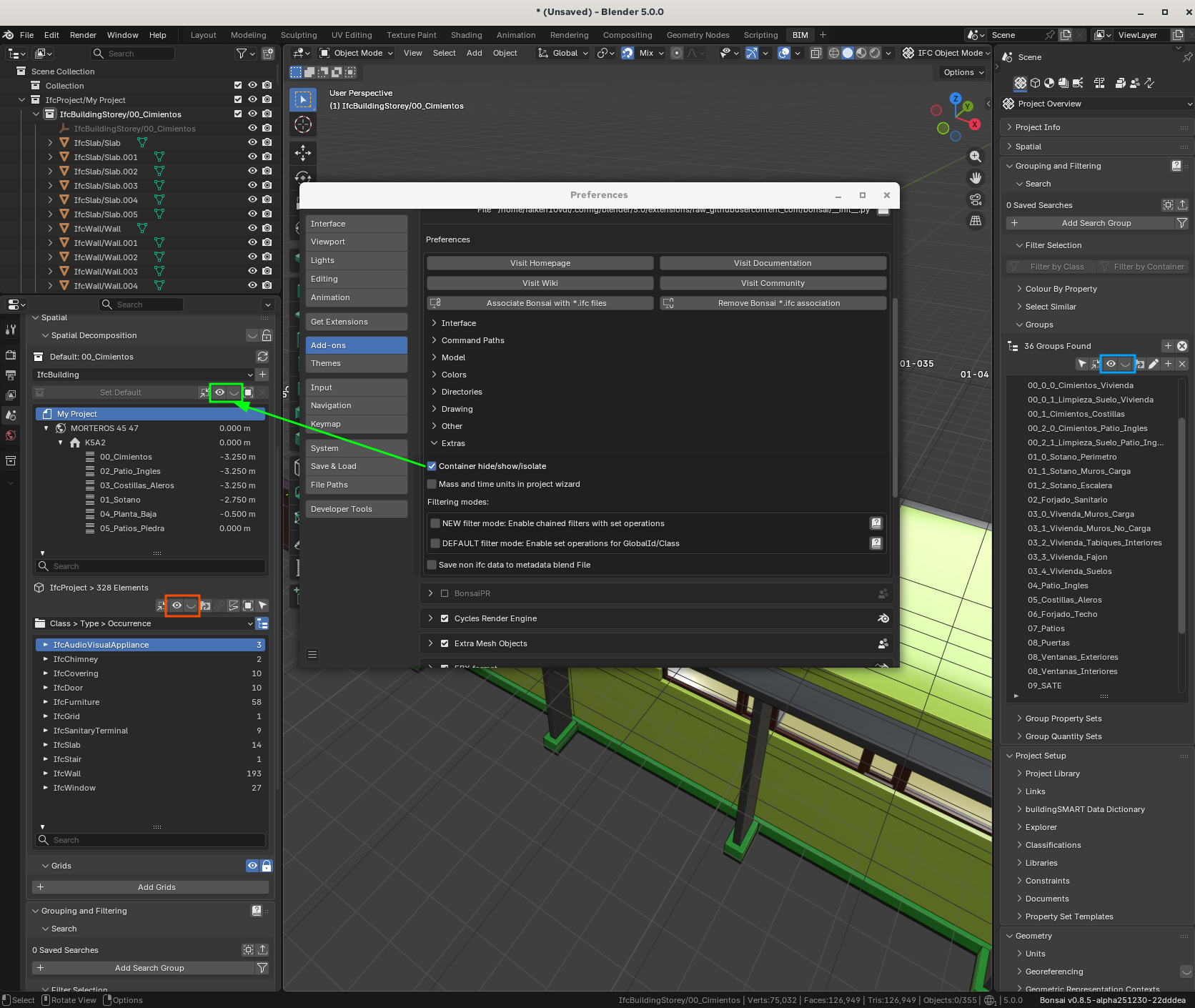
Some simple ways for one click hide/show are shown here below using either the Spatial Decomposition or Group panels
Cheers!
Note that the key reason (for me) for bringing these green outlined controls back is that they behave as expected when used with the Status filters. If you try to use the red buttons with the tooltip described modifier to hide all the elements of the selected story, then the Status filters are disregarded and vice versa. This is a pet peeve of mine ( https://github.com/IfcOpenShell/IfcOpenShell/issues/6664 ) working on a personal renovation project involving EXISTING/DEMOLISH/NEW statuses and multiple storeys. As I'm not an industry professional maybe my method of working is unusual somehow, but I cannot understand how an actual professional wouldn't be driven a little bit nuts using the current default method.
Not really better or one click ....
I am an Icon clicker and not really a friend of shortcuts and typing ... but as it currently is ... started to use
As long as the File is well organized and not too crowded, for me the Outliner or a BIM structure tree is sufficient and I love to navigate that way. As Bonsai's Outliner hierarchy level stops at Story level, it gets cumbersome really quick. Multiple thousands of elements in a story make scrolling or scroll bar pretty tedious or coarse. With another level for Classes it would be a lot easier.
(Or better a configurable tree with saved setups where you can select filter and order - like for geometry type or layers vs IFC Classes)