

Move the model to world origin and rotate it to north

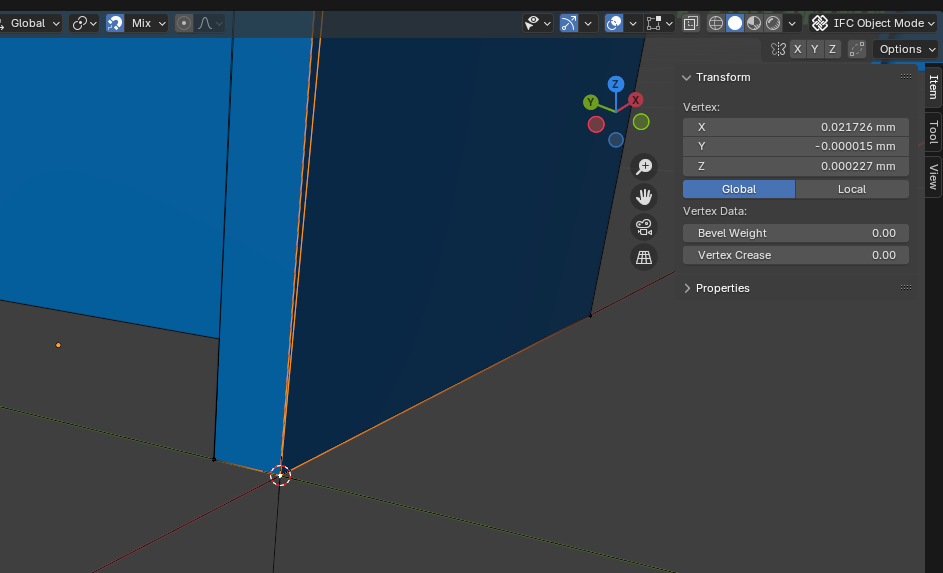
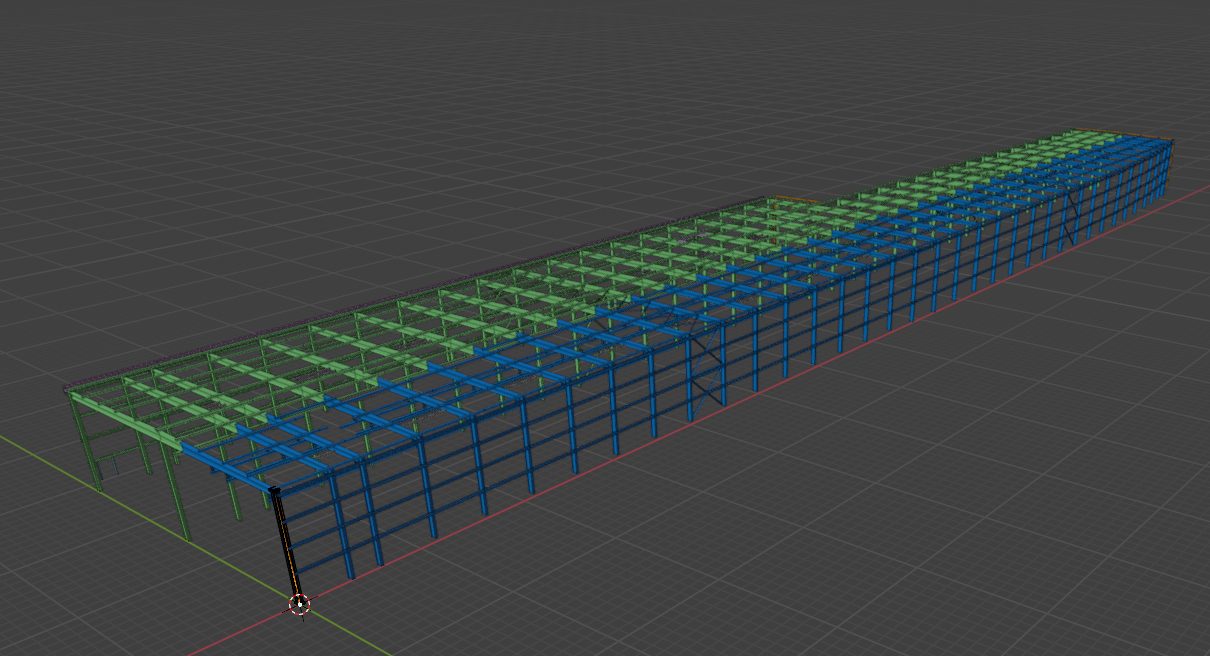
I am not good in blender gui tools ... I tried to move and turn my model to origin an to north. I do not would like to set it in ifc I really like to move the model. I came up with adding a cube and moving the model by snaping to the cube. But if I measure afterwards, I got not 0,0,0 ...
What I would do in my CAD. Select all objects, select move, select a vertext to move from, put in world coordinate 0,0,0 to move to.
Sadly I am not able to to this in Blender.
cheers bernd
Comments
My question in the regard of simple moving is still valid.
But I may foud why it was not 0,0,0 I moved too. ... I did not move the objects to the real world coordinate origin. On model open Bonsai set a temporary offset.
found this ... https://community.osarch.org/discussion/2891/blender-offset-coordinates But they did not answer how to get rid of the temporary offset.
Eventually I would like to move the model to the real origin. Since all objects in the model are on this huge coordinates it makes sense to move them.
Mhh Bonsai does even know the north rotation ... Which would mean I would need to move all objects including the axis and rotate them according the Temporary Offset and the True North to have them on world coordinates origin. I have no idea how to do this in blender.
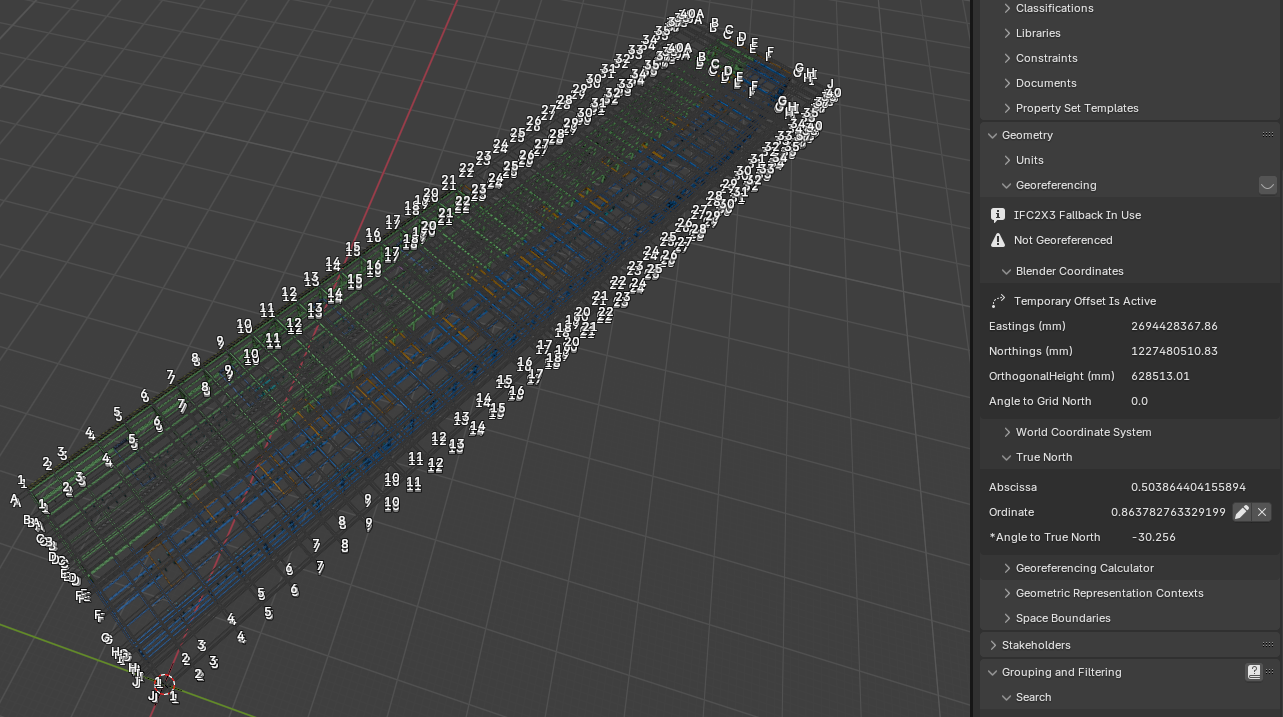
Next found. All patched IFC really had the objects on this huge coordinates, but the original one not. If I use the original one I was able to set the offset in the ifc directly ...
#39= IFCCARTESIANPOINT((2694428367.86,1227480510.83,628513.01));in the ifc and set it to
#39= IFCCARTESIANPOINT((0.,0.,0.));But it does not wor for the true north. If I set
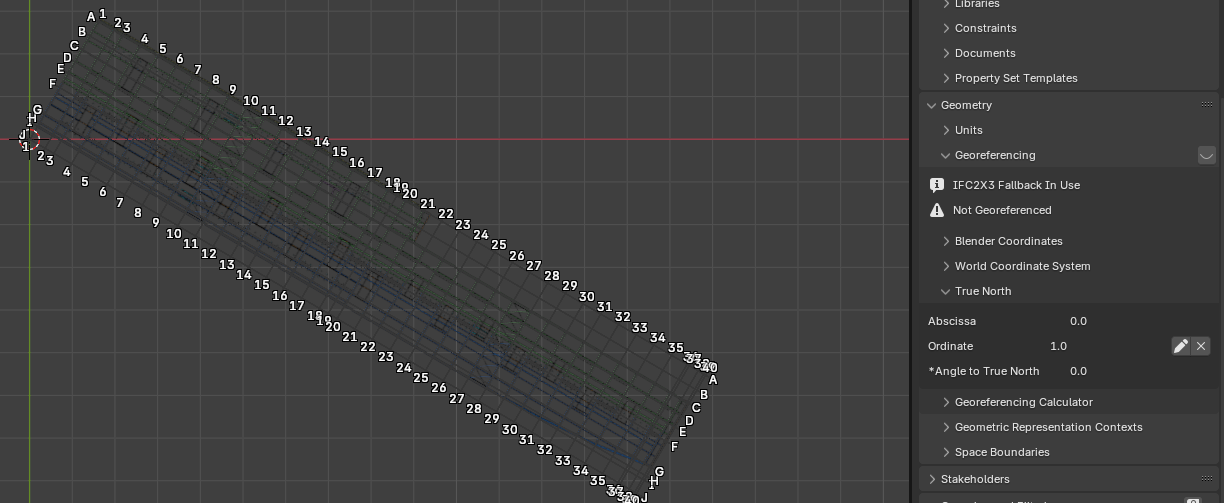
#11= IFCDIRECTION((0.503864404155894,0.863782763329199));to
#11= IFCDIRECTION((0.,1.));the True North in the panel is gone like the offset. But the model is still turned in the view. Means the geometry seams to be really turned in the ifc. Means I would need to turn the geometry and the axis
I should have read this before posting so often … https://docs.bonsaibim.org/guides/authoring/advanced_modeling/georeferencing.html
Yes, these wrong uneven 1/100's of Millimeters, in Blender term, means really "nearly 0,00"
I think that is unavoidable if you later try to correct a geolocated Model manually in Blender. Once you have loaded it far away from origin, the rounding issues and inaccuracies are already in your geometry coordinates.
It is important to load/import properly georeferenced Models from the beginning.
@zoomer
yes!
as much as possible when modelling buildings I set the intersection of gridlines A1 as 0,0 (World origin) and gridlines oriented as X,Y axis
..and use georeferencing to position it in real world along its rotation, plus elevation if relevant.
I'd like to recommend using the SetFalseOrigin recipe. It basically says "make this XYZ coordinate the new 0,0,0, then make it map to this ENH".
thanks for all the hints.
How ist it possible to rotate and move the grid system? Select them and use grab or rotate does not do anything with them.
@bernd said:
this is what I do:
1. with Grids padlock open
2. select all grids (IfcGridAxis) transform and save (IFC4)
3. select all grids unlock Transform (holding Alt down to apply to all selected), transform and save (IF4x3)
Found a better way in the regard of editing Grids.
somehow this only works in Blender in other viewer or CAD the model ist still on large coordinates.
Open the file in advanced mode without offset and move all modell destroys the geometry.
ATM I play with ifcpatch and recipe ResetAbsolutCoordinates.
This is exactly what I need. In a few seconds the modell is saved nearly the world origin :-)
Eventually after the ifcpatch I moved the model another few cm to the exactly Blender world origin, afterwards I rotated the model. Some help can be found here https://community.osarch.org/discussion/3298/rotate-in-blender
In my CAD I would have done it in a few minutes, but the modell size went up from 8 MB to over 100 MB since all the stell profiles only imported and exported well as brep. This was not acceptable IMHO thus I used Bonsai. Eventually with success.