Okay, I got my Necro badge of Honor...... whatever that means. Anyway, it's been silent for a little bit but a thought worth putting in to the discussion as the project continues work.
The post is advocating for using a local, offline browser interface as the primary control surface for an open-source BIM pipeline, where IFC (via Bonsai/IfcOpenShell) is the core data model and tools like Inkscape and Scribus replace traditional “paper space” and sheet management.
I can't agree more, as a long time Sketchup user before joining Blender/Bonsai few years ago, I truly miss its twin application Layout available with the pro version.
It's neat and pleasant to the eye with just what you need to generate good looking output, seamlessly synchronizing 3D views from SU.
But I have no idea what this development in Blender/Bonsai would mean in terms of resources, I'd guess a lot?
EDIT
I know somehow Bonsai can already create .dxf/.svg output for other software to take over the "layout" part, a direct viewport to be handled directly in Inkscape or through a browser UI would be really useful, if doable.
I truly miss its twin application Layout available with the pro version.
me too!
The layout concept has been floating around in my head for years as a place to take Bonsai IFC to paper/PDF
I had a bit of an experiment with Rayon, a browser 2D CAD (proprietary) app, really nice to work with
I also found https://github.com/bertyhell openwebcad develop has been active recently
In that perfect world that exists when I close my eyes I see a browser app (not dependent on the internet) that can read the SVG/DXF that come from Bonsai, import images, DXF, PDF and so on.
Arrange all this in a Layout Mode with Annotations and Dims etc.
Alongside the Layout mode is a Draw Mode (openwebcad maybe) where CAD drawing can be done, these CAD drawings too can be arranged in the Layout Mode.
That was part of the intention of the web UI integration in Bonsai - so that interfaces that the Blender UI toolkit cannot handle can be built in the web instead. Most of the framework is in place, we now need to build the thing.
I believe, once we got elements into say Inkscape and renderings (.blend models rendered with PBR textures added later or whatever when using Cycles, and so on) that are screenshot captured or outputted in a suitable file format that can be used in Scribus which can handle SVG and raster image formats. So, we can actually adapt the program to use already but some things can be done to make quality of life easier and other stuff we can do to make use as a suite of tools easier. A combination of tools, together, can be employed in amazingly powerful ways along with existing Blender tools for GIS stuff (BlenderGIS, interfaces for use with QGIS, etc.), and so on. While for a strict "Layout" tool, Scribus can be argued to be overkill but its better in a sense to be overkill than underkill because it is rich with abilities. Further, tooling up libraries of "families" as well to do as well to make it easier to make getting started and working with BonsaiBIM easier to get going with. Given this is a new project (relatively) compared to the ~40 years of Archicad and directly & indirectly Revit with a history linking back to Reflex, Sonata, RUCAPS. Although, not direct code as there was re-"architecturing" the code and recoding but that is because while piece of code that were naturally reusable could be used from Reflex, it underwent a major software architecture restructuring and a new code base is built. Any piece that can be reused was likely done with modifications. By now, no readily recognizable code of Reflex would be discernable in any coherent way. Maybe if you squint hard enough but that's probably because of so much changes over the past 25 years of Revit.
What we have here is a beautify step in an open-source BIM which is nice. For 6-7 years of work in the open-source world, its an amazing job. Albeit, we didn't have to create Blender itself. Smart strategic move so not to have to spend exhausting levels of resources to create a modeler and renderer. Keep up the great work so far.
The post may seem inactive, but I think it is a very relevant subject, happy to see it revived. :)
@Bedson said:
There also seems to be a couple of potentially useful features coming to 5.0.
Scene Assets: Append or Link entire Scenes into other Scenes. Great for keeping drawings intact whilst moving the models (for example a plantroom of pumps and equipment can be moved to different site locations/rotations etc whilst the drawings (sections etc) stay correct in their host Scenes).
Replying specifically to this because AFAIK it's still not possible to link Scenes into other Scenes, and as I understand never will be by design. Unless I'm mistaken dragging a scene asset in a scene will instead make that scene asset active. So I will still be relying on collection instances, which are a bit weaker overall (need proper hierarchy management from user) but give the opportunity to add "fluff" elements in drawing scenes which you don't want to appear in the main "drawing board".
@Gorgious said:
The post may seem inactive, but I think it is a very relevant subject, happy to see it revived. :)
@Bedson said:
There also seems to be a couple of potentially useful features coming to 5.0.
Scene Assets: Append or Link entire Scenes into other Scenes. Great for keeping drawings intact whilst moving the models (for example a plantroom of pumps and equipment can be moved to different site locations/rotations etc whilst the drawings (sections etc) stay correct in their host Scenes).
Replying specifically to this because AFAIK it's still not possible to link Scenes into other Scenes, and as I understand never will be by design. Unless I'm mistaken dragging a scene asset in a scene will instead make that scene asset active. So I will still be relying on collection instances, which are a bit weaker overall (need proper hierarchy management from user) but give the opportunity to add "fluff" elements in drawing scenes which you don't want to appear in the main "drawing board".
Cheers
LINKING
APPEND
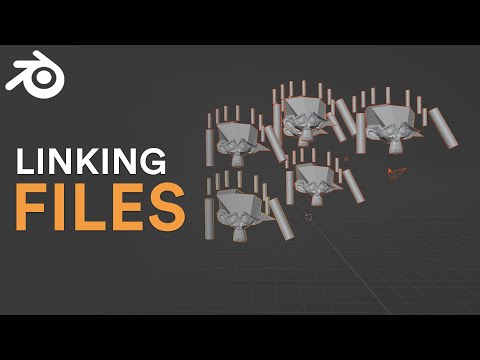
Blender file linking would be kind of akin to classic documents linking in classic word processors like PaperClip (on Commodore 64) which happens to be very similar in concept to 'in-line' hyperlinking but lets kind of look at the videos for understanding this "linking". I see it kind of similar to an externally referenced CAD Block.
Another concept in Blender is called Append. Then there is of course "import" which is yet another concept in Blender.
I'm not clear what or where Glorious's position on Scene linking and where his/her (don't know gender, off-hand since I haven't spent any time to check anything that my give any sort of indicator or identity where I can arrive at that) understanding comes from or is there some nuance on his terminology that I am not understanding which may have some other terminology in "Blender-ese".
Blender has various ways of using scenes or models or data that originates from another file into a scene. They range from Linking, Appending, and even Importing.
I am not sure what Glorious means by Linking or the position in which Glorious was coming from. Not sure if Glorious has a specific nuanced meaning in mind in the use of the term Linking that may differ from "Blender-ese" that may have yet another term.
@Moult said:
That was part of the intention of the web UI integration in Bonsai - so that interfaces that the Blender UI toolkit cannot handle can be built in the web instead. Most of the framework is in place, we now need to build the thing.
can we set up a Fund so I can put a bit of money towards this, if that would help and if others in the community think this is useful?
@Moult said:
That was part of the intention of the web UI integration in Bonsai - so that interfaces that the Blender UI toolkit cannot handle can be built in the web instead. Most of the framework is in place, we now need to build the thing.
can we set up a Fund so I can put a bit of money towards this, if that would help and if others in the community think this is useful?
very good idea, it would be also useful to have a rough estimate of how much would it cost to implement it?
cheers
If someone can help research into existing libraries that we can piggy back from instead of reinventing the wheel (e.g. snapping, alignment, SVG support, canvas drawing utilites, etc) I think that would help significantly.
@AstoriaBldgDesign said:
I am not sure what Glorious means by Linking or the position in which Glorious was coming from. Not sure if Glorious has a specific nuanced meaning in mind in the use of the term Linking that may differ from "Blender-ese" that may have yet another term.
Yeah Blender has a tendency to use Blender-specific linguo. Thanks for the examples, but that was indeed not the linking I was talking about. I am talking about 2 things : linking as in "instancing" a data block in a scene, all form within the same blend file. Collection instancing, which is what your second video demonstrates, which I elected on using. Note you can also "link" ifc files into other ifc files using Bonsai's features.
After many years of experience using Blender I have to say the file-data block linking system is still IMO not ironclad, and very brittle in terms of hierarchical structure resilience. eg If you move a linked file, or change the source data block name, you may or may not have some trouble relocating your missing assets. The override system while in theory extremely powerful is in practice also very brittle.
Admitedly in my line of work my ifc files rarely if never go beyond 30 Mb so I don't have the troubles heavy file users have, but I think the solo-Blender file-multi-scene workflow is working great, even if it has its caveats. Concurrent collaboration in this kind of workflow is harder if not impossible, even though ifcgit opens it up a bit.
@Moult said:
If someone can help research into existing libraries that we can piggy back from instead of reinventing the wheel (e.g. snapping, alignment, SVG support, canvas drawing utilites, etc) I think that would help significantly.
@Moult said:
If someone can help research into existing libraries that we can piggy back from instead of reinventing the wheel (e.g. snapping, alignment, SVG support, canvas drawing utilites, etc) I think that would help significantly.
Nigel posted OpenWebCAD above, which has the basics of AutoCAD-like 2D drawings (DXF, 2D drafting, basic snapping and tracking, simple dimension annotations, layers) https://github.com/bertyhell/openwebcad
Also found this web based cad viewer MLightCAD https://github.com/mlightcad/cad-viewer
Doesn't seem to have any editing capabilities, but impressed me for the performance. Can open DXF and DWG based drawings, I tested with local files and went up to 34Mb DXF without server backend, and quite impressive canvas performance for relatively complex drawings like vegetation and car blocks. Seems to use LibreDWG under the hood
Yeah Blender has a tendency to use Blender-specific linguo. Thanks for the examples, but that was indeed not the linking I was talking about. I am talking about 2 things : linking as in "instancing" a data block in a scene, all form within the same blend file. Collection instancing, which is what your second video demonstrates, which I elected on using. Note you can also "link" ifc files into other ifc files using Bonsai's features.
After many years of experience using Blender I have to say the file-data block linking system is still IMO not ironclad, and very brittle in terms of hierarchical structure resilience. eg If you move a linked file, or change the source data block name, you may or may not have some trouble relocating your missing assets. The override system while in theory extremely powerful is in practice also very brittle.
Admitedly in my line of work my ifc files rarely if never go beyond 30 Mb so I don't have the troubles heavy file users have, but I think the solo-Blender file-multi-scene workflow is working great, even if it has its caveats. Concurrent collaboration in this kind of workflow is harder if not impossible, even though ifcgit opens it up a bit._
Hence why I opened the door for you to clarify. It helps to understand what a person intended to mean as we have specific lingo in Blender as there are in other tools. It also provided information for people here, anyway.


Comments
Okay, I got my Necro badge of Honor...... whatever that means. Anyway, it's been silent for a little bit but a thought worth putting in to the discussion as the project continues work.
short version (ChatGPT) I hope @AstoriaBldgDesign won't mind.
I can't agree more, as a long time Sketchup user before joining Blender/Bonsai few years ago, I truly miss its twin application Layout available with the pro version.
It's neat and pleasant to the eye with just what you need to generate good looking output, seamlessly synchronizing 3D views from SU.
But I have no idea what this development in Blender/Bonsai would mean in terms of resources, I'd guess a lot?
EDIT
I know somehow Bonsai can already create .dxf/.svg output for other software to take over the "layout" part, a direct viewport to be handled directly in Inkscape or through a browser UI would be really useful, if doable.
me too!
The layout concept has been floating around in my head for years as a place to take Bonsai IFC to paper/PDF
I had a bit of an experiment with Rayon, a browser 2D CAD (proprietary) app, really nice to work with
I also found https://github.com/bertyhell openwebcad develop has been active recently
In that perfect world that exists when I close my eyes I see a browser app (not dependent on the internet) that can read the SVG/DXF that come from Bonsai, import images, DXF, PDF and so on.
Arrange all this in a Layout Mode with Annotations and Dims etc.
Alongside the Layout mode is a Draw Mode (openwebcad maybe) where CAD drawing can be done, these CAD drawings too can be arranged in the Layout Mode.
That was part of the intention of the web UI integration in Bonsai - so that interfaces that the Blender UI toolkit cannot handle can be built in the web instead. Most of the framework is in place, we now need to build the thing.
I believe, once we got elements into say Inkscape and renderings (.blend models rendered with PBR textures added later or whatever when using Cycles, and so on) that are screenshot captured or outputted in a suitable file format that can be used in Scribus which can handle SVG and raster image formats. So, we can actually adapt the program to use already but some things can be done to make quality of life easier and other stuff we can do to make use as a suite of tools easier. A combination of tools, together, can be employed in amazingly powerful ways along with existing Blender tools for GIS stuff (BlenderGIS, interfaces for use with QGIS, etc.), and so on. While for a strict "Layout" tool, Scribus can be argued to be overkill but its better in a sense to be overkill than underkill because it is rich with abilities. Further, tooling up libraries of "families" as well to do as well to make it easier to make getting started and working with BonsaiBIM easier to get going with. Given this is a new project (relatively) compared to the ~40 years of Archicad and directly & indirectly Revit with a history linking back to Reflex, Sonata, RUCAPS. Although, not direct code as there was re-"architecturing" the code and recoding but that is because while piece of code that were naturally reusable could be used from Reflex, it underwent a major software architecture restructuring and a new code base is built. Any piece that can be reused was likely done with modifications. By now, no readily recognizable code of Reflex would be discernable in any coherent way. Maybe if you squint hard enough but that's probably because of so much changes over the past 25 years of Revit.
What we have here is a beautify step in an open-source BIM which is nice. For 6-7 years of work in the open-source world, its an amazing job. Albeit, we didn't have to create Blender itself. Smart strategic move so not to have to spend exhausting levels of resources to create a modeler and renderer. Keep up the great work so far.
The post may seem inactive, but I think it is a very relevant subject, happy to see it revived. :)
Replying specifically to this because AFAIK it's still not possible to link Scenes into other Scenes, and as I understand never will be by design. Unless I'm mistaken dragging a scene asset in a scene will instead make that scene asset active. So I will still be relying on collection instances, which are a bit weaker overall (need proper hierarchy management from user) but give the opportunity to add "fluff" elements in drawing scenes which you don't want to appear in the main "drawing board".
Cheers
LINKING
APPEND
Blender file linking would be kind of akin to classic documents linking in classic word processors like PaperClip (on Commodore 64) which happens to be very similar in concept to 'in-line' hyperlinking but lets kind of look at the videos for understanding this "linking". I see it kind of similar to an externally referenced CAD Block.
Another concept in Blender is called Append. Then there is of course "import" which is yet another concept in Blender.
I'm not clear what or where Glorious's position on Scene linking and where his/her (don't know gender, off-hand since I haven't spent any time to check anything that my give any sort of indicator or identity where I can arrive at that) understanding comes from or is there some nuance on his terminology that I am not understanding which may have some other terminology in "Blender-ese".
How did my post get deleted? Was correcting a link?
Linking:
https://youtube.com/watch?v=su1kAUbX-Tg
https://youtube.com/watch?v=kLIwZSOXFDE
Appending:
https://youtube.com/watch?v=ldHOfvE52QA
Blender has various ways of using scenes or models or data that originates from another file into a scene. They range from Linking, Appending, and even Importing.
I am not sure what Glorious means by Linking or the position in which Glorious was coming from. Not sure if Glorious has a specific nuanced meaning in mind in the use of the term Linking that may differ from "Blender-ese" that may have yet another term.
can we set up a Fund so I can put a bit of money towards this, if that would help and if others in the community think this is useful?
@Nigel
very good idea, it would be also useful to have a rough estimate of how much would it cost to implement it?
cheers
ah the old conundrum, looks like we need a scope :)
If someone can help research into existing libraries that we can piggy back from instead of reinventing the wheel (e.g. snapping, alignment, SVG support, canvas drawing utilites, etc) I think that would help significantly.
Yeah Blender has a tendency to use Blender-specific linguo. Thanks for the examples, but that was indeed not the linking I was talking about. I am talking about 2 things : linking as in "instancing" a data block in a scene, all form within the same blend file. Collection instancing, which is what your second video demonstrates, which I elected on using. Note you can also "link" ifc files into other ifc files using Bonsai's features.
After many years of experience using Blender I have to say the file-data block linking system is still IMO not ironclad, and very brittle in terms of hierarchical structure resilience. eg If you move a linked file, or change the source data block name, you may or may not have some trouble relocating your missing assets. The override system while in theory extremely powerful is in practice also very brittle.
Admitedly in my line of work my ifc files rarely if never go beyond 30 Mb so I don't have the troubles heavy file users have, but I think the solo-Blender file-multi-scene workflow is working great, even if it has its caveats. Concurrent collaboration in this kind of workflow is harder if not impossible, even though ifcgit opens it up a bit.
Cheers
Perhaps https://gitlab.com/MeldCE/first-draft
Nigel posted OpenWebCAD above, which has the basics of AutoCAD-like 2D drawings (DXF, 2D drafting, basic snapping and tracking, simple dimension annotations, layers) https://github.com/bertyhell/openwebcad
Also found this web based cad viewer MLightCAD https://github.com/mlightcad/cad-viewer
Doesn't seem to have any editing capabilities, but impressed me for the performance. Can open DXF and DWG based drawings, I tested with local files and went up to 34Mb DXF without server backend, and quite impressive canvas performance for relatively complex drawings like vegetation and car blocks. Seems to use LibreDWG under the hood
_> @Gorgious said:
Hence why I opened the door for you to clarify. It helps to understand what a person intended to mean as we have specific lingo in Blender as there are in other tools. It also provided information for people here, anyway.