

IFC tester

Hi everyone,
I am starting testing my IFCs through the IFC tester and IDS and I was wondering where can I access a ODS report?
I tried to check for documentation but unfortunately I couldn't find anything. Maybe I am missing something, could someone help?
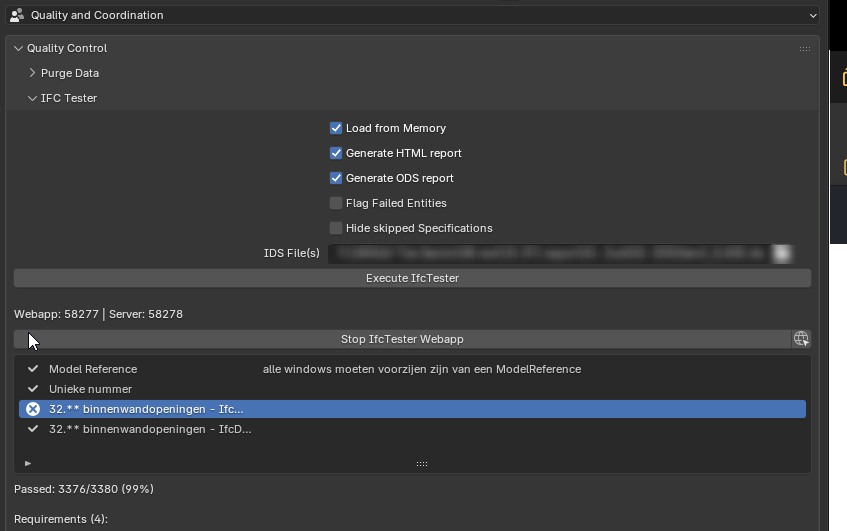
Thanks in advance
Comments
The html report should open in a web browser immediately after the check is finished (0.8.5dev does that correctly). I don't know where/if the .ods file is saved. Tested with 0.8.4 and 0.8.5.
A possible bug?
Tom
Oh... I got it. The .ods file is saved in a specific /tmp folder. It is the same folder that the .html file is saved. You can find the folder by looking into the .html result address:

This is definitely not a user friendly solution :)
I tried that once and was not able to find the report on Mac, it also did not open in Safari.
OK, will see if I find the Temp Folder by the link. But AFAIR there wasn't a correct link, more of a could not open 127.0.0.0 or so ....
Note that the .html file did not open for me when using 0.8.4 - it seems like a bug to me (Linux). You might try the development version or wait till the 0.8.5 is released.
May have been some weeks ago already. I use latest builds. But will try again.
@semhustej thank you very much for your feedback.
I found the .ods file exactly on the tmp map where the .html file was also saved. I confirm that the .ods didn't open automatically, but the .html did. I am running bonsai v.0.8.4 and Blender 5.0.0 in Win10
It is definitely not a user friendly solution, but at least one has access to the report.