

Issue with Create Space - space does not cover areas with wide angles between walls

Hello everyone,
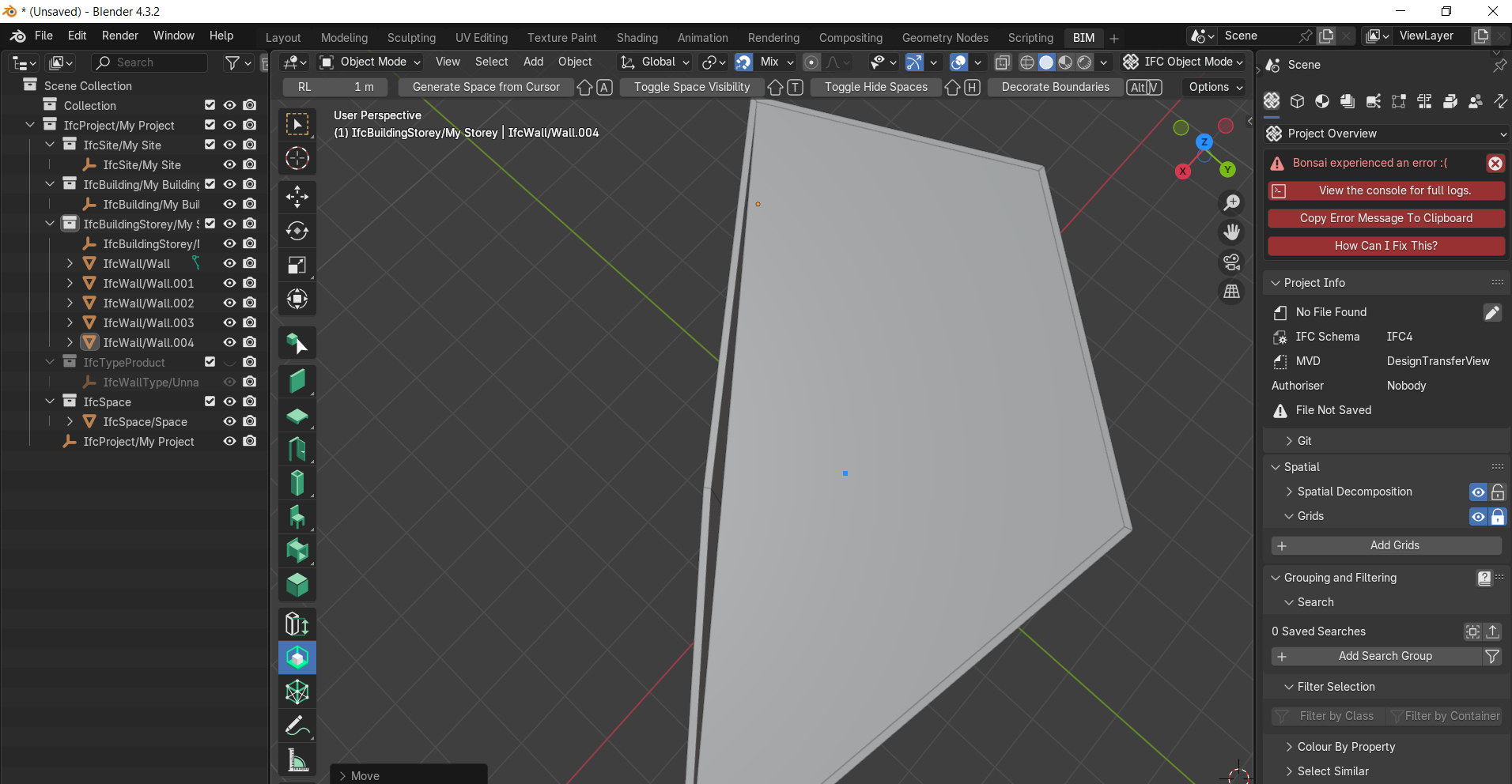
I am using Bonsai to create spaces between walls. When using either the "Create Space from Walls" tool or the "Create Space from Cursor" tool, I encounter a recurring issue.
Please see the attached image below for a visual reference.
As shown in the image, if the angle between two adjacent walls exceeds a certain value (i.e., when the walls form a very open/wide angle), the generated space does not fully cover the area between them. In other words, the space boundary seems to "cut off" or ignore the region where the wide
I would appreciate it if you could help me.
Comments
Have you posted in issue un github?
No, I haven't opened an issue on GitHub yet, because I'm not entirely sure whether this is actually a bug in Bonsai or just a limitation of the tool (or even something wrong with my workflow).
I think it is a tool limitation but it's not so much different with a bug, so the issue tracker is a good place to track it.
If it's possible, attach also the .ifc file, thanks.
Thank you very much, Mr. @Massimo.
You're right. I will open an issue on GitHub and attach the IFC file as you suggested.
I really appreciate your guidance.
I opened an issue on GitHub as suggested. After some discussion there, I updated my software to the following versions:
Blender: 5.1.1
Bonsai: 0.8.5
After updating, I tested the "Create Space from Walls" and "Create Space from Cursor" tools again on the same model. The problem no longer occurs. The space now correctly covers the entire enclosed area, including wide-angle corners.
So it seems this issue has been resolved in newer versions of Bonsai.
Thank you for your time and guidance.