

How to trim/cut the end of a wall to exactly match the outer surface of an adjacent column in Bonsai

Hello everyone,
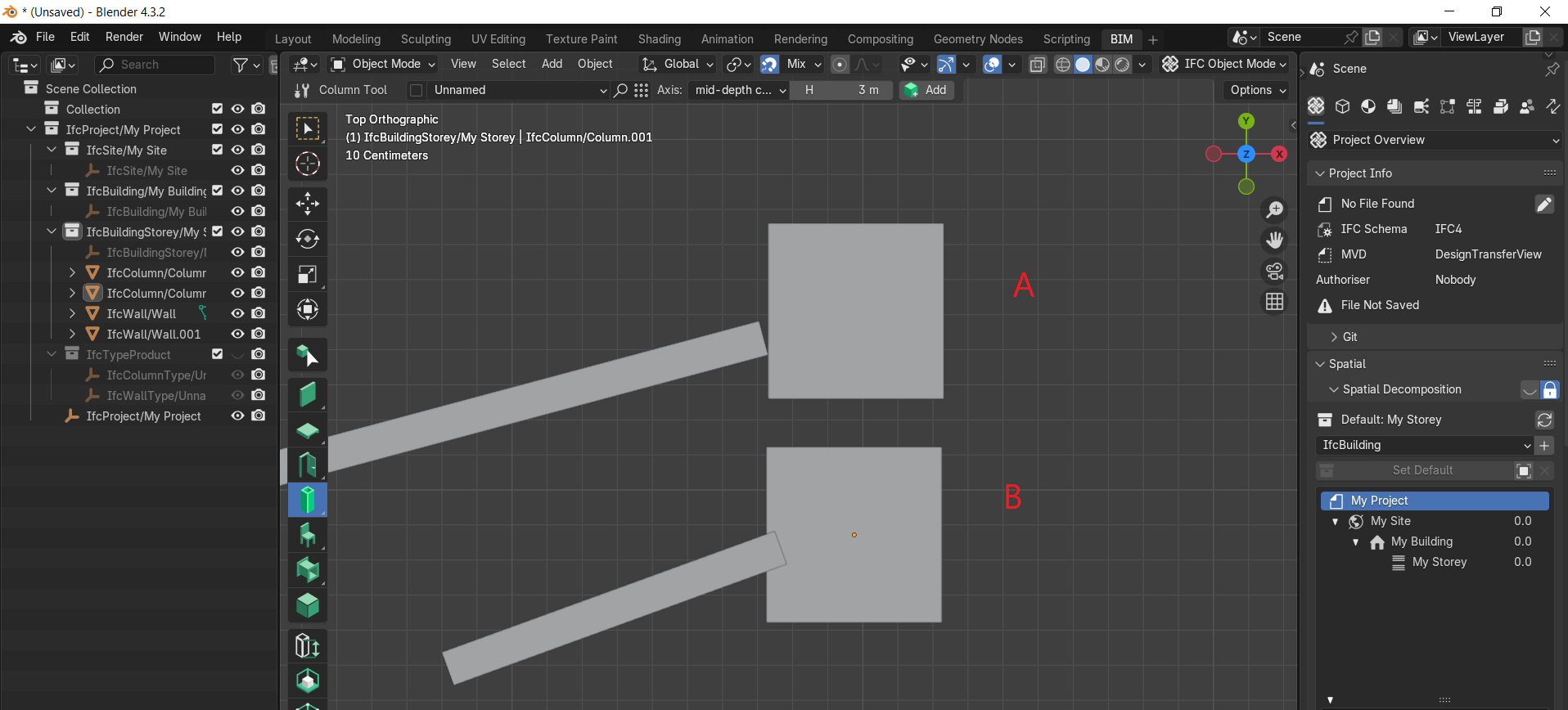
I have a wall and a column in an IFC model using Bonsai. The column has its own shape, and the wall end does not naturally align with the column's surface. As a result, as shown in the image below, when placing the wall against the column:
Either there is a gap between the wall end and the column surface,(A)
Or the wall overlaps part of the column.(B)
In Bonsai, what is the proper method to trim or shape the end of the wall so that it precisely follows the outer surface geometry of the column – eliminating both overlap and gap?
Thank you in advance for your help.

Comments
What I do is that first I go for option B and then apply a void (with a geometry of the column) in the wall.
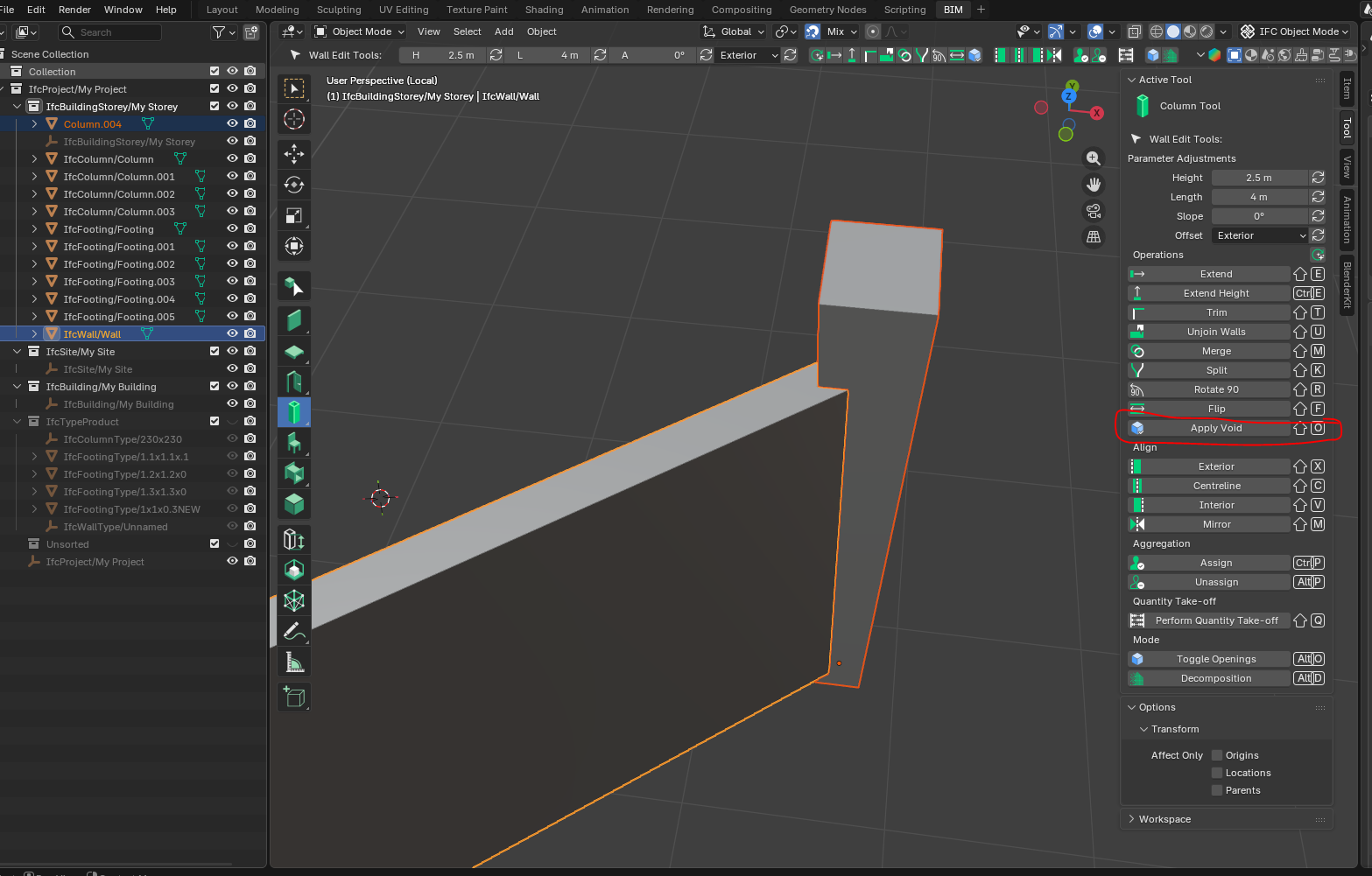
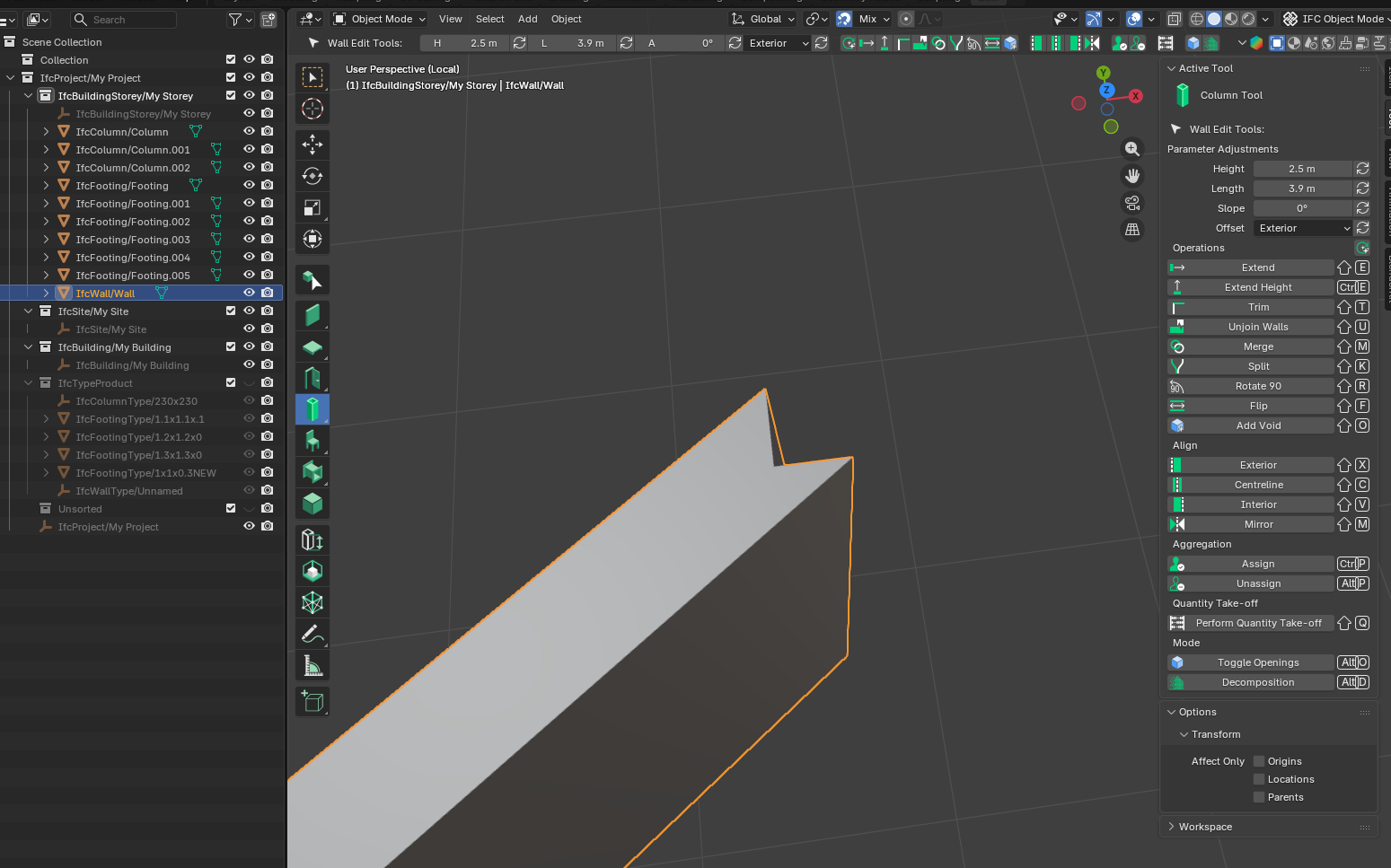
For that just Copy the column using Ctrl + C and then press Ctrl+V to paste the geometry, and then select both the wall and pasted gemoetry and then make the wall as active selection, and then apply void.
Thank you very much! I tested your solution and it worked perfectly.
Hello again,
Regarding the method of trimming a wall by applying a void (copying the column geometry), I have a new question.
When I try to assign this wall to its correct building storey using the "Spatial Decomposition" panel and the "Assign Container" button, something strange happens:
The wall is successfully assigned to the storey.
However, an error message pops up immediately after.
The error is visible below.
Thank you for your insights
for users_collection in obj.users_collection:
AttributeError: 'NoneType' object has no attribute 'users_collection'
I think the following PR addresses this.
https://github.com/IfcOpenShell/IfcOpenShell/pull/7931
@Andrej730 possible for your to review this?