

Heritage BIM
Hi, is anyone here working in the heritage sector with HBIM workflows? I work for a charity and we are investigating if BIM/HBIM is of use to us. We conserve existing, old, wooden buildings, have limited access to them, and limited time and resource. We have started to scan to document (TLS and or Photogrammetry). I feel full BIM is more than we need, so I've been looking into openBIM, IFC etc and I'm trying to understand if there is a middle ground workflow that might fit our particular use case / circumstance: i.e. improve our documentation, planning, monitoring and communication, but not drown us in expensive licences, external specialists, and data that we pay to create but which ends up not being used. If anyone has experience of 'made to fit' heritage BIM workflows, good or bad, I'd like to hear about them. Or if I'm on the wrong forum, redirection welcome :) Thanks
Comments
Hi, there was an discussion here a few years ago that might be interesting reading for you if you've not seen it already.
https://community.osarch.org/discussion/1163/scan-to-bim-for-real-with-ifc
There have also been archaeologists on here previously, but that was more about excavations rather than scanning/BIM.
thanks, I had and hoped things might have moved on / some of those people might still be around. Appreciate the link.
Hello, very interesting! Where are you located? Which kind of buildings are you documenting? Could you link some web resources to check out what you do? I had the chance to work on a couple of heritage restoration projects using bonsai and blender, starting both from point clouds and from Ifc models exported from other software (archicad). One of them - that is currently on the works - is about the restoration of the wooden structure of the roof of a church (north east Italy). Bonsai was just a little part of the workflow.
Considering that modelling those buildings of you might be overwhelming, if you are interested in ifc and standardization you could consider linking the pointclouds into an ifc model as an external document and model just what you want to document, or just annotate it.
Did you use point cloud visualizer?
I once made somen scripting experiments to ease point cloud linking, but then gave up because i'm really short on time now, you can find the topic here.
IMO there is a big improvement in handling highpolymeshes in UE with nanite, it´s automatic LOD. (Filesizes with this technics are going crazy) There may be also ways to store (BIM)Data to all meshes. (but I´m not a UE expert)
Thanks for the responses and suggestions. These are the buildings we look after https://sketchfab.com/ukAntarcticHeritageTrust The team does great work currently with traditional conservation planning workflows with consultants and engineers. I've not used that visualiser @carlopav as I using RealityCapture more and basic Blender, but as I'm looking to bridge the gap between the scan data and non-technical audiences (the public) that looks like it could be quite useful. I'll explore it. We've considered building piecemeal and linking it all together via external document, I'd be interested to hear if anyone has an open software workflow for that?
Well you are in the right place. FOSS softwares that come to mind are CloudCompare, Meshlab, Bonsai (powered by IfcOpenShell), Blender, etc.
A workflow that might work is 3d reconstruction using the point cloud or photogrammetry (RealityCapture seems to be a good option, although payed and closed source). But then you have very dense and unoptimized meshes and haywire Uvs and heavy textures. This cannot be easily shared with non technical people. You want to bring your model < 10Mb if you want to share it easily and dynamically link it into your main file (max available weight to send in an attachment in a mail by most providers). Point clouds or meshes that come from photogrammetry easily go into the Gbs which is not suitable.
You can "remesh" the resulting meshes with automatic solution like quad remesher (https://exoside.com/) payed, closed source or Instant meshes (https://github.com/wjakob/instant-meshes), free, open source. This option often leads to some artifacts in the resulting mesh which can be somewhat avoided with manually setting up hard edges flow. You can also remesh manually which gives the best results but it is extremely time consuming and you need an actual person with experience and knowledge in the domain.
I think you can get very good result by using PBR textures to bring out the details in heritage data (especially normal maps / Bump mapping), eg indivudal stones used in a wall, cracks in a wall, not-straight beams, etc. instead of relying on raw geometry. These can be baked from the original high density mesh onto the remeshed model. This is how video games do it. IMO point cloud should not be used to show off a model to the "regular" end user, it's a very good reference for 3D modelling but not suited for revision by end user. Unless you use technologies such as gaussian splatting which can give good result with decimated point clouds but it's still an evolving feature and has its pros and cons.
FWIW I've got some experiments up on Sketchfab if you want to look into it. Models come from simple photogrammetry done with a standard phone camera + automatic remeshing + LOD baking workflow.
https://sketchfab.com/Gorgious
Besides the BIM problem .... why and how ....
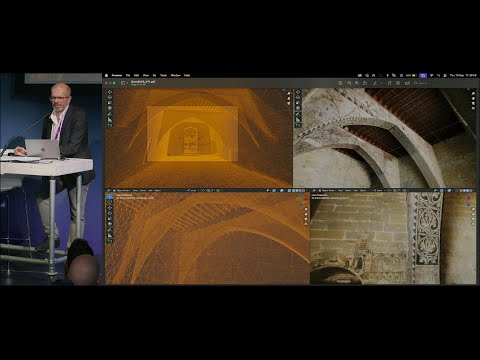
Hello, I am but more on research side.
I've been experimenting Bonsai native IFC for a while and just started a real application on the HBIM of an egyptian temple :
https://www.epfl.ch/labs/lapis/en/architectural-study-and-restitution-of-the-greco-roman-temple-of-sobek-and-haroeris-in-kom-ombo-upper-egypt-2/
I will be happy to share insights when it is more advanced.
For 3 reasons : 1) open source 2) standard-based 3) i can import huge photomeshes into Blender
Photogrammetry at this scale can be shared to end-users as 3D Tiles, which can be integrated to custom web viewer built with Cesium or 3DTilesRenderer (three.js) for full open-source workflow.
Currently common workflows in archeology are rather based on GIS and 2D documentation. That said there are a lot of research papers on HBIM.
To anotate digital surveys on a shared platform, I would also advise to take a look at Aïoli, french project used on Notre Dame :
http://www.aioli.cloud/
Hello everyone,
For over two decades, I have been trying to use spatial modelling methods in conservation research and design on historic buildings.
In our architectural studio, we use photogrammetric reconstruction techniques in practically 100% of our projects, but we tend to limit spatial modelling to the conceptual phase.
Unfortunately, from the point of view of linking research, archival and descriptive documentation (external documentation) with the BIM model, we are at a very early stage. (The IFC design model is still separate from the textured and described geometry developed in Blender).
We are currently starting to work with Gaussian splatting models, so the difficulties are mounting...
a model example
Without a doubt, Blender is the most accessible environment for editing, but it also has enormous potential for managing distributed documentation. In this regard, in my opinion, Bonsai has a unique opportunity to become one of the best tools.
Necessary tool or improvement of 5D solutions (aggregation and transfer of any number of construction phases where the process of erecting a building can be set to a minimum of 2000 years back ;-);
I have a big question: which of the above proposals are feasible?
That's all there is to it ;-)
In general, these postulates exactly match the requirements for the idea of building life management (except for the integration of dynamic building technical management). Therefore, I encourage the Bonsai team also to remember archaeologists, architecture researchers, historians and conservators.
Best regards,
Rafał Karnicki
Hi everyone,
I work in between archaeology and architecture. I survey traditional construction in the Swiss Alps (from alpine huts to churches and barns). I mostly work with terrestrial LiDAR combined with drone photogrammetry. My deliverables are 2D plans, as they can be made faster and contain a lot of detail that is sometimes hard to model in 3D. I sometimes create orthophotos for archaeological survey.
I'm looking to replace as much as possible my proprietary software and file formats with FOSS alternatives. I think it just makes sense when working on documentation, which is the start for any project development.
My current workflow for documenting old buildings
Data acquisition
On-site LiDAR scan (BLK360), photogrammetry with DJI Mini 5 Pro and Sony A7, geolocation with Emlid GNSS RTK. Of course, not every project needs all these technologies.
Data clean-up
Then I clean up the LiDAR point cloud in Cyclone Register 360, generate the photogrammetry with Metashape, and merge both point clouds in CloudCompare.
Creating deliverables
I import the point cloud into VectorWorks and draw 2D plans and sections. I also create the layout for the documentation, which is exported as PDF (drawings, text, and images) and DXF for the drawings.
FOSS workflow (research status)
Data acquisition
I'm looking into open hardware, but this is the hardest part to find reliable equivalents.
Data clean-up
I'm trying to do my photogrammetry with Meshroom, but I'm having a hard time getting the same quality and speed as Metashape.
Creating deliverables
Here I'm looking into two possible workflows. Either Blender + Bonsai + PCV (which means that I have to switch to a 3D/BIM workflow), or generating images from point clouds (similar to what PointCab does) and drawing them in 2D in QCAD (more similar to my current workflow). Deliverables: SVG, PDF, DXF, or IFC.
If anyone would like to discuss these workflows, would like to know more (I could do some tutorials), or has better solutions, I'm very interested to hear them.
Example of work
Section
An important aspect of my CAD drawings is to draw them as clearly as possible, to show relevant elements with a clear hierarchy-almost graphic design rather than technical documentation.
Point cloud elevation: I try to generate clean (remove all artefacts) and color-accurate point clouds.
Plan
Facade elevation
Congratulation - you succeeded :)
Gorgeous Plans.
I think for your 2D Illustrations you already use one of the best suited Apps available. Not sure if there are already useful FOSS 2D CAD alternatives available (?) Maybe also 2D Vector/Paint Apps like Krita, Inkscape are interesting.
I don't think the people who invented IFC or BIM really had such existing buildings projects in mind at that time. On the other side IFC can enrich all kind of geometries with data. And Blender can edit or produce such geometries, which Bonsai could use and generate 2D Plans from (? Or at least underlays). So also one of the best packages.
@scanArc, Have you ever thought about creating a DIY 3D scanner for data acquisition? Something like this:
QCAD looks really good, it has good drafting tools, it can manage line types and fills as well as print layout. Unlike graphic tools (Gimp, Inkscape and Krita) drawing space scale is part of the software design. I'm really tempted to switch to QCAD to reduce my software cost but also rely on open source software/format.
I agree Blender Bonsai looks really powerful but for new buildings. I feel like synergy in the 3D/BIM industry is focused on new constructions.
I would love to make my own scanner. 9nl made a very interesting prototype (not fully open source). Its a whole new can of worms that I'm not ready to open yet ;)
i bet the wind blows in this direction. ;)
^ I thought similar (Oh Ohhh)
Over-read this. OK, I agree.
Thought you may want to switch to 3D. As you could model such non-CAD-standard geometries in Blender, or AFAIK there are some people working on Point Cloud in Blender and I remember there was a nice Talk with similar purposes at Blender Conference 2025 :
Smart Interoperability: Integrating Photogrammetry-Based Heritage Models in Blender
or
SkySplat Tutorial: From drone video to photo-realistic 3D scene
(May be worth to search the Blender Youtube channel for older videos too)
Not necessarily,
In Blender you could comfortably create any kind of strange geometry comfortably as in any 3D Mesh App. And in Bonsai you could include an IFC tag any Mesh (?), once in IFC, Bonsai should be able to create Plans and Sections (?) (as underlays at least ?). Maybe some additional 3D Visualizations would help documentation too.
If it works for you as good as VW - great !
(It's the artist - not the tool)
Have to look deeper into QCAD. Doesn't look bad. But it feels a bit like semi FOSS for me - not really hidden but not really open either.
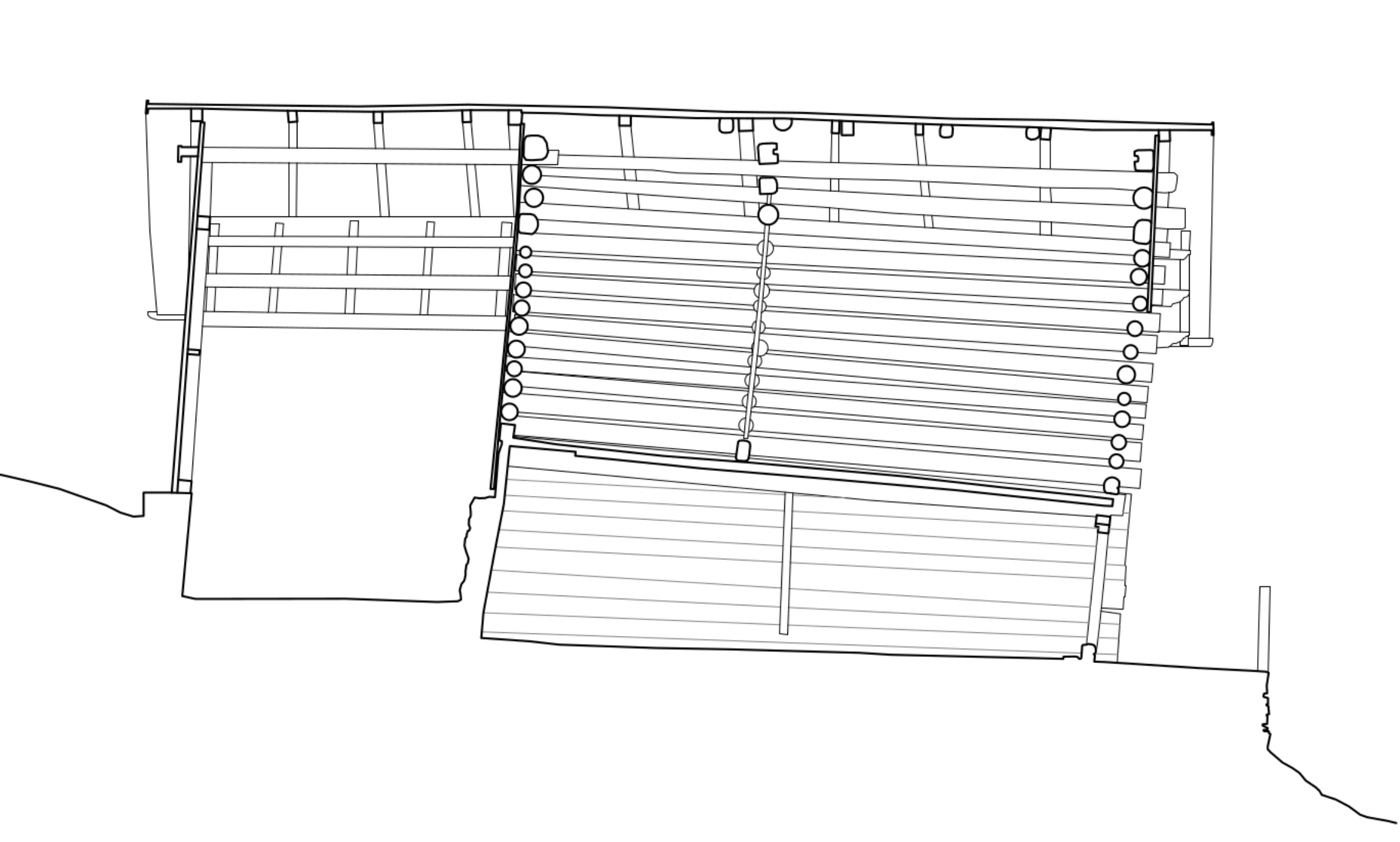
Many of these wood structures have some sort of tilt, whether it's from the terrain sinking or the wood drying with no bracing. The one below has about 75 cm overhang from bottom to top. The good thing is that you can simply winch them back straight up.
edit: Removed redundant screenshot
All structures come with a winch-equipped HiLux 4WD :)