

G'day all, please read https://community.osarch.org/discussion/comment/29745/#Comment_29745 regarding a schedule to migrate forum software. Aiming to fully migrate on 15-16 Aug.
Project Organization Best Practices

Are there any recommended resources for how to structure collections/layers? It seems to want to be organized by building and floor, but what about things like structural, plumbing, electrical, etc.?
Tagged:
Comments
@echristoph
interesting question
the way I see it your IFC model is not organized in collections (Blender ?) or layers (DWG?) rather in spatial entities
in a building structures go to their level/storey, sometimes they span across more than one and you can use reference (check IfcRelReferencedInSpatialStructure) to assign them.
Systems (or MEP) may use IfcSpace and/or IfcZone as a group of spaces (hierarchy without shape representation), and IfcSpatialZone (with representation)
I too would love to read more on this important topic, let's see if others can suggest something useful
Cheers
And what about Elements like Walls ?
Everywhere in BIM Apps when you draw Walls you get separate Walls. While in FreeCAD (for other restrictions) you mostly have multiple Walls as a single Wall Element. Likely when they are using the same "Type".
(Like I may have boolean-ed together some Solids in pre-BIM 3D CAD modeling in dark past times)
Is this IFC conform ?
@steverugi Only concerned with Collections in Blender/Bonsai right now. My background is project control, so WBS, OBS, Control Accounts, Integrated Master Plans, etc. Or Software Architecture, like UX layer, Service Layer, Data Layer. But it seems the Collections are a useful way to organize BIM project elements, and I can't find any recommended best practices other than the default demo project opening up as Site/Building/Storey. Is that the best way to do this?
@echristoph
as far as I know to collect elements IFC schema offers spatial decomposition via nested, or better, 'aggregated' containers (IfcProject, IfcSite, IfcBuilding, IfcBuildingStorey...)
Collections are from Blender, not IFC schema. you can check this IfcProject page for more info.
Cheers
In general, unless you know what you're doing, don't use the outliner to manually move things in/out of collections. That tends to break things. Instead use the bonsai specific interface to move/allocate objects. There are a lot of ways to organize your model.
For MEP systems, i think using systems/zones is best practice, but i could be wrong.
IfcClasses
(basically forced to organize this way)
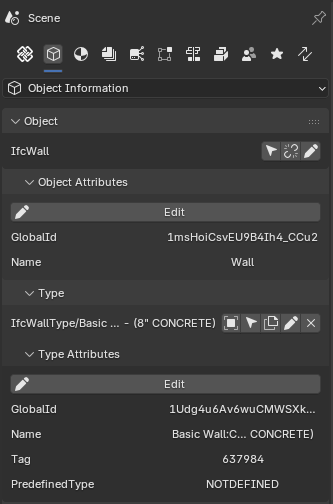
spatial containers
saved searches
groups
systems/zones
(i think this way, is used a lot with MEP systems)
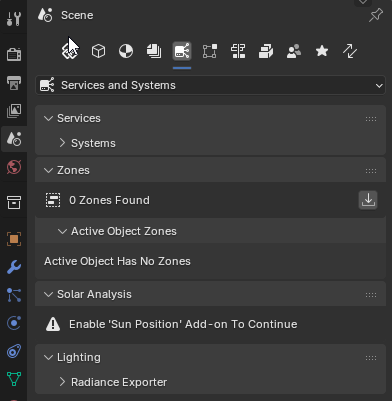
aggregates
presentation layers
(kinda like cad layers, but not used much, i don't think)
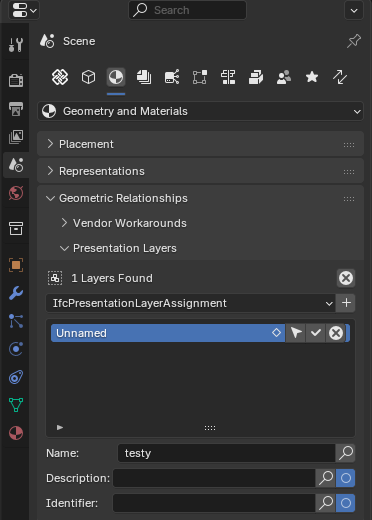
Classifications
Yes!
beside UI is also important to meet IFC compliance, using the outliner doesn't save it in the .ifc file , one of the main advantages of IFC is the possibility to share models across different software and/or use free viewers online and local.
Cheers
@theoryshaw I think this is getting where I wanted to go. Is there a definition of what makes up systems and zones?
Here's the schema documentation around them.
And an AI breakdown...
IFC Grouping Concepts: Plain-English Breakdown
Think of these three as different ways to answer the question "what belongs together and why?" in your building model. They're all grouping tools, but they answer that question from very different angles.
IfcBuildingSystem — "The Architectural Systems"
What it is: A way to group physical building elements (walls, doors, ceilings, finishes) that serve a common architectural or structural function. Think facade systems, partitioning systems, raised flooring, or suspended ceilings — the stuff that makes up the fabric of the building itself.
Plain English: If you're grouping things based on how the building is built or finished, this is your tool. It's for the architect and the contractor, not the MEP engineer.
BonsaiBIM note: IfcBuildingSystem has been deprecated as of IFC4.3 — the standard now prefers
IfcBuiltSystemin its place. If you're working in BonsaiBIM with IFC4.3 files, you'll still encounter it in older models, but for new work you should be creatingIfcBuiltSysteminstead. BonsaiBIM's system tools should reflect this — usingIfcBuildingSystemin a fresh model is technically setting yourself up for a warning. buildingsmartIfcDistributionSystem — "The MEP Systems"
What it is: A distribution system is a network designed to receive, store, maintain, distribute, or control the flow of a distribution media. This is the home of all your mechanical, electrical, and plumbing systems — HVAC, domestic water, electrical circuits, fire suppression, data, drainage, and so on. buildingsmart
Plain English: If something flows through it, gets switched through it, or gets piped/ducted somewhere, it belongs in a DistributionSystem. The classic example is a hot water system: pump + tank + all the interconnected piping = one DistributionSystem.
Why it's different from BuildingSystem: DistributionSystem is specifically about services — it groups
IfcDistributionElementsubtypes (pipes, ducts, fittings, equipment, cables). BuildingSystem/BuiltSystem groups structural and architectural fabric elements. A sprinkler head is a DistributionSystem thing; the ceiling tile it pokes through is a BuiltSystem thing.BonsaiBIM note: This is the one you'll use most heavily in MEP-heavy models. In BonsaiBIM, when you assign components to systems, you're creating these relationships. The
PredefinedTypeis key — it locks the system to a specific domain (ELECTRICAL, VENTILATION, DOMESTICCOLDWATER, etc.), and IFC enforces that elements of a given type can only belong to one system of that same type. So a pipe can't be in two DOMESTICCOLDWATER systems simultaneously — which is an important modeling discipline to maintain.IfcZone — "The Spatial Groupings"
What it is: A zone is a group of spaces, partial spaces or other zones. These spaces may or may not be adjacent. Zone structures may not be hierarchical, i.e. one individual space may be associated with zero, one, or several zones. buildingsmart
Plain English: If DistributionSystem groups equipment and pipes, and BuiltSystem groups building fabric, Zone groups rooms and spaces. It's how you say "these six rooms are all part of the same fire compartment" or "these spaces make up the west HVAC zone" or "this collection of offices is tenancy 3B." Crucially, zones don't have their own geometry — they borrow it from the spaces they contain.
Why it's different from the other two: Zones live in the spatial/occupancy world, not the physical building systems world. A single room can simultaneously be part of a fire zone, an HVAC zone, a security zone, and a tenancy — none of those zones conflict or overlap in the model because they're capturing different purposes for grouping the same space.
BonsaiBIM note: Zones are extremely useful for things like energy modeling hand-offs, FM requirements, and code compliance documentation. In BonsaiBIM, you'd typically create zones to represent HVAC control zones (for energy analysis), fire compartments (for code compliance export), or tenancy areas (for lease management). The rule to remember: only
IfcSpace,IfcZone, andIfcSpatialZonecan be members of anIfcZone— you can't accidentally dump a pipe or a wall into one.The Quick Decision Guide
IfcZoneIfcDistributionSystemIfcBuiltSystem(not IfcBuildingSystem — deprecated)The biggest conceptual trap is conflating DistributionSystem with Zone for HVAC. The ductwork and equipment that serves an HVAC zone goes in a
DistributionSystem; the rooms that zone serves go in anIfcZone. They're complementary, not interchangeable.So, all that said: how do I get this wall organized into a room in the Collection and the Spatial Zone?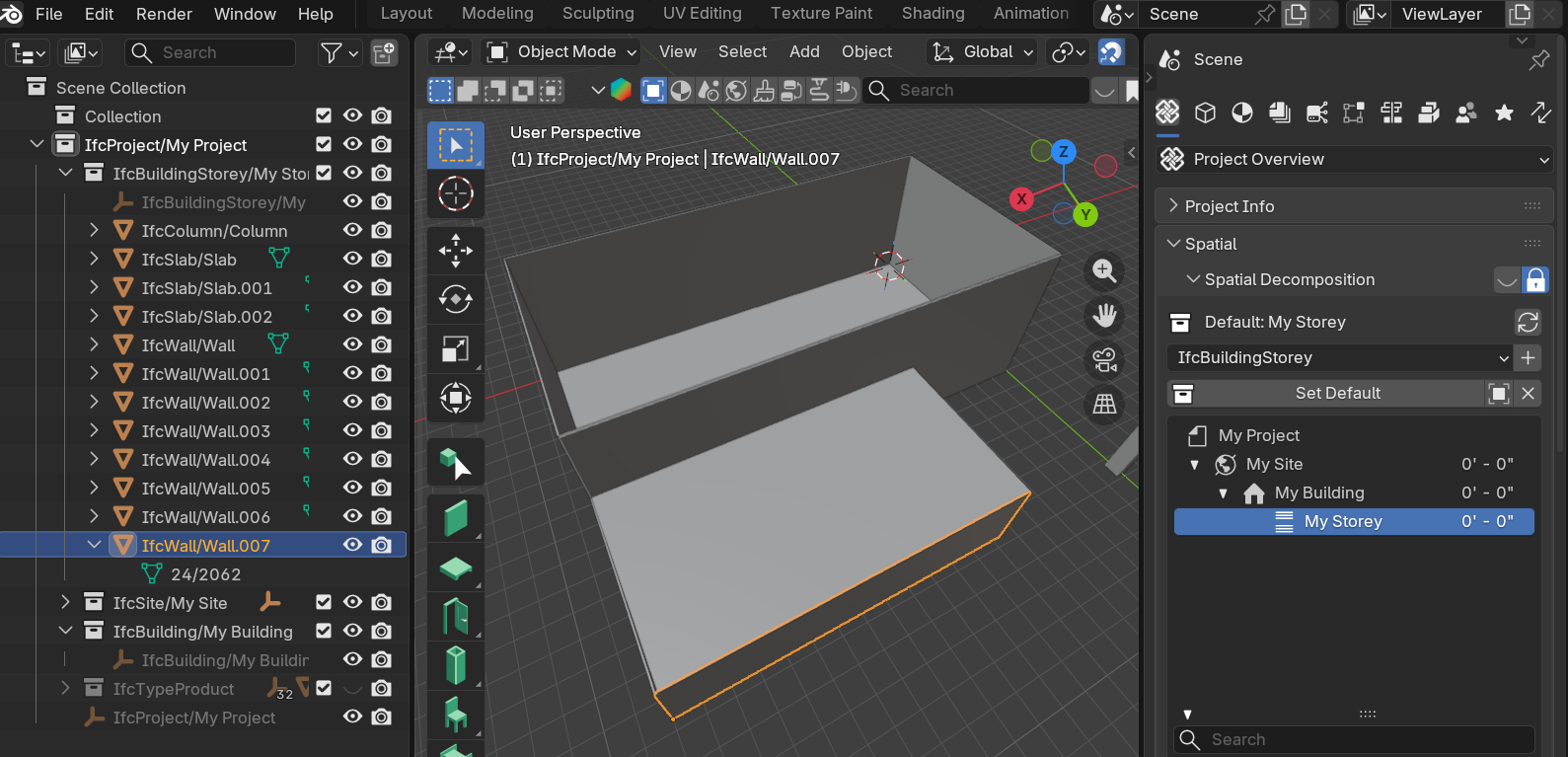
As has been said... Do not use the Scene Collection for organising your project. I only touched it here to display the geometry of the IfcSpace I created, and I only did that for illustration - it wasn't necessary.
@echristoph
Roughly speaking, I have walls (beams, slabs, columns, etc) assigned to (or divided by) spatial containers, to tell where in the Project the elements are spatially (and logically) located.
In IFC they work nested into each other starting from IfcProject at the top, usually going into IfcSite then , for buildings, IfcBuilding, and IfcBuildingStorey.
If needed IfcStoreyBuilding can be subdivided into IfcSpace (room or part of a room), IfcSpace can be "grouped" in IfcZone, typically for MEP.
This is the standard, admittedly not so intuitive at first but once you get used it becomes natural.
Hope it helps