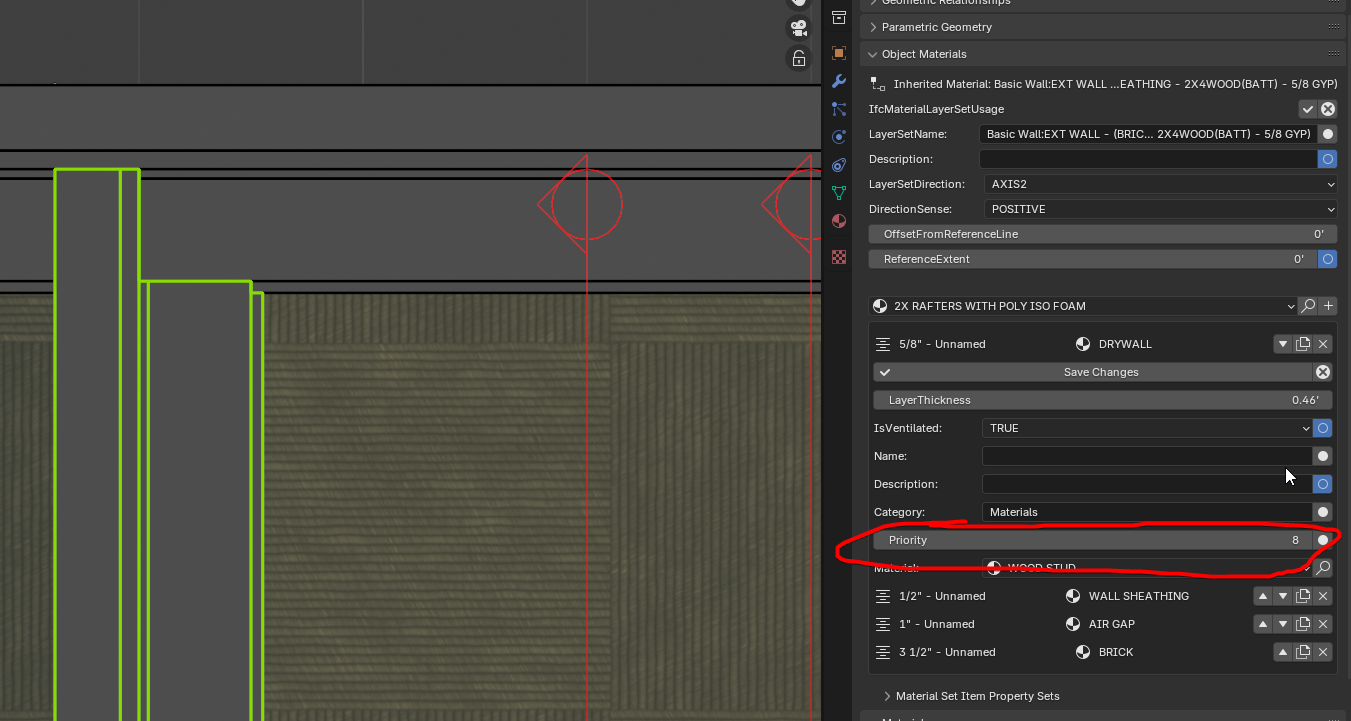
The relative priority of the layer, expressed as normalised integer range [0..100]. Controls how layers intersect in connections and corners of building elements: a layer from one element protrudes into (i.e. displaces) a layer from another element in a joint of these elements if the former element's layer has higher priority than the latter. The priority value for a material layer in an element has to be set and maintained by software applications in relation to the material layers in connected elements.
@sahrul are you receiving any error message? If so, can you please file a bug? Are you sure you have upgraded to the latest versions of both Blender and Bonsai? A video recording of what you're doing will also really help.
The relative priority of the layer, expressed as normalised integer range [0..100]. Controls how layers intersect in connections and corners of building elements: a layer from one element protrudes into (i.e. displaces) a layer from another element in a joint of these elements if the former element's layer has higher priority than the latter. The priority value for a material layer in an element has to be set and maintained by software applications in relation to the material layers in connected elements.
@theoryshaw said: @zoomer these intelligent layer priorities only work on walls, at the moment.
Oh, I thought @steverugi 's screenshots would be Section Views ....
Does this work on a by Wall basis or can you already set it in IfcType ?
No problems with Wall support only for now. But really like a priority system, like I experienced once in Archi... nice that I finally get it by Bonsai.
I thought in your video, you would just edit that single Wall Detail.
OK, so if you edit/overwrite in this Detail, it could be that it will also change other Wall connection situations, currently not visible in viewport ....
But AFAIR by Type only is also how it worked in Archi... and by using priority numbers in larger steps (10, 20, 30 ...) you will have enough priority sub-division left (23, 27, 28, ...) until all Plies are set up to interact with all other Plies correctly.
I should have used a better snapshot I think
three layers make a wall
1. white with priority 1
2. yellow with priority 3
3. blue with priority 2
now it should be self-explanatory
PS I'm not using layered walls because of quantities cannot catch possible voids and boolean operations (I use IfcCovering instead) especially when partially affecting the wall.
Wall-to-wall handles it pretty nicely, but wall-to-other element (beam, slab, column) not yet, so for now I stick to the original plan ;)



Comments
not working for me
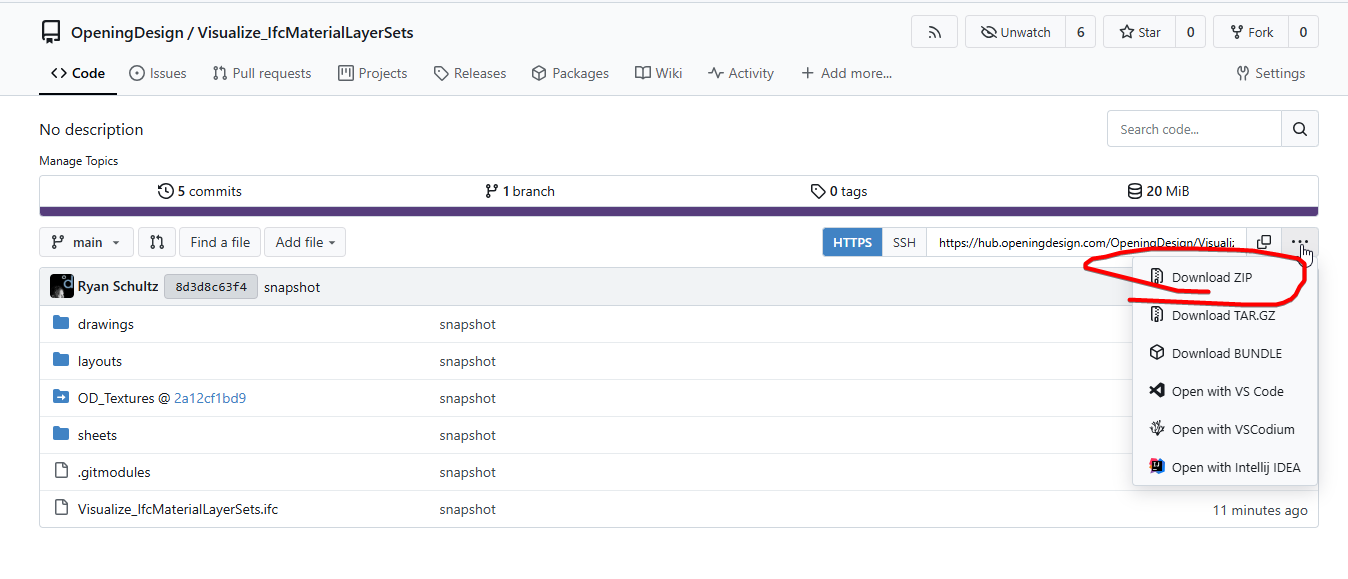
@sahrul Try and download these files and try to reverse engineer what's going on...
https://hub.openingdesign.com/OpeningDesign/Visualize_IfcMaterialLayerSets
Print
SECTION - WEST - BUTTED ROOF_no_layers, and inspect with google chrome, or favorite browser.To download all the files...
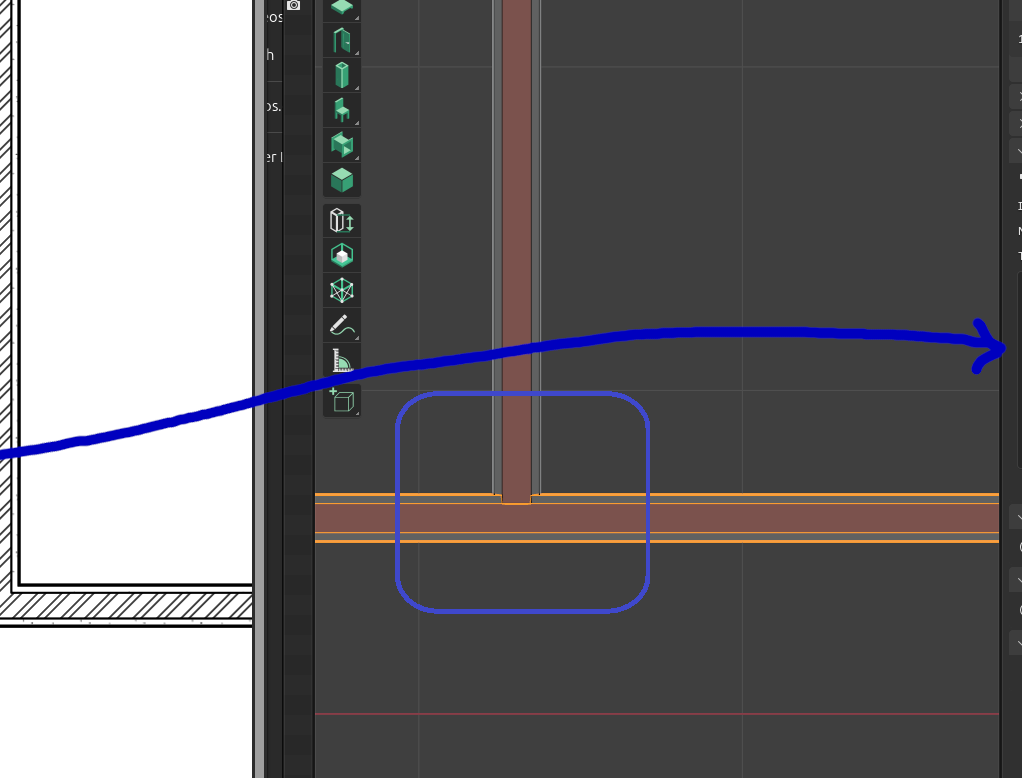
thanks @c4rlosdias @theoryshaw
A beautiful wall layer junction — how can it be achieved?
Play around with that value...
From standards...
https://ifc43-docs.standards.buildingsmart.org/IFC/RELEASE/IFC4x3/HTML/lexical/IfcMaterialLayer.htm
Wow..like Archicad
I've tried the ZIP file, but it doesn't work.
@sahrul are you receiving any error message? If so, can you please file a bug? Are you sure you have upgraded to the latest versions of both Blender and Bonsai? A video recording of what you're doing will also really help.
I can't download that file
Yeah, just realized that it doesn't work either.
You can sync the repo, but it takes a little bit of know how..
If you're interested in knowing how, this tutorial could help:https://hub.openingdesign.com/OpeningDesign/OD_Library/src/branch/master/BIM/Workflow/OD Workflows.md#file-management-on-windows
Have been meaning to clean this tutorial up one of these days. :)
There's countless other resources on the web that explain how to sync a repo too.
hi @theoryshaw please what is the title of your video explaining how to join two layered walls in your repository?
desired output:
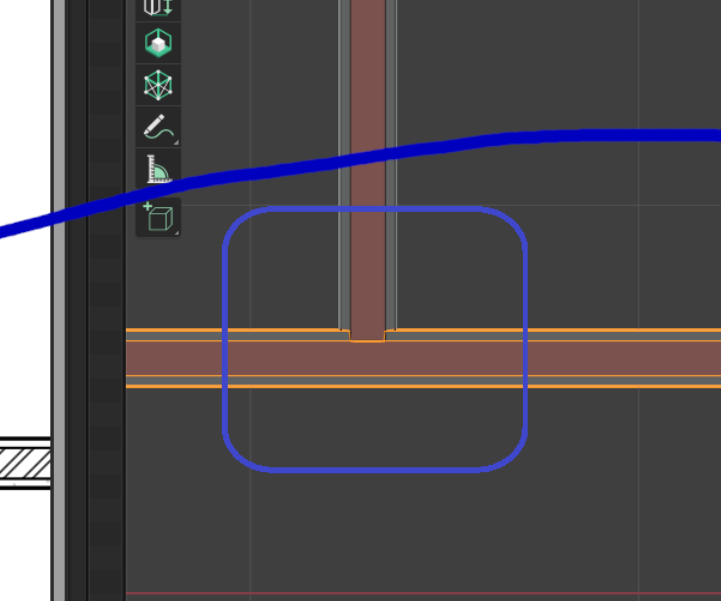
thanks
PS: priorities (walls to be extended with shift+E)
BTW
What comes first - Wall finishes or Floor ?
(I usually do the first version - because of less cuts needed/cleaner)
Like Brick Walls with Plaster or DryWall
vs
Screed (?) on Slab or full Floor Packages with Insulation, ...
@steverugi I don't think i did one on wall priorities.
Here's where to set the priorities.
@zoomer these intelligent layer priorities only work on walls, at the moment.
you need to extend the wall to the other wall (not 3D cursor, like the hint suggests), correct?

Oh, I thought @steverugi 's screenshots would be Section Views ....
Does this work on a by Wall basis or can you already set it in IfcType ?
No problems with Wall support only for now. But really like a priority system, like I experienced once in Archi... nice that I finally get it by Bonsai.
It's only by type.
I thought in your video, you would just edit that single Wall Detail.
OK, so if you edit/overwrite in this Detail, it could be that it will also change other Wall connection situations, currently not visible in viewport ....
But AFAIR by Type only is also how it worked in Archi... and by using priority numbers in larger steps (10, 20, 30 ...) you will have enough priority sub-division left (23, 27, 28, ...) until all Plies are set up to interact with all other Plies correctly.
I should have used a better snapshot I think
three layers make a wall
1. white with priority 1
2. yellow with priority 3
3. blue with priority 2
now it should be self-explanatory
PS I'm not using layered walls because of quantities cannot catch possible voids and boolean operations (I use IfcCovering instead) especially when partially affecting the wall.
Wall-to-wall handles it pretty nicely, but wall-to-other element (beam, slab, column) not yet, so for now I stick to the original plan ;)
Deleted
yes, but that UI applies to the type. :)
I don't think there's a UI to override the layers of the instance... could be wrong.
should a corner connection work as well? I can only create nice T-connections, but the corner connection remain overlapping... am I missing something?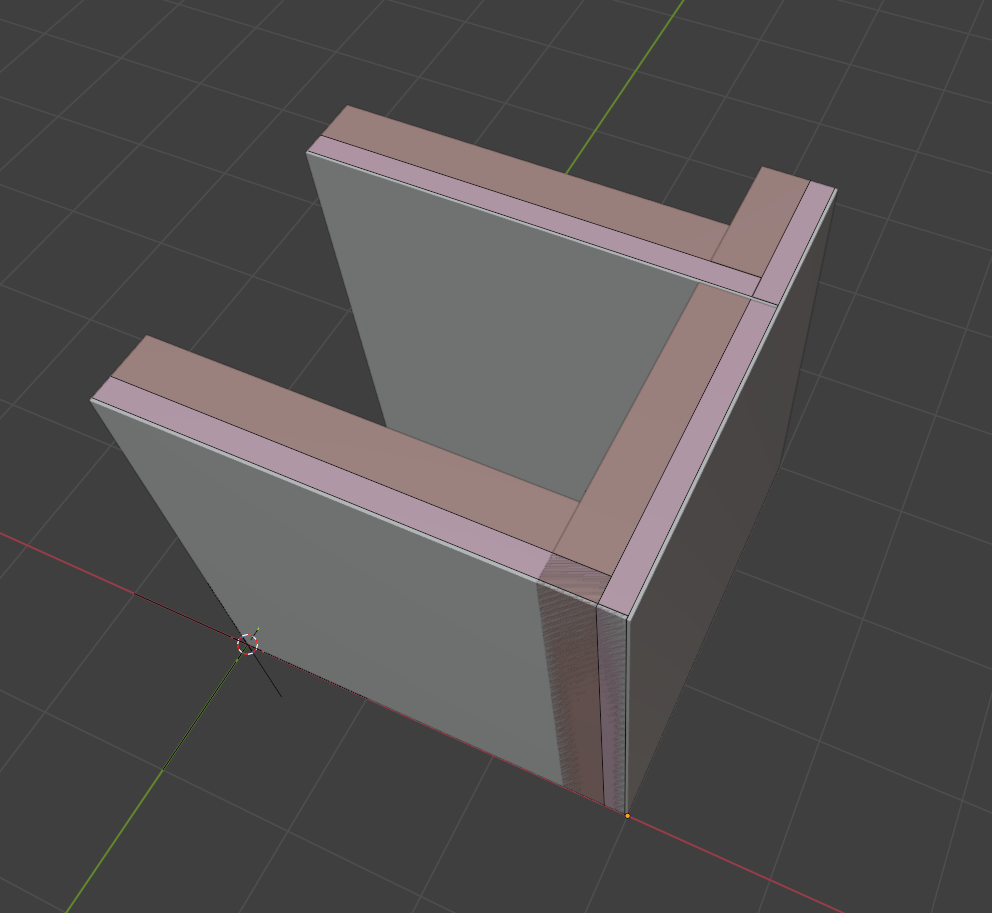
Select the two wallinstances and use "trim"