

IFC Aggregates vs. Parent/Child

I've been looking for some best practices on how to model multi-element assemblies, starting with a stair railing that is too complex for the existing parametric tool (as it has balusters, a hand rail, etc). Initially, I'd been creating this by creating the various component elements (mostly IfcColumns) and then making them children to an empty that I assigned as a IfcRailing.
This works, but it isn't clear to me what I am missing by not using the Aggregate capability in the Object Information tab. I've done this on some test elements, and I see that it is making them an IfcElementAssembly, but it isn't grouping them in the Outliner as my previous method did (and with dozens of IfcColumns, not having them nested under the IfcElementAssembly is making my Outliner really cluttered).
Any advice on how best to go about this? I can't find much documentation on Bonsai's Aggregates feature, so I may well be using it incorrectly.
Comments
The blender outliner 'used' to show spatial hierarchy of the elements and aggregates, but doesn't anymore. I'm not 100% certain why this changed, but i think there was too much technical overhead (laggy) to continue to use the outliner in this way.

To really verify your hierarchy go here...
Related to this discussion:
What I appreciated with the outliner was the ability to show/hide all the parts of an aggregate in one click. Do you know any workaround?
@RaphaëlVouilloz
not to my knowledge (but it would come in handy if available)
but you can make a group out of them, there you have all the options
Could do...
https://community.osarch.org/uploads/editor/37/t09ihdqsn41l.mp4
I think there a more solutions:
Mode and in the ShapeRepresentation (the single parts are also subelements in the outliner (browser)
In ShapeAspect the Parts can be renamed.
I raised that the newer method of show/hide/isolate was broken for some use cases in https://github.com/IfcOpenShell/IfcOpenShell/issues/6664
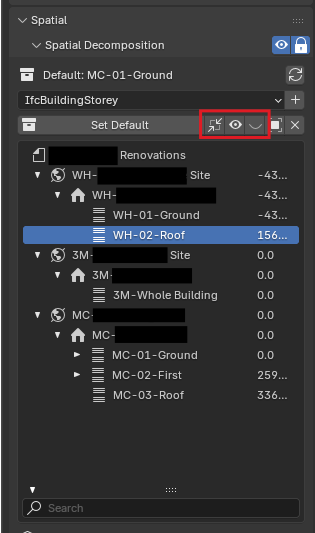
The following personal workaround commit reinstates the ability to show/hide/isolate based on containers using the old method:
https://github.com/IfcOpenShell/IfcOpenShell/commit/fb77fca333a003390515bf1b220d794e5b705968
Resulting in:
I find it far more practical for the way I work. It is a clean small change that is self contained, and has cleanly applied for months now. Pretty easy to just copy to your installation.
[Edit: I may have misunderstood the assignment ;-) Aggregates not containers. My thing doesn't help with Aggies.]
@sjb007 That is a really nice commit!
I have seen that it is in your own fork. Would it not make sense to put it in a PR to IfcOpenshell?
Thanks!
@RaphaëlVouilloz Following the current Available element Decomposition I think you have that type of functionality. See below an assembly made of two other assemblies.
Actually @theoryshaw already showed in his video above :) Here you can just see that the Element Decomposition panel shows the tree hierarchy of the assembly and sub-assemblies.
Cheers!
@falken10vdl Well this is how it used to be, and they (the main devs) intentionally moved away from this. I didn't think it would be accepted because of this. I just ran into consistency issues with the newer method - mainly it just doesn't work properly with the Status filter feature in the Scheduling tab. All I'm doing is restoring an older piece of code that worked better, at least in my usecase.
@theoryshaw @falken10vdl
Thanks for the videos, it works
how did you get this type decomposition tree there? could you please make a full video of it? i can assign the container, but failed to get this tree type decompostion structure below (like yours). thank you.
@tata827
to visualize nested IfcElementAssembly you can use Spatial Decompoistion below panel
to create sub assemblies
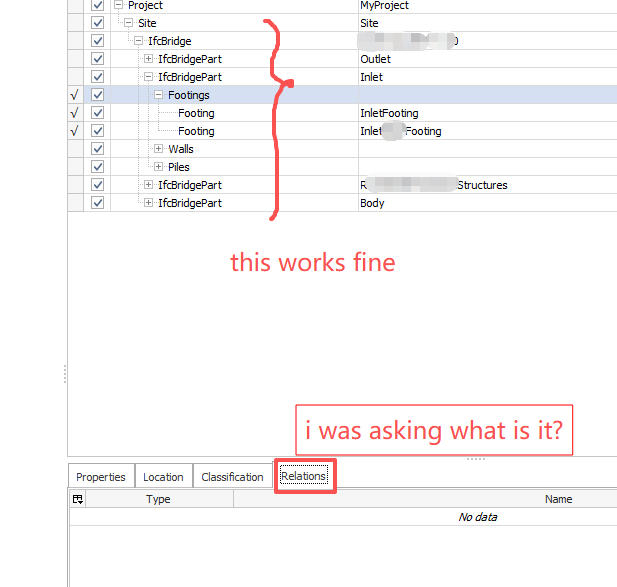
does this type relations shown is bimvision? there is a tab names Relation in BimVision ifc viewer, i never see any ifc file showing anything there. is this setting have any relation with that?
@tata827
yes
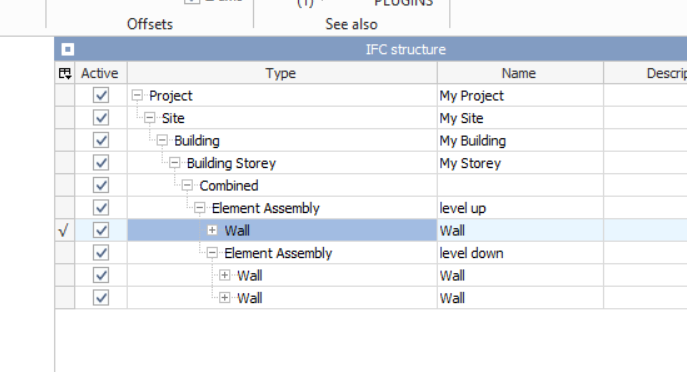
@tata827 Something that you could also find useful is this:
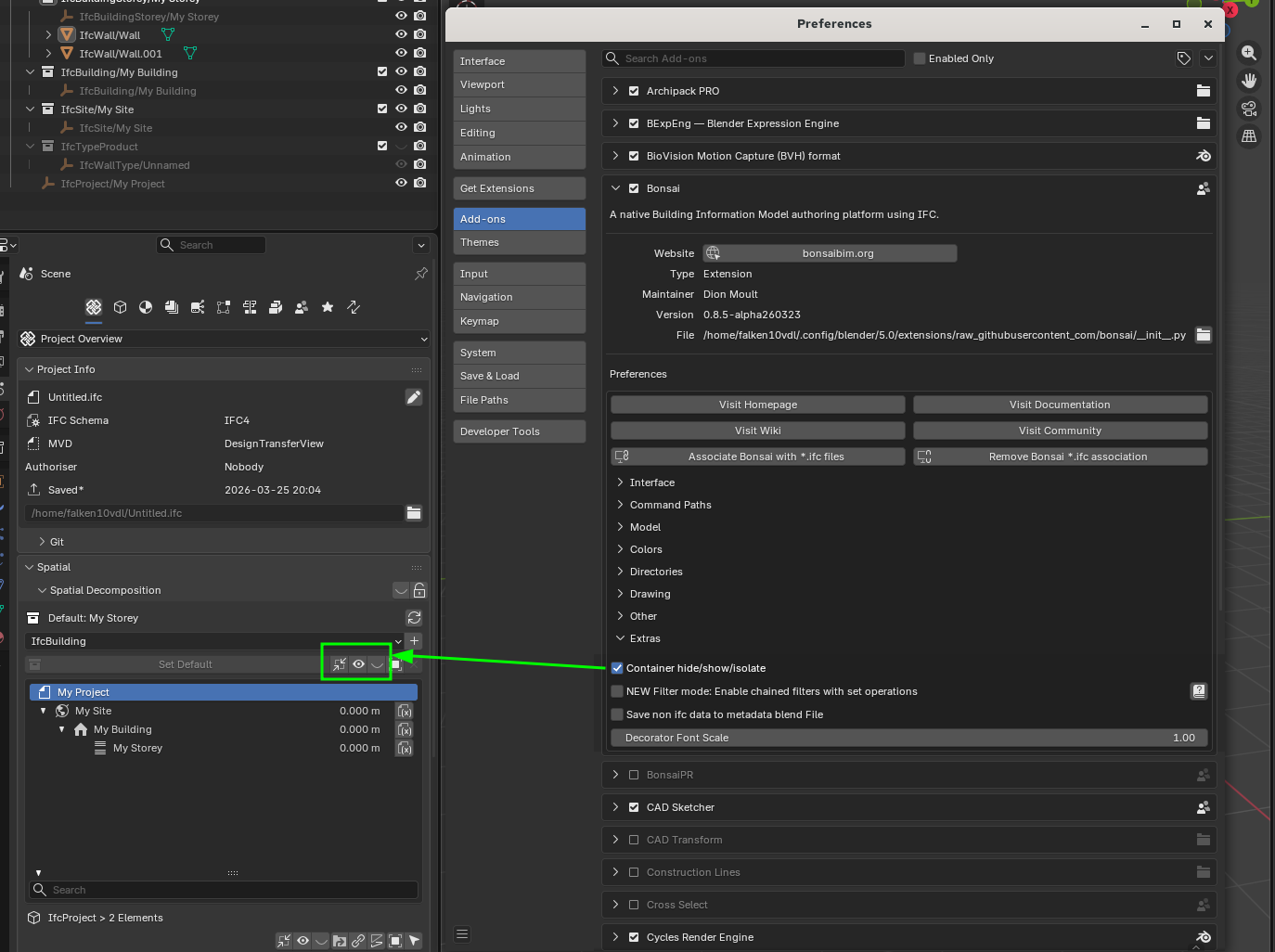
Cheers!
it is okay, this is SBS or Hierarchy, working fine for me too. i was asking this
@tata827
I have no idea why the Relations panel is empty in BIMvision
but the IFC shows everything in place (shoutout to Ardit, amazing IFC text viewer)
yes, the hierarchy structure is also okay. i just asked if there is something wrong with my ifc file creation or not.
thank you for your quick resnponse.
@tata827
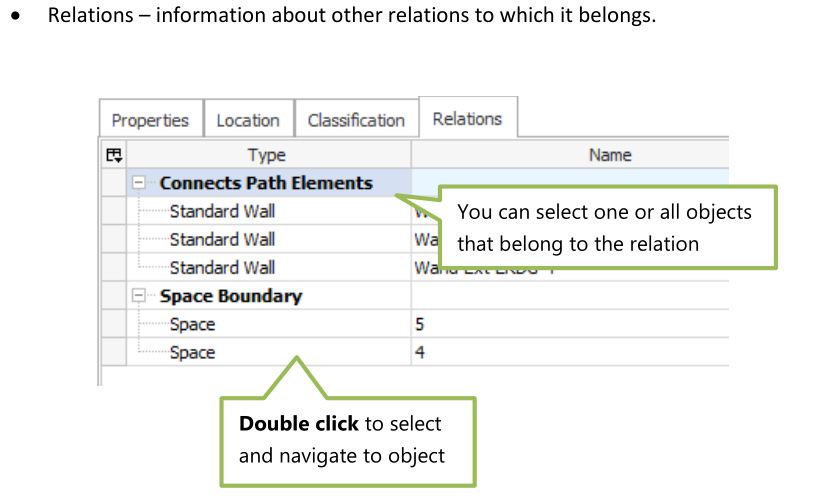
I think I found it (BIMvision's manual)
that panel shows geometry relationships/connections, like this one after I connected the walls using shift+E
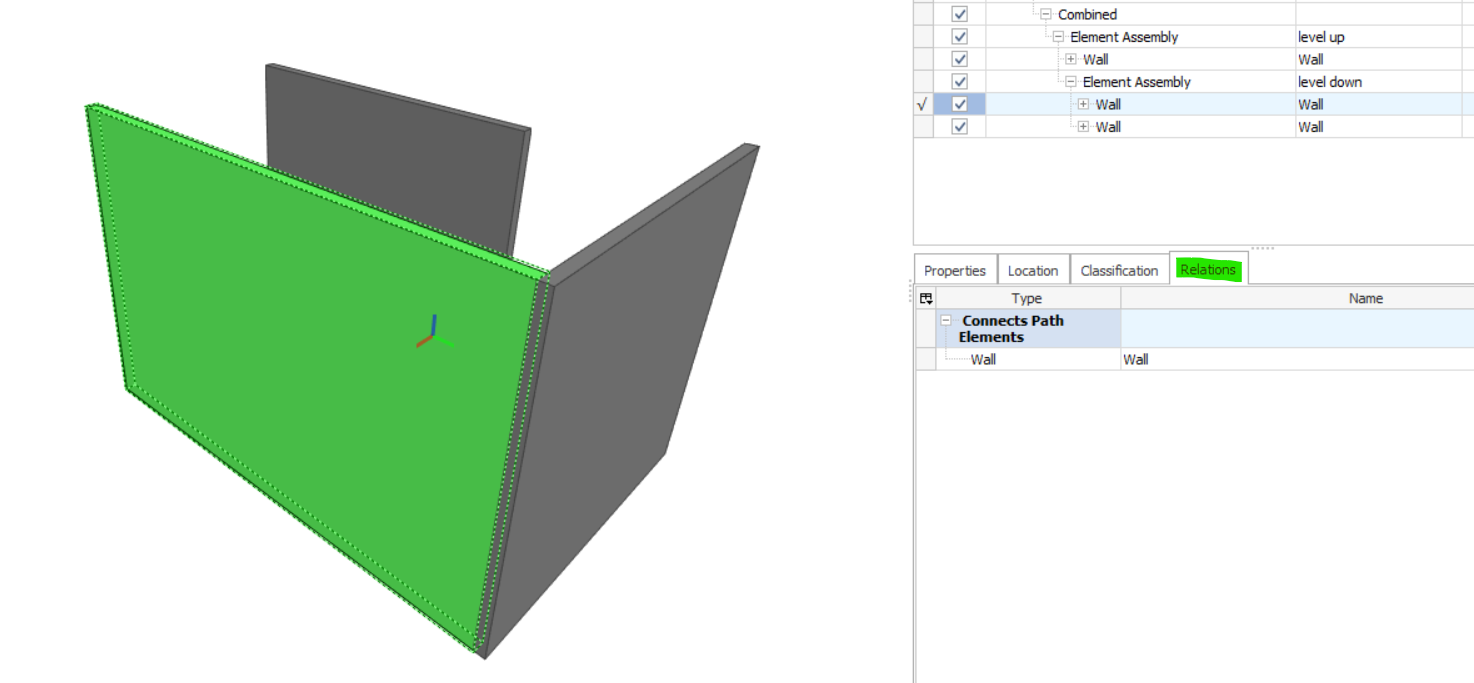
hello, could you please share your this ifc file?
i want to check how did you assign the these things.
thanks
@tata827
there are just a few walls, nothing special, here you have it
cheers