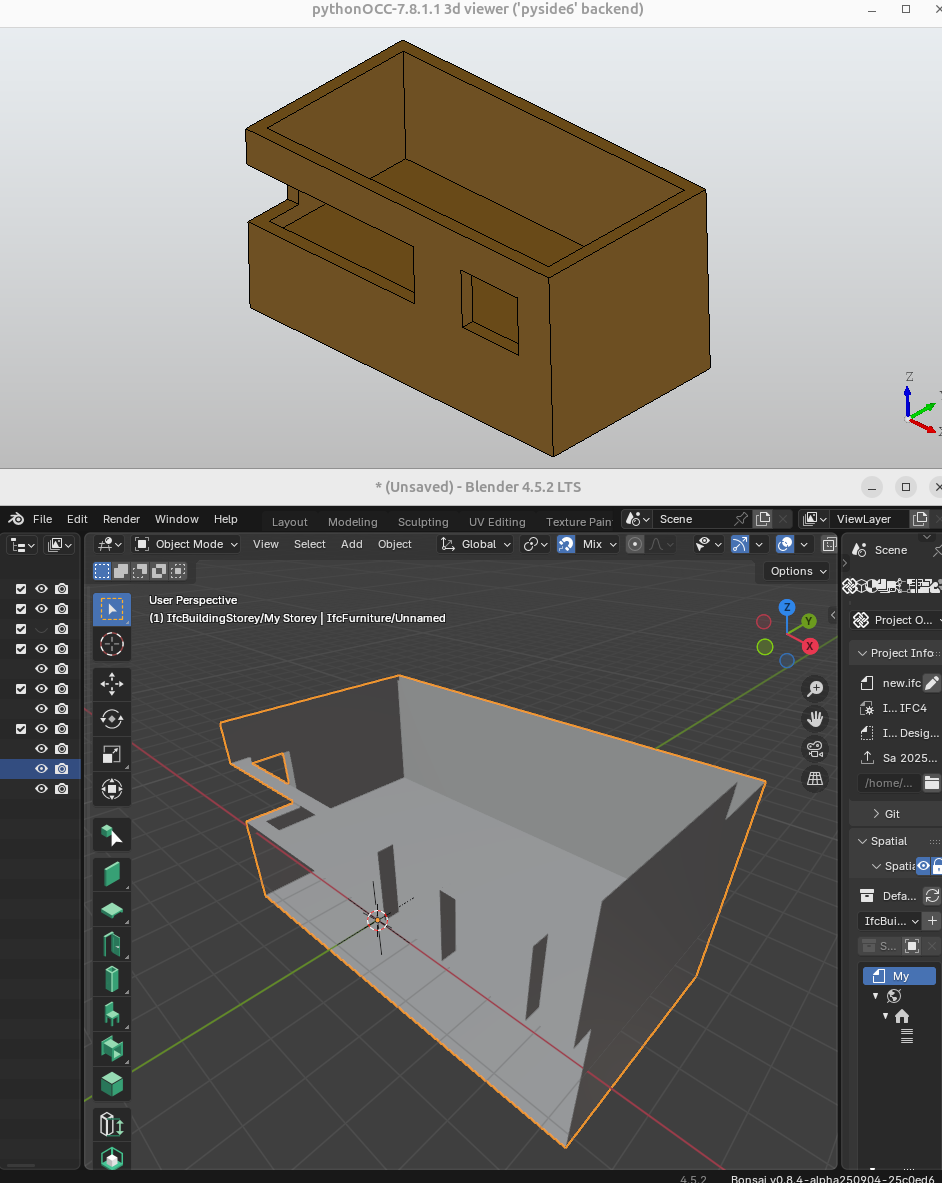
How do i assign OpenCASCADE representation to a IfcElement?

I'm trying to create a ifc element from a OpenCASCADE representation following the tutorial here:
https://docs.ifcopenshell.org/ifcopenshell-python/geometry_creation.html#opencascade-representations
I manage to create a IfcProductDefinitionShape but I don't understand how to assign this to a IfcElement
Here is my code:

import ifcopenshell
import ifcopenshell.geom
from OCC.Core.gp import gp_Pnt
from OCC.Core.BRepPrimAPI import BRepPrimAPI_MakeBox
from OCC.Core.BRepAlgoAPI import BRepAlgoAPI_Cut
from pprint import pprint

import ifcopenshell.api.root
import ifcopenshell.api.unit
import ifcopenshell.api.context
import ifcopenshell.api.project
import ifcopenshell.api.geometry

model = ifcopenshell.open('empty.ifc')

outer   = BRepPrimAPI_MakeBox(gp_Pnt(-5000., -180., -2000.), gp_Pnt(5000., 5180., 3000.)).Shape()
inner   = BRepPrimAPI_MakeBox(gp_Pnt(-4640.,  180.,     0.), gp_Pnt(4640., 4820., 3000.)).Shape()
window1 = BRepPrimAPI_MakeBox(gp_Pnt(-5000., -180.,   400.), gp_Pnt( 500., 1180., 2000.)).Shape()
window2 = BRepPrimAPI_MakeBox(gp_Pnt( 2070., -180.,   400.), gp_Pnt(3930.,  180., 2000.)).Shape()
building_shell = BRepAlgoAPI_Cut(
        BRepAlgoAPI_Cut(
            BRepAlgoAPI_Cut(outer, inner).Shape(),
            window1
            ).Shape(),
        window2
    ).Shape()

# model = ifcopenshell.file(schema="IFC4")
product_definition = ifcopenshell.geom.serialise("IFC4", building_shell, False)
product_definition = model.add(product_definition)

pprint(
    product_definition.get_info()
)

element = ifcopenshell.api.root.create_entity(model, ifc_class="IfcFurniture")

model.write('new.ifc')

{'Description': None, 'Name': None, 'Representations': (#240=IfcShapeRepresentation($,'Body','Brep',(#239)),), 'id': 241, 'type': 'IfcProductDefinitionShape'}
Tagged:

Comments

  • Hi, if it's IfcProductDefinitionShape, then you need to assign it to element.Representation.
    See the documentation - https://ifc43-docs.standards.buildingsmart.org/IFC/RELEASE/IFC4x3/HTML/lexical/IfcFurniture.htm

  • @Andrej730 i think that's what I'm doing with ifcopenshell.api.geometry.assign_representation, right?
    But then I'm also producing a invalid IFC.
    Here's my code:

    import ifcopenshell
    import ifcopenshell.geom
    from OCC.Core.gp import gp_Pnt
    from OCC.Core.BRepPrimAPI import BRepPrimAPI_MakeBox
    from OCC.Core.BRepAlgoAPI import BRepAlgoAPI_Cut
    from pprint import pprint
    
    import ifcopenshell.api.root
    import ifcopenshell.api.geometry
    import ifcopenshell.api.context
    
    # schema = "2x3"
    schema = "4"
    
    
    model = ifcopenshell.open(f'empty{schema}.ifc')
    body = ifcopenshell.api.context.add_context(model,
        context_type="Model", context_identifier="Body", target_view="MODEL_VIEW")
    
    
    outer   = BRepPrimAPI_MakeBox(gp_Pnt(-5000., -180., -2000.), gp_Pnt(5000., 5180., 3000.)).Shape()
    inner   = BRepPrimAPI_MakeBox(gp_Pnt(-4640.,  180.,     0.), gp_Pnt(4640., 4820., 3000.)).Shape()
    window1 = BRepPrimAPI_MakeBox(gp_Pnt(-5000., -180.,   400.), gp_Pnt( 500., 1180., 2000.)).Shape()
    window2 = BRepPrimAPI_MakeBox(gp_Pnt( 2070., -180.,   400.), gp_Pnt(3930.,  180., 2000.)).Shape()
    building_shell = BRepAlgoAPI_Cut(
            BRepAlgoAPI_Cut(
                BRepAlgoAPI_Cut(outer, inner).Shape(),
                window1
                ).Shape(),
            window2
        ).Shape()
    
    # model = ifcopenshell.file(schema="IFC4")
    product_definition = ifcopenshell.geom.serialise(f"IFC{schema}", building_shell, False)
    product_definition = model.add(product_definition)
    
    
    element = ifcopenshell.api.root.create_entity(model, ifc_class="IfcFurnishingElement" if schema == "2x3" else "IfcFurniture")
    
    # Assign the product definition to the element
    ifcopenshell.api.geometry.assign_representation(model, product=element, representation=product_definition)
    
    pprint(element.get_info())
    
    model.write('new.ifc')
    

    {'Description': None, 'GlobalId': '3MpIwn6cH2rALFgzeHaD4P', 'Name': None, 'ObjectPlacement': None, 'ObjectType': None, 'OwnerHistory': None, 'PredefinedType': None, 'Representation': #248=IfcProductDefinitionShape($,$,(#246)), 'Tag': None, 'id': 247, 'type': 'IfcFurniture'}

    and running the validation:

    python -m ifcopenshell.validate new.ifc 
    No stream support: No module named 'lark'
    Validating new.ifc
    For instance:
        #245=IfcShapeRepresentation($,'Body','Brep',(#244))
                                    ^                      
    With attribute:
        <attribute ContextOfItems: <entity IfcRepresentationContext>>
    Not optional
    
    For instance:
        #246=IfcProductDefinitionShape($,$,(#245))
    With inverse:
        ShapeOfProduct : SET [1:?] OF IfcProduct FOR Representation
    Value:
        ()
    Not valid
    
    For instance:
        #248=IfcProductDefinitionShape($,$,(#246))
                                           ^^^^^^ 
    With attribute:
        <attribute Representations: <list [1:?] of <entity IfcRepresentation>>>
    Value:
        #246=IfcProductDefinitionShape($,$,(#245))
    Not valid
    
  • I've figured it out.
    But the representation in Blender seems off. Is this a current limitation, or am i still doing something wrong?

    import ifcopenshell
    import ifcopenshell.geom
    from OCC.Core.gp import gp_Pnt
    from OCC.Core.BRepPrimAPI import BRepPrimAPI_MakeBox
    from OCC.Core.BRepAlgoAPI import BRepAlgoAPI_Cut
    from pprint import pprint
    
    import ifcopenshell.api.root
    import ifcopenshell.api.geometry
    import ifcopenshell.api.context
    
    schema = "4"
    model = ifcopenshell.open(f'empty{schema}.ifc')
    
    # Create or get the geometric representation context
    body_context = ifcopenshell.api.context.add_context(model,
        context_type="Model", context_identifier="Body", target_view="MODEL_VIEW")
    
    # Create OpenCASCADE geometry
    outer = BRepPrimAPI_MakeBox(gp_Pnt(-5000., -180., -2000.), gp_Pnt(5000., 5180., 3000.)).Shape()
    inner = BRepPrimAPI_MakeBox(gp_Pnt(-4640., 180., 0.), gp_Pnt(4640., 4820., 3000.)).Shape()
    window1 = BRepPrimAPI_MakeBox(gp_Pnt(-5000., -180., 400.), gp_Pnt( 500., 1180., 2000.)).Shape()
    window2 = BRepPrimAPI_MakeBox(gp_Pnt( 2070., -180., 400.), gp_Pnt(3930., 180., 2000.)).Shape()
    building_shell = BRepAlgoAPI_Cut(
        BRepAlgoAPI_Cut(
            BRepAlgoAPI_Cut(outer, inner).Shape(),
            window1
        ).Shape(),
        window2
    ).Shape()
    
    # Serialize the OpenCASCADE shape to IFC
    product_definition = ifcopenshell.geom.serialise(f"IFC{schema}", building_shell, False)
    product_definition = model.add(product_definition)
    
    # Extract the IfcShapeRepresentation from the IfcProductDefinitionShape
    shape_representation = product_definition.Representations[0]
    
    # Set the context for the shape representation
    shape_representation.ContextOfItems = body_context
    
    # Create the element
    element = ifcopenshell.api.root.create_entity(model, ifc_class="IfcFurniture")
    
    # Option 1: Direct assignment (simpler approach)
    element.Representation = product_definition
    
    # Option 2: Using the API (alternative approach)
    # ifcopenshell.api.geometry.assign_representation(model, product=element, representation=shape_representation)
    
    pprint(element.get_info())
    model.write('new.ifc')
    
    
    from OCC.Display.SimpleGui import init_display
    display, start_display, add_menu, add_function_to_menu = init_display()
    display.DisplayShape(building_shell, update=True)
    
    
    display.FitAll()
    # Start viewer
    start_display()
    
  • Do you have "Backface Culling" turned on? That kind of looks like some of the normals are flipped, and backface culling is active.
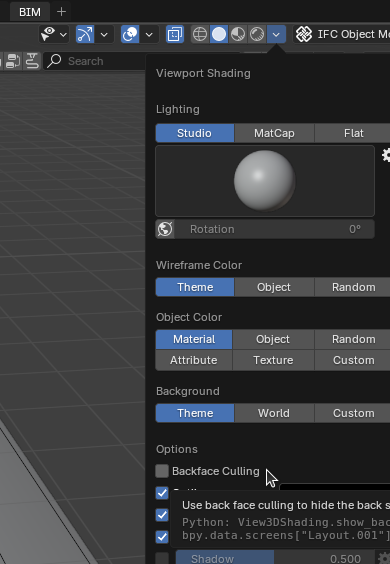
  • @sjb007 no, that is turned off. Attached the IFC file
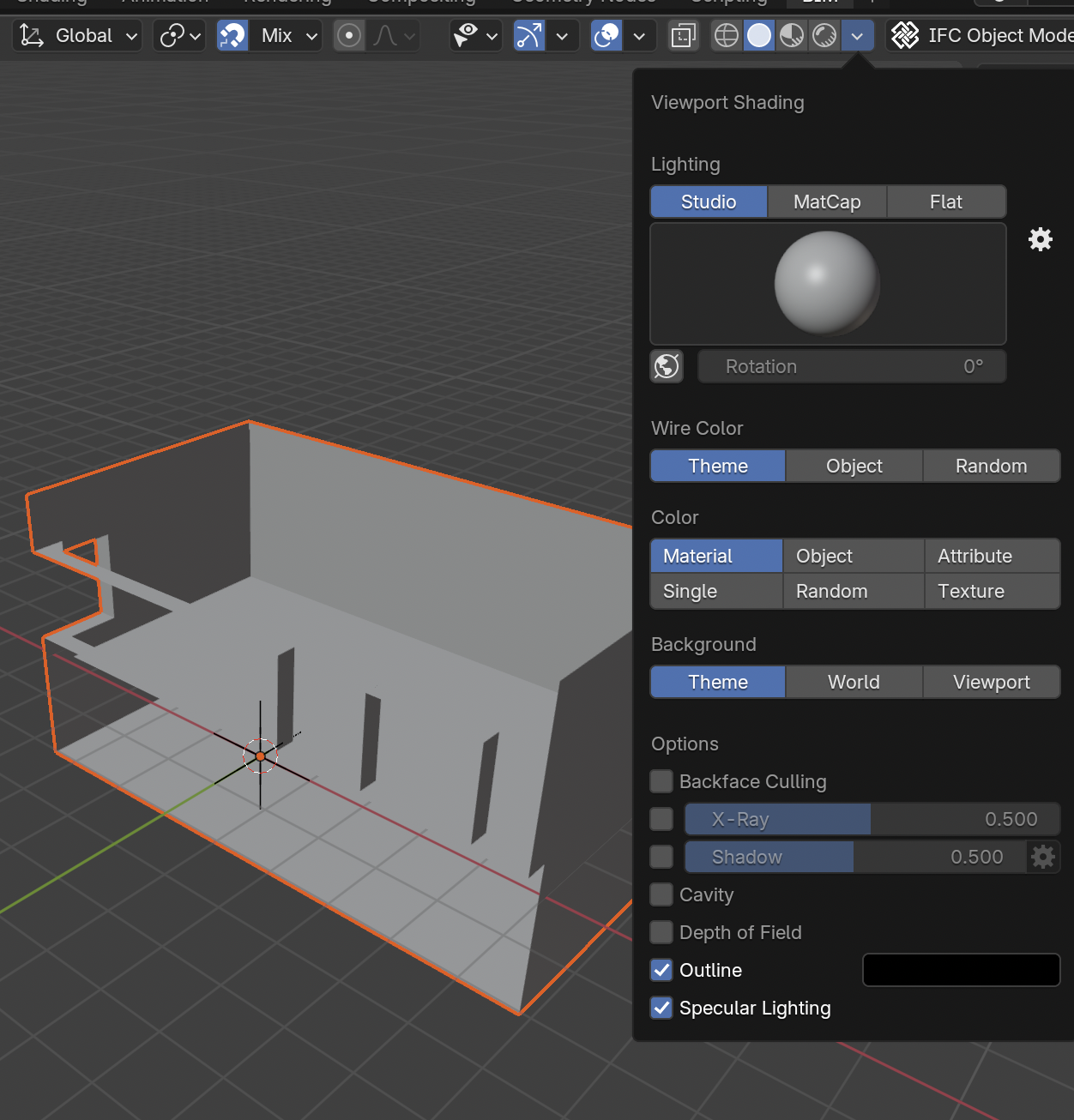
    new.ifc 10.2K
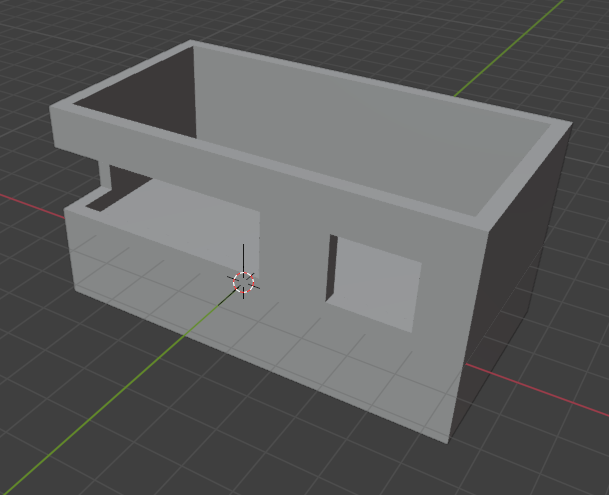
  • Ah OK. Uneducated guess here, but it looks like a bug in the default Hybrid CGAL-OCC geometry library that gets used. The only one that works is plain OpenCASCADE. When opening the file use the Enable Advanced Mode, and set the Geometry Library option:
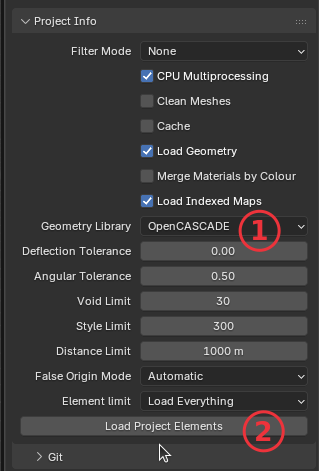
    And you should get:

    You should probably raise a bug against IfcOpenShell in Github as well. Considering your script is essentially the example in the documentation for geometry creation, it's curious that the other geometry libraries cannot handle it.

    smr02
Sign In or Register to comment.