

Difference between wall type edit tools and wall edit tools when select a wall

Greetings to everyone!
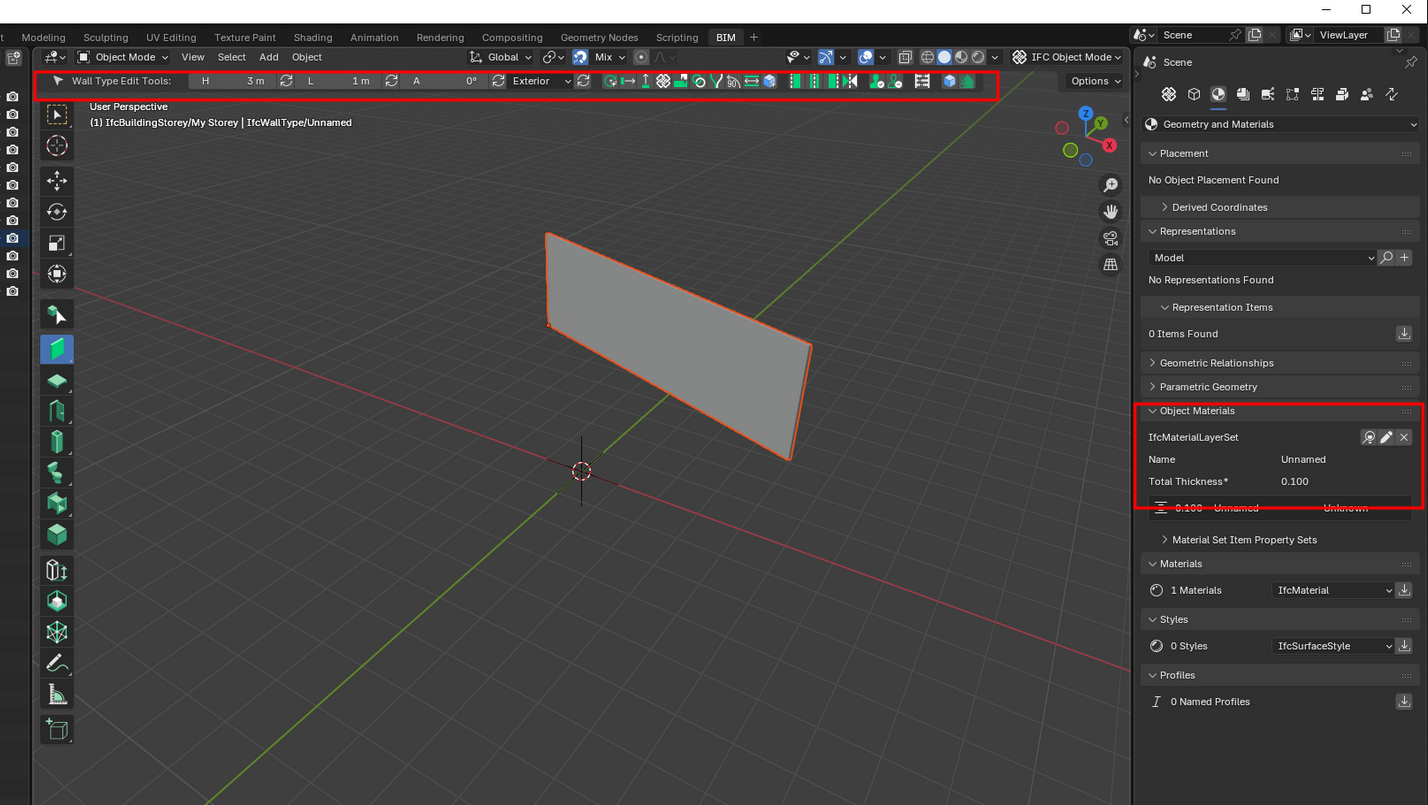
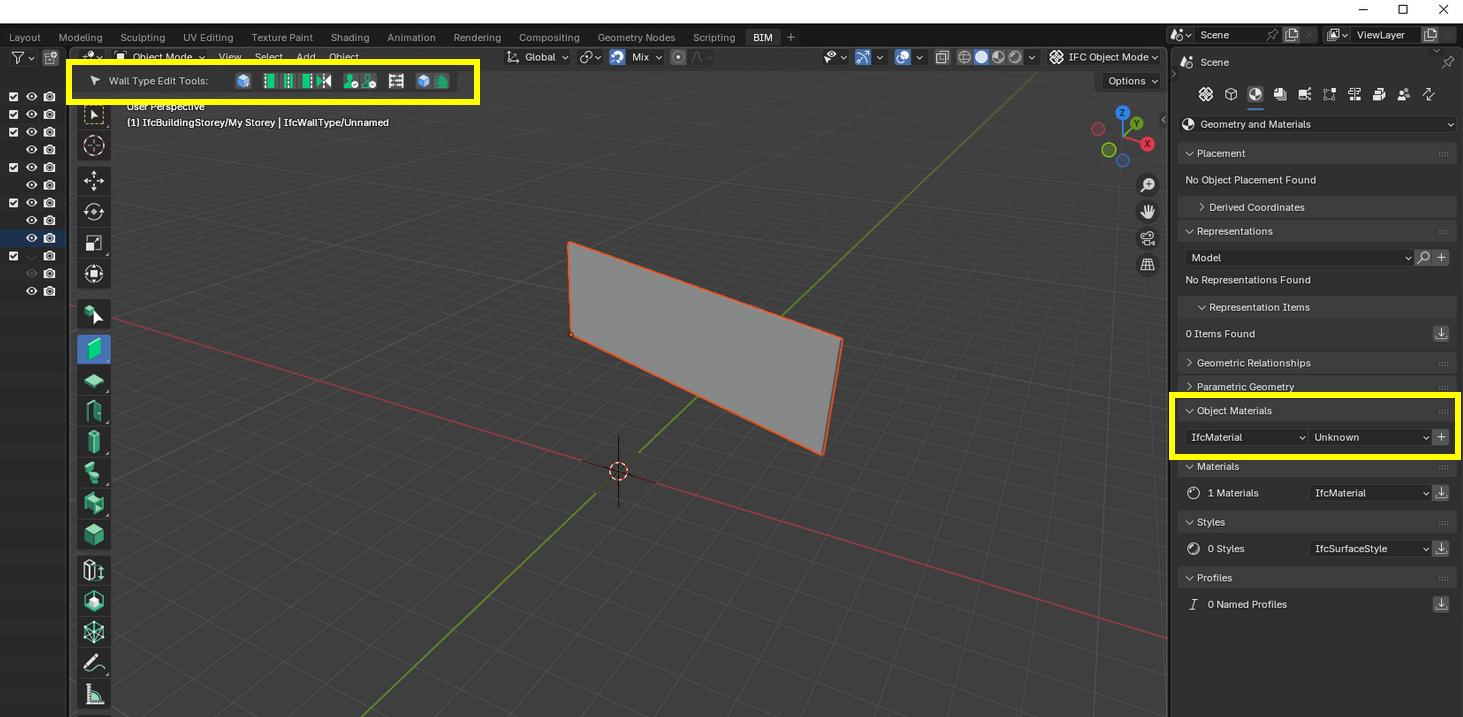
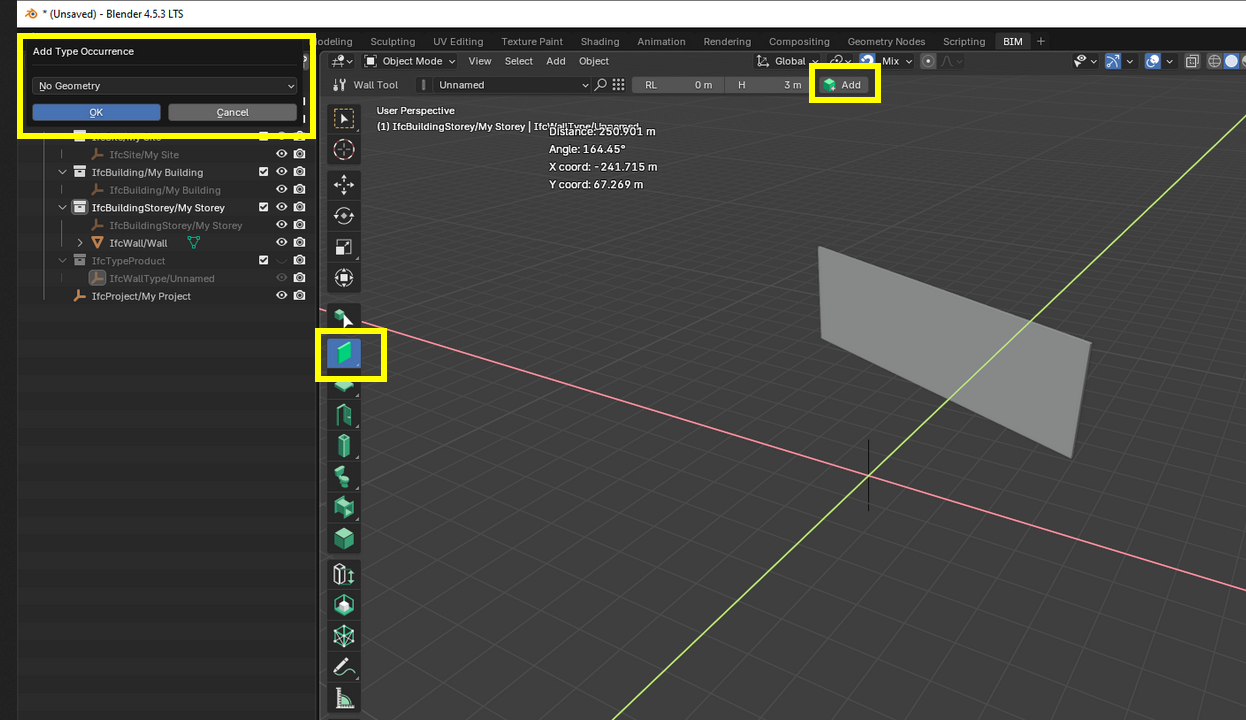
I created a wall and when I select the wall I see "Wall Type Edit Tools" and then I removed object material then when I select the same wall, I see "Wall Edit tools" after this when I try to insert a wall a popup says "No Geometry". This popup works even I try to close the file from the Blender file menu at the top. You have to right click to exit from the command.
I tried to load the material back with pressing + icon but again I see "No Geometry" popup.
I am new and experimenting with Bonsai BIM but this "No Geometry" popup behavior looks buggy to me.
Blender 4.5.3 Bonsai v0.8.4-alpha251012-0073a4c
Comments
Hi. Welcome. Possible to upload a .mp4 of your workflow?
for exit I right click at the end of the video. When I choose IfcMaterialLayerSet the toolbar brings back but "no geometry" message for new walls continue
When you deleted the 'IfcMaterialLayerSet' you deleted the parametrics behind the wall type.
so when you tried to create a new instance for that type, it says no geometry, because there's no geometry instructions now for that type.
...
Or perhaps i'm missing what you're asking.
Thank you very much for explanation. I thought I only deleted the information on that wall, but is it normal for this popup window to be active on the side panels and menus as well?
yes, if i'm following you correctly.