

How are cameras storing their settings?

I ran a test to see how settings of cameras were stored. I saw that the cameras "Focal Length" (blender setting) somehow survives is persistent, but I couldn't see anything obvious in the ifc file. I saved it, committed to my local git repo, then changed the focal length, and saved again. git diff showed no changes in the ifc, and yet the focal length is "remembered". Even changing the Width/Height/Depth (Bonsai settings) and doing a save shows no changes to the ifc file from git diff. Does Bonsai have a sneaky little file or database squirreled away somewhere for things that are not possible directly in the ifc schema?
I only ask because I was looking to see if Blender's Shift X and Shift Y were also stored. This is basically what a tilt shift camera lens does, and is useful for re-framing an image to maintain the verticals avoiding "lean-out/in". While focal length seems to be preserved, the shifts are not.

Comments
I think it saves it in
IFCRECTANGULARPYRAMID.see these commits and issues: https://github.com/search?q=repo:IfcOpenShell/IfcOpenShell+PYRAMID&type=issues&s=created&o=desc
You see, I had gotten to the point of thinking that a pyramid could define the focal length, after I saw IFCRECTANGULARPYRAMID defs in the ifc file when adding a new drawing. But how come changes don't make a modification to the ifc file?!?! That's the bit I'm struggling with.
after making the changes, you need to click on one of the following, for it to save into the .ifc file.

Huh. OK. Bit surprised I didn't manage to do that even once by accident while I was testing. Alrighty then... So now I wonder if it is possible to store the X/Y shift in that jumble o' gibberish. I have a feeling not, because a rectangular pyramid is defined as the peak being over the center of the base. Shift X/Y breaks that, as shown here
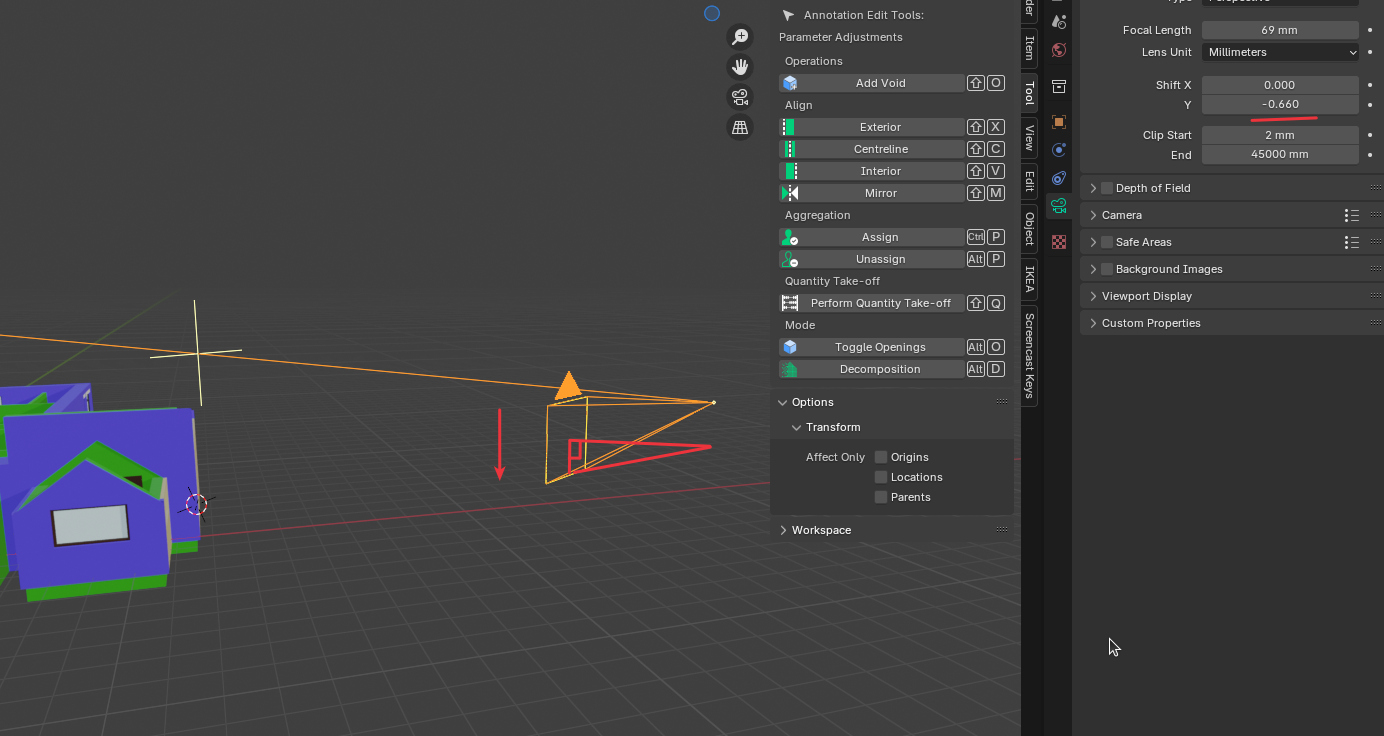
I'll post it as an enhancement in github, but might be too much effort for minor gain.
Yeah, maybe, but curious what use case does 'shift' do, over just rotating the camera, which saves into the ifc file.
Picture (pun intended) a ground shot of a tall building. Rotating the camera up or down introduces a perspective vanishing point.
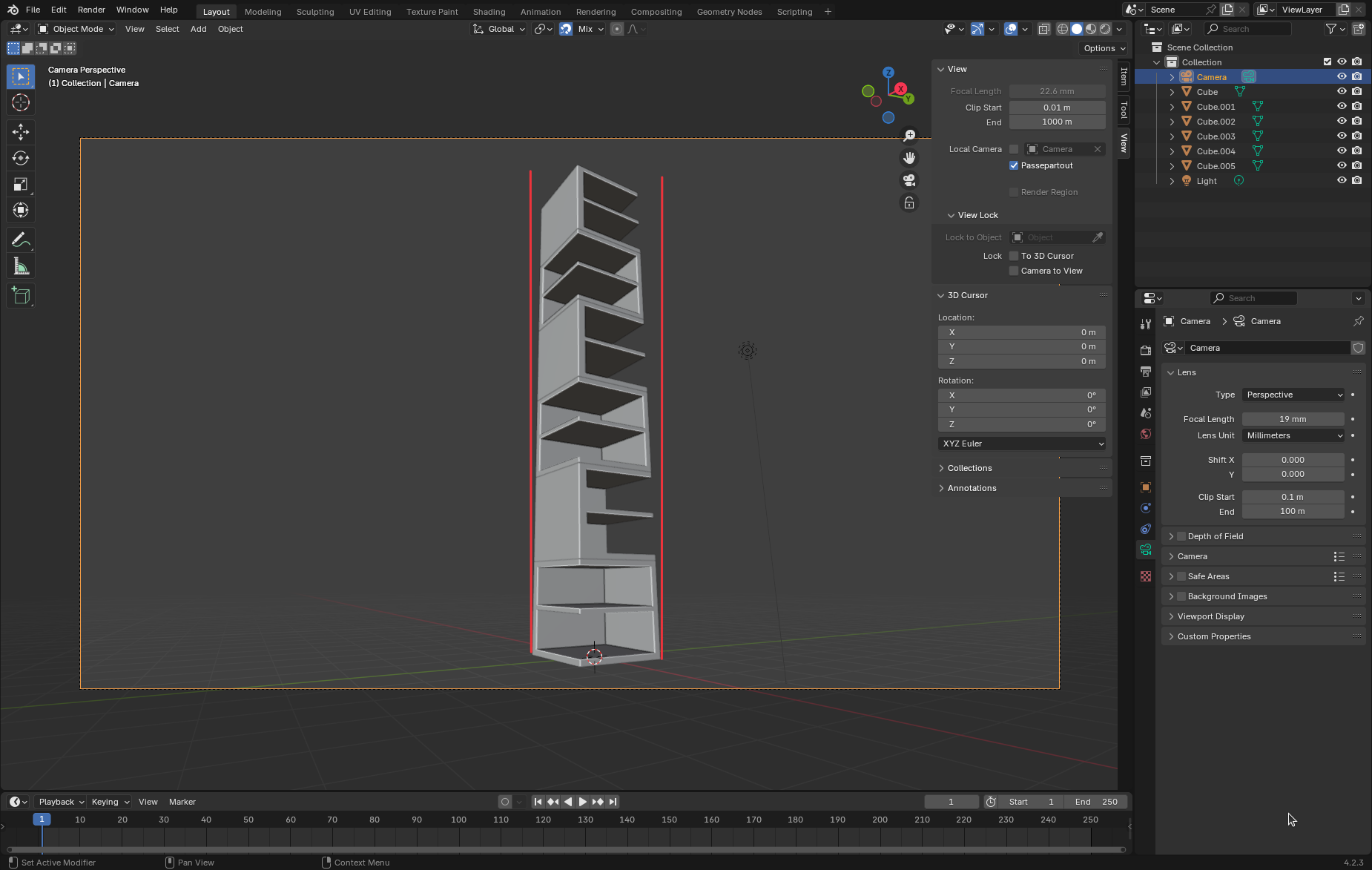
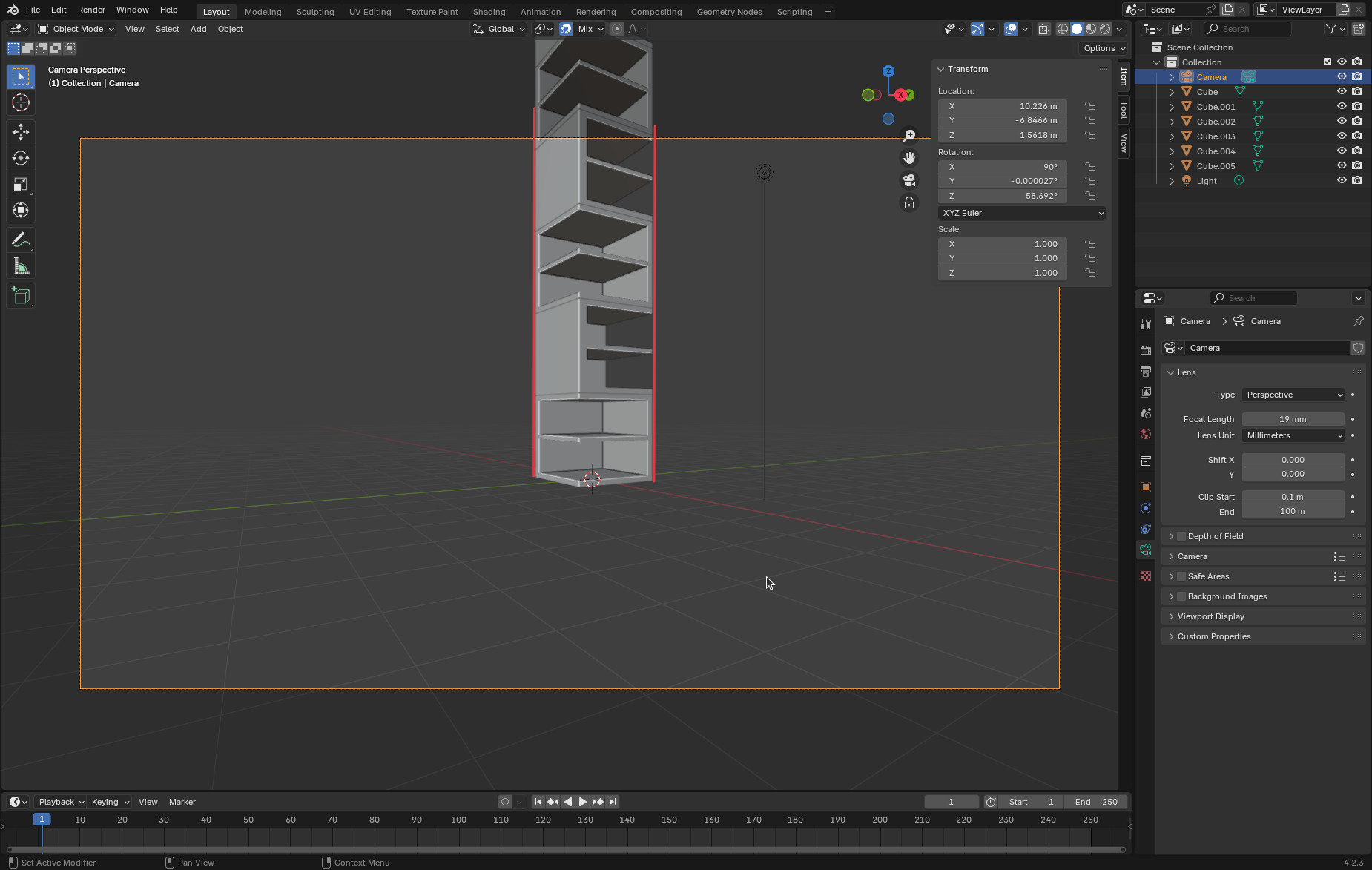
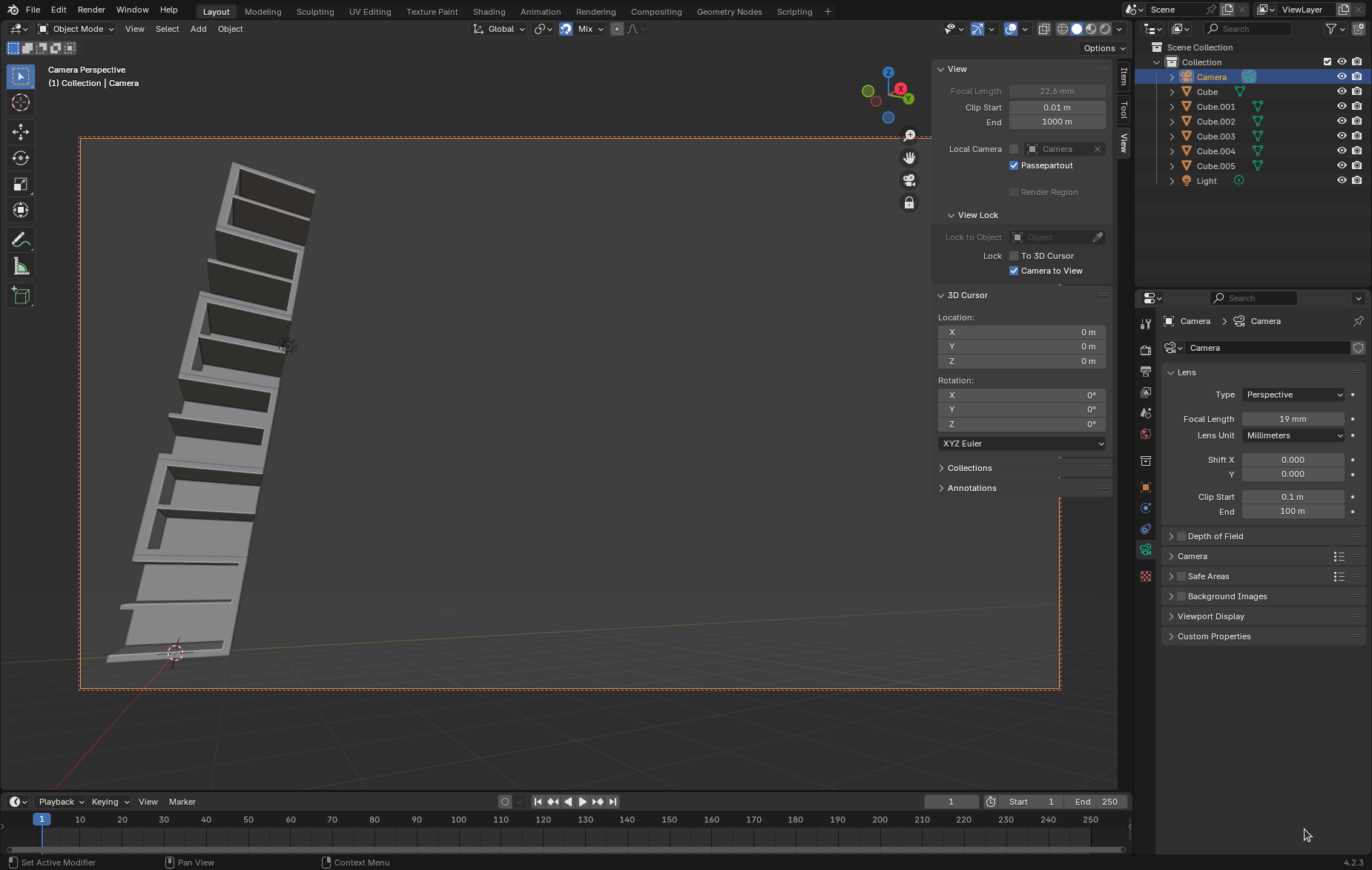
The vertical lines are no longer vertical in the image. We can straighten them by setting X-rot to 90 degrees, but now we're looking at the ground floor and missing half the building.
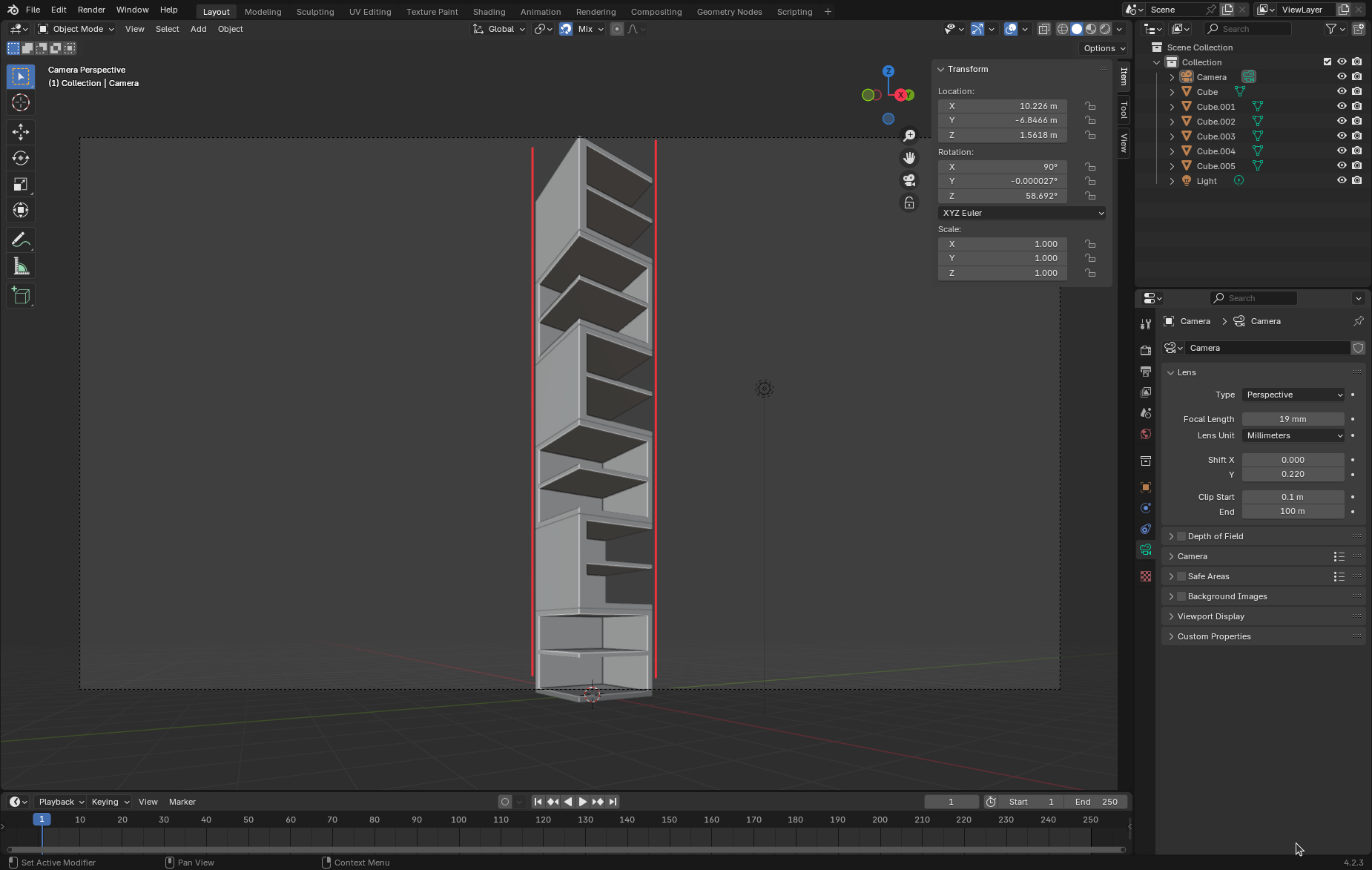
Enter Y-Shift:
And bear in mind that the leaning over of verticals gets worse the further out to the sides you go:
There are workarounds where you oversize the shot so that the top is included in the 90 degree rotated shot, then crop it. Either pull way back to include the top, or use a lower focal length. In the real world these are limited by physical constraints of the location, or the camera lenses. On a computer in the virtual world it is easier to do this, but you could end up wasting computer resources rendering unneeded parts of an image.
This feature is added courtesy of me experimenting with Copilot. The free credits aren't going to go very far however, so limited ability to leverage it for a lot of contributions.
Camera shift is a powerful and not well known feature.
FWIW Orthographic cameras also support Shift X and Shift Y although in that case it is strictly equivalent to moving the camera along their local X or Y axis. However this opens a whole can of worms and I do not think Bonsai supports it right now. I think we may want to add callbacks to prevent users from messing with orthographic camera X and Y (using vanilla camera properties panel) the same as we prevent messing with ifc entities scale.
Cheers
Distorted vertical lines in architecture in most cases are a no go. I couldn't live without an architectural camera option. Thank god Blender has a shift camera option.
But if I get that right it is about Bonsai's Camera - used to set up Viewports for Plans/Paper Space.
I would want shift lens there too of course.
I had a few Apps that did not have shift cameras in the past.
My workaround was to keep the camera strictly horizontal (rotate around Z only) but forcing the Viewport Border upwards to get the final detail of photograph. Then moving the Viewport back in Paper Space Layout.
Maybe something like that (adding the functionality to the Viewport instead) could be a valid workaround for Bonsai/IFC Cameras too ?
BTW,
in Vectorworks that workaround was not very reliable. The slightest changes to Viewport or Camera and the VP Border jumped back and you had to start from scratch.
Another workaround, like with a real physical camera, is to step back or use a shorter focal length until the whole building fits although the Camera points horizontally. Then you need to crop the image to get the final detail of photograph.
Which wastes film size/resolution - in reality - though.
BTW 2,
VW meanwhile got an architectural perspective option - but unfortunately all or nothing only - no control for shifting XY.
I had clients that demanded "vertical lines" (for a very low distorted) 3 point perspective. Once the got the architectural perspective they said again they need "non distorted vertical lines". "Yes, they may be vertical, but visually, now they look distorted in the other direction".
That is why I think it needs a way to control XY shift, not only to have an on/off switch.
@zoomer You can control the shift though ?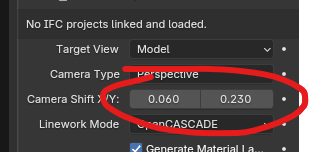
Bonsai cameras are Blender cameras, with semantic information added to it so Bonsai knows how to project and resolve the different entities in the projection.
Unless I misunderstand what you're saying Plans / Elevations / Sections are orthographic projections so in this case conceptually it makes (IMHO) more sense to have the user physically move the camera object representing the sensor rather than using lens shift X and Y which is effectively the same as moving the camera in its XY plane.
Sorry, I have not yet tried to create any Plans in Bonsai.
I thought should/would render my rendered perspectives in Blender only (synced to IFC by the metadata.blend).
Now I thought you should also be able to create perspective rendered Views directly in Bonsai/IFC.
(Which makes sense to me, making whole Plan Layouts in IFC, including multiple Viewports, which might even include rendered perspectives)
Yes, the shift lens/architectural camera feature is only needed/applicable in Perspective Views.
Sorry for the confusion about the mix of 2D and 3D coordinates .....
In 2D Plan Viewports you use XY as it is 2D. Although for a Section or an Elevation it would mean YZ or XZ in 3D.
And that's the same for the lens shift controls. The shift values are commonly also using a 2D YX, as being seen in a 2D picture result. While you basically shift left/right in (3D) X and up/down in (3D) Z axis.
I just had Ryan's tutorial videos about creating 2D Plans in Bonsai in the back of my mind, that a Viewport means the need of a Blender Camera.
And I thought the problem would be how to save such Shift Lens properties in IFC (?)
Hence I thought that my workarounds could be applicable.
Like via doing some voodoo with actual Camera position vs Viewport border shifting or similar.
@zoomer I'm reading your post, and it is still not clear to me if you understood Gorgious or my posts.
When Bonsai saves the IFC, cameras are stored in the file as an IfcRectangularPyramid whose position, rotation, and dimensions are used when creating the Blender camera camera object used for a drawing. The IfcRectangularPyramid is linked somehow to the IfcAnnotation[Drawing] object, but that's not really important. The important bit is that to create camera shift the apex of the pyramid need to move laterally away from being directly above the center of the base. This is not possible with the IfcRecangularPyramid as provided, so we have to store the information another way. In this case we now store the Shift X/Y in two fields in the EPset_Drawing of the IfcAnnotation[Drawing] that represents the camera. This way they can be saved/loaded to the IFC file. I don't believe EPset_Drawing is some cross-compatible thing, so I don't think you can get the same view automatically in other applications.
Note: This is only for Perspective Drawings. You don't see it in the viewport unless you activate the shifted perspective drawing. You don't see it in plans, elevations, sections, or isometric views.
There is now one less reason to ever go into the native Blender camera panel. I hope that is all clear.
I've merged this change into Bonsai already, soif you are on the unstable repo you can get it right now!
Thank you @sjb007,
I think I now got what the problem was.
And that is already solved for Bonsai.
Have to get familiar with IFC capabilities for 2D drawing data.