

Soliciting Funds: An inkscape extension to export dxf with layer information from BlenderBIM svg

Collaboration often involves sharing 2D drawings in dxf format, so people can work in their favorite program. Tipically the drawing elements are organized with layers with different colors, lineweight and linetypes. This is important for increased readability and easily change visibility, lock or unlock parts of the drawing and so on.
Currently, dxf files exported with Inkscape from svg generated with BlenderBIM doesn't contain any layer information.
This project is looking to solicit the funds to help develop an Inkscape extension that allows:
1. Create Inkscape layers from svg elements associated with different IFC classes made with BlenderBIM
2. Allow configuration of the layers attributes (name, color, lineweight, linetype) for each IfcClass
3. Export to dxf with layers information
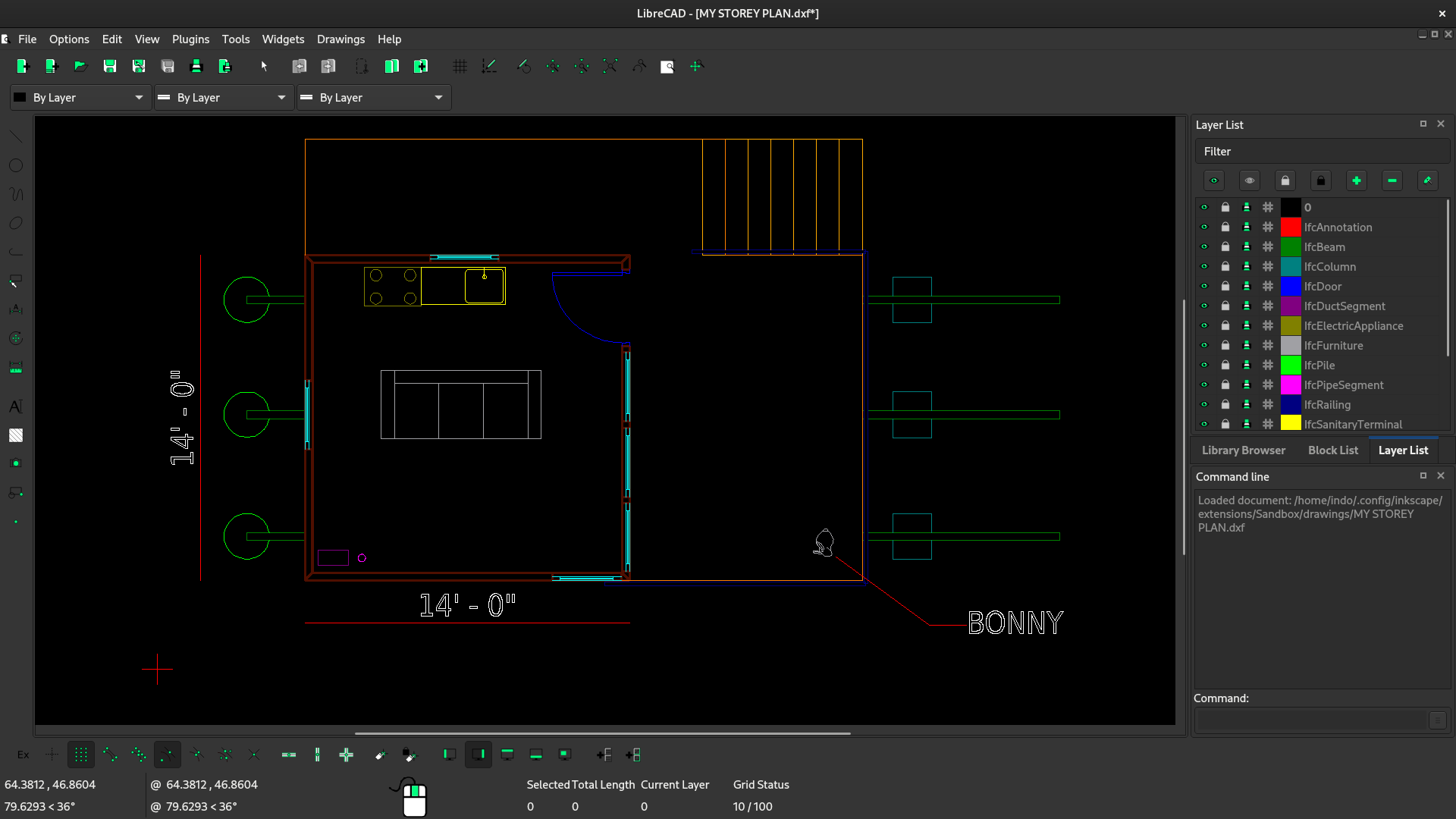
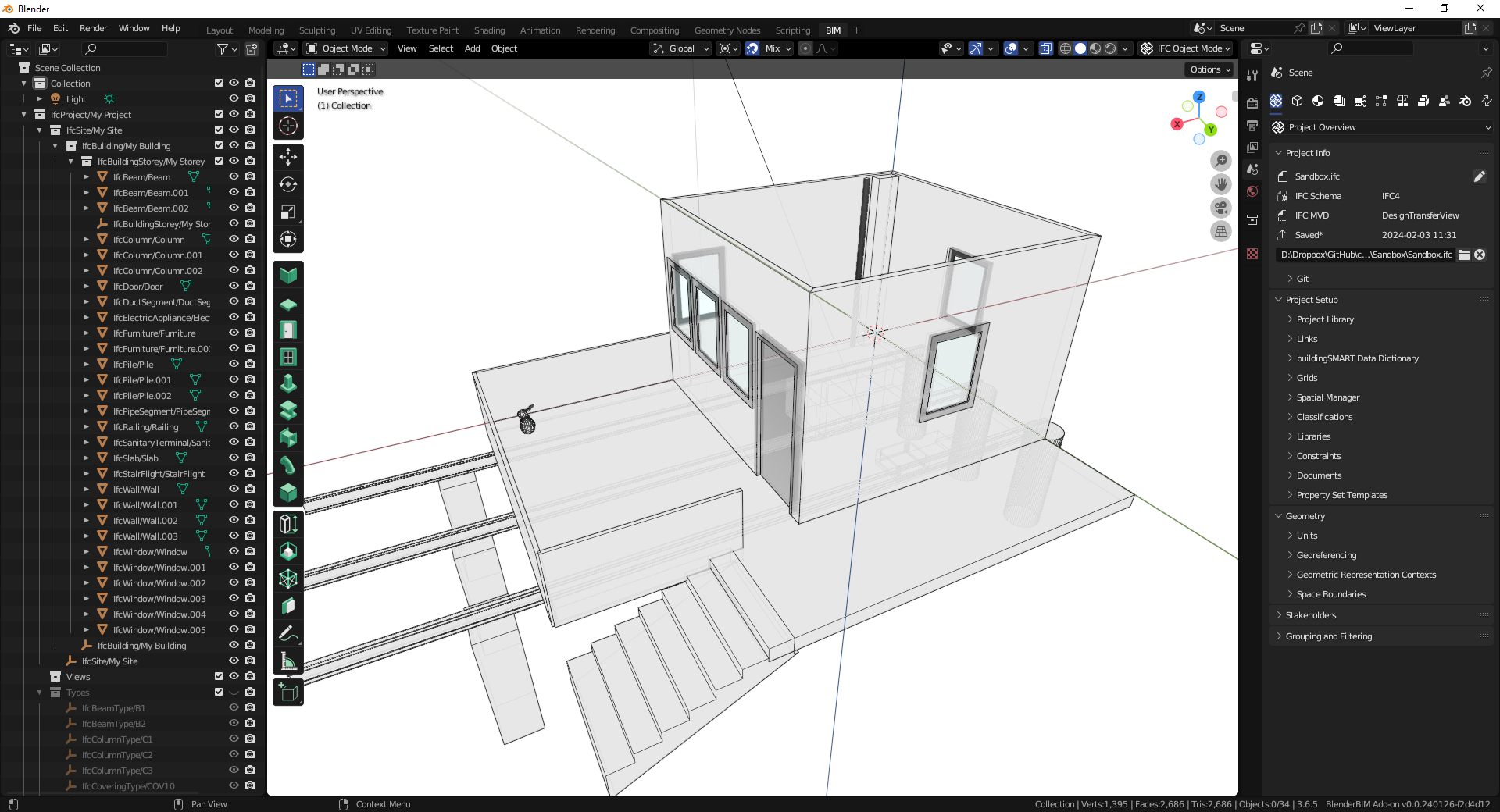
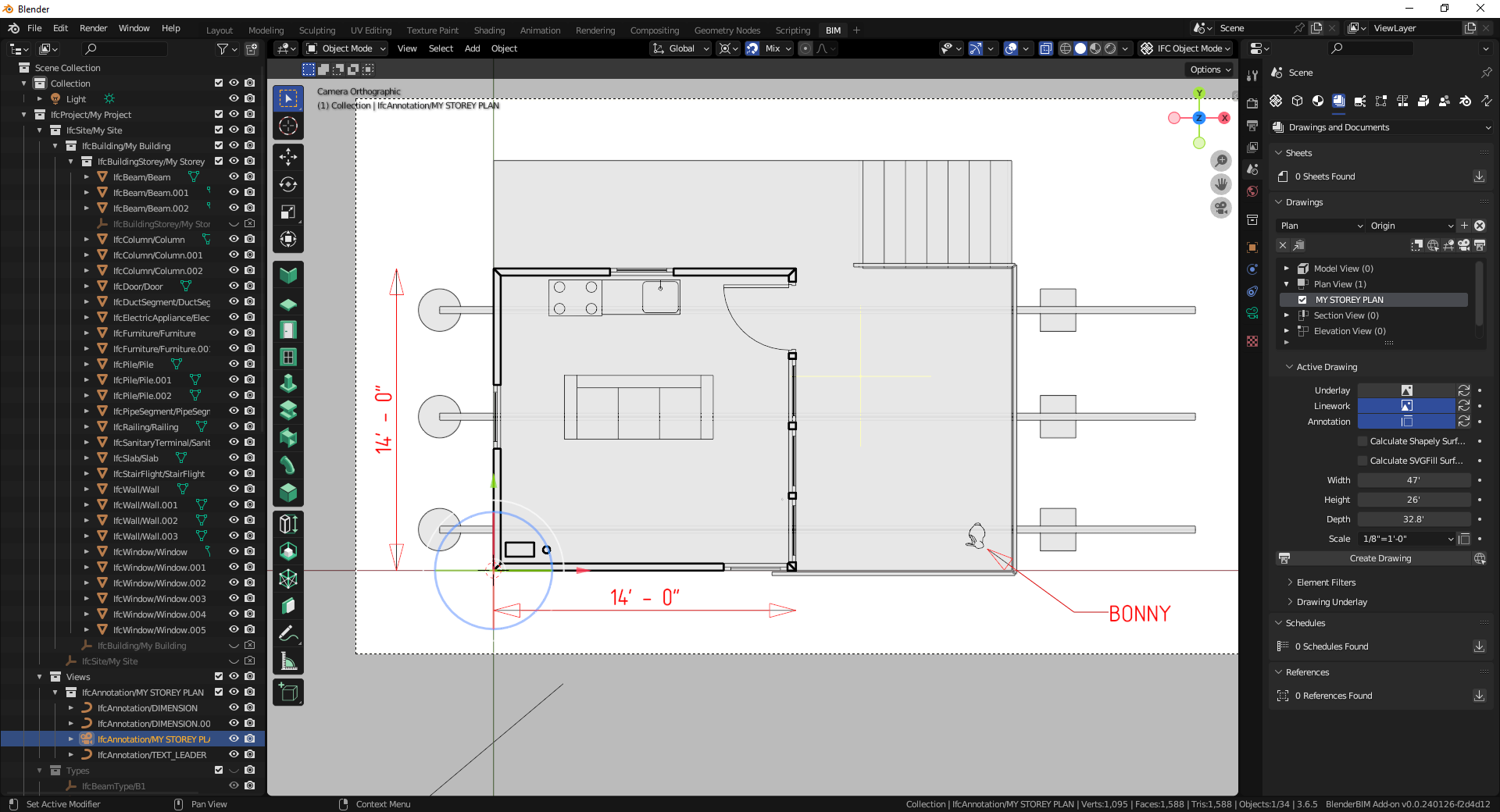
This has been discussed in the following locations:
- https://community.osarch.org/discussion/1942/an-inkscape-script-to-translate-svg-classes-to-svg-layers-for-ultimate-dxf-export-with-these-layers
- https://community.osarch.org/discussion/170/what-is-best-for-documentation-when-svg-dxf-dwg
As you can see in the links above, there has already been some work in the regard. With this project, we hope to build off this initial work and it will be useful when implementing direct dxf export from BlenderBIM







Comments
Awesome!
Posted it on our Open Collective site!
https://opencollective.com/osarch/projects/convert-blenderbim-svg-to-dxf
...
The project was created through the following initiative.
https://community.osarch.org/discussion/1741/have-an-idea-youd-like-to-get-funding-for-or-see-realized
FWIW it should be relatively straightforward for someone familiar with both svg syntax and ezdxf API to write a converter. I'll share a test I worked on some time ago. I eventually elected on directly writing to dxf from the 3D blend file because I personally don't have a use for svg and it doesn't translate 1:1 to the dxf syntax. for example in a svg an object can be part of any number of classes but in dxf an object can be in only one layer.
I'll drop the link. Do with it what you wish, the current implementation translates polylines, hatches and texts. Hatches are translated to solid, not patterned, same for lines, they're continuous. https://github.com/Gorgious56/svg2dxf/blob/main/convert.py
Update implementing a new ezdxf based inkscape exporter extension.
Basic functionality is done thanks to @Gorgious input and adapting from the existing DXF exporter. Still need to add lineweight, linetype and save/load settings options.
Video:
https://www.dropbox.com/scl/fi/jsjf2tqq28xk63xp4skz9/2024-02-14_13-40-38.mp4?rlkey=7cu96f0b1rka949kor5zjxapu&dl=0
@elschilling nice work to you all. Will the save/load settings be an external text file that can be edited externally? It is good to have a 'save settings' file for each recipient of the exported drawing so they can be customized to their needs.
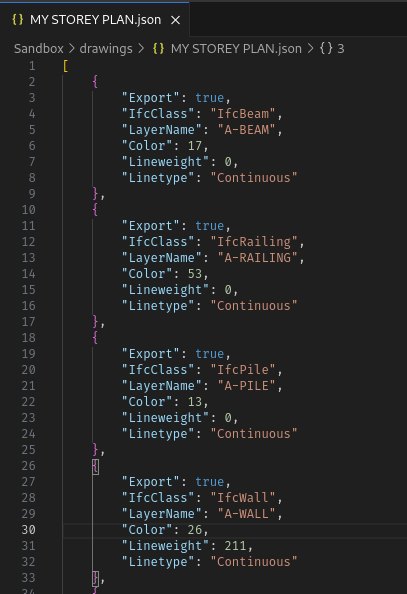
Yes. It is possible to have multiple export settings saved as json files that can be edited externally or with the inkscape extension GUI.
Here is an update:
Export settings GUI
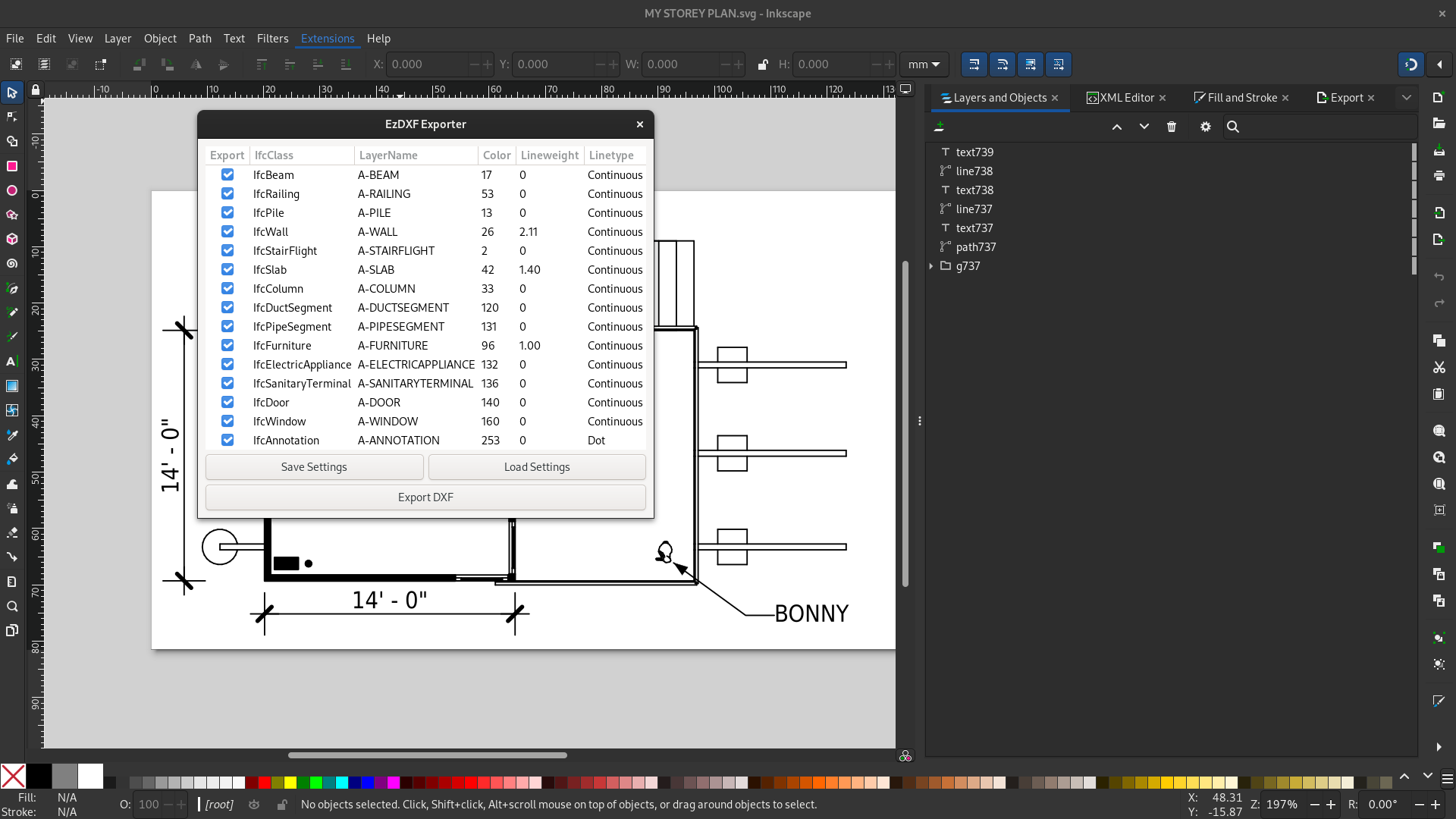
Export settings JSON file
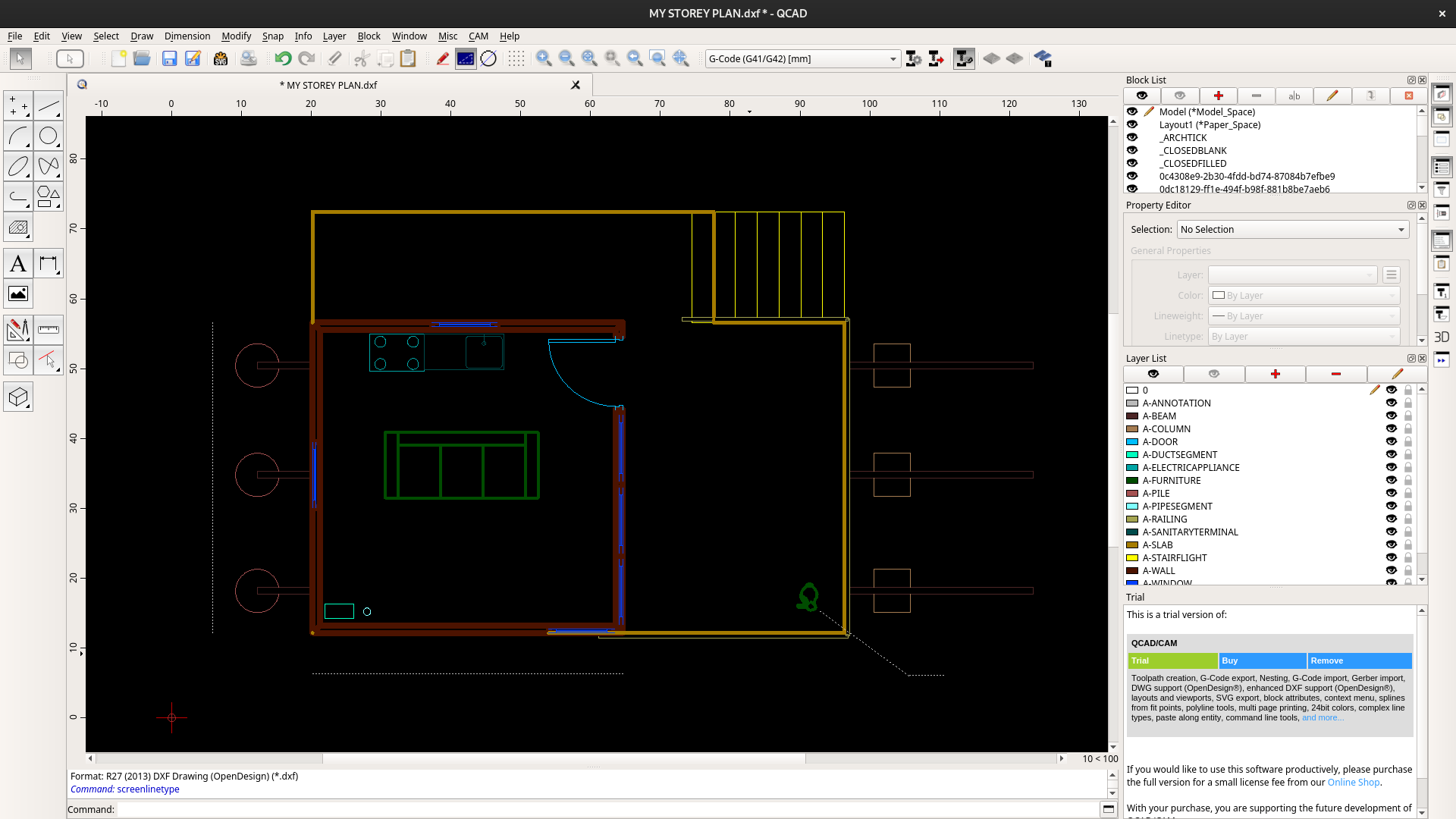
Result DXF exported
The extension is available here
To install copy the
ezdxf_exporter_effect.inxandezdxf_exporter_effect.pyto your inkscape user extensions folder and install ezdxf library withpip install ezdxfAfter that there should be a new option called IfcClass exdxf exporter available at Extensions > Export menu
Next I will implement text and hatch support.
Any help testing and feedbacks are appreciated
I've packed all dependencies into a zip file for easy installation. Just extract it to the Inkscape user extension folder.
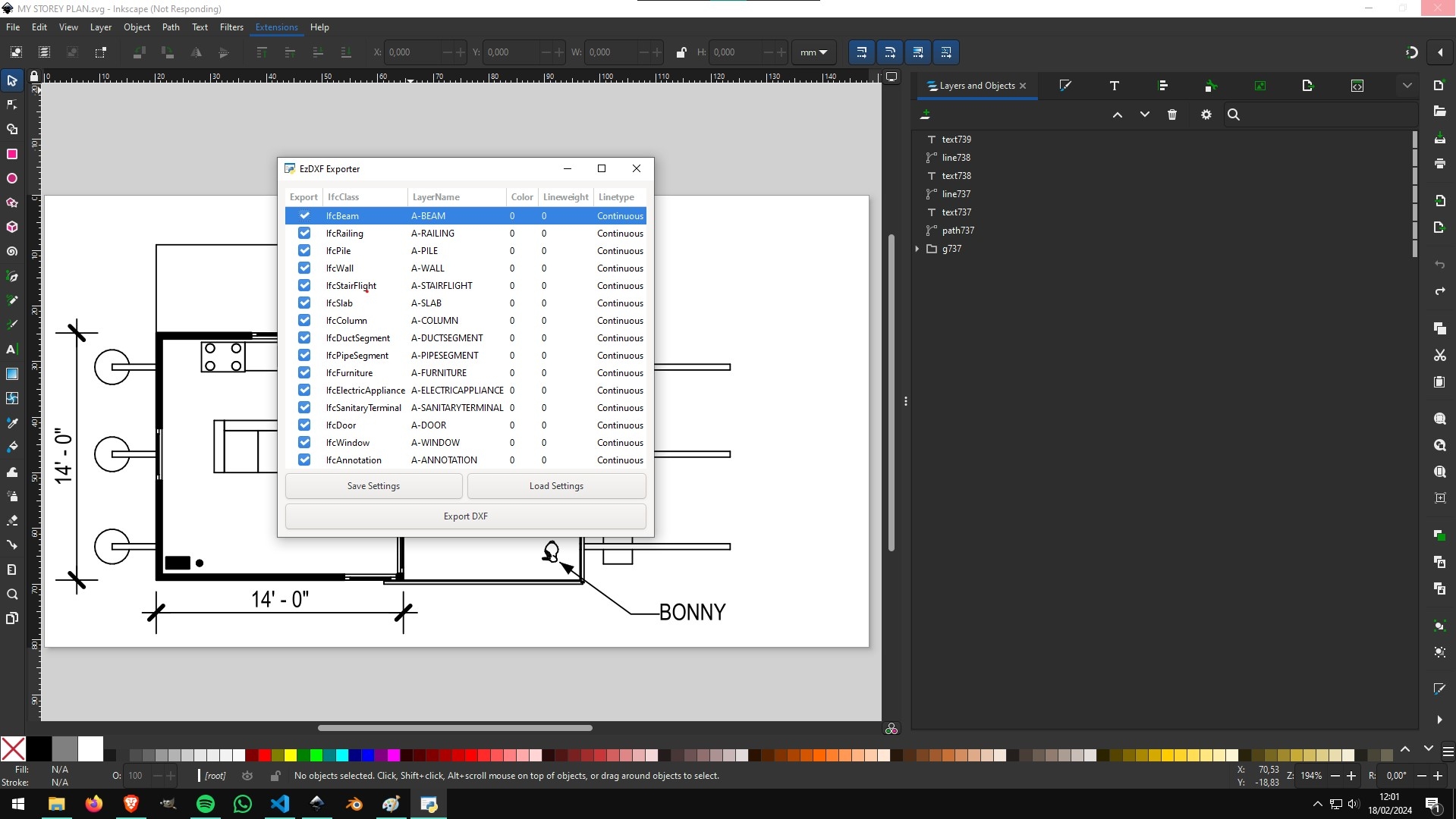
Tested it on Windows 10
Hey @elschilling I have installed the exporter on Windows 10 and I just get to the place where I can save the DXF but it is not saving, after clicking the button it just does nothing,
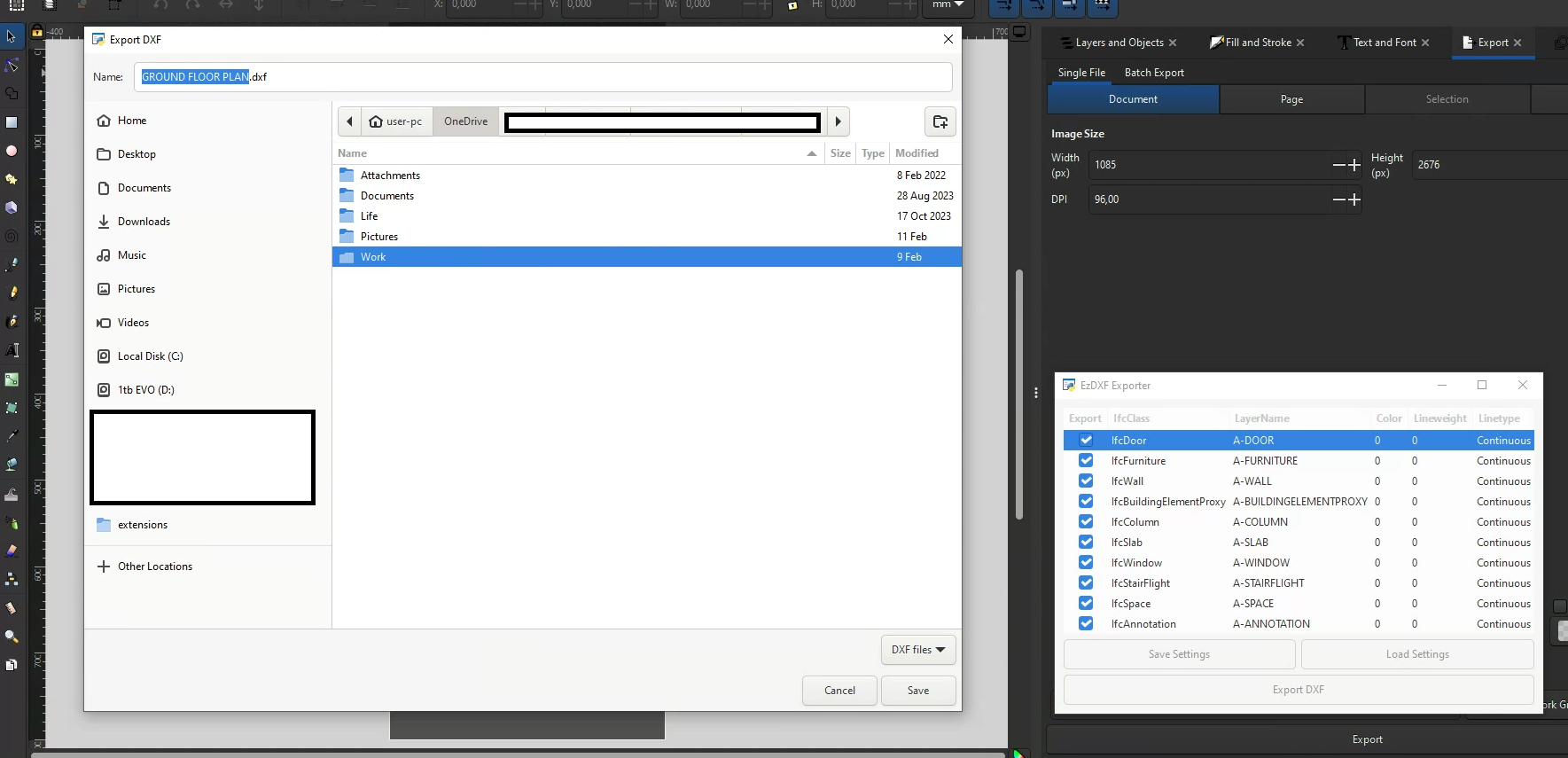
not sure If I messed up the extension installation or there is a step to the process I've missed?
@Ace Did you download and extract the following? https://github.com/elschilling/class2layer/releases/tag/v0.0.1
Hi @theoryshaw yes I extracted the top zip
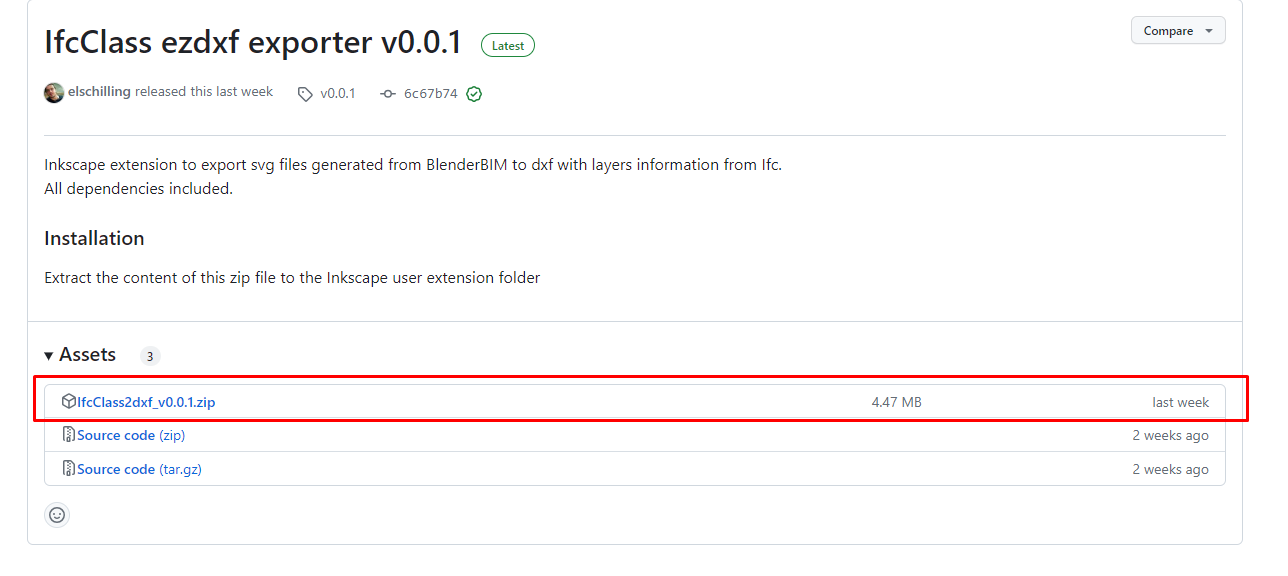
I downloaded the latest updated zip
and copied the contents into the extensions folder found here:
C:\Program Files\Inkscape\share\inkscape\extensions
The extension itself appears in Inkscape and I can get all the way to the screenshot I posted, then when you click 'save' it doesn't commit or something, just does nothing.
I'm using Inkscape 1.3 on Windows 10,
I've experienced this too, just now. I think it's working, but just gets hung up, and freezes.
I can't convert the attached file.
Could you please share the ifc file that this svg comes from? I confirm the bug both on windows and linux environments. On linux I could detect the error message that says 'Segmentation Fault'. I suspect that the bug is related to the markers definition of the generated svg. A temporary workaround is:
1. Open the drawing with Inkscape
2. Copy all drawing elements
3. Open another Inkscape and paste your drawing
4. Export to dxf
I will try to make specific xpath query to filter only drawing elements
NP, here's the file (
Restaurant_Sun_Prairie.ifc) with all the BB dependencies.The name of the drawing is
FLOOR PLAN - 1ST-cad_background_test.And here's the svg.
Thanks!
Hi @elschilling, did you run into a roadblock here? Anything I can help with, to help troubleshoot.
...
If this is a lot of work, my vote would be to release the funds to you now, as you already put in a lot of effort.
Would be nice to see some funding movement on these campaigns.
Hi @elschilling, the steering committee would like to release the funds to you for this work.
To start the process, please submit an expense for $316.12 USD, here: https://opencollective.com/osarch/projects/convert-blenderbim-svg-to-dxf/expenses/new
Thank you for your work!
...
For those interested, if the latest commit from https://github.com/elschilling/class2layer gives an error, the following earlier approach works...
from: https://github.com/elschilling/class2layer/tree/40fff3528e4964dfdc9007689b4afc9f21d786a9
Hi @elschilling this is a great extension! Thank you for your work. Any new on the support for text?
Hey everyone!
Sorry for the radio silence; I had some personal issues and was without internet for a year. But I'm back now! Over the past few days, I've been working on version 1.0.0, which fixes the non-functional "Save" button bug and adds support for exporting text elements. The release is already available on GitHub. Any feedback would be greatly appreciated.
@theoryshaw said:
I just submitted the expense for this amount. I'm really grateful for the opportunity to collaborate with this community, it's a great pleasure to be a part of it!
Welcome back!
I pulled the latest, but when i run it, the setting dialog doesn't appear.
Probably it is missing the ezdxf and its dependencies (fontTools and pyparsing). Try extracting the full zip file. Your extension folder should look like this:
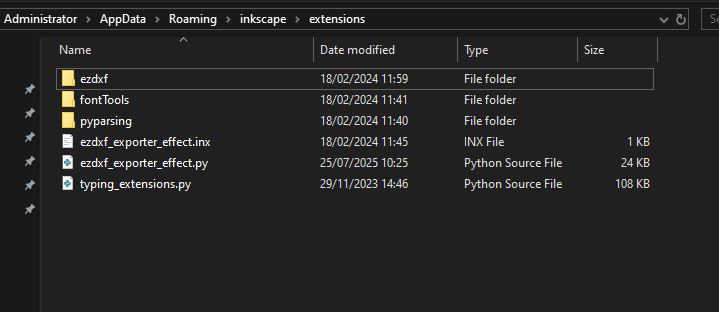
Got it! Thanks.
When i open the .dxf though, all the objects are in a 'block reference'. It didn't appear that way, in your video. Is it a QCAD import setting?
Yes, it transforms svg groups into dxf blocks. On QCAD is the same, if I want to access individual elements like lines I would just explode the blocks
With AI help, the following PR put the objects directly in model space--that is, doesn't use a block reference.
https://github.com/elschilling/class2layer/pull/3
Cool, the first versions worked that way. But I tough that would be nice if the group information of the svg could be maintained trough blocks. That way you can single click select objects like the sofa or Bonny and so on. Maybe we should turn it into an export option on the dialog?
sorry, was AFK.
Yeah, keeping the blocks makes sense.
Would it be possible to put the blocks in their corresponding layer? It seems currently all the blocks are in the
0layer.To make QCAD show the blocks colors of the corresponding layer is necessary change this compatibility option
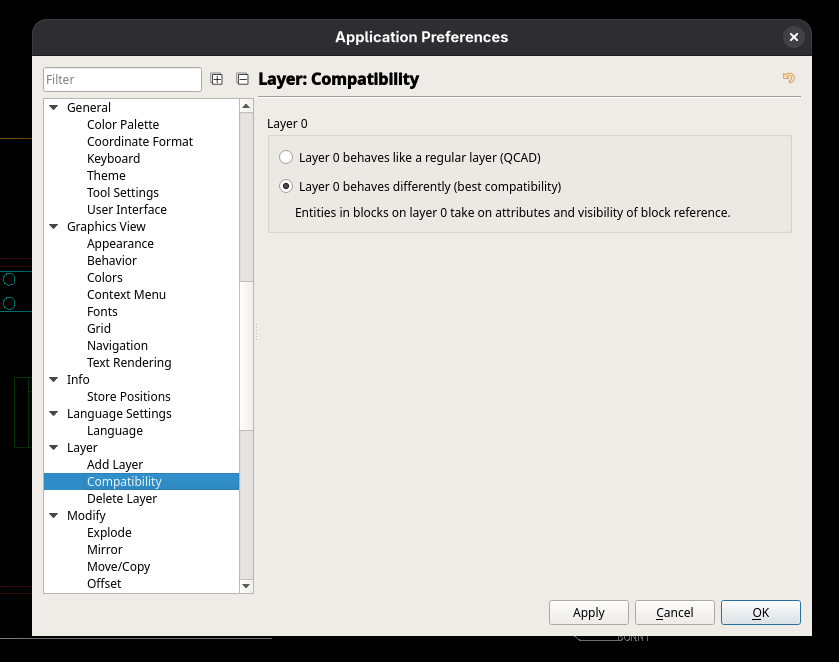
QCAD explode command puts the exploded block elements in layer 0, while LibreCAD keeps in the same layer of the block. If the block elements are in a different layer than 0, it will not consider the layer color it is in, while if the elements are in layer 0, it will consider the block layer settings.
(the greyish lines in the furniture are due to video compression loss)
Cool, didn't know about that preference.
Is there a way, however, when exploding to have the elements stay in their designated layer? instead of all of them going to layer
0?I couldn't find a way to do this in QCAD.
I added a preference for 'blocks' to that PR: https://github.com/elschilling/class2layer/pull/3/files
Awesome. Seems that when Use Block References is checked everything goes to layer 0?
I think it is generally a good idea that Blocks reside on Layer 0, for visibility reasons.
Layer 0 stays always on, but you can still control selective visibilities of Block Contents with other layers.
But I also want to be asked, when exploding Blocks, if I want to keep Block's children on their previous layer.
Not true, I always want to keep children's layers and attributes/properties. Or I hate ACAD styles "by Block" definitions. So there is an "EXPLODE" and an "XPLODE" command, never can't remember which does which, but one of them does the right thing.