

creating a query for search group / qto / ...

how would i create a query for windows >1.5 m2?
what i try:

working with properties:

i thought a query can be formulated like that
reading:
https://docs.ifcopenshell.org/ifcopenshell-python/selector_syntax.htm
in a csv import the query dos not work as expected:

any suggestions are welcome!
Comments
@PeterKop
to count windows with an area smaller than 1m² I used
|Count | IfcWindow, "Qto_WindowBaseQuantities"."Area" <1 |interesting, i tried the same with >1.5 and i had 9 small windows and 5 big ones - result was always 13.....
i will check again.
stefano thank you
@PeterKop I believe the "query" type can only be used with = or != operators:
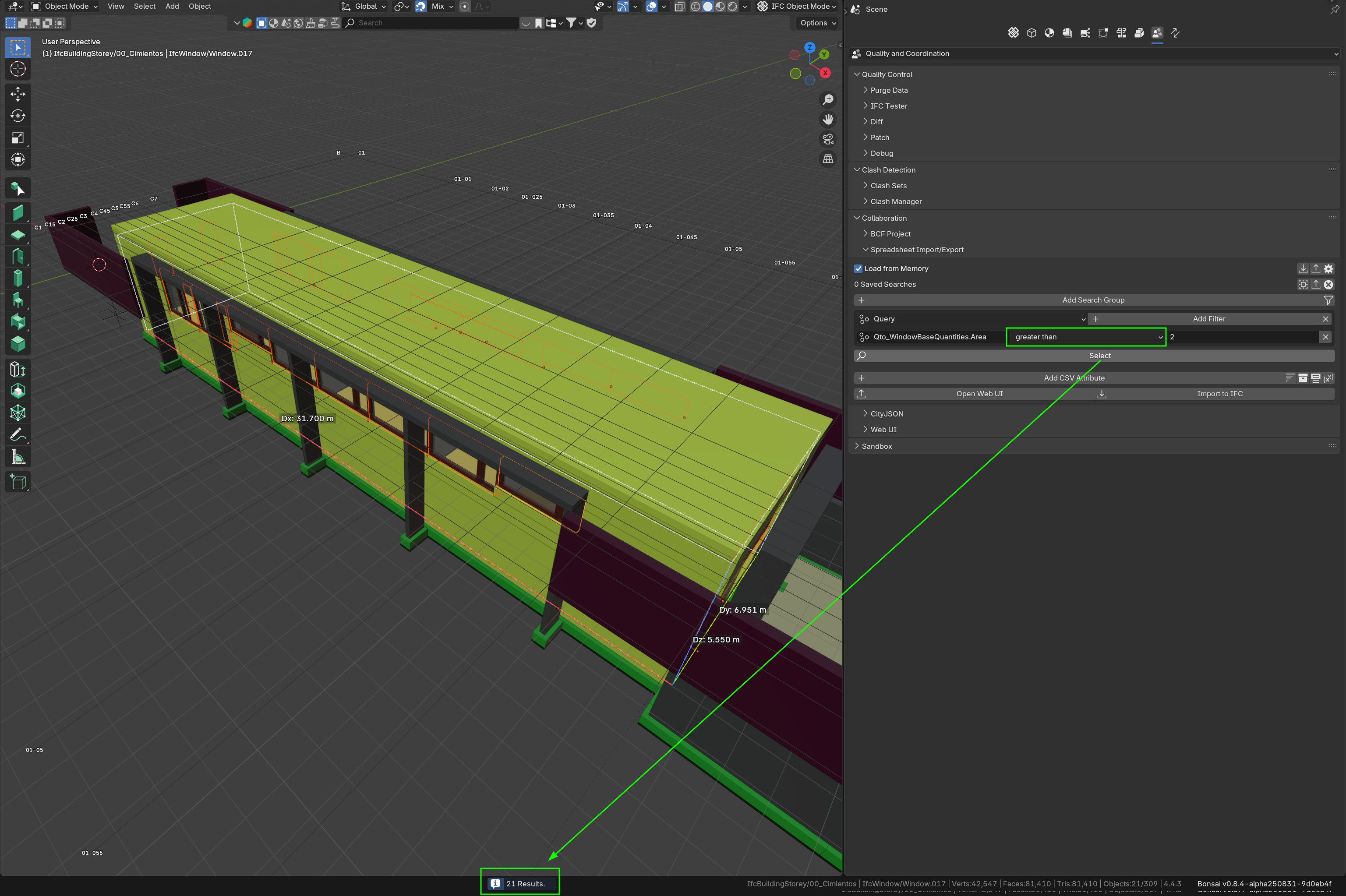
Currently the comparison and value are fetched from the "value" UI field as you have tried in the example above:
comparison, value = cls.get_comparison_and_value(ifc_filter)
however the get_comparison_and_value function only parses to get either = or != operators.
I have just submitted a PR 7081 to have query behave in a similar way to property by adding a comparison field:
Cheers!
@PeterKop PR 7081 is now merged so you should be able to use it in the new release. Thanks @bruno_perdigao for merging it!
Cheers!
wow, great!
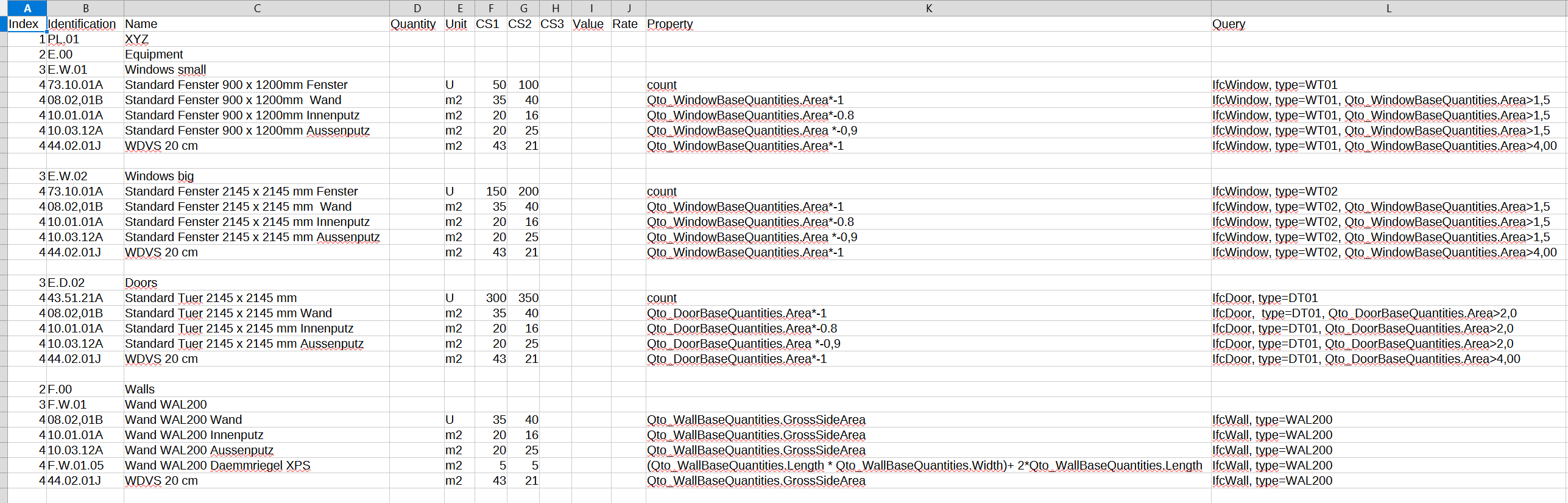
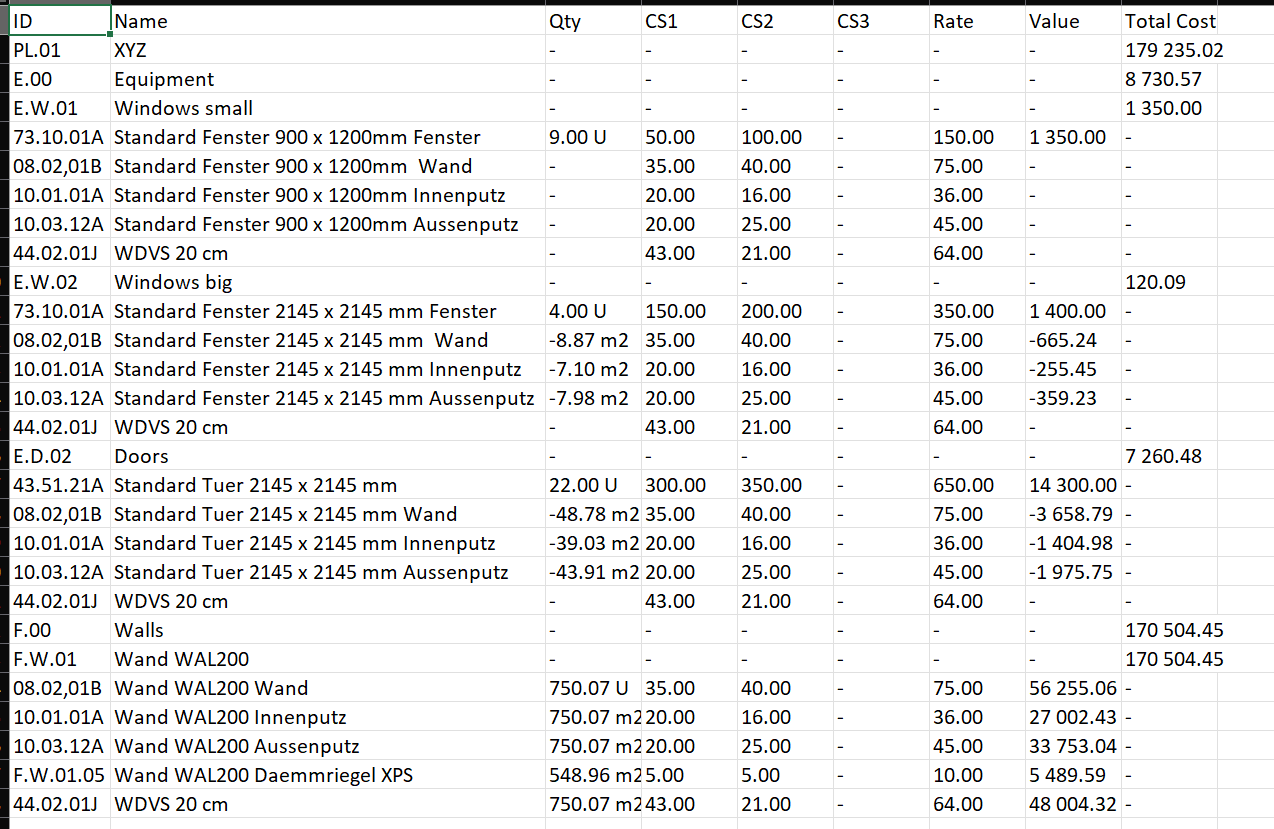
i tried to improve from my side too, close to sharing....
i was doing my things in qto (ifc5d and cost)
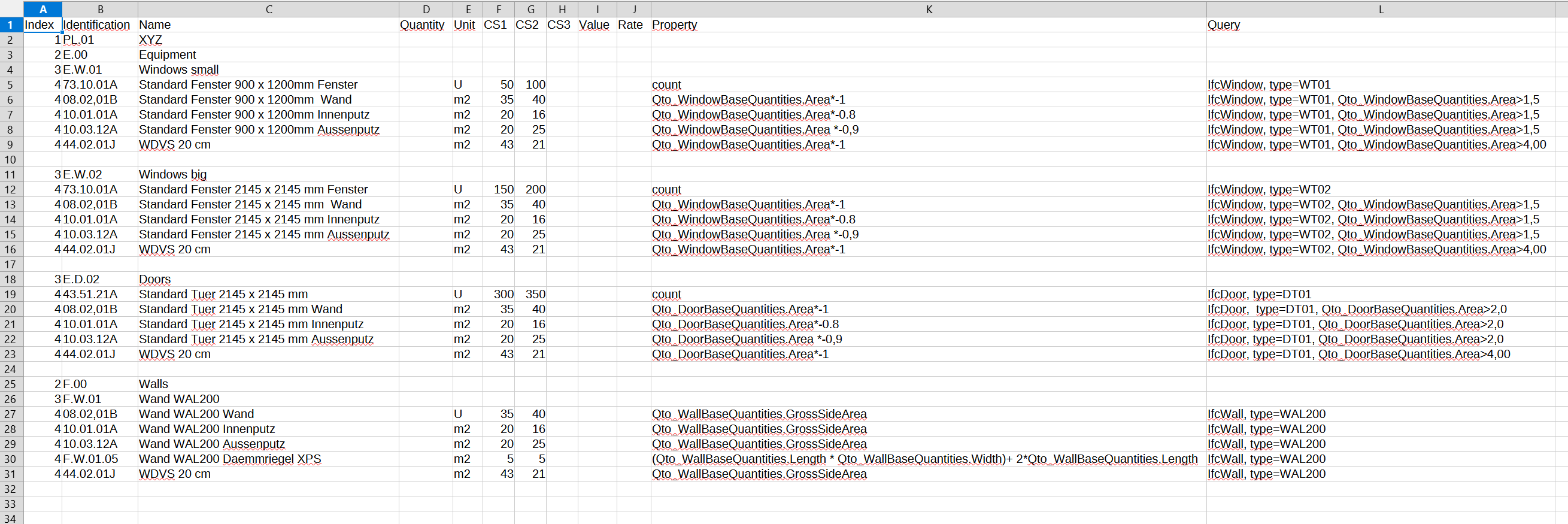
i extended the csv structure for import into:
excuse my messy german-english naming for cost elements.
CS1, CS2, CS3 are values building a rate (usually CS1 = labour, CS2 = material, CS3 = other costpart
what i already achieved is to have more than one condition in query and
calculate in the property field with numbers and property values
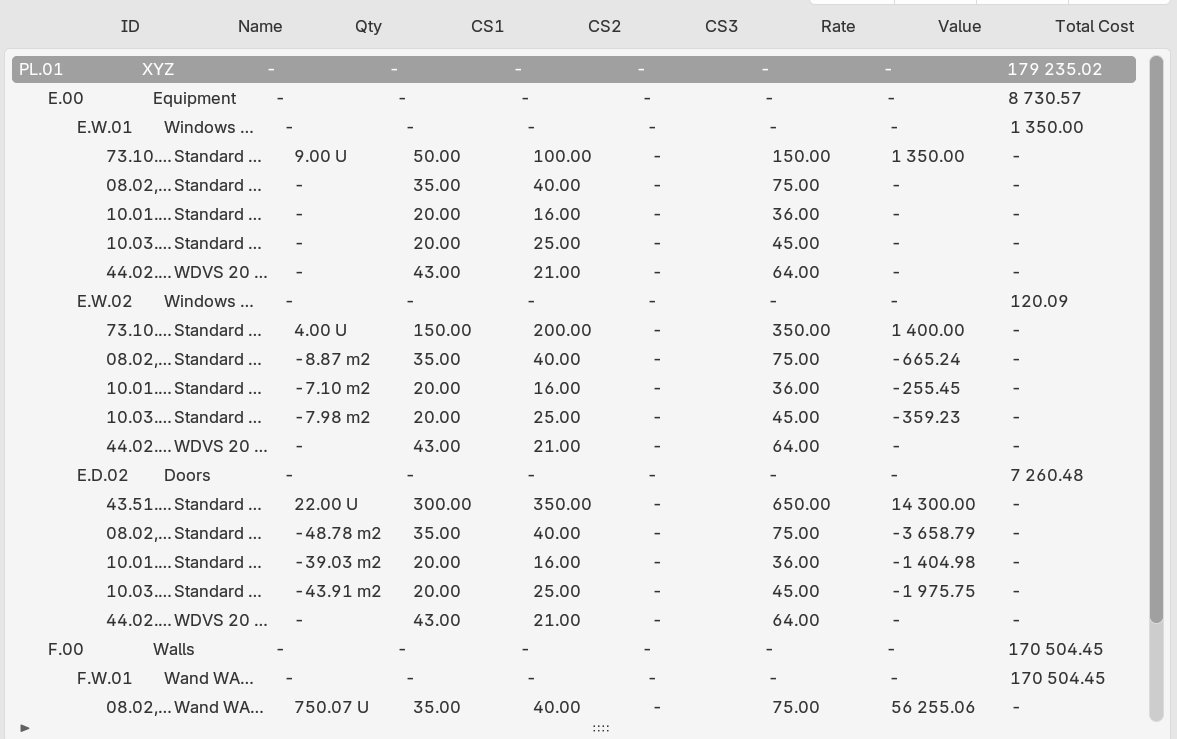
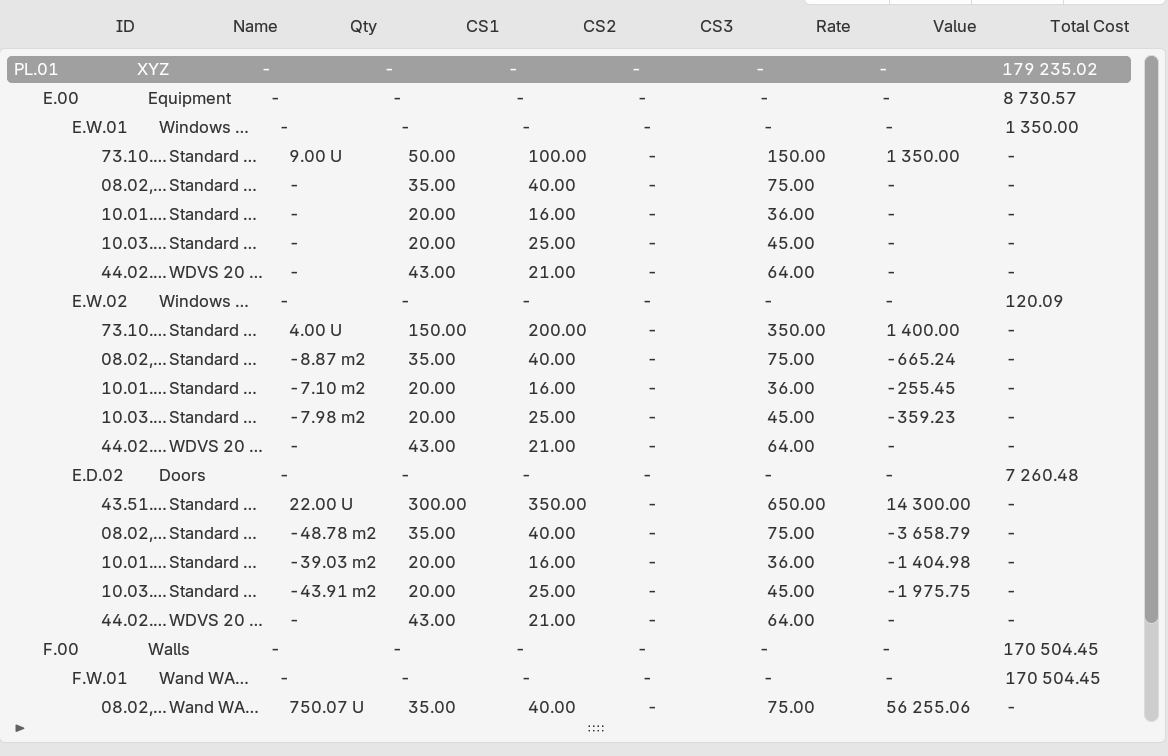
loaded into cost module i adopted the schedule to be more flexible (for me)
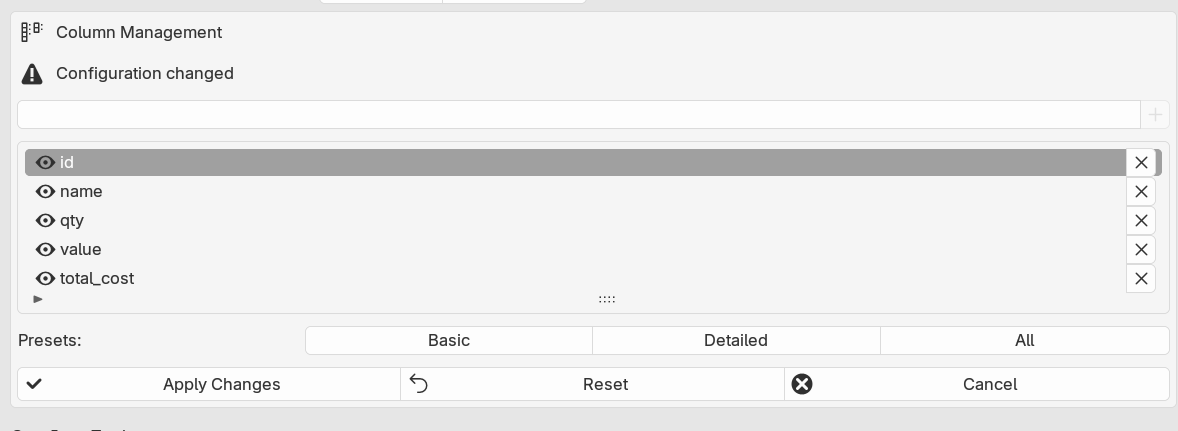
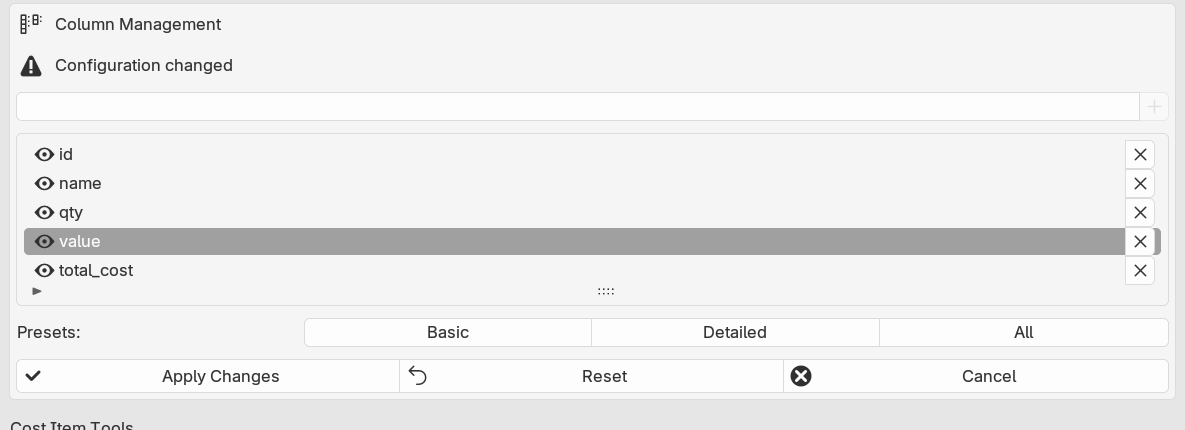
turning columns on and of and have 3 levels of detail - actually enough for me
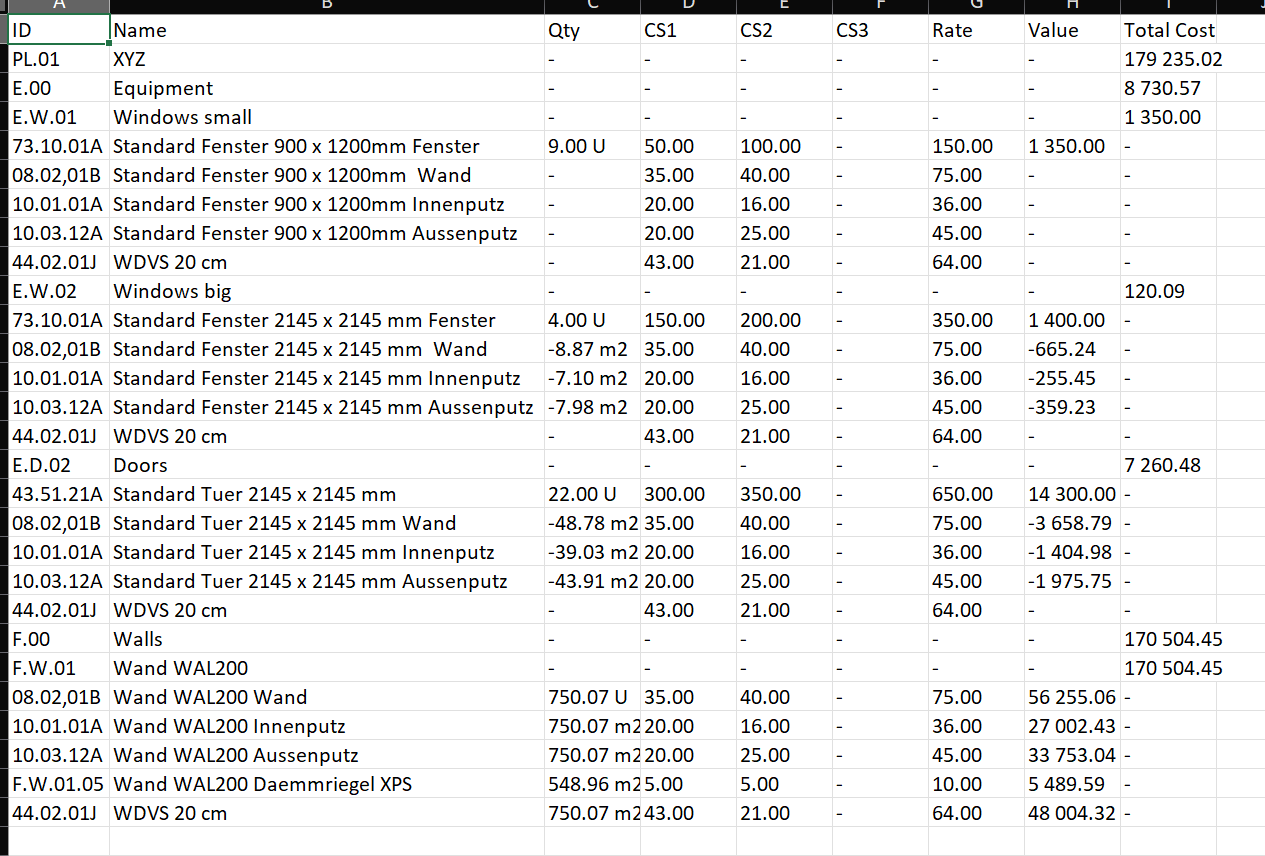
the result is what you see. CS1, CS2, CS3 sum to rate, multiplied with value i get value of a costitem, the cost elements sums values to totalcost (of element) and the whole project.
the data is exported to xlsx ( i did a quick and dirty export as i didnt have the time to search the code for the csv export somewhere between ifc5d and cost)
columns exported depend on columns visible on screen.
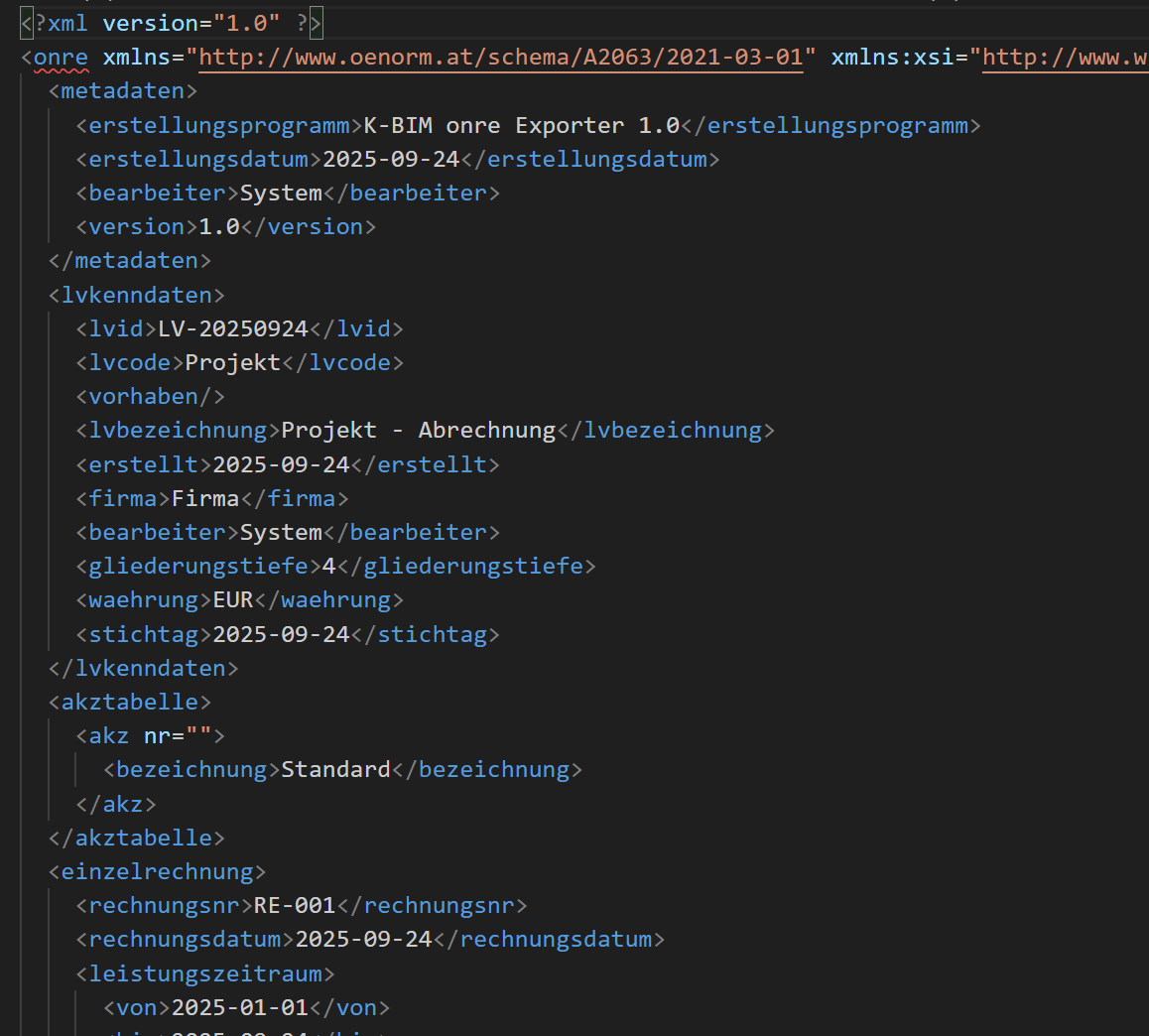
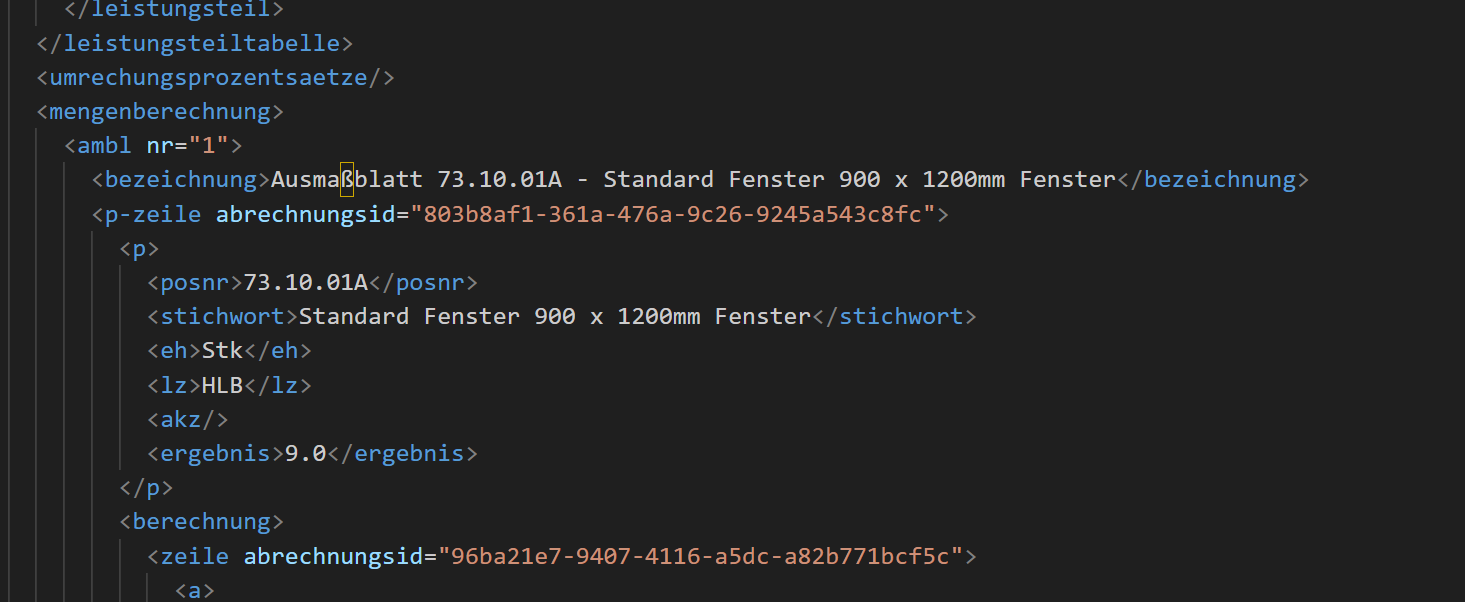
and for me a very important feature (not 100% perfect still) is to export to national standard xml
wow!
i also tried to improve the bits i was missing.
import of csv allows now queries with multiple conditions, properties now allow to calculate with numbers and more interestingly with property values
loaded into "costing"
as you can see i added CS1, CS2, CS3 as costparameters CS1 usually is labour, CS2 is material, CS3 is whatever needed
CS1+CS2+CS3 sum to rate. rate multiplied with quantity is value on cost-item level.
cost-items are summed to cost-element's TotalCost
i can export (quick and dirty as to analyze the existing code for csv output) to xlsx. i export only visible columns of a schedule.
there are presets for basic, detailed, all
here the excel:
and for me very valuable i export to national standards invoice-xml
xml is still a little buggy in structure, but i am working on that!
@PeterKop
what you show in your images (reference to Qto operations in Property, column editor..) is possible with a script?
would you like to share more?
thanks
this is my replacement for qto /ifc5d scripts
and yes it is scripts - check again your google chat inbox
but it is stil work in progress
Sure
I meant to share it on this platform for other users to appreciate your work
Thanks
yes as i told you, i will but first check that everything runs smoothly as expected and some house cleaning (codewise)