

Shed roofs

I'm trying to crate a not-terribly complex gabled roof from Shed roof elements. I'm finding shed roofs quite difficult to work with and the reason seems to be that the thickness is always perpendicular to the plane:
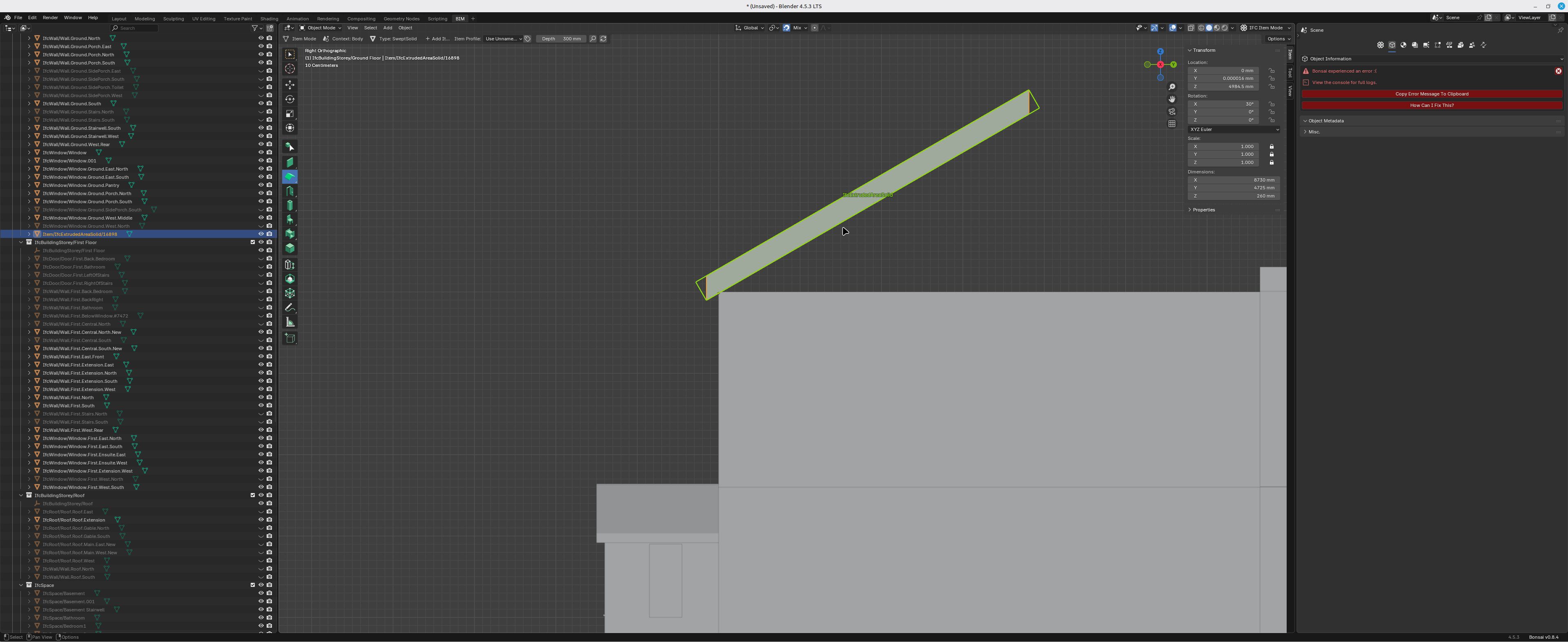
As you move it about there's confusion about where the snap points are, it seems all 5 of these are available snap points on the moving object

There's other issues too possibly related to the inaccuracy blender brings into coordinates, artifacts like these seem very difficult to avoid:
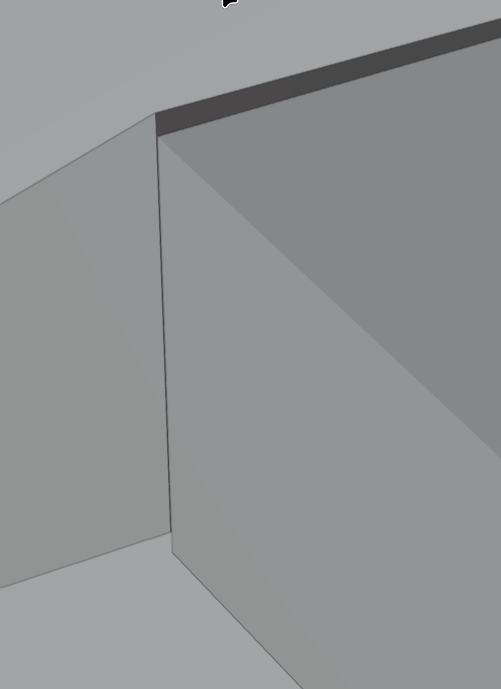
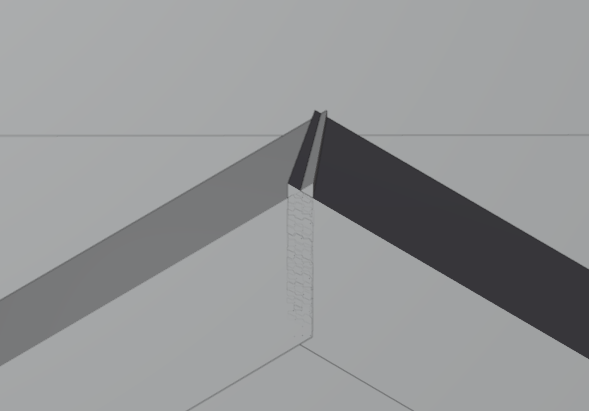
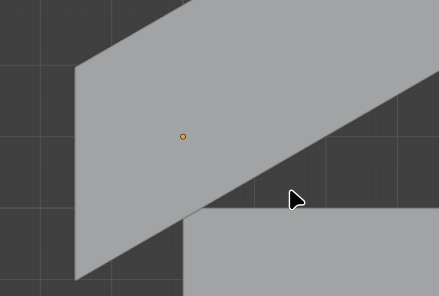
In the second case when the roof angle was 0 they were perfectly aligned but when the angle was introduced an error crept in somewhere.
Looking at the .ifc file in the 2D pointlist the coordinates are along the normal not world based 2d, they are along the hypotenuse of the triangle. There's just so many places for errors to accumulate defining the geometry this way.
Looking at the Ifc Schema it appears to this numpty that the geometry can be defined with the thickness not perpendicular to the normal. It could be defined by world 2d x & y coordinates, inherantly unmoving when the slope is applied. After applying the slope the 2d plane can be extruded along the z axis to give the correct trapezoid cross section. The funny phantom corners/triangles in the first image above would be eliminated. The only trigonometry required working that way is to convert the required thickness into a vertical extrusion distance. With true 2d coordinates placement and alignment ought to be error free. Plus your 2d plane doesn't have to be a rectangle. 3-way gables meeting at the apex become simple.
Or am I wrong? Is the way they are done now the only way the geometry can be defined in the schema?
Comments
To answer my own question, it can be done. Currently Bonsai defines the 2d plane using IfcCartesianPointList2d. That list is referenced by an IfcIndexedPolyCurve IfcCartesianPointList. An IfcCartesianPointList can be IfcCartesianPointList2d or IfcCartesianPointList3d.
If I manually change it to IfcCartesianPointList3d it is a perfectly valid .ifc file.
#1236=IFCCARTESIANPOINTLIST2D(((0.,0.),(2000.,0.),(2000.,4141.1),(0.,4141.1),(0.,0.)),$);#1236=IFCCARTESIANPOINTLIST3D(((0.,0.,0.),(2000.,0.,0.),(2000.,4000.,1071.8),(0.,4000.,1071.8),(0.,0.,0.)),$);It loads and displays fine though the drawn bounding box when you tab into it is a bit funky. Blender leaves it unchanged and will save it back out as a 3d list until (unsurprisingly) you edit the object.
Currently Bonsai does not store the roof angle, it must be inferring it. There's also a file bloat issue, each time the angle of a roof is changed an IfcAxis2Placement3D class is added with three subclasses, 4 lines added to the file. There's never any cleanup.
@Julian
I am not sure I can follow you: what is your practical use case?
In my experience (if I want to skip the roof tool) there are two options:
Half Space Solidto trim both at the ridge.in both cases I have no issue in snapping them.
Using IfcCovering.ROOFING or IfcSlab.ROOF seem to produce similar results.
cheers
I can't really comment on your suggested approach, as i'm not knowledgeable enough, but one thing i like doing to 'wrangle' a gable, is to make sure the origin of the each shed roof is at the peak, that way when you change the slope, alignment stays consistent.
Also would like to ping @bruno_perdigao, as he knows a little more about the logic behind slabs. Maybe he can provide more insight into your proposal.
Wrangle certainly is the word!
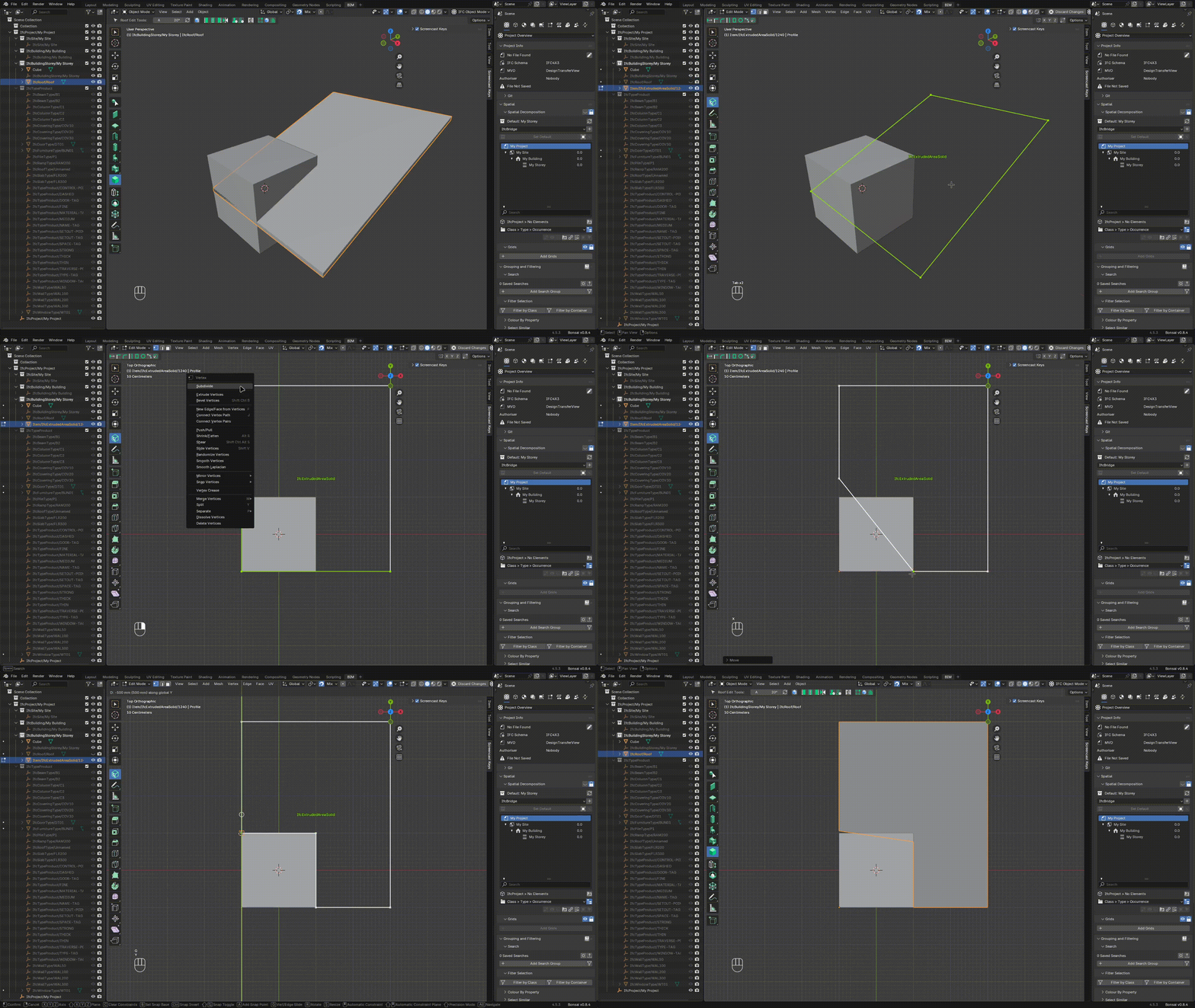
Here's another issue that I believe would be solved by using 3d points. Here I'm going to shape the roof around the cube:
You have to iterate the process over & over to get close but you can never get the points perfectly aligned
Dumb question, when editing the profile, did you try 'shift + e' or 'spacebar' to edit the horizontal profile of the sloped roof? That is, not the the profile that is also sloped. That might solve some of your issues. I think my video showed that.
https://github.com/IfcOpenShell/IfcOpenShell/discussions/7002#discussioncomment-14024574
Not dumb at all, I was tabbing into it, shift+e works so much better!
I'll fixup all my roofs that way and see if any of the artifacts persist.
I do seem to have a talent for finding the wrong way to do things!