

Modeling an IfcPipeFittingType collection using Geometry Nodes

Hi!
A while ago I needed to model a small MEP project for cold water and I tried Bonsai for that.
I started out enthusiastic but soon realized that I wouldn't be able to get very far because there were no models of the PVC fittings that we normally use here in our region (Brazil). Here, the models from the suppliers that I found are all .rvt (the market is being dominated...) and I found few in .ifc.
The automatic creation of fittings in Bonsai pipe tools is very promising, but it doesn't correspond to the reality of how things are done here.
I also realized that manually modeling all the fittings in their various sizes, materials and types would be a huge task, so to make my life easier I created a collection of geometry nodes to model the meshes according to parameters and a script to create the ifc elements.
I'm making the file with the GN and the script available as an attachment for anyone who wants to use it.
The steps are:
1 - get a supplier catalog
2 - create a dictionary with the fittings information (I'm lazy and used chatgpt from the cropped pdf image)
3 - create a copy of the .blend template file
4 - create an ifc project
5 - change the parts of the script according to the comments (the script is configured for an elbow as shown in the image, as an example of where the data came from)

6 - run
7 - save the .ifc
If everything goes well, the IfcPipeFittingType objects will be created.
From there you can apply materials and create the IfcDistributionPorts (unfortunately it will have to be done manually because of the location and the name you will adopt for each one).
I tried to model as low poly as possible to avoid heavy ifc files.
Some images to illustrate:
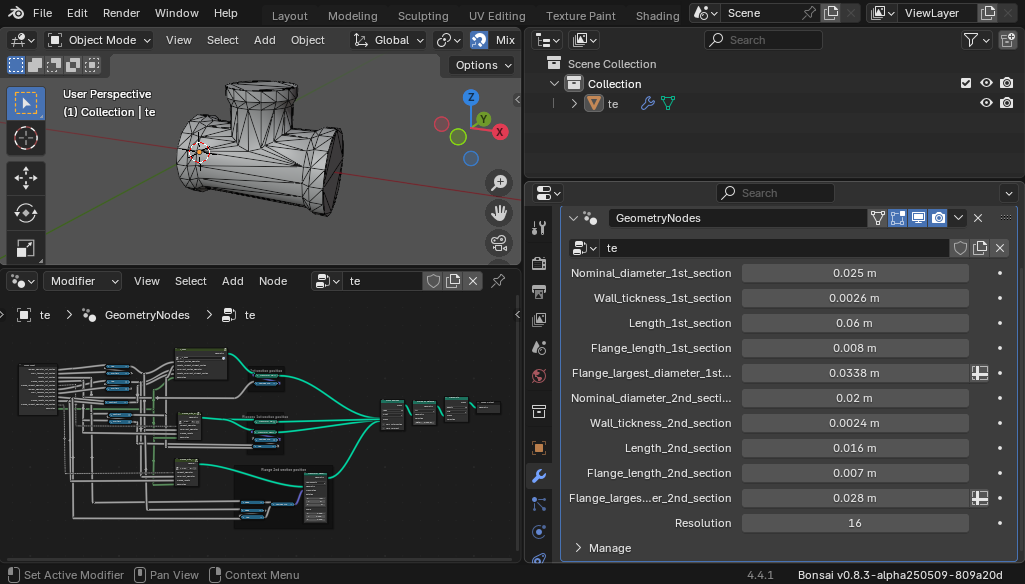
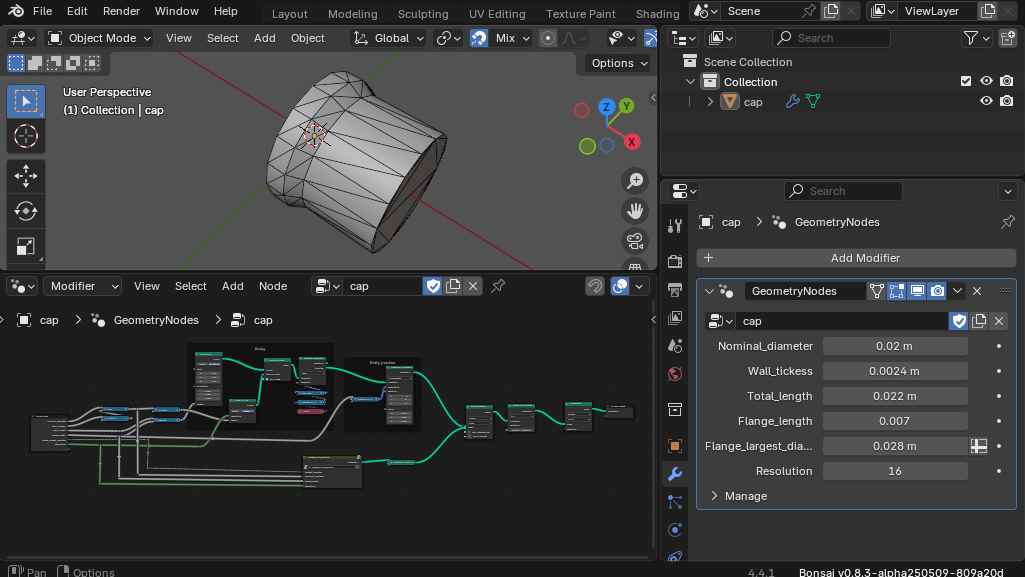
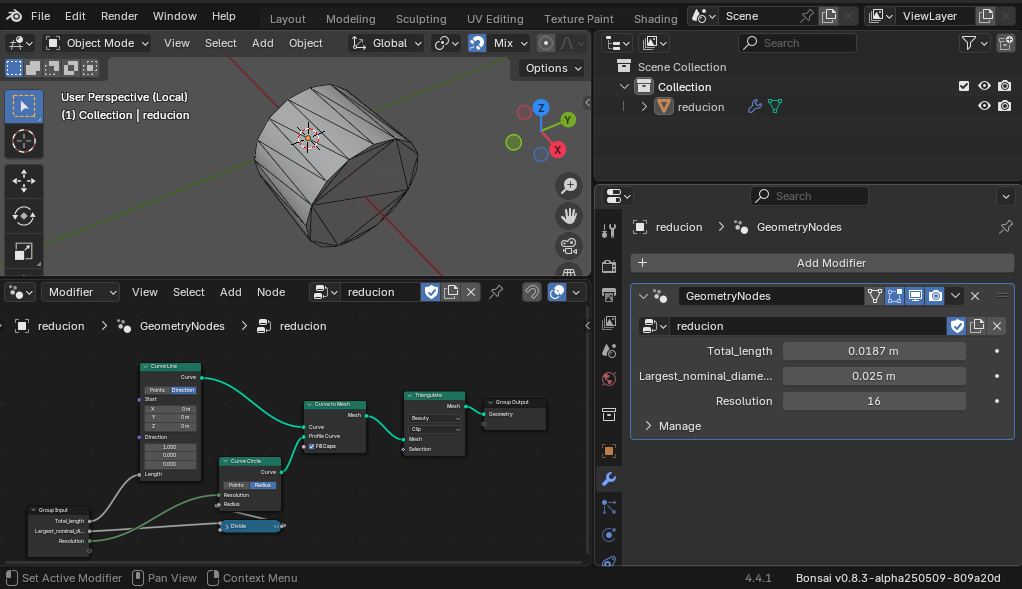
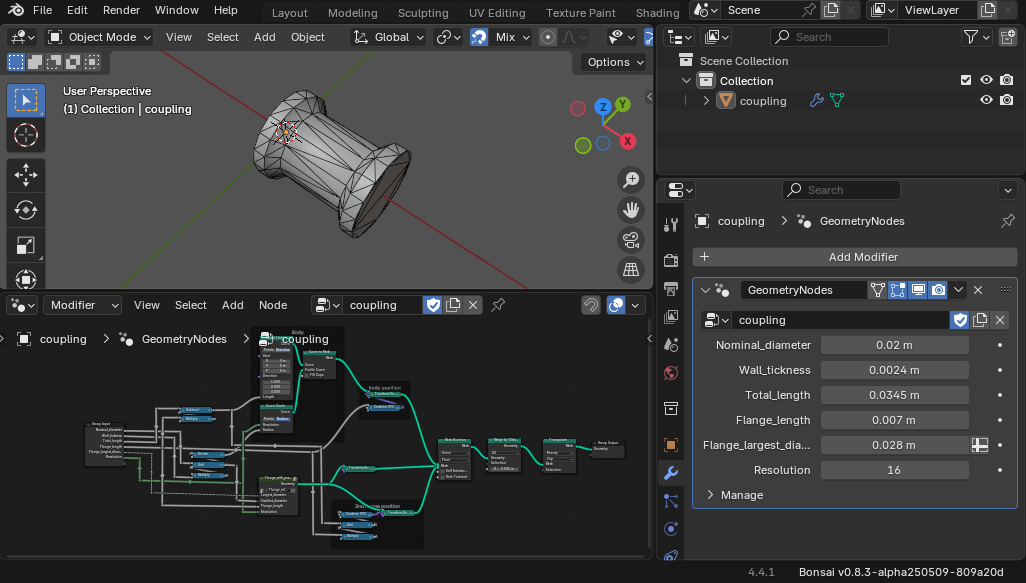
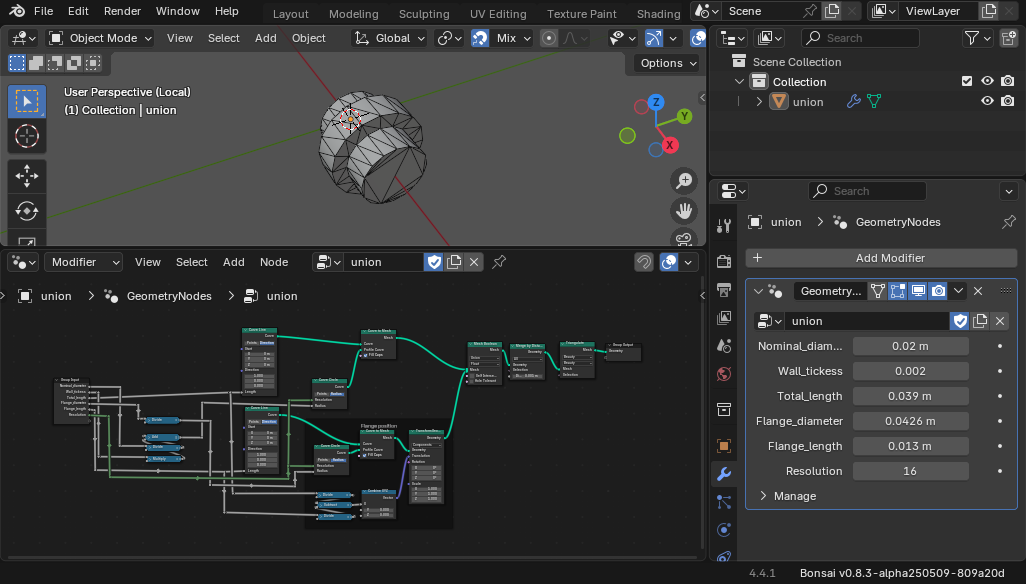
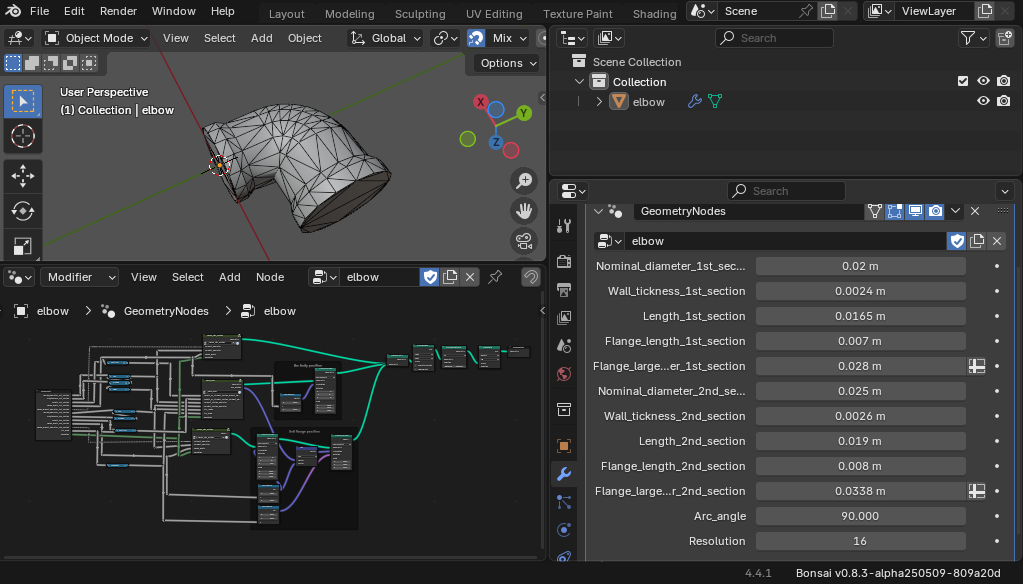
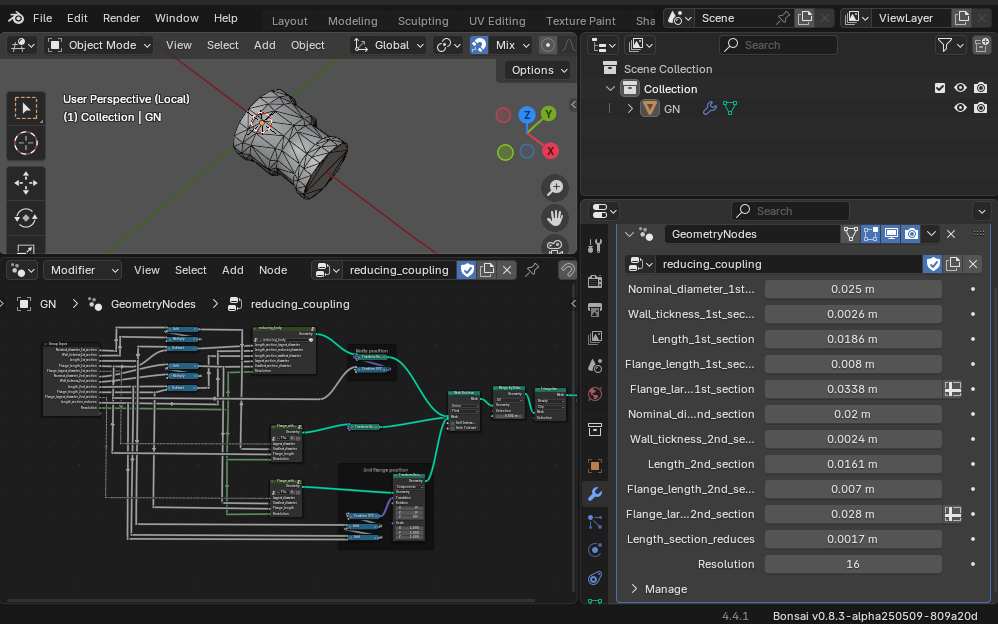
I think this collection can model most connections, but if we need others, let's go ahead.
Happy modeling!









 and 3 others.
Comments
Awesome, thanks for sharing!
@walpa you are a star! muito obrigado
Wonderful. It would be good if this could be reflected in the PSet value of the IFC :)
7.5.4.59 Pset_FittingBend
7.5.4.60 Pset_FittingJunction
JunctionType
JunctionLeftAngle
7.5.4.61 Pset_FittingTransition
Yes, good idea. Thanks.
Can you use the connections in a real project?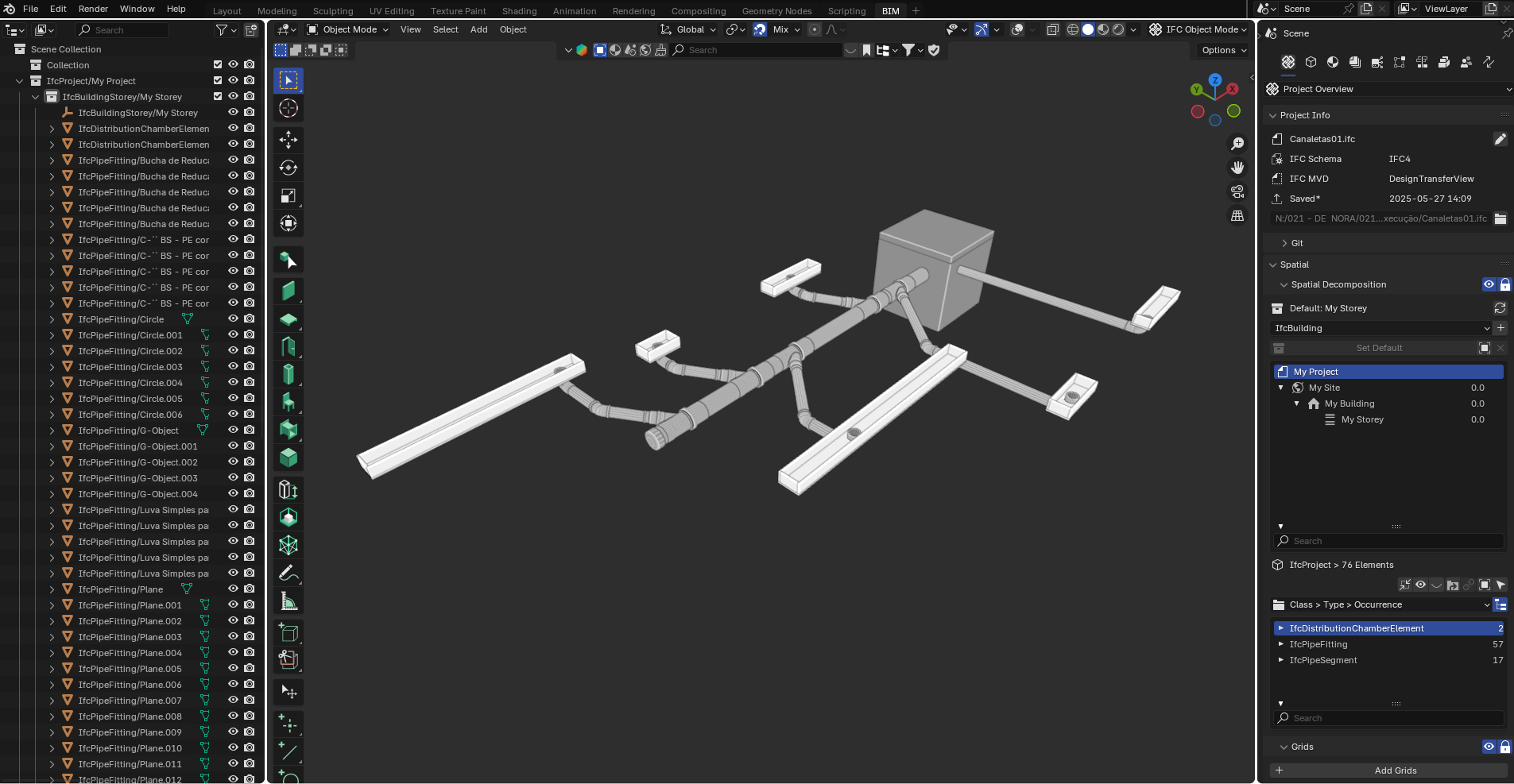
I used the Tigre library (.rvt), transformed them into IFC and used them in a small project, mixing them with traditional Blender modeling and then classifying each piece, but I believe we can develop something very promising with Geometry Nodes.
If this hasn't already been done by someone.
Hi @irineupinto,
Yes, I am modeling a library with all (almost all...) PVC, PPR and CPVC connections for water and sewage in the Brazilian standard, with materials and ports. I intend to use this to make my projects. I am still in the beginning.
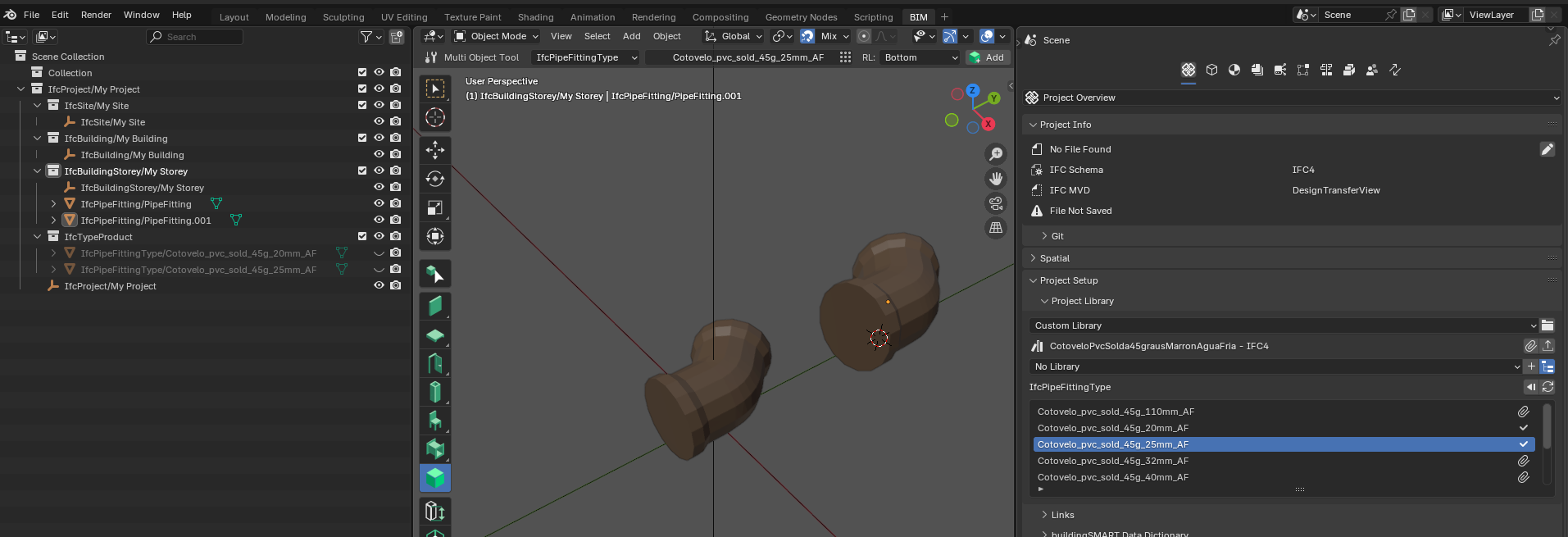
The current limitation in Bonsai is the import of ports that are not imported together with the objects (Issue #6687)
My initial intention was to make it available on the BimBR platform, but I discovered that they only accept .ifc+.rvt. Maybe I'll find another way to make it public. Suggestions are welcome. :)
Here in Brazil, suppliers are only making .rvt libraries available (like the TIGRE catalog you mentioned). For me this is ADSK dominating the market and making it difficult for other software.
I'm using GN for two reasons:
If you are interested in collaborating we can divide the work.
Cheers
Sure! I'm a good modeler, but when it comes to GN and Python, I'm still a beginner.
Add me on social media to talk more. @irineupinto
Have you managed to find a way to model pipe runs as curves, and have the elbows/tees/reducers etc added to the curves through Geo Nodes? Johnny Matthews recently did a YouTube video in which he showed how this could be approached
The ND addon also has interesting ways to attach pipe fittings to pipe runs:
Hi @Bedson,
Thanks, I loved the videos! More tricks in the toolbox! :)
No, for now I'm just using Bonsai's pipe tools. Basically just drawing the pipes to make the budgets easier, until I finish the library and start doing the whole process.
If I understand your observation correctly, the idea is to automate the placement of pipe fittings in the pipe joints, using some GN or the methods in the videos, right?
Well, for modeling focused on ifc, I have some observations:
GN is a modifier, at the moment (as far as I know) Bonsai cannot use meshes with Blender modifiers, that is, to assign an ifc class you need to apply the modifier and lose the non-destructive method of GN
for modeling industrial piping that does not have a lot of connection variation and that has curves with non-standard angles and for flexible piping, perhaps the methods in the videos are more productive
for modeling piping in building constructions, the number of standardized connection options found on the market, which must be chosen by the designer according to the purpose, is so large that it makes the use of GN unfeasible
Bonsai's pipe tool can already automatically insert the bend type connection, in the future this will probably be expanded to other types, let's wait and help sponsor the development. ;)
Cheers
You hit the nail on the head when you say that Bonsai can't work with meshes that have Geo Node modifiers attached. This is the reason that I can't make the jump from Revit into Bonsai :(
I've attached a little demo that I made of some Revit features that I would love Bonsai pipework to be able to do.
I'm also a beginner. Let's talk, I'll send you a PM.
Unfortunately, it is not yet possible to do all of this in Bonsai. I think that MEP is not a priority today, but do not be discouraged, stay tuned because at some point this will be implemented.
That's fantastic. Maybe we can create a way to do this via Python and maybe incorporate it into Bonsai. I think we should create a project, what do you think?
The idea is excellent, I just don't know how to incorporate GN into bonsai.
Maybe transforming the node networks into scripts, it takes a bit of work, but it can be done.
What would be the advantage?
A way to create the elements parametrically? (the parameters are lost after applying in GN)
Automatically insert fittings?
I think the easiest thing to implement and that would give the user more flexibility would be to include in the interface a way to choose the IfcPipeFittingType before applying the "Add Fitting" tool.
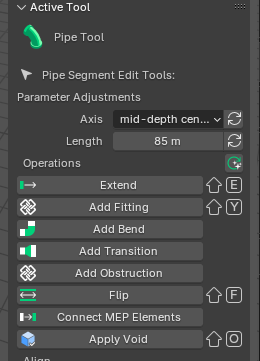
It wouldn't be parametric like rvt, but it's a start...
"They were made for each other."
We have to connect GN to Bonsai.
After some work, the library of pipe fittings that I modeled is now available at https://plataformabimbr.abdi.com.br/.
These models have the following characteristics:
I hope this is useful for anyone who wants to model hydraulic MEP in the Brazilian standard using BonsaiBIM/IFC.
Happy modeling!
@walpa
thanks a lot
I can't get through the login page since many fields seem to be specifically for your country, any advice please?
Hi @steverugi,
Registering on this platform allows job opportunities to be offered, which is why there are so many fields to fill out. One of these fields, the CPF (Brazilian taxpayer ID), is an identification code for Brazilians.
Even using the english option, some popup fields are not translated. It's regrettable...
Any suggestions for making this material available in another location with easier access?
@walpa said:
I can chew a little portuguese, it's just that some boxes need values I don't have to go through the sign-up process, I tried dummy data but it didn't buy it..
simple shared folder on Dropbox? Github?
thanks
Google Drive: https://drive.google.com/drive/folders/1k7ASrgzptNRws6L2TMEENebTsh8GaCv3?usp=sharing
Please test it and let me know if anything goes wrong.
thank you @walpa
I checked a few and all look great! I love the low-poly style, you put a lot of work into it, I'm truly grateful
To return the favour little by little I want to convert them to english, maybe even IFC4x3, it that's OK for you.
muito obrigado
PS I would only check the position of their origin and distribution ports, seem a bit off (I would usually place them at the very center axis to ease alignment with other elements)
current
adjusted
This is awesome work! @steverugi and @walpa Shouldn't this be part of IFC4 MEP Plumbing bonsai Project Library within the ones below?
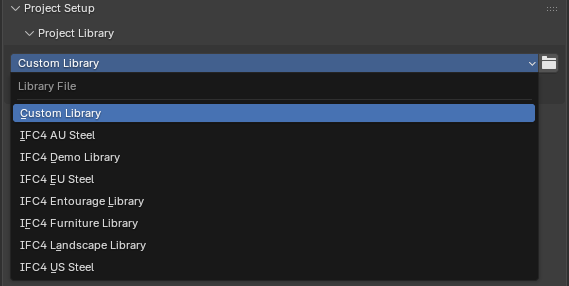
Thanks!
@falken10vdl
it would be of great help
like "IFC4 BR Plumbing"?
attributes are in Portuguese and elements have custom properties in the same language in line with local standards
But it's a very good start
My promised translation will take some time I think, it's quite a number of elements
@steverugi @falken10vdl
Some explanations:
1- Why did the positioning end up off-center?
To create the meshes with GN, I needed to "start" from a different point for each type of fitting with its different geometry. In my understanding, this would be very "disorganized," so I automated it with scripts to use "center of mass" to position the meshes before creating the IFC object.
I discovered that the best way to position the fittings is to place them near the pipe (or other object) and make the port connections, even if I undo the port connections later. It's a very useful trick and makes it unnecessary to use the center position of the fitting.
2 - Should this become a custom BB library?
I don't know if it's useful; everything was done following the standards and dimensions of a collection of catalogs from local suppliers (Tigre™, Amanco™, and Krona™).
Perhaps if we do a similarity verification with other suppliers that serve international markets...
3- Translation?
I tried to standardize all the names and descriptions to a certain extent, so a script could automate that.
We can work on this together.
Cheers!
I updated some elements today:
@steverugi You're right, after some use I realized that the best workflow is positioning the origin/ports on their central axis.
I'll try to create a script to automate and review all the models.
Have you done anything about it?
Thanks
@walpa
:D
I did work on a few, here
please let me know if they are OK
cheers
@steverugi
I want to know if you did it manually or automated it with a script (so I don't have to redo this work).
Since you only did a few, I'll start from scratch.
If you also want it renamed with your code, please explain that naming convention to me.
Cheers
@walpa
As far as I remember I used some script, need to go through my notes
Ok.
Ok, but I normally try to use abbreviations, nothing special or standard about it
Cheers
Update the objects with the insertion position on the central axis as suggested by @steverugi, available at:
https://drive.google.com/drive/folders/1i209jjAr8iDup-XgQXPefdcW-BcyYnD7?usp=sharing