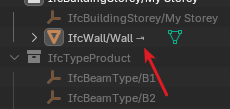
IfcDistributionPort

Prompted by some discussions about MEP in https://community.osarch.org/discussion/3235/ifc-blend-sync-customer-user-ui-revisited#latest I have tried myself to create a simpleMEP system by defining ducts and then adding a source and a sink. While the creation of the ducts has worked fine and the corresponding IfcDistributionPorts where connected properly I have seen that the operator add_port() was not placing by default the empty as child to the object (clicking hide_ports and then show_ports was fixing this as workaround).
I also have found that it is helpful to have the complete view of the port and the object/port to which a given port is connected in either the Port or Ports panel.
So I have created PR https://github.com/IfcOpenShell/IfcOpenShell/pull/7543 to address:
- Properly add_port not needing to do the workaround mentioned above (the added port is of the type USERDEFINED and its SystemType equal to the predefined type of the systems if the object s assigned to a system (USERDEFINED otherwise)
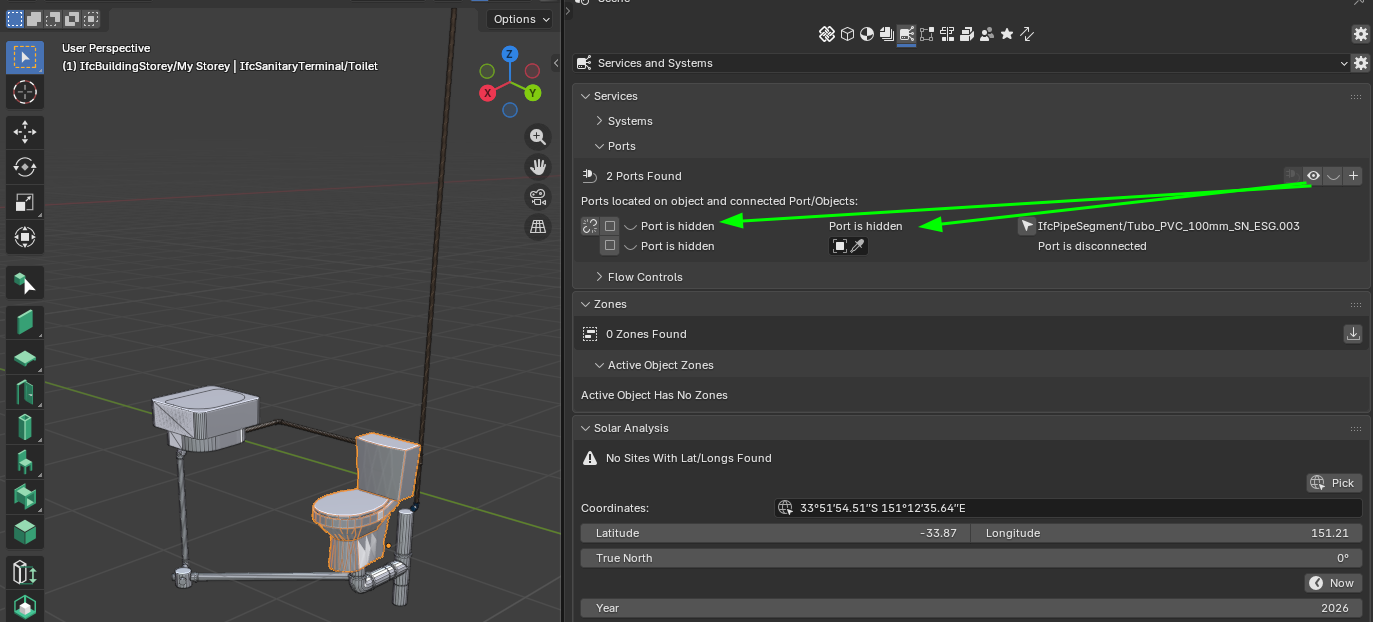
Updated the Ports panel:

The flow direction is an operator so clicking on it allows you to cycle over the possibilities, giving a warning for not reasonable combinations:

The disconnect_port operator asks for confirmation to avoid removing connections by mistake
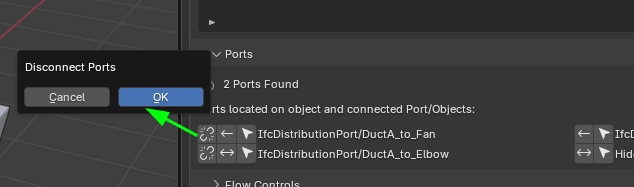
If a port is missing a connection, a field is given for the user to add it either by eyedropper or selecting from the free, not-hidden ports

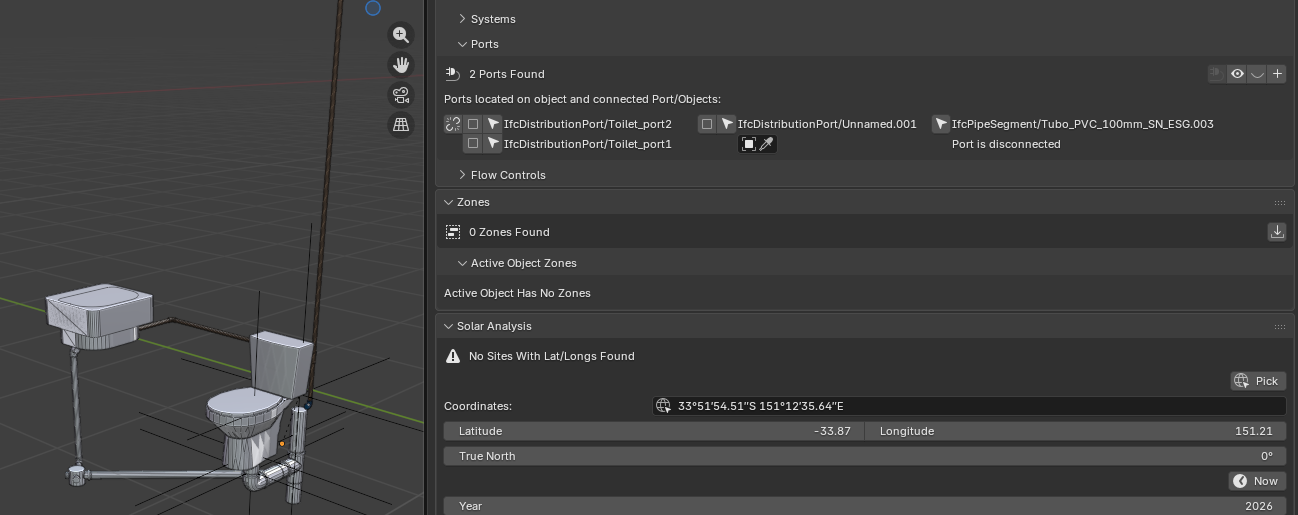
Updated the Port panel:
This one mimics the one for Ports, but allows to connect two ports from different objects
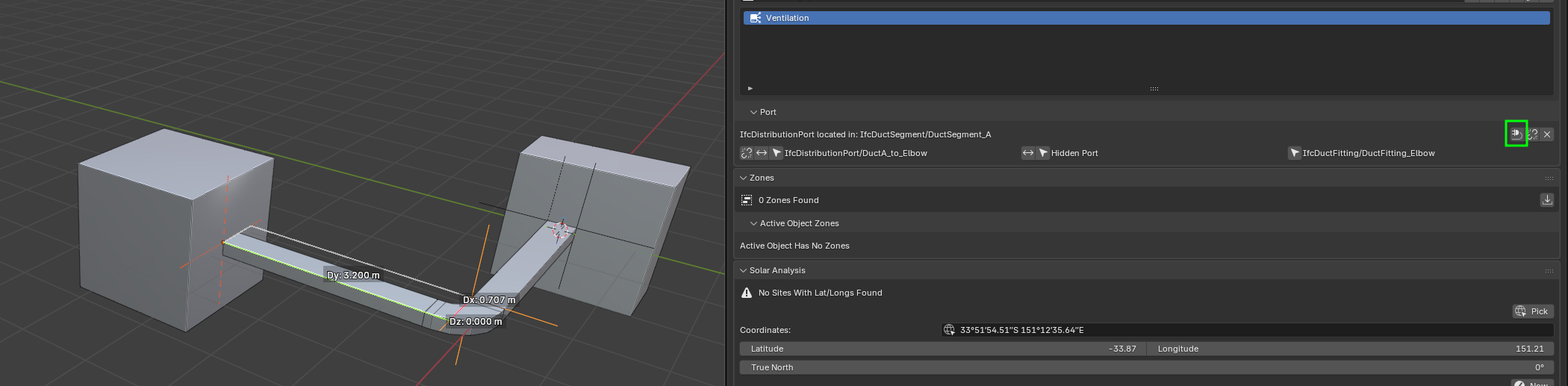
You can test it in the latest bonsaiPR release: https://github.com/falken10vdl/bonsaiPR/releases/tag/v0.8.5-alpha2601090235
Please let me know your feedback
Cheers!
PS: It looks to me that the "Should Draw Decorations" is showing flow within objects with 2 ports rather between two connected ports. Is this expected behavior? Shouldn't it make more sense to establish the flow between connected ports and maybe offset them so there is some space to see the decoration lines?








Comments
(With the caveat that I haven't played with this PR so far.)
Don't know about others, but I dislike cycling over multiple states like that. The next state is not obvious, I may have to click more than once to get to the state I want, and lastly I have a twitchy trigger finger - too often I'm trying to go too quick, and I often overshoot, making it worse.
The way it currently is working, it does not seem to be possible to create an unreasonable combo. I switch between Source and Sink and the other port flips. I set to Source/Sink or Undefined and the other port switches to match. So having the possibility to make them mismatched seems to be a step back.
@sjb007 thanks for the feedback!
Actually I was doing that because it looks to me that the current implementation does not allow for valid combinations which make sense but maybe I am not interpreting this correctly.
My understanding is that cables or pipes do not have source or sink ports since they do not create or consume "energy". Their ports are sourceandsink (or not defined I guess). So if we have the simplest circuit: Generator - Cable/Pipe - Load the port arrangement would be: Generator with Source Port connected to Cable/Pipe with SourceAndSink port 1, then the SourceAndSink port 2 in the other side of the cable/pipe connected to a sink port in the Load.
The current implementation forces connected ports to be always source-sink (or the other way around) or sourceandsink-sourceandsink or undefined-undefined. This has the implication that the pipes/cables segments connected to either source or sink ports, have their connecting ports matching as sink or source, but to me that looks weird/asymmetrical since both ports of a cable/pipe are conceptually? equal.
I have not been able to find a clear explanation in ifc to verify if my understanding is right or wrong...
What do you think?
Cheers!
@sjb007 I have read more carefully the documentation and actually I was not properly interpreting left and right in the picture below:
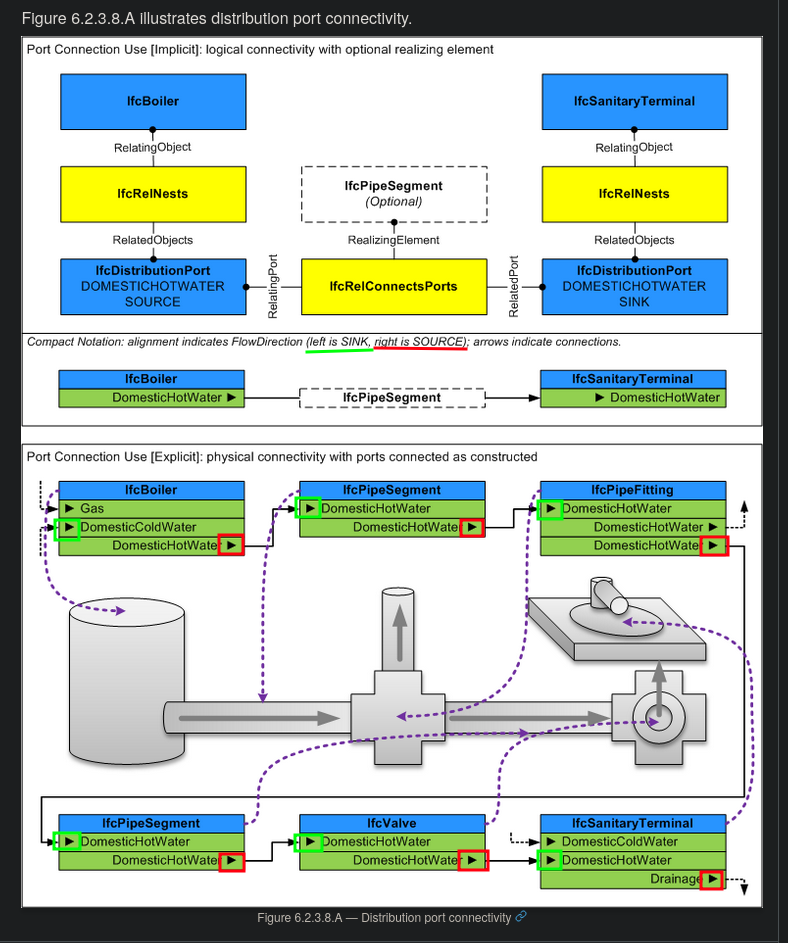
Now it is clear that a pipe is meant to have a pair of ports, one being the source and the other the sink. Weird to me as it makes them not symmetrical, but it is what it is :)
Thanks for the feedback, Let me change that behavior so if one changes one port to source automatically the other becomes a sink and viceversa and if one changes to sourceandsink or undefined, the other is copied with this type.
Thanks!
I have updated the PR #7543: Simplified handling of Ports in MEP (you can test it in bonsaiPR release BonsaiPR v0.8.5-alpha260109-881846a). Now one can walk from source to sink with intermediate source-sink pairs as in the example from the doc above.
This also answers the question about decorations. with this approach no need to add in general decorations between connected ports since the pipes/cables will already define the direction
Thanks!
I have done some small refinements with scaling the panel and also when clicking show ports that it also shows the ports of the connected objects:
Cheers!
Thank you again!
It's much better now.
The flow icons always confuse me, but with "System/Should draw decorations" enabled, it's easy to choose the correct port/flow direction. :)
It didn't work for me. (bonsaiPR_py311-0.8.5-alpha2601090235-linux-x64)
A significant limitation for MEP in BB is still the issue "Import IfcDistributionPort together with IfcProduct from a library #6687"
Cheers
@falken10vdl
thanks so much for listening to our prayers! Will try asap
could you please elaborate on
In some cases an element might have more than two ports (Tee, Wye or a manifold for instance) maybe the switching might not be so straightforward?
..and yes AFAIK all elements in a distribution system have ports to allow the flow
looking forward to trying your update
cheers
@walpa
yes, took me a while the get familiar with it, but considering the O (utlet) in Source and I (nlet) in Sink helped me a bit..
see link
Thanks @steverugi, good trick!
I always forget the meaning of the right and left arrow icons... :}
@falken10vdl
Don't think of it as a physical object (a cable conducts electricity in either direction), but rather in terms of how that object is used (a pipe can conduct a fluid in one preferred direction or in both directions, depending on whether it's being pumped, for example).
@steverugi and @walpa Thanks for the clarification. My idea about "Sources and Sinks" was coming from math/electromagnetism (https://en.wikipedia.org/wiki/Sources_and_sinks) and thought it would be the same but here is clearly more a logical convention :) .
I have just made some small changes to the PR so it can load (bpy.ops.bim.append_library_element) the Project Library assets keeping the ports. Please bear in mind that it will load the ports if they are attached to the productType as the append operator is for the IfcProductType.
The updated bonsaiPR is available at PR #7543: Simplified handling of Ports in MEP
Cheers!
ping @Cyril
might interest you. :)
Yeah, those icons are terrible from an obviousness point of view. I wonder if they couldn't be improved. I've very rarely seen custom operator icons before though. I think this is partly because any custom icons will be bitmapped only - not scaled dynamic svg like the builtin ones - so they will probably look awful. This is likely why everyone tries to overload the crap out of the Blender default icons.
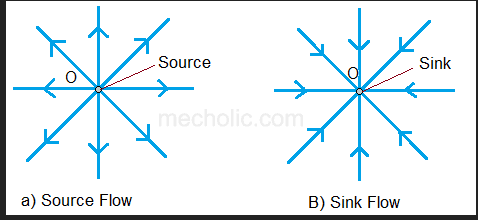
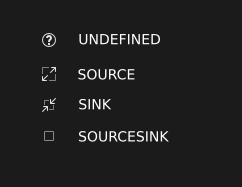
I did find several images searching on "source sink fluid flow direction icon" which looked like variations of the following:
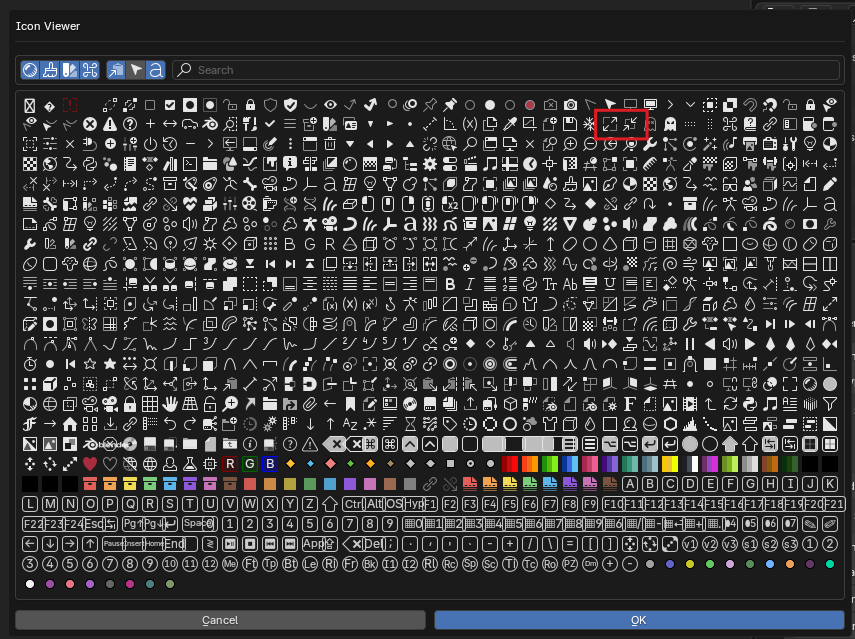
The red-ringed icons here seem to match this concept quite well and tie in fairly well with the UNDEFINED:
...but then I couldn't find a satisfying combined SOURCESINK icon... So, my answer is to totally change them all:
Maybe I'm strange, but they are more obvious than the current left/right arrows.
@sjb007 To me those icons you are proposing are great. Very easy to understand.
Cheers!
@sjb007 Yes, more user-friendly.
@falken10vdl Oh! You're a real ninja! Thanks a lot!
@sjb007 Added:
You can test it in latest bonsaiPR: https://github.com/falken10vdl/bonsaiPR/releases/tag/v0.8.5-alpha2601101035
Cheers!
I have updated the PR BonsaiPR v0.8.5-alpha260111-b5f7bd3 as there was a bug (thanks @DrInfiniteExplorer ! for the insights) and also made suggestions to have both the object and the port name which I think is more useful (I have removed the eyedropper as I think it does not allow to have this type of suggestions and it was not adding any other extra capabilities).
Here yo see it:
Cheers!
That's great. Another idea.
source : Rightwards Harpoon With Barb Up From Bar, Unicode #x2953 ⥛
sink : Rightwards Harpoon With Barb Up To Bar, Unicode #x295B ⥓
@KoAra Unfortunately the pictorial unicode characters have pretty appalling legibility with Blender's default font and size, and you have to blow the resolution scale up pretty big before they are. Of course, this blows up everything, so it isn't really practical.