

Reflecting IfcGroups in the outliner hierarchy

What are your thoughts on reflecting IfcGroups in the outliner hierarchy?
The reason being, it would better facilitate linking in collections (building modules) into a main file.
For example, the following project I have to manually create blender only collections, in the .blend file, to manage design options and linking those back into the main file--to compose multiple buildings on a site.
The problem however, is if the .blend sync breaks, i have to recreate these collections.
If IfcGroups could be reflected as collections in the outliner, I wouldn't have to recreate these collections every time the sync breaks.
Looking for these IfcGroup collections to allow having the same object linked in multiple collections. This helps with managing design options.
example project: https://hub.openingdesign.com/OpeningDesign/Red_Arrow_Trail/src/commit/15a24d1874cce3ca5dd28fdeb9c3fdb0dd5d1166/Open/Models/Bonsai
Ping @Moult. :)

Comments
Here's an additional example of this type of workflow, pulled from this tutorial series.
video: https://www.dropbox.com/scl/fi/ro9err44e8vhvw4sjdczd/129000_20250529_1627-Laying-out-the-site-with-housing-types.mp4?rlkey=8hj7cv1yaey5ojf4de2k9q438&dl=0
@theoryshaw One workflow I use is to use the Bookmarks tab with just the grouping and filtering as they are very convenient to fetch info. Then use the already available operators there:
Cheers!
I actual meant linking in collections from another file. This other file is basically just a copy of the original.
See 2:10 of tutorial video above.
So it's kinda like the following....
```
@theoryshaw Wow! Sorry I has not gone over the video to see the challenge.
One silly question :) You do not use Link IFC, because it only gets you the possibility to position and rotate the linked IFC file but you want to be able to selectively show/hide some parts of each of the linked IFC Files?
What actions do you want to be able to perform in the linked IFC files?
I have jus tested linking IFC files and it works as long as I do not use the same linked file several times. I guess that is a bug?
Thanks!
correct, i need to show certain parts only. Sometimes I need to show 1 wall, for example, in multiple collections, because it is common to all those design options.
Just show up in the drawings, basically. I'm not querying them, although that would be nice, it's not necessary.
Linking IFC files would probably be the most ideal, but currently there's no way to turn on/off things with exclude/include filters, as all the content is 'chunked' together, and yes, you can't duplicate the link multiple times and relocate them in space.
@theoryshaw Here a first version of getting support for the same file several times in the same file. That needs the document references to also use a UUID and to save the config of the empty. I have added as a PSET to IfcProject BBIM_Linked_Models with the json config (like what it is done for arrays).
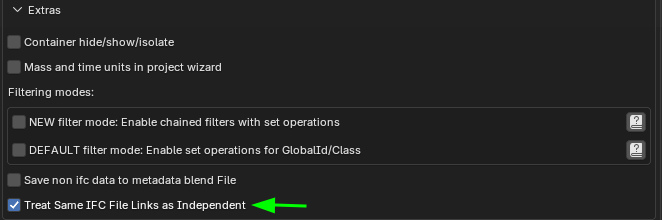
I have put this functionality as an extra, but I think that probably this should be the default behaviour :) ?
Here see the PR IFC link management with UUID support and independent linking option #7570 in action:
Maybe next step would be to expose the ifcGroups of the original file when it is linked to allow to at least select/hide/show from a defined set of posibilities?
Cheers!
@theoryshaw
Being able to query linked IFC files would be a GREAT feature, ideally a button next to the file name that popups a panel with the linked file's decomposition similar to the regular one in the main model, to allow on/off, selection and so on, alternatively as a tab in the N-menu UI..
The little I know about linked IFC is that the linked model is exported using SQLite, so a query could be similar? Can you imagine querying models in SQLite inside Bonsai? :)
On a more practical note: I believe working with federated models could be a game changer, at the moment is good but a tad limited (but I deeply appreciate it anyway), I am looking forward to seeing the export to csv 7295 using multiple models implemented in the unstable release.
OK Christmas is far away in the calendar but who knows?
@falken10vdl this looks fun! :)
will check it out. thanks.
Ideally, it would be nice if these links obeyed the exclude/include drawing filters in the main file.
You mean these?
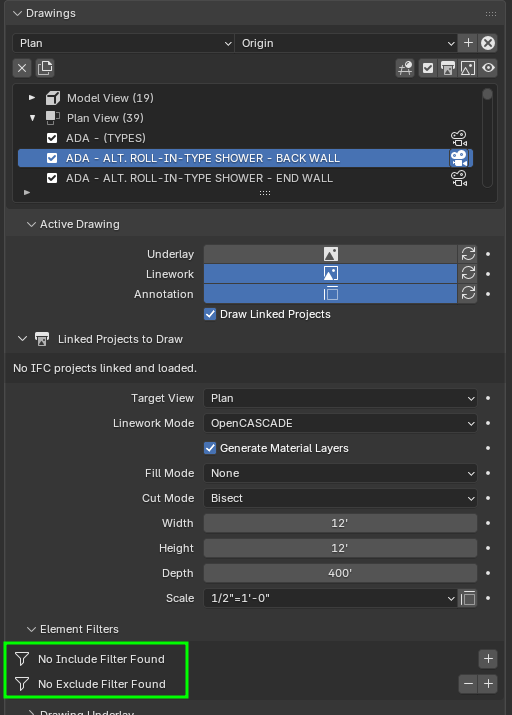
Only required for drawings?
Thanks!
Yes!
@steverugi I have updated export to csv 7295 to work with both default filters and "chained filter with set operations"
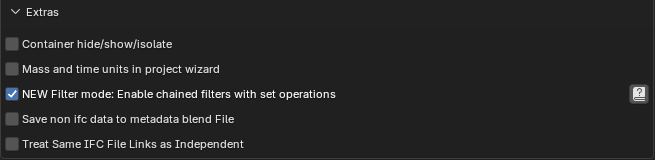
Also updated the export piece to have a generator/modal operator so progress bar is available. It would be great if you can test it and provide feedback (just update to latest bonsaiPR release bonsaiPR v0.8.5-alpha2601172130 and you have it)
Cheers!
@theoryshaw Please take a look to the updated PR IFC link management with UUID support and independent linking option #7570 so filters can be applied:
Please note that unfortunately the search suggestions are not yet populated with info from the linked files. I need to explore that...
Cheers!
This is awesome of course, but can you actually turn them off/on in the scene as well?
Nope. The logic for the filters in drawings is done in CreateDrawing but probably that can be quite copied to the project module. Maybe adding similar filters in the "Links" subpanel?
Cheers!
I ask, because it would be impossible to 'design' a building this way, not having the visual feedback on the screen. If that makes sense.
@falken10vdl
installed and all seems to be working well, thank you so much for your help, you are a hero!
@theoryshaw I have added the filtering to the linked objects in the project panel. I have not dig too much on how the linked objects are handled. It looks a cache blender file is created from the ifc linked file. I have just applied the filter to the ifc and regenerate the cache. That looks that it is not very fast... Maybe we need to understand this better to improve the speed or if that is not possible, add another operator for a subset of possible operations that do not regenerate the cache but work on the cache (Is that what you were meaning by adding the ifcGroup hierarchy in the linked object collections?)
Cheers!
@falken10vdl Unexpected behavior. When I reopen the file with the links, the connection disappears.
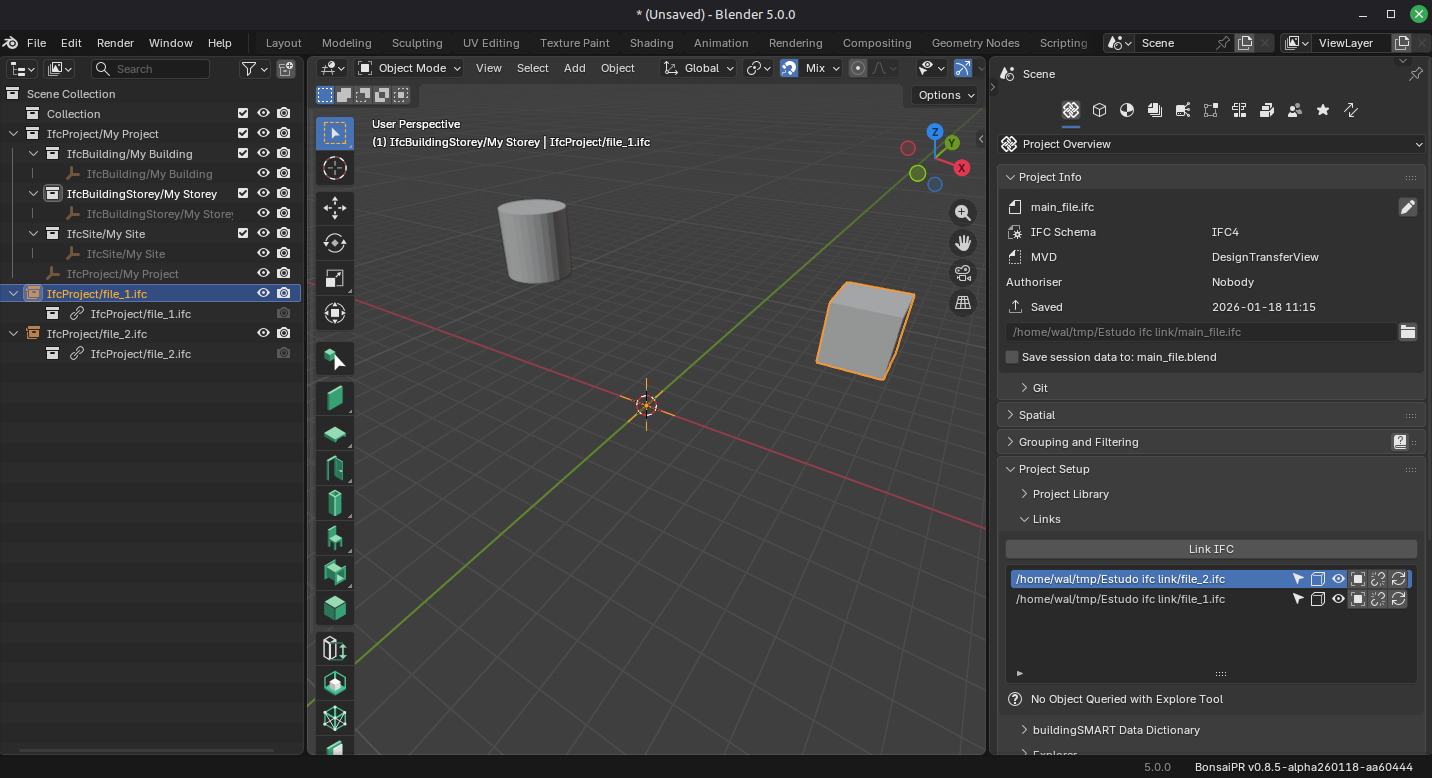
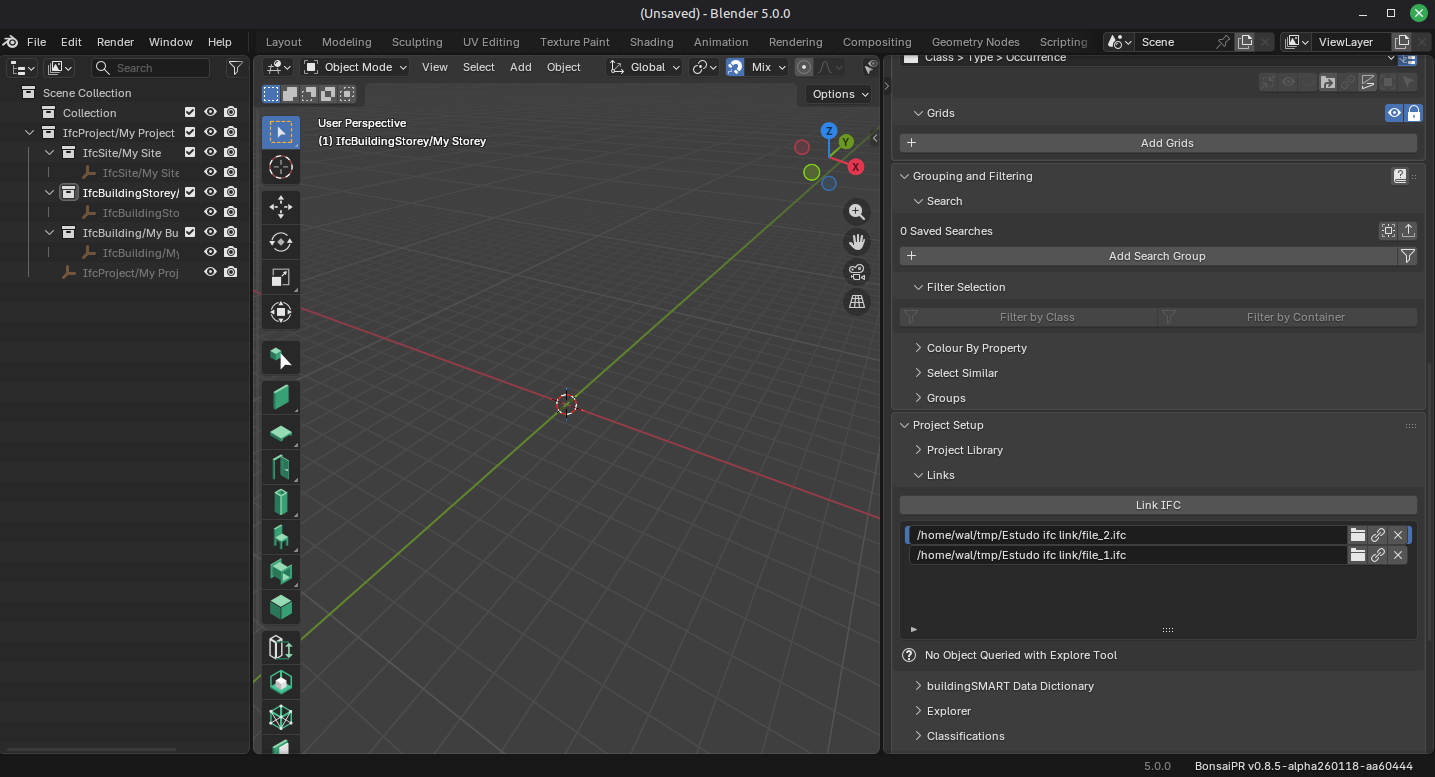
With metadata saving
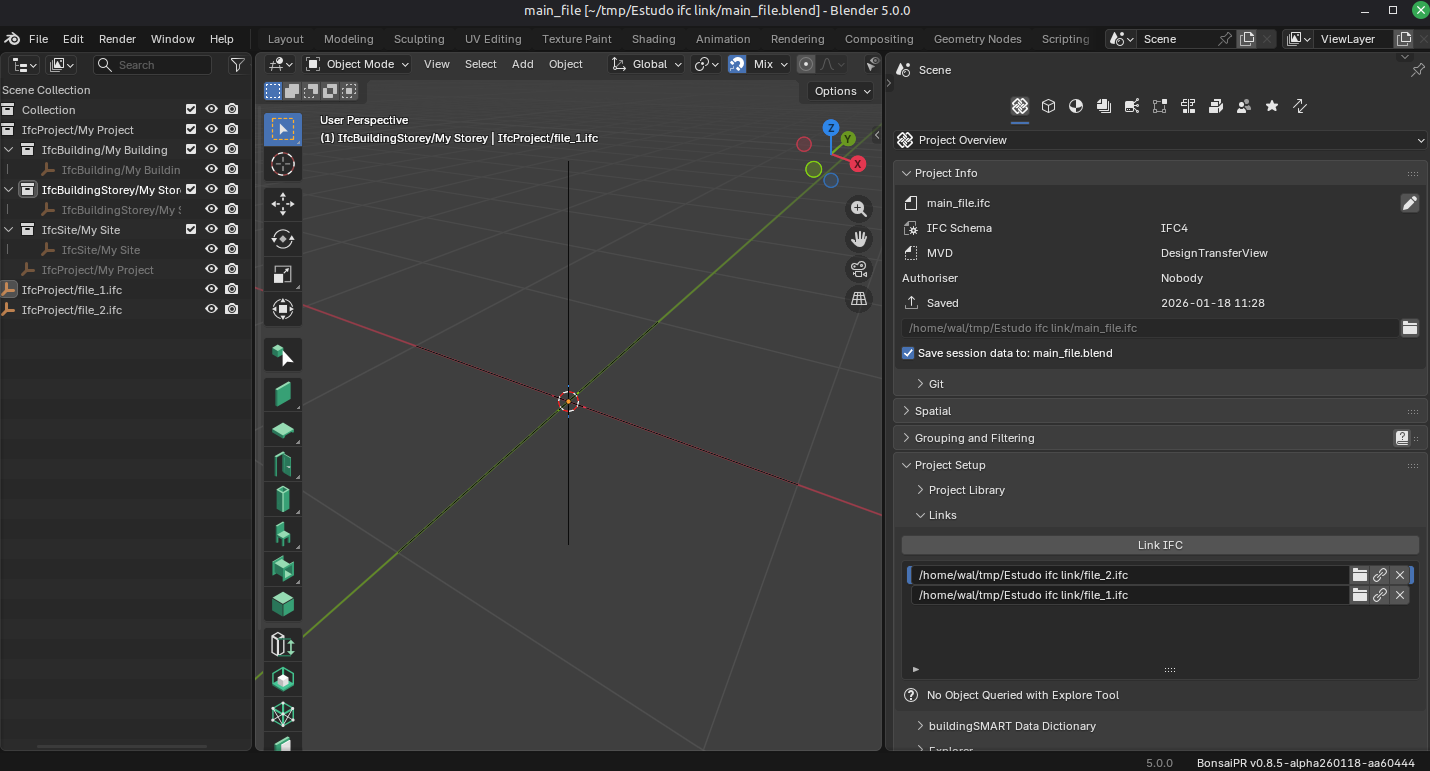
version = bonsaiPR_py311-0.8.5-alpha2601181449-linux-x64
@falken10vdl yeah, not sure, pushing the bounds of my knowledge.
@theoryshaw for the time being I have just created an operator to load the links from the cache and another to rebuild the cache so the user can decide what to do (as usually I guess that the linked object does not change that much). I have added the IfcGroups as collections that can be shown/hidden.
Please take a look:
Cheers!
Maybe having the filter in the "parent" ifc file like we have it here is not ideal. Search suggestions do not work and probably elaborated to fetch the "child" ifc to get them. If we take a "divide et impera" approach :) I would say that it is better to perform the search in the child, generate a group for that search (or also create a collection in the blend cache file for searches) and then just upload the blend with the collection that provides you the result of the search. Foe ease of access the Document panel can be leveraged:
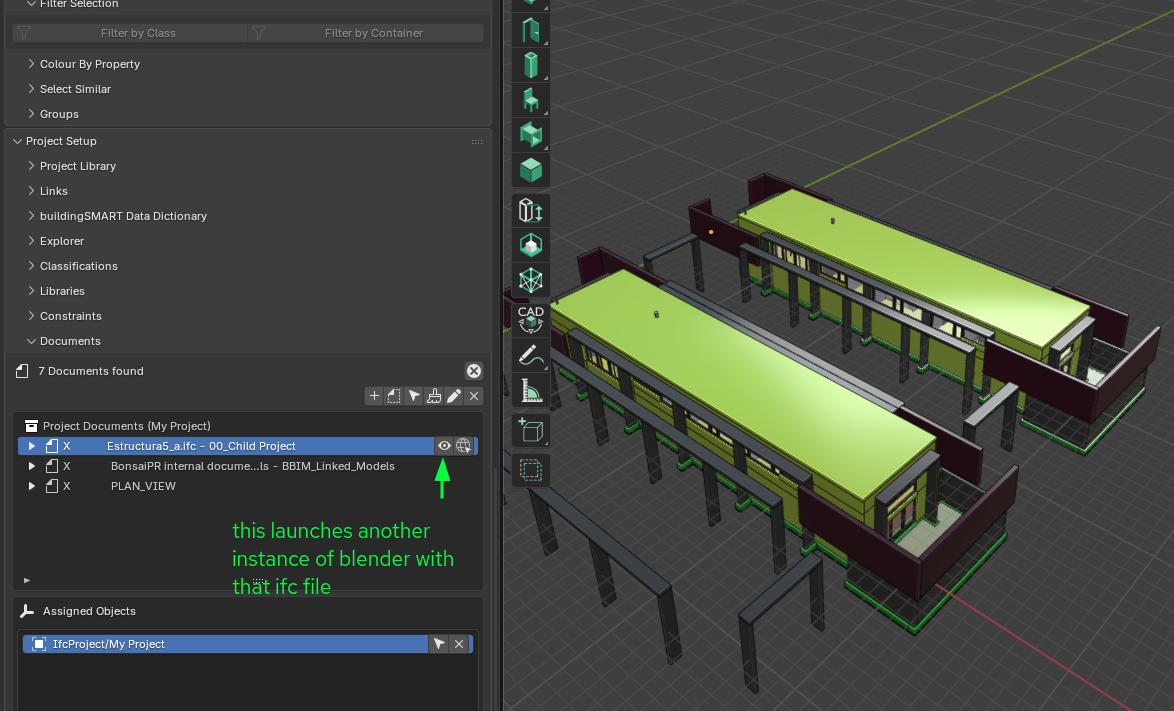
What do you think?
@walpa please check with the latest https://github.com/falken10vdl/bonsaiPR/releases/tag/v0.8.5-alpha2601181948 (upgrade to latest) I have been doing a number of changes since then.
Thanks!
I have updated the PR as per @Moult feedback. The filters will come in an independent PR. I am also trying to make it work properly with georeferencing.
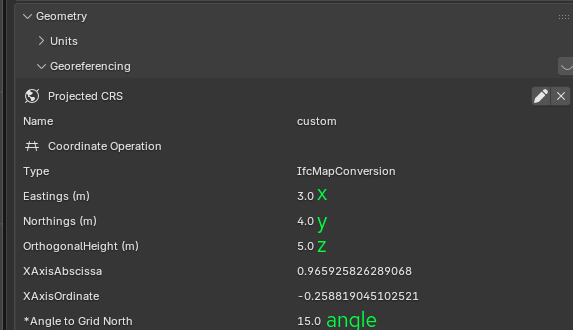
If we call parent the IFC where we want to link another IFC called child
And we call geoparent and geochild the settings for each one, as given in Project > Geometry > Georeferencing
the base branch behavior, when you add a linked project offers the following: Automatic (default), Manual, Disabled
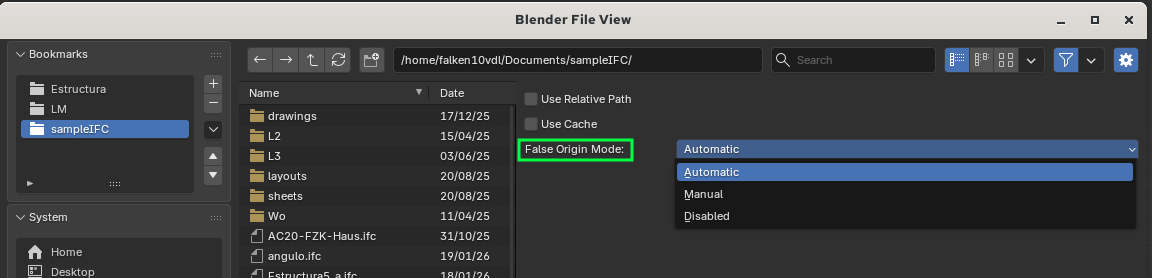
MANUAL: positions the linked child in 3dvieport of the parent by performing geochild - Manual information added for "False Origin" and "Angle to Grid North"

DISABLED: positions the linked child in 3dviewport of the parent at the world origin regardless of geochild or geoparent
Would it make sense to add another option that captures the 3D cursor position?
To me it looks that there are like two ways of working:
1. Using proper Georeferencing in each of the IFC file. Then AUTOMATIC/MANUAL are most relevant since they use "geo" info
2. Not using Georeferencing or maybe using in the parent but not in the children (you georeference the main site but then the components that you will be linking can be spread across the different places of the 3dviewport of the parent. Like a collection of the same building replicated several times)
For option 2 I think that a 3DCURSOR option would make sense, or rename DISABLED to position where the 3DCURSOR is (not world origin). That would allow to position children simply within the 3dviewport.
Please your feedback is very welcome.
Cheers!
PS: Also naming the options with some "GEO" wording could be interesting so the user understands it easier
I have updated the PR as per @Moult feedback. The element filter functionality will be in a different PR.
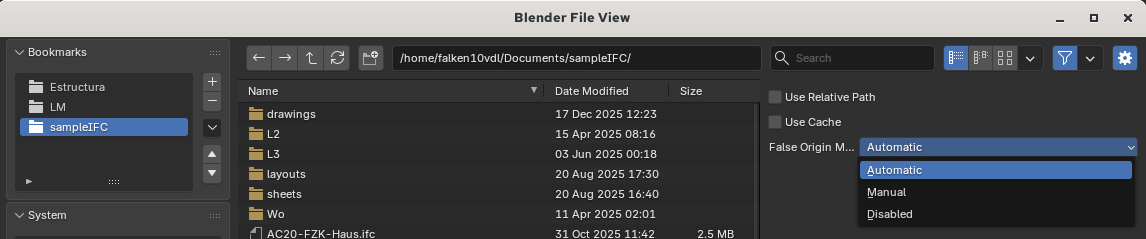
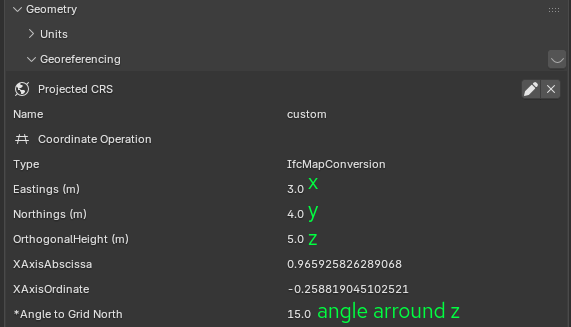
While looking how to position the linked children to the parent I have seen that mayb the current behavior can be extended for non or partiall georefenced files.
Let me explain :)
If we have a parent IFC file that we open in bonsai and we want to add a few child IFC files (different or the same in different locations) we have the following options: Automatic, Manual, Disabled
To understand their behavior we need to know the georeferencing of each file.
So if we call geoparent and geochild to the settings given in the panel: Project > Geometry > Georeferencing
We have these posibilities:
MANUAL: Will position the child in the 3dviewport of the parent at location geochild - Manual info

DISABLED: Will position the child in the 3dviewport of the parent at world origin (regardless of geo data)
I think that typically you might have some ways of working:
1. Use all files with proper geolocalization information. Then AUTOMATIC (or eventually MANUAL) are most relevant
2. Use a parent file georeferenced (that main site) and a number of child files without geo reference
3. Use all files without georeferences
For options 2 & 3 above it would make a lot of sense to also have the 3D cursor as a means of positioning the linked child. So the linked child is positioned based on the cursor data:
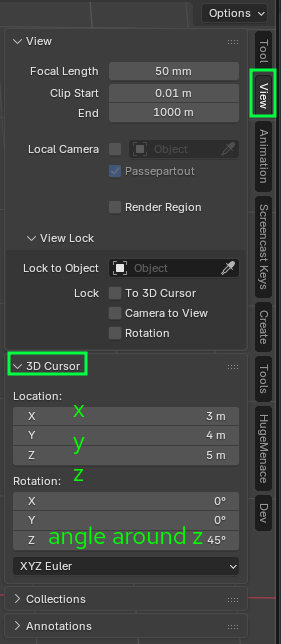
Maybe DISABLED could be renamed to 3DCURSOR and update its functionality to position it there?
What do you think?
Thanks!
I have been updating quite this PR IFC link management with UUID support. Same file can be linked multiple times #7570
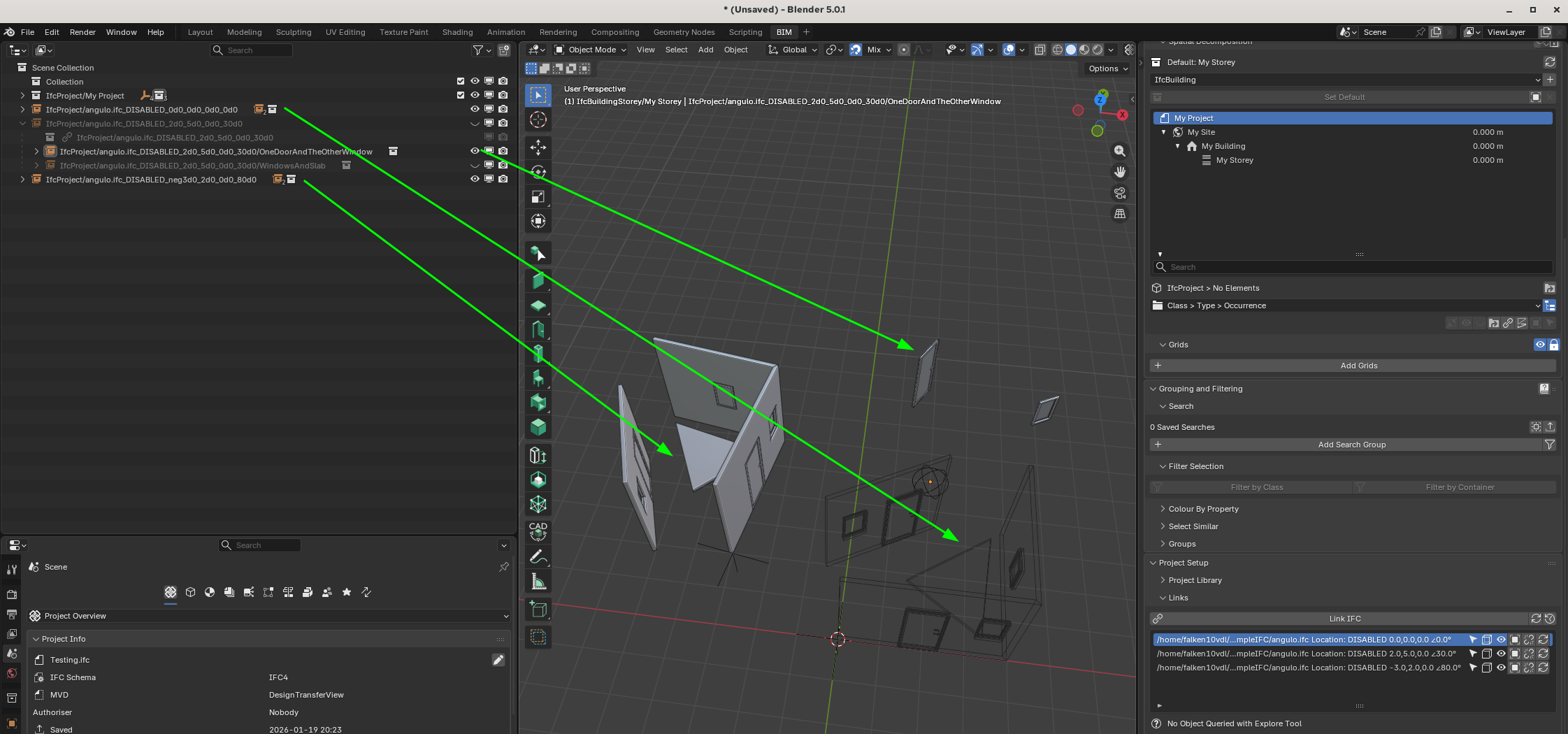
Now the Location in the 3dviewport is used as uuid (thanks @Moult !) this allows to have the same file located in multiple places but not twice in the same place
@theoryshaw @walpa , can you give it a try? with mode DISABLED I guess that would be nice to build a number of same buildings in one parent by using 3dcursor (You will get it position where teh 3dcursor is (also with the rotation of the 3dcursos in z axis)):
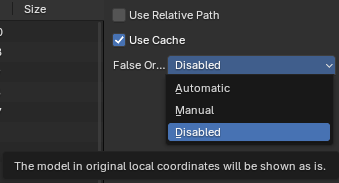
@steverugi , can you take a look to the georeferencing bit? with mode AUTOMATIC or MANUAL should behave using georeferencing data as it was done previously. Please let me know if you see something not right.
Still very much in progress with a number of possible improvements under way...
You can directly fetch it form latest bonsaiPR builds. https://github.com/falken10vdl/bonsaiPR/releases/tag/v0.8.5-alpha2601192048
Thanks!
@falken10vdl
Tests:
1 - Linking 2 files (location disabled) in a main file:
After reopening the main file, only 1 file remained linked; the second one did not.
2 - Linking 1 file twice (1 location disabled and another automatic) in a main file:
I created a copy/move of the disabled file, and after reopening, both remain linked, and the change in the location of the disabled copy was saved.
3 - Linking 2 files (1 location disabled and another automatic) in a main file:
I made a copy/move of the disabled file, and after reopening the main file, both remain linked, but the geometry of the disabled copy disappeared, leaving only the empty ifcproject.
Probably some clarification on georeferencing modes:
A note for anybody touching code related to this coordinate computation - there are extensive test cases covering many scenarios of coordinates to check that it works properly, so don't change any math and don't reimplement any math unless it passes all tests (and even then better to get a second opinion).
If you have a site with a modular building that is repeated again and again through the site, the mathematically correct approach is:
Please use the latest version (>= BonsaiPR v0.8.5-alpha260120-fd84431). When loading the parent site click load_links_from_cache to get them in the 3dviewport
Thanks @walpa for your help!
@Moult some questions/proposals:
In this case you would need to input the negative Coordinates of your desired position? If this is the intended use for MANUAL, why not negate the input already so the user does not need to do it?
Thanks!

PS: One side note. I moved from uuid to use localization for identification (the coordinates in 3dviewport).
That is nice as long as the placement of the linked project is not moved. If it is moved, those values are no longer valid. Maybe the "Rebuild Links Cache" should also rename files/identification as per current position?