

Bonsai: changing the wall layer presentation color question

Hi,
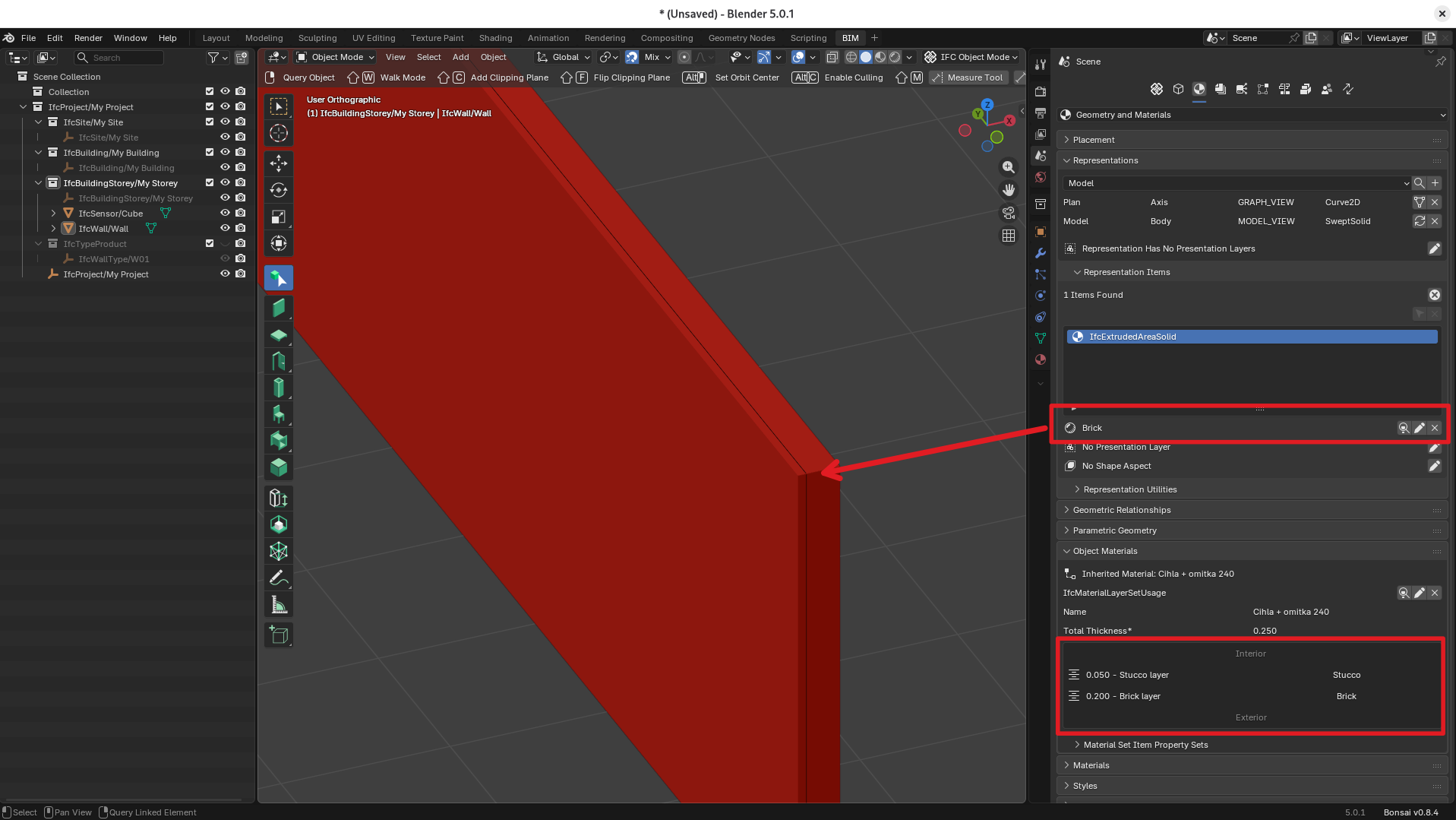
I am trying to set presentation color to be different for each wall layer. While doing research I was only able to to find how to set surface style presentation layer, but this option sets one style for all wall layers.
Can someone be so kind and point me to how set wall layer presentation colors, so that the layers are easily distinguished in the 3D view of Bonsai?
This is my situation:
Tom
Tagged:
Comments
Delete (x) the Brick assignment to the representation first.
I believe you have to assign the styles to the materials used in your layset. Use the edit pen icon in your LayerSet area to do this.
You might need to regenerate the wall when done to get the viewport to update.
@semhustej
Find your .ifc updated, as @sjb007 suggests steps are (delete representation items > Surface style > X first)
1. create your styles (as you did for Brick (red) and Stucco (grey)
2. create your materials (as you did for both)
3. assign style to material (I did it and saved in your file), select material and click on the round-shaped icon as it shows on the right of the material, drop down list pops up from which you can select your style.
enjoy your fancy layered wall :)
Thanks a lot to both of you. I missed the 'crystal ball' icon that is able to assign style to a material previously. Now I get it.
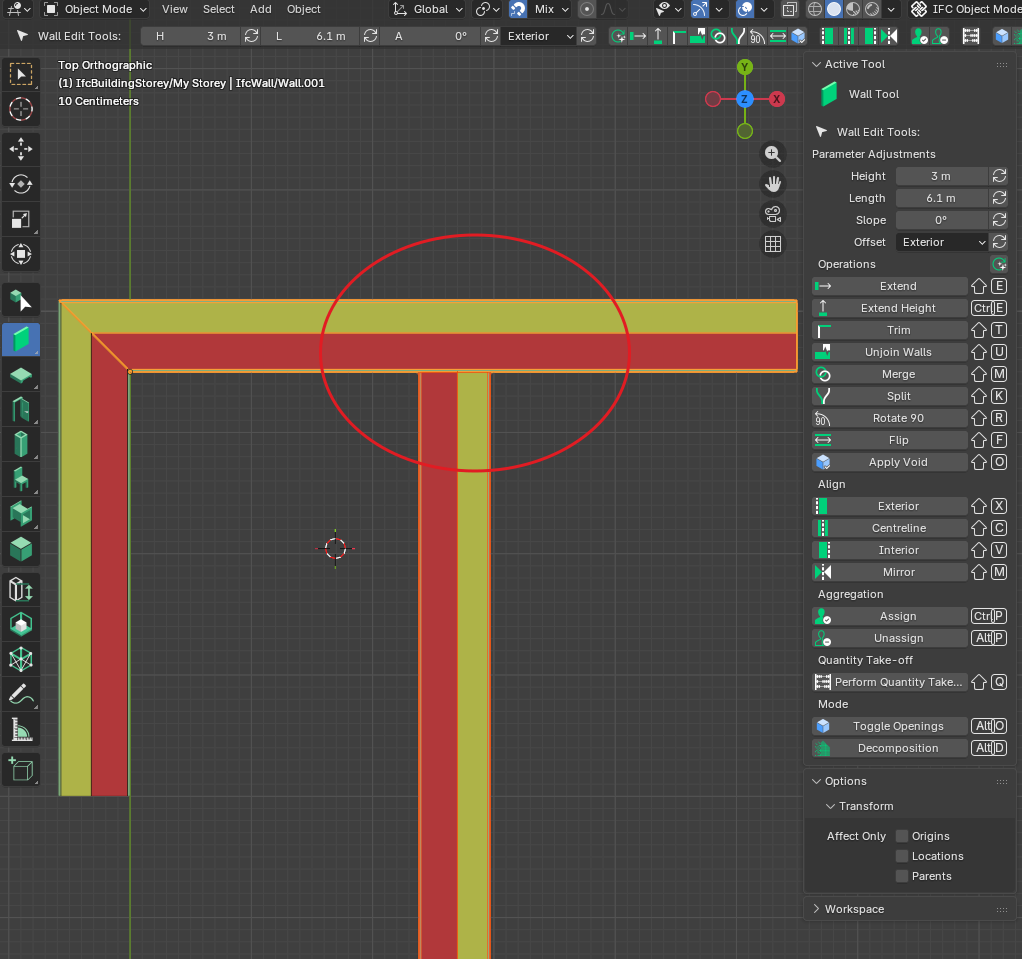
OK, so I got stuck again. I though I could create a join between the walls using the 'Butt' and 'Mitre' tools, but i don't see them in Bonsai 0.8.4. I am only able to join the walls using the 'Trim' tool, but this does not enable to create a T junction. I tried using the 'Merge' tool but I was not successful.
How can I create a joint between these two walls:
Does anything in this discussion help you? https://community.osarch.org/discussion/2882/how-to-use-new-wall-layers
@semhustej
it's a matter of setting priority value (higher = better at "entering" in the other layerset), see example:
Oh, I see. I got the join priorities values in reverse so the joint was "blocked" by the outermost stucco layer, which had the biggest priority :).
Thank you @steverugi
OFF TOPIC:
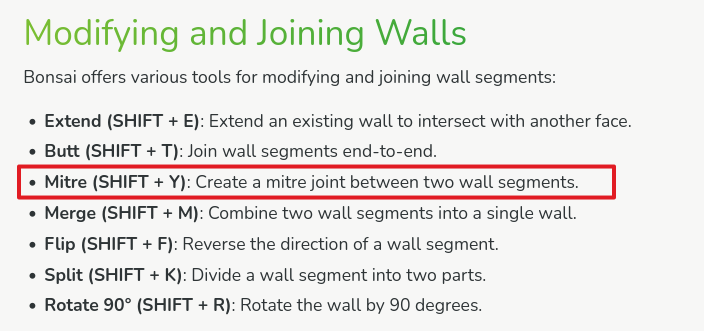
I read in the Bonsai wiki about the 'Mitre' tool (Shift + Y), which seems not to be present in the current or 0.8.5 version:
https://docs-unstable.bonsaibim.org/guides/authoring/basic_modeling/creating_walls.html
Isn't this an outdated information in the wiki? Also the Shift+T shortcut now invokes the 'Trim' command instead of the 'Butt' command stated on the wiki.
hi @semhustej
looks like, especially when you open the N > Tool panel of wall tool
cheers