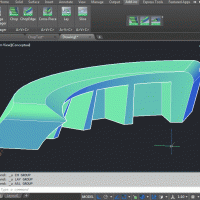
Hi Guys, I'm doing some workouts on enveloping buildings.
After IFCC and extractor i have a objectwave .obj objects as mass model from the building
Somehow i can't get it classified as IFCbuilding. Any ideas?
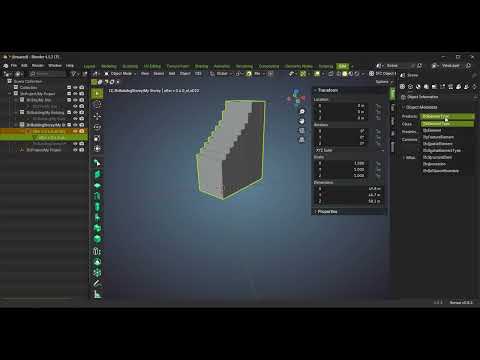
I am getting similar issue of not having spaces visible. I tried also using the 'Toggle Space Visibility' and 'Toggle Hide Spaces' in the Space tool. Nothing works. I am able to reproduce in 0.8.4 and 0.8.5alpha. I tested on a file where spaces were visible using 0.8.3. Did something change in 0.8.4 release?
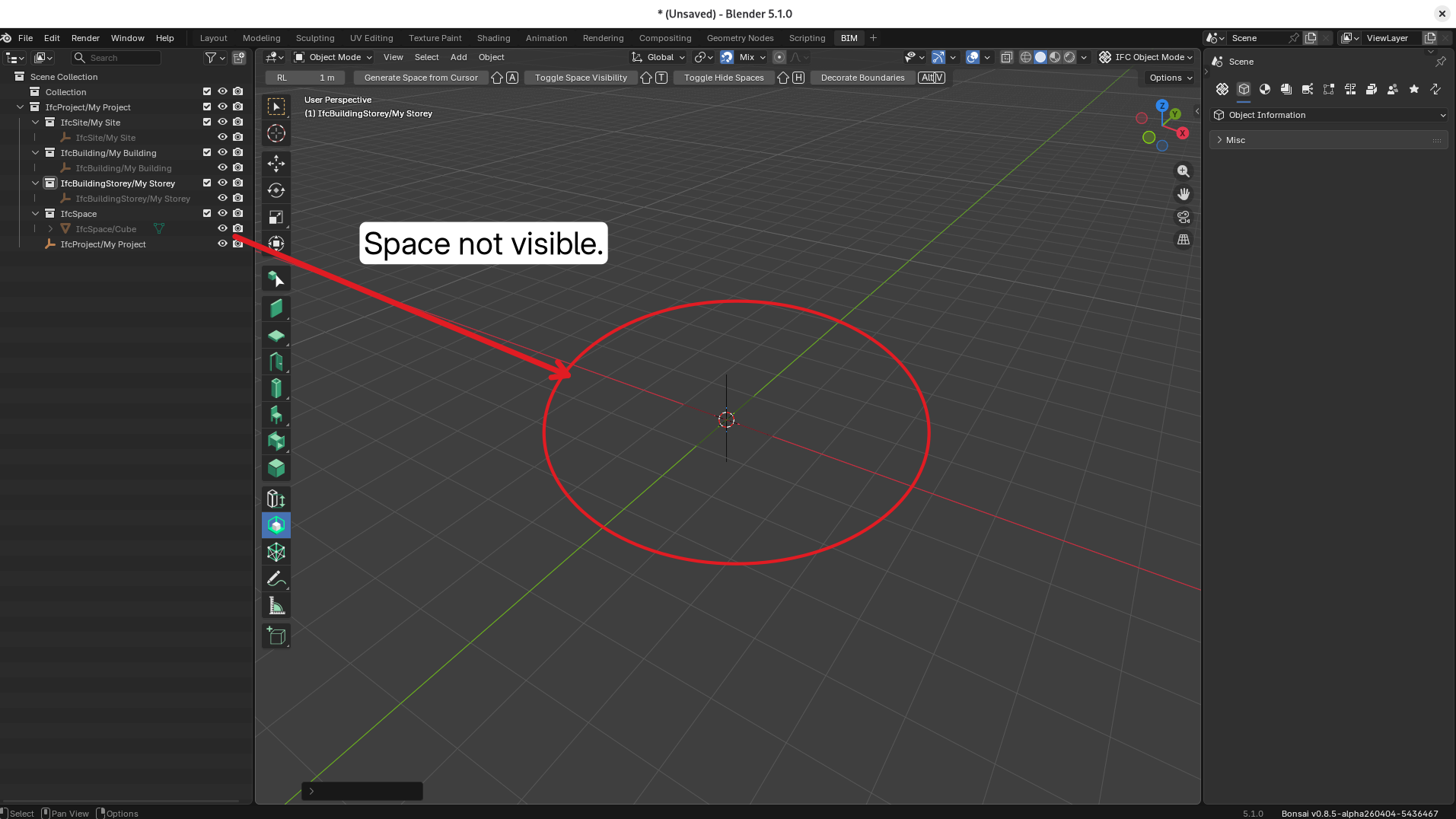
I am running Bonsai on Linux. This is my sample file but I am able to reproduce with any file.
Thanks guys. Blender had a lot of hidden buttons and features. I Don't understand the logic to make them invisible after asigning the category. As for the choice for spatial - ifc building. This seems to me like a normal approach. Is there any reason this can't be used, apart from some guideline telling something. What other flavors do we have? Attached the 400 kB bim file :)
just speculating here
maybe the 'empty' typically used to geometrically identify a spatial element (like IfcBuilding or IfcBuildingStorey) has been set to 'hidden' by default to prioritize actual elements in the 3D viewport.
Unfortunately this throws the baby with the bathwater since it prevents IfcSpace from being shown (and your solid used as IfcProject)
I think the monitor icon being hidden by default (Blender vanilla choice) is hurting user experience here, mayeb we can think of a fix. As I understand the reasoning is to prevent end user from interacting with the empty object in 3D viewport while still being able to interact with it in the outliner. that is to say prevent moving the empty or deletign as part of an action or more regualr geometyr based entities.
Exclude the collection (checkbox, dispalyed by default in outliner) instead of disabling the empty. Hard no, it hides all other elements of the storey, building, site, ...
Hide it : No, doesn't survive in edition ALT + H to unhide elements.
Prevent selecting : Was like that before Oct 2025, spatial lock (see further down) shoudl take care of it instead). Also has the same problem as the monitor icon, not displayed by default in the outliner.
Prevent deletion altogether : already ensured by the Spatial decomposition lock. As a user I find it a bit confusing, I often need to manually modify IfcSpace geometry to conform to room specificites, so I always unlock spatial decomposition. I think there should either :
Be a confirmation dialog when trying to delete a IfcSpatialElement, even if spatial decomposition is unlocked (as a concept, locking can have different meanings, locking transformation, locking property edition, or locking deletion, are different concepts that are not immediately evident to end user). Also I would assume as a end user since this is the default state that by default ALL elements are modifiable, and only if I choose to lock modification shoud l have to do it manually. AFAIK in CAD tools layers and such are always ON by default when created precisely because it leads to misunderstanding for non-power users.
Always skip IfcSpatialElements (with a report in viewport telling why) when more than one element is being deleted, to prevent batch deletion also accidentally removing space elements.
Remove empty as a physical entity to access IfcSpatialElement altogether - makes it less discoverable and prevents from accessing entity specifics like Psets, aggregates, etc.
Make the IfcSpatialElement properties accessible when the related _collection _is selected - makes the workflow dependant on the hardcoded colleciton hierarchy, which is a bad thing
Add a new panel in the properties panel for spatial element of containing selected object's properties ?
Comments
maybe try...
@magicalcloud_75
please could you explain why you want to export an object as IfcBuilding (a spatial container)?
from buildingsmart.org
I sometimes assign 'massing models' in the early stages of design to an ifcbuilding.
seems it's okay: https://chatgpt.com/share/69d4f07b-a8ac-83e8-93af-4e3f80e986b7
I am getting similar issue of not having spaces visible. I tried also using the 'Toggle Space Visibility' and 'Toggle Hide Spaces' in the Space tool. Nothing works. I am able to reproduce in 0.8.4 and 0.8.5alpha. I tested on a file where spaces were visible using 0.8.3. Did something change in 0.8.4 release?

I am running Bonsai on Linux. This is my sample file but I am able to reproduce with any file.
@semhustej
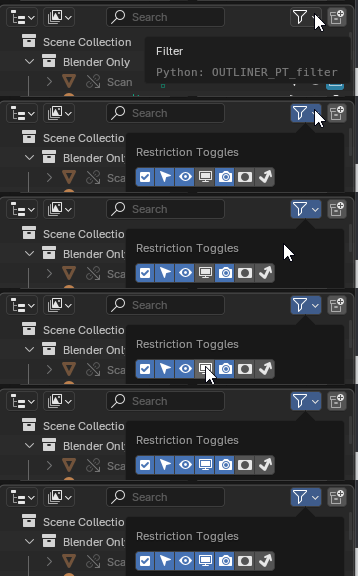
Did you try the following?...
Spaces (and all other IfcSpatialElements) are 'hide' with

Disable in Viewportsverses
Hide in ViewportWas brought up here: https://community.osarch.org/discussion/comment/27622/#Comment_27622
@theoryshaw
Oh, I see. Yes, this is the culprit, thank you!
Thanks guys. Blender had a lot of hidden buttons and features. I Don't understand the logic to make them invisible after asigning the category. As for the choice for spatial - ifc building. This seems to me like a normal approach. Is there any reason this can't be used, apart from some guideline telling something. What other flavors do we have? Attached the 400 kB bim file :)
@magicalcloud_75
just speculating here
maybe the 'empty' typically used to geometrically identify a spatial element (like IfcBuilding or IfcBuildingStorey) has been set to 'hidden' by default to prioritize actual elements in the 3D viewport.
Unfortunately this throws the baby with the bathwater since it prevents IfcSpace from being shown (and your solid used as IfcProject)
also in this post
I think the monitor icon being hidden by default (Blender vanilla choice) is hurting user experience here, mayeb we can think of a fix. As I understand the reasoning is to prevent end user from interacting with the empty object in 3D viewport while still being able to interact with it in the outliner. that is to say prevent moving the empty or deletign as part of an action or more regualr geometyr based entities.