

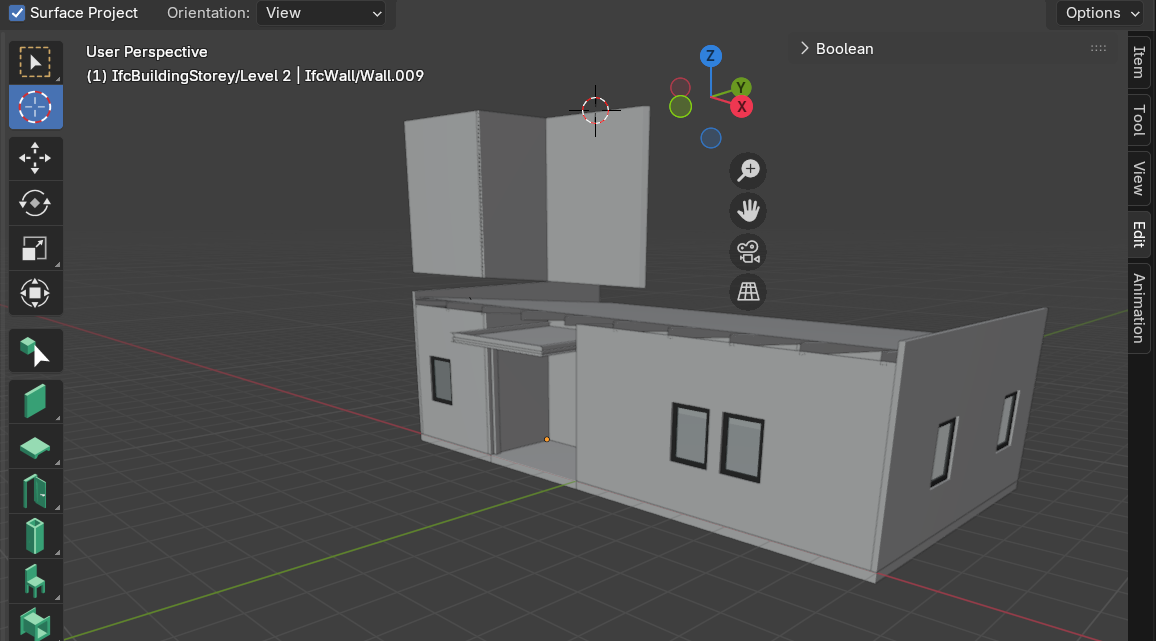
Tried to extend wall to the sloped slab, got visually trimmed wall.

I am new to Bonsai + Blender. I tried to model a room with a sloped wall attached to the slopped slab, I tried shift+E but there is a gap between the slab and the wall. Then I tried to extend the wall to the cursor, through the slab, around 7 meters high. Then there is a gap in the mid!
dle of the wall, with a shape of the slab. I guess it is the representation of the slab, that is visually trimming the wall. How can I fix this so that the wall is attached to the slab? Thank you.
Comments
@Nadiya
I tried your model, the "gap" is the rafter I think which takes part of the wall, maybe try to extend the roof sloped slab on top of the wall to fix it.
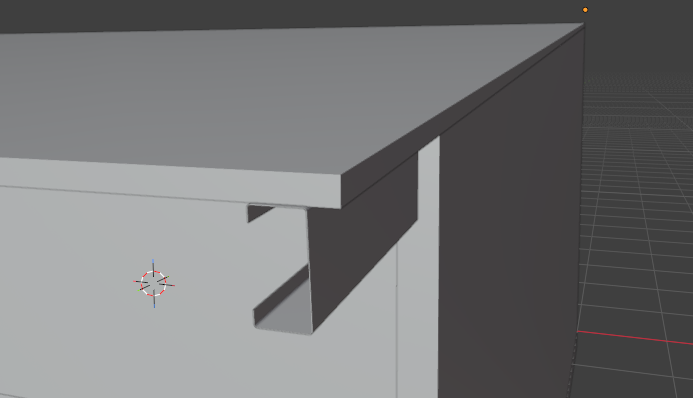
slab extended:
now OK?
cheers
Thank you for seeing the files. That is not exactly what I mean.
Problem: can’t extend the wall to the sloped slab. Shift + E did not work. Python error log: select Level 2 and Level 2 objects.
Solution: The problem apparently is caused by the container of the object. Some objects were located in the Ground Level while the recent objects were located in the Level 2. I had no idea why I automatically drawn objects in Level 2 which was set 7 meters above the ground. I wonder how to set it back so that I could draw in the Ground Level again. I have checked on Scene Properties > Object Information > Object > Spatial Container, then manually changed the spatial container of the objects to Ground Level. Afterwards, the Shift + E works again, walls are extended to the sloped slab now. However, some object's spatial container cant be changed into Ground Level. I got this error log:
AttributeError: 'NoneType' object has no attribute 'users_collection'
The problem where I always draw on Level 2 and cannot change the spatial container of several objects from Level 2 to Ground Level, is actually a major bug in Bonsai 0.8.5 stable release, which has been solved in Bonsai 0.8.6 alpha. I got the solution from this post: https://github.com/IfcOpenShell/IfcOpenShell/issues/5083 which leads me to this post https://github.com/IfcOpenShell/IfcOpenShell/issues/7801 and eventually this post https://docs-unstable.bonsaibim.org/guides/development/installation.html#unstable-installation
I still have a problem in changing a door type from swing door to sliding door, but the container of the objects now could be changed easily. I hope this post help someone facing similar issue.
Hi @Nadiya
I used your very model and didn't have any error in extending the wall (shift+E with wall or multi object tool selected) up to the sloped slab, the wall is correctly cut on top, as I wrote earlier the slab cannot extend on it because it's defined by its 'polyline' or what you see when you edit it.
Basically you can extrude/extend a wall (or a beam, column) but not a slab if defined by a horizontal layer (I think)
I don't think the container is the issue, since I used your wall (ground floor) and floor sloped slab (Level 2), no problem.
I'm using Blender 5.1 Bonsai 'unstable' 260616 now
PS maybe once again I didn't understand your post ;)