

Road Sign Library PT-BR

I have modeled a library for road signs according to Brazilian standards, and it's available at:
https://drive.google.com/drive/folders/1iniDwyzTO7o4ReEV6vAWmk0ahcopGHM5?usp=sharing
and
https://plataformabimbr.abdi.com.br/
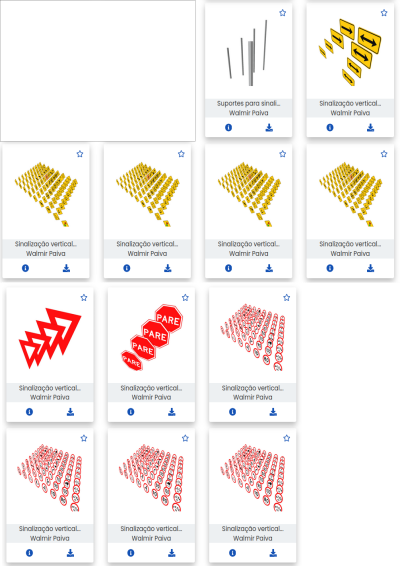







I have modeled a library for road signs according to Brazilian standards, and it's available at:
https://drive.google.com/drive/folders/1iniDwyzTO7o4ReEV6vAWmk0ahcopGHM5?usp=sharing
and
https://plataformabimbr.abdi.com.br/
Comments
@walpa I'm really interested in what you are doing here. I have a million questions.
Let's start with a little background. I have experimented a bit with modeling signs. The results are in a github repo. https://github.com/RickBrice/Signs
One thing I quickly realized is that there needs to be a national library of the standard signs in the US. I attempted to create a prototype. It is just an IFC file with IfcProjectLibrary filled with IfcSignType for a bunch of common signs. The representations are just dummy rectangles.
How do you envision your sign libraries being used? Maybe you can help me build an example model that uses your library.
HI @Rick_Brice,
If I understand correctly, the proposal is to have a database (bSDD) with a CSV file containing the signal information for a road (for example) and an IFC library of the signals, and with this, be able to generate the digital twin of that signaling system. Am I correct?
I think this library can be used for road signage projects in general. Here in Brazil, normally, each municipality has a department responsible for urban traffic, and each state has a department responsible for traffic on interstate highways. In all of them, signage projects are constantly being developed and contracted for execution. Today, most of these projects are done with Civil 3D (in large projects) or CAD (smaller projects), and the representation is only 2D.
BIM is starting to arrive... and I modeled these assets as a way to encourage the adoption of openBIM in this area.
I modeled the signs and supports separately because there is a diversity to be considered, and I think the user can make the assembly that is appropriate. The user can create an IfcElementAssemblyType with the set of IfcElementType sign+support to facilitate positioning/referencing in an IfcAlignment.
In the past (in an older version of BB) I had managed to make a assembly type of several objects types, but I am no longer able to do that. I posted a question here.
Okay, sure, where do we start...
Not exactly - my technique for creating a very quick library of sign types for US standard sizes was to extract the information tabulated in published PDF files, paste it into CSV file, and then write a python script that used IfcOpenShell to create an IFC file with IfcProjectLibrary and IfcSignType.
Your vision for your sign libraries is very well aligned with what I am trying to do. The local, state, and federal projects all use the same standard sizes.
I would like to create an example model with signage as a first step. The example would be a simple sign on a post. The sign and post would come from your library. Examples could become more complex and meaningful from there.
Here is what I've tried so far.
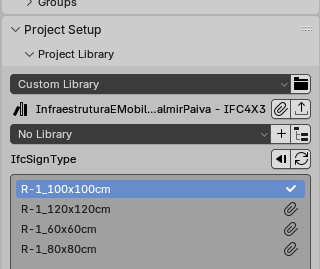
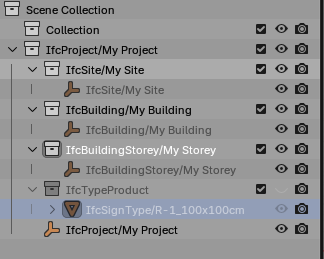
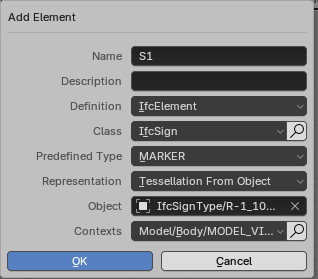
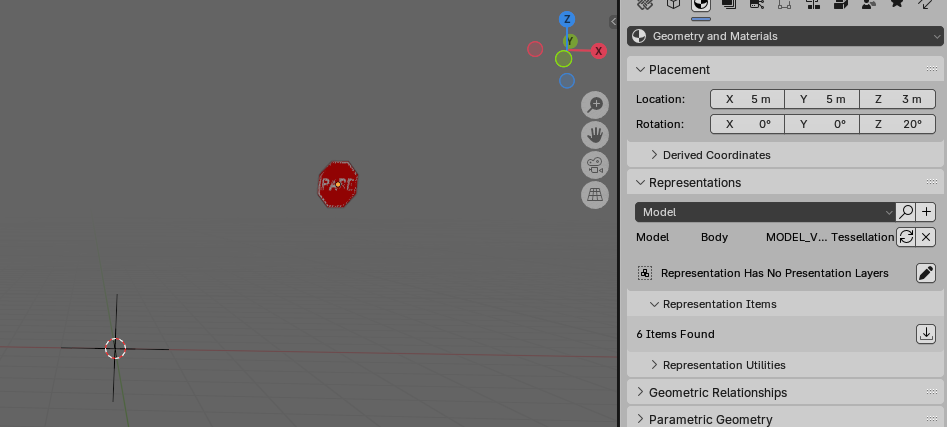
1. Start Blender/Bonsai and create a new IFC4x3 project
2. In Project Setup, Project Library select InfraestruturaEMobilidade_ControleEMonitoramentoDeEstrada_SinalVerticalDeRegulamentacaoR-1_WalmirPaiva.ifc
3. In the Top Level Assets box, select IfcSignType and R-1_100x100cm. Press the paper clip button to add the sign type to the project
4. Add an instance of the sign to the model . Requires selecting the IfcSignType before adding the IfcSign instance. If I try to assign the IfcSignType to the IfcSign later, BB crashes.
5. Position the sign
This all works great. So now some questions:
How to add the sign post?
How did you create the sign library? I'd like to do something similar for US signs.
@Rick_Brice
After importing the objects, signal and pole (in the file InfraestruturaEMobilidade_ControleEMonitoramentoDeEstrada_SuportesParaSinalizacaoVertical_WalmirPaiva.ifc):
1 - Create the instances using the Multi Object Tool.
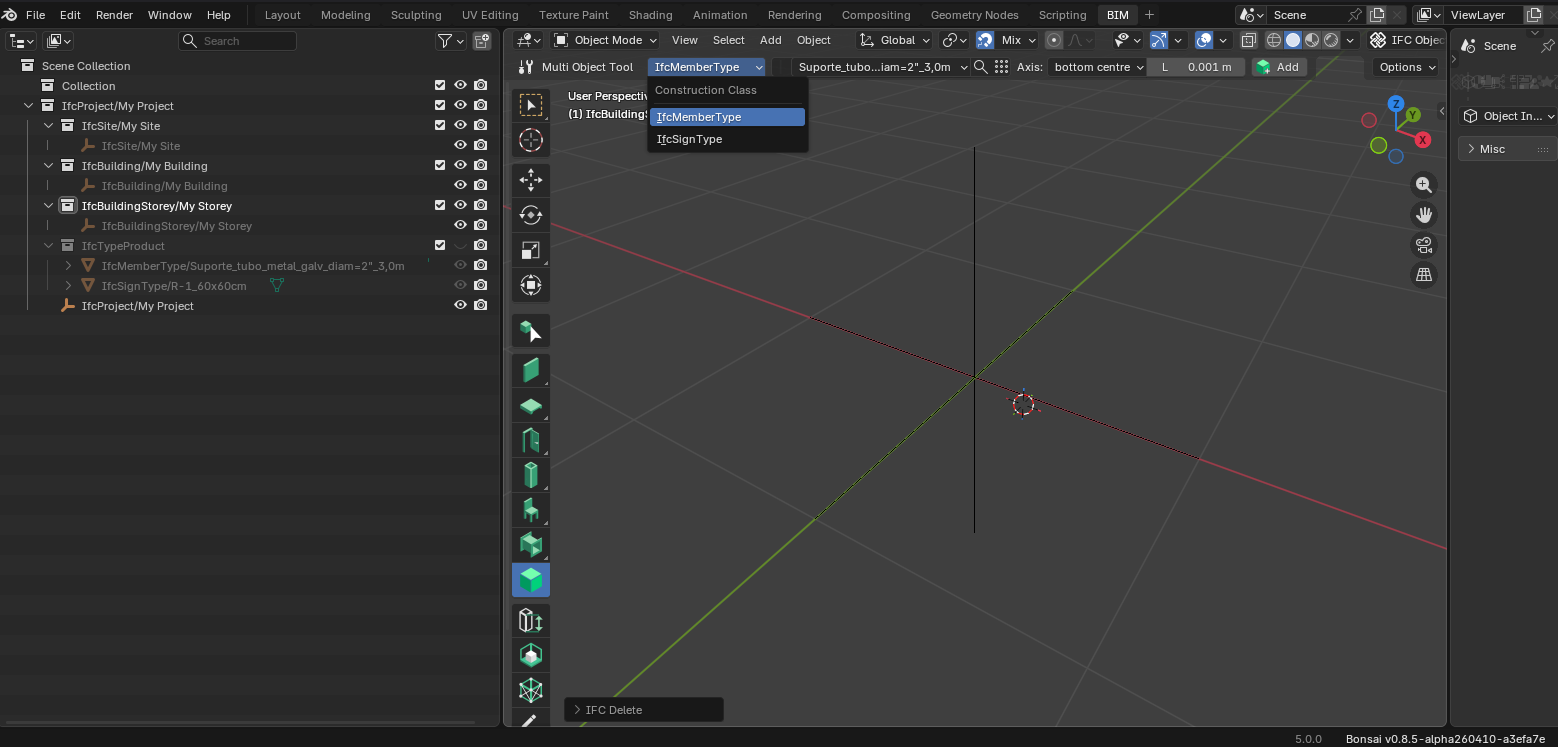
2 - Reposition the objects.
3 - Select the two objects and create the assembly.
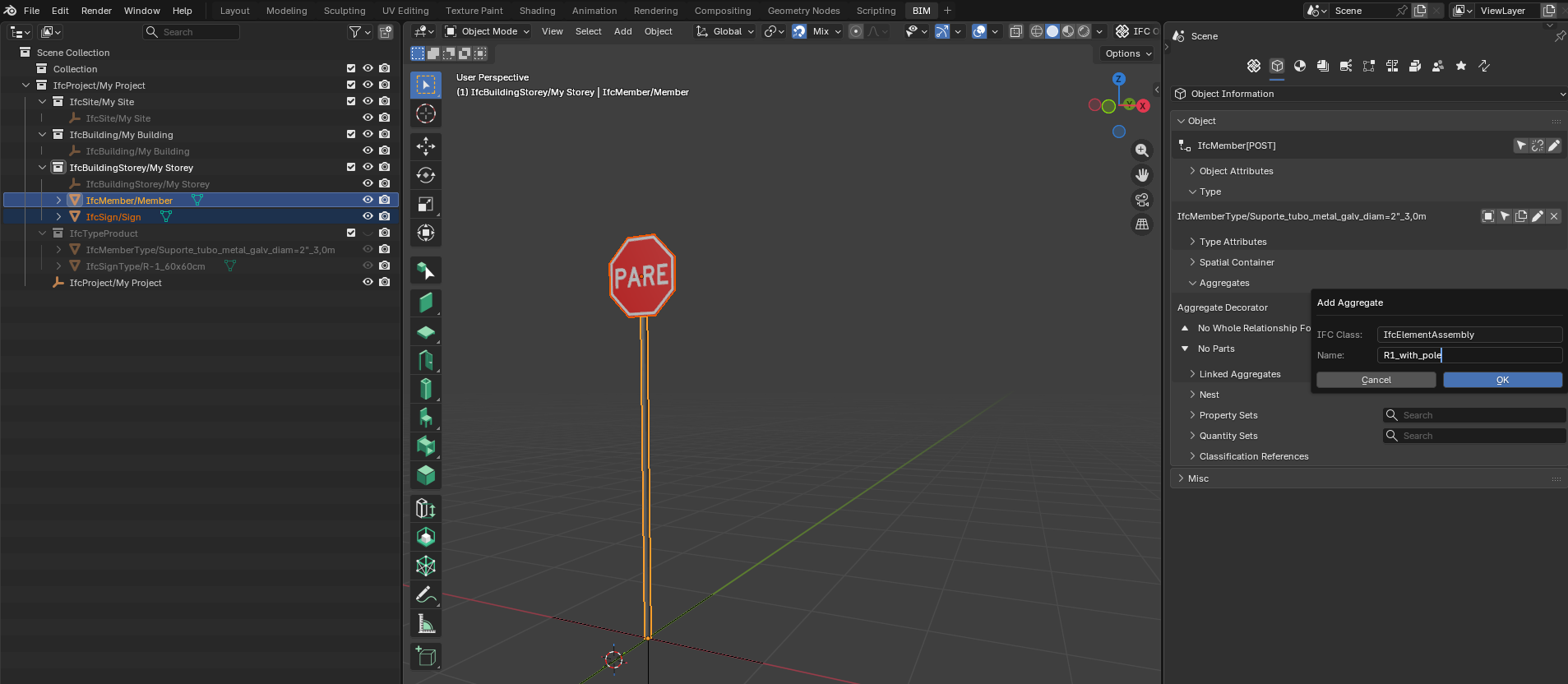
Pay attention to the cursor position, as the IfcElementAssembly is automatically created in this location.
If you want to make linked copies, use "linked aggregates" as shown by theoryshaw here.
Cheers
How did you create the sign geometry for the library?
@Rick_Brice
Before explaining how I did it, I'd like to justify my choice.
I thought the best way to create this signage library would be using textures; however, at the moment, BB only allows the use of textures in external files, which isn't very suitable for creating a library that will be available on a public platform. To incorporate the image into the IFC file itself, we would have IfcBlobTexture or IfcPixelTexture, but I couldn't get that to work (I couldn't even open the example file in the documentation in BB). So I opted to model the signs using representation geometries for each "layer/color" separately.
In my internet searches, I stumbled upon an SVG file with the signage plates, and that's how the idea of creating the library came about.
A bit of manual work and some Python scripts...
Steps:
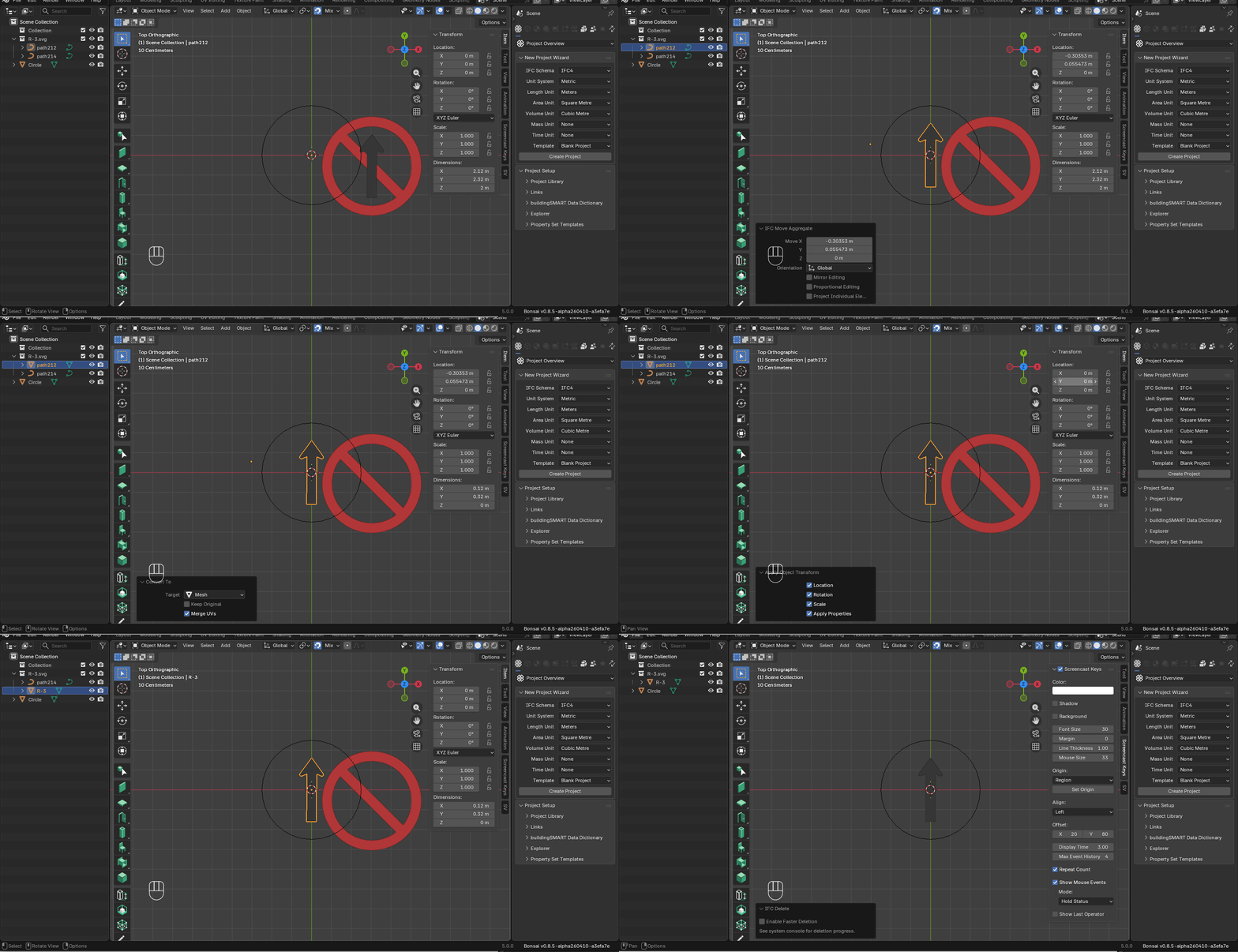
1 - using INKSCAPE I copied each sign and changed the scale to a known value (for example 500x500mm to obtain a sign with a diameter of 50cm) and export as svg.
2 - Import the svg into Blender.
3 - using a circle of the same diameter in Blender as a reference, reposition the pictogram to a position (0,0,0).
4- Create the collection structure with the objects from the layers that are repetitive (each with an appropriate positioning to appear in the correct layer order, see the attached file)
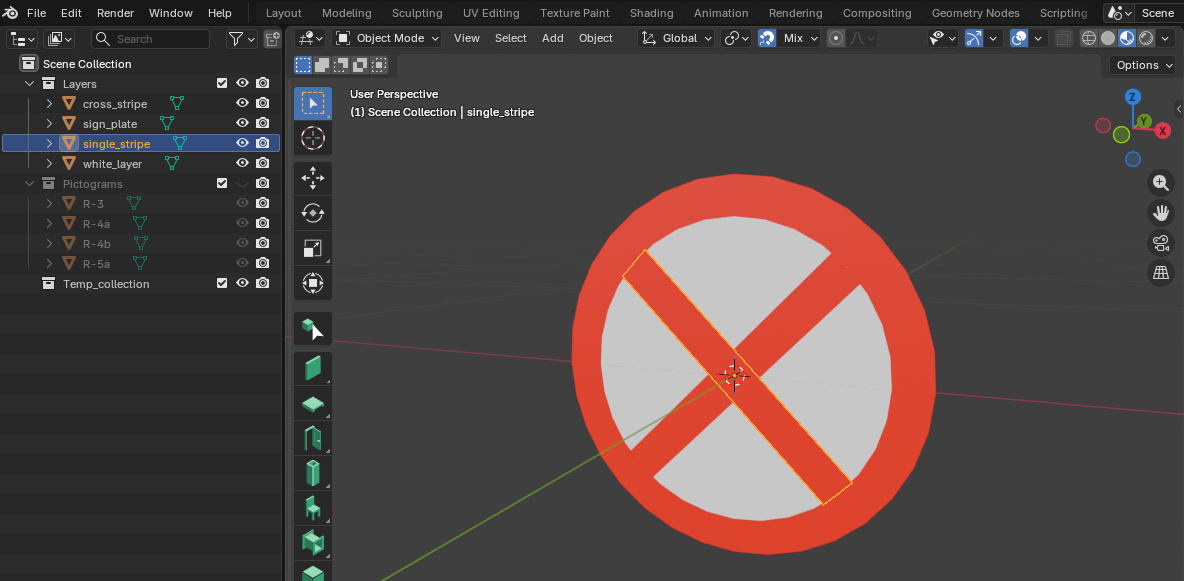
5 - Run the script 'change material pictogram.py' to change the materials that Blender creates for each imported SVG, to a material with the name of the style that will be created in the ifc file (I used "black_color" for the pictograms)
6 - Run the script 'reposition pictogram.py' to rotate the pictograms and apply a height corresponding to the layer
7 - Create a new IfcProject
8 - Run the script 'create ifc types.py' (remember to fill in the lists in the script with the names of the pictograms for the sign that have a single stripe or a cross stripe)
9 - To create identical signs but with different dimensions, psets and classifications, I made a specific script for that.
Well, that's it... I hope it's useful
Greetings
No judgements on your approach. I think the image texture is good, but not practical. It limits the file size, but relies on external sources. Maybe someday there will be an authoritative online library that can be referenced. Also, the image texture stuff is not in the scope of the AbV, so there are problems with that as well.
Glad you were able to generate from SVG files. I was worried that you drew everything by hand. I will take a look at your process. I'd like to do it for US signs. Probably be at least a week before I can dig into the details.
Thanks for the info.
I can help with the manual part if you want.
I was able to convert all the published sign images from EPS to SVG.
I was unable to convert them of IfcSignType.
The problem starts when I run the 'change material pictogram.py' script. The "black_color" isn't defined.
Here is one example of the 407 I have.
Any advice on how I could make this to work? Maybe it can be automated since I have 407 sign files.
Sorry, I forgot to mention that Blender requires a material with that name to already exist. Just rename any material created by the import to the name you want and then run the script.
@walpa, I'm not that good with blender so it is a bit of a struggle to convert my SVG files to triangulated face sets for IFC.
I went the route of using textures. I like this approach because it doesn't add a lot of data to the IFC file and the sign imagery can easily be turned off by not displaying textures. From an engineering perspective, the sign data (type, size, location and orientation) is more important than the image of the sign face.
I created a prototype for what could become a national sign library resource. It is published at https://github.com/RickBrice/IfcTrafficSignLibrary.
Even though the IFC specification says that for IfcImageTexture.URLReference http is a common protocol, Bonsai doesn't support this. To get around this problem, I created a PR https://github.com/IfcOpenShell/IfcOpenShell/pull/7961
You feedback is appreciated.
It really is hard work.
Great work!
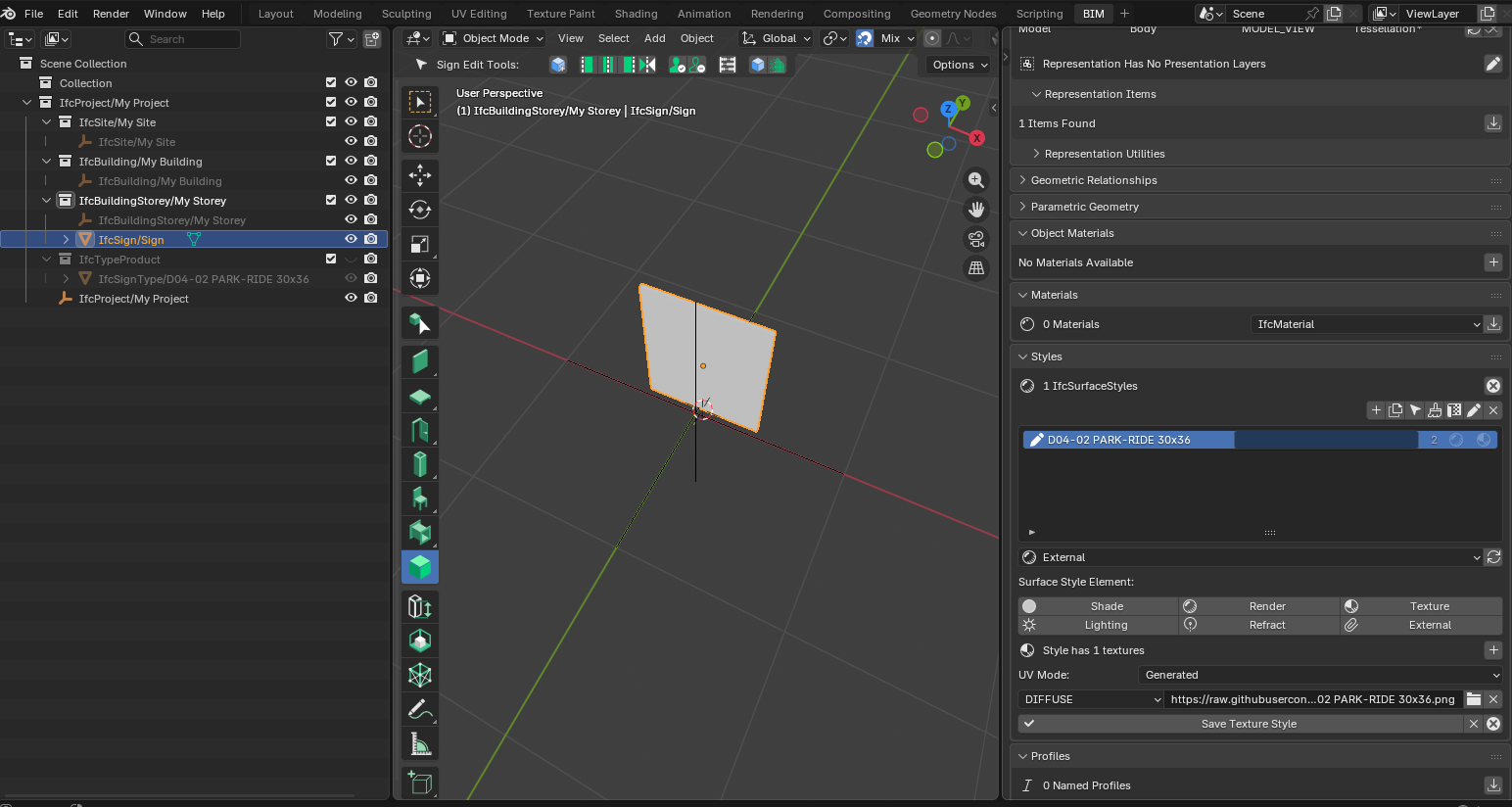
I tested it with today's BB version but it didn't work; the link is there, but the texture didn't update.
Any tricks?
I personally don't really like the idea of external links. I know it's better in terms of file size, data usage, protocols, etc... but my years of experience struggling with broken external links in dwg and xls files have left a bitter taste in my mouth. ;)
Cheers
If you toggle on the system console, there is probably an error message that it can't load the file. The filename will be a mix of a local drive and the https URI. This is a short coming in bonsai. The PR is intended to address this.
To use the PR, you'll need to use the live development environment and switch to the rab_IfcImageTexture branch
I get the drawbacks of external files. I'd like to create a parallel version of this library using your technique. I'm just not skilled enough blender to make it happen. Also, there are so many files to process, I would like to find a way to do it in batch.
An alternative is to clone my repo, tweak the script so the URI is for your local file system.
Yes.
I'm not a dev, I don't know how to use a "live development environment". Shame on me. :)
I'll download the SVG's and try to create some automation.
@walpa you can install the bleeding edge build, if you want.
It basically includes all non-draft, PR's...
https://docs-unstable.bonsaibim.org/guides/development/installation.html#bonsaipr-bleeding-edge-installation
You can also clone my repo, open the IfcTrafficSignLibrary.ifc file and search/replace https:/raw.githubusercontent.com/RickBrice/IfcTrafficSignLibrary/main with the correct path on your computer.
With the help of my new friend Claude, I was able to create an implementation of traffic signs similar to @walpa . I have triangulated face sets for the representations instead of texture mapping.
https://github.com/RickBrice/IfcTrafficSignLibrary