

Showcasing Bonsai Outputs

This is a WIP project and even though not yet complete I want to share with the community where my baby steps in Bonsai are leading me to!
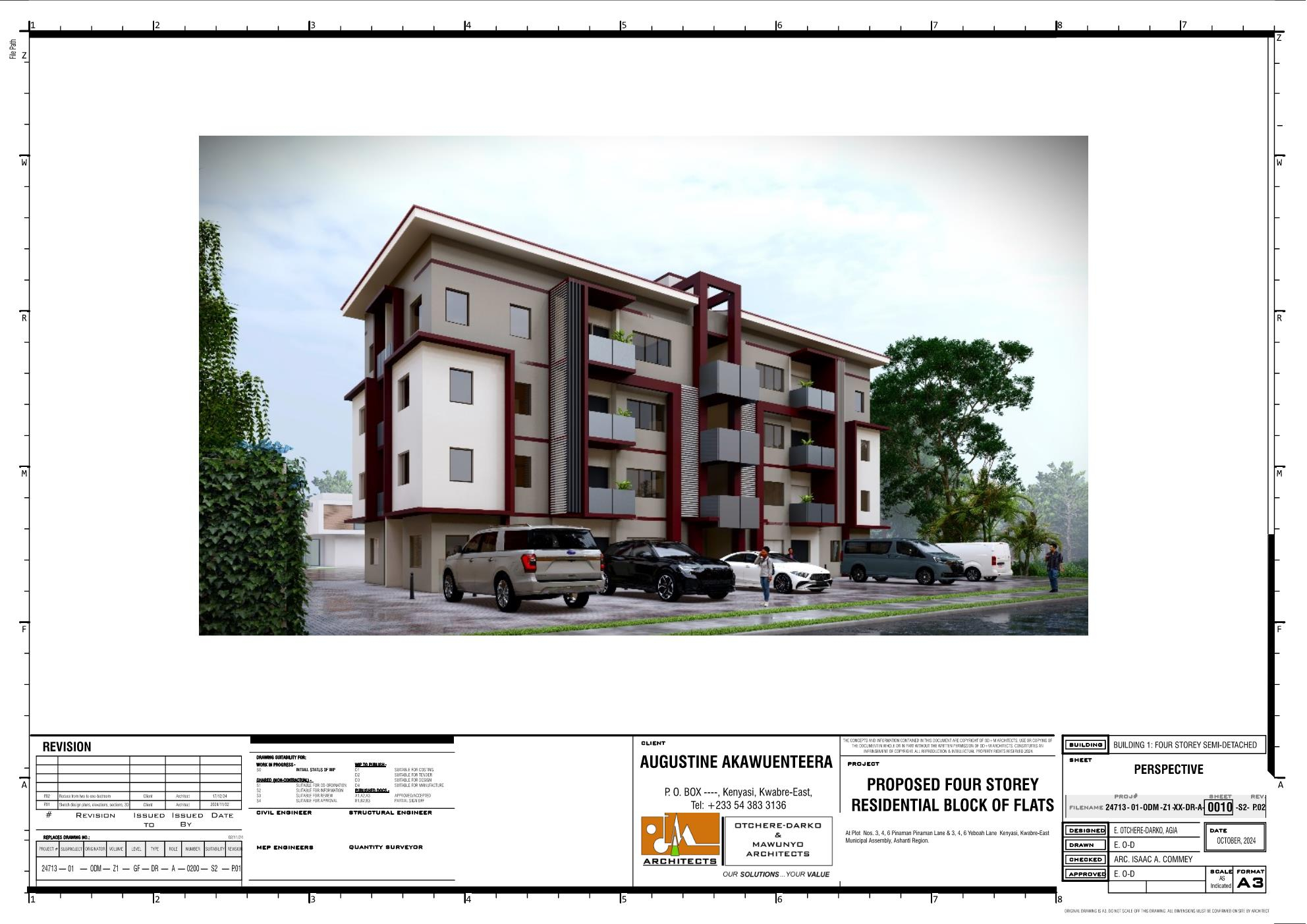
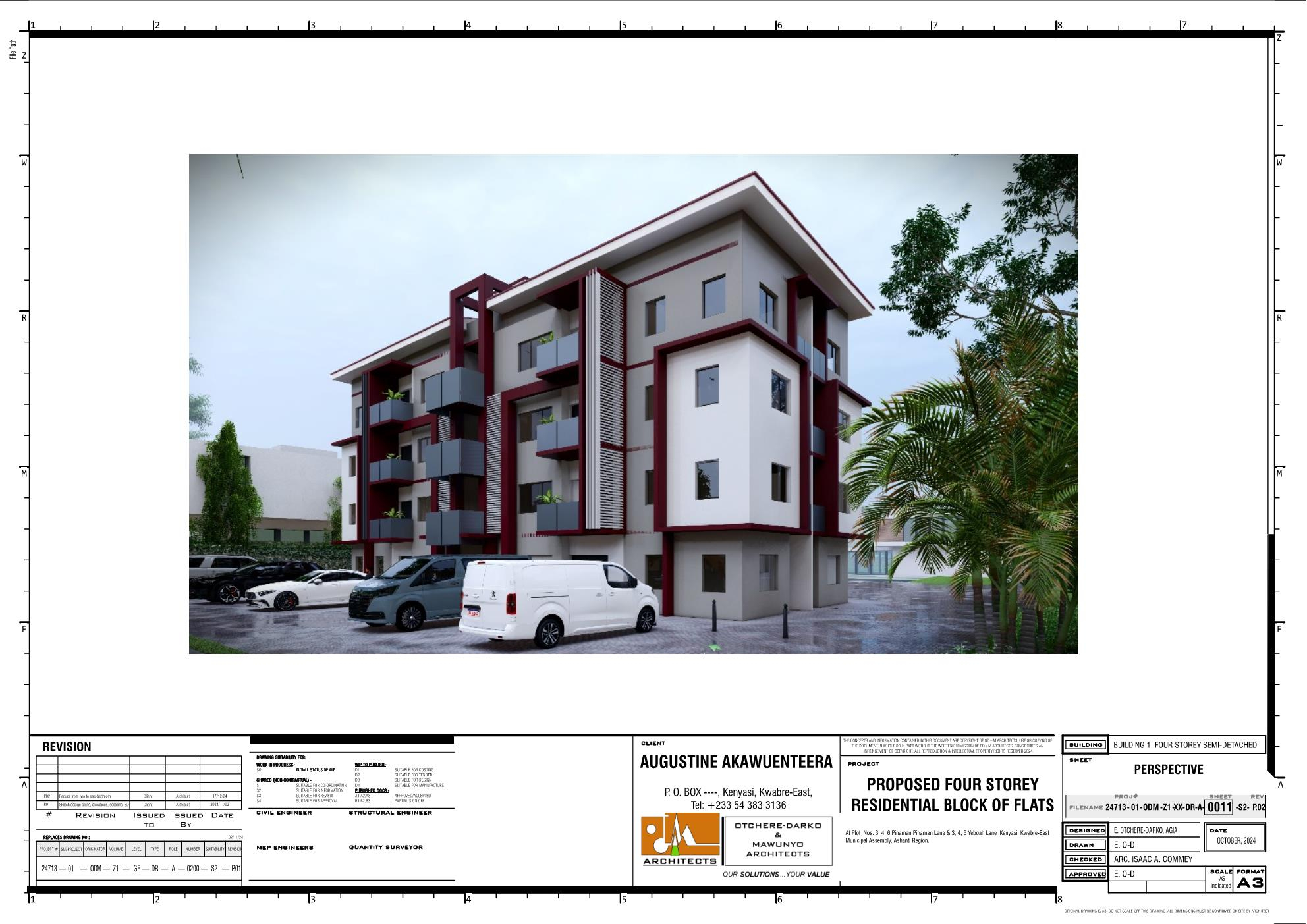
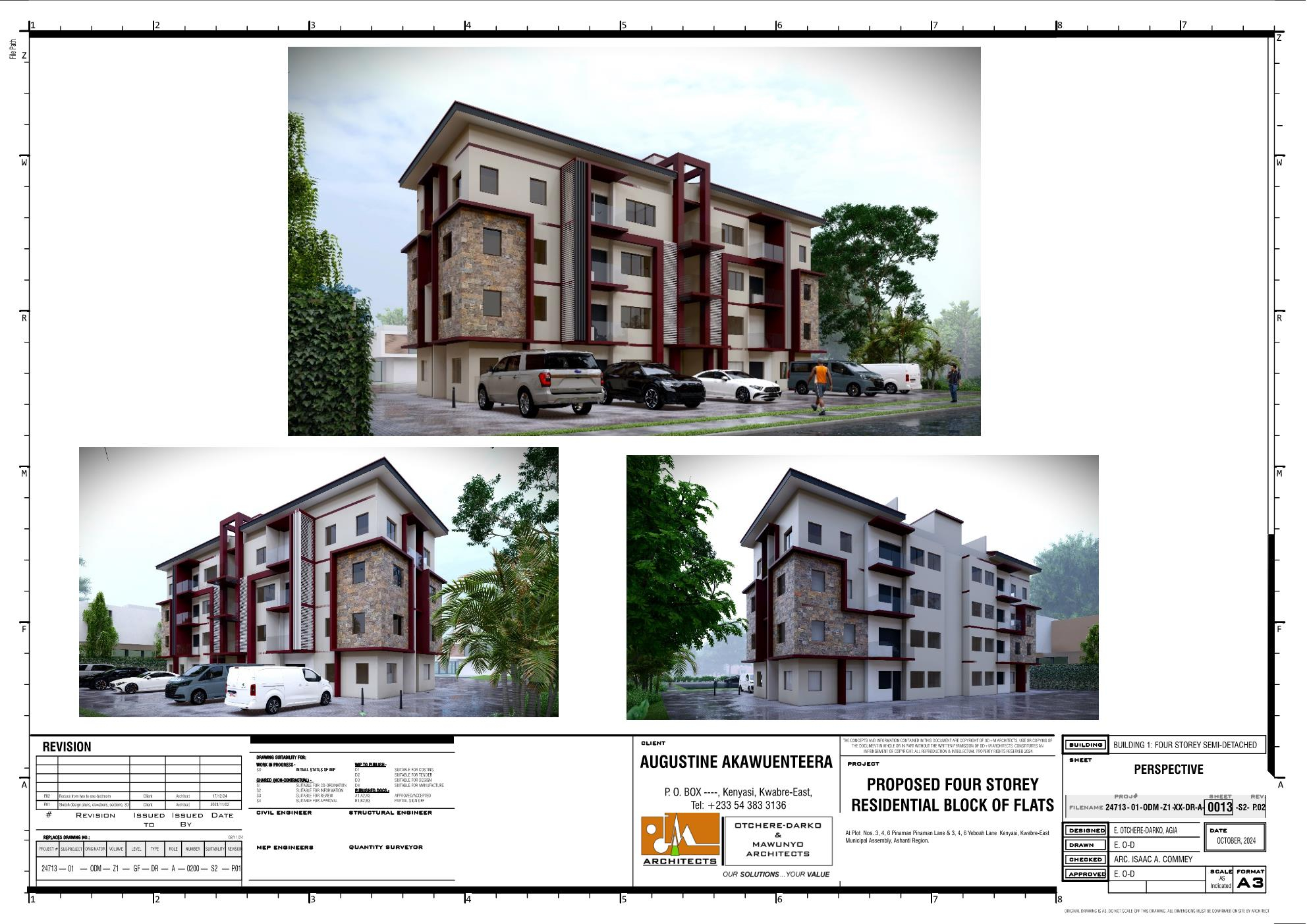
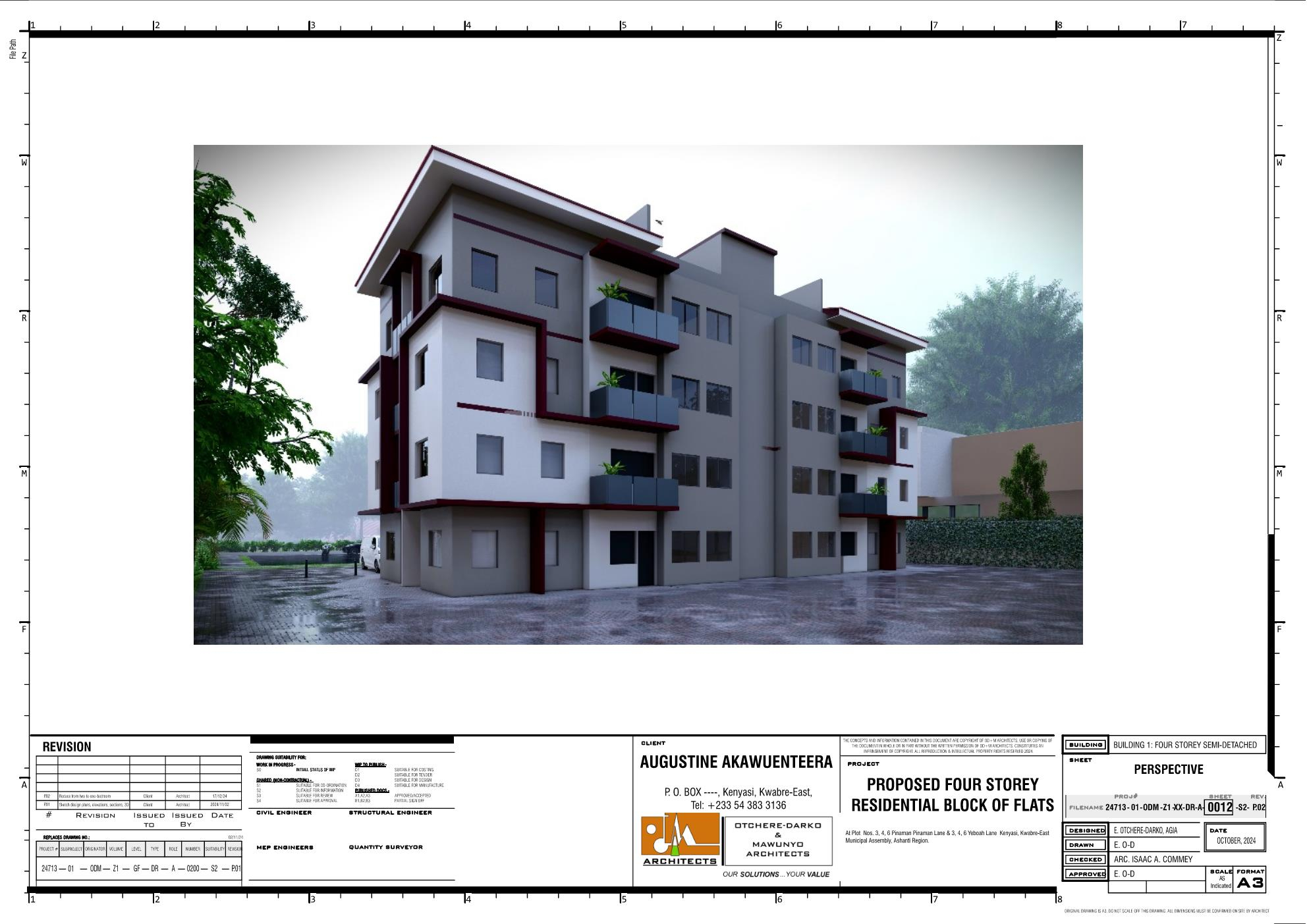
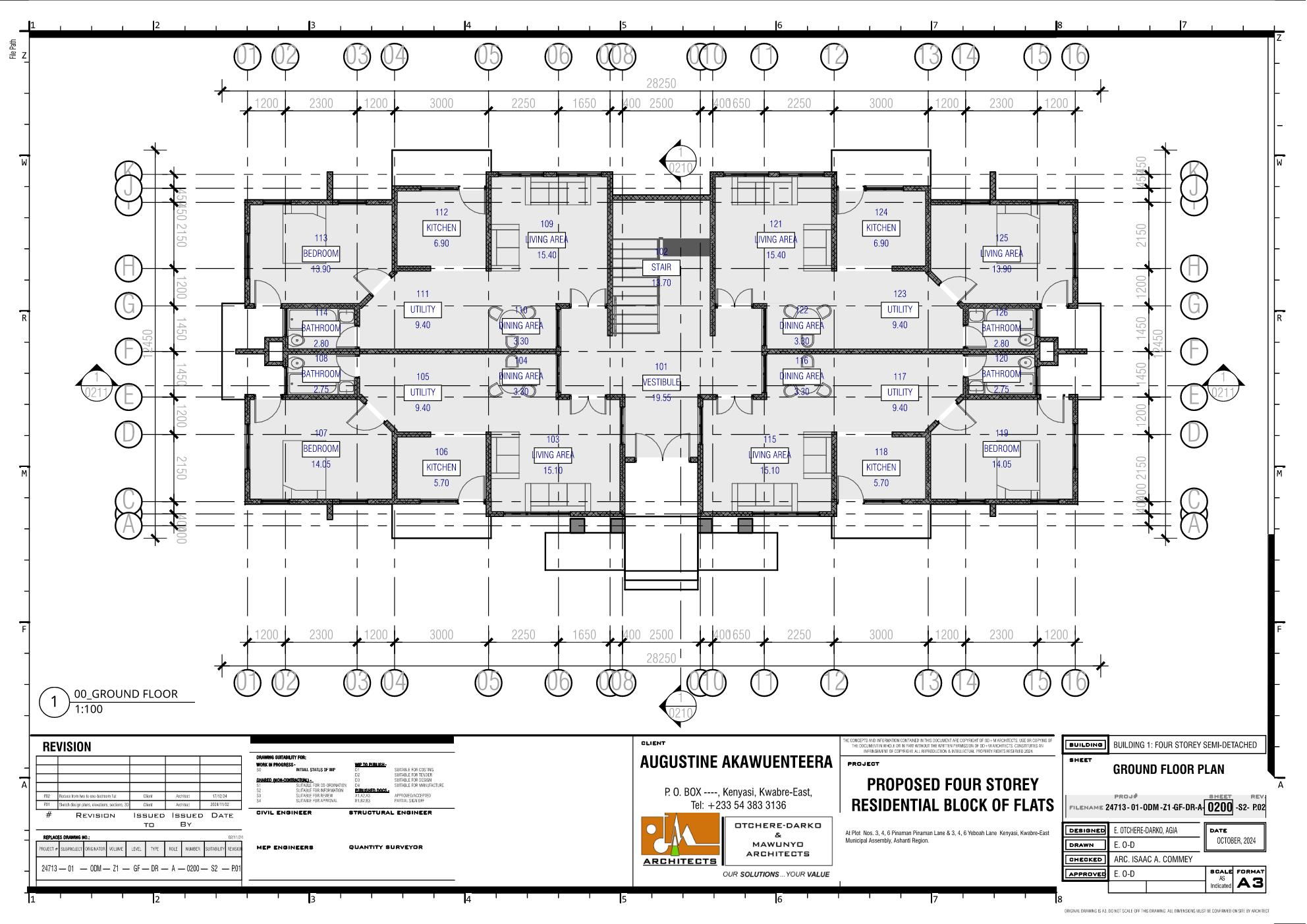
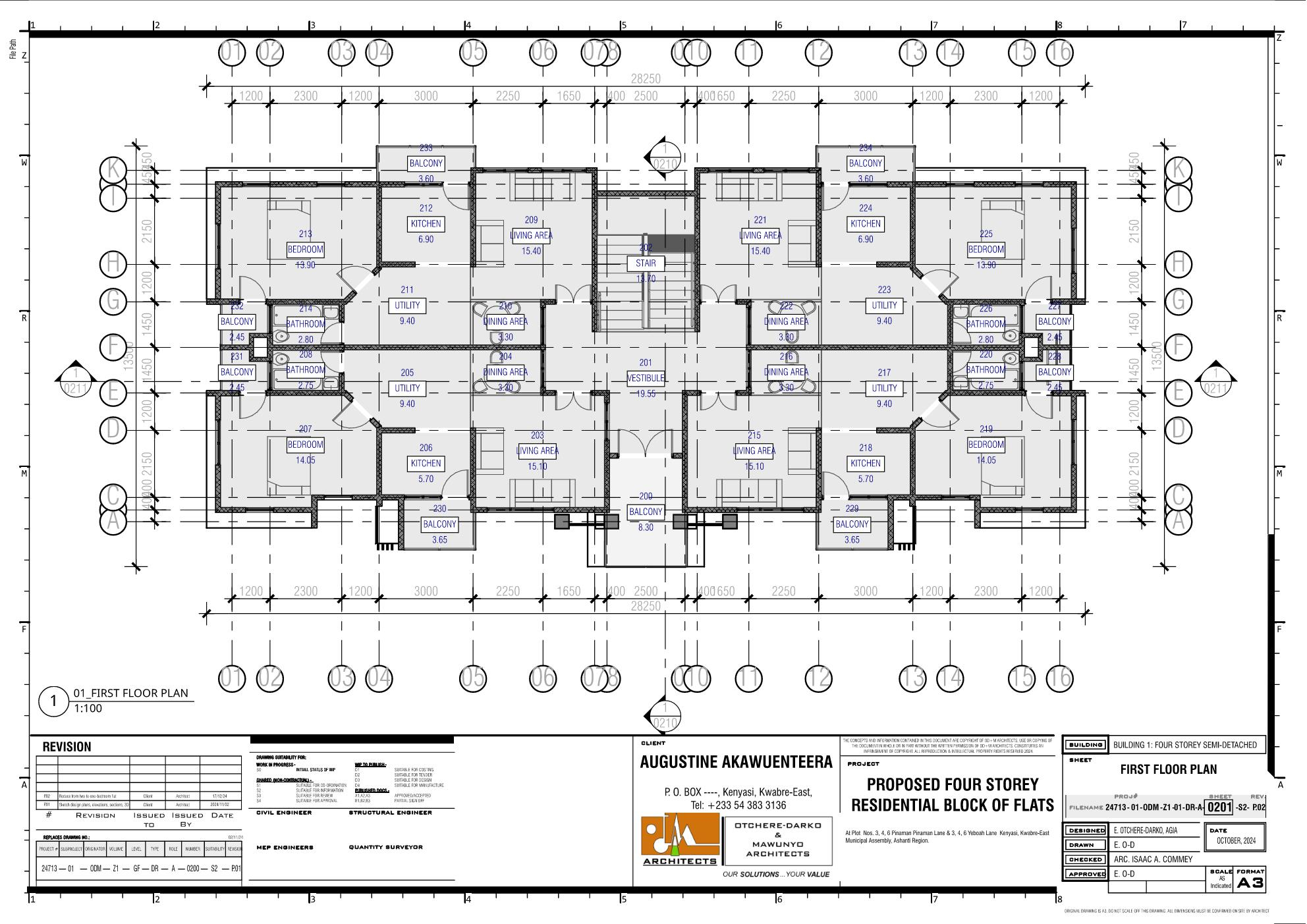
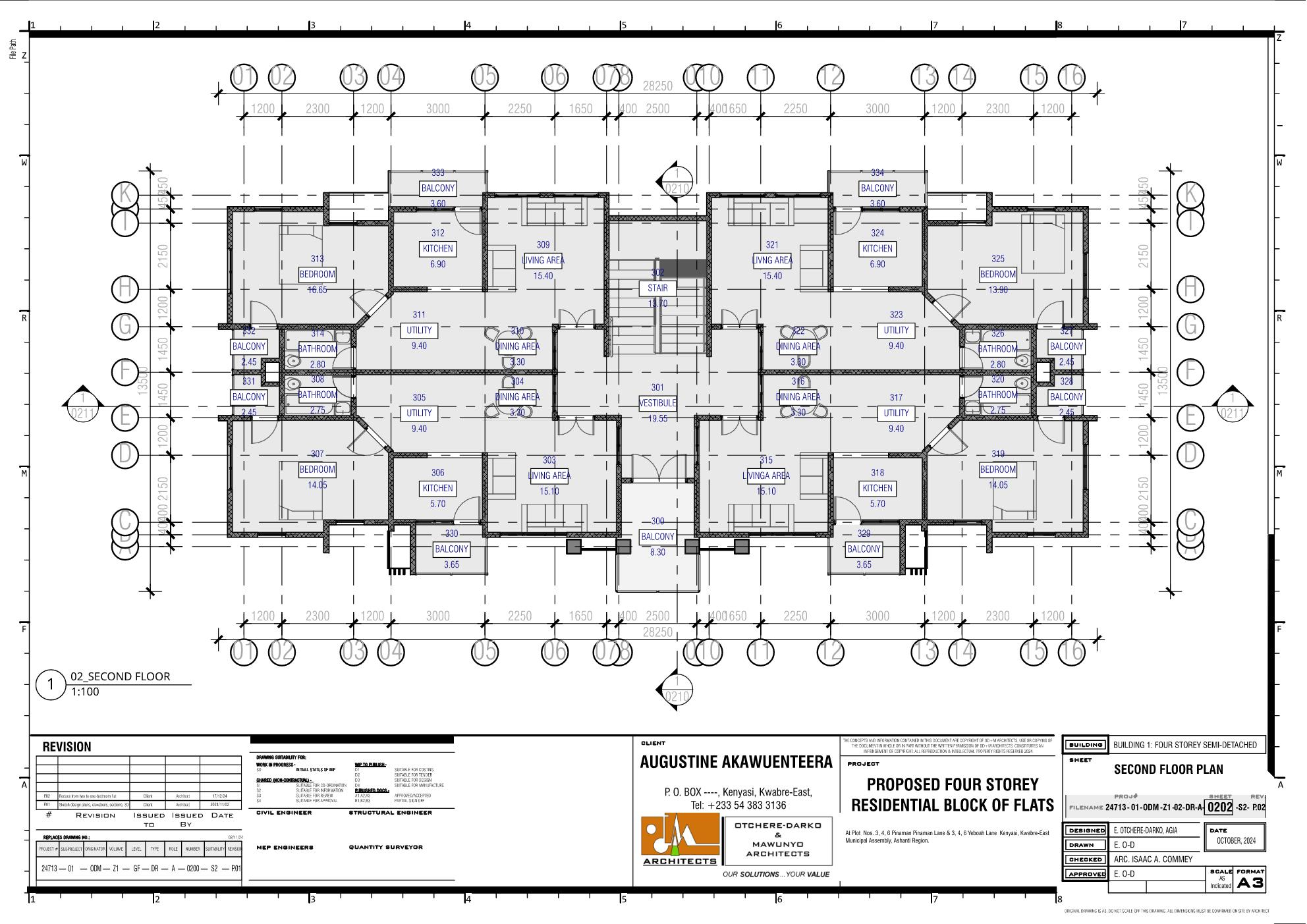
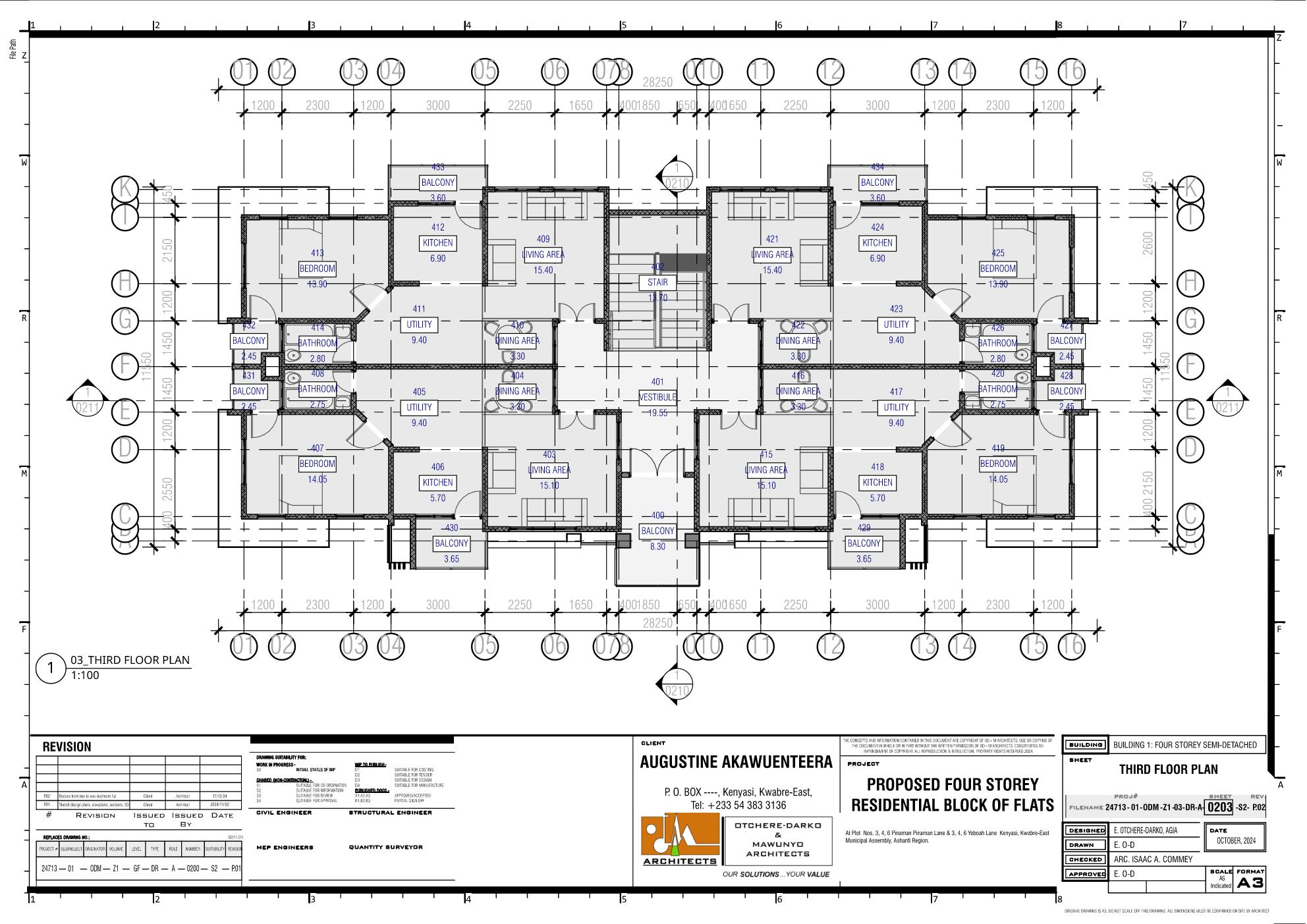
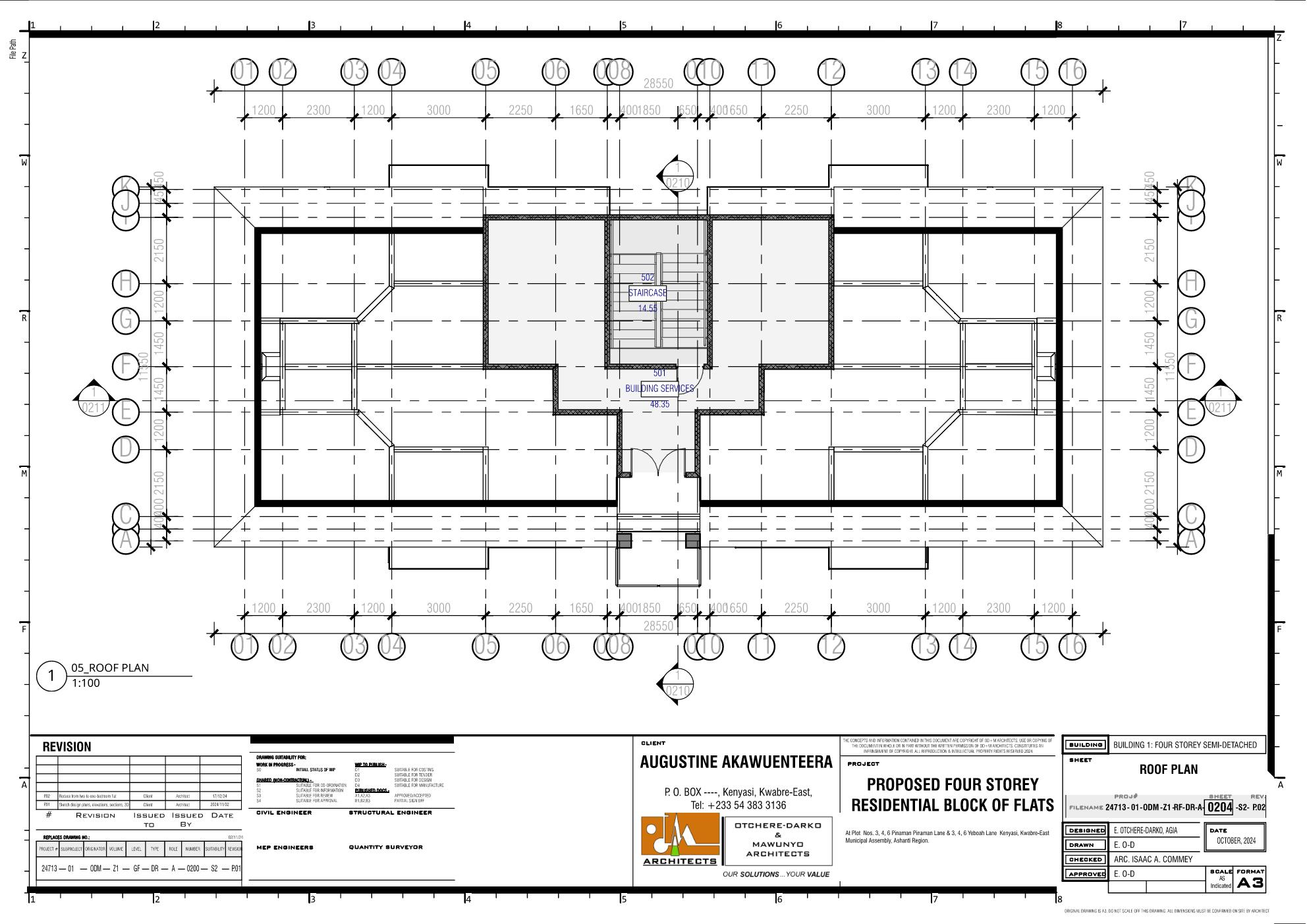
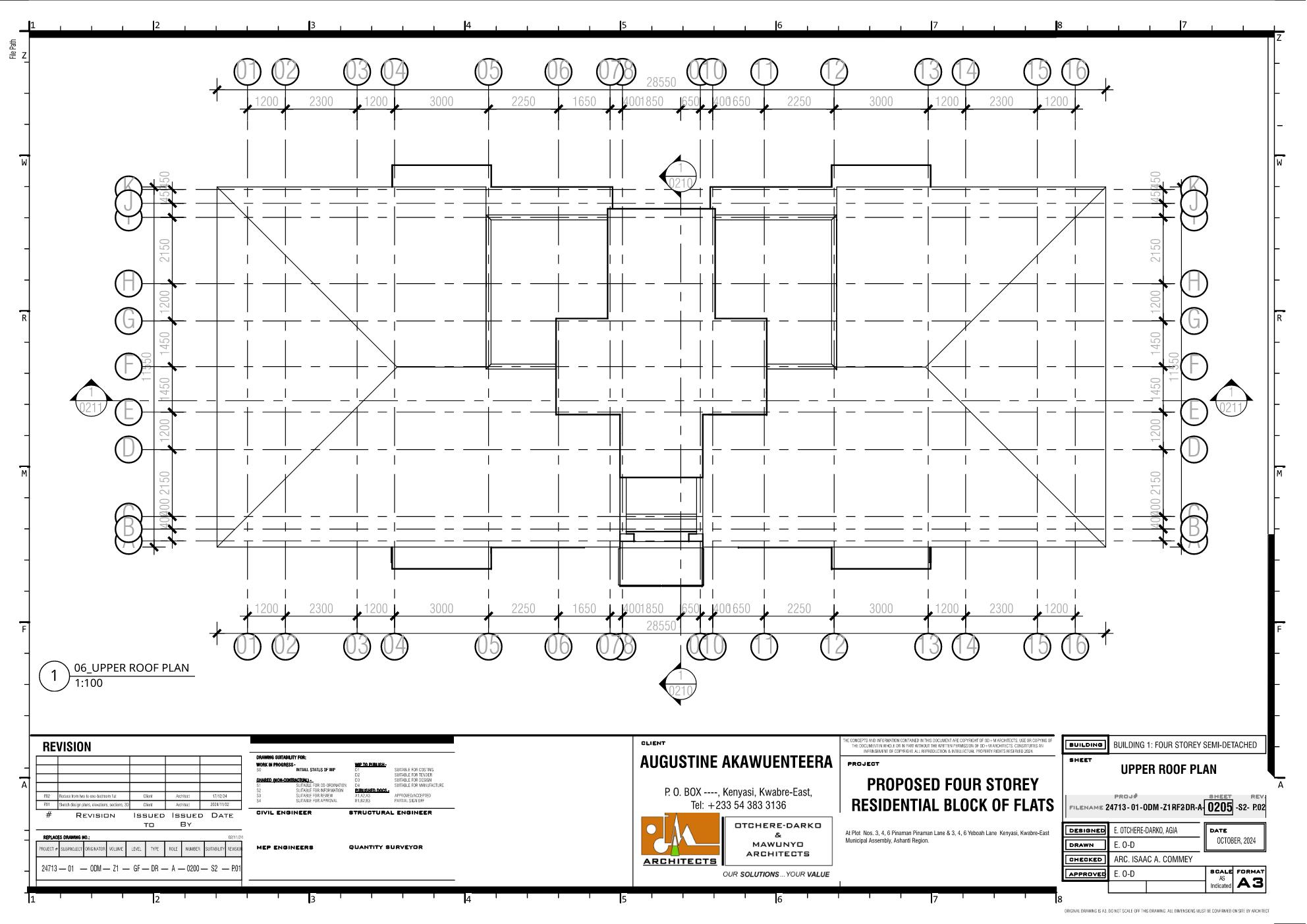
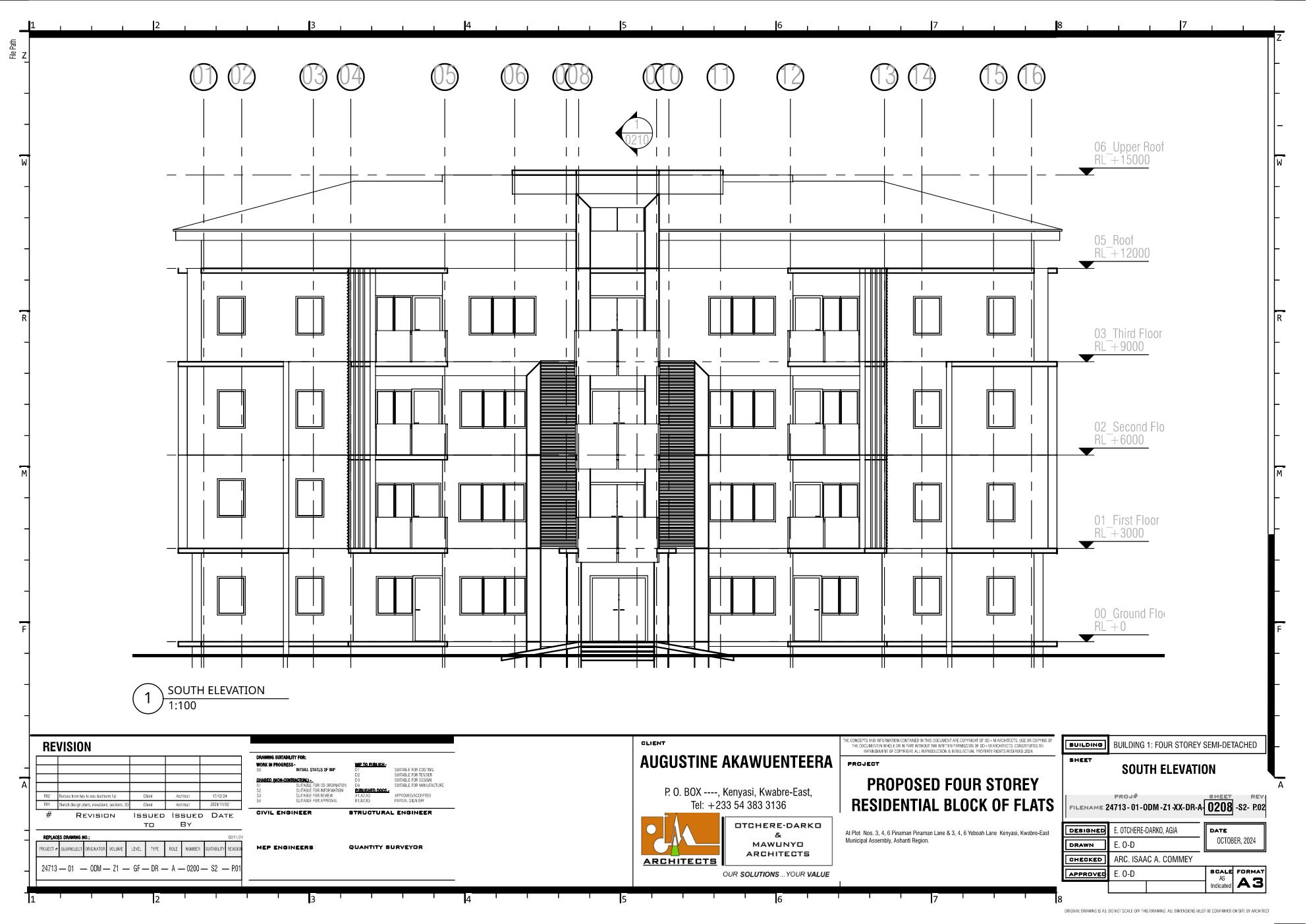
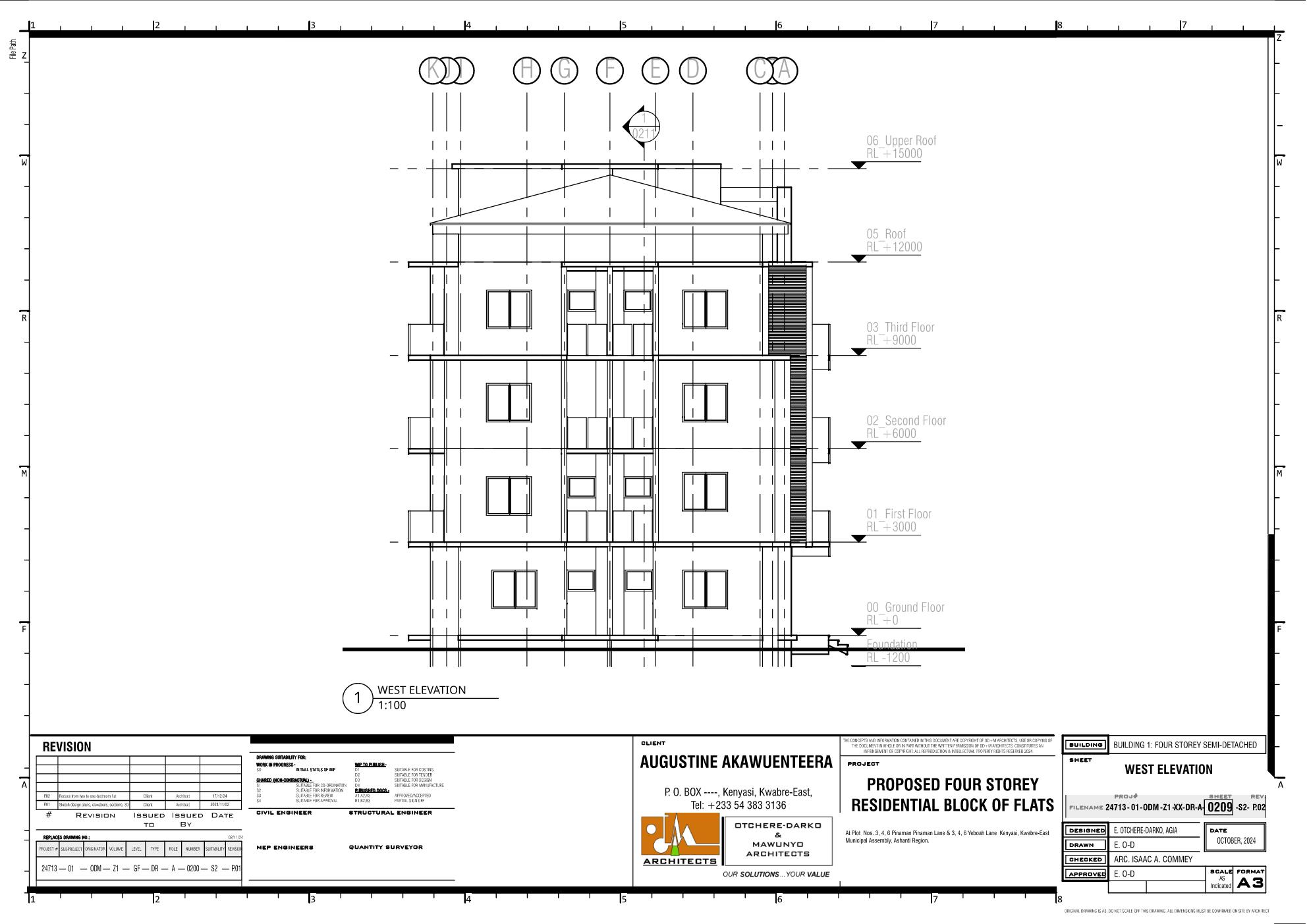
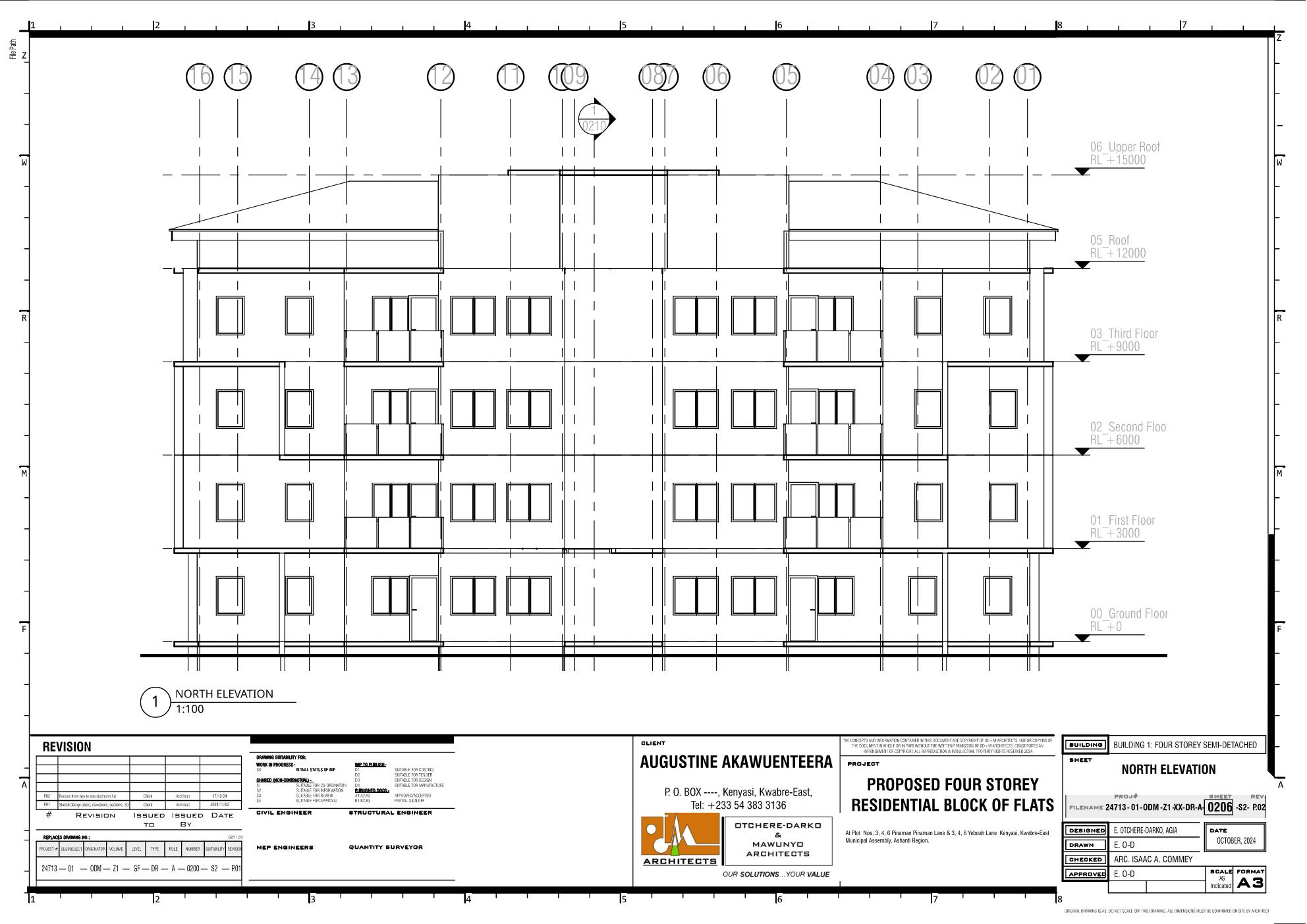
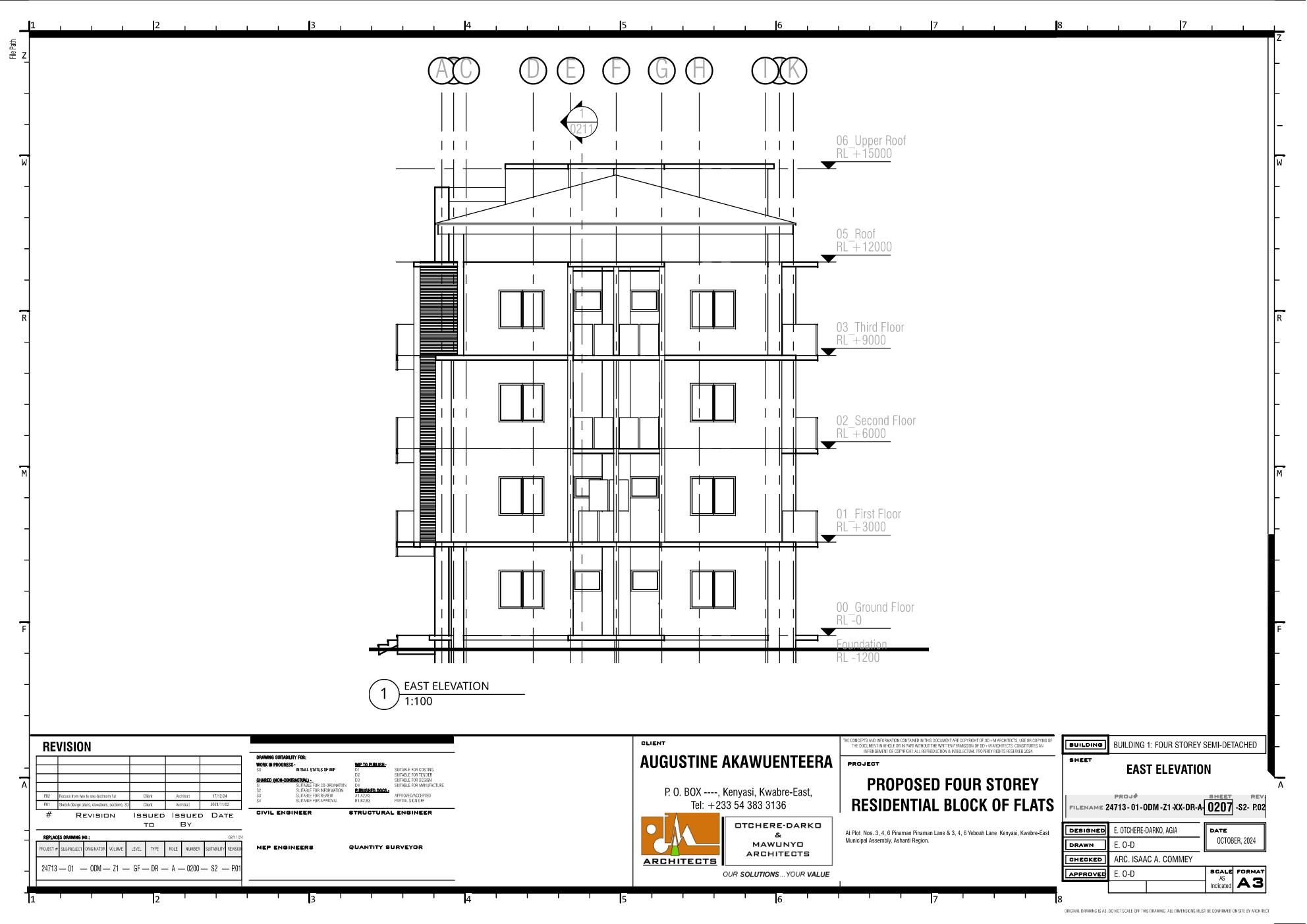
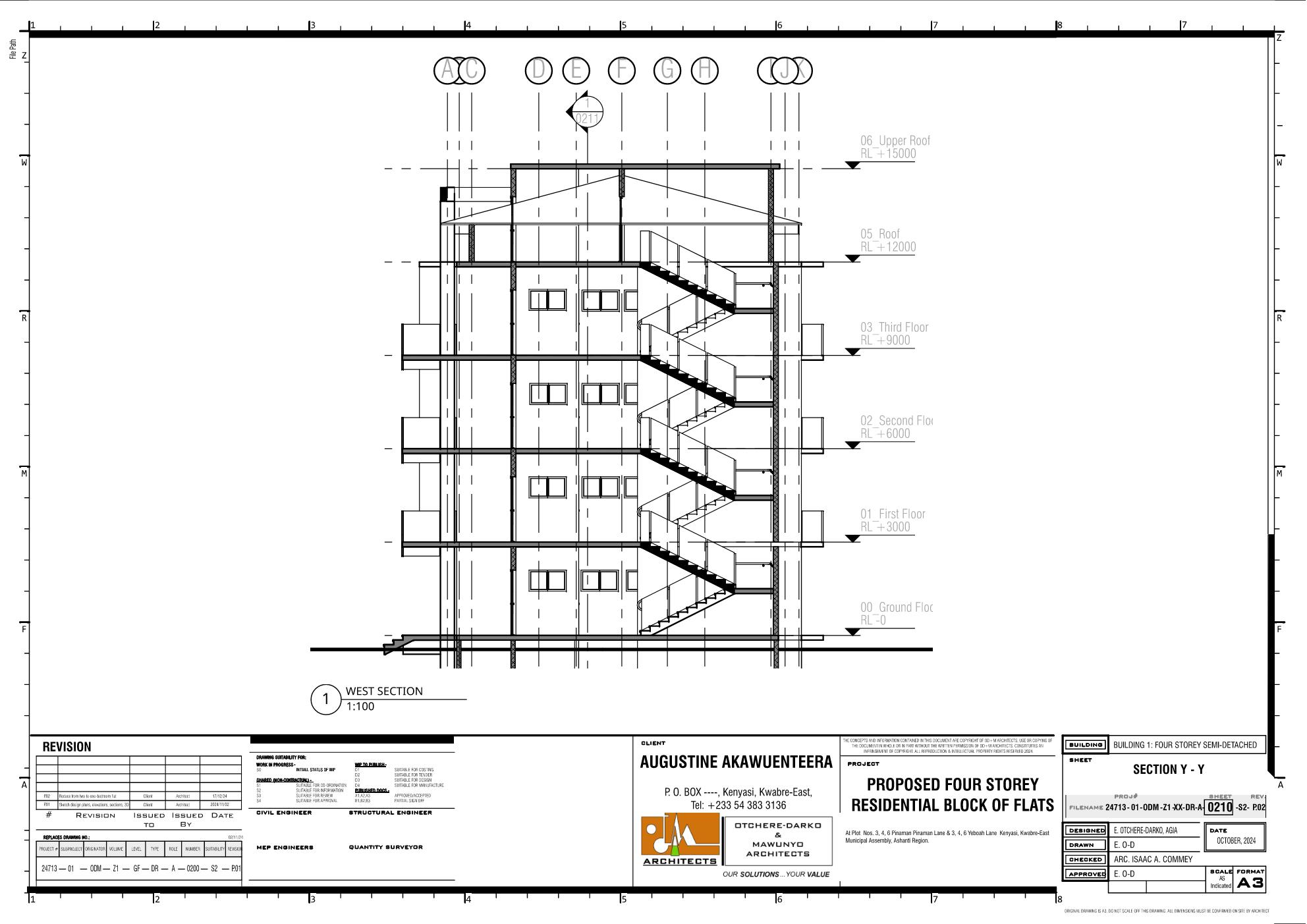
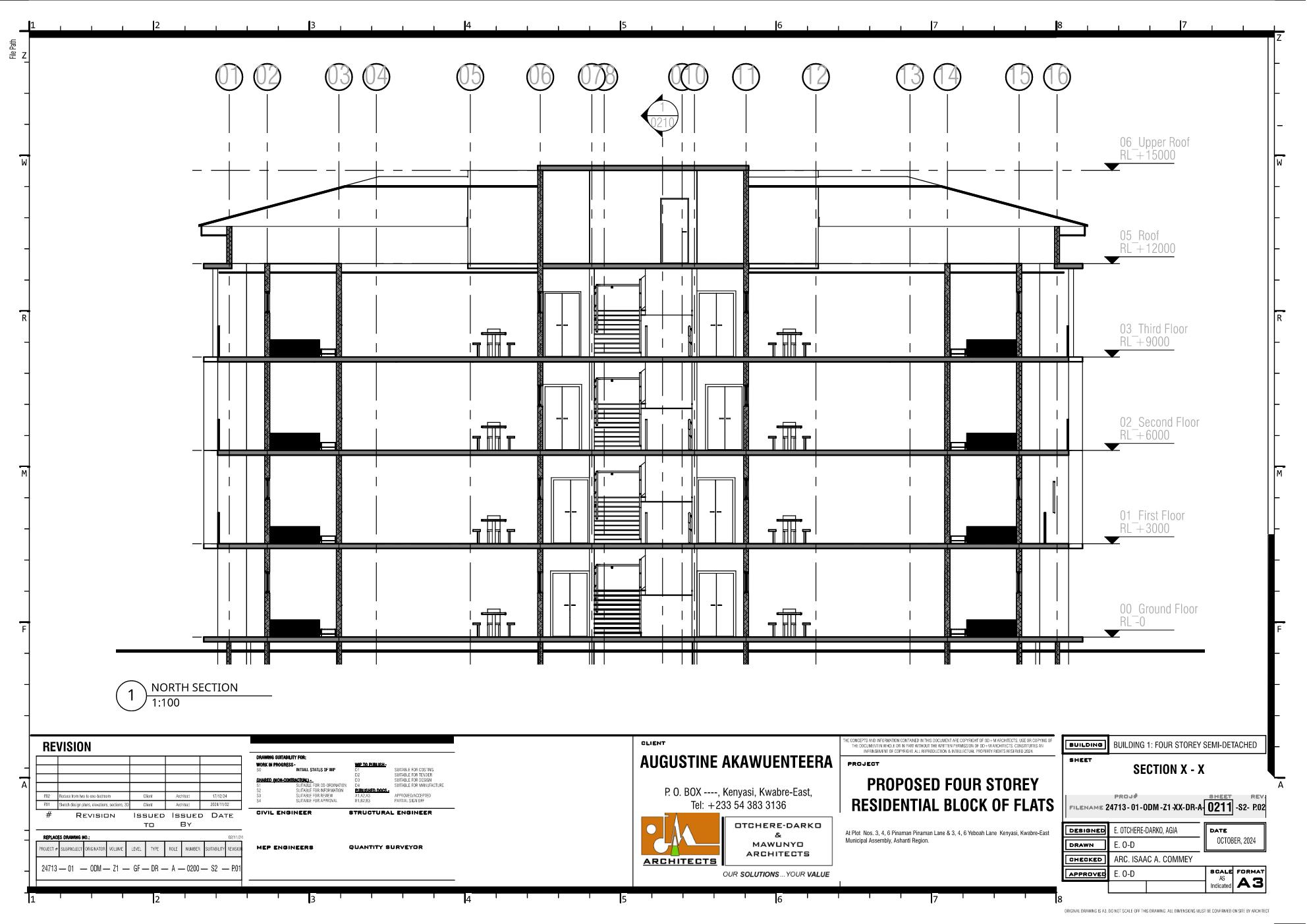
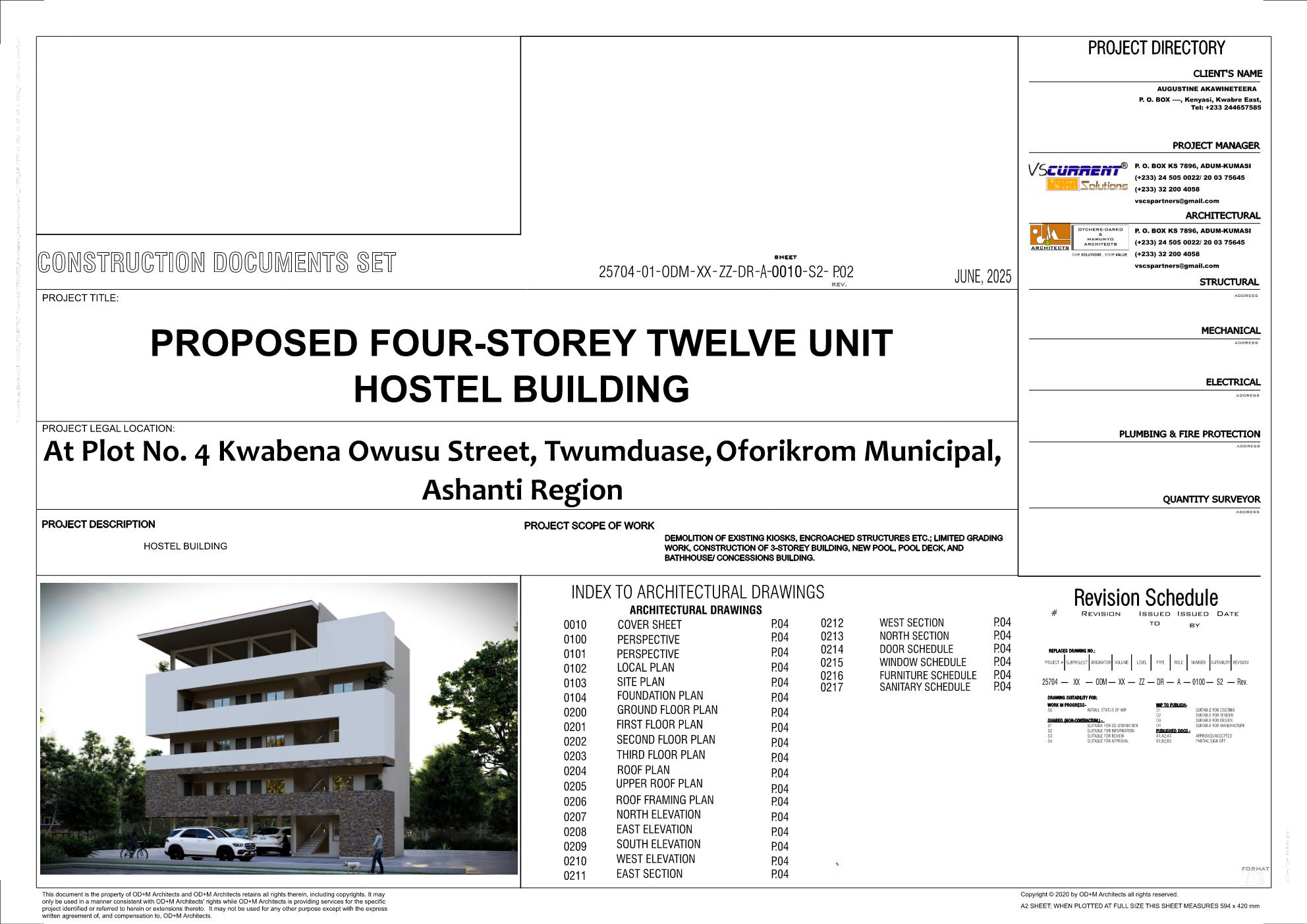
Everything is Bonsai. I don't know how to do rendering in Blender so I had to export the .ifc model to .fbx and import it in Lumion for the rendering. I have received material resources freely shared by Theoryshaw and studying to understand how materials, textures and lighting work in Blender so I can finally do end-to-end projects in Blender.
Comments for improvement are welcomed!




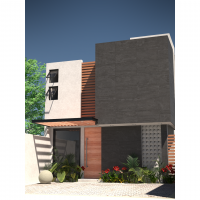



 and 15 others.
Comments
bravo @Owura_qu, quite a sterling output!
Now the hardest part: convincing our colleagues here in Ghana to adopt it :D
Thank you and I can't deny that you have been a great source of inspiration and encouragement too. If only I could do with architecture what you do with costing/ scheduling maybe I could reach the level of Theoryshaw in Bonsai:).
Yes! Convincing them to leave their comfort zone has been difficult (and the documentation of Bonsai is still crude to them).
I know we are doing our best and at least you have one disciple and I also have one:). Who knows what the critical mass of discipleship can do; we need to showcase more of our works as Bonsai improves. @Prince_01 is improving and will also showcase his works too.
I am again completely impressed and speechless .....
Fantastic work, I always get humbled when I see what people are capable of and how powerful Bonsai already is.
Thanks for sharing, these make my day
Incredible work! I'll do my best to reshare your work on other channels (after we do the release, as currently 4.4 support isn't ready) :)
@Owura_qu This is an outstanding job. Did you often encounter errors while working on this project?
Thanks, and (with much gratitude to the community) the errors I encountered for this project were minimal compared to my early days when I had very little understanding of Bonsai. I can attribute the following to my improved understanding of Bonsai;
1. Reading the posts of others on this forum and learning from the experiences.
2. Posting my errors for help where I MUST and reading the IFC/ Bonsai documentation where I CAN.
3. To reduce frustrations ifcGit is a must-use for "undoing" seemingly irreversible errors.
4. It is motivating to have a learning partner to journey along with (outside the forum). For me having @steverugi :) is like a busy antenna always signaling the bright side of Bonsai irrespective of errors.
5. This is a great forum with great contributors (I cannot mention all their names) but if you're an architect and you see a notification, especially from @theoryshaw and @Ace you must pay particular attention.
I am very hopeful about the future of open source enough to gamble the transition from over a decade of mastery of Revit to Bonsai, and I know the initial productivity loss is gradually being rewarded. Initially, errors may scare you to go back to your comfort zone but the quick response from the community and developers to resolve these errors is incredible!
So for me, errors don't scare me anymore.
This is a project created using Bonsai
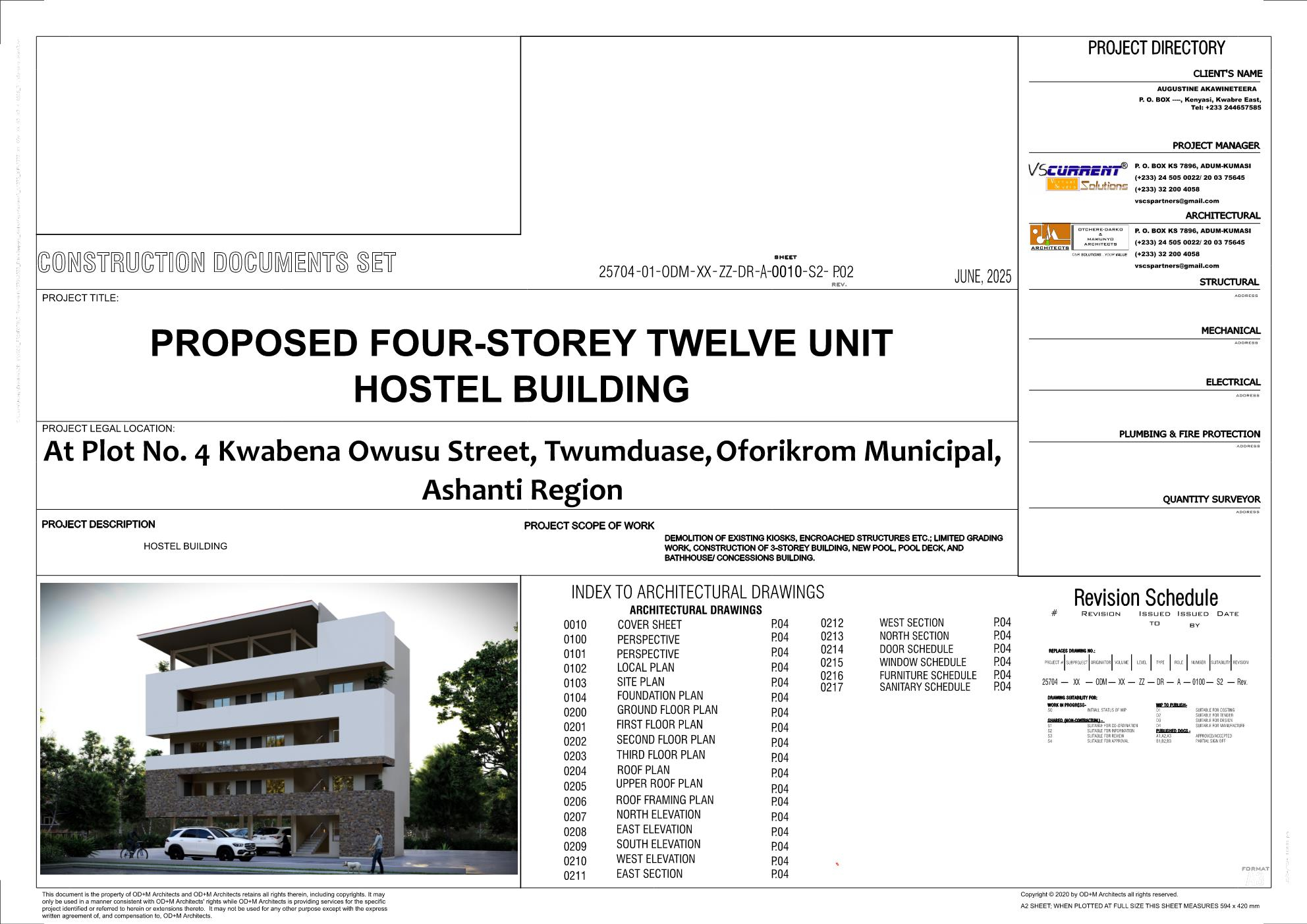
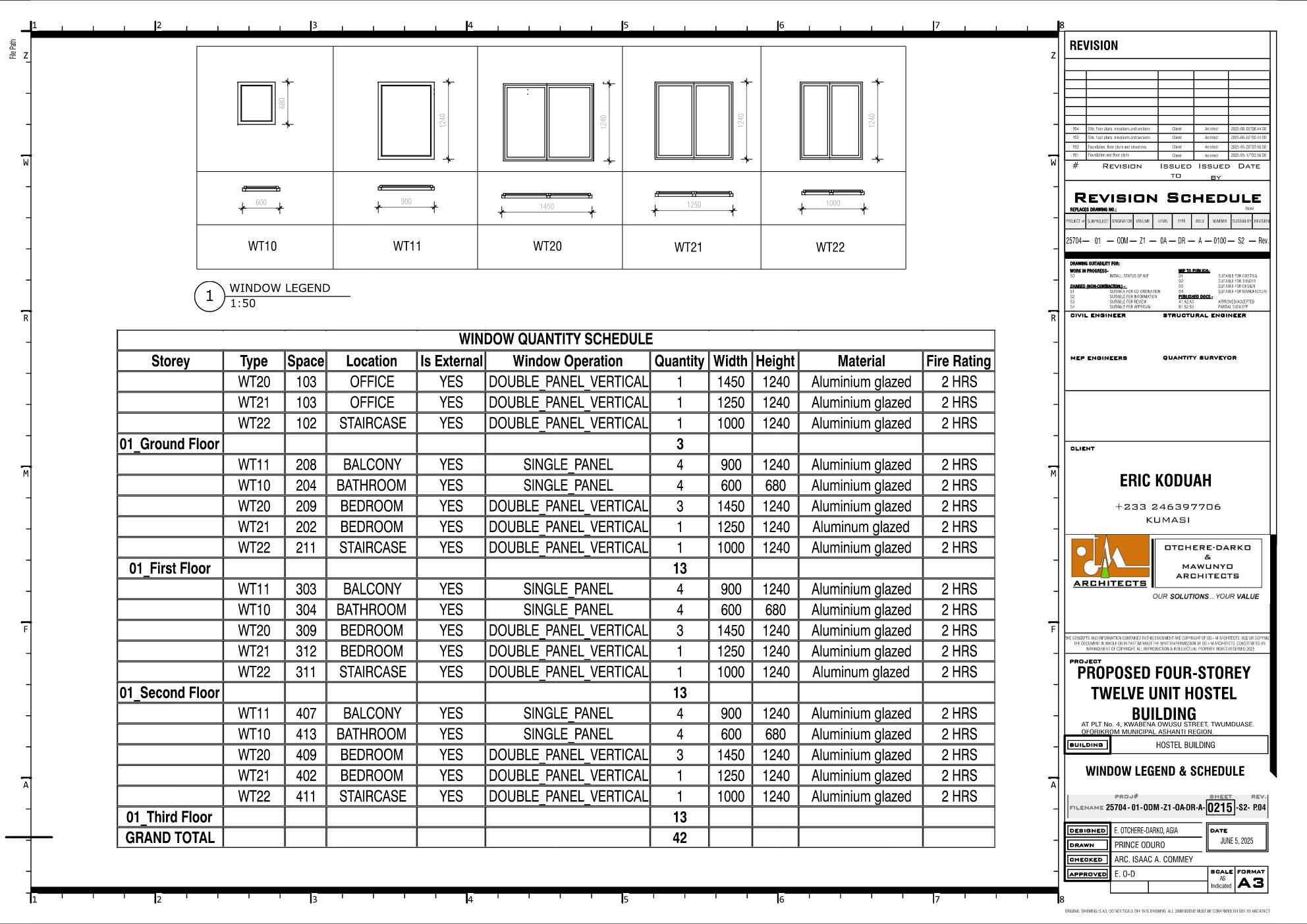
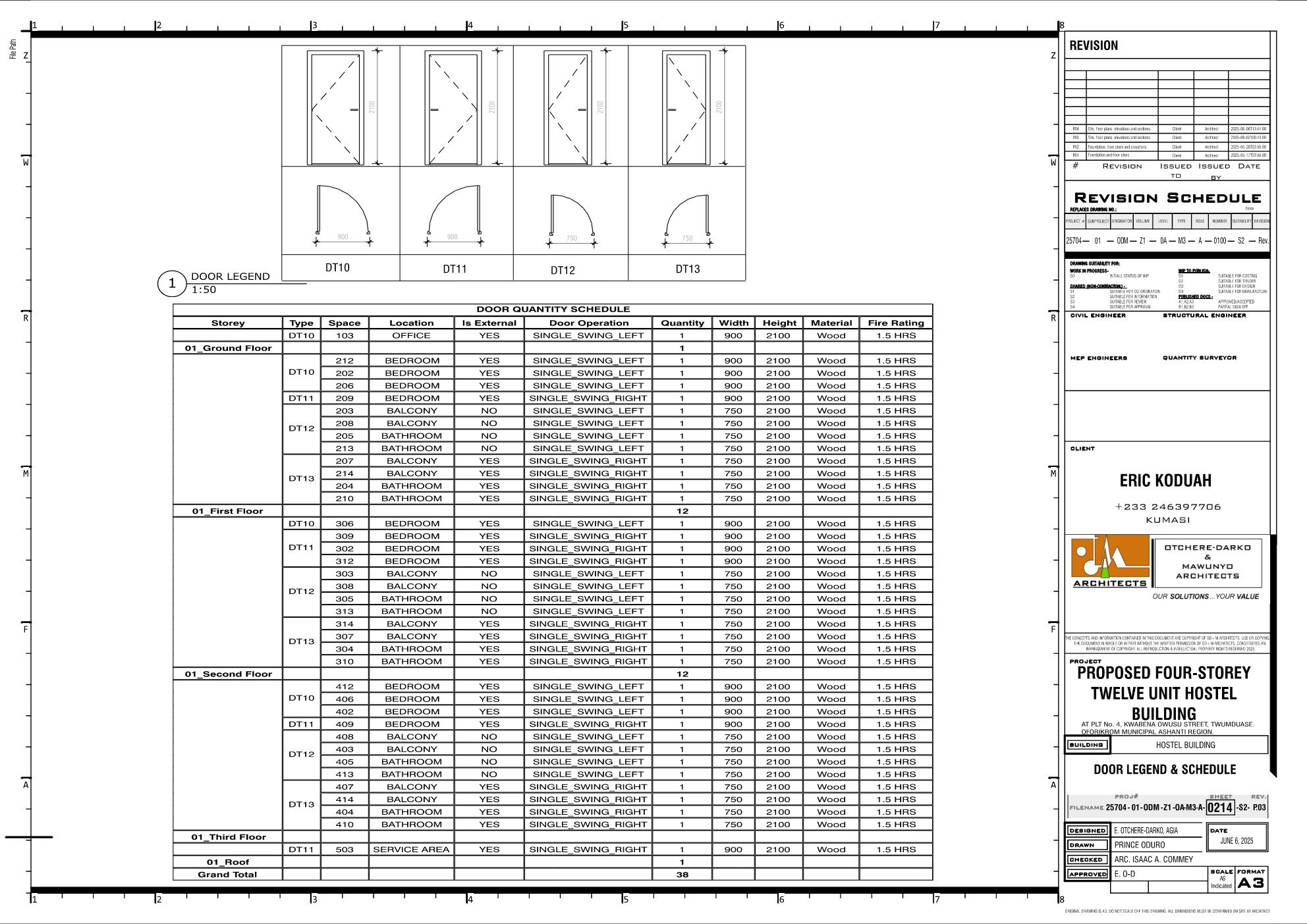
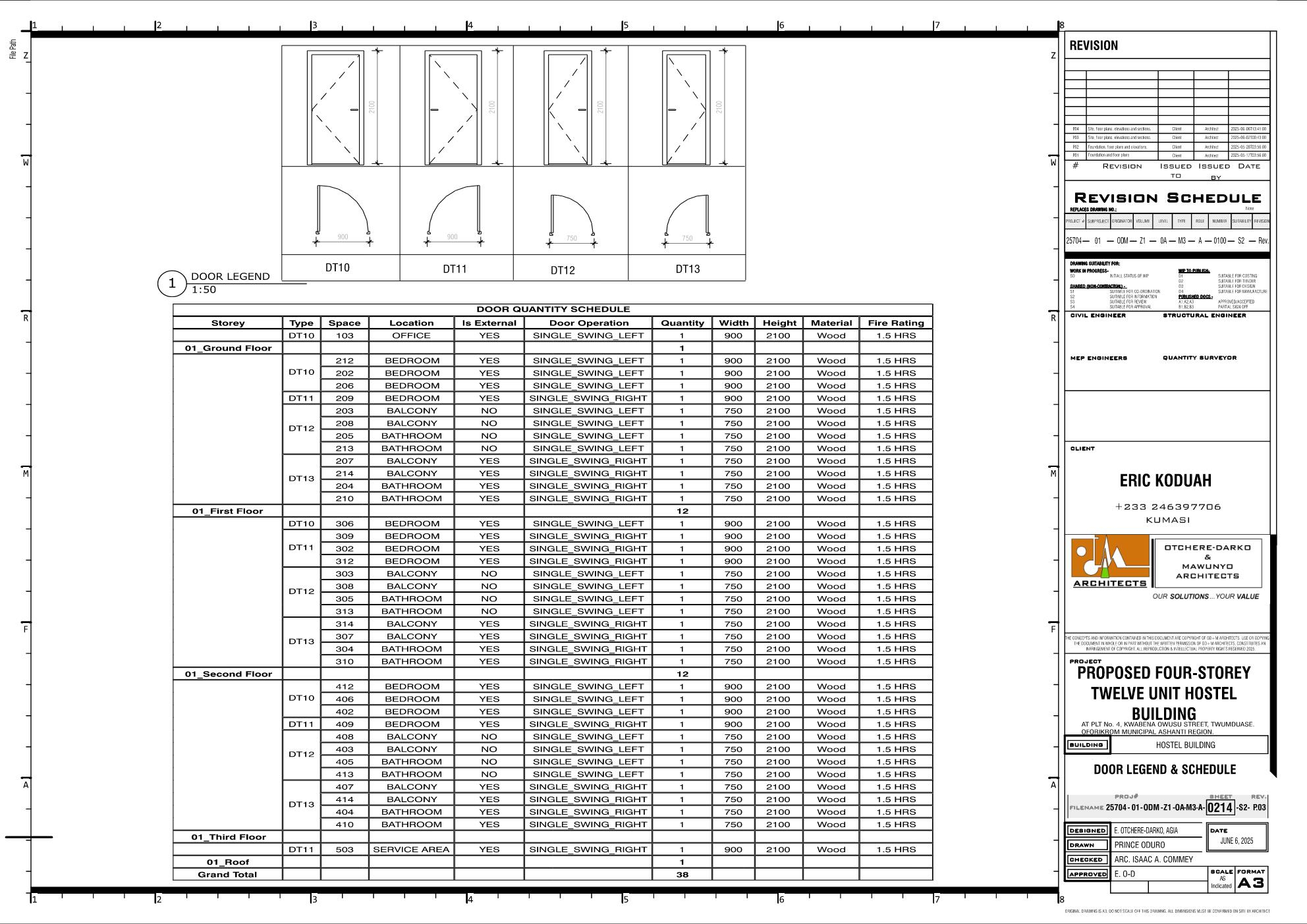
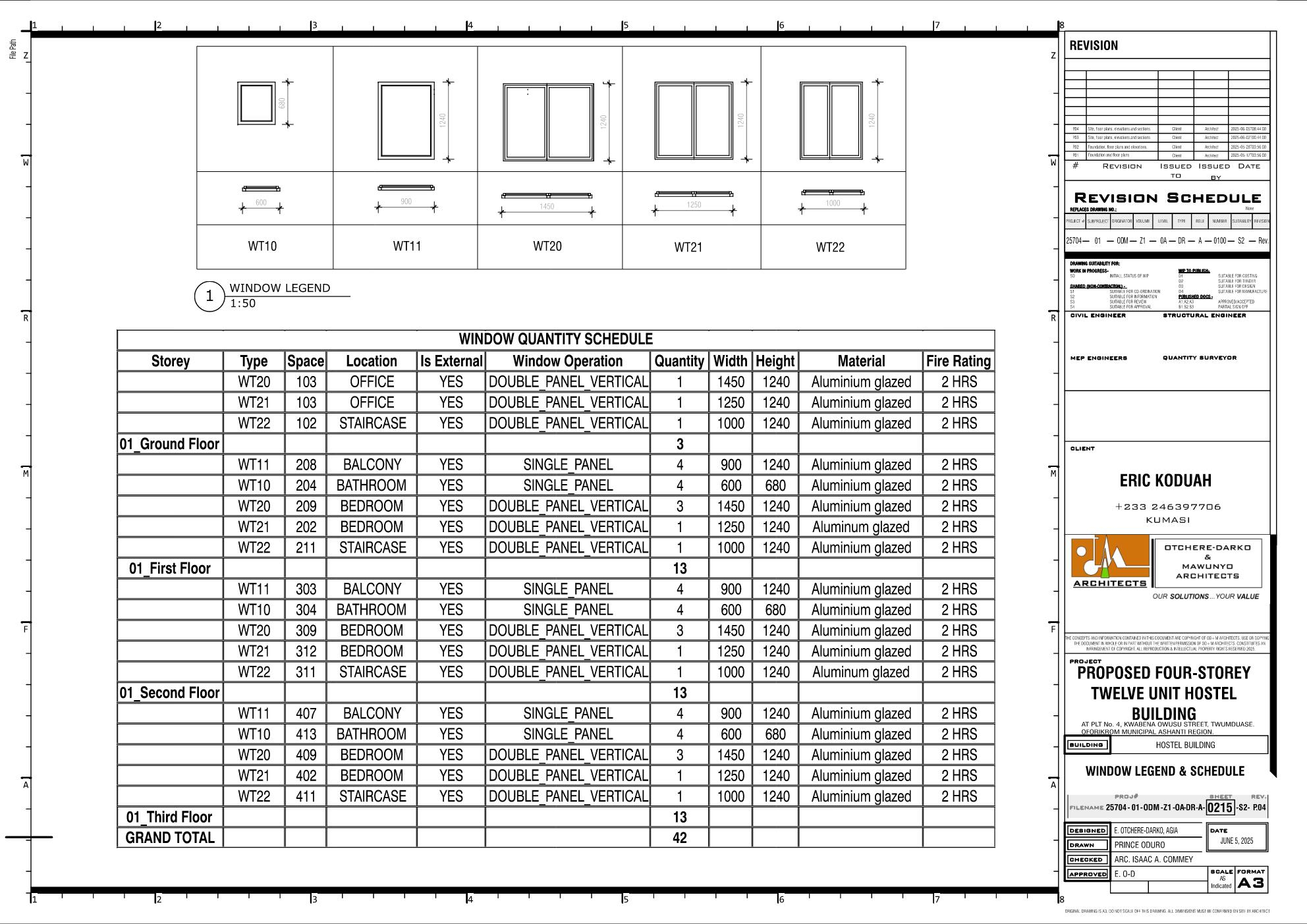
How did you generate the door and window legend with annotated diagrams of windows and doors?
I suspect he simply arranged some models, set up a drawing, then used annotation lines to frame it, and dimensions annotations. i.e. hand-built, not automatically generated.
Theoryshaw does something similar to add detail drawings of wall build up to his documents.
But one thing not to forget is to make sure you filter out those placeholder models used for the legend so that they don’t also populate and falsely inflate the quantities in the schedules.
I followed the same approach—arranging some models to generate the legend—but it should ideally be filtered to exclude items from the schedule.
I'm hopeful that Bonsai will soon reach a stage where legends can be generated automatically. I was introduced to Bonsai a few months ago by my mentor, @Owura_qu, and I’ve truly been enjoying the experience. Thank you, Sir.
I followed the same approach—arranging some models to generate the legend—but it should ideally be filtered to exclude items from the schedule.
I'm hopeful that Bonsai will soon reach a stage where legends can be generated automatically. I was introduced to Bonsai a few months ago by my mentor, @Owura_qu, and I’ve truly been enjoying the experience. Thank you, Sir.
This is a project created using Bonsai
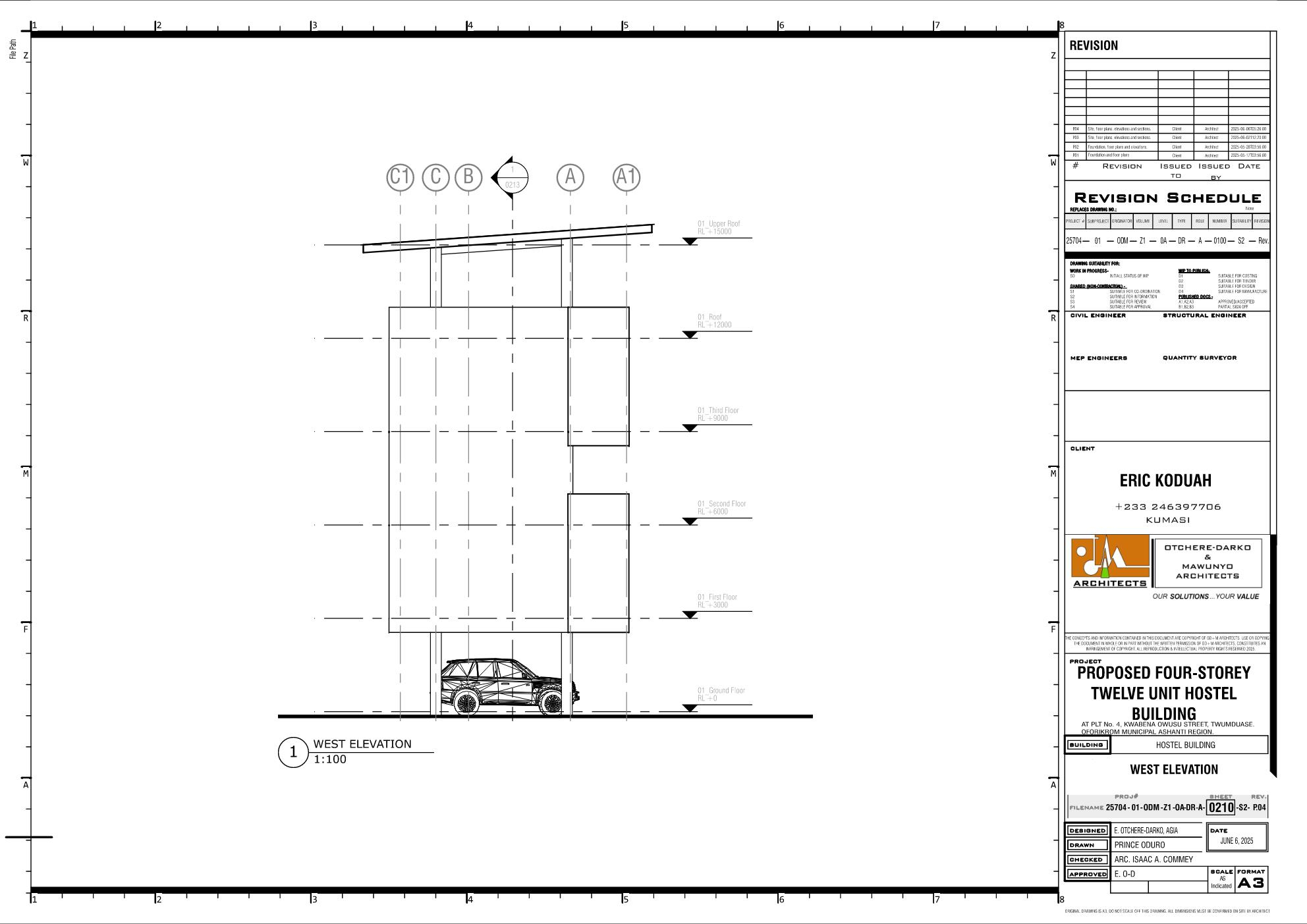
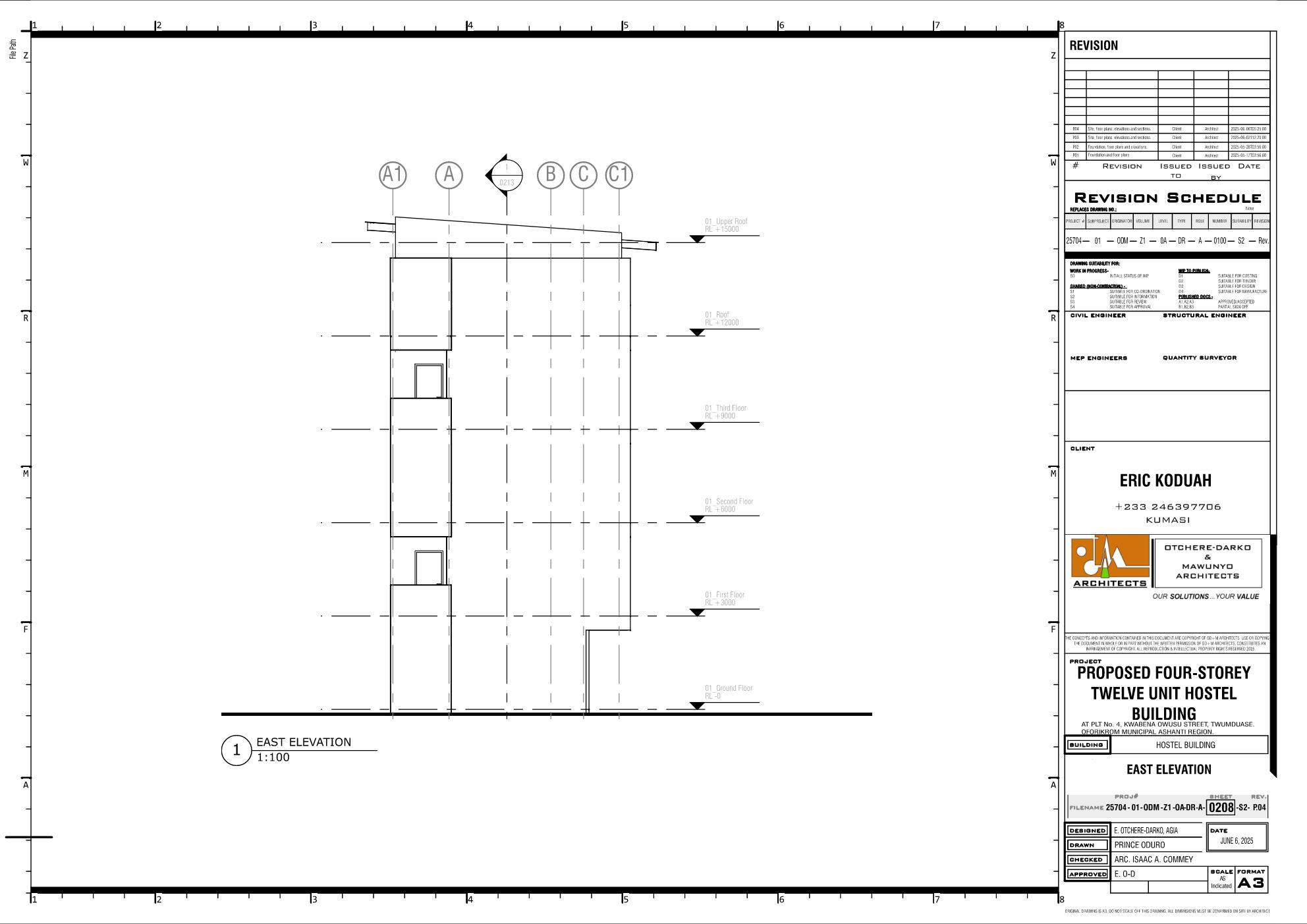
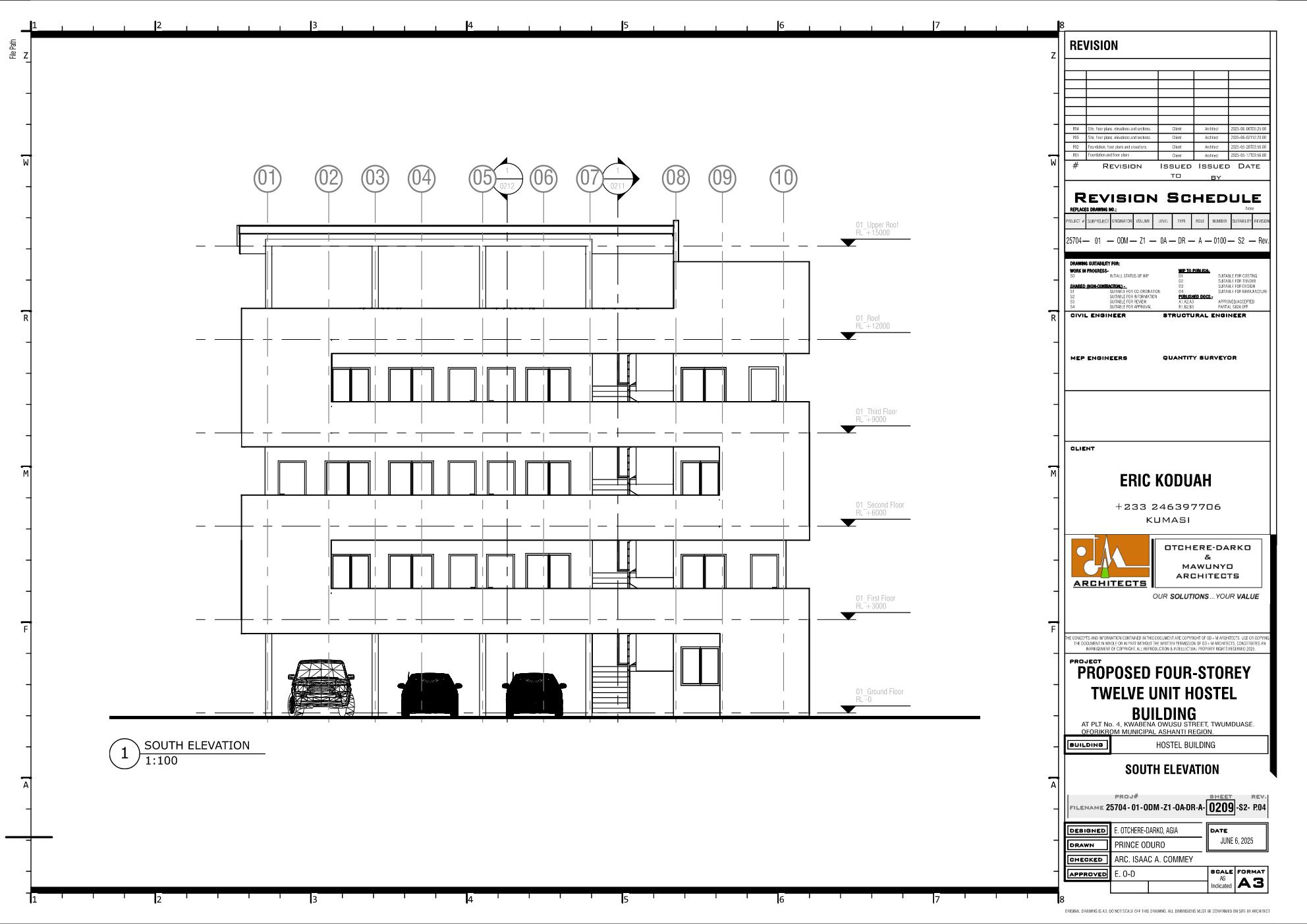
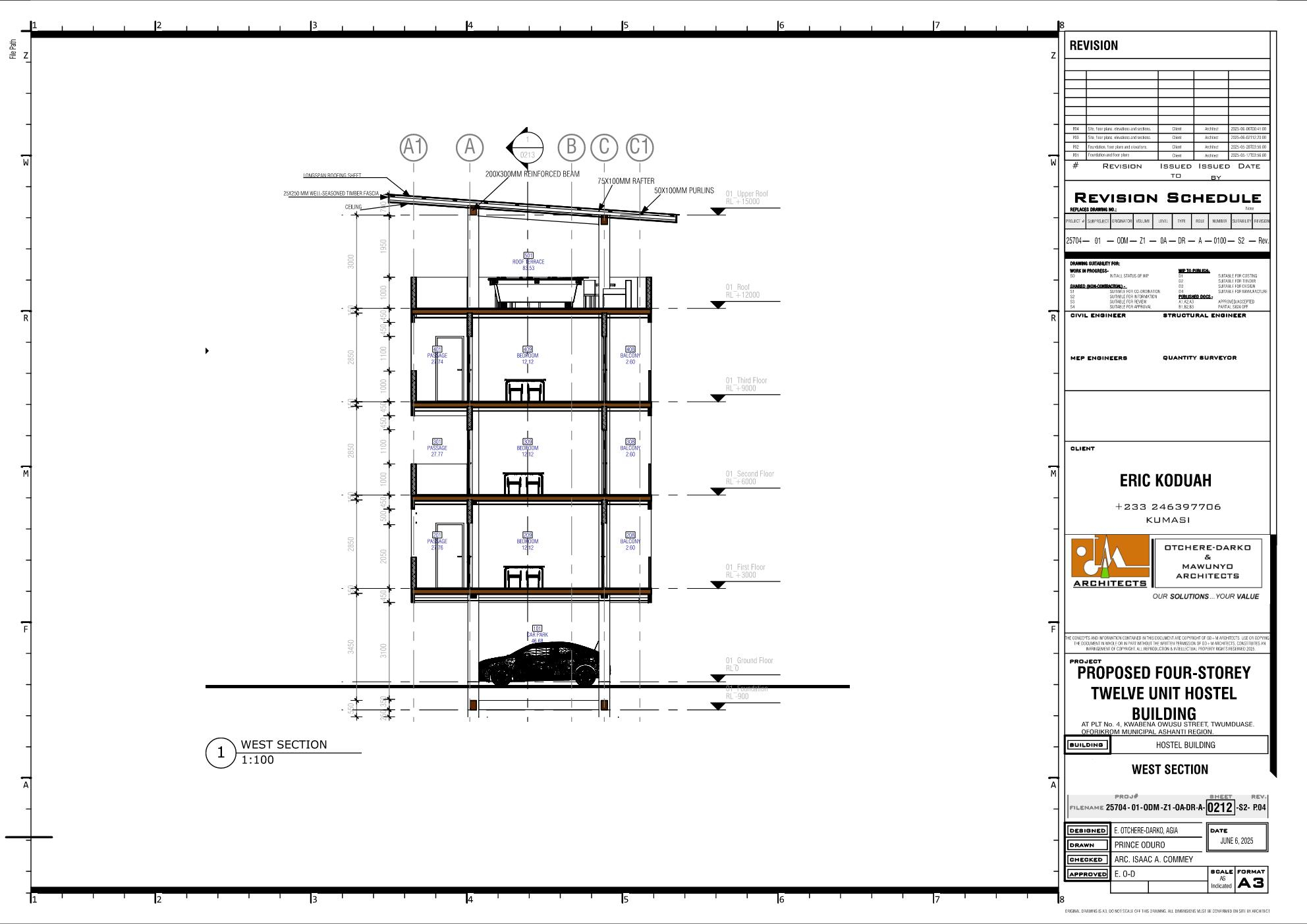
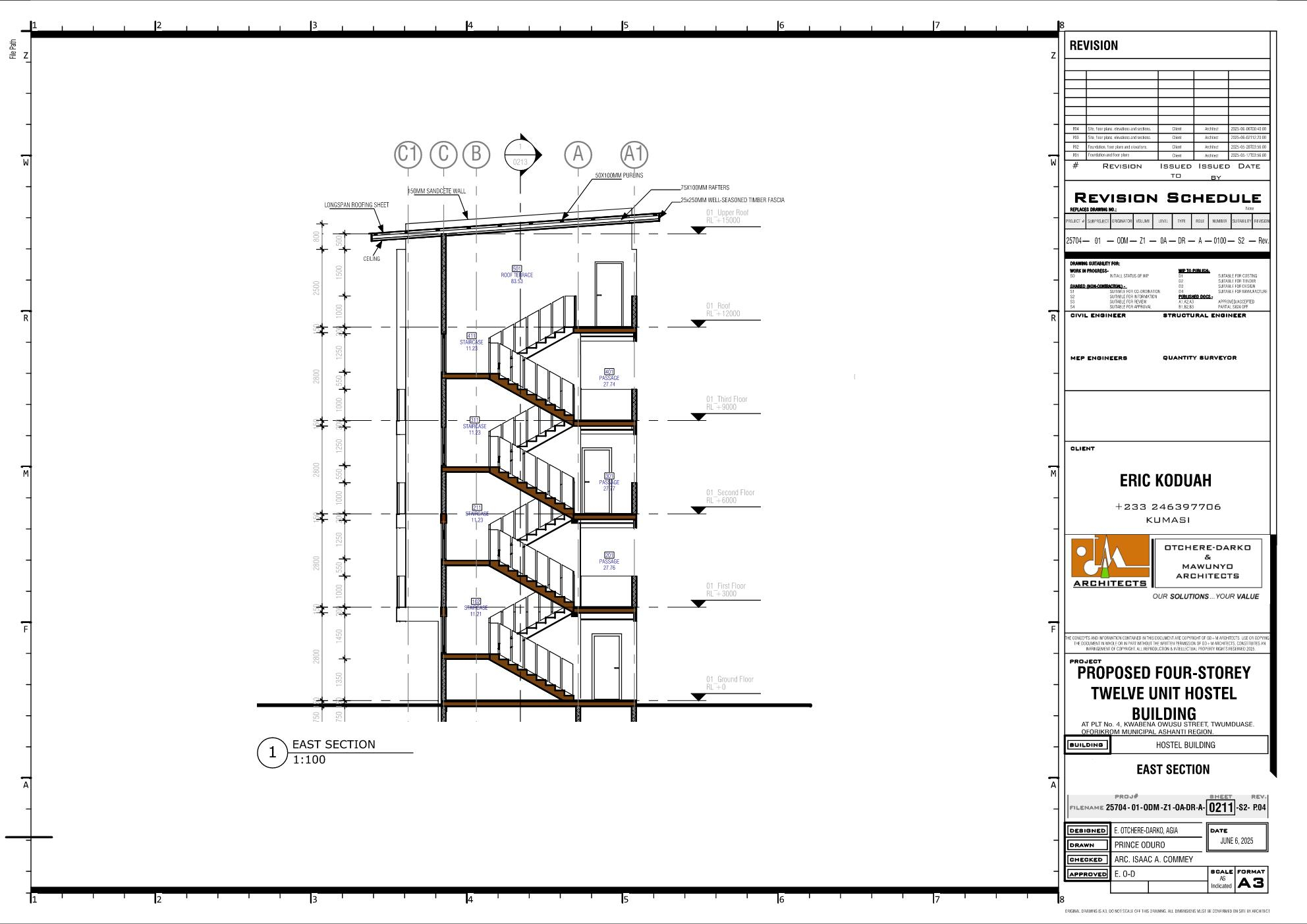
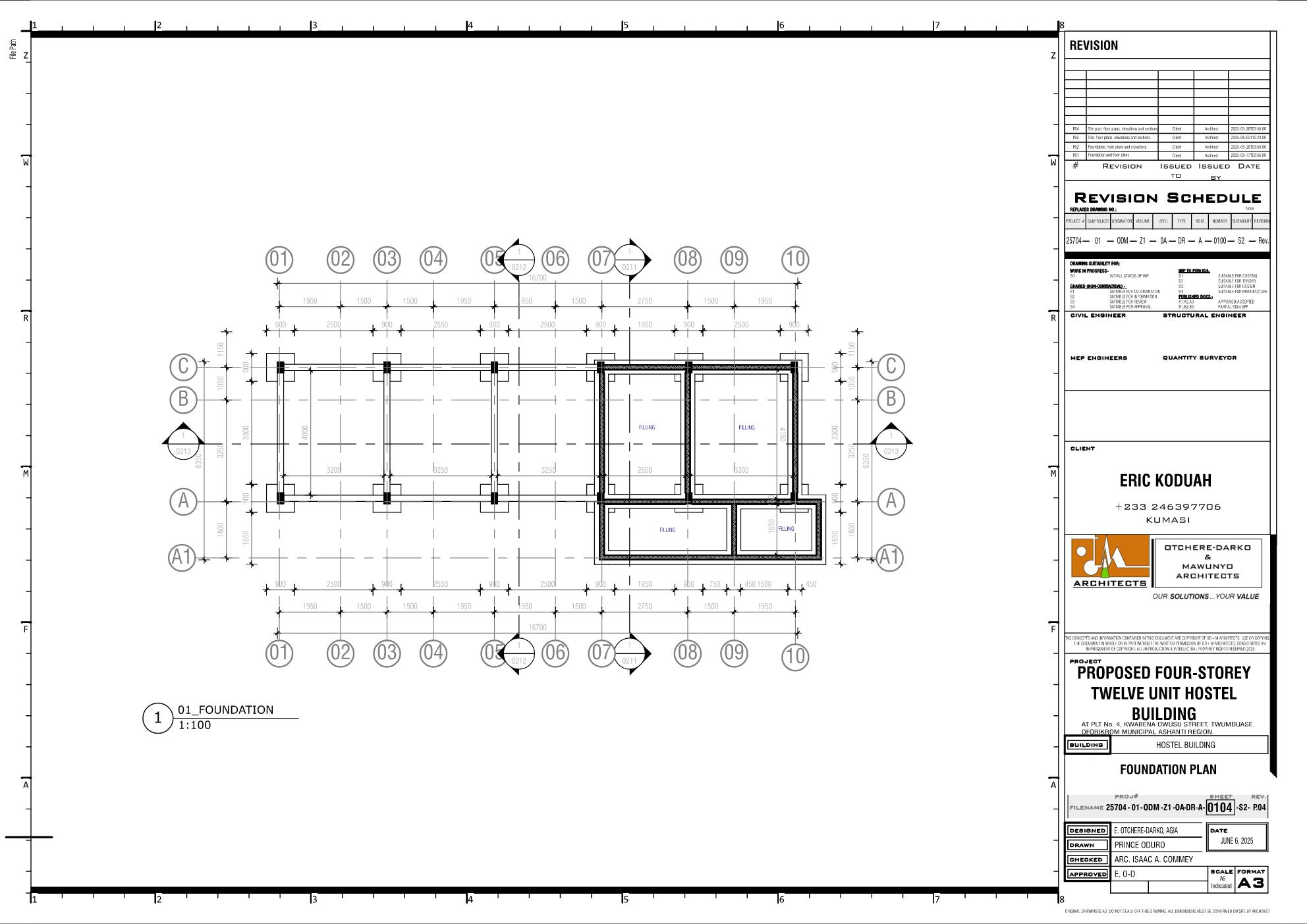
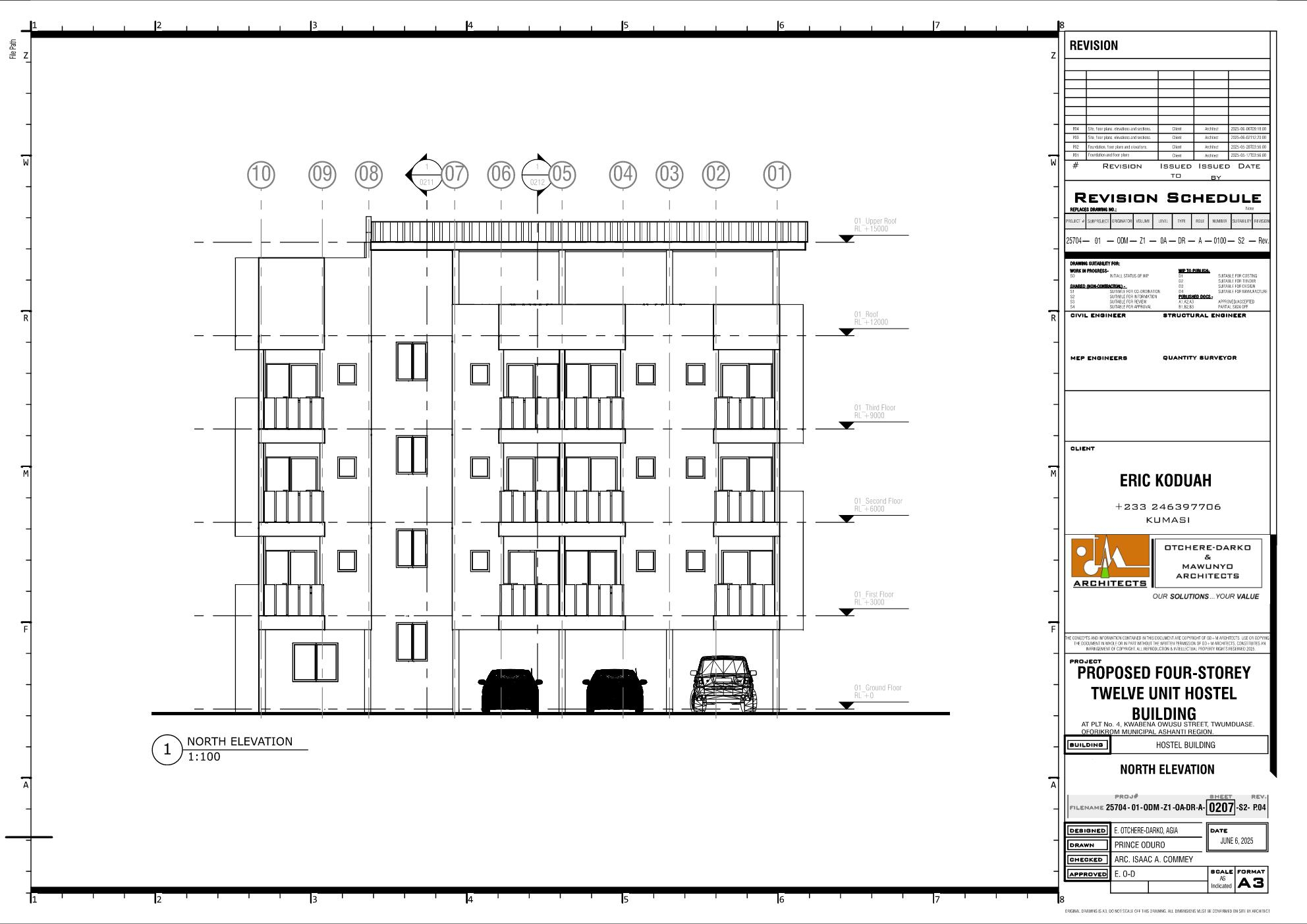
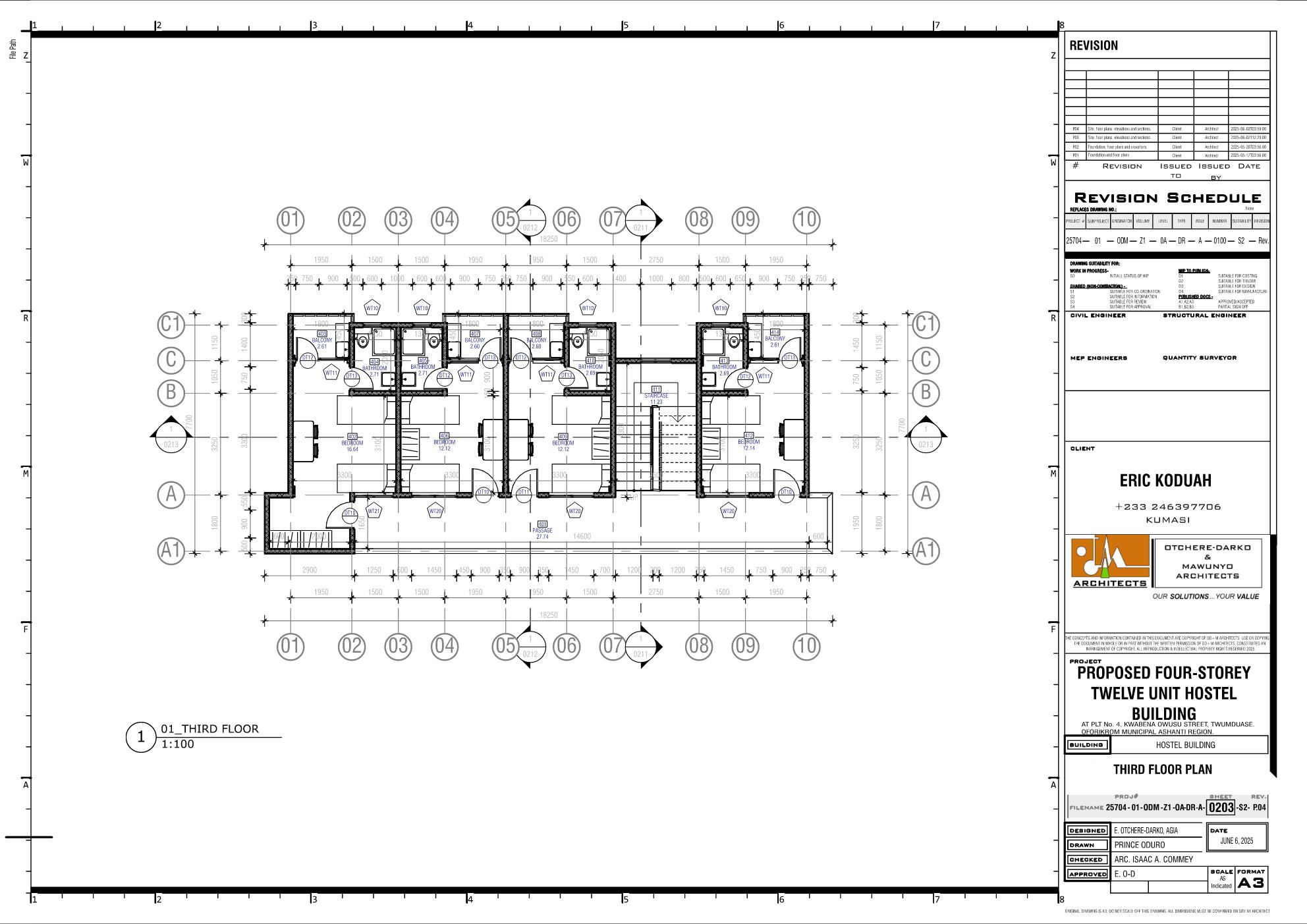
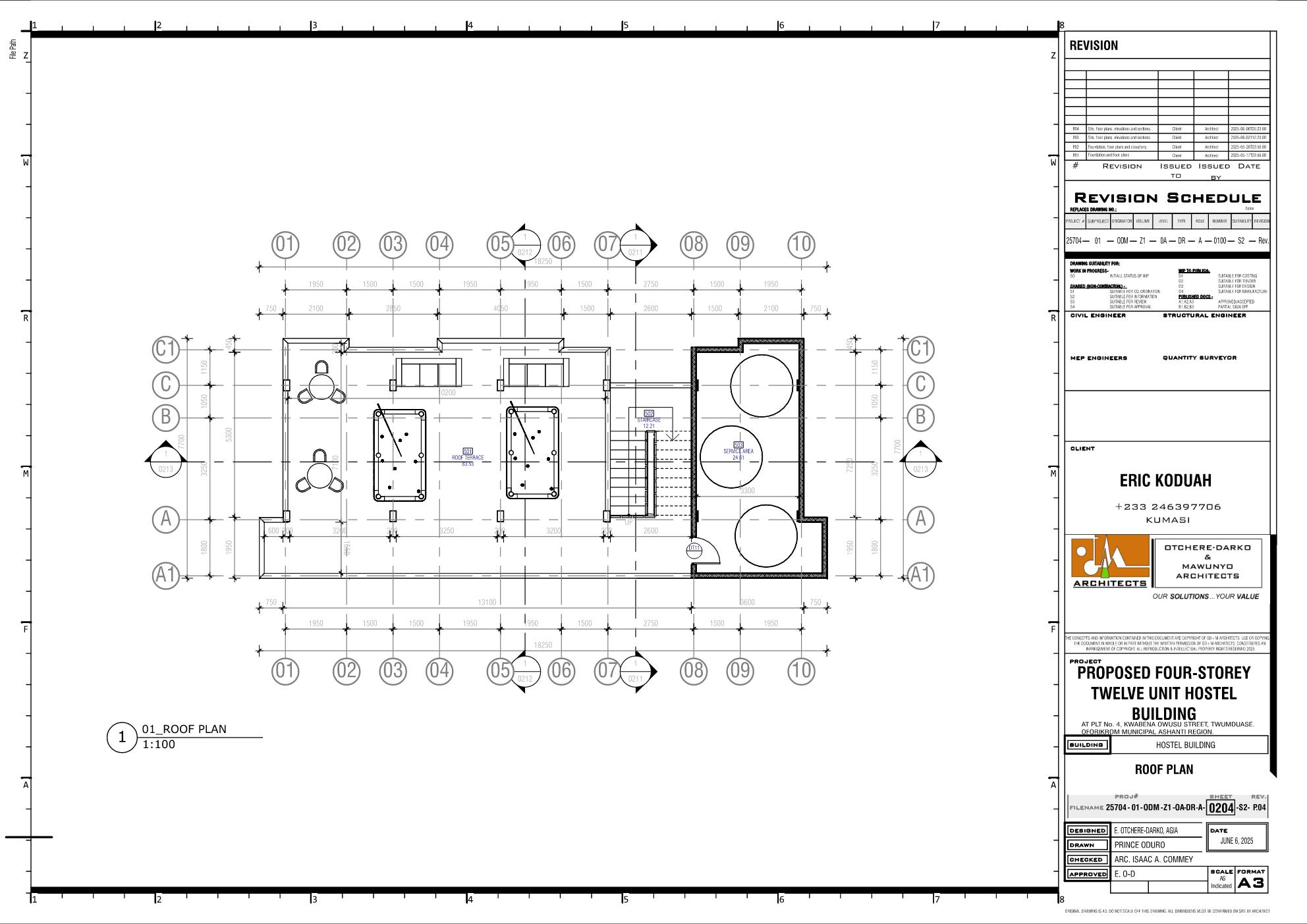
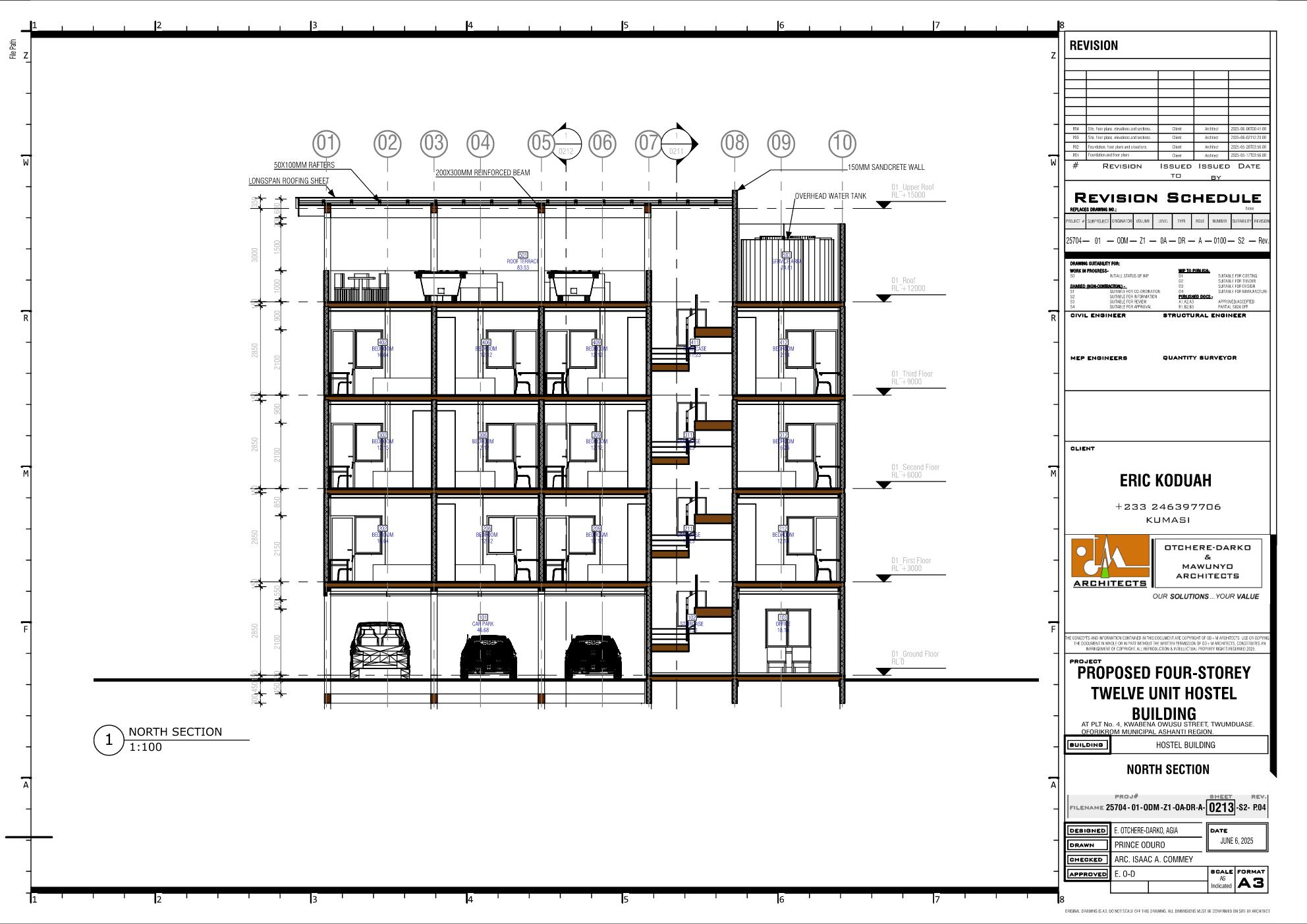
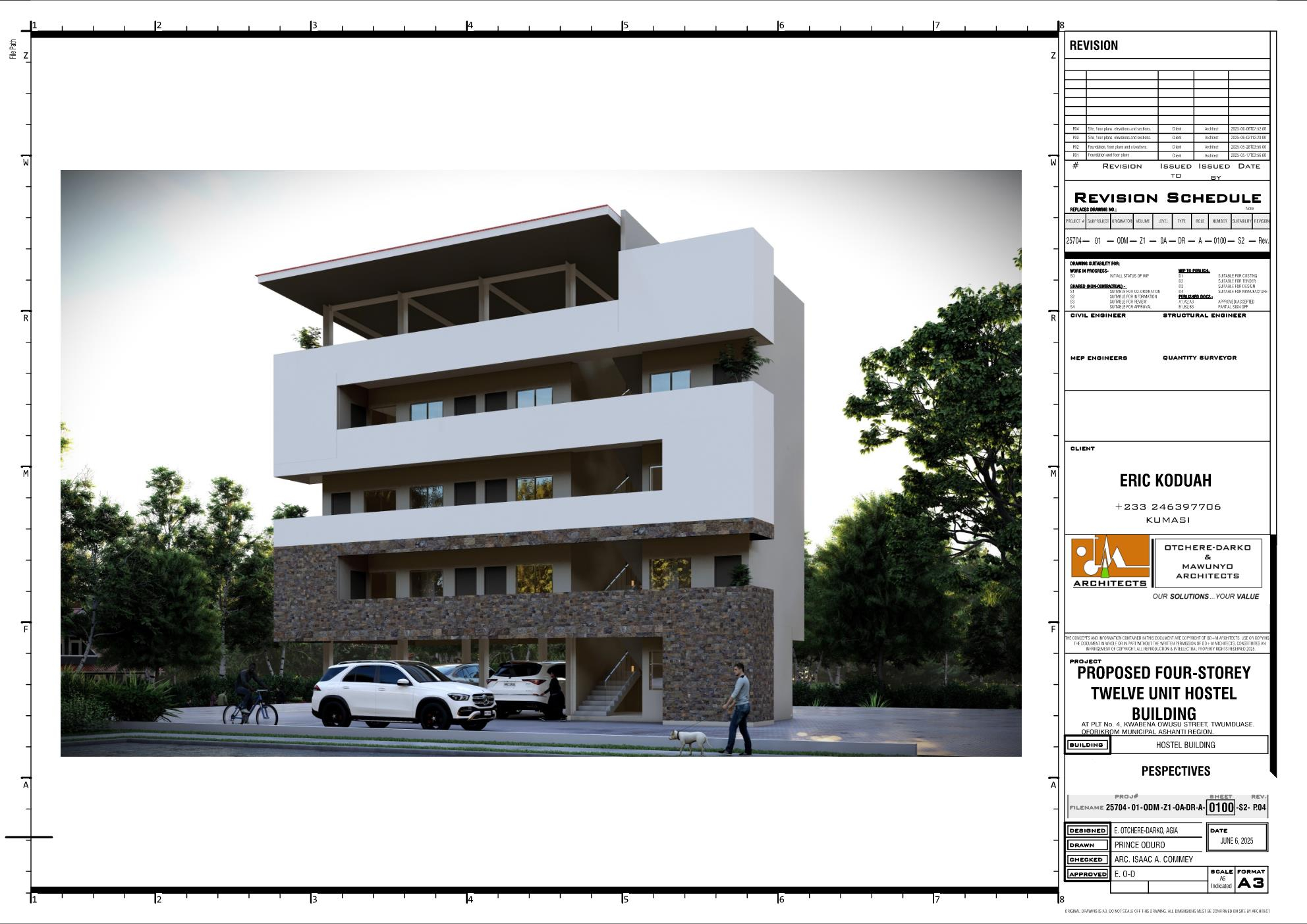
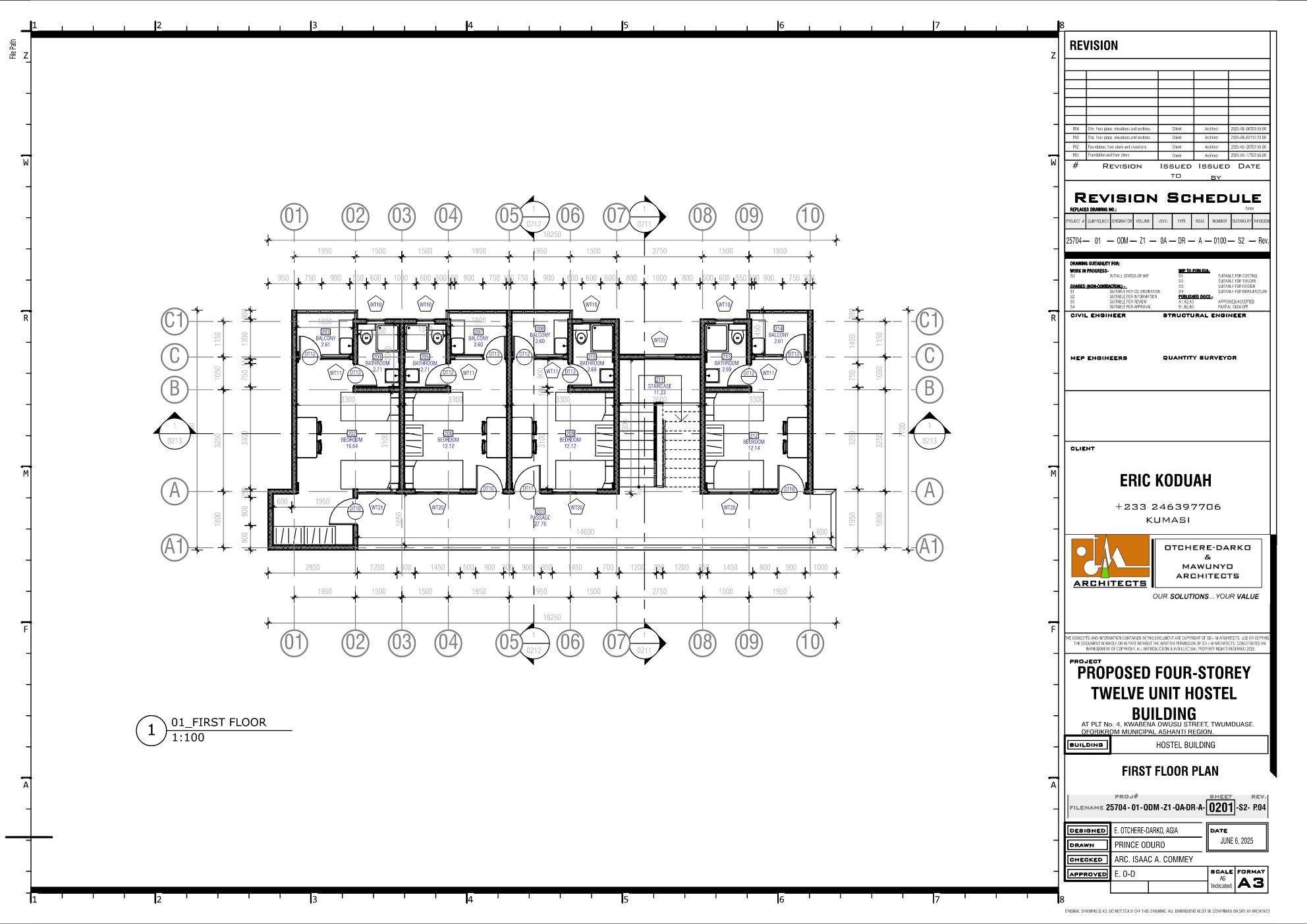
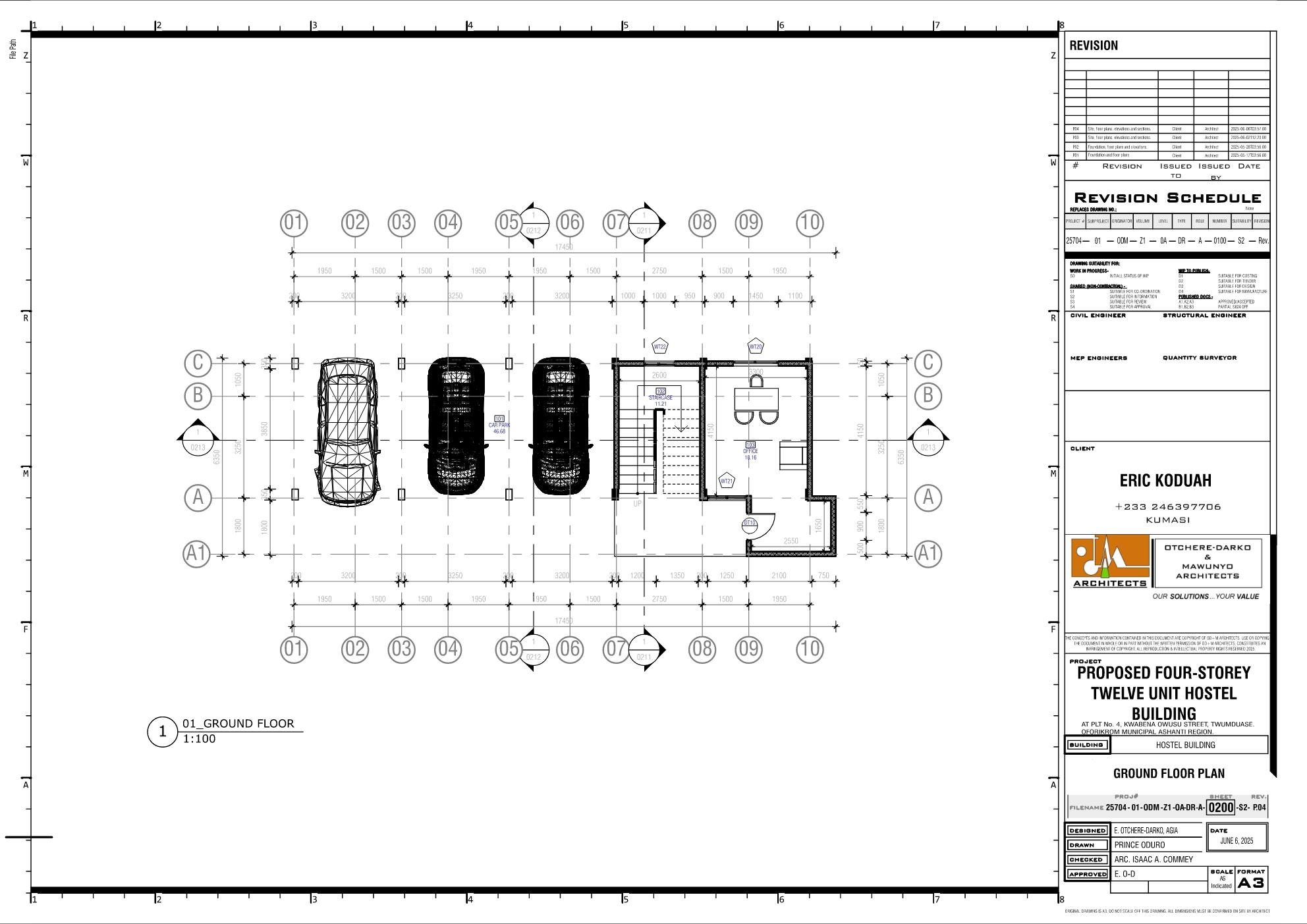
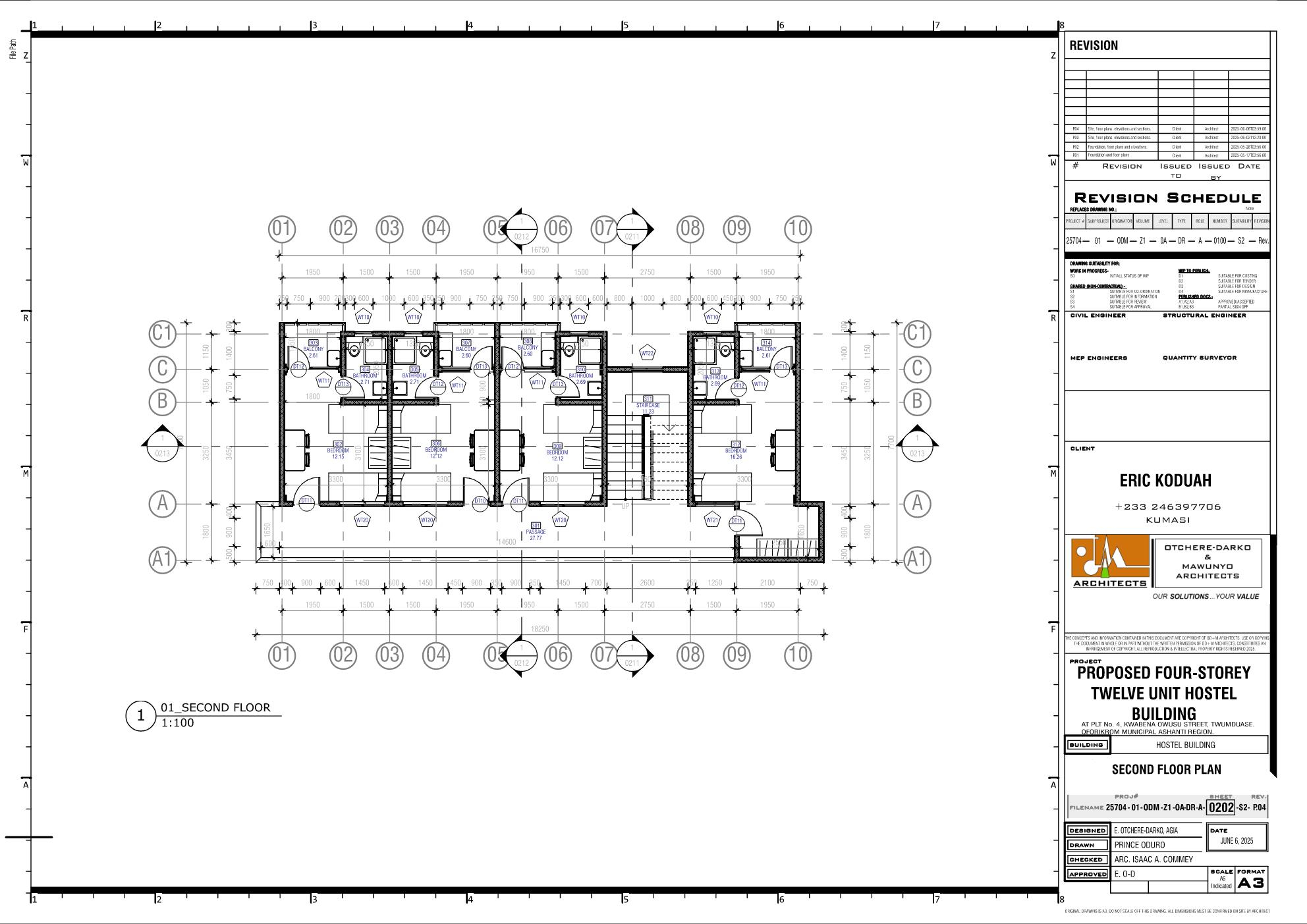
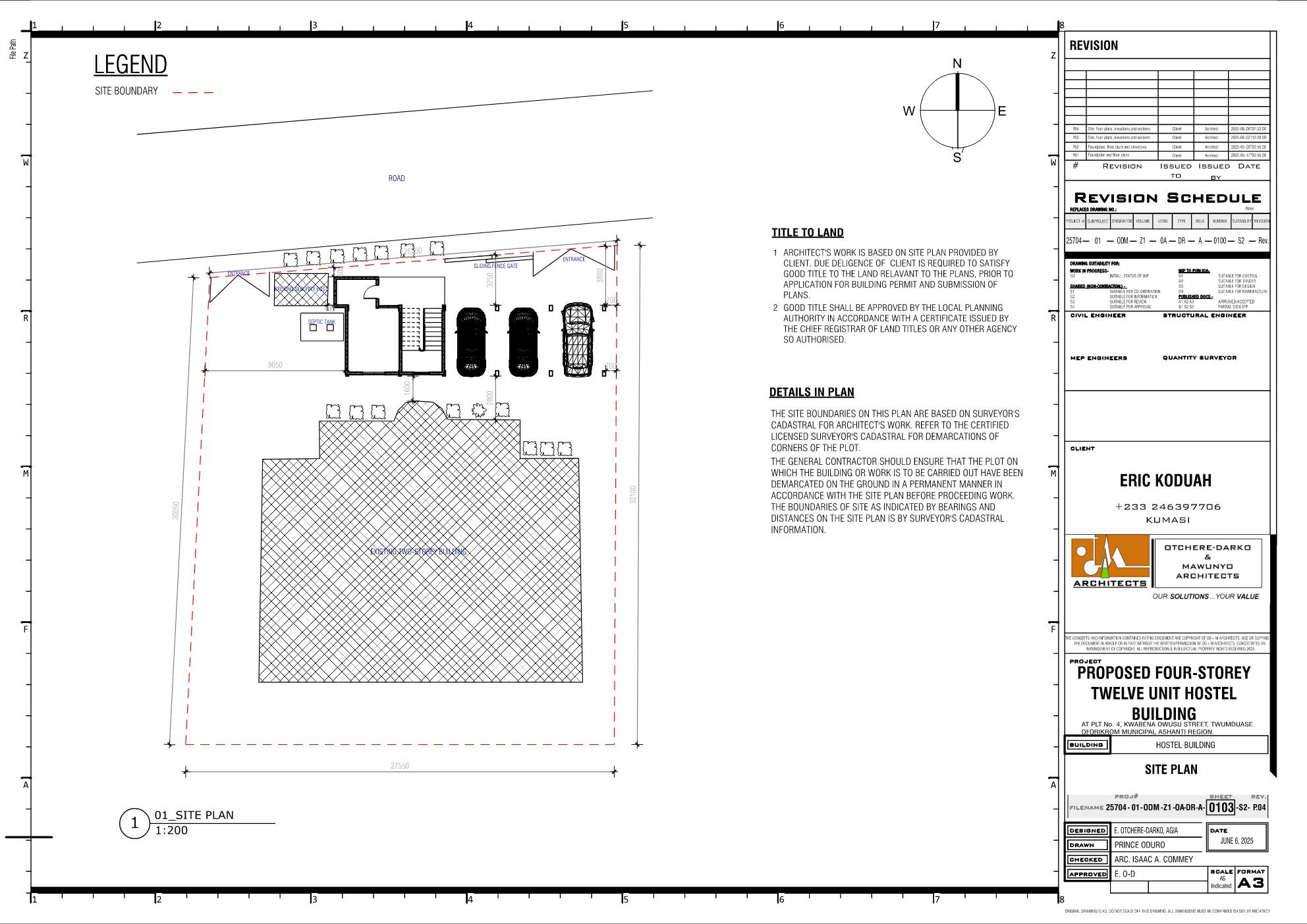
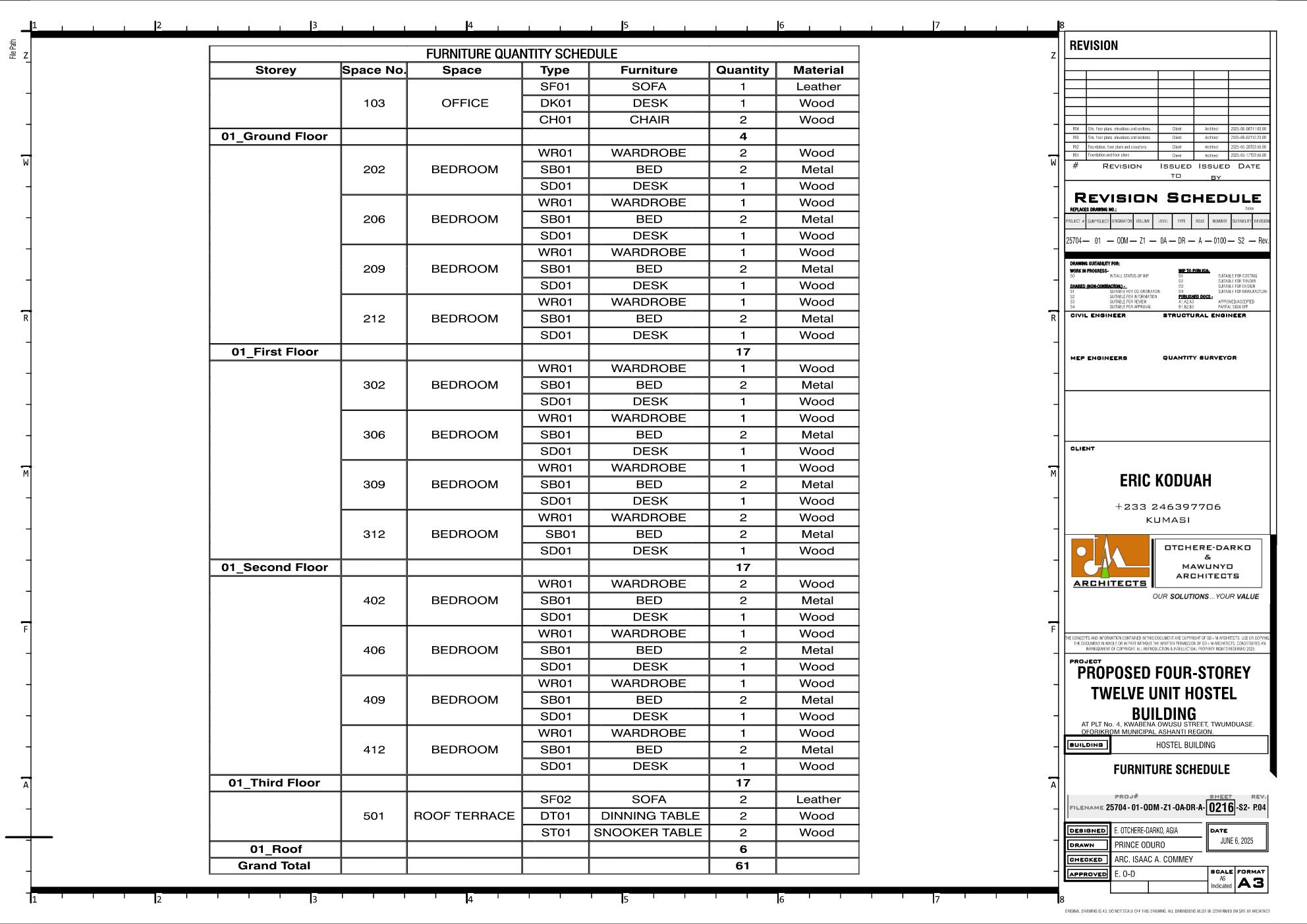
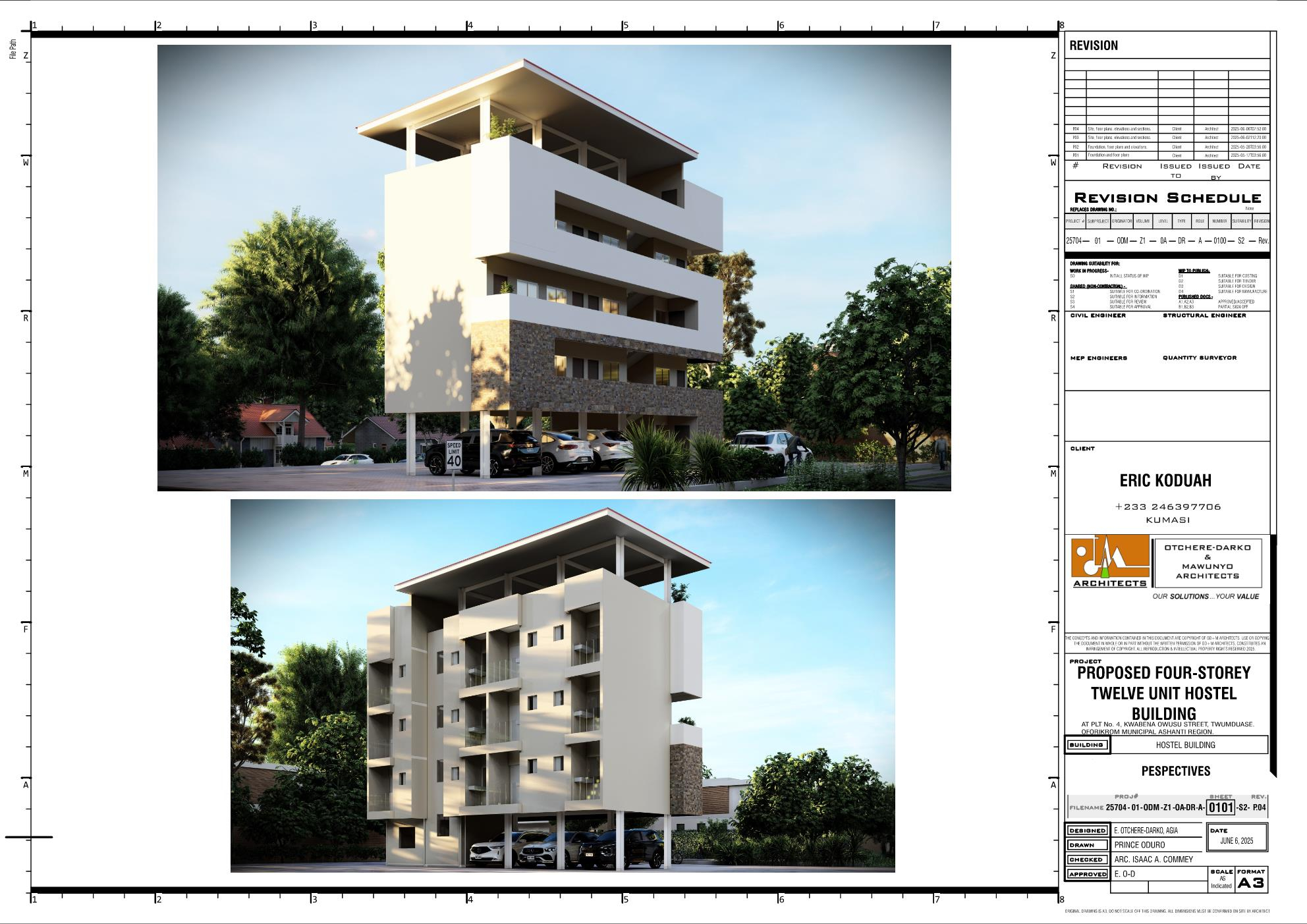
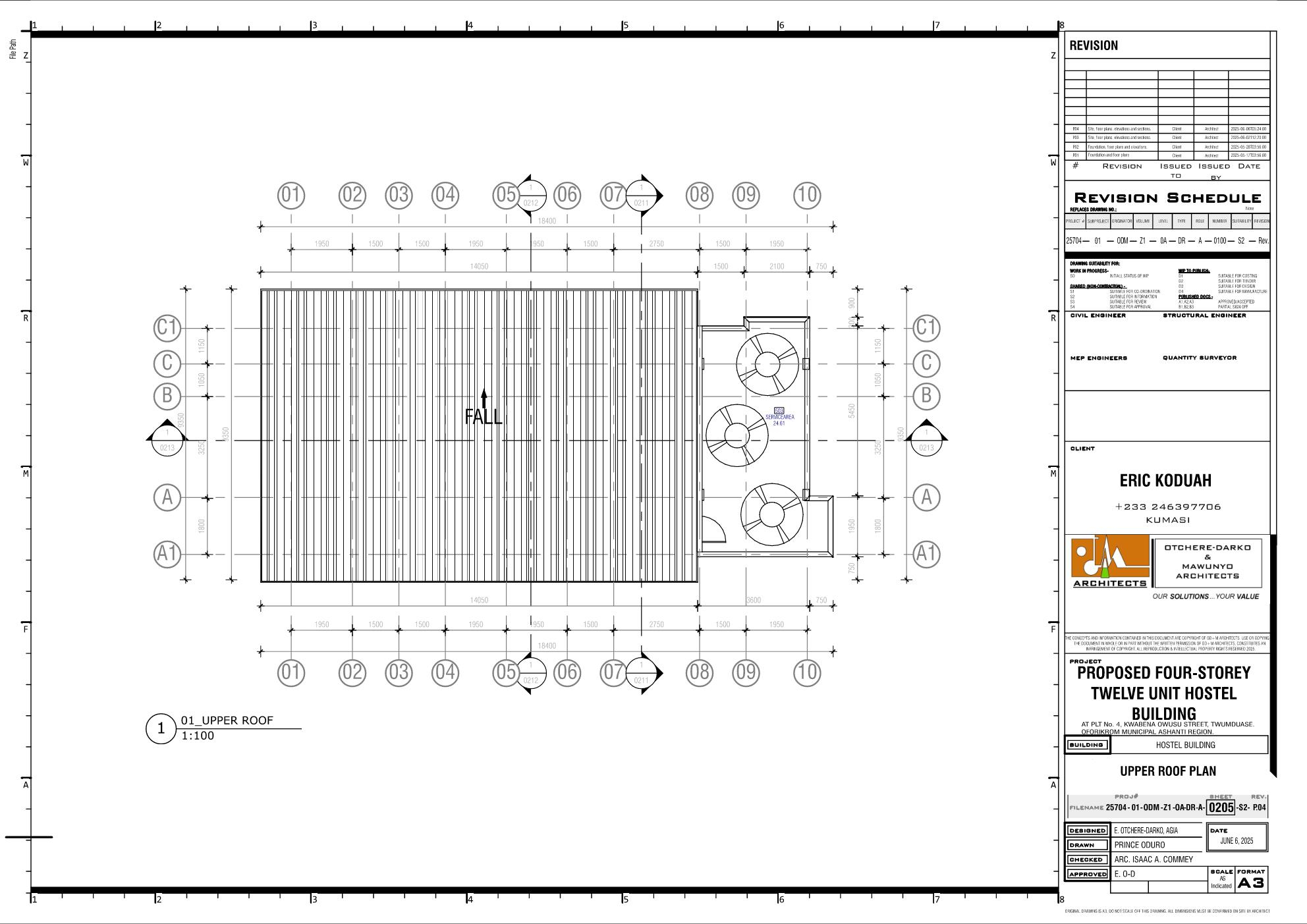
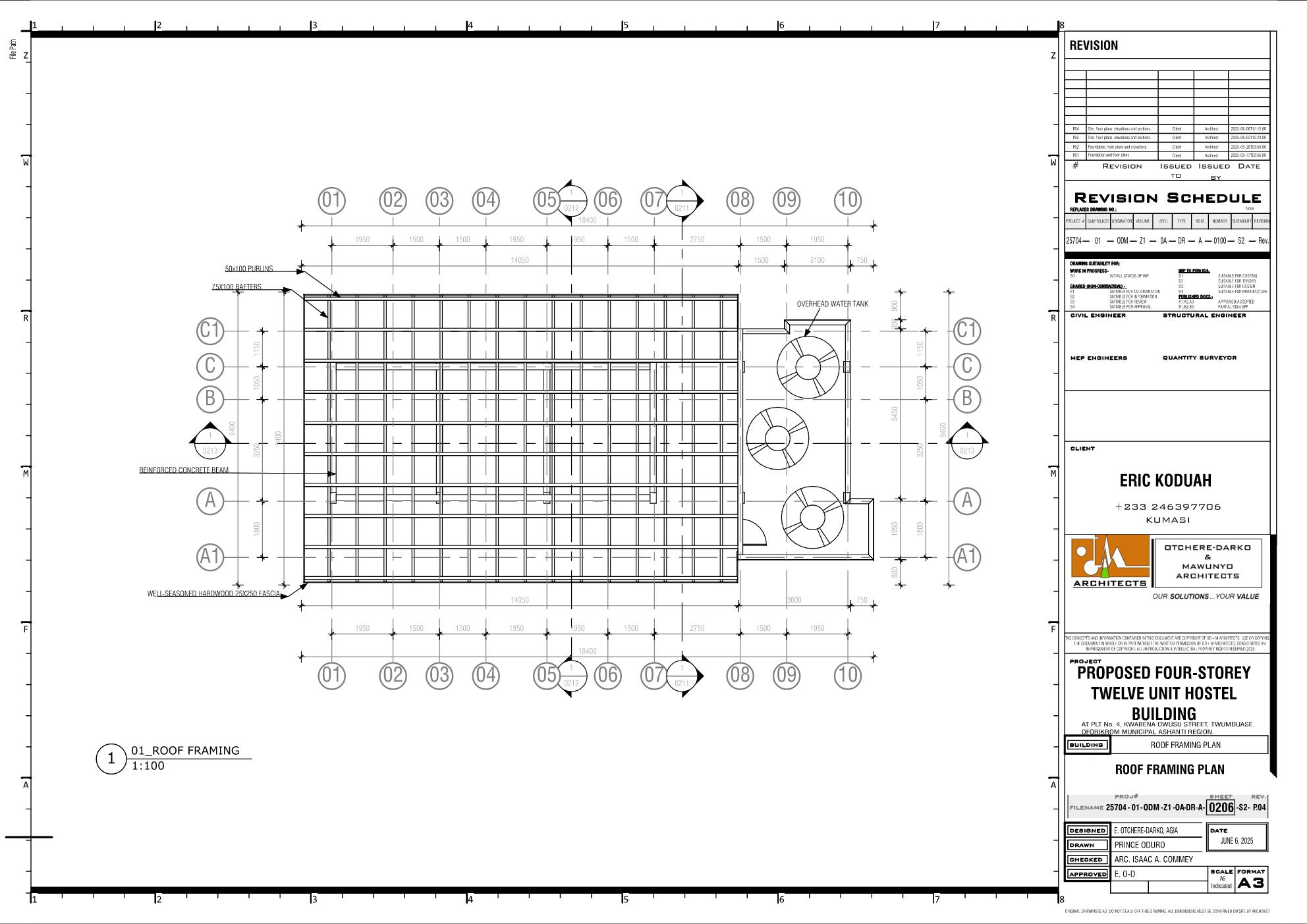
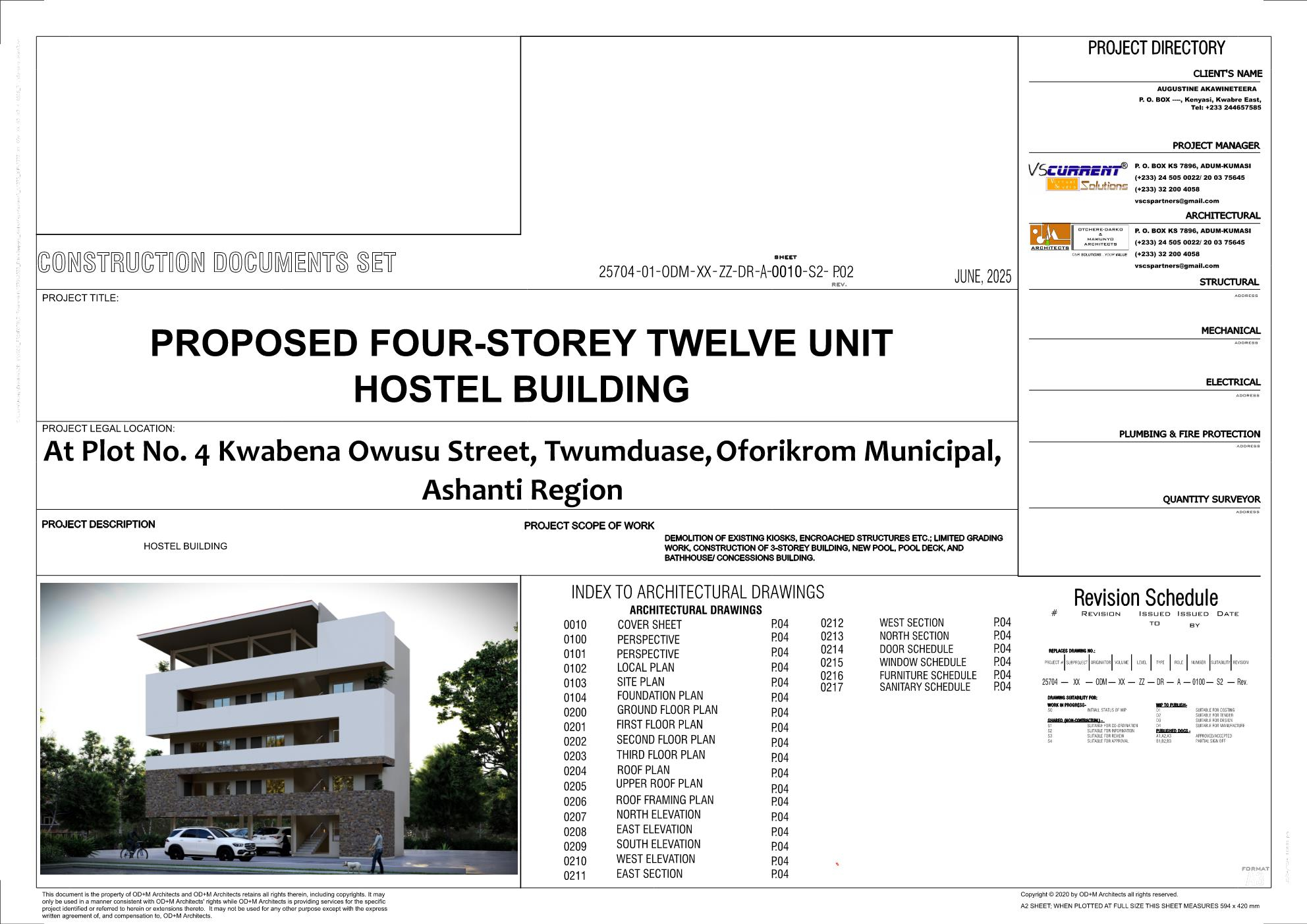
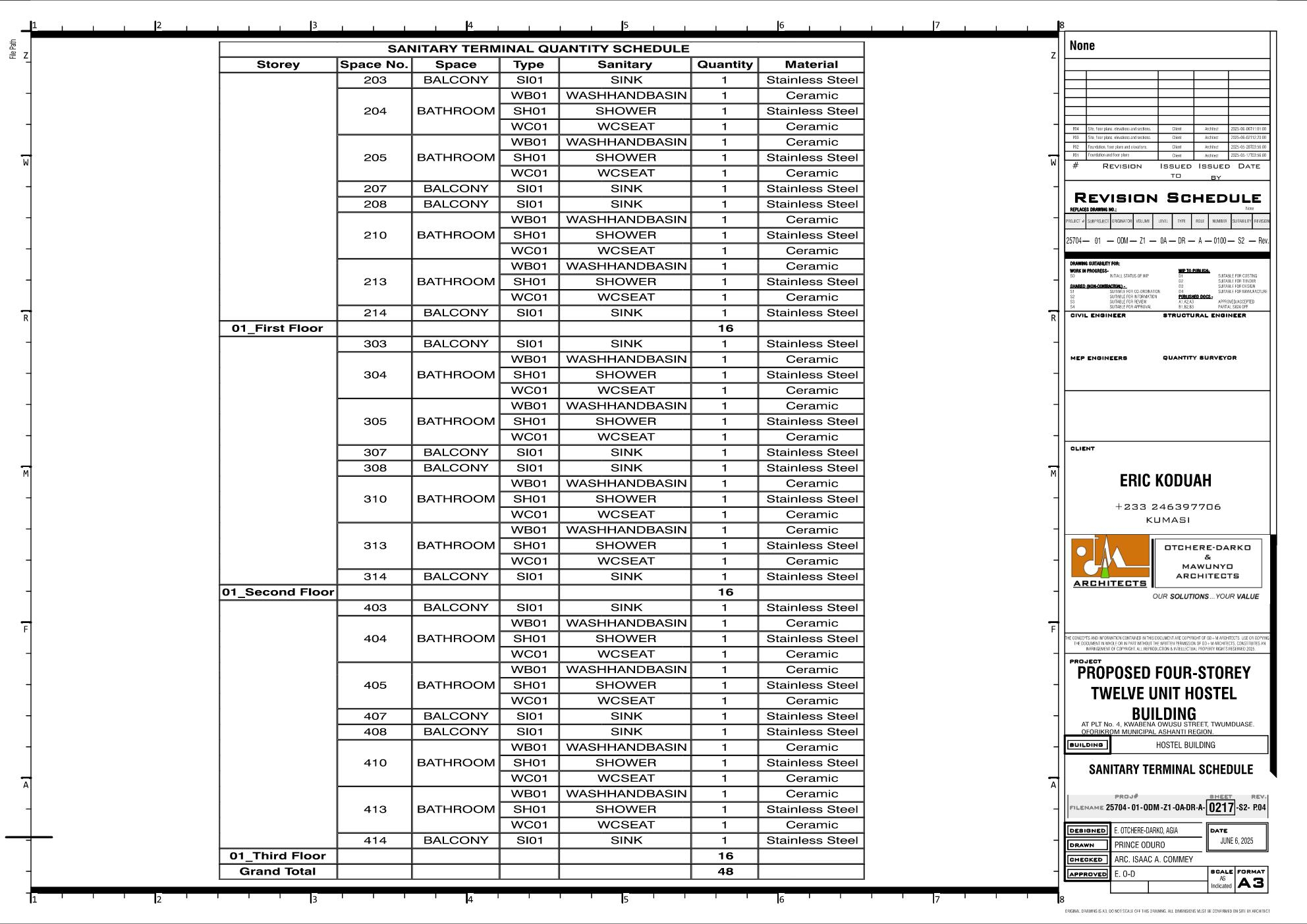
This is a project created using Bonsai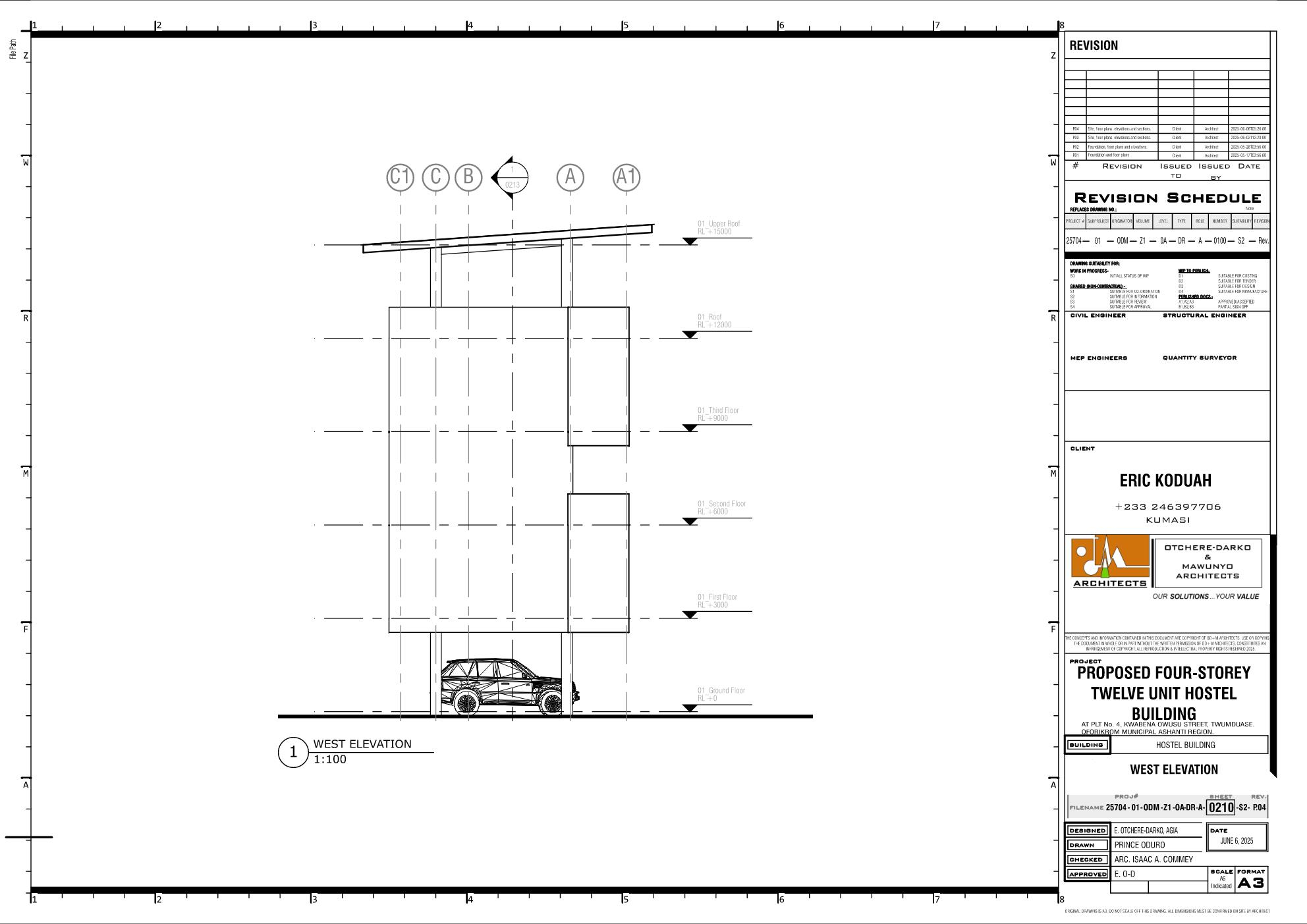
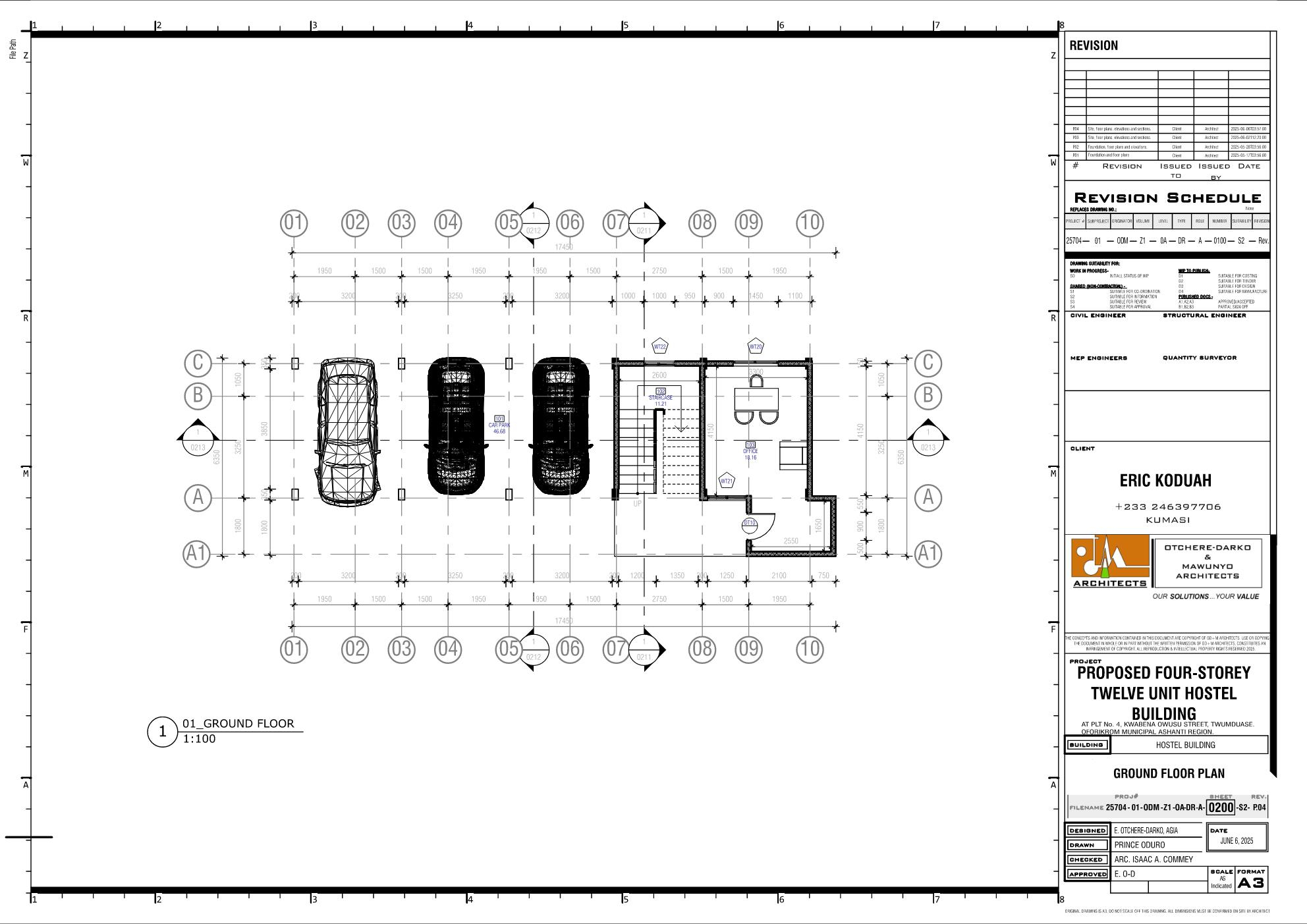
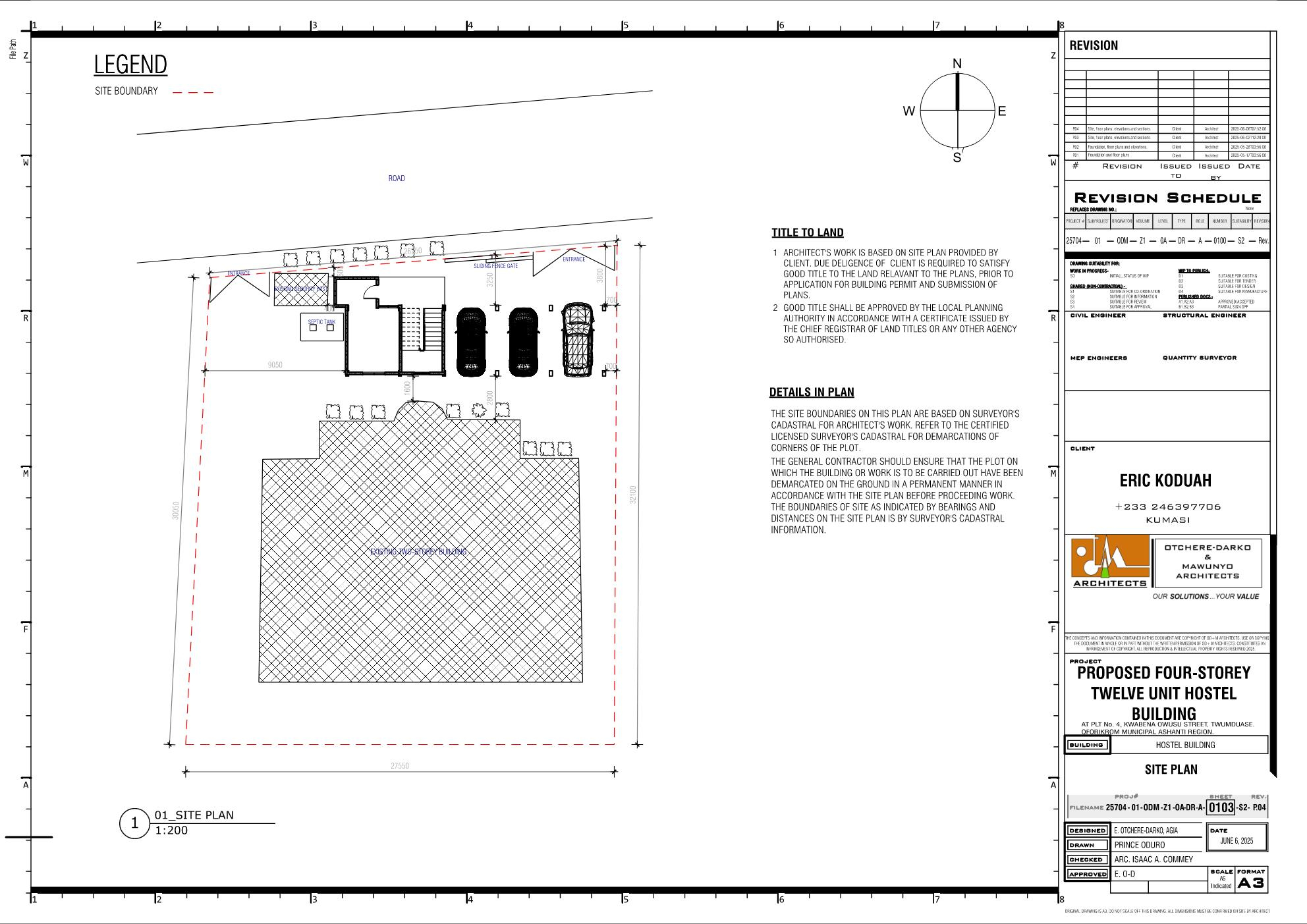
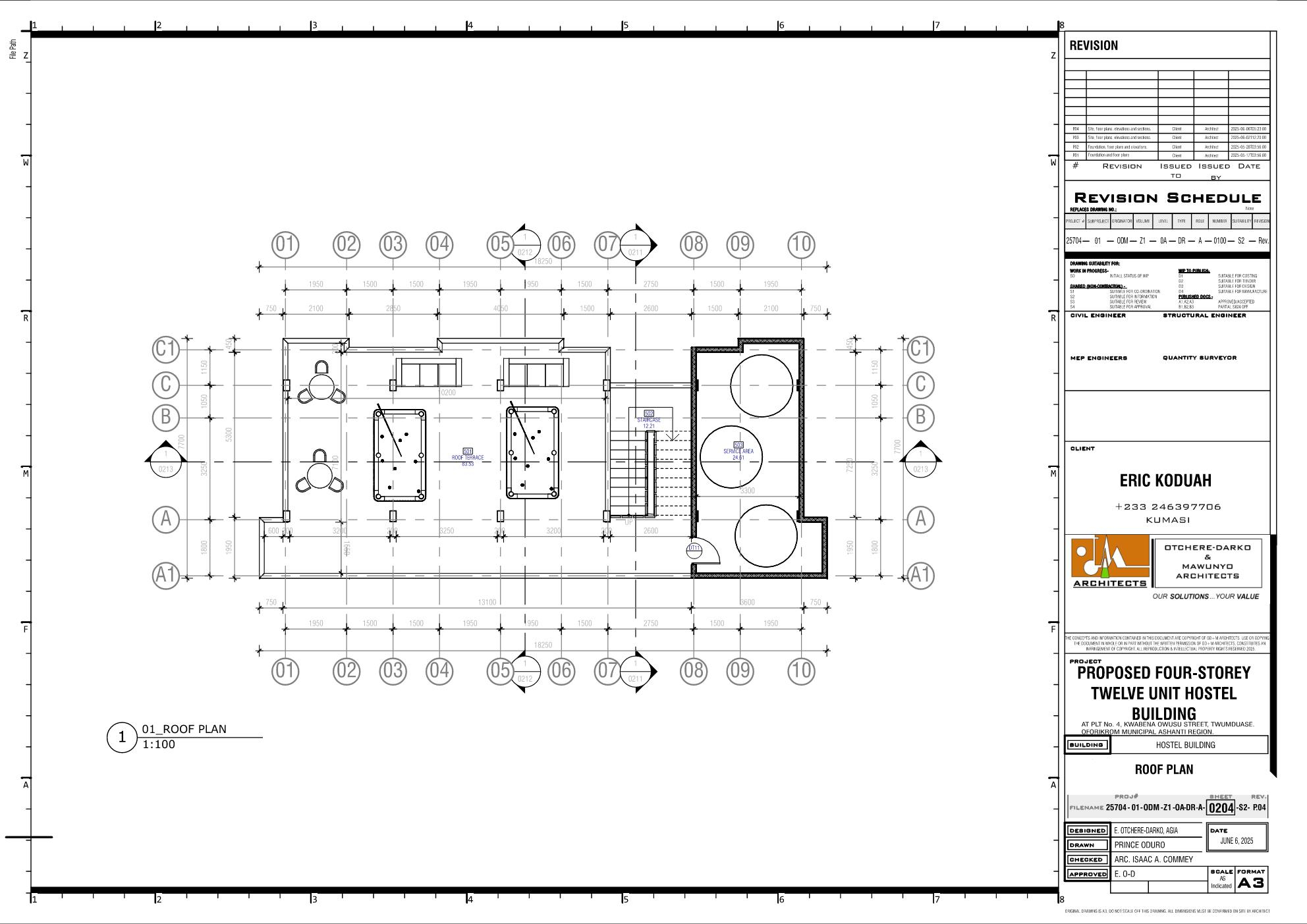
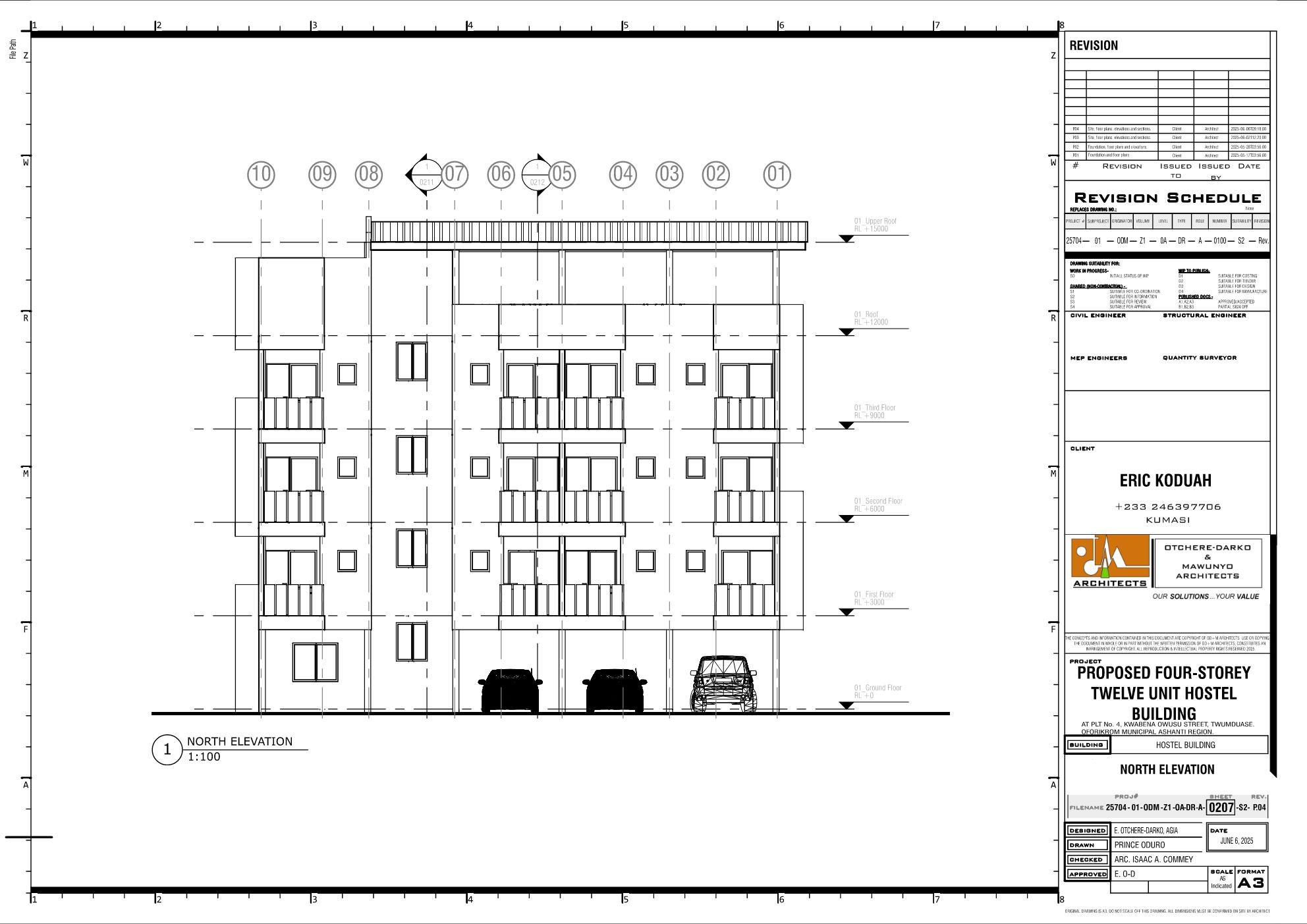
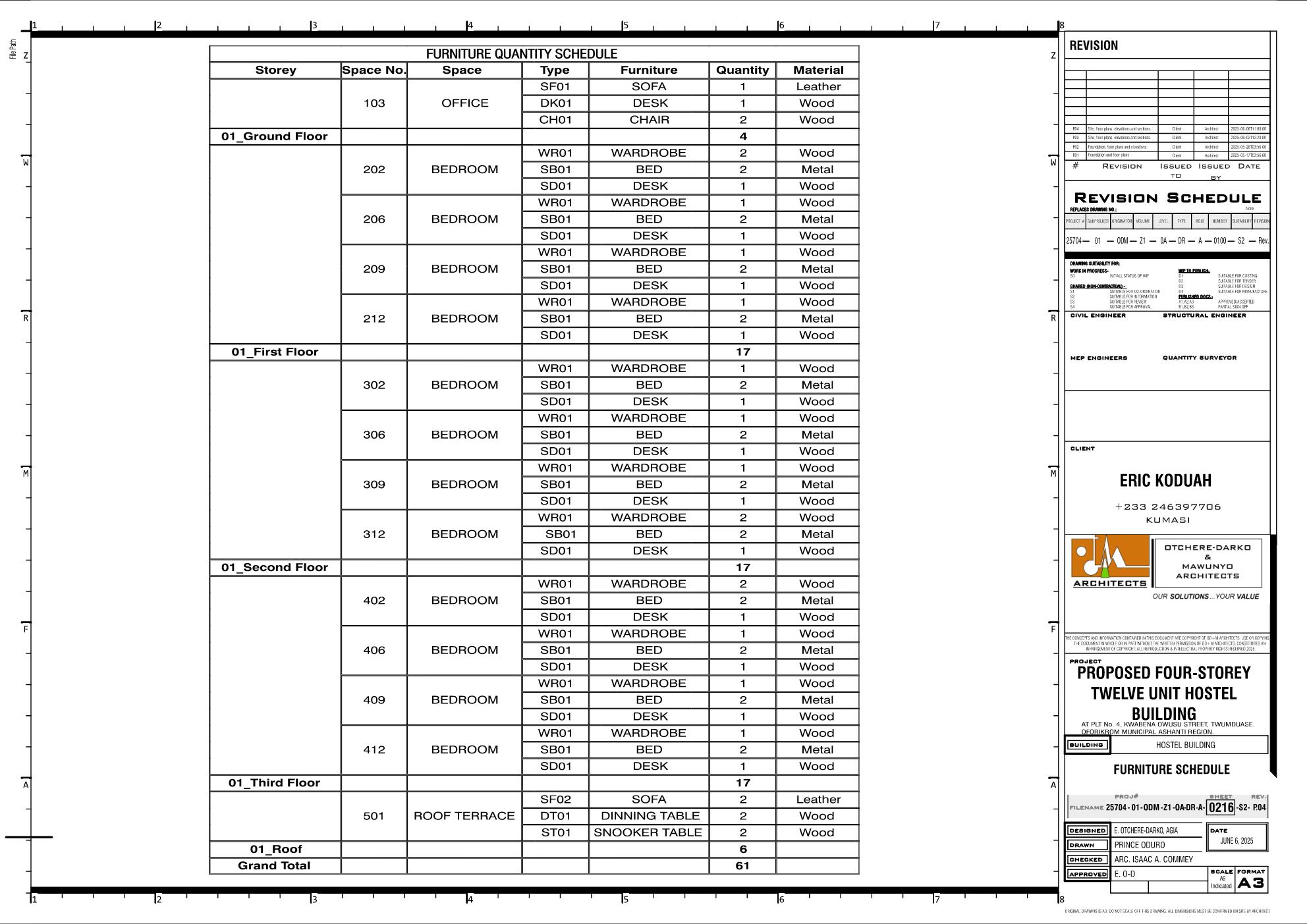
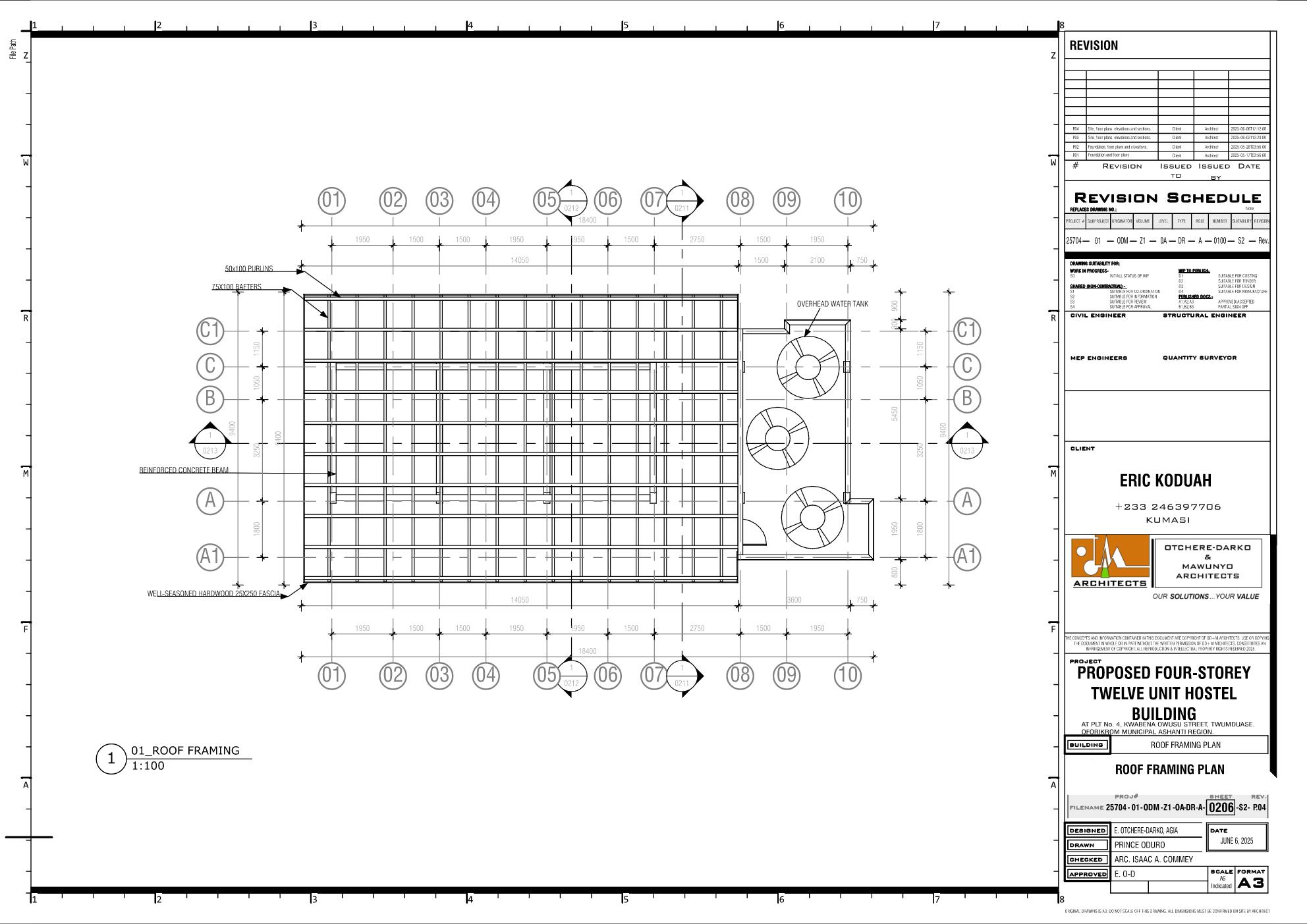
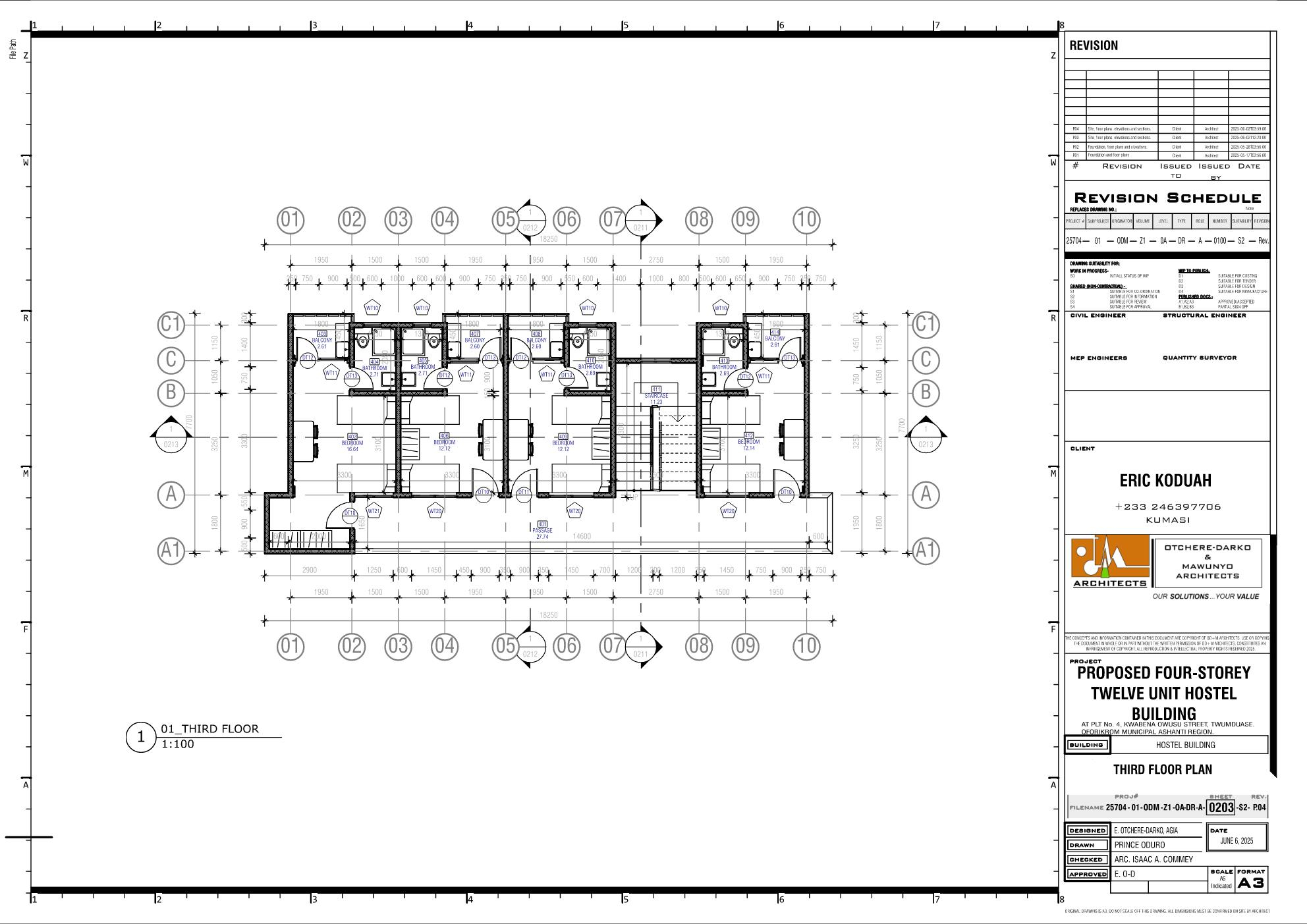
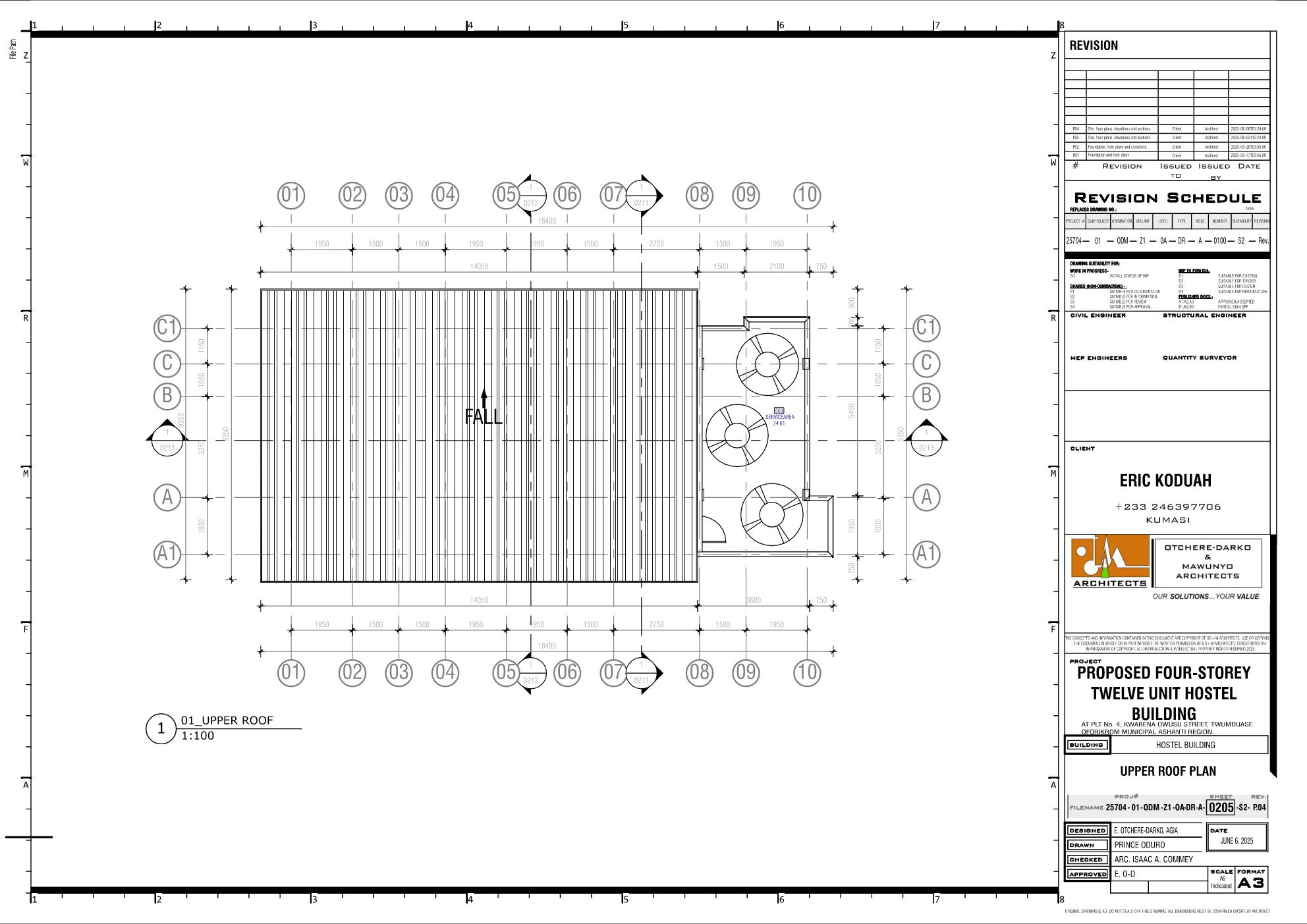
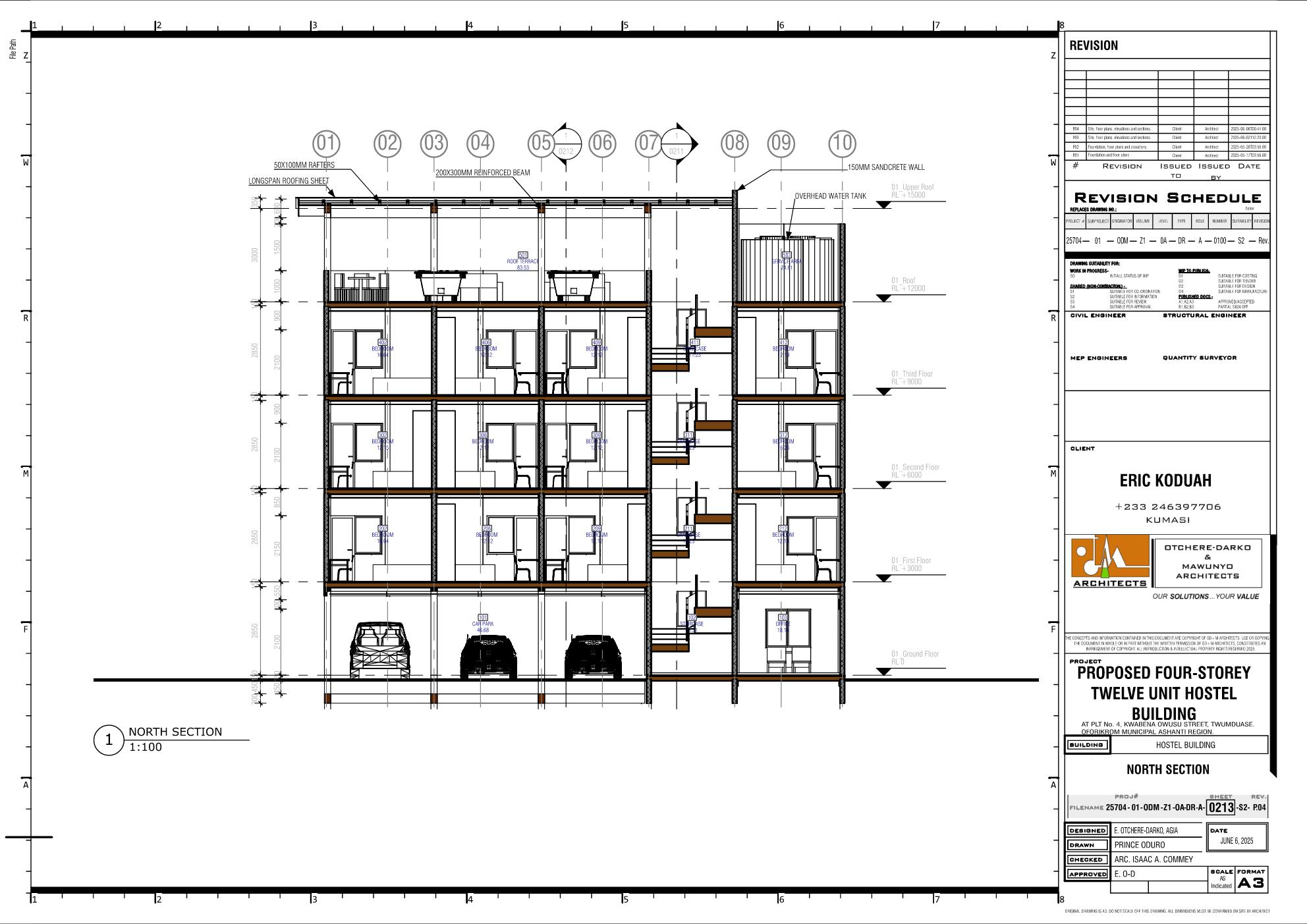
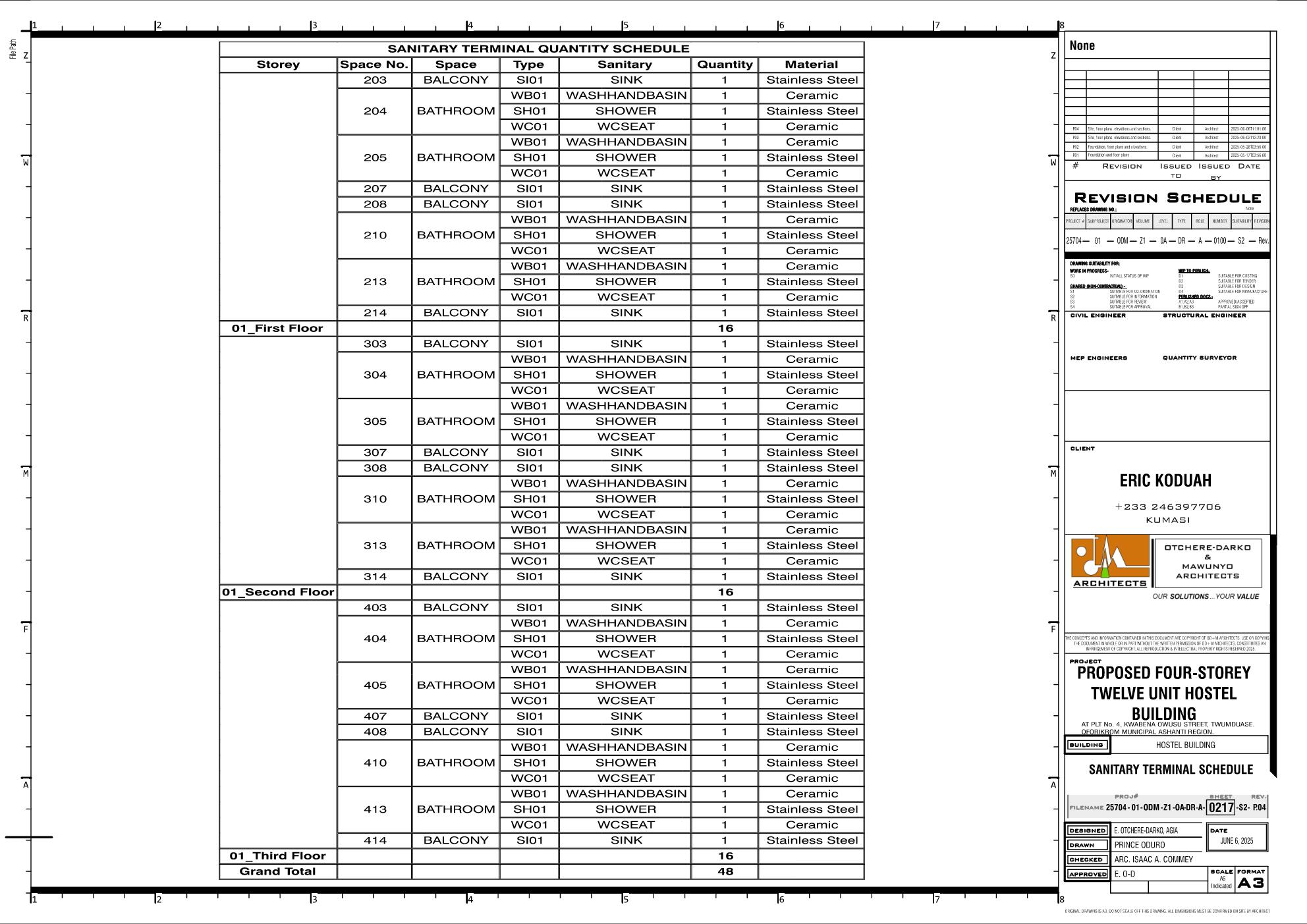
How can I make the line invisible in the front view?
Manually remove it in Inkscape. Bonsai don't yet support "Join Geometry" for line clean-ups, especially where elements are of the same material.
Currently, all linework and clean-ups are done in Inkscape. The downside is that if there is a change in the design, you have to repeat the same process in Inkscape again.
@Owura_qu How to adjust the grid and level lines so that they stay within the camera frame?
What I do is that I simply delete the Grid (ie. IfcAnnotation ) in the drawing view
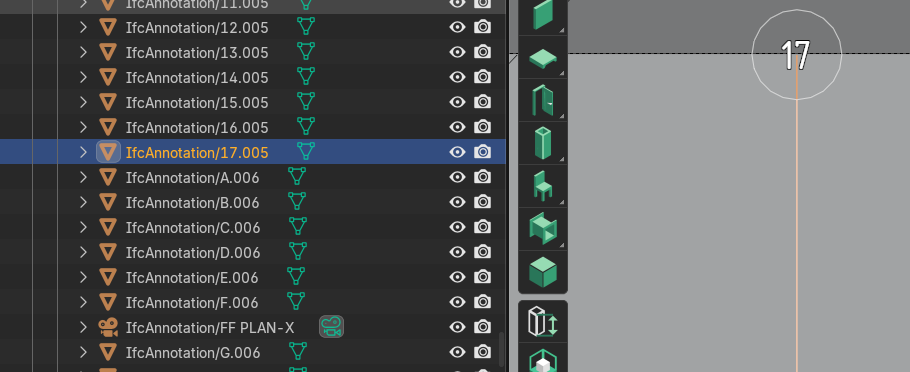
and then edit the Grid from the Project Overview tab after unlocking and viewing it,
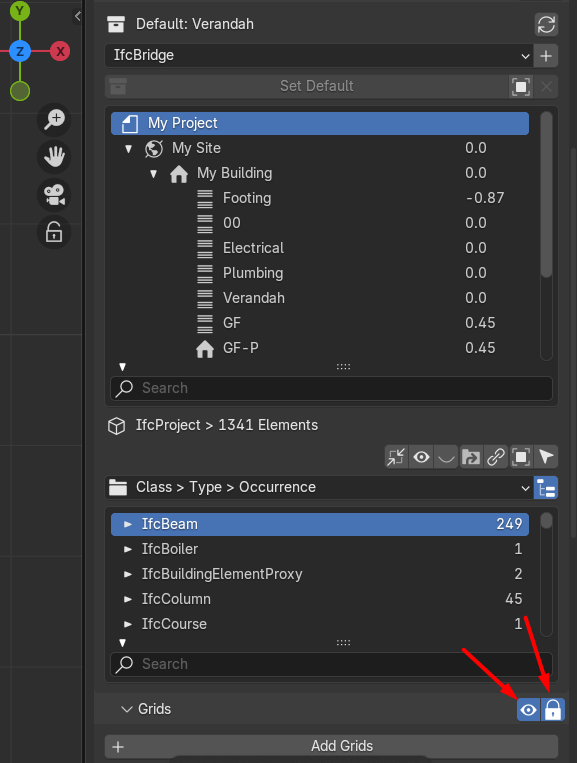
then when I recreate the drawing I get the grids regenerated as IfcAnnotation aligned with the camera.
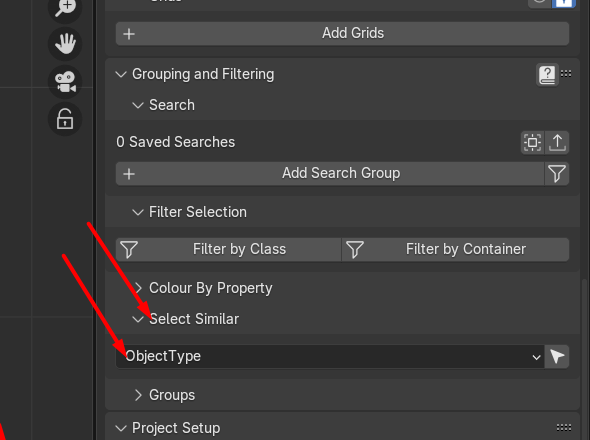
Usually I get the grids slighlty out of the camera frame, then I delete the Ifc Annotation again , slightly make the camera frame smaller, regenerate it and then make camera to normal size I need. To select all IfcAnnotation grids in one click, I select one grid and then I use Select similar ObjectType from Project Overview tab.
Good morning, and pardon me for the delayed response. I have been held up and, for some time, have not been active here.
I believe @arunarchitect has provided a fairly comprehensive explanation. My workflow, however, is that I normally adjust the IfcAxis to the desired limits before creating drawings. In that way, I reduce to the barest minimum of having to delete and re-generate the IfcAnnotation for axes again. With respect to the levels, you always have to create drawings first before editing them.