Hi @aditio123 ,
thanks for the tutorial suggestion, I am glad the tutorial helped you with learning FreeCAD. Creation of a tutorial about roof frame structure is in my plans. I don't know when I will get to it.
@aditio123 this is a nice tutorial (not created by myself) showing how to create wooden structure of an object. Similar workflow can be used for creating roof frame structure.
This tutorial fro beginners shows how to model a simple piece of furniture (a chair) in FreeCAD. Even though it is modeled in the Part workbench, the model is primarily meant to be used in architectural BIM projects.
Following the previous tutorial on creating openings in slabs, this one shows two basic methods of creating opening in a wall in FreeCAD BIM.
The first one uses the Door tool, the second one removes a solid object in the shape of the opening from the wall.
This tutorial shows how to create a drainage piping system using FreeCAD BIM. Even though the tools for creating MEP systems are limited, it is possible to use them for creating simple systems.
This tutorial follows the last one about the Arch_Stairs object. This video explains how to create various shapes of stairs - multiple combinations of flights and landings.
This tutorial explains the BIM Material system in FreeCAD. It shows how work with materials and multi-materials. Multi-material concept is something akin to IfcMaterialConstitutenSet and IfcMaterialLayerSet from the IFC schema.
A new FreeCAD Draft Intermediate video course by FCB Lounge has just been released in full! The course teaches how to use FreeCAD to create a small 2D architectural floor plan. Even though the course is meant for intermediate users, beginners should be able to follow the course too.
The course covers:
✅ Setting up layers
✅ Effective creation of geometry - lines, rectangles, arcs
✅ Editing of geometry - extending, trimming, moving
✅ Creation and working with compound objects
✅ Working with hatches, using various patterns
✅ Creation of text objects and dimensions
✅ Placing the drawing on a sheet with a title block
✅ Creation of room schedule
FreeCAD is not primarily used for 2D drafting, it can do the job pretty efficiently.
This video shows how to create a niche in a wall. Two methods are demonstrated, one using the window tool and the second one using a solid that is removed from the wall.
This tutorial shows the most sophisticated way of creating floor plans and elevations from 3D model in FreeCAD. As of FreeCAD 1.1 it still has some limitations - it is not feature complete yet. In my opinion the biggest limitations are hatch creation, limited options to set up linestyles and texts. With that said, it is still a very powerful tool. It is also quite complex to setup, that is why I think this tutorial might be pretty useful for FreeCAD BIM users.
Yes, I know about this workflow. I recorded a video using it one year ago :).
As stated in this last tutorial, there are advantages and disadvantages to both techniques. The BIM View one is more streamlined. It has also some advantages, like having object cut color be based on a material - I think this is not possible using the BIM_DrawingView tool. Axes handling is also better in BIM_View . But overall the BIM_DrawingView is more feature rich and flexible workflow, that is for sure, but there is no clear 'winner' in my opinion.
What I am missing in both is not having the possibility to have automated hatch creation based on the material assigned and text handling on the TechDraw page.
This video introduces the FCB Lounge 2D Architecture Objects Library for FreeCAD. This is a free library of AEC objects, which can be used in 2D drafting projects and also 3D BIM projects.
The library provides basic architecture objects such as sinks, shower trays, bathtubs, cooktops, other appliances, chairs, sofas, tables, beds, entourage objects and many other.
I still don't get the general philosophy of how to properly work with and use Walls in Freecad.
Aren't there any (persistent) Wall Connections (butted a/b, mitered, T-connection, ....) ?
Is there a way to "extend" a Wall, e.g. when you moved a Wall - to reestablish a former T-connection ?
I mean in a 3D BIM view. Or do I have to do all that in the 2D Sketcher workbench level, with Polylines and/or 2D Constraints ?
What is the meaning of a single Wall Element, e.g. created from a Rectangle? Which so far I would have seen as 4 Connected Walls in other BIM Apps. What are the advantages of such multi Wall Elements ?
Aren't there any (persistent) Wall Connections (butted a/b, mitered, T-connection, ....) ?
No, there are not. It is possible to merge walls or join them, but 'Wall Connection' does not exist in FreeCAD.
Merging and joining walls is explained here:
Is there a way to "extend" a Wall, e.g. when you moved a Wall - to reestablish a former T-connection ?
I mean in a 3D BIM view. Or do I have to do all that in the 2D Sketcher workbench level, with Polylines and/or 2D Constraints ?
Yes, you have to work with the underlaying base geometry.
What is the meaning of a single Wall Element, e.g. created from a Rectangle? Which so far I would have seen as 4 Connected Walls in other BIM Apps. What are the advantages of such multi Wall Elements ?
I don't know what the meaning should be. It can be an exterior wall of a simple building with rectangular footprint. I would say the advantage is that this one object shares properties for all of it's parts so it's easier to change them.
To sum it up:
To work with walls in FreeCAD you have to mostly manipulate the base geometry (sketches and draft 2D objects). Even though walls without base object exist, the only way to edit them is through it's parameters. The wall joint between two wall object does not exist in FreeCAD, this is quite a big weak point in my opinion.
Note that I think every BIM application has lines/sketches as a base object for walls, it just hide them from users by default. FreeCAD currently lacks GUI tools to edit walls as an object in the way you may be used to from other application.
Thank you very much @semhustej, that helps a lot !
(I see I have watched that video already ... will watch again)
Even though walls without base object exist,
That made me struggle.
The wall joint between two wall object does not exist in FreeCAD
OK, I could not imagine that but good to know.
To work with walls in FreeCAD you have to mostly manipulate the base geometry (sketches and draft 2D objects).
Which I think is not that cool vs 3D Editing in general and regarding your video about "Wall Alignment" in special (No real overview in 2D)
Note that I think every BIM application has lines/sketches as a base object for walls, it just hide them from users by default.
I experience the opposite. When Editing Walls (or Wall Styles) you will get asked from which "Alignment Axis" you will base your changes - so it is flexible (VW and Bricscad)
But when I want to move or extend Walls just from Alignment Lines/axis in 2D, where I can't even estimate which type was assigned, I still have to do manually math about full or half Wall's thickness in the back of my mind ?
Is there really not something similar to "Extend to next Wall" as in Bonsai or Bricscad ?(
(Looks like you also had at least early Bricscad experience, which (linear Solids and Connections) was already great, not mentioning current state like "Quick Draw" refinement and everything else or my other BIM)
I don't know what the meaning should be. It can be an exterior wall of a simple building with rectangular footprint. I would say the advantage is that this one object shares properties for all of its parts so it's easier to change them.
Not sure yet if that's a good idea in case of element calculations and how to organize this and together with nedeed other Wall "types".
I just could not imagine it is like this as there are other components on another level already. But working with Walls for me was always "the" essential feature. I really thought you probably may just create another Wall Tutorial in this regard and just show to effectively work with Freecad Walls in the Freecad sense.
OK I will play a bit and see how I can revert to get used to revert to the former 2D Sketch based Wall creation approach.
(Continuous Lines or better all Single Lines, ...) I watched one of your older Videos about creating Geometry, which was 2D only. And there came up some very cumbersome repetitive needs in 2D work also.
To not be misunderstood,
(before my Freecad post here gets deleted again)
I am aware that Freecad is "free". And I although being so direct and honest may sound harsh and not motivating, I do not have "expectations or therefore would even "demand" or "judge" Freecad in any way. I just try to understand so I can find ways to make it useful and valuable for me - which likely will take quite some time in general. I was very motivated to start testing again by the extensive progress I have seen between v1.0 and v1.1 and I have no intention stop testing/leraning Freecad though.
@zoomer said:
I still don't get the general philosophy of how to properly work with and use Walls in Freecad.
Aren't there any (persistent) Wall Connections (butted a/b, mitered, T-connection, ....) ?
Is there a way to "extend" a Wall, e.g. when you moved a Wall - to reestablish a former T-connection ?
I mean in a 3D BIM view. Or do I have to do all that in the 2D Sketcher workbench level, with Polylines and/or 2D Constraints ?
What is the meaning of a single Wall Element, e.g. created from a Rectangle? Which so far I would have seen as 4 Connected Walls in other BIM Apps. What are the advantages of such multi Wall Elements ?


Comments
Hi @aditio123 ,
thanks for the tutorial suggestion, I am glad the tutorial helped you with learning FreeCAD. Creation of a tutorial about roof frame structure is in my plans. I don't know when I will get to it.
This tutorial shows how to create basic roof shapes using the Roof tool in FreeCAD BIM

@aditio123 this is a nice tutorial (not created by myself) showing how to create wooden structure of an object. Similar workflow can be used for creating roof frame structure.

This tutorial fro beginners shows how to model a simple piece of furniture (a chair) in FreeCAD. Even though it is modeled in the Part workbench, the model is primarily meant to be used in architectural BIM projects.
This tutorial shows how to import Point Cloud into FreeCAD. It also shows how to work with imported point cloud in FreeCAD.
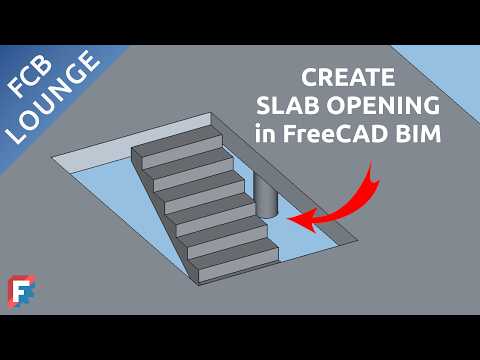
This FreeCAD BIM tutorial shows how to create slab openings. Two basic techniques are described in the video:
Following the previous tutorial on creating openings in slabs, this one shows two basic methods of creating opening in a wall in FreeCAD BIM.
The first one uses the Door tool, the second one removes a solid object in the shape of the opening from the wall.
This video provides a basic overview of the BIM Column tool in FreeCAD.
This tutorial shows how to create a drainage piping system using FreeCAD BIM. Even though the tools for creating MEP systems are limited, it is possible to use them for creating simple systems.
This tutorial covers how to setup parametric stairs object to achieve various types of stairs in FreeCAD BIM.
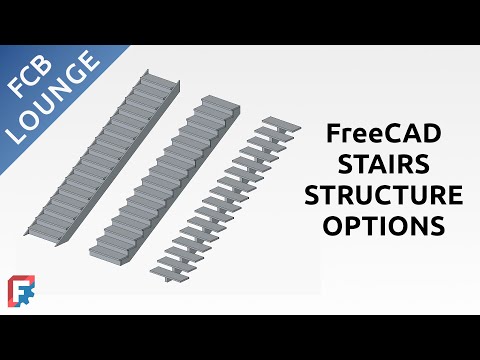
This tutorial follows the last one about the Arch_Stairs object. This video explains how to create various shapes of stairs - multiple combinations of flights and landings.
This FreeCAD tutorial explains how to import geodetic survey points from a csv or text file. Road Workbench is used for this task.

This tutorial follows the last one and shows how to create terrain from imported geodetic survey points. The Road workbench is used again.
This video shows how easy it is to import landXML terrain data to FreeCAD using the Road Workbench.
This tutorial explains the BIM Material system in FreeCAD. It shows how work with materials and multi-materials. Multi-material concept is something akin to IfcMaterialConstitutenSet and IfcMaterialLayerSet from the IFC schema.
A new FreeCAD Draft Intermediate video course by FCB Lounge has just been released in full! The course teaches how to use FreeCAD to create a small 2D architectural floor plan. Even though the course is meant for intermediate users, beginners should be able to follow the course too.
The course covers:
✅ Setting up layers
✅ Effective creation of geometry - lines, rectangles, arcs
✅ Editing of geometry - extending, trimming, moving
✅ Creation and working with compound objects
✅ Working with hatches, using various patterns
✅ Creation of text objects and dimensions
✅ Placing the drawing on a sheet with a title block
✅ Creation of room schedule
FreeCAD is not primarily used for 2D drafting, it can do the job pretty efficiently.
Access the video course here:
This video is an opinion piece about the state of the BIM Library in FreeCAD at the beginning of 2026.
Congratulations on the FreeCAD tutorial videos you've been making, they are always excellent!
For those who want to know more about parametric components and haven't yet seen the posts on this forum about it, here are the links:
FreeCAD - Parametric components
https://community.osarch.org/discussion/2582/freecad-parametric-components#latest
Parametric components for kitchens
https://community.osarch.org/discussion/2519/parametric-components-for-kitchens#latest
Parametric components - Doors and windows
https://community.osarch.org/discussion/2694/parametric-components-doors-and-windows#latest
Parametric terrain
https://community.osarch.org/discussion/2713/parameric-terrain#latest
HVAC in FreeCAD
https://community.osarch.org/discussion/2459/hvac-in-freecad#latest
Thank you for sharing the library and its components!
This video shows how to create a niche in a wall. Two methods are demonstrated, one using the window tool and the second one using a solid that is removed from the wall.
This tutorial shows the most sophisticated way of creating floor plans and elevations from 3D model in FreeCAD. As of FreeCAD 1.1 it still has some limitations - it is not feature complete yet. In my opinion the biggest limitations are hatch creation, limited options to set up linestyles and texts. With that said, it is still a very powerful tool. It is also quite complex to setup, that is why I think this tutorial might be pretty useful for FreeCAD BIM users.
@semhustej You may have a look at Yorik's blog in which a 2D intermediate step is recommended too.
Are you talking about using the BIM_DrawingView tool? Or is there something else that I am missing?
It turns out to be a workflow recommended in a post in Sept 2021!
See the section 'Foreword'
Yes, I know about this workflow. I recorded a video using it one year ago :).
As stated in this last tutorial, there are advantages and disadvantages to both techniques. The BIM View one is more streamlined. It has also some advantages, like having object cut color be based on a material - I think this is not possible using the BIM_DrawingView tool. Axes handling is also better in BIM_View . But overall the BIM_DrawingView is more feature rich and flexible workflow, that is for sure, but there is no clear 'winner' in my opinion.
What I am missing in both is not having the possibility to have automated hatch creation based on the material assigned and text handling on the TechDraw page.
This video introduces the FCB Lounge 2D Architecture Objects Library for FreeCAD. This is a free library of AEC objects, which can be used in 2D drafting projects and also 3D BIM projects.
The library provides basic architecture objects such as sinks, shower trays, bathtubs, cooktops, other appliances, chairs, sofas, tables, beds, entourage objects and many other.
The library is available for download here: https://ko-fi.com/s/bbdfeaf26a
I still don't get the general philosophy of how to properly work with and use Walls in Freecad.
Aren't there any (persistent) Wall Connections (butted a/b, mitered, T-connection, ....) ?
Is there a way to "extend" a Wall, e.g. when you moved a Wall - to reestablish a former T-connection ?
I mean in a 3D BIM view. Or do I have to do all that in the 2D Sketcher workbench level, with Polylines and/or 2D Constraints ?
What is the meaning of a single Wall Element, e.g. created from a Rectangle? Which so far I would have seen as 4 Connected Walls in other BIM Apps. What are the advantages of such multi Wall Elements ?
No, there are not. It is possible to merge walls or join them, but 'Wall Connection' does not exist in FreeCAD.
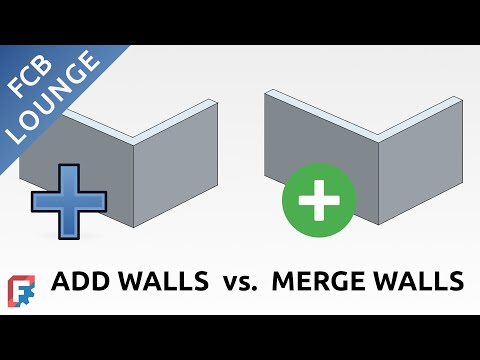
Merging and joining walls is explained here:
Yes, you have to work with the underlaying base geometry.
I don't know what the meaning should be. It can be an exterior wall of a simple building with rectangular footprint. I would say the advantage is that this one object shares properties for all of it's parts so it's easier to change them.
To sum it up:
To work with walls in FreeCAD you have to mostly manipulate the base geometry (sketches and draft 2D objects). Even though walls without base object exist, the only way to edit them is through it's parameters. The wall joint between two wall object does not exist in FreeCAD, this is quite a big weak point in my opinion.
Note that I think every BIM application has lines/sketches as a base object for walls, it just hide them from users by default. FreeCAD currently lacks GUI tools to edit walls as an object in the way you may be used to from other application.
Thank you very much @semhustej, that helps a lot !
(I see I have watched that video already ... will watch again)
That made me struggle.
OK, I could not imagine that but good to know.
Which I think is not that cool vs 3D Editing in general and regarding your video about "Wall Alignment" in special (No real overview in 2D)
I experience the opposite. When Editing Walls (or Wall Styles) you will get asked from which "Alignment Axis" you will base your changes - so it is flexible (VW and Bricscad)
But when I want to move or extend Walls just from Alignment Lines/axis in 2D, where I can't even estimate which type was assigned, I still have to do manually math about full or half Wall's thickness in the back of my mind ?
Is there really not something similar to "Extend to next Wall" as in Bonsai or Bricscad ?(
(Looks like you also had at least early Bricscad experience, which (linear Solids and Connections) was already great, not mentioning current state like "Quick Draw" refinement and everything else or my other BIM)
Not sure yet if that's a good idea in case of element calculations and how to organize this and together with nedeed other Wall "types".
I just could not imagine it is like this as there are other components on another level already. But working with Walls for me was always "the" essential feature. I really thought you probably may just create another Wall Tutorial in this regard and just show to effectively work with Freecad Walls in the Freecad sense.
OK I will play a bit and see how I can revert to get used to revert to the former 2D Sketch based Wall creation approach.
(Continuous Lines or better all Single Lines, ...) I watched one of your older Videos about creating Geometry, which was 2D only. And there came up some very cumbersome repetitive needs in 2D work also.
To not be misunderstood,
(before my Freecad post here gets deleted again)
I am aware that Freecad is "free". And I although being so direct and honest may sound harsh and not motivating, I do not have "expectations or therefore would even "demand" or "judge" Freecad in any way. I just try to understand so I can find ways to make it useful and valuable for me - which likely will take quite some time in general. I was very motivated to start testing again by the extensive progress I have seen between v1.0 and v1.1 and I have no intention stop testing/leraning Freecad though.
Interesting discussions :)
Would you and/or @semhustej mind opening a thread in FreeCAD BIM forum cross-posting discussion here to let developers aware of the consideration - https://forum.freecad.org/viewforum.php?f=23
Thanks.