I think that in cases that you have a material layer, you should name the layer set "concrete". It' not possible yet, that I know, to set one hatch per layer
@bruno_perdigao said:
I think that in cases that you have a material layer, you should name the layer set "concrete". It' not possible yet, that I know, to set one hatch per layer
Hi @Ace . I have a very basic issue. When I generate a plan view and I press the 'Create Drawing' button the SVG is not shown and Blender crashes and shuts down. The SVG is correctly generated because I can see it in the 'drawings' folder. If anyone knows about this problem just let me know. Thanks.
can someone try modify the size of their bathroom and see if the IFC Space can be regenerated to fill the new volume. When I try, it disappears and creates a vertical line wherever my cursor is.
Hi all,
I followed the Bonsai version of this tutorial and everything went perfectly. So then I set about modelling my own building and the creating a first drawing for it. But whenever I try to edit a dimension I get "Geometry changes will be lost". Sure enough, they are. I set the dimensions up and as soon as I save or exit edit mode each dimension reverts to as that dimension was created. Newly created dimensions in a newly created document in a newly created model work fine.
So I went back to my tutorial save file and tried to change the dimensions on that, in case it was a problem with my model file. I get the same warning and problem - all changes to dimensions are lost / forgotten / discarded as soon as I exit edit mode. It worked perfectly before!
What gives?
Hi @theoryshaw
Yes-ish! Item 1 under incompatible features describes exactly what I am doing, using the top left drop list to get into edit mode. The thing is that is exactly what the video shows to do and exactly what I did when following @Ace's tutorial. And it worked fine. But if I go back into a drawing and modify dimesions the changed are lost.
Ah ha! Figured it out.
When you add a dimension the IFC mode changes automatically to IFC item mode, then you manually switch to edit mode - all good. But when you return to a drawing and select an existing object that mode change doesn't happen, you have to manually switch to IFC item mode.
To go back into a drawing and edit a dimension the full sequence is: activate the drawing, switch to annotation tool, select the dimension to edit, change to IFC Item mode, change to edit mode. The order of those 5 steps is important too, e.g. you have to have an object selected for IFC item mode to be available in the droplist. @Ace,
Could you add a section to your video on returning to a drawing to update it?


Comments
@Ace
I should just name the material concrete and it should pick up the right hatch? Or am I looking in the wrong place?
I think that in cases that you have a material layer, you should name the layer set "concrete". It' not possible yet, that I know, to set one hatch per layer
I see:
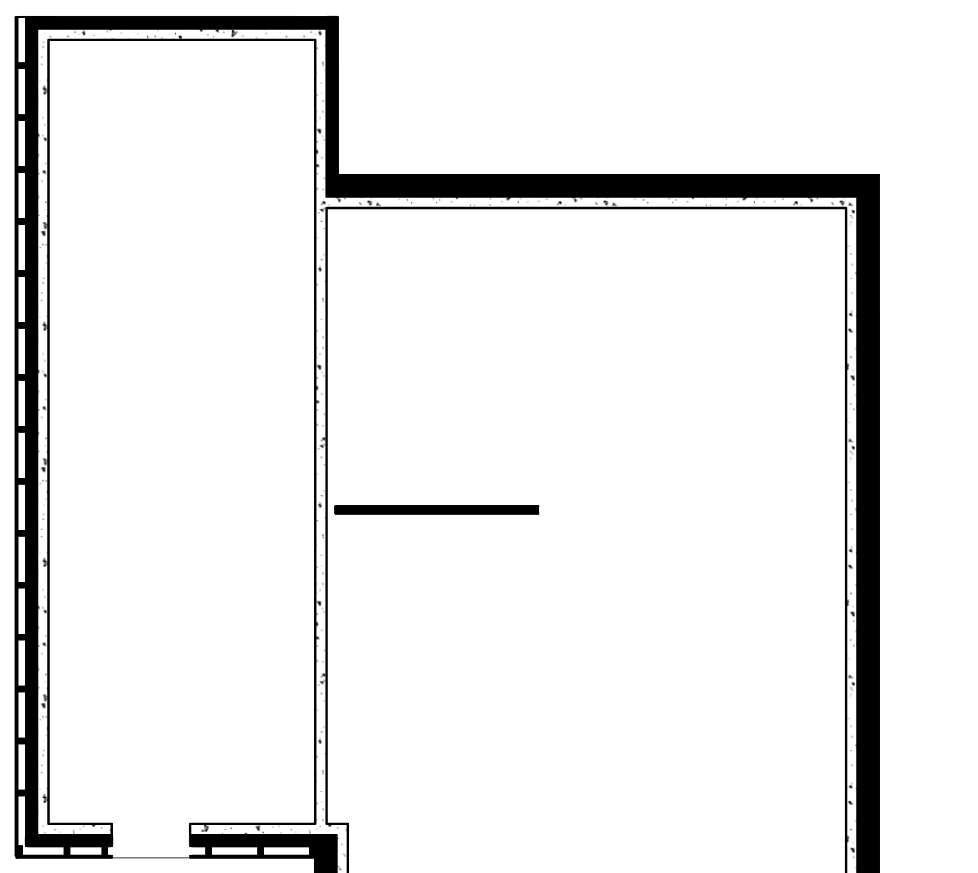
@bruno_perdigao is on the money haha. Sorry I didn't get back in time glad you got sorted
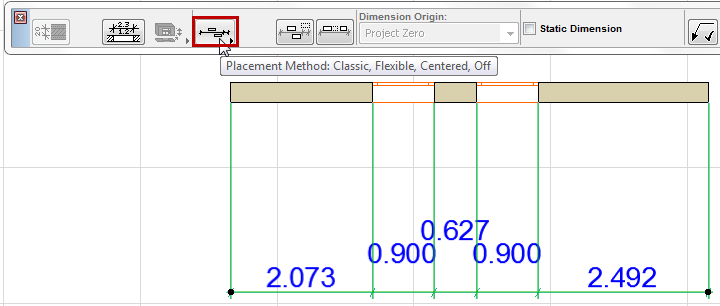
Does anyone know this:
Is it possible to offset the dimensions when they are small and too close together? Like this:
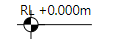
Is it possible to edit the prefix and the digits number for the level annotation?
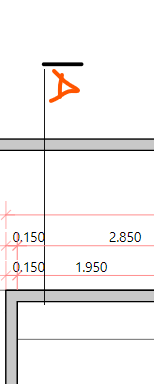
Is it possible to add custom text to the section symbol?
Hi @Ace . I have a very basic issue. When I generate a plan view and I press the 'Create Drawing' button the SVG is not shown and Blender crashes and shuts down. The SVG is correctly generated because I can see it in the 'drawings' folder. If anyone knows about this problem just let me know. Thanks.
Have you downloaded the latest release? If on windows, it might be this bug, that @Moult fixed recently. It was a gnarly one.
Hey @vbertran
I think it is indeed the bug @theoryshaw mentioned I'd recommend updating your blenderbim to the latest and see if it fixes the issue:
https://github.com/ifcopenshell/ifcopenshell/releases
hey @theoryshaw @Ace! You where right!I installed today's releases and it works again.
Thanks!
Hi. My floor area is set to 13 decimal places. Is there an IFC setting to reduce this? It can't be a global setting.
https://community.osarch.org/discussion/comment/18802/#Comment_18802
can someone try modify the size of their bathroom and see if the IFC Space can be regenerated to fill the new volume. When I try, it disappears and creates a vertical line wherever my cursor is.
Hi all,
I followed the Bonsai version of this tutorial and everything went perfectly. So then I set about modelling my own building and the creating a first drawing for it. But whenever I try to edit a dimension I get "Geometry changes will be lost". Sure enough, they are. I set the dimensions up and as soon as I save or exit edit mode each dimension reverts to as that dimension was created. Newly created dimensions in a newly created document in a newly created model work fine.
So I went back to my tutorial save file and tried to change the dimensions on that, in case it was a problem with my model file. I get the same warning and problem - all changes to dimensions are lost / forgotten / discarded as soon as I exit edit mode. It worked perfectly before!
What gives?
Is there anything on this page that helps understand why?: https://docs.bonsaibim.org/guides/troubleshooting.html#saving-and-loading-blend-files
Hi @theoryshaw
Yes-ish! Item 1 under incompatible features describes exactly what I am doing, using the top left drop list to get into edit mode. The thing is that is exactly what the video shows to do and exactly what I did when following @Ace's tutorial. And it worked fine. But if I go back into a drawing and modify dimesions the changed are lost.
Ah ha! Figured it out.
When you add a dimension the IFC mode changes automatically to IFC item mode, then you manually switch to edit mode - all good. But when you return to a drawing and select an existing object that mode change doesn't happen, you have to manually switch to IFC item mode.
To go back into a drawing and edit a dimension the full sequence is: activate the drawing, switch to annotation tool, select the dimension to edit, change to IFC Item mode, change to edit mode. The order of those 5 steps is important too, e.g. you have to have an object selected for IFC item mode to be available in the droplist.
@Ace,
Could you add a section to your video on returning to a drawing to update it?